1
Troubleshooting
If you are experiencing any problem with your display, before
calling for service, please review the following troubleshooting
tips.
There is no picture or sound.
• Is the power cord disconnected? (See page 13.)
• Is the main power switch off? (See page 16.)
• Is the monitor in standby mode (the power LED illuminating
in orange)? (See page 16.)
• Make sure correct input mode is selected. (See page 18.)
• If any external equipment is connected, make sure the
equipment is operating (playing back).
Remote control does not work.
• Are the batteries inserted with polarity (+,-) aligned? (See
page 15.)
• Are the batteries exhausted?
• Point the remote control unit toward the monitor’s remote
control sensor. (See page 15.)
• Is the menu display hidden or is operation disabled? (See
page 29.)
Sound from left and right speakers is reversed.
Sound is heard from only one side.
• Are audio cables connected properly?
• Check the setting of BALANCE for AUDIO menu. (See
page 23.)
There is a picture but no sound.
• Is the sound muted?
• Make sure the volume is not set to minimum.
• Are audio cables connected properly?
• Is the setting of AUDIO SELECT on the SETUP menu
correct? (See page 23.)
The video from D-Sub input terminal does not appear
properly.
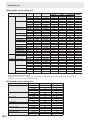
• Is the input signal compatible with this monitor? (See page
51.)
The video from the DisplayPort does not appear properly.
• Is the input signal compatible with this monitor? (See page
51.)
The video from component input terminals does not
appear properly.
• Is the video cable (Y/Cb/Cr) connected correctly?
• Is the input mode set to COMPONENT?
The video will not appear correctly if the input mode is set
to VIDEO.
The video from video input terminal does not appear
properly.
• Is the input mode set to VIDEO?
The video will not appear correctly if the input mode is set
to COMPONENT.
Control buttons do not work.
There is no picture.
• Load noises from outside may be interfering with normal
operation. Turn off the power and turn it on after waiting at
least 5 seconds, and then check the operation.
The monitor makes a cracking sound.
• You may occasionally hear a cracking sound from the
monitor. This happens when the cabinet slightly expands
and contracts according to change in temperature. This
does not affect the monitor’s performance.
Unstable video.
• The signal may be incompatible.
• Try the automatic screen adjustment when the D-SUB is
used.
The video from the HDMI input terminal does not appear
properly.
• Is the HDMI cable HDMI standard compliant? The monitor
will not work with cables that are not standard compliant.
• Is the input signal compatible with this monitor? (See page
51.)
The video from the DVI-D input terminal does not appear
properly.
• Is the input signal compatible with this monitor? (See page
51.)
• Turn off the power to the connected equipment and then
turn the power on again.
• If the monitors are connected in a daisy chain, turn off the
power to all the monitors connected in a daisy chain and
then turn the power on again.
45
E