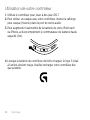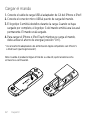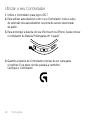
1
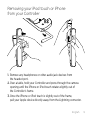
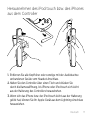
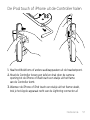
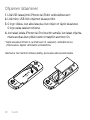
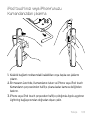
Removing your iPod touch or iPhone
from your Controller
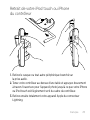
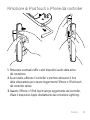
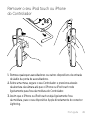
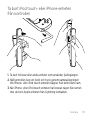
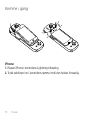
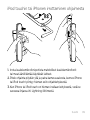
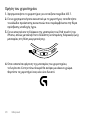
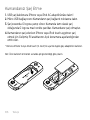
1. Remove any headphones or other audio jack devices from
the headset port.
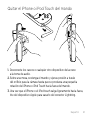
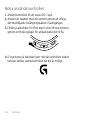
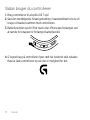
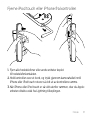
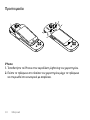
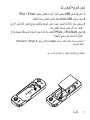
2.Over a table, hold your Controller and press through the camera
opening until the iPhone or iPod touch rotates slightly out of
the Controller’s frame.
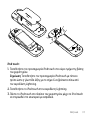
3.Once the iPhone or iPod touch is slightly out of the frame,
pull your Apple device directly away from the Lightning connector.
English 9