1
Contents
Connections
Playback
Settings
Tips
Appendix
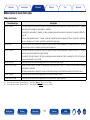
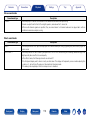
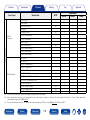
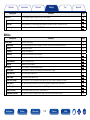
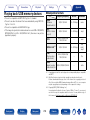
22Speakers
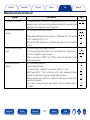
Setting items
Audyssey® Setup
Manual Setup
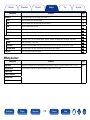
Description
Page
The acoustic characteristics of the connected speakers and listening room are measured and the optimum settings are made
automatically.
172
Perform when setting the speakers manually or when changing settings made in Audyssey® Setup.
182
Amp Assign
Select power amplifier usage method to match your speaker system.
182
Speaker Config.
Indicate speaker presence and select speaker size categories based on bass reproduction capability.
183
Distances
Set distance from listening position to speakers.
185
Levels
Set the volume of the test tone to be the same when it is output from each speaker.
186
Crossovers
Set the maximum frequency of the bass signal output from each channel to the subwoofer.
187
Bass
Set subwoofer and LFE signal range playback.
188
Front Speaker Setup
Set the front speakers to use for every sound mode.
188
2ch Playback
Select the method for setting the speakers used in the 2-channel direct and stereo playback modes.
189
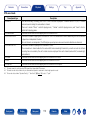
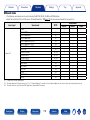
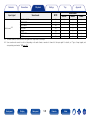
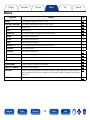
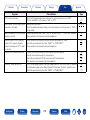
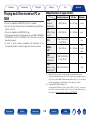
22Network
Setting items
Description
Page
Information
Display network information.
191
IP Control
Enables network communication in standby power mode.
191
Friendly Name
The Friendly Name is the name of this unit displayed on the network. You can change the Friendly Name according to your
preferences.
191
Settings
Make settings for wired LAN.
192
Diagnostics
Used to check the network connection.
193
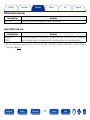
Maintenance Mode
Use when receiving maintenance from a Denon service engineer or custom installer.
194
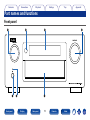
Front panel
Display
Rear panel
143
Remote
Index