1
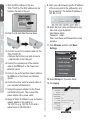
14. Click OK.
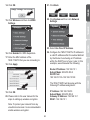
21. Click Back.
15. Click Wireless and then click WDS
Settings.
22. Click System and then click Network
Settings.
23. Select Use Fixed IP Address.
24. Configure the TEW-715APO's IP address to
a valid IP address within the subnet defined
by the Router. Avoid using an IP address
within the DHCP pool of your router. In this
example, we will assume the following:
16. Click Enabled for WDS Separation.
17. Enter the MAC address of the
TEW-715APO that you are connecting to.
18. Click Apply.
Router IP Address: 192.168.10.1
Subnet Mask: 255.255.255.0
DHCP Pool:
192.168.10.100~192.168.10.199
The TEW-715APO will be setup with the
following IP address assignment:
IP Address: 192.168.10.200
Subnet Mask: 255.255.255.0
Gateway IP Address: 192.168.10.1
DNS 1: 192.168.10.1
19. Click OK.
20. Please refer to the user manual for the
steps in setting up wireless encryption.
Note: To protect your network from any
unauthorized access it is recommended to
enable wireless encryption.
4