1
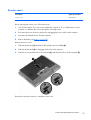
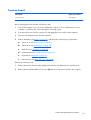
Before removing the system board, follow these steps:
1.
Turn off the computer. If you are unsure whether the computer is off or in Hibernation, turn the
computer on, and then shut it down through the operating system.
2.
Disconnect the power from the computer by unplugging the power cord from the computer.
3.
Disconnect all external devices from the computer.
4.
Remove the battery (see Battery on page 55), and then remove the following components:
a.
Service cover (see Service cover on page 57)
b.
Optical drive (see Optical drive on page 58)
c.
Hard drive (see Hard drive on page 62)
d.
Fan (see Fan on page 75)
e.
Modem module (see Modem module on page 73)
f.
Fan (see Fan on page 75)
g.
Keyboard (see Keyboard on page 76)
h.
Base enclosure (see Base enclosure on page 80)
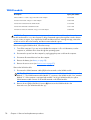
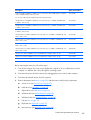
NOTE: When replacing the system board, be sure that the following components are removed from
the defective system board and installed on the replacement system board:
●
SIM (see SIM on page 56, if applicable)
●
Memory module (see Memory module on page 66)
●
WWAN module (see WWAN module on page 68)
●
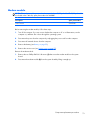
WLAN module (see WLAN module on page 70)
●
Heat sink (see Heat sink on page 99)
●
Processor (see Processor on page 102)
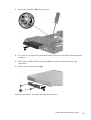
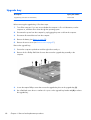
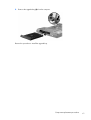
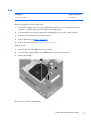
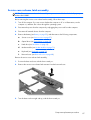
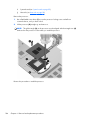
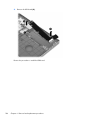
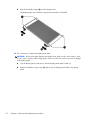
Remove the system board:
96
1.
Position the computer right-side up, with the front toward you.
2.
Open the computer.
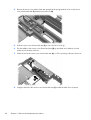
3.
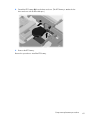
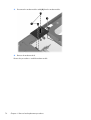
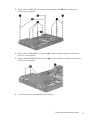
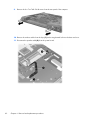
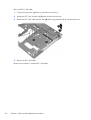
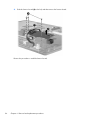
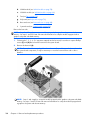
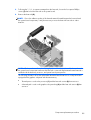
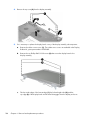
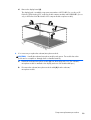
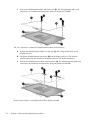
Release the ZIF connector (1) to which the TouchPad cable is connected, and then disconnect the
TouchPad cable (2) from the system board.
4.
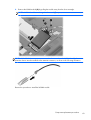
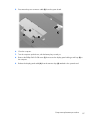
Release the ZIF connector (3) to which the fingerprint reader board cable is connected, and then
disconnect the fingerprint reader board cable (4) from the system board.
Chapter 4 Removal and replacement procedures