1
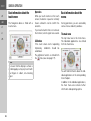
OPERATING GUIDE
Contents
>>>
CONTENTS
>D
> GB
>F
>I
> PL
Warranty
Safety instructions
The Navigation device
Operating manual contents
Use of the product
Navigation
6
7
9
9
9
9
Images*
Telefon (selected models)
9
10
Unpacking the Navigation device
10
Checking the contents
Overview of functions
Scope of delivery
Complaints
Handling the packaging
10
10
11
11
11
Description of the device
11
The basic unit
Cable for power supply from cigarette
lighter
Battery
USB connection cable
Unit bracket
Accessories
Mains power supply unit
Cable for vehicle integration
(for certain models only)
12
Registration
Repairs
2
Using the battery
Connection for the cigarette lighter
Connection to the mains outlet
Connecting to power supply
TMC antenna
(depending on the model)
GPS antenna
Unit antenna
12
12
12
12
12
12
13
Information about the documentation 13
Quick Start Guide
Operating instructions
Emissions and disposal
Overview of the scope of Delivery
Overview of the navigation device
General operation
Maintenance and care
Battery quality declaration
Display quality declaration
Start-up
Power supply
13
13
13
13
Cable for vehicle integration
(depending on model, optional)
Memory card
Inserting the memory card
Ejecting the memory card
Unit bracket
Fitting the unit bracket
On the windscreen
Adjusting the unit holder’s position
Attaching the Navigation device
Removing the Navigation device
Switching the Navigation
device on/off
13
14
15
17
17
18
18
18
18
19
19
20
20
20
20
20
21
21
22
22
22
22
23
24
24
24
24
Switching on
Switching off
Basic information about the
touch screen
Operation
Calibration
Basic information about the menus
The main menu
Entries made with the entry menu
Entering characters
Accepting proposals
Scrolling through the lists
Special characters and accent marks
Other character sets
Entering numbers
Switching between upper
and lower case:
Deleting characters
Inserting spaces
The back button
Content Manager
Installing the Content Manager
Starting the Content Manager
Transferring pictures
Faults
Navigation Mode
What is navigation?
Selecting Navigation
Home address
Smart Guess
Last destinations list
24
25
26
26
26
26
26
27
28
28
28
29
29
30
30
30
30
31
31
31
32
33
33
34
34
35
35
36
36
CONTENTS
The destination list
Icons used
Operating the last destinations list
Start with existing destination
Scrolling through stored destinations
Displaying or editing a destination
Personal destinations
Contacts
Selecting a destination from Personal
destinations
Editing Personal destinations
Selecting a destination from Contacts
The New destination menu
Layout of the New destination menu
Enter address
Select Point of Interest
Marco Polo City Guides
Select on map
Enter geo-coordinates
Route planning
Entering the address
Selecting a country
Selecting an address and
starting route guidance
Entering address by speech
(selected models)
Points of interest
Point of interest in the vicinity
Point of interest near to an address
Point of interest near to destination
POI on route
Entering a point of interest directly
36
37
37
37
37
37
38
38
38
39
39
40
41
41
41
41
41
41
41
41
42
42
47
48
49
50
50
50
51
Calling special destination phone
number (depending on the model)
51
Additional point of interest information 52
Marco Polo City Guides
52
Selecting a destination from the map
52
Coordinate entry
54
Route planning
55
Simulation of the route
56
Creating a new route
56
Editing a route
57
Optimising a route
58
Navigation settings
The Map view button
Auto zoom
Select POI categories
Selecting Info box data fields
3D city view
The Route overview button
The Guidance info button
The Route options button
Selecting the vehicle profile
Selecting the route type
Time-dependent route guidance
Avoiding particular types of road
The TMC button
The Voice guidance button
Setting the Voice
Setting the Volume
The Warnings button
Setting Driver alerts
Setting Speed info
58
59
60
61
61
62
62
63
64
65
65
66
66
66
67
68
68
68
69
70
The Blocked roads button
The Vehicle data button
The Format button
The Time button
The Reset button
Traffic announcements using TMC
(depending on the model)
Displaying TMC messages on the map
Using TMC
Reading a message
Taking announcements into
consideration when calculating routes
Automatic recalculation
Manual recalculation
The map display
Calling up the map display
Structure of the map display
Map display without route guidance
Map display with route guidance
The Information box
Split screen with route guidance
Route guidance with arrow display
Map display with Junction view
Tunnel view
Using the map display
Repeating the last announcement
Changing the announcement volume
Map zooming
Moving the map
Map orientation
The Route overview
>>>
71
72
73
73
74
>D
> GB
>F
74
>I
75
75
76
> PL
76
76
76
77
77
78
78
78
79
80
80
81
81
82
82
82
83
83
84
84
3
>>>
CONTENTS
SituationScan
The detour assistant
The Park Assistant
The departure assistant
>D
> GB
Map display options
>F
Displaying the whole route
Selecting alternative routes
Change route options
Canceling route guidance
Entering/deleting a stopover
Blocking route temporarily
Setting day/night display
Display current position
Entering the destination
Skipping a destination
>I
> PL
Telephone mode
Calling up the telephone mode
(only selected models)
Telephone menu
(only selected models)
Dialing a number
Phonebook
Text messages (SMS)
(only selected models)
Incoming text message
Number lists
Icons used
Scrolling in the number list
Dialing an available number
Displaying or editing entries
Lists loaded from cell phone
4
85
85
85
86
86
87
88
88
88
89
89
90
90
91
92
93
93
94
94
95
97
98
98
99
99
99
99
100
Connecting Bluetooth telephones
Calling up a device list
Automatic connection
Searching for cell phones
Connecting from device lists
Connecting a mobile phone
Disconnecting a connected telephone
Telephone calls
100
100
101
101
102
102
103
103
Establishing a call
Accepting a call
Ending a call
During a call
103
103
104
104
Telephone settings
105
Switching Bluetooth on and off
Automatic connection
Visibility
Automatic call acceptance
Telephone volume
Updating the phonebook
Bluetooth name
Text message notification
(depending on the model)
Tools
Marco Polo City Guides
Image viewer*
The image viewer menu
Selecting an image
Enlarging the image
Rotating the picture
Displaying image information
Slide show
106
106
106
107
107
107
108
108
109
109
109
110
110
111
111
111
112
settings
Country information
Blocking a section of the road
permanently
Trip computer
(depending on model)
Settings
Selecting system settings
The system settings menu
Operation
Selection options
Closing the settings menu
The individual menu items
Battery
Automatic on/off
Day/night display
Brightness
Design by day
Design by night
Setting the colour
Language
Sounds
Service information
Factory settings
Calibration
112
112
113
115
117
117
117
117
117
117
118
118
118
119
119
120
120
121
121
122
122
122
123
CONTENTS
Technical terminology
index
Model overview and technical
specifications
NOTICE
EU Declaration of Conformity
Disposal of the unit
Disposal of the battery
Duty to supply information according
to battery legislation (BattV)
Removing the battery
>>>
124
126
>D
> GB
129
130
130
131
132
>F
>I
> PL
132
132
The information and data contained in
these documents are subject to change
without prior notice.
No part of these documents may be duplicated or transmitted for any purpose
whatsoever without express written permission of United Navigation GmbH. All
technical information, drawings etc. are
subject to copyright law.
© Copyright 2011, United Navigation GmbH
All rights reserved.
5
Warranty
>>>
WARRANTY
24-month warranty
>D
The company United Navigation GmbH,
Marco-Polo-Str. 1, 73760 Ostfildern,
Germany, provides a world-wide,
24-month warranty (battery: 6 months)
for BECKER units, beginning on the day
of delivery to the final customer (buyer).
Within the framework of the warranty,
functional defects will be eliminated
free-of-charge, provided that these can
be shown to be the result of material or
manufacturing faults and this shall be effected either by elimination of the fault or
by provision of a new unit, at the discretion of the manufacturer. Warranty
claims must be registered by the buyer
immediately after defects are discovered
and must be accompanied by the initial
buyer’s purchase contract.
The warranty expires after 24 months
(battery: 6 months); neither warranty
claims nor fulfilment shall effect an extension of the warranty period.
Faults resulting from improper handling,
incorrect installation of the unit, improper
noise suppression of the vehicle, static
charge or mechanical damage are excluded from the warranty.
> GB
>F
>I
> PL
6
The warranty is invalidated in the case of
repairs or tampering on the part of the
buyer or unauthorised third parties.
Repairs may only be performed by persons and service centres expressly authorised by the manufacturer or by the
manufacturer himself.
This warranty does not affect or
restrict the legal warranty rights of
the buyer.
SAFETY INSTRUCTIONS
>>>
Safety instructions
c
>D
Safety instructions
• Use of the device is only permitted if the traffic conditions are suitable and you are absolutely sure that its use presents
no risk, distraction or inconvenience to you, your passengers or other road users.
Traffic laws and regulations will apply in each and every case. Destinations may only be entered when the vehicle is
stationary.
> GB
• The navigation system is merely an aid, data/information may in select cases be incorrect. The driver must decide in each
situation by him- or herself if he or she will follow the directions. No liability will be assumed for incorrect directions
provided by the navigation system. Imprecise or incorrect directions may be provided due to changing traffic patterns or
deviations in data. Therefore, you must always observe the actual road signs and traffic regulations. In particular, the
navigation system must not be used as an orientation aid at times of poor visibility.
> PL
>F
>I
• The device must only be used for its intended purpose. The volume of the navigation system should be adjusted so that
noises external to the vehicle are still well audible.
• Turn the unit off immediately if a defect occurs (e.g. emission of smoke or odors).
• For reasons of safety and security, the device must only be opened by a professional. In case of needed repair please
consult your dealer.
7
>>>
SAFETY INSTRUCTIONS
>D
• It is forbidden to exceed the supply voltages (Volts) specified for the mains adapter, the motor vehicle charging adapter
and the product. In case of non-observance, the product or the charger may be damaged, or the battery may explode.
> GB
• Do not open the product or the battery under any circumstances. No modifications of the product are permitted, any such
modification leads to the loss of the operating permission.
>F
>I
• Only use original BECKER accessories. This way it is ensured that all relevant provisions will be met and that health risks
and damages to the product are avoided. Dispose of the used product or the battery according to the legal regulations in
effect.
> PL
• Improper use excludes all warranties! The safety instructions are also valid for any original BECKER accessories.
• Allowed temperature range: -20°C – 60°C storage / 0°C – 45°C operation
8
THE NAVIGATION DEVICE
The Navigation device
Operating manual contents
Use of the product
Navigation
This operating manual contains the
description of your Becker navigation
equipment.
This manual contains descriptions for
different model versions in a single
document. Therefore, some of the
functions described here might not be
available for your equipment under
certain circumstances.
This product is a high performance PND
(Personal Navigation Device) for use in
vehicles. Protect the product and the
accessories from moisture and dirt.
The use of the GPS = Global Positioning
system eliminates the tedious process
of looking in street maps.
The receiver antenna integrated into the
product allows constant access to the
navigation services outside buildings.
Within buildings, it is currently not
possible to access any navigation
functions. When using in vehicles, it
might not possible to receive sufficent
GPS data depending on the installation
position of the Navigation device. For
these cases, it is possible to connect an
external antenna (not included).
>>>
>D
> GB
>F
>I
> PL
Images*
The Navigation device has a Picture
Viewer with a lot of image display
functions.
*depending on model, must be activated via the Content Manager
9
>>>
THE NAVIGATION DEVICE
>D
> GB
>F
>I
> PL
Telefon (selected models)
Unpacking the Navigation device
Your Navigation device is equipped with
Bluetooth® wireless technology. Via
Bluetooth®, you may connect to a cell
phone equipped with Bluetooth®
wireless technology. Your Navigation
device can then be used as a very
comfortable hands-free unit. You also
have the option to read out the address
book or phonebook of the cell phone and
to read any received short messages.
Note:
Your Navigation device is delivered in a
stable packaging. If the packaging or its
contents show the signs of serious
damages, you must not continue to
unpack the product. In such case, please
contact your dealer.
Checking the contents
Overview of functions
z : standard
- : not available
{ : optional
TMC
Vehicle integration
Becker OneShot speech control
Speed camera warning
Driver warnings
Telephone
Trip computer
3D city view
10
Navigation system
Ready 50
Active 50
z
-
z
{
{
{
-
z
z
{
{
z
Before you start using the Navigation
device, the scope and condition of the
contents must be thoroughly checked
(see also page 14).
> Unpack the contents carefully and
check them thoroughly.
THE NAVIGATION DEVICE
Complaints
Scope of delivery
In case of complaints, please consult
your dealer. The equipment may be sent
directly to United Navigation in its
original packaging.
2
Handling the packaging
4
1
3
1
2
3
4
Navigation device
Device console with carrier plate
USB cable
Motor vehicle adapter power supply
12/24 V for cigarette lighters with
built-in TMC antenna (depending on
model)
Keep the original packaging in a dry
place, at least for the warranty period.
Note:
The disposal must be performed in a
professional manner, according to the
country-specific
regulations.
The
packaging must not be combusted.
Depending on the country of delivery, it
might be possible to return the
packaging to the dealer.
>>>
Description of the device
>D
The navigation device consists of the
basic unit and the accessories included in
the scope of delivery.
For descriptions of the individual parts,
see:
• "Overview of the scope of Delivery" on
page 14
> GB
>F
>I
> PL
Note:
The basic unit and accessories must not
be opened or modified in any way.
11
>>>
THE NAVIGATION DEVICE
The basic unit
>D
The basic unit consists of the complete
electronic unit:
• Integrated antenna
• a TMC receiver for receiving traffic
messages (depending on the model),
• Touchscreen
• an integrated loudspeaker
• a microphone (dependingon the
model).
On the side of the unit, there are also
various connections and ports.
You will find more details of the unit
under:
• "Model overview and technical
specifications" on page 129
> GB
>F
>I
> PL
Cable for power supply from cigarette
lighter
This cable allows the unit to be connected up to the car's cigarette lighter.
The power supply must satisfy the
follow- ing requirements:
• DC current 12/24 volts
0.3 amps
Battery
When
depleted,
the
integrated
rechargeable battery can be recharged
by connecting the Navigation device to
the power supply.
For this purpose, connect the unit via a
car power adapter to a 12/24 V socket in
a vehicle or via the optional mains power
supply unit to the 230 V mains.
Note:
You can charge the Navigation device
via the car charger cable included in the
scope of delivery or via the optionally
available mains power supply unit.
When the Navigation device is
connected to a PC, it is supplied with
power via the PC and does not consume
battery power.
12
USB connection cable
With the USB connection cable provided,
it is possible to connect the Navigation
device to a standard PC with a USB
interface. The integrated flash memory
of the navigation device and a micro SD
card that may eventually be inserted can
then be addressed by the PC like a
removable storage device.
Unit bracket
The Navigation device can be mounted in
the vehicle using the unit bracket.
Accessories
Mains power supply unit
This power supply allows connection of
the Navigation device to a mains outlet.
The power supply must satisfy the
following requirements:
• Alternating current 100-240 volts
0.3 amps
50-60 Hertz
THE NAVIGATION DEVICE
Cable for vehicle integration
(for certain models only)
With a 4-pin 2.5mm jack cable you can
integrate your Navigation device
seamlessly into your vehicle. Details of
the connection can be found under
"Cable for vehicle integration (depending
on model, optional)" on page 21.
Information about the
documentation
Quick Start Guide
The Quick Start Guide is designed to
provide a brief introduction to operating
your Navigation device. The most
important basic functions of the
Navigation device are explained in the
Quick Start Guide.
Operating instructions
A comprehensive explanation of the
Navigation device functionalities is
contained
in
these
operating
instructions.
>>>
Registration
>D
You can register your product using our
software service. We will then inform
you of any new updates and other news.
> GB
>F
Registration is performed in the "Content
Manager" - see page 31.
>I
> PL
Repairs
The unit must not be opened if damaged.
Please contact your dealer.
Emissions and disposal
You will find details on emissions and
electromagnetic
compatibility
and
disposal in "NOTICE" on page 130.
13
>>>
OVERVIEW OF THE SCOPE OF DELIVERY
>D
> GB
3
>F
>I
> PL
4
2
Scope of delivery
1 Basic device – PND (Personal Navigation Device)
2 USB connection cable
3 Unit holder with carrier plate (the design depending on the
model)
4 Cable for power supply via the vehicle cigarette lighter (12/
24 Volt) with integrated TMC-antenna (depending on the
model)
Overview of the scope of Delivery
14
1
OVERVIEW OF THE NAVIGATION DEVICE
>>>
>D
2
> GB
>F
>I
> PL
3
4
5
1
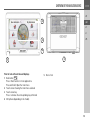
Front of unit with controls and displays
1 Back button
Press = Back function in most applications
Press and hold = Open the main menu
2 Touch screen showing the main menu selected
3 Touch screen key
Press = activates the corresponding key command
4 Microphone (depending on the model)
Overview of the navigation device
5 Rear of unit
15
>>>
OVERVIEW OF THE NAVIGATION DEVICE
>D
> GB
>F
>I
> PL
1
Top of the unit
1 Standby switch (sleep mode)
16
2
3
4
Underside of the unit
2 Slot for Micro SD card
3 Mini USB connection / connection for power supply
4 On / off switch (I/O)
GENERAL OPERATION
Maintenance and care
General operation
The unit is maintenance-free.
For proper care, a commercially
available cleansing fluid for electrical
devices may be applied using a soft
damp cloth.
c
Danger!
Danger to life by electrocution.
Always switch off the unit and
disconnect the mains power supply
unit before cleaning the unit, supplied
components, or accessories.
Note:
Do not use any aggressive or abrasive
substances or cloths which may
damage the surface.
The unit must not be exposed to water.
Your mobile navigation system was
designed and manufactured with great
care and should be treated with equal
care. You will enjoy your mobile navigation system for a long time to come if you
observe the recommendations listed in
the following:
• Protect your mobile navigation unit
and the accessories from water and
moisture. If your unit has been
exposed to moisture, switch it off
immediately and disconnect the power
supply. Allow to dry at room
temperature.
• Do not operate your mobile navigation
system in a dusty or dirty environment
and do not store it in such an
environment.
• Do not store your mobile navigation
system in hot environments. High
temperatures can shorten the service
life of electronic components in your
unit, damage the rechargeable
batteries and cause certain plastics to
warp or melt.
>>>
• Do not store your mobile navigation
system in cold environments. During
operation, when the unit warms up to
operating temperature, moisture may
form internally, causing damage to
electronic components.
• Do not drop your mobile navigation
system unit, protect it from shocks and
do not shake it. Improper handling can
damage components within the unit.
• Never use corrosive or aggressive
chemicals, cleaning solutions or
aggressive detergents for cleaning.
All the above information applies equally
to the mobile navigation system, the
rechargeable battery, the mains charging and car power adapters as well as all
accessories. Should one of these parts
not work properly, please contact your
authorised dealer.
>D
> GB
>F
>I
> PL
17
>>>
GENERAL OPERATION
>D
> GB
>F
>I
> PL
18
Battery quality declaration
Display quality declaration
The capacity of the rechargeable battery
in your mobile navigation system
decreases with every charging/
discharging cycle. Improper storage at
excessively high or low temperatures
may also cause a gradual deterioration
of capacity. Consequently, the operating
time may be substantially reduced even
in the case of a fully charged battery.
In some cases, for technical reasons, a
few discoloured dots (pixels) may be
visible on the display. Some pixels may
also appear brighter or darker. However,
such instances do not represent a
product flaw.
Start-up
Once the Navigation device has been
unpacked and checked for damage, the
unit can be started up. The individual
start-up steps are:
• connect to power supply.
• switching on the unit.
• ensuring antenna reception (if
navigation is desired)
Power supply
Note:
You can charge the Navigation device
via the car charger cable included in the
scope of delivery or via the optionally
available mains power supply unit.
When the Navigation device is connected to a PC, it is supplied with power via
the PC and does not consume battery
power.
GENERAL OPERATION
Using the battery
Connection for the cigarette lighter
The internal power supply is via the
integrated rechargeable battery. The
rechargeable battery is maintenancefree and does not require any particular
care.
Note:
If the cigarette lighter has recently been
used and is still hot, wait until the lighter
socket has cooled down.
Note:
Note that if the battery is completely
discharged, it may take up to a minute
before the device can be switched on
again.
Note:
In the event of a defective battery,
please contact your authorised dealer.
Please do not attempt to remove the
battery yourself.
Connect the power supply via the vehicle
battery and the cable provided for the
cigarette lighter as follows:
> Grasp the connector of the connection
cable and insert it gently without force
into the connector socket of the
navigation device up to the stop, or in
the case of a device with an active
cradle, on the underside of the
supporting plate.
>>>
>D
> GB
>F
>I
> PL
> Insert the adapter into the cigarette
lighter.
Note:
When the engine is switched off, the
power supply slowly discharges the
vehicle battery via the cigarette lighter!
Do not therefore operate the Navigation
device for long periods with the engine
switched off.
To receive TMC messages (depending
on the model), the power supply must
be connected to the supporting plate in
the case of a device with an active
cradle.
19
>>>
GENERAL OPERATION
Connection to the mains outlet
>D
c
> GB
Danger!
Make sure that your hands are not wet
and that the power supply unit is dry.
Only connect the power supply unit to
a permissible mains power supply.
>F
>I
> PL
Connecting to power supply
Connection to the public mains grid is
achieved using the optionally available
mains power supply unit. Please
proceed as follows to connect to the
mains:
> Hold the connector and push it all the
way into the connecting socket in the
Navigation device without using
excessive force.
> Insert the plug of the power supply unit
into the socket.
Note:
Remove the power supply unit when
not using the Navigation device for
longer periods of time.
20
TMC antenna (depending on the
model)
The supplied TMC antenna is integrated
into the cable for power supply.
The TMC antenna runs in parallel with
the the cigarette lighter cable in the
delivered condition.
If the TMC reception is poor, you must
remove the cable of the TMC antenna
from the cable for the cigarette lighter.
You can then use the supplied suction
cup to attach the TMC antenna to the
windshield.
Note:
The TMC antenna must be installed in
such a way that it does not distract you
while driving.
GPS antenna
Unit antenna
The GPS antenna is integrated into the
housing.
Note:
The integrated GPS antenna is not
suitable for use in vehicles with antiglare windows (metalised thermoglass or metal foil, indicated by the
window label - SIGLA SOL, SIGLA
CHROM, SIGLA, KOOL-OF, SUNGATE,
etc.) and vehicles with fine-meshed
heating wires in the windows.
GENERAL OPERATION
Cable for vehicle integration
(depending on model, optional)
With a 4-pin 2.5mm jack cable you can
integrate your Navigation device
seamlessly into your vehicle.
With this cable you can:
• connect your Navigation device to the
phone mute function of your audio
system. If the cable is connected
correctly, your audio system will mute
the car radio during navigation
announcements.
• connect your Navigation device to your
audio system for output of the audio
signal.
GND
Telephone Mute:
Audio-R
Audio-L
>>>
Memory card
> Insert the cable into the 2.5mm socket
provided on the underside of the
carrier plate.
>D
Your Navigation device has a slot for a
micro SD memory card.
As the map data is stored in an internal
memory on the Navigation device, the
slot for a micro SD memory card is used
for updates and for viewing images.
The memory card can also be used for
supplementing the map data.
> GB
>F
>I
> PL
Note:
Once the cable is connected, the
loudspeaker of the basic device is
switched off.
The card slot is located on the left on the
underside of the unit. The card slot is
equipped with a spring-actuated locking
and ejector mechanism.
21
>>>
GENERAL OPERATION
Inserting the memory card
> Remove the memory card from its
packaging without touching or soiling
the contact bar.
> Hold the memory card so that the
contact strip is facing towards the rear
of the unit.
> Guide the memory card into the card
slot.
> Exert a little pressure and slide the
memory card into the card slot until it
snaps in.
>D
> GB
>F
>I
> PL
Ejecting the memory card
The card slot ejects the card so that you
can pull it out with two fingers.
> Use your finger to gently press the
memory card against the spring force
into the card slot and then release it.
The card is ejected.
> Remove the memory card and place it
in the packaging while ensuring not to
touch contact bar.
22
Unit bracket
The Navigation device can be attached
directly to the windscreen with the unit
holder.
Note:
The Navigation device and unit bracket
must not be exposed to long periods of
direct sunlight. Temperatures inside the
vehicle of +70 °C and higher may
damage parts of the bracket.
Fitting the unit bracket
Note:
Fasten the unit holder such that your
field of vision is not impaired when the
Navigation device is installed and
ensure that the unit is outside the
deployment area of the airbag.
Ensure that the electrical connection
cable does not hamper you from
accessing the vehicle's controls.
Clean the attachment surface on the
windscreen to ensure that it is clean and
free of grease. Do not use greasy or
soapy cleaning agents.
GENERAL OPERATION
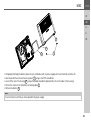
3
1
2
1
2
3
4
5
6
7
4
Suction surface
Base
Lever
Fastening screw
Fastening screw
Carrier plate
Release button
7
7
5
6
6
1
2
3
4
6
7
4
Suction surface
Base
Lever
Fastening screw
Carrier plate
Release button
1
2
3
>>>
On the windscreen
The unit holder can be attached directly
to the windscreen using the suction
mechanism.
> Press the carrier plate onto the four
retaining lugs of the unit holder.
> Select a suitable spot to attach.
> Loosen the fastening screws 4 and
5 a little.
> Press the base 2 with its suction
surface 1 against the windscreen.
Turn the unit holder such that the
carrier plate is positioned roughly in
the desired viewing direction.
> Press the lever 3 down.
The holder has attached itself firmly to
the windscreen. It can now be adjusted
with precision. In order to remove it,
operate the 3 lever again.
>D
> GB
>F
>I
> PL
23
>>>
GENERAL OPERATION
Adjusting the unit holder’s position
> Loosen the fastening screws 4 and
5 until the carrier plate 6 can be
moved without using excessive force.
> Move the carrier plate 6 to the
required position and hold it in this
position.
> Tighten the fastening screws 4 and
5 sufficiently so that the Navigation
device is held securely in place when
the vehicle is in motion.
>D
> GB
>F
>I
> PL
Switching the Navigation device
on/off
Using the On/Off switch 1 you can
switch the Navigation device on or off
completely.
Using the button 2 on the top of the
Navigation device you can place the unit
in sleep mode or switch it on again from
sleep mode.
Attaching the Navigation device
> Position the Navigation device with the
attachment point on the bottom of the
housing, onto the carrier plate 6 .
> Without using excessive force, press
the Navigation device onto the carrier
plate 6 . The Navigation device locks
into place.
Switching on
> Set the On/Off switch on the
undersideof the unit to I.
> Press the button on the top of the
Navigation device.
The unit is switched on. The
manufacturer's logo appears on the
touchscreen.
1
2
When the Navigation device is started for
the first time, the language selection is
displayed automatically.
Removing the Navigation device
Press the button 7 on the top of the
carrier plate 6 . This unlocks the
Navigation device which can be removed
from the carrier plate.
24
Using the
buttons or the scroll
wheel, it is possible to scroll through the
list in the direction of the relevant arrow.
GENERAL OPERATION
> Press the button for the required
language.
> The selection is confirmed by pressing
OK.
> Then select the desired voice.
Note: for models with TTS
Voices with a (TTS) tag support the textto-speech function (e.g. announcing
roads and reading out text messages).
A short example announcement is given.
> Confirm your selection by pressing the
OK button.
The following prompt appears shortly
afterwards:
> If you agree to the request contained in
this prompt, press the OK button.
Note:
Use of the Navigation device is only
permitted in accordance with the
national road traffic regulations
applicable at the time.
>>>
Switching off
>D
You can switch the unit off at any time.
> Press the button on the top of the
Navigation device.
The Navigation device switches to sleep
mode.
> To switch off the Navigation device
completely, set the On/Off switch on
the underside of the unit to O.
> GB
>F
>I
> PL
Note:
We recommend that you place the
Navigation device in sleep mode in the
event of short interruptions to operation
(of up to a week).
This significantly reduces the switch-on
time and the Navigation device finds the
satellites required for navigation much
faster.
If route guidance was active when sleep
mode is activated, it is automatically
resumed if the Navigation device is
switched back on again within approx. 4
hours.
25
>>>
GENERAL OPERATION
>D
Basic information about the
touch screen
> GB
The Navigation device is fitted with a
touch screen.
>F
>I
> PL
Operation
When you touch a button on the touch
screen, the button in question is briefly
shown outlined in red to confirm the
selection.
If you touch a button that is not active at
the moment, a short signal tone sounds.
Calibration
If the touch screen starts responding
imprecisely, calibration should be
undertaken.
The calibration function is started from
the
menu (see also page 119).
Note:
To ensure that the display's surface is
not damaged, you may only touch it with
your fingers or a blunt, non-smearing
object.
26
Basic information about the
menus
During operations, you are assisted by
various menus and entry windows.
The main menu
The top menu level is the main menu.
The individual applications are started
from the main menu.
You will find information about the individual applications in the corresponding
main chapters.
In addition to the individual applications,
the main menu also contains further
information and operating options.
GENERAL OPERATION
You can tell whether a telephone is
already connected by the symbol on the
Phone button.
2
1
1
2
Entries made with the entry menu
>D
Some applications require entries to be
made via the entry menu. The entry
menu is operated in a similar way to a
keypad.
> GB
>F
Telephone connected
Telephone not connected
A satellite symbol on the left-hand side
of the New destination button indicates
whether there is currently any GPS
reception.
1
1
2
If route guidance is already active, the
current destination address and a button
for cancelling route guidance will be
displayed between the two rows of
buttons.
>>>
GPS reception
No GPS reception
2
>I
> PL
1
Press the button 1 to cancel route
guidance to the displayed destination
directly in the main menu.
The character entered on the keypad is
displayed in the top line of the entry
menu. The central area is used to enter
characters. Help functions are provided
in the right line. Descriptions of how to
operate the menu are provided below.
27
>>>
GENERAL OPERATION
>D
Entering characters
Characters are entered by pressing the
keys in the central area.
> GB
>F
>I
> PL
Once the entry is complete, the process
is concluded by pressing the
key
and the entry passed on to the
Navigation device for processing.
When a navigation destination is
entered, the Navigation device compares
the data with the stored data.
Only those letters that are still possible
area vailable for selection.
Characters that cannot be selected are
displayed greyed out.
28
Accepting proposals
During entry, the Navigation device
makes proposals in the uppermost line.
The proposals take into account your
usage habits. For example, if you enter
the city of Hamburg often, then after you
enter the letter "H" the proposal
"Hamburg" is automatically displayed.
If no preferences are known for the letter
entered, then cities/locations suitable for
the entry are displayed as proposals.
Scrolling through the lists
If you have already entered some of the
letters of the selection you want, you can
use the selection list to display all the
destinations containing the combination
of letters in question.
> To call up the selection list, press the
key.
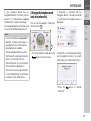
> To accept the proposal, you may press
either the input field or the
button.
Note:
The quantity of selection options is displayed in the form of the number on the
button. When there are more than 300
options, the precise number is not displayed.
In the list, all the entries corresponding
to the letters already entered are displayed. The letters entered are coloured
red in the case of the individual entries.
GENERAL OPERATION
The selection list appears.
>>>
Other character sets
Different character sets can be selected
for the keyboard of the Navigation
device.
>D
> GB
>F
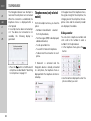
> Press the
arrow keys on
the right hand side of the screen to
scroll through the list.
> Press the destination you want.
The destination is adopted and the
selection list is closed.
Special characters and accent marks
Special characters and accent marks do
not have to be used when entering the
names of towns and streets. The
Navigation device will change entries
from AE, OE and UE if necessary.
> If, for example, you are looking for the
location "Würzburg", then simply press
"WUERZBURG" or "WURZBURG".
Special characters can be useful when
naming destinations and routes.
> In order to switch to the special
characters keyboard, press the button
marked with an arrow.
The special characters keyboard is
displayed.
>I
> PL
> Press the button marked with an
arrow repeatedly until the desired
character set is selected.
> Enter the desired special character.
After you enter a character, the Navigation device automatically switches to the
normal input menu.
To exit the special character keypad
without an entry, press the button
marked with the arrow.
29
>>>
GENERAL OPERATION
Entering numbers
Switch to the numbers keyboard in order
to enter figures.
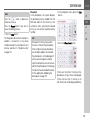
> Press the
button.
The numbers keyboard is displayed.
>D
> GB
>F
Switching between upper and lower case:
During free text entry, it is possible to
switch between upper/lower case and
the automatic function.
Deleting characters
To delete the last character, use the back
key.
>I
> PL
> In order to return again to the
keyboard for entering letters, press
the button marked with an arrow.
30
> Press repeatedly on the button in the
top right-hand corner of the display
until the desired method of entry is
activated.
The inscription on the button symbolises
the method of entry.
• The
button represents
automatic mode. This means that, on
entry, the first letter is automatically in
upper case and subsequently changes
automatically to lower case.
• The
button represents the entry
of upper case letters.
• The
button represents the entry
of lower case letters.
> To delete the character to the left of the
cursor, press the
key.
Inserting spaces
If you have an entry with two words, e.g.
for names of towns, the words should be
separated by a space.
> To enter a space, press the
key.
GENERAL OPERATION
The back button
The
is integrated in the bottom left
hand corner of the casing.
It has various functions:
• Depending on the menu context, if
pressed briefly, you will be returned to
the previous entry level.
• The main menu is displayed by
pressing and holding the button.
Content Manager
Installing the Content Manager
The Content Manager is a PC-based
application containing a number of
important functions to help you manage
the content on your Navigation device.
With the Content Manager you can:
• back up the content saved on the
Navigation device to your PC and
restore it later to your Navigation
device,
• download current content from the
Internet and install it on the Navigation
device.
To use the Content Manager, you will
need the USB cable provided as well as a
computer that meets the following
minimum requirements:
You can install the Content Manager on
your computer with the following steps:
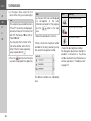
> Connect the USB interface of the device directly to a USB port of the computer using the USB cable supplied.
> If the application does not start automatically, please start the file "CONTENTMANAGER" manually in the folder
"Becker_Content_Manager_Setup".
> Select a language from the list and
then click on OK.
> Read the welcome page and click on
Next to continue.
> Select the installation folder. A default
installation folder is already specified.
To select another folder, either type in
the path name or click on Browse and
define another folder.
Operating system
Processor
Main memory
Free storage space
Minimum
Windows XP
300 MHz clock
frequency
256 MB
2 GB
>>>
>D
> GB
>F
>I
> PL
31
>>>
GENERAL OPERATION
> Click on Install to start the copying
procedure. Click on Details to see the
details during copying.
The Content Manager is automatically
started immediately after installation.
Remove the check mark from the box if
you do not want this.
This completes the installation procedure.
> Click on Finish to exit the installation
program.
>D
> GB
>F
>I
> PL
Starting the Content Manager
Execute the following actions to start the
Content Manager:
> Switch on the Navigation device
.
Note:
When you connect the Becker
Navigation device to the PC for the first
time, the PC installs all the necessary
drivers and then displays the message
"Your unit is now ready to use".
After a short time, the Navigation device
is displayed as a removable storage
medium on the computer.
32
> Click on Start > All Programs on the
computer.
> Select Becker.
> Click on Content Manager.
When the Content Manager is started,
the program executes a number of steps
before you can start to manage your
navigation software content.
Each time the program is called, a
connection is established to the Internet
to check whether a new version of the
ContentManager is available. If a new
software version is found, the Content
Manager gives you the option of
installing it. We recommend that you
always agree to the upgrade, if one is
available. If a new software version is
found, you have the following options:
• Click on Yes to accept the new
software version. The new version is
downloaded and installed before you
can start the Content Manager.
GENERAL OPERATION
• Click on No to start the Content
Manager with the version already
installed.
• If the new version is a critical update,
the Exit button will be shown instead of
the No button. You must install the
new version, otherwise you have to
exit the application.
If you have not yet made a backup of the
navigation unit, the Content Manager will
ask you each time it starts whether you
would like to make a complete or partial
backup copy.
Note:
We recommend that you always create
the backup. Otherwise you will not be
able to restore the content in the event
of loss of data.
Transferring pictures
Faults
Images*, music* and videos* can be
stored on a separate Micro SD memory
card (not included in the scope of
delivery) or in the internal memory of the
Navigation device in the "Media" folder.
Files can be transferred via a card reader
or a USB connection.
Malfunctions in the operating system or
in the unit are displayed accordingly. If
the function you want cannot then be
executed, you should restart the
Navigation device using the On/Off
switch.
If the messages reappear or the unit
doesnot function correctly for any other
reason, please contact your local dealer.
You can also try to find a solution to
your problem in the FAQ in the Support
area on the Becker homepage
(www.mybecker.com).
Note:
We recommend that you give files and
directories self-explanatory names so
that it is simpler to find these again, if
needed.
>>>
>D
> GB
>F
>I
> PL
Note:
Never attempt to open the unit yourself.
Please contact your authorised dealer if
you are unable to remedy the fault.
*depending on model, must be activated via the Content Manager
33
>>>
NAVIGATION MODE
What is navigation?
Navigation Mode
>D
The term "navigation" (lat. navigare = to
travel by sea) is generally understood to
mean the determination of a vehicle’s
location, the determination of its
direction and its distance from the
desired destination and the required
route to get there. Stars, prominent
landmarks, compasses and satellites
etc. are used as navigation tools.
With the Navigation device, the location
is determined by the GPS receiver. The
Global Positioning System (GPS) was
developed during the 1970s by the US
military as a weapons guiding system.
GPS is based on a total of 24 satellites
which orbit the Earth and transmit
signals. A GPS receiver receives these
signals and calculates its distance to the
individual satellites based on the signal
travel times, and then determines your
current geographical position.
> GB
>F
>I
> PL
34
Signals from at least three satellites are
required to determine your position;
your height above sea level can be
calculated if signals are received from
four or more satellites.
The Navigation device determines the
direction and distance from the
destination using a navigation computer
and a digital street map held in its
internal memory.
For safety reasons, route guidance is
given predominantly in spoken form.
This is supported by a direction indicator
and a map display on the touch screen.
c
Safety instructions
• Road traffic regulations always take
priority. The navigation system is
merely an aid, data/information may
in select cases be incorrect. The driver
must decide in each situation by himor herself if he or she will follow the
directions.
No liability will be assumed for
incorrect directions provided by the
navigation system.
• When first put into use it can take up
to 30 minutes to fix the position.
• Observation of traffic signs and local
traffic regulations must always take
priority.
• Traffic guidance is restricted to
passenger vehicles. Special driving
recommendations and regulations
for other vehicles (e.g. commercial
vehicles) are not included.
• Destinations may only be entered
when the vehicle is stationary.
NAVIGATION MODE
Selecting Navigation
>>>
Note:
The menu items Set current position and
Select from last destinations (fast access
mode) can also be used to select a
destination.
Navigation mode is called up from the
main menu. New destinations can be
entered in the menu "New destination".
Destinations that have already been
visited or saved can be selected in the
menu My destinations.
Home address
When you press the Home button you
will be asked to enter an address if no
home address has yet been entered.
>D
> GB
>F
>I
If you have already entered your home
address, you can start route guidance to
your home address in the first line.
A home address once entered can be
modified later.
In the "My destinations" menu, next to the
Home option press the
button.
> PL
> In the main menu, press the button My
destinations.
Note:
If an address is displayed in the lower
edge of the main menu, this means that
route guidance has already been started
to the displayed address.
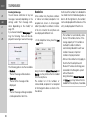
> Press the Yes to enter the address.
You can then enter a destination as
described under "The New destination
menu" on page 40.
> Press the Change button to enter a
new home address.
The menu for selecting the destination
appears.
35
>>>
NAVIGATION MODE
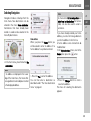
Last destinations list
>D
> GB
>F
>I
Here you can set the new home address
for example using an intelligent text
entry field.
> PL
Smart Guess
The two addresses that can be selected
with the button,
is a selection of the
addresses last visited. Depending on the
time of day and your current position, the
two most likely destinations are
displayed and can be selected directly.
36
The last destinations visited and saved
destinations are displayed in the Last
destinations list and can be selected
directly. The menu for entering
destinations can also be called up using
the fast access function.
The destination list
The destination list displays, line by line,
all destinations available for fast dialling.
Each line of the destination list is divided
into two fields. Each list field is designed
as a button. The destination is shown on
the right-hand button and the properties
of the destination are displayed using the
left icon.
Note:
Up to 200 of the most recent destinations are automatically stored in the
destination list. If the storage capacity is
reached, the oldest destination in the list
is automatically deleted to make room
for each new destination. However, important destinations may be protected.
If you select your home address and it
has not yet been defined, you will be requested to enter the address.
NAVIGATION MODE
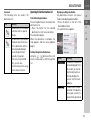
Icons used
The following icons are used in the
destination list:
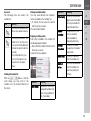
Icon
Meaning
This destination is a standard
destination with no special
features.
This destination is protected.
If the destination memory is
full, this destination will not
automatically be deleted.
This can be performed
manually, if required.
In the case of a protected
entry, you can also
determine the position using
the fast access function.
Operating the last destinations list
Start with existing destination
The existing destinations are listed in the
destinations list.
> Press the button for the desired
destination to start route calculation.
The calculation begins.
When the calculation is complete, the
map appears and the route guidance
begins.
Scrolling through stored destinations
Using the
buttons or the scroll
wheel, it is possible to scroll through the
list.
>>>
Displaying or editing a destination
Any destination stored in fast access
mode can be displayed and edited.
> Press the button to the left of the
desired destination.
> A selection menu appears.
>D
> GB
>F
>I
> PL
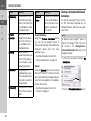
Option
Show details
Name entry
Meaning
The data for the destination are displayed. From
this screen you can display the destination on
the map, display the
route or start the route
guidance.
The destination can be
renamed. If the destination is given a name it is
automatically protected.
37
>>>
NAVIGATION MODE
Option
>D
Protect entry
> GB
>F
>I
Remove
protection
> PL
Move up
Move down
Delete entry
38
Meaning
The destination is protected from automatic
deletion. This function is
only available for unprotected destinations.
The protection is removed from the destination. This function is
only available for protected destinations.
The destination is
moved forwards by one
position. If the destination is moved it is automatically protected.
The destination is
moved back by one position. If the destination
is moved it is automatically protected.
The destination is deleted from the fast access
mode.
Option
Delete all
entries
Meaning
All destinations (except
for the protected destinations and your home
address) are deleted
from the list.
Personal destinations
Using the Personal destinations button
you can call up Google™ points of
interest that have been imported into the
Navigation device and start route
guidance to one.
• See "Selecting a destination from
Personal destinations" on page 38.
Contacts
Using the Contacts button you can call up
Microsoft® Outlook® contacts that have
been imported into the Navigation device
and start route guidance to the address
listed in the contact.
• See "Selecting a destination from
Contacts" on page 39.
Selecting a destination from Personal
destinations
You can call up Google™ points of interest that have been imported into the
Navigation device and start route guidance to one.
Note:
To display custom Google™ points of
interest, the Google™ KML files must
be stored in the Navigator\content\userdata\mydest directory of the
Navigation device.
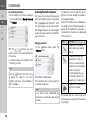
> In the main menu, press the button My
destinations.
> Press the Personal destinations button.
NAVIGATION MODE
A list of the available destinations will be
displayed.
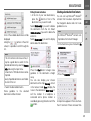
Using the
buttons or the scroll
wheel, it is possible to scroll through the
list.
Note:
If the list contains numerous entries, it
may be a good idea to search for the
desired destination by selecting Search
entry and using the input menu.
A maximum of 1000 destinations can be
imported.
Newly imported destinations are filed at
the start of the list.
> Select the desired destination.
Route guidance to the selected
destination will be initiated.
Editing Personal destinations
> In the list of your own destinations,
press the
button in front of the
destination that you wish to edit.
Select Delete entry if you wish to delete
the destination from the list. Select
Delete all entries if you wish to delete the
entire list.
Select Show details if you wish to display
details about the destination.
Press the Start button to begin route
guidance to the destination straight
away.
You can also display your chosen
destination on the map (On map), store it
in fast access mode (Save), display the
route to the destination (Show route) or
call the number if a telephone is
connected and a phone number is
available by pressing the button with the
symbol.
>>>
Selecting a destination from Contacts
You can call up Microsoft® Outlook®
contacts that have been imported into
the Navigation device and start route
guidance to one.
>D
Note:
The Microsoft® Outlook® contacts are
imported via the Content Manager.
>I
> GB
>F
> PL
> In the main menu, press the button My
destinations.
> Press the Contacts button.
An input menu appears if there are more
than 10 contacts. If there are fewer than
39
>>>
NAVIGATION MODE
10 entries, a list of contacts is displayed
straight away.
> In the input menu, select the first
letters of the entry you are looking for.
> Press the
button when the name
you want is displayed in the top line.
If there are 5 or fewer entries available
with the letter combination entered, a list
containing
these
entries
will
automatically be displayed.
>D
> GB
>F
>I
> PL
Note:
You may also first have a list displayed
that corresponds to the letter
combination entered. For this purpose,
press the
button in the input
menu.
> Select the desired entry in the list.
40
The New destination menu
1
2
Press the Start button to begin route
guidance to the address displayed for
this contact straight away.
You can also display the address shown
for the contact on the map (On map),
store itin fast access mode (Save),
display the route to the destination (Show
route) or call the number displayed if a
phone number is provided (button with
the symbol).
If there are a number of addresses
provided for the chosen contact, you can
select one of them after pressing the
button 1 .
If there are a number of phone numbers
provided for the chosen contact, you can
select one of them after pressing the
button 2 .
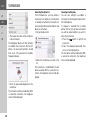
> In the main menu, press the button
New destination.
The menu for new destinations appears.
NAVIGATION MODE
Layout of the New destination menu
Enter address
The various steps from selecting an
address to starting route guidance can
be carried out using the Enter address
button.
• See "Entering the address" on page 41.
Select Point of Interest
Points of interest such as airports and
ferryports, restaurants, hotels, petrol
stations or public buildings can be
selected and route guidance started
using the Select Point of Interest button.
• See "Points of interest" on page 48.
Marco Polo City Guides
With the travel guide, you can select, for
example, MARCO POLO Top-Highlights
or MARCO POLO Insider Tips and start
the guide destination there. See "Marco
Polo City Guides" on page 52.
Select on map
With the button Select on map, you can
select a destination directly on the map
and start route guidance.
• See "Selecting a destination from the
map" on page 52.
>>>
Entering the address
>D
The Enter address button in the
destination input menu opens the menu
for entering addresses.
> GB
>F
>I
Enter geo-coordinates
The geographic coordinates for a
destination can be entered and route
guidance started via the Enter geocoordinates button.
• See "Coordinate entry" on page 54.
Route planning
A route with several waypoints can be
planned using the Route planning button.
• See "Route planning" on page 55.
> PL
> In the destination input menu, press
the Enter address button.
The menu for entering addresses
appears.
Note:
By pressing the Clear form button (top
right) you can delete all entered data
apart from the country.
41
>>>
NAVIGATION MODE
Selecting a country
You can select a country from those
available using the button for the country
of destination. A country is adopted
automatically in the address input menu
after selection. If a country of destination
has already been entered it will remain
until you select a different country.
>D
> GB
>F
>I
> PL
> Press the button containing the
country of destination to access the
country selection list.
The selection list appears.
> Press the button for the desired
country.
42
Note:
If required, press the arrow keys
or use the scroll wheel on
the right of the screen to scroll through
all available countries of destination.
The
symbol indicates the countries
for which an address can be entered
using speech. (depending on the model)
Selecting an address and starting route
guidance
You can enter the exact destination
address in the address input menu.
The following settings can be made in
the address input menu:
• Town
• Zip code (or postal code)
• Street and house number
• Junctions as an orientation aid
It is also possible to:
• search for a point of interest near to
the address entered (POI search). This
can be entered as described under
"Point of interest near to an address"
on page 50.
• save the destination in fast access
mode,
• show the route on the map,
• start the route guidance straight away.
NAVIGATION MODE
Selecting a town
The destination can be entered by either
using the name or ZIP code.
When you enter the letters of a place, the
navigation device displays suggestions
(See "Accepting proposals" on page 28).
If you do not want to accept the proposal,
just enter the other letters of the location
you want.
The Navigation device excludes all
impossible letter combinations and ZIP
codes and activates only letter fields or
numerical fields that lead to an existing
location or ZIP code.
> Select the option of entering the town
or postcode.
Note:
If two words need to be entered you
must separate them with the character
.
When sufficient letters have been
entered it will automatically switch to a
list from which you can select the town.
However, you can switch to the list
before this by pressing the
button.
Note:
If you have entered a postcode, the
name of the town will be hidden in the
input menu to start with. If you then
enter the street name, the name of the
town will then also be displayed.
>>>
Using the town list
Once a few letters of the desired town
have been entered you can display a list
of all the towns with the relevant letter
combinations or this list will be displayed
automatically.
> Press the
button on the right of
the screen to call up the list.
>D
> GB
>F
>I
> PL
Using the
buttons or the scroll
wheel, it is possible to scroll through the
list.
> Press the button for the required town.
> Enter the letters of the destination
town or the numbers of the postcode
consecutively.
43
>>>
NAVIGATION MODE
Selecting the street
In the Street menu field the street and
house number can be entered separately using a letter and number field.
The Navigation device excludes all
impossible letter combinations and
activates only those letters that could
give an existing street name.
A house number can only be chosen
once the street has been selected and if
house numbers are included in the data.
>D
> GB
>F
>I
> PL
Using the street list
Once a few letters of the desired street
have been entered you can display a list
of all the streets with the relevant letter
combinations or this list will be displayed
automatically.
> Press the
button on the right of
the screen to call up the street list.
> Enter the letters of the destination
street consecutively.
When sufficient letters have been
entered it will automatically switch to a
list from which you can select the street.
However, you can switch to the list
before this by pressing the
button.
44
You can scroll through the displayed list
using the
buttons.
> Press the button for the desired street.
Selecting the Intersection
After entering the destination town and
street, you can enter a junction so as to
further limit the choice.
Note:
Instead of entering a junction, you can
also enter a house number. However, it
is not possible to enter both at the same
time.
> Press the Intersection button.
The input menu for the name of the
junction will appear.
> Enter the name of the junction.
Once a few letters of the desired street
have been entered a list will automatically be displayed.
> Press the button for the desired street.
NAVIGATION MODE
Selecting a house number
After entering the destination town and
street, you can enter a house number so
as to further limit the choice.
Note:
Instead of entering the house number,
you can also enter a junction. However,
it is not possible to enter both at the
same time.
> Press the No. button.
The input menu for the house number
will appear.
> Enter the house number and then
press the
button.
Displaying the route
Once the address has been entered, the
address input menu allows the route to
the destination to be displayed on the
map.
> Press the Show route button to display
the route on the map.
The route is calculated.
You can start the route guidance directly
from this screen using the Start button.
>>>
Storing a destination
In the address input menu, the Save
button opens a menu where a name can
be entered for the specified destination.
If the desired name has been entered
and
has been pressed to accept it,
the destination is transferred to fast
access mode and protected.
>D
> GB
>F
>I
> PL
Starting navigation
The Start button starts the route
guidance.
All data entered thus far is processed
when calculating the route.
> Press Start to start the route guidance.
The other options on this screen are
described under "Displaying the whole
route" on page 87.
The route is calculated. The map will
then be displayed and the route guidance
will begin.
45
>>>
NAVIGATION MODE
Note:
The symbols above the progress bar
refer to restrictions that you may have
activated (e.g. unpaved roads, toll
roads).
The symbol
next to the progress
bar indicates that the time-dependent
route guidance described in "The Route
options button" on page 64 is active.
(depending on the model)
>D
> GB
>F
>I
> PL
If the route guidance is already running
you will be asked whether the new
destination should replace the old
destination or if the new destination
should be regarded as a waypoint.
> Select Add as stopover or Replace old
destination.
46
If the route guidance is already running
and a waypoint has already been entered
you will be asked whether the new
destination should replace the old
destination or the waypoint.
> Select Replace stopover or Replace old
destination.
Note:
If there is no GPS signal when the route
is calculated, the following will be
displayed:
When a GPS signal is available, the route
calculation will start automatically.
When the Last position button is
pressed, the last known position is used
and the route calculated from this
position.
NAVIGATION MODE
If your entry is unique, after a short time
the menu for entering addresses will be
displayed with your entry filled in.
Entering address by speech (selected models)
You can start address entry using speech
from the fast access function or from the
menu for entering addresses by
pressing the
button.
Notes:
• Only one address can be entered
using the voice entry function. Lists
for more precise selection cannot be
operated using speech.
• The destination country cannot be
entered using speech.
• The
symbol in the list of countries
indicates the countries for which
address entry using speech is
possible.
If entry using speech is not possible,
the
button will be displayed
greyed out.
• An address and the street number
must be spoken in the language of the
destination country.
>>>
>D
> GB
>F
>I
You can say the address as soon as you
see the lines next to the stylised face.
Notes:
• If a number of languages are spoken
in the destination country (as is the
case in Switzerland, for example), you
can set another language by pressing
the Change language button.
• You can say the complete address or
just a part of it.
Possible entries include:
- street number - street - town
- street - town
- town
> PL
If the address displayed does not match
the address you said, you can make
appropriate changes.
If the address is correct, you can start
route guidance, display the route or store
the address as described on page 45.
> Say the address.
After pressing the
button, a menu
that shows you how to say an address
will be displayed.
47
>>>
NAVIGATION MODE
If your entry was not unique or the
Navigation device was not able to
uniquely assign your entry, you will be
shown appropriate lists. You can then
select the address you want from these
lists.
Depending on your entry, lists with town
names, lists with street names or
combined lists with town and street
names can be displayed.
>D
> GB
>F
>I
> PL
Note:
Voice entry can be restarted at any time
in the lists by pressing the
button.
The following example shows a list in
which a town can be selected.
Entries identified with the
symbol
open up a further list when they are
selected. This can be necessary if, for
example, the same town name occurs a
number of times in the set country.
Once you have selected the town or
street you want in the lists, the menu for
entering addresses is displayed after a
short time with your entry filled in.
You can then start route guidance,
display the route or store the address as
described on page 45.
Points of interest
Points of interest (POI) are included in the
map and can be displayed there. Points
of interest include airports and ferry
ports, restaurants, hotels, petrol
stations, public buildings. You can use
points of interests as navigation
destinations.
Note:
You can only select points of interest in
the area in question if the GPS reception
is adequate for determining a position.
Otherwise, the last position stored will
be used.
> In the main menu, press the button
New destination.
> Press the Select Point of Interest
button.
48
NAVIGATION MODE
Note:
You can also press the All categories
button. An input menu will then open
and you can enter the name of a point of
interest directly and confirm it.
You can choose between:
• a point of interest in the vicinity,
• a point of interest near to an address,
• a point of interest near to a destination,
• a point of interest along the route or
• entering a point of interest directly.
Point of interest in the vicinity
> Press the POI nearby button.
Press the arrow keys
or use
the scroll wheel to scroll through the list
displayed.
> Select one of the available categories.
For some categories, e.g. petrol stations,
a further selection menu is displayed in
which you can narrow down the choice
further, e.g. by brand.
If you have selected the category, any
points of interest belonging to the
relevant category and available within
the area in question will now be
displayed.
The name, distance as the crow flies and
the address is displayed for each entry.
>>>
> Select the desired point of interest.
>D
> GB
>F
>I
> PL
You will now receive additional
information about your chosen
destination.
> Press the Start button to begin route
guidance to the point of interest
directly.
In addition, the selected point of interest
can be:
• displayed on the map (On map),
• saved in fast access mode (Save),
• used for displaying a route to the POI
(Show route),
• if a telephone is connected and a
phone number is available by pressing
the button with the symbol.
(depending on the model)
49
>>>
NAVIGATION MODE
>D
Point of interest near to an address
> Press POI near location.
> GB
>F
The available Points of interest
categories for the city entered will be
displayed.
> Select the desired point of interest as
described under "Point of interest in
the vicinity" on page 49.
>I
> PL
By pressing of the
button next to
the selected POI, you can display the
additionally available information for the
destination.
Point of interest near to destination
> Press the POI near destination button.
> Select the desired country.
> In the City or Code field, enter the town
where you wish to search for a point of
interest.
Note:
If you have already entered an address,
this address will appear by default.
> Press the Select category button.
> Press the Start button to begin route
guidance to the point of interest
directly.
However, you can also store your
chosenpoint of interest in fast access
mode (Save) or display the route to the
point of interest (Show route).
Note:
Your can also press the Select Point of
Interest button. An input menu will then
open and you can enter the name of a
point of interest directly and confirm it.
50
The categories available near to the
destination are displayed.
> Select the desired point of interest as
described under "Point of interest in
the vicinity" on page 49.
POI on route
> Press the POI on route button
The available Point of Interest categories
available on the whole route will be
displayed.
> Select the desired point of interest on
the route as described under "Point of
interest in the vicinity" on page 49.
NAVIGATION MODE
Entering a point of interest directly
> Press the POI search by name button.
> Enter the desired point of interest or
part of the name.
> Press the
button.
The Navigation device displays in a list all
the points of interest corresponding to
the name entered.
Note:
The search radius is limited to 50 kilometers around your current position.
> Select the desired destination in the
list.
You will now receive additional information about your chosen destination.
>>>
> Press the Start to begin route guidance
to the point of interest straight away.
However, you can also display your
chosen point of interest on the map (On
map), store it in fast access mode (Save)
or display the route to the point of
interest (Show route).
>D
> GB
>F
>I
> PL
Calling special destination phone number
(depending on the model)
You can dial directly phone numbers
specified in the information on a point of
interest
The prerequisite here is that a cell phone
is connected via Bluetooth with the
Navigation device.
> Press the button with the
symbol
shown at the bottom of the point of
interest information screen.
The call will be initiated.
51
>>>
NAVIGATION MODE
>D
Additional point of interest information
Any additional information that is
provided for a point of interest can also
be displayed.
> GB
>F
>I
> PL
To display the additional information,
press the More button shown at the
bottom of the point of interest
information screen.
You can scroll through the displayed text
using the arrow buttons or the scroll
wheel.
52
Marco Polo City Guides
Selecting a destination from the map
The MARCO POLO travel guide is similar
to the function "Enter special destination"
(see also page 41).
The Marco PoloTravel Guide for Berlin is
already preinstalled. All travel guides are
available in 5 languages (D, E, I, S, F).
Other languages are represented in
English. Additional cities can be
purchased from the ContentManager
(see also page 31).
You may also select a destination directly
from the displayed map.
> Press the Select on map button.
The map display appears.
Note:
You may need to make the area larger
using the zoom buttons
and
in
order to find the desired point. You can
also move the map to the desired point.
NAVIGATION MODE
> Press the Select button.
> Press the desired point lightly on the
surface of the screen.
A flashing red cross will be displayed at
this point.
Note:
By pressing the GPS Position you can
display your current position again.
Where available, the address of your
chosen point is displayed.
> Press the Start button to begin route
guidance to the destination straight
away.
You can also search for points of interest
in the vicinity of your chosen point using
the POI nearby button.
However, you can also store your
chosen point in fast access mode (Save)
or display the route to the point of
interest (Show route).
>>>
You can select a new destination by
touching the map even during the route
guidance in progress, in order to insert a
stopover or to replace the old
destination. When touching the display, a
compass appears with arrows to adjust
the horizontal display and the vertical
display angle of the map. This function is
described on page 84.
>D
> GB
>F
>I
> PL
53
>>>
NAVIGATION MODE
Coordinate entry
>D
You can also enter your destination using
geographic coordinates.
> In the main menu, press the button
New destination.
> GB
>F
>I
> PL
> Press Enter geo-coordinates.
1
2
3
> Using 2 select the value you wish to
change.
> Using the two buttons indicated by 1
select the direction required for the
geographic longitude and latitude
(east/west or north/south).
54
> Then enter the desired values using
the buttons
to
.
The entry field at the beginning may be
displayed greyed out. Delete any entries
in the field with the backspace button, in
order to use the entry field. You can enter
coordinates in three different ways.
The following formats can be used:
• Degrees Minutes Seconds.Decimal
seconds e.g. 42°52’46.801“
• Degrees Minutes.Decimal minutes
e.g. 48° 53.56667'
• Decimal degrees e.g. 48.89277778
Notes:
• The coordinates entered must
correspond to WGS84 (World
Geodetic System 1984).
• If you press button 3 your current
geographic position will be entered
into the fields.
> Press the
button.
Where possible, an address matching
the coordinates will be displayed. You
can view the destination on the map,
store it, display the route to the
destination or start the route guidance
straight away.
NAVIGATION MODE
By pressing Add stage you can now add a
stage to the route.
After pressing Rename route you can
give the route a new name.
Pressing Delete route will allow you to
delete the route from the stored routes.
Route planning
The route planning menu allows you to
create and select individual routes. To do
this, enter the individual destination
points for the desired route. It is then
possible to travel to these points
consecutively without having to enter
any further information. You can also
optimise the destination points entered
and in so doing change their order.
> In the main menu, press the button
New destination.
> Press the Route planning button.
In the route menu you can create a new
route by pressing the Create new route
button. Previously stored routes are
shown in a list below this.
>>>
Note:
If no routes have yet been stored, the
route menu is empty.
>D
> GB
>F
>I
Selecting and starting a route
> Press a route to select it.
The route is loaded and displayed in the
stage menu.
> PL
Scrolling through stored routes
> Press the arrow keys
or
use the scroll wheel on the right of the
screen to scroll through the stored
routes.
Editing stored routes
You can add additional stages to a stored
route, change the name of the route or
delete it.
> Press the
button in front of the
route you wish to edit.
> Press the top button.
Note:
You can also select a leg of the route.
The route is started as of this leg.
55
>>>
NAVIGATION MODE
You can call up the route options using
the Options button.
>D
> GB
>F
>I
> Select the start point or your current
position as the start point for route
guidance.
> PL
Note:
If a start point is selected, this is only
used to view a route.
The individual stages are calculated.
A map of the stages will then be
displayed.
> Press the Start button to start guidance
for this route.
56
Simulation of the route
There is a play button
on the left
under the map, used to start a simulation
of the route.
If you touch the display after starting, a
control bar is displayed at the top with
control buttons for the simulation. You
can pause the simulation with the
button, and continue it with the
button. The
button allows you to fast
forward the simulation by a 16x speed.
You can move from route section to
route section with the
and
buttons.
If there is no further action, the control
bar disappears after a few seconds.
Creating a new route
> Drücken Sie in der Routenplanung die
Taste Create new route.
You can now enter an intermediate
destination as described under "The New
destination menu" on page 40 (Enter
address, Select from last destinations,
Select Point of Interest, Marco Polo City
Guides, Contacts, Personal destinations,
Select on map or Enter geo-coordinates).
You also have the option of quickly
selecting a destination using the Select
from last destinations button.
> In the input menu, press the OK button
to accept the relevant intermediate
destination.
NAVIGATION MODE
Editing a route
> Select the route you wish to edit.
> Press the
button in front of the
stage you wish to edit.
> Press Add stage to enter further
intermediate destinations as described
above.
> When you have entered all intermediate destinations, press the Done
button.
Meaning
>D
Replace stage You can replace the
selected stage with
another intermediate
destination.
> GB
>F
>I
> PL
The edit menu will be displayed. The
following options are available:
Option
Show details
> Give the route a name of your choice.
The stage menu for the new route will be
displayed.
Option
>>>
Move up
Move down
Delete stage
Meaning
The data relating to the
intermediate destination
is displayed. From this
screen, you can display
the intermediate
destination on the map.
The stage is moved forwards by one position.
The stage is moved
backwards by one
position.
The stage is deleted
from the route.
57
>>>
NAVIGATION MODE
Optimising a route
If you have entered several destinations
for a route, you can use the Navigation
device to optimise the order of the
destinations for the journey distance.
The route stored is retained even after
optimization, however.
Call up the map display for the stages of
the route.
>D
> GB
>F
>I
> PL
Navigation settings
The navigation settings contain all the
settings that are relevant to the
navigation functions.
Note:
All your settings must be confirmed by
pressing the
button. Only in a few
cases it is possible to confirm selections
in the menu using the OK button or the
Yes button.
This will take you to the navigation
settings menu.
Configuration
Various pages containing functions are
available in the menu:
> Press Optimise.
The route is optimised and recalculated.
> In the main menu, press the
button.
The optimised route is displayed.
> Press the Navigation settings button.
58
You can go to the next or previous page
of the settings by pressing the
and
buttons or the scroll wheel.
NAVIGATION MODE
The Map view button
You can select whether the map is to be
displayed in 3D or 2D mode, in a split
screen with 3D or 2D display or in arrow
mode.
You can also select whether or not 3D
buildings available in towns should be
displayed in 3D mode.
Further setting options are available to
you in the extended settings.
>>>
> Press the button 4 or 5 to select
whether to use 2D or 3D mode.
> Press the button 1 to select the
entire map.
>D
> GB
>F
>I
> Press the button 3 for arrow mode.
> PL
> Press the Map view button in the
settings menu.
The Map view settings window appears.
> Press the button 2 for a split screen.
1
4
2
To call up the extended settings, press
the Advanced button.
3
5
59
>>>
NAVIGATION MODE
The following setting options are
available in the extended settings:
• Auto zoom
You can select how the map changes
when approaching an action point or at
different speed.
• Select POI categories
You can select which symbols are
displayed for points of interest on the
map.
• Infobox data fields
In this menu you can define the data to
be displayed in the Info box in the top
left corner of the map view. You can
select between Speed, Speed limit,
Time and Height.
• 3D City models
You can select whether or not 3D
buildings available in towns should be
displayed in 3D mode
or not .
This option is only available with the
3D view active.
>D
> GB
>F
>I
> PL
60
• Street names 2D/Street names 3D
You can select whether the street
names should be displayed ( ) or not
( ) in 3D or 2D mode.
• 2D heading up
You can select whether the map
should always be orientated to the
direction of travel ( ) or to the north
( ) in 2D mode. This option is only
available with the 2D view active.
Auto zoom
> Press the Auto zoom button in the
extended settings.
Pressing the Auto zoom button switches
the zoom function on ( ) or off ( ).
When the zoom function is switched on,
you can select whether the autozoom
action should be weak, medium or
strong.
NAVIGATION MODE
>>>
Select POI categories
You can select which POI symbols are to
be displayed on the map.
> Press the Select POI categories button
in the extended settings.
Selecting Show all POIs displays all
points of interest on the map.
Selecting Show no POIs displays no
points of interest on the map.
Selecting User defined selection and then
pressing the Select POIs button allows
you to determine for yourself in the
menu which then appears whether each
individual points of interest category is
displayed or not.
>D
> GB
>F
> You can then switch the display of
entire categories on ( ) or off ( ).
After pressing the
button beside a
category you can switch subcategories in
further menus on or off.
> Confirm all your settings by pressing
the
button.
Selecting Info box data fields
In this menu you can define the data to be
displayed in the Info box in the top left
corner of the map view.
> Press the Info box data fields button.
The Info box data field selection window
appears.
>I
Touch the first field to select one of the
possible options.
An options list appears on the right side
over the window.
> PL
After selecting a route (cell with route),
the following display options are available: Distance, Remaining time, Arrival
time, Speed, Speed limit, Time and
Height.
61
>>>
NAVIGATION MODE
>D
Under these options, you can select
displays for the travel without a selected
route. Here you can only select between
Speed, Speed limit, Time and Height.
> GB
>F
>I
> Confirm your setting in the Advanced
menu by pressing the
button.
Note:
This setting is only available in the 3D
view.
The Route overview button
With the options in this setup menu you
can select the Points of Interest to be
displayed and whether TMC reports are
displayed in the map view when pressing
the Route overview
button.
> Activate the option All Destinations.
> PL
3D city view
With this option, you can select whether
or not 3D buildings available in towns
should be displayed in 3D mode or not.
In the Advanced menu, press the 3D city
view button to turn the function on or off.
The Route Overview displays the Points
of Interest selected in the POI Categories
menu. The display is recalculated every
two minutes.
> Activate the option TMC On Route.
The Route Overview in the map view
displays TMC announcements.
> Press the Select POI Categories button.
The Select POI Categories window is
opened. Three point of interest categories can be selected.
62
NAVIGATION MODE
If you touch the preset option of one of
the POI Categories (POI 1, 2 and 3), a
selection list with 20 POI types appears.
The Guidance info button
Setting
In the Guidance info settings window you
can select which additional information
you would like displayed during route
guidance.
> Press the Guidance info button in the
settings menu.
Signposts
The Guidance info settings window
appears.
The following settings are available:
Setting
Lane info
Meaning
When this function is
enabled, a small arrow
indicates which lane you
should move into in the
case of multi-lane
roads.
*The function can be extended
>>>
Meaning
When this function is
activated, you receive
additional important
information at traffic
junctions about the sign
you should follow.
SituationScan When this function is
activated, you receive
help from assistants in
certain traffic situations,
such as avoiding a traffic
jam or selecting parking
spaces at the
destination.
Country info
When this function is
enabled, you will
automatically receive
generally applicable
traffic information for
the relevant country
when you cross a
national border (e.g.
speed limits).
>D
> GB
>F
>I
> PL
63
>>>
NAVIGATION MODE
Setting
>D
Junction
view
> GB
>F
>I
Tunnel View
> PL
64
Meaning
If this function is
activated, you will see
realistic views of the
current lane situation, if
available, at many
motorway intersections.
If this function is
activated, you will see a
three-dimensional
tunnel view when
entering a longer tunnel.
Note:
This information can only be displayed if
it is contained in the map material.
> Press the relevant button to switch the
required function on
or off .
> Confirm your selection by pressing the
button.
The Route options button
You can edit your driving profile in the
Route options settings window. The
settings made here have an effect on the
route selection and on the calculation of
the estimated journey times.
> In the settings menu, press the Route
options button.
The Route options settings window
appears.
NAVIGATION MODE
Selecting the vehicle profile
This setting influences the calculation of
the expected time of arrival and blocks
e.g. motorways for the bicycle setting.
> Select the mode of travel or the
required vehicle profile after pressing
the Vehicle button.
Select a speed and exit the speed menu
with the back button
.
> Exit the vehicle selection menu, too,
with the back button
.
The selected vehicle type is now
displayed.
The required profile is displayed once
selected.
Selecting the route type
> After pressing the Route type button,
select one of the following options.
Option
Fast route
Economical
route
> Press the
setting button next to the
vehicle type on the left.
>>>
Short route
The window for selecting the maximum
speed is displayed.
Easy route
>D
> GB
Meaning
With this option, the
fastest route in terms of
travel time is calculated.
With this option, the
most economical route
in terms of travel time
and mileage is
calculated taking into
consideration further
parameters such as
gradients, for example.
With this option, the
shortest route in terms
of mileage is calculated.
With this option, a route
with as few manoeuvres
as possible is calculated.
This may result in larger
detours.
>F
>I
> PL
65
>>>
NAVIGATION MODE
Time-dependent route guidance
If this function is switched on ( ),
information (statistical information) on
the possible speed on certain segments
at certain times of the day is also taken
into account in the route calculation,
provided this is available. This provides a
more accurately calculated arrival time
and may even result in a different route
being selected.
>D
> GB
>F
>I
> PL
Avoiding particular types of road
After pressing the button Avoid you can
exclude various types of road, e.g.
motorways, ferries and toll roads), from
the route calculation.
You can set one of the following options
for each of these road types.
The TMC button
Option
Permitted
The TMC settings window appears.
Prohibited
Meaning
With this option, the
road type in question is
included in calculating
the route.
With this option, the
road type in question is
not included in
calculating the route.
> Confirm your selection in the Route
options window ny pressing the OK
button.
66
You can configure settings for the
reception of traffic announcements in
the TMC settings window.
> Press TMC in the settings menu.
NAVIGATION MODE
Setting
Rerouting
Meaning
This button allows you
to choose whether the
route change should be
made Never,
Automatically or
Manually. (See "Taking
announcements into
consideration when
calculating routes" on
page 76.) The setting
Never is equivalent to
switching off the TMC
function.
> Confirm your settings by pressing the
button.
An automatic search procedure presets
the transmitter with the best reception.
The currently received TMC-transmitter
appears on the display.
The TMC announcements can be spoken
by the voice, if the navigation settings in
the Voice guidance menu the Announce
TMC events option is activated.
The Voice guidance button
In the Voice guidance settings window
you can make settings relating to the
voice guidance of the Navigation device.
> Press the Voice guidance button in the
settings menu.
The Voice guidance settings window
appears.
>>>
• Volume
You can select the standard volume for
voice announcements for each start of
the Navigation device, or switch off
voice announcements completely.
• Announce streets
Using the Announce streets button you
can switch the announcement of the
names of streets into which you are to
turn on ( ) or off ( ).
>D
> GB
>F
>I
> PL
• Announce time of arrival
Using the Announce time of arrival
button you can switch the automatic
announcement of the expected arrival
times on ( ) or off ( ).
The following setting options are then
available:
• Voice
You can select the voice that will make
the navigation announcements for the
language that has been set.
Note:
The Announce streets and Announce time
of arrival functions are only supported by
speakers with the TTS function.
67
>>>
NAVIGATION MODE
Setting the Voice
In the Voice settings window you can set
the voice that will make the navigation
announcements for the language that
has been set.
> In the Voice guidance settings window,
press the Voice button.
The Voice settings window appears.
>D
> GB
>F
>I
> PL
Setting the Volume
With the Volume settings window, you
can set the standard volume for voice
announcements for each start of the
Navigation device, or switch off voice
announcements completely. Depending
on the situation, this setting can be fitted
into the map display.
> In the Voice guidance settings window,
press the Volume button.
The Volume settings window appears.
The Warnings button
In the Warnings settings window you can
select which warnings are to be
displayed by the Navigation device or
which warning sounds are to be output.
> In the settings menu, press the
Warnings button.
The Warnings settings window appears.
> Select the desired voice.
Note:
Voices with a (TTS) tag support the textto-speech function (e.g. announcing
roads and reading out text messages).
A short example announcement is given.
> Confirm your selection by pressing the
button.
68
> Select the desired volume with the
and
buttons or the scroll
wheel.
> The voice output can be switched off
completely or turned back on by
pressing the Mute button.
> Confirm your settings by pressing the
button.
The following setting options are then
available:
• Driver alerts (depending on the model)
You can have signs displayed, for
example for dangerous curves or
steep gradients, provided this
information is stored in the map data.
NAVIGATION MODE
• Speed info
You can select whether speed limits
are displayed in parallel to the
navigation.
You can also receive an audible
warning about exceeding the speed
limit.
• Speed camera warnings*
You can receive a warning about
permanent speed checks.
Note:
There is no standardised rule in Europe
on the use of this function (warning
about speed checks). Please check the
legal situation in the respective country.
In Germany, for example, it is an offence
to use this function while driving.
Setting Driver alerts
If this information is saved in the map
material and is supported by your
navigation device, you can display
information signs, e.g. for dangerous
bends or descending gradients. In
addition, you can define whether the
display of the sign is also to be
accompanied by a warning sound.
> In the Warnings settings window, press
the Driver alerts button.
The Driver alerts settings window
appears.
>>>
The following signs are available in the
individual categories:
• Curve warnings
This category includes warning signs
that relate to sharp curves.
• Traffic regulations
This category includes other traffic
regulations, such as no passing zones.
• General warnings
This category includes all other
warning signs, such as steep
gradients, falling rocks.
• Informatory road signs
This category contains the available
information signs.
>D
> GB
>F
>I
> PL
> Confirm your settings by pressing the
button.
The available driver alerts are divided into
4 categories. The four categories can be
enabled
or disabled
individually.
The warning sound can be set individually for each of the four categories by
pressing the symbol with the bell (
warning sound switched on).
69
>>>
NAVIGATION MODE
Setting Speed info
The Speed info settings window allows to
select whether speed limits are
displayed in parallel to the navigation.
You can also receive an audible warning
about exceeding the speed limit.
>D
> GB
>F
>I
The following settings are available.
Setting
Show signs
Note:
This information can only be displayed if
it is contained in the map material.
> PL
c
Risk of accident!
The information in the map material
may be incorrect as a result of shortterm changes (road works, for
example).
The traffic situation and the local road
signs take precedence over the
navigation system information.
> In the Warnings settings window, press
the Speed info button.
The Speed info settings window appears.
In city
Out of city
Alert
70
Meaning
Select whether speed
limits are never
displayed, always
displayed or only
displayed if the limit is
exceeded. Furthermore,
you can select whether
the sign should blink
when exceeding the
speed limit, by selecting
Always or If speed limit is
exceeded.
Select the amount over
the speed limit at which
you would like to receive
an acoustic warning
within built-up areas.
Select the amount over
the speed limit at which
you would like to receive
an acoustic warning
within built-up areas.
An audible signal is to
sound when exceeding
speed limits.
Setting
Voice
output
Meaning
A speaker’s voice warns
you of exceeding the
speed limit.
> Confirm your selection by pressing the
button.
NAVIGATION MODE
The Blocked roads button
In the Blocked roads settings window you
can unblock previously permanently
blocked roads (See "Blocking a section of
the road permanently" on page 113) or
modify the block (time and days of week
of block).
> In the settings menu, press the
Blocked roads button.
A window is displayed containing the
roads that have previously been blocked.
Note:
To delete all blocked roads from the list,
press the Delete all blockings button
followed by the Yes button in the display
that then appears.
> Select the blocked road you want.
The road is currently blocked for all days
of the week, for the whole day
. You
can now set whether or not the road
should be blocked for each day of the
week.
> Press the buttons with the days on
which the road should not be blocked
.
> Press the clock symbol under one of
the days and limit the block of this day
to the required time of the day.
>>>
You can now set whether or not the road
should be blocked for each day of the
week.
> Confirm your settings by pressing the
back button
.
or
> Press the
button under one of the
days and set up to two times when the
road should be blocked.
1
1
1
1
2
2
2
2
>D
> GB
>F
>I
> PL
> Using the buttons 1 set the first
period when the road is to be blocked
on this day.
> Using the buttons 2 set the second
period when the road is to be blocked
on this day if necessary.
71
>>>
NAVIGATION MODE
Note:
Press the Block 24 h, button to set a
block for an entire day.
Press the Use setting for... button to also
use the block on other days.
>D
> GB
>F
> Confirm your settings by pressing the
back button
.
>I
> PL
The Vehicle data button
This menu allows the calculation of an
economic route by using the fuel
consumption of the vehicle.
> Press the Vehicle data button.
> Press the Extra-urban button to enter
the average fuel consumption of the
vehicle outside cities. This can be
entered as described for the In city
value.
The Vehicle data window is displayed.
> Press the Type of engine button to set
your engine type. The display changes
by pressing the button repeatedly. You
can select Petrol, Diesel and Hybrid as
the engine type.
The following settings can be made:
> Press the Urban button to enter the average fuel consumption of the vehicle
within cities. The input menu for numbers appears. Any existing inputs can
be deleted with the arrow buttons. Enter the fuel consumption value with
the number keys. The value can be given to one decimal point. Confirm your
entry by pressing the OK button.
72
NAVIGATION MODE
The Format button
The Time button
In the Format settings window you can
set the measurement units to be used
for times and distances.
> In the settings menu, press the Format
button.
You can select the time zone relevant for
your location in the Time settings
window. This setting is important for the
correct calculation of the estimated time
of arrival.
> Press Time in the settings menu.
The Format settings window appears.
The Time settings window appears.
> Press the Time button to switch between the 12 hour clock and the
24 hour clock.
> Press the Distance button to switch
between kilometres and miles.
> Confirm your settings by pressing the
button.
>>>
If the automatic function is switched off,
you can select the desired time zone by
pressing the button below Use auto time
zone.
Pressing the button below Daylight
saving time allows you to select whether
daylight saving time should be set
automatically by the Navigation device or
whether you switch daylight saving time
on and off yourself.
>D
> GB
>F
>I
> PL
Using the Time zone you can set whether
the time zone should be set automatically by the Navigation device or not (Use
auto time zone on
or Use auto time
zone off
).
73
>>>
NAVIGATION MODE
The Reset button
>D
You can reset the navigation settings to
their factory settings.
The settings will then be reset. The fast
access mode data, stored routes,
blocked routes, voice and home address
are retained.
> GB
>F
>I
> PL
> Press the Reset button.
> Press the Yes button.
The navigation settings are reset to their
factory settings.
74
Traffic announcements using
TMC (depending on the model)
Your Navigation device can receive
traffic announcements (TMC messages)
from radio stations. The power supply
with the integrated TMC antenna must
be connected to the carrier plate for this
function.
Note:
TMC is not available in all countries..
Traffic announcements are transmitted
by radio stations via the TMC (Traffic
Message Channel) in addition to the
radio programme and are received and
analysed by the navigation system.
Receiving traffic announcements is free
of charge.
Note:
As the traffic announcements are
transmitted by radio stations, we cannot
assume
responsibility
for
the
completeness or accuracy of the
announcements.
Austria: The location and event code
was made available by ASFINAG and
BMVIT.
The Navigation device constantly checks
whether there are any relevant
announcements for the route that has
been set. All traffic problems that have
been received are shown on the map.
If the continuous checks determine that
a traffic announcement is relevant to
route guidance, the unit can
automatically recalculate a new route to
the destination (See "The TMC button" on
page 66).
NAVIGATION MODE
Displaying TMC messages on the map
Using TMC
Current TMC messages are displayed on
the map graphically. Sections of the
route where there are traffic problems
are highlighted blue. Arrows indicating
the traffic direction which is affected by
the traffic problem continue to be
displayed.
When the Navigation device has been attached to the carrier plate (power supply
with the integrated TMC antenna connected), your Navigation device will receive up-to-date traffic announcements.
It is then possible to calculate dynamic
routes (traffic jam diversion).
You can also view traffic announcements
directly.
Settings for TMC can be made as
described under "The TMC button" on
page 66.
In addition to the coloured mark, a
warning sign is displayed on the stretch
of road affected.
>>>
>D
> GB
>F
>I
> PL
4
2
1
3
The message list appears when you
TMC List view.
press
You can scroll through the list using the
arrow keys
or the scroll
wheel on the right-hand edge of the
screen.
> In the main menu, press the
button.
The map overview appears.
The following is displayed for each traffic
announcement:
1 The type of problem and the street
number (motorway, A-road or
district road)
2 The distance as the crow flies from
the current position, and the length
and duration of the problem if
applicable
75
>>>
NAVIGATION MODE
The part of the route with the travel
direction
4 If a TMC message lies on your route,
the message is indicated by the sign
.
Traffic announcements received via
TMCpro are indicated by the
symbol.
3
>D
> GB
>F
>I
> PL
5
A red twisted arrow next to the
traffic report
warns for traffic
jams that need to be avoided. If the
arrow is grey and crossed in red
colour
, there is no sensible
byroad available to avoid the traffic
jam.
Reading a message
> Press on the desired message in the
list. The message display appears on
the top of the screen, while a map is
displayed below it with the related
route section. Press on the message
again to display more information on
the traffic obstruction. By pressing it
again, the extra information disappears.
The message display appears.
> Press the arrow buttons
to
scroll in the messages.
> Press the
button to return to the
message list.
76
Taking announcements into
consideration when calculating routes
Your Navigation device can take traffic
announcements into consideration when
calculating a route. You have the option
of setting this function to automatic,
manual or never in the
menu in the
navigation settings with the TMC option
(see "The TMC button" on page 66).
Automatic recalculation
If the traffic on your route is obstructed,
the Navigation device checks whether an
expedient detour of the obstruction is
possible. If an expedient detour is
possible, then an alternative route is
calculated and you are guided via the
alternative route.
Manual recalculation
If a traffic announcement affects your
route, a window with detailed information on the traffic announcement appears.
NAVIGATION MODE
If, after displaying the traffic message,
the navigation system detects that a
sensible alternative route is possible, the
following display appears.
Note:
This display may also appear if, for
example, a previously obstructed route
is now free again.
The red route or route marked blue for
an obstruction shows the previous route.
The route marked yellow displays the
alternative route calculated.
In the right section of the display, you can
see how much the route changes and
how much time you will likely save if you
use the alternative route.
> Now either press the OK button to use
the alternative route or press the
Reject button to continue using the
existing route.
>>>
The map display
>D
The map display is used primarily for
route guidance. However, you can also
use the map display without route
guidance to show your current position
and, for example, to receive warnings
about exceeding the speed limit.
> GB
>F
>I
> PL
Calling up the map display
The map display is called up
automatically when you start route
guidance.
Without route guidance, you can call up
the map display from the main menu.
> In the main menu, press the button in
the middle.
The display provides you with an
overview of the alternative route
calculated.
77
>>>
NAVIGATION MODE
>D
> GB
>F
The map display will then appear and, if
GPS reception is available, will show
your current position.
If route guidance is already active, the
map will be displayed with route
guidance.
1
Structure of the map display
4
5
6
7
>I
> PL
The structure depends on the settings
made in "Map display options" on
page 86 or in "The Map view button" on
page 59 and whether route guidance is
active or not.
2
3
Speed limit on the road currently
being driven on (display not
available for all roads), signs for the
driver alerts will also be displayed
Zoom buttons
Power
level/telephone
status
(depending on the model)
Button for calling up the options
Vehicle position
Current road
Information box (if displayed)
showing vehicle speed and altitude
above sea level
Map display with route guidance
Map display without route guidance
1
7
14
1
6
2
3
2
7
12
5
11
4
6
5
10
3
If the navigation is not active, almost the
whole area of the touch screen will be
taken up by the map.
78
13
9
8
Power
level/telephone
status
(depending on the model)
5 Button for calling up the options
6 Traffic lane recommendation (only
appears on some multi-lane roads;
green arrows = recommended
lanes)
4
Note:
If you follow the lane recommendation,
the next driving maneuver is possible
without changing lanes.
7
8
9
10
11
12
13
4
Speed limit of the street currently
being driven on (display is not
available for all streets)
2 Driver alerts (depending on the
model)
3 Zoom buttons
1
14
Vehicle position
Current street or street to which the
next driving maneuver leads
Distance to the next driving
maneuver
Next driving maneuver
Calls up volume settings
Button for SituationScan
Button for Route overview (only with
the selected route active. If TMC
announcements are activated on the
route, a traffic jam warning sign
appears on the button.)
Information box
NAVIGATION MODE
Your current position is displayed on the
map via the position icon.
The Information box
During route guidance you can have
information displayed in the Info box.
1
2
If you press the Info box again, more or
less fields are displayed. At least one
field and a maximum of three fields can
be displayed. The information displayed
depends on the settings that are selected
in the Navigation settings in the map view
menu > Advanced > Info box data fields.
The following can be selected:
• With selected route 1 : Remaining
distance to destination, remaining
travel time, arrival time at the
destination, speed, speed limit, time
and and height above sea level.
• Without selected route 2 : Speed,
Speed limit, Time and Positionheight
>>>
Information is also displayed in the
bottom left corner in the preview area.
>D
> GB
>F
>I
The next manoeuvre is displayed as an
arrow, with a distance indication
underneath it. If two driving manoeuvres
are to be performed in succession within
a short time, another smaller arrow
indicating the second driving manoeuvre
is displayed above the first arrow.
You can adjust the volume of the
navigation announcements by pressing
the button with the speaker symbol in
the preview area (See "Changing the
announcement volume" on page 82).
> PL
79
>>>
NAVIGATION MODE
Split screen with route guidance
>D
14
> GB
1
7
13
3
>F
8
11
>I
2
15
4
12
6
> PL
10
1
2
3
4
5
6
7
9
5
Speed limit on the road currently
being driven on (display not
available for all roads), signs for the
driver alerts will also be displayed
Driver alerts (depending on the
model)
Zoom buttons
Vehicle position
Power
level/telephone
status
(depending on the model)
Button for calling up the options
Traffic lane recommendation (only
appears on some multi-lane roads;
green arrows = recommended
lanes)
Note:
If you follow the lane recommendation,
the next driving maneuver is possible
without changing lanes.
8
9
10
11
12
13
14
15
Next driving maneuver
Current street or street to which the
next driving maneuver leads
Distance to the next driving
maneuver
Bar display to illustrate the distance
to the next driving maneuver
Button for SituationScan
Calls up volume settings
Information box
Button for Route overview (only with
the selected route active. If TMC
announcements are activated on the
route, a traffic jam warning sign
appears on the button.)
Route guidance with arrow display
10
13
9
1
7
2
6
3
12
5
11
1
2
3
4
5
6
7
8
9
80
8
4
Vehicle speed and altitude above sea
level
Information box
Button for SituationScan
Power level/telephonestatus (depending on the model)
Button for calling up the options
Button for Route overview (only with
the selected route active. If TMC
announcements are activated on the
route, a traffic jam warning sign
appears on the button.)
Driver alerts (depending on the
model)
Speed limit of the street currently
being driven on (display is not
available for all streets)
Next driving maneuver
NAVIGATION MODE
10 Traffic lane recommendation (only
appears on some multi-lane roads;
green arrows = recommended
lanes)
Note:
If you follow the lane recommendation,
the next driving maneuver is possible
without changing lanes.
11 Current street or street to which the
Map display with Junction view
You can display a detailed and realistic
view of the lane situation at many
motorway junctions.
To do this, switch on the Junction view
function as described under "The
Guidance info button" on page 63.
If you are then directed through a motorway junction by the Navigation device,
you will see a corresponding display.
next driving maneuver leads
to the next driving
maneuver
13 Calls up volume settings
12 Distance
> Follow the lanes indicated with the
arrows.
>>>
Tunnel view
When your enter a longer tunnel, a three
dimensional tunnel view appears. If
there is no maneuvres performed in the
next 1000m in the tunnel, the lane of the
current road section is displayed. An
overview of the tunnel is displayed in the
bottom on the right. When you touch the
display, the tunnel view disappears. If
any maneuvres are performed in the
tunnel, or if the next maneuvre is
performed outside the tunnel, a tunnel
view is displayed in full image mode with
the coming maneuvre.
>D
> GB
>F
>I
> PL
Note:
The tunnel view and the intersection
view can be deactivated by touching the
display. The map view is displayed
again. If you would like to deactivate the
tunnel view permanently, de-select the
"Tunnel view" option in the "Settings >
Navigation settings > Route guidance"
menu.
81
>>>
NAVIGATION MODE
Note:
The tunnel view provides a schematic
view of the route layout of the tunnel.
The whole tunnel layout, the first route
section and the vehicle position are
displayed. Since there is no GPS signal
during the travel through the tunnel, the
displayed position is only calculated.
>D
> GB
>F
>I
> PL
Using the map display
Repeating the last announcement
During route guidance, the system
announces important information, e.g.
the next driving manoeuvre. The last
announcement can be repeated with
updated information.
> Press the speaker symbol in the
preview area while route guidance is
active.
The last announcement is be repeated
with updated information. The volume is
also displayed. If the preview area is
reduced and no speaker symbol is
displayed, the announcement can be
spoken again if you press the preview
area.
82
Changing the announcement volume
The volume of announcements can be
adjusted.
> Press the speaker symbol in the
preview area while route guidance is
active. On the top edge of the image,
the Mute button is displayed with a
speaker symbol. A bar diagram and
the
and
buttons are
displayed on the right.
The bar diagram represents the volume.
> Press
or
or pull your finger
over the scroll strip to increase or
decrease the volume.
> Press Mute in order to mute the
announcements.
NAVIGATION MODE
An x now appears next to the speaker
symbol
. With pressing the
button, you can make the volume control
elements disappear.
> Press again the speaker symbol in the
preview area to mute the voice again.
c
Warning!
Always adjust the volume so that you
can still hear any ambient noise while
driving.
The bar display disappears again
automatically after a short while if no
button is pressed.
Map zooming
The map can be zoomed into in steps by
using the zoom buttons.
> Press the
button. The zoom
buttons are displayed.
>>>
Moving the map
You can move the map to any point.
> To do this, press the map briefly.
>D
> GB
>F
>I
> Press zoom in
to "zoom in on the
map" and therefore to get closer to the
details displayed.
> Press zoom out
to "zoom out from
the map” and therefore to obtain a
larger overview.
> Press the
button to switch back to
the set zoom step after a change.
> Then press any point on the map and
move it in the required direction.
The map is then moved accordingly.
Note:
The zoom steps are altered in quick
succession by pressing and holding the
or
button.
You can also select a point as a destination as described under "Selecting a destination from the map" on page 52.
> PL
Note:
By pressing the GPS Position you can
display your current position again.
If you change the zoom step, a button
with two red lenses
are displayed.
> Press the
button to restore the
originally set zoom step.
83
>>>
NAVIGATION MODE
Map orientation
When a route is activated, the map view
can be oriented in different ways.
If you have selected a 2D view in the
Navigation settings in the map view (see
page 64), this pertains to the compass
direction only.
> Press the 2D map view on the display
a little longer.
>D
> GB
>F
>I
> PL
You can orient the map for example in
the direction of travel.
If you have selected a 3D display for the
map view, the vertical display angle can
be adjusted, too.
> Press the 3D map view on the display
a little longer.
The viewing angle will be lower and the
horizon is moved back after a while into
the image.
> Press the
button.
The viewing angle will be steeper. If the
angle is exactly 90°, you are viewing the
map in the 2D view from the top.
Apart from the pulsating point, a
compass and two arrow buttons pointing
to the left and right appear on the top
edge of the screen.
> Press the
and
buttons to
rotate the map towards the desired
compass direction.
84
Apart from the pulsating point, a compass and two arrow buttons
and
pointing to the left and right appear on
the top edge of the screen, and on the left
edge of the screen, two arrow buttons
pointing up and down are displayed.
> Press the
button.
The Route overview
With the Route overview, you can have
Points of Interest (POIs) and, if the TMC
on route option is activated in the
Navigation settings > Route overview
menu, TMC events displayed on the
selected route.
> Press the
button.
A list of POIs and traffic events are
displayed. In the top edge of the screen,
four single buttons are displayed for TMC
announcements on the route and the
three selected POI Categories are also
displayed. Apart from the symbols, the
NAVIGATION MODE
number of TMC announcements and
POIs are displayed.
> Press one or more buttons to display
TMC events or POIs.
A list of POIs and, if applicable, TMC
events is displayed with the expected
arrival time and distance from the
current vehicle position.
> Press the desired Point of Interest or
TMC event.
Information such as the address and the
telephone number of the POIs or the type
of traffic obstruction are displayed. From
this view, all actions already described in
the chapter Points of Interest on page 52
can be accessed, such as displaying POIs
on the map, inserting or storing
stopovers on routes.
Note:
If there is a traffic jam announcement
on the route, the TMC symbol
appears on the
button. If there are
no traffic jams reported on the route,
the POI symbol
is displayed
instead.
SituationScan
If this function is activated
in the
Navigation settings in the Route
guidance menu, three assistants support
the driver during the travel with useful
information and help in case of
unexpected traffic situations.
>>>
> Press the
symbol.
A message is displayed with the
question "You are probably standing in a
traffic jam. Would you like to avoid the
jam using a detour?". Now you can have
the suggested detours displayed and
select or reject them.
If the vehicle is not on a motorway, the
detour assistant calculates possible
alternative routes before the next
crossing in case of strong stop-and-go
traffic to get you there faster. If the
assistant can calculate an alternative
route before the vehicle passes the
crossing, the
symbol is blinking. The
alternative routes can be displayed and
selected similar to the identically named
function described on page 84.
>D
> GB
>F
>I
> PL
The detour assistant
This function reacts to the reduction of
the speed. If there are no POIs such as
resting places or filling stations in the
vicinity, the assistant assumes that the
driver is in a traffic jam. If the
symbol
is displayed in colour and begins to blink,
the assistant suggests a detour.
The Park Assistant
This assistant will be activated when you
are near the destination or passed by the
destination. In the case when the driver is
looking for a parking place, the
symbol is activated as soon as it is
possible to park in the given point of
interest. Up to eight parking possibilities
may be displayed, where the route to
there and the footpath from the parking
85
>>>
NAVIGATION MODE
lot to the destination are governing for
the selection.
> Touch a parking possibility on the map
to select it.
You can then have the route leading
there displayed and the route guidance
started. You can have the device lead you
to the destination in pedestrian mode at
the arrival at the parking place.
>D
> GB
>F
>I
> PL
Map display options
In the map display options, you can
change the settings for route guidance,
the map display and the route.
On the map display, press the button on
the bottom right.
The departure assistant
This assistant reacts when you leave the
suggested route, and asks your
intentions with a list of options.
Depending on whether you are looking
for a resting place or a parking place, or
would like to avoid a visual traffic
obstruction, a tunnel or a toll road, the
assistant displays the appropriate POIs in
the vicinity or calculates a detour that
supports the driver in avoiding the given
route section. If the assistant has
calculated a detour, the
symbol is
activated and blinking.
86
This opens the options menu for the map
display.
You can go to the next or previous page
of the options by pressing the
and
buttons or by using the scroll
wheel.
Note:
The scope of the displayed functions
depends on whether route guidance or
a route with several destinations is
active.
The options menu is exited either by
selecting a function or by pressing the
button.
NAVIGATION MODE
Displaying the whole route
(Only available when route guidance is
active.)
You can have the whole route to the
destination displayed on the map.
Additionally, you can have a complete
route description displayed. As a further
option, you can display and, if needed,
select the different routes that can be set
in the Route options.
> Call up the options menu for the map
display.
>>>
touching the screen shortly, allow you to
play the simulation in up to 16x speed, or
to step from route section to route
section. The simulation can be stopped by
pressing the back
button.
Route description
> When the whole route is displayed,
press the Sections button.
>D
> GB
>F
>I
> Press the
arrow keys on
the right hand side of the screen to
scroll through the list.
If you press an entry in the route
description, it is displayed on the map.
> PL
> Press the Show route button.
The first point of the route description is
displayed on the map.
You can scroll through the whole route
description with the Next
and Back
buttons.
The complete route is displayed.
You can set the route options using the
Options button.
By pressing the Play
button, the
whole route can be simulated. The
control elements, that are displayed by
You can also display a list version of the
route description. For this press the List
view button. The simulation is continued
by pressing the Resume
button.
87
>>>
NAVIGATION MODE
>D
> GB
>F
>I
> PL
Selecting alternative routes
Change route options
Canceling route guidance
You can have the different routes
displayed by the navigation device.
> When the whole route is displayed,
press the Alternative routes button.
(This function can be selected in the
Route overview, too.)
After a short time, the map is displayed.
Each route is calculated after each other
and displayed on the map. On the righthand side, you can see the coloured list
of the singe routes, according to the
kilometres to be travelled and the
expected duration of the travel.
You can select the desired route by
pressing the buttons on the right.
(Only available when route guidance is
active.)
You can change the route options (route
selection etc.) during route guidance.
> Call up the options menu for the map
display.
(Only available when route guidance is
active.)
You can cancel the active route guidance.
> Call up the options menu for the map
display.
> Press the Route options button.
Note:
You can also cancel route guidance
as described in "The main menu" on
page 26.
> Set the route options as described
under "The Route options button" on
page 64.
After a modification, the route is
recalculated.
88
> Press the Stop guidance button.
This cancels route guidance to all
destinations.
NAVIGATION MODE
>>>
Entering/deleting a stopover
Blocking route temporarily
(Only available when route guidance is
active.)
With this function, you can enter a
stopover, or you can delete an entered
stopover.
> Call up the options menu for the map
display.
Using the Block road ahead option, you
can block a stretch of road ahead
temporarily. This determines a certain
stretch of road that should not be used.
The Navigation device will now try to
calculate a detour.
>D
Notes:
• The selected length of the block is
only an approximation since the
actual distance blocked depends on
the availability of an exit.
> PL
> Press the Add stopover button.
The stopover is indicated on the map by
a red flag.
Deleting a stopover
> Call up the options menu for the map
display.
> Press the Delete stopover button.
You can now enter a stopover as
described under "The New destination
menu" on page 40 (Enter address, Select
Point of Interest, Personal destinations,
Contacts, Select on map or Enter geocoordinates). You also have the option of
quickly selecting a destination using the
Select from last destinations button.
If you have entered the desired stopover,
the route is recalculated.
> GB
>F
>I
> Call up the options menu for the map
display.
> Press the Block the road ahead button.
> Press the Yes button.
The stopover is deleted.
> Select the length of block you want by
pressing the arrow buttons.
If route guidance is active, you can select
a road length between 200m and 50km.
89
>>>
NAVIGATION MODE
As soon as you selected the stretch, a
new route will be calculated.
Furthermore, the distance and time
difference are also displayed in the lower
part of the display.
>D
> GB
>F
Notes:
• If route guidance is not active, you can
only select between 200 and 500 m
(250 and 500 yards). You can then
define directly the days and times
when the route should be blocked.
• After the temporary blocking of a
section, the Clear blockings option
appears in the option menu of the
map view. Press this button to delete
all temporary blockings. If a route
guidance is active, the former route is
restored.
>I
> PL
90
Setting day/night display
Display current position
You can switch the Navigation device
display from day to night and vice versa.
> Call up the options menu for the map
display.
You can display your current position and
store this position. Furthermore, you can
display information regarding the
current GPS reception and the current
country.
> Call up the options menu for the map
display.
> Press the Day/Night button.
The display changes from day to night
and vice versa.
> Press the Position info button.
The current position is displayed. If
possible, an address is displayed. If no
address is available for the current
position, the geographic coordinates are
displayed.
You can return to the map using the
Resume button.
By pressing Save you can store your
current position in the fast access list.
NAVIGATION MODE
By pressing the Country info button you
can display country-specific information
such as the maximum permitted speed
for the country you are currently in.
By pressing GPS info you can view
information
regarding
the
GPS
reception.
You can see how many satellites are
being received, and whether the satellite
reception is good enough for navigation.
The current time and the geographic
position are also displayed.
Entering the destination
(Only available when route guidance is
not active.)
You can enter a destination.
> Call up the options menu for the map
display.
> Press the Enter destination button.
You can now enter a destination as
described under "The New destination
menu" on page 40 (Home, Enter address,
Select Point of Interest, Personal
destinations, Contacts, Route planning,
Select on map or Enter geo-coordinates).
>>>
Displaying/selecting different routes
You can use the Navigation device to
display various routes.
> With the entire route displayed, press
the Alternative button. This function can
also be selected in the options of the
map display, See "Map display options"
on page 86.
After a short time, the map is displayed.
Each route is calculated after each other
and displayed on the map.
>D
> GB
>F
>I
> PL
The area on the right-hand side shows
the colour key for the individual routes,
the mileage for each route and the
estimated driving time.
You can select the desired route by
pressing the buttons on the right.
91
>>>
NAVIGATION MODE
Skipping a destination
>D
If a planned route with several destinations is active, you may delete the current destination of the route. Route guidance to the next destination is then
started.
This may be necessary if a destination
was not driven to directly. The Navigation
device otherwise tries to guide you to the
current destination.
> Call up the options menu for the map
display.
> GB
>F
>I
> PL
> Press the Next destination button.
Route guidance to the next destination is
started.
92
TELEPHONE MODE
If your navigation device has an
integrated Bluetooth® interface, you can
connect it to a mobile phone equipped
with Bluetooth® wireless technology.
Your Navigation device can then be used
as a very comfortable hands-free unit.
Telephone mode
Note:
• For some cell phones equipped with
Bluetooth® wireless technology, it is
possible that some of the functions
described are not available.
• The following descriptions assume
that Bluetooth is activated on the cell
phone. You can find out how to
activate Bluetooth on your cell phone
in the cell phone’s description.
• This function must also be activated
on the mobile phone for an automatic
connection to the mobile phone.
Calling up the telephone mode
(only selected models)
You can call the telephone mode from
the main menu 1 .
>>>
If Bluetooth is activated and the
Navigation device is already connected
to a cell phone, the telephone menu is
displayed.
>D
> GB
>F
>I
> PL
1
> To call the telephone mode, press the
Phone button in the main menu.
If Bluetooth is not activated upon calling
up the telephone function, the system
will prompt you to switch Bluetooth on.
> Press the Yes button to activate
Bluetooth.
93
>>>
TELEPHONE MODE
The Navigation device now attempts to
reconnect the cell phone last connected.
When the connection is established, the
telephone menu is displayed after a
short period.
If no cell phone has been connected yet
or if the device last connected is not
available, the following display is
generated.
>D
> GB
>F
>I
> PL
> Press the Yes button to find Bluetooth
cell phones as described in "Searching
for cell phones" on page 101.
94
Telephone menu (only selected
models)
From the telephone menu, you have the
option:
• Numbers to be dialled or selected
from the phonebook,
• Text messages (SMS) to be displayed,
edited and read out,
• To call up number lists
• To search for Buetooth telephones
• To disconnect the connection to a cell
phone.
If Bluetooth is activated and the
Navigation device is already connected
to a cell phone, the telephone menu is
displayed after the telephone function is
called up.
In the upper area of the telephone menu,
the signal strength of the cell phone, the
charging level of the cell phone, the telephone name and the network provider
are displayed, if available.
Dialing a number
You can enter a telephone number and
start a call to this number or select a
number from the phonebook.
> In the telephone menu, press the Dial
button.
> Use the buttons displayed to enter the
phone number you want.
TELEPHONE MODE
Note:
Press the
button to delete the
characters entered.
Press the Pause button if you wish to
pause the dialling process.
> Press the Dial button.
The Navigation device then attempts to
establish a connection to the phone
number entered. You can find out how to
continue operation in "Telephone calls"
on page 103.
Phonebook
In the phonebook, the system displays
the phonebook entries loaded from the
SIM card and from the memory of the
cell phone. After selecting the desired
entry, you can call the respective phone
number.
Note:
• Be aware that it may take several
minutes to transfer the phonebook.
• If the cell phone whose phonebook
was already loaded is reconnected,
the phonebook is not loaded again. If
entries were changed or entered
while the cell phone was not connected, then the phonebook of the Navigation device must be loaded manually
for the update. See "Updating the
phonebook" on page 107.
>>>
> In the telephone menu, press the Dial
button.
>D
> GB
>F
>I
> PL
> Press the Phone book button.
If there are more than 10 entries in the
phonebook, an input menu is displayed.
If there are less than 10 entries, a list
with the entries will be displayed directly.
95
>>>
TELEPHONE MODE
>D
> In the input menu, select the first
letters of the entry you are looking for.
Note:
• For example,if you entered the letters
"M" and "I", the entries are displayed
whose last names or first names start
with "MI". That means, "Miller John" or
"Bauer Michael".
• You may enter the first letter of the
last name and then enter the first
letter of the first name separately
using a space (button ).
> GB
>F
>I
> PL
Note:
You may also first have a list displayed
that corresponds to the letter
combination entered. For this purpose,
press the
button in the input
menu.
> Select the desired entry in the list.
If there is more than one phone number
available for the entry selected, you may
then select the respective number.
> Press the
button when the name
you want is displayed in the upper line.
The different numbers are indicated by
icons.
96
Icon
Meaning
Private phone number
Business phone number
Cell phone number
> Select the desired phone number.
The Navigation device then attempts to
establish a connection to the phone
number selected. You can find out how to
continue operation in "Telephone calls"
on page 103.
TELEPHONE MODE
Text messages (SMS)
(only selected models)
If this function is supported by the mobile
phone, all the received text messages on
the SIM card and in the mobile phone’s
memory will be loaded onto the Navigation device. The text messages can be
displayed on or read out by the unit and
edited.
> In the telephone menu press the SMS
button.
The selected text message is displayed.
> Press the Read out button in order to
have the message read out.
Note:
The message can only be read out if a
voice tagged with the abbreviation TTS
has been selected. See "Setting the
Voice" on page 68.
>>>
• Call back
By pressing the Call back button you
can start a call to the sender’s number.
• Extract numbers
By pressing the Extract numbers button
you can display any numbers
contained in the text message itself
and start a call to one of these
numbers if desired.
• Clear form
By pressing the Clear form button you
can delete the selected text message
from the Navigation device memory
and from the phone’s memory.
>D
> GB
>F
>I
> PL
> Press the Options button to display the
editing options for the text message.
The transferred text messages are displayed. The sender’s name is displayed if
possible. If this is not possible, the
number is displayed. The date and time
the message was received are also displayed, if they are available.
> Select the desired text message.
97
>>>
TELEPHONE MODE
Incoming text message
You will receive notification of any text
messages received, depending on the
settings under "Text message notification (depending on the model)" on
page 108.
If you have activated the Show popup setting, the following menu will be displayed on receiving a new text message.
>D
> GB
>F
>I
> PL
The following options are then available:
• Read out
The text message will be read out.
• Show text
The text of the message will be
displayed.
• Ignore
The text message will be ignored, but
can be opened at a later time.
98
Number lists
In the number lists, the phone numbers
or names last dialed, accepted or not
accepted are shown in chronological
order. If possible, the numbers or names
of the list stored in the cell phone are
also displayed in different lists.
> In the telephone menu, press the Last
calls button.
Using the buttons Missed, Received and
Dialled, you may retrieve the lists loaded
from the cell phone.
The number list of the numbers or
names dialed, accepted or not accepted
at the Navigation device is shown in the
lines below.
Each line of the number list is divided into
two fields. Each list field is designed as a
button. On the right button, the number/
name is displayed and the features of the
entry are displayed with the left icon.
Notes:
• The number list automatically stores
the last 100 numbers/names. If the
storage capacity of 100 numbers is
reached, the oldest number is
automatically deleted for each new
number. However, important
numbers may be protected.
• Entries in the number list only apply to
the time that the cell phone with
Bluetooth® wireless technology was
connected to the Navigation system
without Bluetooth.
Using the buttons Missed, Received
and Dialled, you may retrieve the lists
loaded from the cell phone, if available.
TELEPHONE MODE
Icons used
The following icons are used in the
number list.
Icon
Meaning
This entry is a standard entry
without any special features.
This entry is protected. If the
number list is full, this entry
is not automatically deleted.
You have the option to do this
manually.
For a protected entry, you
also have the option to set
the position in the quick
access.
Scrolling in the number list
With the
buttons and the
scroll wheel, you may scroll in the
number list in the relevant direction of
the arrow.
Dialing an available number
You may select directly the numbers/
names available in the number list.
> To initiate the call, press the button
with the entry you want.
The call will be initiated.
Displaying or editing entries
Each entry included in the number list
can be displayed or edited.
> Press the button field on the left next to
the entry you want.
A selection menu appears.
Selection
Protect entry
Remove
protection
Move up /
Move down
Delete entry
Delete all
entries
Selection
Show details
>>>
Meaning
The entry is protected
against automatic deletion (only available for
unprotected entries).
The protection of the
entry is canceled
(only available for
unprotected entries).
The entry is moved
one position forwards/
backwards.
The entry is deleted
from the number list.
All entries are deleted
from the number list
(even the protected
entries).
>D
> GB
>F
>I
> PL
Meaning
The data for the entry is
displayed (number and
name, time and date of
call, if available).
99
>>>
TELEPHONE MODE
>D
Lists loaded from cell phone
> In the number list, call the respective
list using the buttons Missed, Received
and Dialled.
> GB
>F
>I
> PL
With the
buttons, you may
scroll in the list in the relevant direction
of the arrow.
> To initiate a call, press the button with
the entry you want.
Connecting Bluetooth telephones
So that you may make and receive calls
with your Navigation device, a cell phone
that is equipped with Bluetooth® wireless technology must be connected to
the Navigation device. The following describes the various options for establishing a connection.
Calling up a device list
> In the telephone menu, press the
Phones button.
Note:
Press the
button in front of an entry
to display the data for that entry
(number and name, time and date of
call, if available).
The device list is displayed.
From the device list, you may search for
or connect cell phones.
Note:
If you have not yet established any
connections to cell phones, then the list
is empty.
100
The device list shows line by line all cell
phones that were already connected to
the Navigation device.
Each line of the device list is divided into
two fields. Each list field is designed as a
button. On the right button, the device is
named and its features are displayed
with the left icon.
Icon
Meaning
This device is a standard
device without any special
features.
This device is protected. If
the device list is full, this
device is not automatically
deleted. You have the option
to do this manually.
For a protected entry, you
also have the option to set
the position in the device list.
This device is the cell phone
currently connected.
By pressing the icon, you can call up a
menu where you can protect the device,
for example.
TELEPHONE MODE
Automatic connection
After activation, your Navigation device
attempts to establish a connection to the
cell phone last connected.
Selection
Protect entry
Remove
protection
Move up /
Move down
Delete
Delete All
Meaning
The device is protected
against automatic deletion (only available for
unprotected devices).
The protection of the device is canceled (only
available for unprotected devices).
The device is moved one
position forwards/backwards.
The device is deleted
from the device list.
All devices are deleted
from the list (even the
protected entries).
Note:
The cell phone last connected is then
only connected if no protected device is
in front of this device in the device list.
>>>
Searching for cell phones
>D
Note:
Prior to a search, switch on Bluetooth®
on the cell phone to be searched for.
> GB
>F
> Call up the device list.
>I
> PL
You can switch this function on or off as
described in "Automatic connection" on
page 106.
Prerequisites for a successful connection are:
• On your Navigation device, Bluetooth®
is switched on. (See "Switching
Bluetooth on and off" on page 106.)
• The cell phone is switched on, is within
range, and Bluetooth® is activated.
> Press the Search Bluetooth phones
button.
The search starts.
During the search, any devices found are
displayed and you may cancel the search
by pressing the Stop search button.
After the search or after you press the
Stop search, a list of the devices found is
displayed.
101
>>>
TELEPHONE MODE
>D
> GB
>F
>I
> Then select the name of the cell phone
to be connected.
The Navigation device will then attempt
to establish the connection. On the cell
phone, the password prompt should
then occur. This password is fixed by
Navigation device.
> PL
Connecting from device lists
From the device list, you may initiate a
connection to a cell phone. If a cell phone
is already connected, that connection is
automatically disconnected and the new
device is connected.
> Call up the device list.
> Select the cell phone you want in the
list.
The connection is established to the cell
phone selected. With a successful connection, the telephone menu will be displayed.
> Enter the password displayed on the
cell phone.
The connection will be established. With
a successful connection, the telephone
menu will be displayed.
102
Connecting a mobile phone
You can also attempt to establish a
connection to the Navigation device from
the mobile phone.
If a request is received from a mobile
phone that has not yet been connected,
you will be asked whether you wish to
allow the connection.
> Press the Yes button to permit the
connection.
> Enter the displayed password (four
zeros) on the mobile phone.
The connection will be established. With
a successful connection, the telephone
menu will be displayed.
TELEPHONE MODE
Disconnecting a connected telephone
You may disconnect the connection to a
cell phone currently connected via
Bluetooth.
Telephone calls
In the telephone calls section, you can
find a summary of the control options
that are available for establishing a call,
accepting a call, and ending a call.
>>>
Accepting a call
>D
For an incoming call, a ringing tone will
sound. Also the following is displayed.
> GB
>F
>I
Establishing a call
> Press the Disconnect button.
The connection to the cell phone currently connected is disconnected.
> Enter a phone number or select an entry from the number list or phonebook.
The number is dialed.
If the call is accepted by the party called,
the display changes and you are connected to the other party.
> PL
If available, the phone number and name
of the caller are displayed.
For incoming calls, you have several
operating options:
Selection
Accept
Reject
Ignore
Meaning
The call is accepted. The
call screen is displayed.
The call will be declined.
The caller hears the
busy signal. The screen
last active is displayed.
The ringing tone is
switched off. The screen
last active is displayed.
The call is ended if the
caller hangs up.
103
>>>
TELEPHONE MODE
If you have switched on the automatic
call acceptance as described in
"Automatic call acceptance" on page 107,
the time to call acceptance is also
displayed for the Accept button.
>D
> GB
>F
>I
> PL
Ending a call
During a call
You can end an active call.
During a call, you have various control
options.
> In the call screen, press the End call
button.
The call is ended. The screen last active
is displayed.
Note:
The call is also ended if the other party
hangs up. The screen last active is also
displayed.
In the call display, the signal strength of
the cell phone, the charging level of the
cell phone, the telephone name and the
network provider are displayed if available in the upper area.
Beneath, the call time and, if available,
the phone number or name the name of
the other party are displayed.
If route guidance is active, then you will
receive the navigation instructions with
arrows on the call screen.
Note:
If during a call there is another incoming
call, this is not indicated. But the number
of the caller is displayed in the number
list.
104
TELEPHONE MODE
> To call the options menu of the call
screen, press the Options button.
• Volume
By pressing the Volume, you can call
the volume adjustment. See
"Telephone volume" on page 107.
• Microphone off/Microphone on
For a private conversation in a vehicle,
you can switch off the microphone of
the Navigation device. The other party
on the phone will not hear anything.
Press the Microphone off button to
switch off the microphone. Press the
Microphone on button to switch the
microphone back on.
• Private mode/Hands free
You can transfer a call back to the cell
phone. The hands-free function is then
ended.
After the call is ended, the connection
to the cell phone is automatically reestablished.
Press the Private mode button. The
hands-free function is ended.
Press the Hands free button to make
and receive calls again via the
Navigation device prior to ending the
call.
• DTMF tones
You can send DTMF tones during a call
(e.g. to check an answering machine).
Press the DTMF tones button.
Use the desired button in the menu
displayed to enter the respective tone.
>>>
Telephone settings
>D
The telephone settings include all the
settings relevant for the telephone
mode.
> GB
>F
Note:
All settings must be confirmed by
pressing the OK button. With the
button, you can exit the current menu at
any time without having changed
anything.
> In
the main
button.
menu,
press
>I
> PL
the
> Press the Phone settings button.
105
>>>
TELEPHONE MODE
>D
You will branch to the menu for the
telephone settings.
> GB
Start
In the menu, various pages with the
functions are available:
>F
>I
Switching Bluetooth on and off
• Bottom icon: function off
With the Bluetooth button, you can switch
Bluetooth on or off.
Visibility
> In the settings menu, press the
Bluetooth button.
Depending on the previous setting, you
can switch Bluetooth on or off.
With the Visibility button, you can switch
on or off whether or not for a search
other Bluetooth devices can detect the
Navigation device.
> PL
• Top icon: function on
• Bottom icon: function off
Automatic connection
You can branch to the next or previous
page of the settings by pressing the
and
buttons or the scroll wheel.
With the Auto-connect button, you can
switch on or off whether an automatic
connection to a cell phone is attempted
after switching on the Navigation device.
> In the settings menu, press the Autoconnect button.
Depending on the previous setting, you
can switch the function on or off.
• Top icon: function on
106
> In the settings menu, press the
Visibility button.
Depending on the previous setting, you
can switch the function on or off.
• Top icon: function on
• Bottom icon: function off
TELEPHONE MODE
Automatic call acceptance
Telephone volume
Updating the phonebook
With this function, you can set whether
or not or after which time an incoming
call is accepted automatically.
With this function, you can set the
volume of the ringtone and the volume
of the call.
With this function, you can update or
retransfer the stored phonebook entries
in the Navigation device.
>>>
>D
> GB
>F
> In the settings menu, press the Autoaccept call button.
> In the settings menu, press the Volume
button.
> In the settings menu, press the Refresh
button.
> Select whether incoming calls will be
accepted automatically after 3, 5 or 10
seconds.
If you select Off, the function is switched
off.
The setting currently selected is
indicated with a checkmark ( ).
> Confirm your settings by pressing the
back button
.
> Select the desired volume with the
and
buttons.
button to mute the
> Press the Mute
volume. By pressing the
button
again, the telephone volume is
switched back on.
> Confirm your settings by pressing the
back button
.
Be aware that it may take several
minutes to load the phonebook.
>I
> PL
107
>>>
TELEPHONE MODE
Bluetooth name
>D
With this function, you can assign a
name for your Navigation device. This
assigned name will then be displayed by
other Bluetooth devices.
> GB
>F
>I
> In the settings menu, press the
Bluetooth name button.
> PL
> Enter the desired name.
> Confirm the name entered by pressing
the OK button.
108
Text message notification (depending
on the model)
With this function you can set how the
Navigation device should respond when
a new text message is received.
> In the settings menu, press the SMS
signal button.
> Choose the required setting.
• No signal
No notification is given.
• Play tone only
A signal tone will sound.
• Show popup
A menu is displayed in which you can
select whether the message should be
displayed, read out or ignored. See
"Incoming text message" on page 98.
• Read out automatically
An incoming text message will be read
out automatically.
Note:
The message can only be read out if a
voice tagged with the abbreviation TTS
has been selected. See "Setting the
Voice" on page 68.
> Confirm your settings by pressing the
back button
.
TOOLS
Under Tools, the following functions are
grouped together, depending on the
model:
• Marco Polo City Guides
• Image viewer
• Country information
• Overview of functions
• Blocking a section of the road
• Trip computer
The Tools menu is called up from the
main menu.
Tools
Marco Polo City Guides
With the travel guide, you can select, for
example, MARCO POLO Top-Highlights
or MARCO POLO Insider Tips and start
the guide destination there. See "Marco
Polo City Guides" on page 52.
>>>
Image viewer*
>D
Note:
The image viewer cannot be called up
when route guidance is active.
> GB
>F
The Image Viewer can display pictures
saved on an inserted micro SD memory
card or on the internal memory.
The jpg and bmp image formats are
supported.
>I
> PL
> Press the Pictures button.
> In the main menu, press Extras.
This displays the extras menu.
> Select the desired function by pressing
one of the buttons.
*depending on model, this must be activated via the Content Manager.
109
>>>
TOOLS
The image viewer menu
>D
Selecting an image
In the image viewer menu, you can
select images, start a slide show and call
up the settings.
> GB
>F
3
>I
A message is displayed stating that the
image viewer must not be used when
driving. Please observe this warning.
> PL
> Confirm the message by pressing the
OK button.
The image viewer menu appears.
4
2
5
2
2
2
Folder containing images
Thumbnails of the images in the
current folder
3 View the previous page of images/
folders
4 Go up one level in the directory
hierarchy
5 View the next page of images/
folders
1
2
> In the image viewer menu, select the
desired folder, and then the desired
image.
You can use the
and
buttons to
scroll through the pages of images and
folders.
The selected image is displayed along
with an image menu.
You can use the menu buttons to rotate
or enlarge the image or to display
information.
110
TOOLS
Press the buttons to the left and right of
the image to move to the next or
previous image.
Press the centre of the image to hide the
image menu.
Enlarging the image
> Show the image menu.
> Press the Zoom button.
>>>
Displaying image information
> Show the image menu.
> Press the EXIF button.
>D
> GB
>F
>I
> PL
Press the right- or left-hand side of the
screen to move to the next or previous
image.
Press the centre of the image to show
the image menu again.
> Move the control on the top of the
screen to the desired level of magnification.
The image can then be moved around.
Press the centre of the image to cancel
the enlargement.
Information on the current image is
displayed.
> Press the
button to close the
information.
Rotating the picture
> Show the image menu.
> Press the Rotate button until the image
is in the desired orientation.
Press the centre of the image to hide the
image menu again.
111
>>>
TOOLS
Country information
Slide show
>D
In the slide show, all the pictures in the
current folder level are automatically
displayed sequentially.
> Press Slide show in the image viewer
menu.
The image display changes to full screen
display and initiates the slide show
according to the settings made, with the
first image in the current folder level.
The slide show will end once all images
have been displayed.
Press the
button to stop the show
before the end.
> GB
>F
>I
> PL
Settings
In the settings, you can choose the speed
at which the images are displayed,
whether certain effects are used when a
new image is shown, and whether the
images should be loaded at a higher
quality.
> Press Slide show settings in the image
viewer menu.
112
The country information enables you to
display country-specific information for
numerous countries (maximum permitted speed, alcohol limits, etc.).
> You can use Interval time to set the
display duration.
> In Effects you can choose the transition
effects for the images.
> In Load pictures in high quality (slower)
you can choose whether images
should be loaded at high resolution
( ) or not ( ).
Loading the images at high resolution
makes the display slower.
> Confirm your settings by pressing the
back button
.
> Press the Country information button.
The list of countries is displayed.
> Press the button for the desired
country.
TOOLS
Symbol
Meaning
Speed limit in built-up areas
Speed limit outside built-up
areas
The country-specific information is
displayed (maximum permitted speed,
alcohol limits, etc.).
Note:
Please note that the information may
not be complete and other regulations
may apply in the various countries.
Below you will find a description of the
symbols used:
Speed limit on motorways
Alcohol limit
Reflective jacket
requirement
>>>
Blocking a section of the road
permanently
>D
> GB
With the Block option you can block individual route sections permanently. The
Navigation device then calcu-lates a diversion to avoid a traffic obstruction.
Furthermore, existing blockages can be
removed
(with the Delete blockage button) or be displayed on a map
.
> Press the Block button.
A map of the vicinity near your location is
displayed.
>F
>I
> PL
Driving lights requirement
during daytime
Tow rope must be carried
Spare bulbs must be carried
Fire extinguisher must be
carried
Press the OK button or the
to exit the menu.
button
> Define the start and end point of the
section to be blocked by touching the
map.
113
>>>
TOOLS
> Using the buttons 1 set the first period when the road is to be blocked on
this day.
> Using the buttons 2 set the second
period when the road is to be blocked
on this day if necessary.
The points will be marked by the letters
A and B.
> Define the direction of blockage for the
road section (from A to B or from B
to A).
>D
> GB
>F
>I
> PL
Additionally, you can display a list of
permanent blockages already defined on
the map.
Select the desired blocked road by
pressing, in order to set the blockage
times.
The road is currently blocked for all days
of the week, for the whole day
. You
can now set whether or not the road
should be blocked for each day of the
week.
> Press the buttons with the days on
which the road should not be blocked
.
> Press the clock symbol under one of
the days and limit the block of this day
to the required time of the day.
1
1
1
1
2
2
2
2
You can set up to two times when the
road shall be blocked.
114
Press the Block 24 h button to set a block
for an entire day. Press the Use setting
for... button to also use the block on other
days.
> Press again the
back button to
confirm the settings and to exit the
menu.
Note:
The duration of the blockages can be
defined also in the Blocked roads menu
in the Navigation settings.
TOOLS
Trip computer (depending on
model)
The Trip computer provides a data
display with average speeds, maximum
speeds, etc. and a stopwatch with the
option to record laps.
> In the main menu, press Extras.
> Press the Trip computer button.
1
2
5
3
4
6
7
8
Travel time without breaks in the
journey
7 Travel time with breaks in the
journey
8 Compass
9 Calls up the stopwatch with lap
recording
6
Press the Reset button to reset the
values to zero.
>D
> GB
>F
>I
> Press the Lap button to stop the
current recording and start a new lap
recording.
> PL
To display the stopwatch with the lap
recording, press the button 9 .
9
The data display appears.
The data display contains the following
information:
1 Current speed (as a number and in
the form of a bar graph)
2 Maximum speed
3 Average speed without breaks in the
journey
4 Average speed with breaks in the
journey
5 Total distance
>>>
You can record up to 300 laps in the
same way.
> Press the Start button to start the
recording.
Notes:
• The second value displayed in the top
section shows the total time for the
laps driven.
• Pressing the Back button on the lefthand side of the display or pressing
the
button switches back to the
data display.
115
>>>
TOOLS
Press the Stop button to stop the
recording. The time continues if you
press the Start button again after
stopping the recording.
Press the Reset button to delete all
recordings and reset all times to zero.
>D
> GB
>F
>I
You can display the individual laps in list
form using the List view button.
> PL
> Press the Delete list button to delete
the recorded laps.
116
SETTINGS
Selecting system settings
Settings
You can change various basic settings
for all applications on the Navigation
device.
> In the main menu, press the
button.
The system settings menu
You can select the various settings
optionsfrom the system settings menu.
>>>
Operation
>D
Selection options
Select the desired menu item by pressing the appropriate button. The functionality of the buttons varies depending on
the selection and is described under "The
individual menu items" on page118.
You can go to the next or previous page
of the settings by pressing the
and
buttons.
> GB
>F
>I
> PL
Closing the settings menu
Press
to close the settings menu.
> Press the System settings button.
The system settings menu is displayed.
117
>>>
SETTINGS
The individual menu items
>D
Battery
Your Navigation device may be operated
using an external power supply unit or
an integrated rechargeable battery.
> GB
>F
>I
Note:
The current charging state is important
when operating with a battery. If the
battery is low on power, it may not be
possible to continue navigation right to
the destination.
> PL
The power level is shown in the charge
display. In the example, the battery still
has around two-thirds charge.
The charging operation is indicated by
the mains socket symbol in the status
display.
The energy supply and status are shown
on a display.
Switching the function on/off
> Press the Automatic on/off button.
Depending on the previous setting, you
can switch the function on or off. The
current setting is shown by the icon.
Displaying the power supply
You can call up the status display using
the following button:
> Press the Battery button.
The status display appears and shows
the power supply.
118
Automatic on/off
The Navigation device can switch
automatically to sleep mode when the
vehicle ignition is switched off.
Prerequisite for this:
• The Navigation device must be
connected to the vehicle cigarette
lighter (see also page 19).
• The cigarette lighter is de-energized
after the ignition is switched off.
• The relevant function can be switched
on at the Navigation device.
Closing the status display
Pressing the OK button closes the status
display and shows the settings menu.
• Top icon: The function is switched on,
the Navigation device switches off
automatically.
SETTINGS
• Bottom icon: The function is switched
off, the Navigation device does not
switch off automatically.
The following display is shown during
automatic switch-off.
You can cancel the automatic switch-off
procedure by pressing the Cancel button.
Day/night display
You can set the Navigation device display
to day, night or automatic.
The automatic setting changes automatically between day and night display depending on the time, the current position
and the time of year.
With the following button, you can call up
the setting:
>>>
Brightness
You can set the brightness of the display
separately for day and night display.
With the following button, you can call up
the setting:
>D
> GB
>F
>I
> Press the Brightness button.
> PL
> Press the Day/Night button.
> Select from Automatic, Day and Night.
The desired function is activated and the
system settings are displayed.
> Use the
and
buttons to
set the desired brightness for the day
and night display.
> Confirm your settings by pressing the
back button
.
119
>>>
SETTINGS
>D
Design by day
With this option, the menu and map
display during the day can be switched to
the colours and contrast of night display.
> GB
>F
Design by night
Two schemes with different contrasts
are available to select for the map
display at night.
Press the Design by night button.
> Press the Design by day button.
>I
Select the option on the bottom to set a
lighter night display for the map view.
> PL
> Select the Dark design option for a
dark display during the day.
> Select the Normal design option for a
normal display during the day.
Confirm your selection by pressing the
back button
.
120
Select the option on the top to reset the
darker, standard preset night display for
the map view.
> Confirm your selection by pressing the
back button
. The new night
display will take effect when activating
the night mode.
SETTINGS
Setting the colour
You can change the colour of the icons
and other design elements.
Language
The texts on the touch screen can be
displayed in a variety of languages.
> Press the Colour schemes button.
Opening language selection
You can choose between the various
languages using the following button:
1
2
> Press the Language button.
The language selection appears.
> Select one of the eight predefined
colours.
or
> Select the required colour using the
slider 2 at the bottom of the display.
Note:
The colour of the button 1 corresponds to the red colour set at the
factory.
> Confirm your settings by pressing the
back button
.
The language selection shows the
available languages in a list several
pages long. Each list field is in the form of
a button. Each button is labelled with the
language name and the associated
national flag.
>>>
Scrolling
Using the
buttons or the scroll
wheel, it is possible to scroll through the
list in the direction of the relevant arrow.
>D
> GB
>F
Selecting the language
> Press the button for the required
language.
> The selection is confirmed by pressing
the back
button.
The selection list for the voice is
displayed.
> Using the
buttons or the
scroll wheel, scroll through the selection list.
> Select a voice by touching the button.
> Press the Back
button.
A prompt appears indicating that the
software has been re-started, and you
are asked whether you really want to
change the language.
> Confirm the prompt using OK.
>I
> PL
Cancelling the language selection
Pressing the Cancel button cancels the
language selection and shows the
settings menu.
121
>>>
SETTINGS
Sounds
You can switch the Navigation device
signal tone on and off. This also includes
the clicking of the touch screen buttons.
> Press the Tones button.
Depending on the previous setting, the
signal tones are switched on or off.
>D
> GB
>F
>I
> PL
Service information
The
following
button
displays
information regarding the Navigation
device.
> Press the Information button.
The information display appears with the
software version number.
Factory settings
You can reset your Navigation device to
the factory settings.
The following updated data is deleted:
saved destinations, saved routes, the
home address, telephone data, images,
videos etc. saved on the internal memory.
> Press the Factory reset button.
• Top icon: Tones switched on
• Bottom icon: Tones switched off
By pressing the Service information button, you can display further information
such as used licences, installed contents
and map material. Always quote these
details in enquiries to the service provided by Harman/Becker.
122
> Press the Yes button.
The Navigation device is reset to the
factory settings.
SETTINGS
>>>
Calibration
If the touch screen responds incorrectly
when buttons are pressed, it needs to be
calibrated.
>D
> GB
>F
Starting the calibration
You can start the calibration using the
following button:
>I
> PL
> Press the Calibration button.
The calibration procedure will be started.
You will be guided through the procedure
by means of text instructions.
123
>>>
TECHNICAL TERMINOLOGY
GMT
(Greenwich Mean Time)
Central European Time standard
Standard time at 0 degree longitude (the
longitude intersecting Greenwich, Great
Britain). This time is used worldwide for
synchronization of data collection.
Technical terminology
>D
> GB
>F
>I
> PL
Bluetooth
Technology for wireless data transmission at short range up to 10 metres.
GPS
(Global Positioning System)
GPS determines your actual geographical position by the use of satellites. It is
based on a total of 24 satellites which orbit the Earth and transmit signals. The
GPS receiver receives these signals and
calculates the distance to each satellite
from the running time differences and
thus evaluates its actual current position
in terms of geographical length and
width. In order to determine the position,
signals from at least three satellites are
required,
and the fourth one allows the height to
be determined.
124
JPG/JPEG
(Joint Photographic Experts Group)
The JPEG is the most common type of
storage format for dissipating picture
compression., i.e. when compressing,
details of the picture are lost. Still provides good picture quality despite compression, compression stages are selectable. It is the most common format
for representation and exchange of pictures on the internet.
SD card
(Secure Digital)
The Secure Digital Card was developed
in 2001 by SanDisk on the basis of the
older MMC standard. An SD card is a rewritable change-over storage card.
TECHNICAL TERMINOLOGY
Stylus
A stylus is an input pointer which is used
for the operation of touch-screens, mobile phones or PDAs.
The stylus consists basically of a plastic
pointer with a softer plastic core. The
sleeve is hard and can be gripped and the
softer core emerges at the tip and is designed to touch the screen as softly as
possible (i.e. without the danger of
scratching the screen).
The stylus is more accurate than operation using the fingers, since only the thin
tip touches the screen. In addition, dirty
marks on the screen caused by fingerprints are avoided.
>>>
TMC
(Traffic Message Channel)
Traffic announcements transmitted by
most FM stations via RDS. Basis for
dynamic navigation.
>D
> GB
>F
USB
(Universal Serial Bus)
The Universal Serial Bus (USB) is a bus
sytem for interconnection of a computer
with external USB peripherals for the
exchange of data.
>I
> PL
125
index
>>>
INDEX
Numerics
>D
3D display . . . . . . . . . . . . . . . . . . . . . . . . 59
> GB
A
>F
Adjusting the map view . . . . . . . . . . . . 59
Announce streets . . . . . . . . . . . . . . . . . 67
Automatic call acceptance . . . . . . . . 107
Automatic connection . . . . . . . .101, 106
>I
> PL
B
Block . . . . . . . . . . . . . . . . . . . . . . . . . . . . 89
Blocked roads . . . . . . . . . . . . . . . . . . . . 71
Blocking a section of the road . . . . . . 89
Blocking a section of the road
permanently . . . . . . . . . . . . . . . . . . . . . 113
Bluetooth . . . . . . . . . . . . . . . . . . .100, 124
Switching on/off . . . . . . . . . . . . . 106
C
Call
Accept . . . . . . . . . . . . . . . . . . . . . . 103
End . . . . . . . . . . . . . . . . . . . . .103, 104
Ignore . . . . . . . . . . . . . . . . . . . . . . 103
Reject . . . . . . . . . . . . . . . . . . . . . . . 103
Call list . . . . . . . . . . . . . . . . . . . . . . . . . . . 98
Connecting a telephone . . . . . . . . . . . 100
126
Content Manager . . . . . . . . . . . . . . . . . . 31
Start . . . . . . . . . . . . . . . . . . . . . . . . . 32
telepítése . . . . . . . . . . . . . . . . . . . . 31
Coordinate entry . . . . . . . . . . . . . . . . . . 54
Country information . . . . . . . . . . .63, 112
Current position . . . . . . . . . . . . . . . . . . . 90
E
Easy route . . . . . . . . . . . . . . . . . . . . . . . . 65
Economical route . . . . . . . . . . . . . . . . . 65
Eco-route . . . . . . . . . . . . . . . . . . . . . . . . . 65
Entering address by speech . . . . . . . . 47
Entering an address . . . . . . . . . . . . . . . 42
Entering the town . . . . . . . . . . . . . . . . . 43
D
Daylight saving time . . . . . . . . . . . . . . . 73
Destination from map . . . . . . . . . . . . . 52
Destination input menu
Start . . . . . . . . . . . . . . . . . . . . . . . . . 41
Destination list . . . . . . . . . . . . . . . . . . . . 36
Destination memory
changing . . . . . . . . . . . . . . . . . .37, 99
Scroll . . . . . . . . . . . . . . . . . . . . . . . . 37
Destinations
Entering . . . . . . . . . . . . . . . . . . . . . . 41
Protected . . . . . . . . . . . . . . . .37, 100
Standard . . . . . . . . . . . . . . . . .37, 100
Storing . . . . . . . . . . . . . . . . . . . . . . . 45
Dial . . . . . . . . . . . . . . . . . . . . . . . . . . . . . . 94
Dialing a number . . . . . . . . . . . . . . . . . . 94
Display position . . . . . . . . . . . . . . . . . . . 53
Display street names . . . . . . . . . . . . . . 60
Displaying information signs . . . . . . . 69
Displaying the route . . . . . . . . . . . .45, 87
Driver warnings . . . . . . . . . . . . . . . . . . . 69
DTMF tones . . . . . . . . . . . . . . . . . . . . . 105
F
Factory settings . . . . . . . . . . . . . . . . . . . 74
Fast access . . . . . . . . . . . . . . . . . . . . . . . 37
Icons . . . . . . . . . . . . . . . . . . . . . . . . . 37
Fast route . . . . . . . . . . . . . . . . . . . . . . . . 65
Ferries . . . . . . . . . . . . . . . . . . . . . . . . . . . 66
G
Geo coordinates . . . . . . . . . . . . . . . . . . . 54
GMT . . . . . . . . . . . . . . . . . . . . . . . . . . . . . 124
Google™ points of interest . . . . . . . . . 38
GPS . . . . . . . . . . . . . . . . . . . . . . . . . . . . . 124
GPS reception . . . . . . . . . . . . . . . . . . . . . 91
H
Home address . . . . . . . . . . . . . . . . . . . . 35
House number . . . . . . . . . . . . . . . . . . . . 45
INDEX
I
N
R
ID3 tag . . . . . . . . . . . . . . . . . . . . . . . . . . .124
Image viewer . . . . . . . . . . . . . . . . . . . .109
Intended purpose . . . . . . . . . . . . . . . . . . . 7
Intersection . . . . . . . . . . . . . . . . . . . . . . . 44
Navigation . . . . . . . . . . . . . . . . . . . . . . . .34
starting . . . . . . . . . . . . . . . . . . . . . . .45
terminating . . . . . . . . . . . . . . . 27, 88
Number list
Dialing a number . . . . . . . . . . . . . .99
Editing . . . . . . . . . . . . . . . . . . . . . . . .99
Scroll . . . . . . . . . . . . . . . . . . . . . . . . .99
Number lists . . . . . . . . . . . . . . . . . . . . . .98
Restrictions
Ferries . . . . . . . . . . . . . . . . . . . . . . . .66
Motorways . . . . . . . . . . . . . . . . . . . .66
Toll roads . . . . . . . . . . . . . . . . . . . . .66
Route calculator . . . . . . . . . . . . . . . . . 115
Route description . . . . . . . . . . . . . . . . . .87
Route guidance
starting . . . . . . . . . . . . . . . . . . . . . . .45
terminating . . . . . . . . . . . . . . . 27, 88
Route options . . . . . . . . . . . . . . . . . . 64, 88
Route planning . . . . . . . . . . . . . . . . 41, 55
Route types . . . . . . . . . . . . . . . . . . . . . . .91
J
JPG/JPEG . . . . . . . . . . . . . . . . . . . . . . .124
L
Lap recording . . . . . . . . . . . . . . . . . . . .115
Last announcement . . . . . . . . . . . . . . . . 82
Lists
List of towns . . . . . . . . . . . . . . . . . . 43
Phone numbers . . . . . . . . . . . . . . . 98
Street list . . . . . . . . . . . . . . . . . . . . . 44
M
Map
showing . . . . . . . . . . . . . . . . . . . . . . 77
Zoom in . . . . . . . . . . . . . . . . . . 52, 83
Zoom out . . . . . . . . . . . . . . . . . 52, 83
Map display . . . . . . . . . . . . . . . . . . . . . . . 77
Map orientation . . . . . . . . . . . . . . . . . . . . 60
Memory card . . . . . . . . . . . . . . . . . . . . . . 21
Micro SD Card . . . . . . . . . . . . . . . . . . . . . 21
Microphone on/off . . . . . . . . . . . . . . . .105
Motorways . . . . . . . . . . . . . . . . . . . . . . . . 66
P
Phonebook . . . . . . . . . . . . . . . . . . . . 94, 95
Update . . . . . . . . . . . . . . . . . . . . . .107
Photo . . . . . . . . . . . . . . . . . . . . . . . . . . . .109
Point of Interest on the route . . . . . . . .50
Points of interest
Call . . . . . . . . . . . . . . . . . . . . . . . . . . .51
entering directly . . . . . . . . . . . . . . .51
in the vicinity . . . . . . . . . . . . . . . . . .49
near the destination . . . . . . . . . . . .50
near to an address . . . . . . . . . . . . .50
Q
Quick access
Icons . . . . . . . . . . . . . . . . . . . . . . . . .99
>>>
>D
> GB
>F
>I
> PL
S
Safety instructions . . . . . . . . . . . . . . 7, 34
Satellites . . . . . . . . . . . . . . . . . . . . . . . . . .91
SD card . . . . . . . . . . . . . . . . . . . . . . . . . . .21
Searching for a telephone . . . . . . . . 101
Selecting a country . . . . . . . . . . . . . . . . .42
Selecting a town . . . . . . . . . . . . . . . . . . .43
Selecting destination
Entering an address . . . . . . . . . . . .42
Selecting the street . . . . . . . . . . . . . . . .44
Setting the volume . . . . . . . . . . . . 82, 107
settings
Navigation . . . . . . . . . . . . . . . . . . . .58
System . . . . . . . . . . . . . . . . . . . . . 117
Telephone . . . . . . . . . . . . . . . . . . 105
127
>>>
INDEX
Short route . . . . . . . . . . . . . . . . . . . . . . . 65
Slide show . . . . . . . . . . . . . . . . . . . . . . 112
SMS . . . . . . . . . . . . . . . . . . . . . . . . . . . . . 97
Speed limit . . . . . . . . . . . . . . . . . . . . . . . 70
Stopover . . . . . . . . . . . . . . . . . . . . . . . . . 89
Deleting . . . . . . . . . . . . . . . . . . . . . . 89
Stylus . . . . . . . . . . . . . . . . . . . . . . . . . . . 125
Switching on the navigation device . . 24
System settings . . . . . . . . . . . . . . . . . . 117
>D
> GB
>F
>I
> PL
T
Telephone menu . . . . . . . . . . . . . . . . . . 94
Telephone mode . . . . . . . . . . . . . . . . . . 93
Text message . . . . . . . . . . . . . . . . . . . . 97
The main menu . . . . . . . . . . . . . . . . . . . 26
Time of day format . . . . . . . . . . . . . . . . 73
Time zone . . . . . . . . . . . . . . . . . . . . . . . . 73
TMC . . . . . . . . . . . . . . . . . . . . . . . . . . 66, 74
Displaying TMC messages
on the map . . . . . . . . . . . . . . . . . . . 75
Route recalculation . . . . . . . . . . . 76
TMC antenna . . . . . . . . . . . . . . . . . . . . . 20
Toll roads . . . . . . . . . . . . . . . . . . . . . . . . 66
Traffic information . . . . . . . . . . . .63, 112
U
Units . . . . . . . . . . . . . . . . . . . . . . . . . . . . . 73
USB . . . . . . . . . . . . . . . . . . . . . . . . . . . . 125
128
V
Vehicle profile
selecting . . . . . . . . . . . . . . . . . . . . . 65
Visibility . . . . . . . . . . . . . . . . . . . . . . . . . 106
Voice . . . . . . . . . . . . . . . . . . . . . . . . . . . . . 68
Voice commands . . . . . . . . . . . . . . . . . . 47
W
Warnings
Speed limit . . . . . . . . . . . . . . . . . . . 70
MODEL OVERVIEW AND TECHNICAL SPECIFICATIONS
>>>
Model overview and technical specifications
z : standard
- : not available
{ : optional
Navigation system
Ready 50
>D
Active 50
> GB
>F
Weight
195 g
200 g
Processor in MHz
533
533
Flash memory
4 GB
4 GB
SD-RAM
128 MB
128 MB
Li-ion battery
1200 mAh
1200 mAh
TMC
z
z
{
Holder for vehicle integration
Bluetooth hands-free device
z
Dimensions in mm (W x H x D):
140 x 90 x 17
Display
12.8 cm; touch screen with 65000 colours; reflection-proof; display resolution:
480 horizontal and 272 vertical
Micro SD card reader
Support class 6 SDHC max. 32 GB; format FAT32
USB interface
USB Client 2.0, Micro-USB
1 Internal loudspeaker
2.5 Watt max.
Supply voltage
LPS (Limited Power Source); 5 volts / 1A via recharger cable
>I
> PL
129
>>>
NOTICE
Dear customer,
In conformance with current EC guidelines, any person may operate this unit. This unit
conforms to the current valid European or harmonized national regulations. This
designation is your guarantee that the unit conforms to the applicable specifications
concerning electromagnetic compatibility. Interference caused by your unit affecting other
electrical/electronic devices, as well as interfering influences on your unit from other
electrical/electronic devices are largely prevented.
NOTICE
>D
> GB
>F
>I
> PL
The EC type-approval mark (E13) issued by Luxembourg's Road Traffic
Registration Authority in accordance with European Directive ECE-R10 governing
the EMC of motor vehicles in its current version authorises installation and
operation of the unit in motor vehicles (classes L, M, N and O).
EU Declaration of Conformity
The United Navigation GmbH hereby declares that the navigation device described here
isin compliance with the essential requirements of the EC directives and in particular is
incompliance with the essential requirements and other relevant regulations of the
R&TTEdirective 1999/5/EG.
You can find a comprehensive EU Declaration of Conformity on our website
http://www.mybecker.com under the "Downloads" area for the respective product.
130
NOTICE
>>>
Disposal of the unit
>D
Customer information on the disposal of electrical and electronic devices
(private households)
According to the self-proclaimed corporate principles of United Navigation GmbH, your
product has been developed and manufactured from high-quality, recyclable materials
and components.
This symbol on the product and/or accompanying documentation means that electrical
and electronic products must be disposed of separately from the houshold garbage at the
end of its service life. Please bring this product to the appropriate collection sites for
processing and recycling. The units will be accepted there free of charge.
The proper disposal of this product serves the purpose of environmental protection and
prevents the harmful effects to persons and the environment that may be caused by
improper disposal.
For further information on the nearest collection points, please contact your local
municipal authorities.
> GB
>F
>I
> PL
For commercial customers in the European Union
Please contact your dealer or supplier if you wish to dispose of this electrical/electronic
device.
Information on disposal in countries outside the European Union
This symbol is only valid within the European Union.
131
>>>
NOTICE
Disposal of the battery
>D
Duty to supply information according to battery legislation (BattV)
> GB
Batteries must not be disposed of in household waste. It is the duty of the user to return used batteries. Please only dispose of
batteries via specialised dealers or at battery collection points. In this way, you make a positive contribution to environmental
protection.
Since 1998, German battery legislation obligates all citizens to dispose of used batteries exclusively via the retail or at collection
points specially equipped for this purpose (statutory obligation to return). It is the duty of the retail and of manufacturers to take
back these batteries free of charge and to correctly recycle them or to dispose of them as hazardous waste (statutory obligation
to take back).
>F
>I
> PL
The lithium ion battery in the Navigation device is marked with the adjacent symbol,
consisting of a crossed-out waste bin, and the type of battery used.
Removing the battery
Before you hand in your old unit for disposal, the battery must first be removed.
Note:
Please note that in following the removal instructions for the battery described here, your unit may be destroyed.
You should only remove the battery if your unit is old and is to be handed in for disposal.
132
Li-Ion
NOTICE
>>>
>D
> GB
>F
>I
> PL
2
3
4
1
> Completely discharge the battery (leave the unit switched on with no power supply until it automatically switches off).
> Unscrew and remove the two housing screws 1 using a small TX5 screwdriver.
> Lever off the rear of the housing 2 using a flat-blade screwdriver (placed at the slits on the sides of the housing).
> Pull out the connector of the battery connecting cable 3 .
> Remove the battery 4 .
Note:
Do not reconnect a unit that you have opened to the power supply.
133
3LGRCBÍ,?TGE?RGMLÍ%K@&
&:J<ͱ)ͱEͱ,LJÁ
ͭÁ(KL˓E=>JG - Germany
UUUKW@CAICPAMK