1
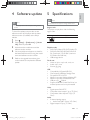
5 Specifications Eng l i s h 4 Software update Note Note * $| * Power supply must not be interrupted during software update. To check for updates, compare the current software version of this player with the latest software version (if available) at the Philips website. 1 2 Press Region code This player can play discs with the following region code. DVD region code Countries . Select [Setup] > [Preferences] > [Version Info], and then press OK. 3 Write down the model name and the software version number. 4 Visit www.philips.com/support to check for the latest software version, using the model name and software version number. 5 Refer to the upgrade instructions given on the website to complete the software update. Playable media * ++W+++> * DVD+R/+RW, DVD-R/-RW, DVD+R/-R _` _jW~W`% ]]\j * USB storage device File format * Video: avi, .divx, .mp4, .xvid, .rmvb, .rm * Audio: .mp3, .wma * ! ;'|'| USB * $;W`'j * ;M * File system: FAT16, FAT32 * Maximum number of albums/folders: 299 * Maximum number of tracks/titles: 648 * USB port: 5V , 500mA * `<j; external power source may be needed Video * ;!>_ # * < ;+W`j * < ;'+W` Ohm) Audio * 2-channel analog output * Audio Front L&R : 2 Vrms (47k Ohm) * Digital output: 0.5 Vp-p (75 Ohm) EN DVP3670_93_UM_V1.0_EN.indd 13 13 2/2/2012 11:34:22 AM