1
TR-5 2
PDF 文件使用 "pdfFactory Pro" 试用版本创建 www.fineprint.cn
Aux/sle ep/clock /alarm/snooze
Safety Precautions/Panel function
RP-R 12 00 USB
P O RTA B L E RA DI O
Mo del : TR-52
F RE Q UE NC Y: FM 8 7. 5-1 08M H z
P OWE R/ A MPPSO
: 3.
5W
WE
R S UP P LY: A C2 30V ~ 50H z
P OWE R COSUM P TI ON : 4. 0W/ hour
DC5 V / 1. 0A
S ta ndby c onsPumpt
ionR :(IN
0. S
75W/
hour Y) : 1.FM
O WE
TA NDB
1 0W
(I N US E ): 3 . 00W
S /N:
ww w .d e nv e r-e l e ctr o ni c s.c om
MADE IN CHINA
5
Compu ter
Mp3 pla ye r
Mo bil e phon e
5
230
AUX/FM
/Memoire
M EM
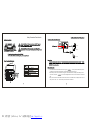
1 . press “MOD E” button to sw itch to FM rad io mod e, long press“
” into the up an d down autom atically search
TR-52
for ra dio sta tions, t he prod uct will stop a nd play the ra dio sta tion aut omatic ally afte r sear ch.
1
2
-SE ARCH+
2. Whe n listen ing to o ften re ceive ra dio sta tion, lo ng pre ss “CLO CK / M EM” b utton, th e disp lay sho ws flas hing "P 00" of
the c haracte r, then press “
” can st ore favo rite dig ital sta tion nu mber, the unit can also be s tore 20 radio s ta-
tions .
3. Whe n you w ant to listen the radio statio n has b een sto red, fir st click on “AL ARM1” button, the dis play sh ows "P 00" ch aracte r, pres s the “V OL-, V OL +” b utton to direct ly select the s tored r adio st ations.
PDF 文件使用 "pdfFactory Pro" 试用版本创建 www.fineprint.cn
AUX/SLEEP/CLOCK/ALARM/SNOOZE
mode
MP3
In sta ndby m ode, click “ALA RM2” button, you ca n set th e SLEE P time, repeat edly pre ss “AL ARM2” follow ed by “ 120
minut es, 90 m inutes , 60 mi nutes, 3 0 minu tes, 20 minute s, 10 m inutes, 5 minu tes, OF F” a few kinds of time option; when
the se tting is ok, pla y time t o the se t position, the machin e auto matical ly shut down in to stan dby mo de whe n the p roduct
play t o set po sition.
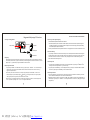
1. In stan dby mo de, con tinue p ress “ CLOCK /MEM ” button, the dis play wi ll jump, press “
”key to se t timing.
2 mode s will b e available:12 hour o r 24 hou r
2. Press “ CLOCK / MEM ”,the d isplay will jum p, and then pr ess “
” to set hou r; press “ CLOCK /ME M ”agai n,
to set minute s.
1.In St andby m ode, a fter tim e is pr operly set, co n tinue p ress “A LARM 1” “AL ARM2 ” to pres et the a larm ti me. Th is
unit i s with t wo ala r m func tion.
2.ALA R M hou r settin g:cont i nue pr e ss “AL A RM 1 ”、“ ALA RM2 ” b utton,t he hou r num b er in LC D disp lay will jumpin g.
” key to set fr o m hou r 1-12 o r 1-24. (T he tim e set w ill be a ccord ing to th e CLO CK tim e )
Pr ess “
3. ALA RM m in ute set ting: P ress “A LARM 1 ”、“AL ARM2 ”wice,t he min u te num ber in LCD di splay w ill ju mp . Pres s
“
” key to set fr om min ute 0- 6 0.
4. “ A LA RM” m ode set ting: P ress “A LARM 1 ”、 “A LA RM 2 ” tr ibe l times, the r ad io icon and mu sic ico n in LC D displ ay
” k ey to s e t ALA R M into r adio m od e o r snooz e”B..B ”mode.
will j ump. P ress “
TR-52
0.98
5W
1. 32
23 0 202 171
5
PDF 文件使用 "pdfFactory Pro" 试用版本创建 www.fineprint.cn
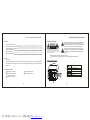
Electric and elec tronic equipment contains materials, components and substances that
can be hazardous to your health and the environment, if the waste material (discarded
electric and elec tronic equipment) is not handled correctly.
Danish
Electric and elec tronic equipment is marked with the crossed out trash can symbol, seen
below. This symbol signifies that electric and electronic equipment should not be disposed
of with other household waste, but should be disposed of separately.
All cities have established collection points, where electric and electronic equipment can
either be submitt ed free of charge at recycling stations and other collection sites, or be
collected from the households. Additional information is available at the technical
department of your city.
TR-52
ALL RIGHTS RESERVED
DENVER ELECTRON ICS A/S
WWW.D ENVER-E LECTRON ICS.COM
Betjeningsvejlednin g
PDF 文件使用 "pdfFactory Pro" 试用版本创建 www.fineprint.cn
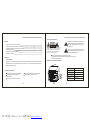
Sikkerhedsanvisninger/Frontpanelet
Forord/ Oversigt over radioen/ Tilbe hør
Sikkerhedsanvisninger
Indhold
Forord/ Oversig t over ra dioen
1
ADVARSEL
Sikkerhedsanvisninger/ Frontpa nelet
2
RIS IK O FOR ELE KTRISK
STØD MÅ I KKE ÅB NES
Bagpan elet/ Betjening af FM-radioen
3
Aux/ autosluk/ u r/ alarm
4
snooze/ Fejlfindin g
5
Tekniske specifikationer
6
Det trekanted e symbol med lynet er beregnet p å at gøre bruger
opmærksom på , at apparatets indre indeholder strømførende
dele, der ikke e r isolerede, og hvis strømstyrke er tilstrækkelig til
at udgøre en fa re for skade på personer ved ele ktriske stød.
AD VAR SEL : Un dlad at f jern e dæ ksl er (e ller
bag styk ke) af h ensy n til fare n fo r ele ktris k st ød.
App ara tet i ndeh old er in gen dele , so m br uge r sel v
kan ser vice re. O ver lad a lt re par ation s-a rbej de ti l
kva lific eret serv icep ers onal e.
Udråbstegnet i de n ligebenede trekant er beregnet til at gøre
bruger opmærkso m på vigtige oplysninger i den medfølgende
brugsvejledning v edrørende betjening og vedligeholde l se af
apparatet.
Hold app a ratet på afstand af væskefyldte behold e re.
Hvis du ikke skal bruge apparatet i længere tid, b ør du tage stikket ud af stikkontakten.
Forord
Kære køber:
Tak fordi du valgte at købe denne r adio! Læs venligst betjeningsvejledningen igennem og sæt dig ind i betjeningen,
inden du tilslutter radioen og tager d en i brug. Gem vejledningen og originalin dpakningen, hvis du skulle få brug for
dem senere.
AUX/FM
Ur / Hukommelse
Justering af lydstyrken
M EM
Oversi gt over rad ioen
T R-52
Udgangseffek t (3,5 W RMS)
AUX-termina l for tilslutning af
FM: Kanal op / ned
Højfølsom digital FM-radio
Alarm med snooze-funkti on
mobiltelfon/MP3-afspiller.
Standbyforbru g: 0,75W/ time
PDF 文件使用 "pdfFactory Pro" 试用版本创建 www.fineprint.cn
1
-SEA RCH+
2
Vækkefunktion
Standby
AUX/AUTOSLUK/UR/ALARM/SNOOZE
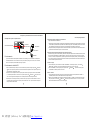
Bagpanelet/Betjening af FM-radioen
Afspilning via AUX sign alindgang
Oversi gt over bag panelet
Forbind din MP3-afspiller eller mobiltelefon til radioen.
R P-R1 20 0U SB
P ORT A B LE RA D IO
M odel : T R-52
F RE QUE N CY: F M 87 .5 -108 M Hz
P OWE R/ AM PS
3. 5W
P :OW
E R S UP P LY : AC 230 V ~5 0Hz
P OWE R COS UMP TI ON : 4.0W/ hour
D C5V / 1. 0 A
St andby c ons um
pti on
: N
0.S75W/
FM
P OW
E R(I
T ANhour
DB Y ): 1.
10W
(I N US E ): 3. 0 0W
S/ N:
w w w.d e n ve r- e le c tro n i cs. co m
M ADE IN CHINA
AUX terminal
Jævnstrøm 5V
Computer
1.Tilslu t MP3-afspilleren (eller en mobiltelefon med MP3-afspiller) til terminalen mærket AUX på radioens bagpanel
ved hjælp af et audiokabel. Tryk på knappen MODE for at vælge PC modus. Radio en begynder at afspille audiosignalet fra MP3-afspilleren (eller mobiltelefonen).
2.Du kan også tilslutte andre eksterne signalkilder til radioen. Fremgangsmåden er den samme som beskrevet herover.
MP3-afspiller
Forsinket slukning
Mobiltelefon
Klargøring
Sæt adapterens j ævnstrømstik i terminalen mærket DC 5V på radioens bagpane l og forbind adapterens netstik til
en stikkontakt (A C230V/50Hz). Tryk på hovedko ntakten på radioens bagpanel for at tænde for strømmen, hvore fter
displayet lyser op . Tryk dernæst på knappen STA NDBY for at tænde radioen.
Betjening af FM-r adioen
1.Tryk på knappe n “MODE” for at skifte til FM radio, lang t tryk på knappen “ -SEARCH+ ”fo r automatisk at søge
efter stationer o p eller ned ad frekvensbåndet. Radio en standser automatisk, når den find er en station, og
Tryk på knappen "ALARM2" mens radioen står standby. Du kan nu indsætte perioden til SLEEP forsi nket slukning ved
at trykke gentagne gange på knappen “ALARM2”. Radioen viser m ulighederne; 120 minutter, 90 minutter, 60 minutter,
30 minutter, 20 minutter, 10 minu tter, 5 minutter, OFF. Stop, når dis playet viser den ønskede indstillin g. Radioen
slukker automatisk efter det valgte tidsrum.
Indstill ing af uret
1.Tryk på knappen "CLOCK/MEM" i standby modus, hvorefter displayet blinker. Tryk på knappen “ -SEARCH + ” for
at vælge format. Du kan vælge mellem 12- og 24-timers visning.
2.Tryk på knappen "CLOCK/ MEM" igen, hvorefter displayet blinker. Tryk på knappen “ - SEARCH + ”for at indsætte
timetal let. Tryk på knappen "CLOCK/MEM" igen for at in dsætte minuttallet.
begynder at afs pille stationen.
2.Hvis du ofte lytte r til den samme station, kan du trykke langt på knappen “CLOCK / MEM”, h vorefter "P 00"
blinker på displ ayet. Tryk dernæst på knappen “ -SEA RCH+ ” for at vælge den station, d u vil gemme på den
faste programp lads. Du kan gemme op til 20 faste sta tioner i radioen.
3.Når du vil lytte til en af de faste stationer, skal du først trykke på knappen "ALARM1", hvorefter displayet viser
“P 00". Tryk dernæ st på knappen “VOL- , VOL +” for at vælge den faste station.
PDF 文件使用 "pdfFactory Pro" 试用版本创建 www.fineprint.cn
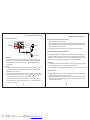
Indstilling af alarm en
1.Når du har indstillet uret, som beskrevet herover, skal du trykke på knappen "ALARM1" eller "ALARM2" og holde den
inde for at indsætte et vækketidspunkt. Denne radio har to vækkefunktio ner.
2.Indsætning af timetal for vækning: Tryk på knappen "ALARM1” eller "ALARM2" og hold den inde. Timetallet blin ker på
LCD displayet. Tryk på knappen "? - SEARCH + ?" for at vælge timetallet fra 1-12 eller fra 1-24 (afhængigt af det valgte
visningsformat).
Tekniske specifikationer
3.Indsætning af minuttal for vækning : Tryk to gange på knappen “ALARM1” e ller "ALARM2". Minuttallet blinker på LCD
displayet. Tryk på knappen“ - SEARCH + ”for at vælge minuttallet fra 1-60 minutter.
4.Indsænting af vækkemodus: Tryk tre gange på knappen “ALARM1” eller “ALARM2”. Radio-ikonet og buzzer-ikon et
blinker på LCD displayet. Tryk på knappen “ - SEARCH + ” for at vælge, om du vil vækkes af radio eller buzzer.
Mod el
TR-52
Strømkrav
Strømforbrug
Driftsforhold
5W
Frekvens
Snooze-funktionen
Tryk p å knappen “CLOCK”, når vækkere n ringer, hvis du vil udsætte vækningen med 10 minutter. Tryk på knappen
STANDBY, når du vil slå alarmen helt fra.
Signal/Støjforhold
Temperatur: 5°C-35°C,
Vandr et placering
Nettovægt
0.98 KG
Bruttovægt
1.32 KG
Ydre mål
230 X 202 X 171 mm
Audio scope
BEMÆRK ! Produktet indeholder et computersystem . Hvis du flytter eller på anden måde forstyrrer apparatet
u nder brugen, kan det medføre forringet lydkvalitet eller at systemet går ned. Sker det, kan du
p røve at slukke radioen og tænde igen, d e t kan måske løse problemet.
Almindelige problemer og deres løsning
Hvis du ikke anvender radioen korrekt, kan det medføre, at radioen beskadiges eller går i stykker. Hvis du oplever problemer,
kan du muligvis finde en løsning på problemet i listen herunder.
Problem
Mulig årsag
Løsning
Displayet lyser ikke
Stikket er ikke sat ordentli gt fast i stikkontakten;
Der er ikke tænkdt på stikk ontakten.
Ingen lyd
Au diokablerne er ikke korrekt tilsluttet;
D er er skruet helt ned for lyden.
Tryk stikket helt ind i kontakten ;
Tænd på kontakten.
Forbind audiokablerne korrekt;
Skru op for lyden.
5
PDF 文件使用 "pdfFactory Pro" 试用版本创建 www.fineprint.cn
6
Dutch
Elektrisk og elektronisk udstyr indeholder materialer, komponenter og stoffer, der kan være
skadelige for menneskers sundhed og for miljøet, hvis affaldet (kasseret elektrisk og
elektronisk udstyr) ikke håndteres korrekt.
Elektrisk og elektronisk udstyr er mærket med nedenstående overkrydsede skraldespand.
Den symboliserer, at elektrisk og elektronisk udstyr ikke må bortskaffes sammen med
usorteret husholdningsaffald, men skal indsamles særskilt.
Alle kommuner har etableret indsamlingsordninger, hvor kasseret elektrisk og elektronisk
udstyr gratis kan afleveres af borgerne på genbrugsstationer og andre indsamlingssteder
eller bliver afhentet direkte fra husholdningerne. Nærmere information kan fås hos
kommunens tekniske forvaltning.
TR-52
ALLE RETTIGHEDER RESERVERET
COPYRIGHT DENVER ELECTRONICS A/S
WWW.D ENVER-E LECTRON ICS.COM
Product gebruiksaanwijzing
PDF 文件使用 "pdfFactory Pro" 试用版本创建 www.fineprint.cn
Voor woor d/Belangri jkste kenmerken /Accessoires
Voorzorgsmaatregelen/Paneelfunctie
Veiligheidsmaatregelen
Bedoeld om de geb ru iker te waarschuwen op de aanwezi gheid
van ongeïsoleerde "gevaarlijke spanning" binnen de beh uizing
van het product dat van voldoende omvang kan zijn om e en
elektrische schok te veroorzaken
Inhoud
Voorwoord/Belangrijkste kenme rken/Disks
1
Veiligheidsmaatregelen/Panee l afbeelding
2
Achterpaneel afbeelding/FM-op e raties
3
Aux/slaap/klok/alarm
4
sluimeren/ Probleemoplossing sg ids
5
Technische specificaties
6
WAARSCHUWING
RIS ICO OP ELEKTR IS CHE
SC HOK KE N NIET OP EN EN
WAA RSC HU WIN G: O m h et ri sico op e lek trisc he s chok ken
te v ermi nde ren, verw ijde r nie t he t de ksel (of d e ac hte rkan t).
Er z ijn g een doo r de geb ruike r te repa rere n o nder dele n
binn enin het toe stel aanw ezi g. L aat h et o nde rhou d aa n
gekw alif icee rd o nder hou dspe rso neel ove r.
Bedoeld om d e gebruiker te attenderen op de a anwezigheid
van belangrijk e gebruiks- en onderhoudsinstru cties in deze
gebruikersha ndleiding.
Houd de machine w eg van containers gevuld met vloe istof.
Als het toestel voor langere duur niet gebruikt zal word en, haal de stekker uit het stopcon tact.
Voorwoord
Aan de gebruikers:
Dank u voor de aankoop van deze spelercomp onent! Lees de handleiding voordat u het systeem aansluit op een
Afbeelding bedieningspa neelfuncties
voeding, zodat de beste functies van het pro duct worden gegarandeerd. Bewaar de handleiding en verpakking
zorgvul dig voor latere referentie.
MODUS
A UX/FM
KLOK/MEM
K lok/Ge heugen
Volume regeling
VOL- VOL+
Belangr ijkste kenm erken
T R-52
- ZOEKEN +
Eénrichting voeding suitgang (3.5 W RMS)
Hoge gevoeligheid digitale FM-radio functie
AUX-ingangsfunctie , aansluiting voor
Alarmklok met sluimerfunctie
mobilofoon/MP3
Wachtstandverbrui k: 0.75 W/uur
PDF 文件使用 "pdfFactory Pro" 试用版本创建 www.fineprint.cn
ALARM1 ALARM2
-SEA RCH+
STAND-BY
F M: Ach teruit/Vooruit
A larm
Wachtstand (st and-by)
Achterpaneel afbeelding/FM-operaties
Afbeelding achterpaneelfuncties
Aux/slaap/klok/alarm
AUX-ingangssignaal afspelen
Sluit de MP3-speler of mobiele telefoon aan.
R P-R1 20 0U SB
P ORT A B LE RA D IO
M odel : T R-52
F RE QUE N CY: F M 87 .5 -108 M Hz
P OWE R/ AM PS
3. 5W
P :OW
E R S UP P LY : AC 230 V ~5 0Hz
P OWE R COS UMP TI ON : 4.0W/ hour
D C5V / 1. 0 A
St andby c ons um
pti on
: N
0.S75W/
FM
P OW
E R(I
T ANhour
DB Y ): 1.
10W
(I N US E ): 3. 0 0W
S/ N:
w w w.d e n ve r- e le c tro n i cs. co m
1.Gebruik de audiosignaalkabel om de oortelefoonaansluiting van de MP3-speler (of mobiele telefoon met MP3-spelerfunctie) aan te sluiten met de AUX-ingang op het achterpaneel van de eenheid, en druk vervolgens op de "MODUS"
-toets om de PC-modus te openen. De eenheid zal he t audiosignaal van de MP3-speler (of mobiele telefoon) beginnen
af te spelen.
2.De eenheid kan ook met een ander externe signaalbron en audiosignaalbron aangesloten w orden, de handelingen zijn
gelijk aan de hierboven onder punt 1 vermeldde stappen.
M ADE IN CHINA
A UX-ingangsaansluiting
Voeding DC 5 V
Computer
MP 3-speler
Slaapinstelling
Mobiele telefoon
Voorbereidende handelingen
Steek het DC-ui teinde van de adapter in de DC 5V-aansluiting van het apparaa t, en steek de stekker van de
adapter in een (A C 230 V/50 Hz) stopcontact. D ruk op de aan/uit-schakelaar op het achterpaneel om de
spanning in te sc hakelen, en het scherm van he t systeem zal oplichten. Druk v ervolgens op “STANDBY”-toets
om het apparaat in te schakelen.
FM-radiofunctie
1.Druk op de “MODUS”-toets om naar de FM-radiomodus te schakelen, druk op e n houd de “
- SEARCH +
”
-toe ts ingedrukt om automatisch omhoog e n omlaag naar radiozenders te zoeken. Na het zoeken zal het produc t a utomatisch stoppen en het radiostati on afspelen.
2.Bij va ak beluisterde radiozenders, druk op en houd de“KLOK/MEM ”-toets inged rukt tot op de display
knipp erend “P 00”wordt weergegeven. D ru k vervolgens op de “
- SEARCH +
”-toets om het favoriete
station op te slaan. Het apparaat kan 20 ra diostations opslaan.
3.Wann eer u het radiostation dat opgeslagen is wilt beluisteren, druk dan eerst op de“ALARM1”-toets en de
displa y zal “P 00” weergeven. Druk vervolg ens op de “VOL-”- of “VOL+”-toets om direct de opgeslagen
radiozenders te kiezen.
PDF 文件使用 "pdfFactory Pro" 试用版本创建 www.fineprint.cn
Druk in de stand-by-modus herhaaldelijk op de " ALARM2"-toets om de "SLAAP"-tijd in te stellen, door uit de opties "120
minuten", "90 minuten", "60 minuten", "30 minuten", "20 minuten", "10 minuten", "5 minuten", "UIT" de gewenste speelduur
te kiezen. Wanneer de gewenste speelduur is geselecteerd, zal de eenheid automatisch h et afspelen beëindigen zodra de
inge stelde speelduur is verstreken en in de stand-by-modus schakelen.
Klok instellen
1.Druk in de stand-by-modus op de " KLOK / MEM " -toets en het display zal verspringen, druk vervolgens op de “ - SEARCH + ”-toets om de timing in te stellen. Er zijn 2 modi beschikbaar: 12- of 24-uursnotatie
2.Druk op de " K LOK / MEM "-toets en de display zal verspringen, druk vervolgens op de “ - SEARCH + ”-toets om het
uur in te stellen ; druk op de " KLOK / MEM "-toets om de minuten in te stellen.
Alarm instellen
1.In stand-by-modus, nadat tijd juist is ingesteld, druk op de "ALARM1" of "ALARM2 "-toets om de alarmtijd in te stellen.
Deze eenheid heeft twee alarmfuncties.
2.“ALARM”-uur in stellen Druk op de "ALARM1" of “ALARM2 "-toets, en de uurcijfers in de LCD -scherm zal verspringen.
Druk op de “ - SEARCH + ” -toets om 1-12 of 1-24 uur in te stellen (de ingestelde tijd zal overeenkomstig de “KLOK"
-tijd zijn).
Technische specificaties
3.“ALARM”-minuten instellen Druk twee keer op de “ALARM1" of "ALARM2 "-toets en de minutencijfers in het LCDscherm zullen verspringen. Druk op de “ - SEARCH + ”-toets om 0-60 minuten in te stellen.
4."ALARM"-modus instellen: Druk drie kee r op de ALARM1" of “ALARM2 "-toets en de radio- en muziekpictogram
zullen verspringen. Druk op de “ - SEARCH + ”-toets om het ALARM in de radio- of slaap "B..B"-modus te
schakelen.
Mod el
TR-52
Gebruiksom standighede n
Voeding
Ene rgieverbruik
5W
Frequentie
Sluimerfunctie
Wanneer het alarm afgaat, druk op de “KLOK”-toets en het alarm zal opnieuw na tien minuten afgaan; Druk op de
“STANDBY”-toets om het alarm te stop pen.
Vaak voorkomende problemen en hun oplossingen
Netto gew icht
0.98 KG
Bruto gew icht
1.32 KG
Afmeting
S/N
Temperatuur: 5°C-35° C Opstelling:
Horizontaal
230 X 202 X 171 mm
Audiobereik
OPMERKING: Het product heeft een computerbesturingssysteem. Tij d ens het gebruik van deze eenheid, ka n
Door verkeerd gebruik, kan het toestel beschadigd raken of stuk gaan. In die gevallen kijk naar de volgende oplossingen. Als deze niet helpen, neem dan contact op met onze afdeling klantenservice.
het verschuiven of het verstoren van de eenheid tot slec ht functioneren of beschadiging leid en.
Het uit- en weer a anschakelen van de eenheid kan het p robleem op lossen.
Probleem
Geen spanning
Geen geluid
Oorzaak
Oplossing
De stekk er is niet goed in het stopcontact gestoken. C ontroleer de spanning op het stopcon tact;
het stop contact is spanningsloos. de aan/u itd ru k de stekker aan; schakel de spannin g in.
schakelaar is niet ingeschakeld.
De audiokabel is niet juist a angesloten; het
volume staat te laag.
Sluit de audiokabel ju ist aan; Pas het
volume aan.
5
PDF 文件使用 "pdfFactory Pro" 试用版本创建 www.fineprint.cn
6
Elektrische en el ektronische apparatuur bevat materialen, onderdelen en stoffen die schadelijk
kunnen zijn voor uw gezondheid en het milieu (afgedank te elektrische en elektronische apparatuur)
indien incorrect v erwerkt.
Elektrische en el ektronische apparaten zijn gemarkeerd met een doorgekruist kliko-symbool, z oals
hieronder afgebeeld. Dit symbool geeft aan dat elektrisc he en elektronische apparatuur niet mag
worden afgedankt met ander huishoudelijk afval, maar echter gescheiden moet worden ingezameld.
Alle steden hebben gevestigde inzamelpunten waar elektrische en elektronische apparatuur
kosteloos ingeleverd kan worden op recyclestations en andere inzamelpunten, of de apparaten
kunnen bij u thuis worden opgehaald. Vraag uw plaatsel ijke autoriteiten om meer informatie.
.
Finnish
TR-52
ALLE R ECHTEN VOOR BEHOUDEN
AUTEURSRECHT DE NVER ELECTRONICS A /S
WWW.D ENVER-E LECTRON ICS.COM
Käyttöohje
PDF 文件使用 "pdfFactory Pro" 试用版本创建 www.fineprint.cn
Johdanto/Ke skeisimmät ominaisu udet/Lisäo sat
Turvavaroitukset/paneelin kuvaus
Turvavaroitukset
Sisältö
Johdan to/Keskeisimmät ominaisuudet/Levyt
1
VAR OITUS
Turvava roitukset/Paneelin kuvaus
2
S ÄHKÖ ISK UN VAARA
Ä LÄ AV AA
Takao san kuvaus/FM-radion käyttö
3
Aux/u niajastin/kello/hälytys
4
torkku/ Vianetsintä
5
teknis et tiedot
6
Kolm iossa oleva salamatunnus osoittaa, että l aitteen
sisä ltämä suuri jännite saattaa aiheuttaa vaar allisen
sähkö iskun.
VAROITUS: Älä av aa lai tteen kotelo a, jotta
v ältyt s ähköiskulta. Lait e ei si sällä k äyttä jän
huollet tavia osia. H uollo n tai k orjauks en s aa
t ehdä v ain valtuute ttu hu oltopalvelu.
Kolmios sa oleva huutomerkki osoittaa, että pak kauksessa
on erity isen tärkeitä käyttö- tai huolto-ohjeita ko hteeseen
liittyen .
Pidä laite pois nesteitä sisältävi e n astioiden läheisyydestä.
Jos laitetta ei käytetä pitkään ai kaan, irrota se verkkovirrasta.
Johdanto
Käy ttäjille:
Etupaneelin kuvaus
Kiitos, että va litsit tämän soittimen! Ole hyvä ja lu e käyttöohje ennen kuin liität laitte en verkkovirtaan varmistaak
sesi tuotteen parhaimman mahdollisen toiminna n. Ole hyvä ja säiltytä käyttöohje ja pakkaus myöhempää tarvetta
MODE (toiminto)
varten.
A UX/FM
clock/mem (kello/muisti) K ello/muisti
Ä änenvoimakkuuden säätime t
VOL- VOL+
Keskeisimmä t omi naisu udet
T R-52
Yksisuuntainen virtaliitin (3,5 W RM S)
Erittäin herkkä digitaalinen FM-r adio
AUX-liitin, matkapuhelin/MP3-liitin
Herätyskello torkkuajastimella
valmiustilan energiankulutus: 0,75 W/hour
PDF 文件使用 "pdfFactory Pro" 试用版本创建 www.fineprint.cn
-SEA RCH+
- SEARCH +
(haku)
F M: Taakse-/eteenpäin
ALARM (hälytys) 1
ALARM 2 (hälytys 2)
Hälytys
STANDBY (valmiustila)
Valmiust ila
Takaosan kuvaus/FM-radion käyttö
Takaosan kuvaus
Aux/uniajastin/ke llo/hälytys
AUX-liitin
Tällä liittimellä voit liittää MP3-soittimen tai matkapuhelimen laitteeseen.
R P-R1 20 0U SB
P ORT A B LE RA D IO
M odel : T R-52
F RE QUE N CY: F M 87 .5 -108 M Hz
P OWE R/ AM PS
3. 5W
P :OW
E R S UP P LY : AC 230 V ~5 0Hz
P OWE R COS UMP TI ON : 4.0W/ hour
D C5V / 1. 0 A
St andby c ons um
pti on
: N
0.S75W/
FM
P OW
E R(I
T ANhour
DB Y ): 1.
10W
(I N US E ): 3. 0 0W
S/ N:
w w w.d e n ve r- e le c tro n i cs. co m
M ADE IN CHINA
AUX-liitin
DC 5 V virtaliitin
Tiet okone
1.Voit käyttää äänijohtoa liittääkses laitteen i MP3-soittimen (tai matkapuhelimen, jossa on MP 3-soitin) kuulokeliitännästä laitteen takaosassa sijaitsevaan AUX-liittimeen. Paina sitten MODE-painiketta siirtyäksesi PC-tilaan. Laite alkaa t oistamaan MP3-soittimen (tai matkapuhelim en) äänisignaalia välittömästi.Laite voidaan myös liittää muihin ulkoisi in äänilähteisiin edellä mainittujen vaiheiden avulla.
MP3-soitin
Uniajastin
Käyttö
Matkapuhelin
Laitteen ollessa valmiustilassa, paina “ALARM2”-painiketta, jolloin voit asettaa laitteen uniajastimen päälle. Paina
“ALARM2”-painiketta toistuvasti valitaksesi 120 - 5 minuuttia, tai “O FF” (pois päältä). Kun olet valinnut sopivan asetuksen, laite siirtyy automaattisesti valmiustilaan asetetun ajan tulles sa täyteen.
Liitä l aturin pistoke laitteen virtaliittime e n ja työnnä pistotulppa verkkovir tapistokkeeseen (AC 230 V / 50 H z).
Paina virtapainiketta laitteen takaa kytkeäksesi virran päälle, jolloin laitteen näyttö valaistuu. Paina sitten
STAN DBY-painiketta kytkeäksesi laittee n päälle.
FM-radion käyttö
1.Paina “MODE”-painiketta kytkeäksesi laitteen FM-radio ti laan ja paina “
- SEARCH +
” -painikkeita
Kellonajan a setus
1.Laitteen ollessa valmiustilassa, paina ”CLOCK/MEM”-painiketta ja “ - SEARCH + ”-painiketta asettaaksesi ajan.
Voit valita kahd esta esitystavasta: 12 tai 24 tuntia
2.Paina “CLOCK/MEM”-painiketta ja aseta tunnit painamalla “ - SEARCH + ”-painiketta ja paina “CLOCK/MEM”painiketta uudelleen asettaaksesi minuutit.
hakeaksesi radiokanavi a . Laite rupeaa toistamaan löyde ttyä kanavaa välittömästi haun j ä lkeen.
2.Jos haluat tallentaa kan a van, paina “CLOCK/MEM”-paini ketta, jolloin näytöllä näkyy “P0 0 ”. Voit valita
tallennuspaikan painam alla“ - SEARCH + ” -painiketta . Laitteessa on 20 tallennuspaik kaa.Kun haluat
kuunnella aiemmin talle nnettua radiokanavaa, paina en sin “ALARM1”-painiketta, jolloin näytöllä näkyy
“P00”. Voit valita tallenn ettuja radiokanavia “VOL-/ VOL+ ”-painikkeilla.
PDF 文件使用 "pdfFactory Pro" 试用版本创建 www.fineprint.cn
Herätyskello
1.Laitteen ollessa valmiustilassa, paina “ALARM1” tai ”ALARM2”-painiketta asettaaksesi herätyksen. Laitteeseen
voidaan asettaa kaksi herätysaikaa.
2.Herätysajan tuntien asettaminen: Paina ”ALARM1” tai “ALARM2”-painiketta, jolloin LCD-näytöllä näkyvät tunnit
vilkkuvat. Paina “ - SEARCH + ”-painiketta asettaaksesi tunnit (1-12/1-24, ajan esitystavan mukaisesti).
3.Herätysajan minuuttien asettaminen: Paina “ALARM1” tai “ALAR M2”-painiketta kahdesti, jolloin minuuttiluvut
alkavat vilkkua. Paina “ - SEARCH + ”-painiketta asettaaksesi minuutit (0-60).
4.Herätyksen asettaminen: Pain a “ALARM1” tai “ALARM2”-painiketta, jolloin LCD-näytöllä näkyvät radio- ja
musiikkikuvakkeet vilkkuvat. Paina “ -SEARCH + ” -painiketta asettaaksesi hälytyksen radio- tai torkkutilaan.
Tekniset tiedot
Kun hälytys soi, voit painaa kellopainiketta, jolloin torkkutoiminto kytkeytyy päälle ja hälytys toistuu 10 minuutin
kuluttua. Voit pysäyttää h älytyksen painamalla STANDBY-pain iketta.
Käyttöolosuhteet
Virtalähde
Lämpötilat: 5 °C - 35 °C
Asento: Vaaka-asento
Nettopai n o
0.98 KG
Taajuus
Bruttopai no
1.32 KG
Signaali/melu-suhde
Koko
Energiankulutus
Torkkutoiminto
TR-52
Malli
5W
230 X 202 X 171 mm
Ää niala
Yleisiä ongelmia ja ratkaisuja
HUOMAA: Tämä laite kä yttää tietokonejärjestelmää. Laitteen liikuttam in en käytön aikana voi johtaa toiston
Laite voi vaurioitua tai särkyä väärink äytön seurauksena. Näissä tapauksissa suosittelemme noudattamaan
seuraavia ohjeita. Mikäli ratkaisuista e i ole apua, ota yhteyttä asiakaspalveluumme .
Ongelma
Laite ei saa virtaa
Ei ääntä
Ongelman syy
heikentymise e n tai laitteen vaurioitumiseen. Laitteen sammu ttaminen ja kytkeminen takaisin päälle
voi ratkaista o ngelman.
Korjaava toimenpide
Virtajohto ei o le kunnolla liitetty. Pistoke ei
johda virtaa. Virtaa ei ole kytketty päälle.
Äänijohtoa e i ole liitetty kunnolla.
Äänenvoima kkuus on liian matala.
Pistorasian tulee olla kunno ssa. Paina
pistoketta. Kytke virta päälle .
Liitä äänijohto oikein. Säädä
äänenvoimakkuutta kovemm a lle.
5
PDF 文件使用 "pdfFactory Pro" 试用版本创建 www.fineprint.cn
6
German
Sähkö- ja elektroniikkalaitteet sisältävät materiaal eja, komponentteja ja aineita, jotka voi vat
olla vahingollisia terveydelle ja ympäristölle, jos jätemateriaalia (pois heitettävät sähkö- j a
elektroniikkalaitteet) ei käsitellä asianmukaisesti.
Sähkö- ja elektroniikkalaitteet on merkitty alla olevalla rastitun jäteast ian symbolilla. Symboli
kertoo, ettei sähkö- ja elektroniikkalaitteita saa häv ittää kotitalousjätteen mukana vaan ne on
hävitettävä erikseen.
Kaikkiin kaupunkeihin on perustettu keräyspisteitä. Sähkö- ja elektroniikkalaitteet voi viedä
itse ilmaiseksi pisteisiin tai ne voidaan kerätä suoraan kotoa. Lisätietoja saat kuntasi
tekniseltä osastolta.
TR-52
KAIK KI OIKEUDET PIDÄTETÄÄN
TEKIJÄNOIK EUS: DENVER ELECTR ONICS A /S
WWW.D ENVER-E LECTRON ICS.COM
Bedienungsan leitung
PDF 文件使用 "pdfFactory Pro" 试用版本创建 www.fineprint.cn
Sicherheitshinweise/Vorderseite
Vorwort/Funktionen/Zubehör
Sicherheitshinweise
Inhaltsverzeichnis
Zeigt dem Benutzer die Gegenwart nicht iso l ierter
“gefährlicher Spannung” in dem Gerät, die a usreichend
stark ist, einen elektrischen Schlag zu veru rsachen.
WARNUNG
Vorwort/Funkti onen/Discs
1
Sicherheitshi nweise/Vorderseite
2
Rückseite/UKW-Funktion
3
Aux/Sleep/Uh r/Alarm
4
Einschlaffunk tion/ Problemlösung
5
Technische Da ten
6
GEFAHR EINES ELEKT RISCHE N
SCHLAGS NICHT öFF NEN
WARNUNG: Um die Gefahr eines elek trisch en
Sc hlags zu ve rringern, entferne n Sie nicht d ie
Ab decku ng (o der Rückseite). Ke ine v om
Be nutzer zu reparierende Teile in dem Gerät,
überlass en Sie Reparatur en qua lifiziertem
Pe rs onal.
Zeigt d e m Benutzer wichtige Informationen zu r
Bedien ung und Wartung in der Bedienungsan leitung.
Halten Sie das Gerät von mit Flüssigkeit gefüllten Behälter n fern.
Sollte das Gerät für eine lä ngere Zeit nicht verwendet wer den, trennen Sie es von der
Netzversorgung.
Vorwort
An die Benutzer:
Vielen Dank für den Kauf dieses kombinierten Abspielgeräts! Lesen Sie diese Bed ienungsanleitung, bevor Sie
Etupaneelin kuvaus
das Gerät an die Netzversorgung anschließe n, um die beste Funktion dieses Gerä ts zu gewährleisten. Bewahren
Sie die Bedienungsanleitung und die Verpackung zum späteren Gebrauch auf.
MODE
CLOCK/MEM
Funktionen
T R-52
Ein-Wege-Lautsprecher (3,5 W RMS)
Hoc h-sensitive digitale UKW-Funktion
AUX-Eingang für Anschluss von
Ala rmzeiteinstellung mit Einschlaffunk tion
Mobiltelefonen/MP3-Spielern
Standby-Verbrauch: 0,75 W/Stunde
PDF 文件使用 "pdfFactory Pro" 试用版本创建 www.fineprint.cn
-SEA RCH+
A UX/FM
Uhrzeit/Speicher
VOL- VOL+
Lautstä rkeeinstellung
- SEARCH +
UKW: Rückwär ts/Vorwärts
ALARM1 ALARM2
STANDBY
A larm
S tandby
Rückseite/ UKW-Fu nktion
Rückseite
Aux/Sleep/Uhr/Alarm
AU X-Eingang
Verbinden Sie einen MP3-Spieler oder ein Mobiltelefon mit dem AUX-Eingang.
RP-R 12 00 US B
P O RTA B L E RA DI O
Mo del : TR-52
F RE Q UE NC Y: F M8 7. 5-1 08M H z
P OWE R/ A MPPSO
: 3.
5W
WE
R S UP P LY: A C2 30V ~ 50H z
P OWE R COSUM P TI ON : 4. 0W/ hour
DC 5V / 1. 0A
S ta ndby c onsPumpt
io R
n :(I N
0 .75W/
hour
O WE
S TA ND
B Y) : 1FM
.1 0W
(I N US E ): 3. 00W
S /N:
ww w .d e nv e r-e l e ctr o ni c s.c om
MADE IN CHINA
AUX-Eingang
Anschluss 5 V DC
Computer
1.Verwenden Sie ein geeignetes Kabel, um den Kopfhörera nschluss eines MP3-Spielers ( oder Mobiltelefon mit MP3Funktion) mit dem AUX-Eingang auf der Rückseite zu verbinden. Drücken Sie nun die Taste MODE, um den PC-Modus
zu aktivieren. Das Gerät beginnt mit der Wiedergabe des MP3-Spielers (oder Mobiltelefons).
2.Sie können auch andere Audiogeräte auf diese Weise anschließen.
MP 3-Spieler
Ei nschlafmodus
Mobiltelefon
Bedienung
Drücken Sie im Standby-Modus die Taste ALARM2, um die „SLEEP“-Zeit einzustellen. Drücken Sie d ie Taste ALARM2
mehrfach, um den Einschlafmodus in den Abständen 120 Minuten, 90 Minuten, 60 Minuten, 30 Minute n, 20 Minuten, 10
Minuten, 5 Min uten oder OFF (Aus) einzustellen.
Verb in den Sie den kleinen Stecher des Adapte rs mit dem Anschluss 5 V DC des Geräts un d den Netzstecker
mit e i ner 230 V / 50 Hz Steckdose. Drücken Sie die Taste Power auf der Rückseite, um die Energieversorgung
einzu schalten. Das Display leuchtet auf. Drücke n Sie STANDBY, um das Gerät einzuschal ten.
UKW-Funktion
1.Drücken Sie die Taste MOD E, um in den UKW-Modus zu schalte n. Drücken Sie“ - SEARCH +
”für e in paar
Uhreinstellung
1.Drücken Sie im Standby-Modus die Taste “CLOCK/M EM”, um zur Uhrzeiteinstellung zu gelangen. Drücken Sie “ SEARCH + ”, u m 12 oder 24 Stundenanzeige einzustellen.
2.Drücken Sie die Taste CLOCK/MEM nochmals, um die Stunden mit “ - SEARCH + ” e inzustellen, drücken Sie
nochmals “CLOC K/MEM”, um die Minuten einzustel len.
Sekunden, um automatisch in die entsprechende Richtung nac h Sendern zu suchen. Das Gerät stop pt die
Suche automatisch, wenn ein Sender gefunden wurde und gibt diesen wieder.
2.Speichern Sie Ihre Lieblin g ssender durch Drücken der Taste CL OCK / MEM für ein paar Sekunden. Au f dem
Display blinkt “P 00”. Drü ck en Sie nun “ - SEARCH +
”, bis Sie Ihren Lieblingssender gefunden habe n.
Das Gerät kann bis zu 20 Sender speichern.
3.Wählen Sie einen gespeich erten Sender durch drücken der Taste ALARM1. Das Display zeigt “P 00”. D rücken Sie nun die Tasten VOL- oder VOL+, um den gewünschten Sender aus dem Speicher zu wählen.
PDF 文件使用 "pdfFactory Pro" 试用版本创建 www.fineprint.cn
Alarmeinstellung
1.Nachdem die Uhrzeit eing estellt wurde, drücken Sie im Standby-Modus ALARM1 oder ALARM2, um eine Alarmze it
einzustellen. Sie können mit diesem Gerät zwei Alarmzeiten einstellen .
2.Einstellen der Stunde: Drücken Sie ALARM1 oder ALARM2, bis die Stunde in dem Display blinkt. Stellen Sie die
Stunde mit “ - SEARCH + ” von 1 - 12 oder 1 24 ein. (Je nach dem, welche Zeitanzeige gewählt wurde)
1.Einstellen der Stunde : Drücken Sie ALARM1 oder ALA RM2 zwei Mal, bis die Minuten in dem Display blinkt.
Stellen Sie die Stunde mit “ - SEARCH + ” von 1 - 5 9 ein.
2.Alarmeinstellung: Drücken Sie ALARM1 oder ALARM2 drei Mal. Die Symbole für Radio und Musik blinken im
Display. Drücken Sie “ - SEARCH + ”, um den Alarm auf Radio oder snooze "B..B" Modus zu stellen.
Technische Daten
Model
Betriebsspannung
Ertönt der Alarm, drücken Sie die Taste C LOCK, um den Alarm auszuschalten. Der Alarm ertönt wieder nach 10
Minuten. Drücken Sie die Taste STANDBY, um den Alarm zu beenden.
Betriebsbedin g ungen
Temperatur: 5°C - 35°C
Position: Horizontal
Gewicht (Netto )
0.98 KG
Frequenz
Gewicht (Bru tto)
1.32 KG
S/N
Abmessung en
Leistungsaufnahme
Einschlaffunktion
TR-52
5W
230 X 202 X 171 mm
Aud io scope
Problemlösung
Bei falschem Gebrauch kann es zu Problemen bei dem Gerät kommen. Lesen Sie in diesen Fällen die folgende
Problemlösung. Sollte dies nicht be i der Lösung des Problems helfen, w enden Sie sich an unseren Kunden dienst.
Hin weis:
Das Gerät arb eitet mit einem Computersystem. Wäh rend des Gebrauchs kann es zu fehlerh after
Funktion komm en. Schalten Sie das Gerät in diesem Fall aus und wieder ein, um den Fehle r zu
beheben.
Problem
Keine Anzeige
Kein Ton
Lösung
Ursache
Ne tzstecker n ich t ko rrekt einges teck t. K ein Stro m Verbinden Sie den Netzstecker korrekt. D rücken
in d er S teckd ose . G erä t nicht ein ge sch alte t.
Sie den Netzstecker. Schalten Sie das G erät ein.
Audiokabel nicht korrekt eingesteckt.
Lautstärke zu niedrig eingestellt.
Ve rbinden Sie das Audiokabel korrekt.
Ste llen Sie die Lautstärke ein.
5
PDF 文件使用 "pdfFactory Pro" 试用版本创建 www.fineprint.cn
5
Portuguese
Elektrische und elektronische Geräte enthalten Materialien, Komponenten und Substanzen,
welche für Sie und Ihre Umwelt schädlich sein können, sofern die Abfallmaterialien (entsorgte
elektrische und elektronische Altgeräte) nicht korrekt gehandhabt werden.
Elektrische und elektronische Geräte sind mit der durchgestrichenen Mülltonne, wie unten
abgebildet, kenntlich gemacht. Dieses Symbol bedeutet, dass elektrische und elektronische
Altgeräte nicht mit dem Hausmüll entsorgt werden dürfen, sie müssen separat entsorgt werden.
Städte und Gemeinden haben Sammelstellen eingerichtet, an denen elektrische und
elektronische Altgeräte kostenfrei zum Recycling abgegeben werden können, alternativ erfolgt
auch Abholung. Weitere Informati onen erhalten Sie bei der Umweltbehörde Ihrer Gemeinde.
TR-52
ALLE RECH TE VORBEHALTEN
URHEBERRE CHTE D ENVER ELECTRONICS A/S
WWW.D ENVER-E LECTRON ICS.COM
Man ual d e instruções do produto
PDF 文件使用 "pdfFactory Pro" 试用版本创建 www.fineprint.cn
Introdução/Ca racte rísticas Principais/Acessórios
Preca uções de s egura nça/Funções do painel fro ntal
Precauções d e Seguran ça
Destina-se a alertar o utilizador par a a presença de
“tensão perigosa” não isolada no interior da carcaça
que pode ter magnitude suficiente p ara causar um
choque eléctrico
Conteúdo
ATENçãO
Introdução/Características principais/Dis cos
1
Precauções de segurança/Ilustração do painel frontal
2
Ilustração do Painel traseiro/Funcioname nto do rádio FM
3
Aux/sleep/relógio/alarme
4
snooze/ Guia para solução de problemas
5
Especificações técnicas
6
RISCO DE CHO QUE ELéCTRICO
NãO ABRIR
ATENçã O: Pa ra red uzir o risco de ch oque e léc tr i co,
nã o reti re a p arte po steri or (ou a part e tras eira) n em
re tire peças n ecess árias ao fun c iona ment o do
ap arelh o do s eu int erior. A repa ração deve ser
ef ectua da po r um té cnico quali ficado .
Des tina-se a alertar o utilizador para a presen ça de
instru ções de funcionamento e manutenção (reparaçã o ) neste manual do utilizador.
Mantenha o aparelho afasta do de contentores com líquidos.
Se o aparelho não for utilizad o durante um longo período de tempo , por favor
desligue-o da tomada eléctri ca.
Introdução
Aos utilizadores:
Ilustração das funções do painel frontal
Obrigado por ter escolhido e ste aparelho! Por favor leia o man ual antes de ligar o sistema a um a fonte de alimentação de forma a garantir o fu ncionamento perfeito do produto . Por favor conserve cuidadosam ente o manual e a
embalagem para consulta fu tura.
Ca racte rístic as Pr incipais
TR-52
Saída de corrente unidireccional (3,5W RMS)
Função de rádio FM d ig ital de alta sensibilidade.
Função de entrad a AUX, para ligação a
Relógio de alarme com função snooze
Consumo em mo do de espera: 0.75W/hora
PDF 文件使用 "pdfFactory Pro" 试用版本创建 www.fineprint.cn
AUX/FM
CLOCK/MEM
Relógio/Memória
VOL- VOL+
Controlo de volume
- SEARCH +
-SE ARCH+
telemóvel/MP3
MODO
FM: Avançar/Retroceder
ALARM1 ALARM2
Alarme
STANDBY
Modo de Espera
Ilustração do painel traseiro/Funcionamento do rád io FM
Il ustra ção das funções do painel traseiro
Aux/sleep/relógio/alarme
Re produção de áudio utilizando a entrada AUX
Ligue o leitor de MP3 ou o telemóvel
RP-R 12 00 US B
P O RTA B L E RA DI O
Mo del : TR-52
F RE Q UE NC Y: F M8 7. 5-1 08M H z
P OWE R/ A MPPSO
: 3.
5W
WE
R S UP P LY: A C2 30V ~ 50H z
P OWE R COSUM P TI ON : 4. 0W/ hour
DC 5V / 1. 0A
S ta ndby c onsPumpt
io R
n :(I N
0 .75W/
hour
O WE
S TA ND
B Y) : 1FM
.1 0W
(I N US E ): 3. 00W
S /N:
ww w .d e nv e r-e l e ctr o ni c s.c om
MADE IN CHINA
Tomada de entrada AUX
Tomada de
corrente DC5V
Computador
1.Utilize um cabo de áudio para ligar a entrada para auscultadores de um leitor de MP3 (ou de um telemóvel com função
de leitor de MP3) à entrada AUX na parte traseira da unidade e depois prima o botão “MODE” para entrar em modo d e
PC. O altifalan te do aparelho começa a reproduzir o sinal de áudio do leitor de MP3 (ou do telemóvel).
2.O aparelho tam bém pode ser ligado a outras fontes externas de áudio, reproduzindo assim os seus sinais de áudio. O
procedimento é semelhante ao do ponto 1 acima mencionado.
Leitor de MP3
Definição da activação automática do modo de espera (sleep)
Funcionamento
Telemóv el
Ligue a extremidade DC do adaptador à tomada DC 5V da un idade, ligue a extremidade AC do ad aptador à
tomada AC230V/50Hz . Prima o botão de corrente no painel traseiro para ligar a corrente, o ecrã d o sistema
iluminar-se-á. Depois p rima “STANDBY” para ligar o aparel h o.
Funcionamento do rádio FM
1.Prima o botão “MODE” para mudar para o m odo de rádio FM, prima durante alguns segundos “ - SEARCH
+ ” para cima ou para baixo para efectua r a busca automática de estações de rá dio. O aparelho pára e toca
automaticamente a estação após a busca.
2.Quan do ouvir uma estação de rádio favorita pode premir durante alguns segundos o botão "CLOCK/MEM"
e o m ostrador apresentará os caracteres " P 00" a piscar. Depois prima “ - SEARCH + ” para poder memorizar o número digital da sua estação favo rita. A unidade pode memorizar 20 estações de rádio.
3.Quan do quiser ouvir a estação de rádio qu e foi memorizada, prima primeiro o bo tão "ALARM1" e o mostrador apresentará os caracteres "P 00". Dep ois prima os botões "VOL-/VOL+" par a ser direccionado para as
estaç ões de rádio memorizadas.
PDF 文件使用 "pdfFactory Pro" 试用版本创建 www.fineprint.cn
No modo de espera, prima o botão “ALARM2”, pode definir o tempo até o aparelho entrar automaticamente em modo de
espera premindo repetidamente "ALARM2" seguido de “120 minutos, 90 minutos, 60 minutos, 30 minutos, 20 m inutos,
10 minutos, 5 minutos, OFF (d esactivado)", que são alguns dos intervalos temporais possíveis; quando a definição estiver concluída, o aparelho permanecerá activo durante o intervalo temporal seleccionado e entrará em modo de espera
quando o intervalo temporal tiver decorrido
Acertar o relógio
1.No modo de espera, prima continuamente o botão "CLOCK/MEM", o ecrã começará a piscar, prima o botão “ SEARCH + ” para definir o modo horário. Estão disponíveis dois modos: 12 horas ou 24 horas.
2.Prima "CLOCK/MEM", o ecrã começará a piscar, prima o botão “ - SEARCH +
“ para definir as horas; prima
“CL OCK/MEM" novamente para definir os minutos.
De finir o alar me
1.No modo de espera, depois de as horas terem sido correctamente acertadas, prima re petidamente "ALARM1" ou
“ALARM2” para definir o alarme. Esta unidad e tem duas funções de alarme.
2.Definir a hora do ALARME: prima continuame nte os botões "ALARM1" ou "ALARM2", as horas exibidas no ecrã LCD
começam a piscar. Prima o botão “ - SEARC H + ” para definir a partir do modo horário 1-12 ou 1-24. (As horas do
alarme serão definidas de acordo com as horas do relógio).
1.Definir os minutos do ALARME: prim a duas vezes os botões "ALARM1" ou " ALARM2", os minutos exibidos
no ecrã LCD começam a piscar. Pri ma o botão“ - SEARCH + ”para defi nir os minutos de 0-60.
2.Definir o modo de “ALARME”: prima três vezes "ALARM1" ou "ALARM2", o ícone do rádio e o ícone de música
começam a piscar no ecrã LCD. Prima o botão “ - SEARCH + ”para defin ir o ALARME no modo de rádio ou
no modo snooze "B..B".
Esp ecificaçõe s Técnicas
Mo delo
TR-52
Condições de
utilização
Fonte de alimentação
Consumo de energia
5W
Frequências
Função snooze (adiar o alarme)
Quando o ala rme estiver a soar, prima o botão “CLOCK” e o a larme soará novamente dez minutos mais tarde;
prima o botão “STANDBY” para parar o alarme.
SNR (sinal/ruído)
O aparelho pode ficar danificado ou deixar de funcionar devido a utilização incorrecta. Nestes casos, por favor
consulte as seguintes soluções. Se estas soluções não ajudarem, por favor contacte o nosso departamento de
apoio ao cliente.
Problema
Causa do problema
Soluç ão
O aparelho não te
m corrente
Cabo de alimentação incorrectamente
inserido; a tomada não tem corrente;
a corrente do aparelho não está ligada.
Insira o cabo de alimentação; a tomada
deve ter corrente; ligue a corrente no
aparelho.
O aparelho não
tem som
Cabo de áudio incorrectamente ligado;
o volume está demasiado baixo.
Li gue correctamente o cabo de áudio;
aj uste o volume.
5
PDF 文件使用 "pdfFactory Pro" 试用版本创建 www.fineprint.cn
P.L.
0.98 KG
P.B.
1.32 KG
Dimensões
230 X 202 X 171 mm
Pressão sonora
NOTA:
Problemas comuns e suas soluções
Temperatura: 5°C-35°C Posição :
Horizontal
Este produto adopta um siste ma de controlo computorizado. Quando u tilizar esta unidade, a sua
mudança de local ou perturbaç ão pode resultar numa reprodução de má qualidade ou na impossibilidade de reprodução. Desl igar a unidade e voltar a ligá-la poderá r esolver o problema.
6
Equipamentos eléctricos e electrónicos contêm materiais, componentes e substâncias que
podem ser perigosos à sua saúde e ao meio ambiente, caso o lixo (equipamentos eléctricos e
electrónicos jogados fora) não seja eliminado correctament e.
Os equipamentos eléctricos e electrónicos vêm marcados com um símbolo composto de uma
lixeira e um X, como mostrado abaixo. Este símbolo significa que equipamentos eléctricos e
electrónicos não devem ser jogados fora junto com o lixo doméstico, mas separadamente.
Toda cidade poss ui pontos de colecta específicos, onde equipamentos eléctricos e electrónicos podem ser enviados gratuitamente a estações de reciclagem e outros sítios de colecta ou
buscados em sua própria casa. O departamento técnico de s ua cidade disponibiliza informações adicionais quanto a isto.
Spanish
TR-52
TODOS OS DIRE ITOS RE SERVA DOS
COPYRIGH T DENV ER ELE CTRON ICS A/S
WWW.D ENVER-E LECTRON ICS.COM
Man ual d e Instrucci ones
PDF 文件使用 "pdfFactory Pro" 试用版本创建 www.fineprint.cn
Introducció n/ Características / Accesorios
Me didas de Seguridad
Co ntenido
Alerta al usuario de la pre sencia de alto voltaje dentro de la
caja del producto que pue de ser de magnitud tal que puede
causar una descarga elé ctrica.
ADVERTENCIA
Introducción/ Características / Di scos
1
Medidas de Seguridad / Funcione s del panel frontal
2
Funciones del tablero posterior/ F unción FM
3
Auxiliar/apagado programado/rel o j/alarma
4
repetición/Guía de solución de pr oblemas
5
Medidas de Seguridad / Funciones del Panel
RIE SGO DE DE SCA RGA ELéC TRIC A
NO ABR IR
AD VERT ENC IA:Para red ucir e l riesg o de c hoque
elé ctrico , no r etire l a tapa (o pa rte po sterio r).
Pó ngase en contact o con un se rvicio técnic o
au toriza do pa ra la m anten c ión de las pieza s
int eriore s.
Alerta al usuario de que es necesario seguir las instrucciones
de operación y mantención (servicio) importantes incluidas en
el manual de instrucciones.
6
Especificaciones técnicas
Mantenga el equipo lejos de recipientes qu e contengan líquidos.
Si no va a usar el equipo por largo tiempo, por favor desconéctelo.
Introducción
A los usuarios:
Funciones del panel frontal
¡Gracias por comprar e ste producto! Por favor lea el manua l de instrucciones antes de conectar la radio a una
fuente de alimentación y así lograr el mejor funcionamiento de este producto. Por favor guarde el embalaje y el
manual en un lugar seg uro, por si necesita consultarlo a fu turo.
Características
TR-52
Potencia de salida unid i reccional (3.5W RMS)
Radio FM d i gital de alta sensibilidad
Entrada auxiliar para co nectar teléfono celular
Despertad or con función de repetición
o MP3
de alarma
PDF 文件使用 "pdfFactory Pro" 试用版本创建 www.fineprint.cn
AUX/FM
RELOJ//MEM
Reloj/Memoria
VOL- VOL+
control del volumen
- BUSCAR +
-SE ARCH+
Consumo en función en espera: 0.75W/hora
MODO
FM: retroceder/adelantar
ALARMA1, ALARMA 2
alarma
EN ESPERA
en espera
Funcio nes del tablero posterior/ Función FM
Funciones del tablero posterior
Au xiliar/apag ado progr amad o/relo j/alarma
Re producció n a través de la señal de la entrada auxiliar
Conecte un reproductor MP3 o un teléfono celular.
RP-R 12 00 US B
P O RTA B L E RA DI O
Mo del : TR-52
F RE Q UE NC Y: F M8 7. 5-1 08M H z
P OWE R/ A MPPSO
: 3.
5W
WE
R S UP P LY: A C2 30V ~ 50H z
P OWE R COSUM P TI ON : 4. 0W/ hour
DC 5V / 1. 0A
S ta ndby c onsPumpt
io R
n :(I N
0 .75W/
hour
O WE
S TA ND
B Y) : 1FM
.1 0W
(I N US E ): 3. 00W
S /N:
ww w .d e nv e r-e l e ctr o ni c s.c om
MADE IN CHINA
Entrada Auxiliar
Alimentación
DC5V
Ordenador
1.Use el cable de señal de audio para con ectar la entrada de audio del reproductor MP3 (o el teléfono celular con función
MP3) con la entrada auxiliar en el tablero posterior de la unidad y luego pre si one INTRO. El equipo empezará a tocar la
señ al de audio del reproductor MP3 (o teléfono celular).
2.El equipo también puede conectarse a otras señales externas, operando de la misma manera descrita arriba.
Mp3
Ajuste d e la función apagado automático pro gram ado
Teléfono celular
Funcionami ento
Introduzca el e xtremo DC del adaptador en la toma de corriente DC 5V de la u nidad y conecte el extremo AC
En MODO EN ESPERA, presione el botón "ALARMA2" para programar el tiempo en que el equipo debe apagarse automática mente. Presione el botón "ALARM2" repetidamente hasta seleccionar una de las siguientes opciones: 120 minu tos, 90 minutos, 60 minutos, 30 minutos, 20 minutos, 10 minutos, 5 minutos, APAGADO. Una vez que haya seleccionado
el tiempo deseado, el equipo se apagará solo después de ese tiempo, quedando en el MODO EN ESPERA.
del adaptado r en la toma de corriente de AC2 30V/50Hz. Pulse el botón de en cendido en el tablero posterior
para encende r la unidad y se encenderá el vis or del sistema. Luego, presion e el botón EN ESPERA y se
encenderá el e quipo.
Función FM
1.Presione el botón MODO para cambiar al modo FM de la radio, mantenga presio nado el botón “ - BUSCAR
+
Ajuste del re loj
1.En modo de espera, mantenga presionado el botón “RELOJ/MEM” y el visor i rá mostrando la hora. Entonces, presione el
botón “ - BU SCAR + ” para fijar la hora. La hora viene en dos formatos: 12 horas o 24 horas.
2.Vuelva a presionar "RELOJ/ MEM" y luego “ - BUSCAR + ”para fijar la hora y luego, nuevamente, para fijar los minutos.
”para sintoniz ar automáticamente las estacio nes de radio. El equipo sintoni zará una estación de radio
Ajuste del despertador
automáticamente al efectuar la búsqueda.
2.Para escuchar un a misma estación de radio frec uentemente, mantenga presio n ado el botón "RELOJ/ MEM"
hasta que aparezc a titilando en el visor el carácte r "P 00" y presione “
- BUSC AR + ”para guardar su esta-
ción de radio dig ital preferida. El equipo puede g uardar hasta 20 estaciones de radio distintas.
3.Cuando desee es cuchar la estación de radio que tiene guardada, primero presi one el botón "ALARMA1 " y
en el visor aparecerá el carácter "P 00". Luego, p resione el botón "VOL-, VOL+" para seleccionar directame
nte la estación de radio deseada.
PDF 文件使用 "pdfFactory Pro" 试用版本创建 www.fineprint.cn
1.En MODO EN ESPERA y después de haber ajustado la hora correctamente, mantenga presionado el botón “ALARMA1”,
“ALARMA2”para fijar la ho ra de la alarma. Esta unidad tiene dos opciones.
2.Fijar la hora de la ALARMA : mantenga presionado el botón “ALARMA1”, “ALARMA2”y los números de la hora en el visor
LCD van a titilar. Entonce s, presione “ - BUSCAR + ”para seleccionar el formato de la hora. El formato será el mismo
al formato seleccionado al ajustar la hora.
1.Fijar los minutos de la ALARMA: presione el botón "ALARMA1", "ALARMA2" dos veces y lo s números de los
minutos en el visor LCD van a titilar. Entonces, presione “ - BUSCAR + ” para fijar los minutos del 1 al 60.
2.Ajustar el MODO "ALARMA": presione el botón "ALARMA1”, "ALARMA2" tres veces hasta que aparezcan
titilando el ícono de una radio y de audio en e l visor LCD . Presione “ - BUSCAR + ” para seleccionar el
modo de la ALARMA en el modo RADIO o FUNCION REPETICIÓN.
Esp ecificaciones técnica s
Modelo
Consumo
Función repetición de la alarma
TR-52
Fuente de
alimentación
C ondiciones de uso
5W
Frecuenc ia
Cuando esté sonando la alarma del despertador, presione el botón RELOJ para seleccionar la función repetición
para que la alarma vuelva a sonar después de 10 minutos. Presione el botón EN ESPERA para apagar la alarma.
S/N
Temperatura: 5°C-35°C P osición:
Horizontal
N .W
0.98 KG
G.W
1.32 KG
D imensiones
230 X 202 X 171 mm
Alcance del audio
Problemas comunes y soluciones
La unidad se puede dañar o romper debido a su uso incorrecto. Para evitarlo, consulte las siguientes soluciones.
En caso d e no ser de ayuda, por favor consultar con nuestro departamento de servicio al cliente.
NOTA:
Este producto tiene un sistem a de control electrónico. Si mueve el eq uipo mientras esté encendido, es
posible que la transmisión se a de mala calidad o se interrumpa. Apa gue la unidad y vuelva a encenderla
para solucionar este problema .
Problema
no se enciende
no hay sonido
Causa del prob lema
So lución
El cable no está bien enchufado en la toma
corriente; la toma corriente no tiene
corriente; no se ha encendid o el equipo.
La línea de audio está mal conectada;
el volu men está muy bajo.
Enchufe bie n el cable; suba el automático;
encienda el equipo.
Conecte la línea de audio correctamente;
suba el volumen.
5
PDF 文件使用 "pdfFactory Pro" 试用版本创建 www.fineprint.cn
5
Los equipos eléctricos y electrónicos contienen materiales, componentes y sust ancias que
pueden ser perjudiciales para su salud y para el medio ambiente, si el material de desecho
(equipos eléctricos y electrónicos) no se manipula correctamente.
Los equipos eléctricos y electrónicos llevan un símbolo de un cubo de basura cruzado por un
aspa, como el que se ve a continuación. Este símbolo indica que los equipos eléctricos y
electrónicos no deberían ser eliminados con el resto de basura del hogar, sino que deben
eliminarse por separado.
Todas las ciudades tienen establecidos puntos de recogida, en los que depositar los equipos
eléctricos y electrónicos gratuitamente en los centros de reciclaje y otros lugares de recogida,
o solicitar que sean recogidos de su hogar. Puede obtener información adicional en el
departamento técnico de su ciudad.
Swedish
TR-52
TODOS LOS DERE CHOS RESERVADOS
COPYRIGH T DENV ER ELE CTRON ICS A/S
WWW.D ENVER-E LECTRON ICS.COM
Bruksanvisni ng
PDF 文件使用 "pdfFactory Pro" 试用版本创建 www.fineprint.cn
In ledni ng/Huvudfu nktioner/Tillbeh ör
Säk erhetsinformation/Panelens funktion
Försiktighetsåtgärder
In nehåll
Är till för att va rna användaren för att oisolerad "farlig spänning"
kan finnas i p roduktens hölje som kan vara til l räckligt stark för att
utgöra risk fö r elektriska stötar
VARN IN G
Inledning/Huvud funktioner/Skivor
1
Säkerhetsinform ation/Illustration av panelen
2
Illustration av ra d ions baksida/FM-användning
3
Aux/sleep/clock (klocka)/alarm
4
snooze/Felsökn ingsguide
5
Tekniska specifikationer
6
RISK FÖR ELEKTRISKA STÖT AR
ÖPPN AEJ
VAR NING: För a tt min ska risken f ör ele ktris k a
stöta r, ta in te bo rt hölj et (ell er bak re pa nelen) . Det
finns inga delar på apparate ns ins ida so m ka n
repar eras på egen hand. Öv erlåt servic e av d enna
till be hörig servi ceper sonal.
Är till för att varn a användaren angående viktiga anvä ndningsoch underhålls ( service)-instruktioner i denna bruksa nvisning.
Håll apparaten borta från behå llare som innehåller vätska.
Om apparaten inte ska använd as under en längre tid, dra ut strömmen.
Inledning
Till användarna:
Illustration av panelens funktioner
Ta ck för att du köpt denna komponentspela re! Läs igenom bruksanvisningen innan d u ansluter systemet till ett elutta g. Detta garanterar bästa möjliga funktion . Spara bruksanvisningen och förpacknin gen för eventuella framtida beh ov.
Hu vudfunktioner
MODE (LÄGE)
AUX/FM
CLOCK (KLOCKA)/MEM
Clock (Klocka)/Memorie s (Minne)
VOL- VOL+
Volymkontroll
TR-52
Envägs eluttag (3,5 W RMS )
Högkänslig digita l FM-radiofunktion
AUX-ingångsfunktion för an slutning
Alarminställning med snooze-funktion
- SÖK +
FM: Bakåt /framåt
av mobiltelefon/MP3
ALARM! ALARM2
Alarm
Standbyförbrukning: 0,75 W/timme
STANDBY
Standby
-SE ARCH+
PDF 文件使用 "pdfFactory Pro" 试用版本创建 www.fineprint.cn
Illustration av radio ns baksida /FM-användning
Illustration av bakre panelens funktion er
Aux/sl eep/clock ( klocka)/alarm
Uppspelning från AUX-ingången
Anslut en mp3-spelare eller en mobiltelefon
RP-R 12 00 US B
P O RTA B L E RA DI O
Mo del : TR-52
F RE Q UE NC Y: F M8 7. 5-1 08M H z
P OWE R/ A MPPSO
: 3.
5W
WE
R S UP P LY: A C2 30V ~ 50H z
P OWE R COSUM P TI ON : 4. 0W/ hour
DC 5V / 1. 0A
S ta ndby c onsPumpt
io R
n :(I N
0 .75W/
hour
O WE
S TA ND
B Y) : 1FM
.1 0W
(I N US E ): 3. 00W
S /N:
ww w .d e nv e r-e l e ctr o ni c s.c om
MADE IN CHINA
AUX-ingång
5V strömuttag
Dator
MP3-spelare
Mobiltelefon
Användning
Sätt in adapterkontaktens ena ände i 5 V-uttaget på apparaten o c h sätt in den andra änden av adap terkontakten i
ett vanligt eluttag (AC 230 V/5 0 Hz). Sätt på strömmen på appara tens baksida. Displayen kommer d å att tändas.
Sleep-inställning
Tryck på knappen "ALARM2" i standbyläget för att ställa in SLEEP-tid. Tryck sedan upprepade gånger på "ALARM2"
för att få upp alternativen "120 minutes, 90 minutes, 60 minutes, 30 minutes, 20 minutes, 10minutes, 5 minutes, OFF".
När önskat alternativ kommer upp väljer du detta. Apparaten kommer d å att stängas av automatiskt (till stan dbyläge)
efter önskad inställd tid.
Klockin ställn ing
1.Tryck upprepade gånger på knappen "CL OCK/MEM" i standbyläget. Displayen kommer sedan att blinka. Tryck på
knappen “ - SEARCH + ” för att ställa in tiden. Man kan välja mellan 2 lägen: 12 timmar eller 24 timmar
2.Tryck på "CLOCK/ MEM". Displayen kommer då att blinka. Tryck sedan på“ - SEARCH + ” för att ställa in timmar.
Tryck på "CLOCK/MEM" igen för att ställa in minuter.
Tryck sedan på STANDBY för a tt sätta på apparaten.
FM-radiofunktionen
1.Tryck på “MODE”-knappen för att ändra till FM- radioläget och tryck ned knappen “
- SEARCH + ” länge för
att söka au tomatiskt efter radiostationer uppåt och nedåt. Sökningen kommer att s to ppa automatiskt när en
station h ittas och spela upp stationen.
2.Om radios tationen är en station som du vill lyssna på ofta, trycker du ner knappen “ CLOCK / MEM” länge. "P
00" visas d å blinkande på displayen. Tryck se da n på “
1.Använd en ljudsignalkabel för att ansluta mp3-spelarens (eller mobiltelefon med mp3-funktion) hörlursuttag till AUXingången på apparatens baksida. Tryck sedan på mode-knappen för att gå till PC-läget. Apparaten kommer nu att börja
spela upp mp3-spelarens (eller mobiltelefonens) ljudsignal.
2.Apparaten kan också anslutas till andra ljudkällor genom att följa instruktionerna ovan.
- SEARCH +
” för att välj a med vilket nummer som -
statione n ska sparas i minnet. Apparaten kan sp ara upp till 20 radiostationer.
3.När du sed an vill lyssna på en sparad radiosta tion klickar du först på knappen “ALA RM1”. “P 00” visas då blinkande på d isplayen. Tryck på knappen "VOL-, VOL+" för att välja önskad sparad ra diostation direkt.
PDF 文件使用 "pdfFactory Pro" 试用版本创建 www.fineprint.cn
Alarmin ställn ing
1.Tryck sedan på "ALARM1" "ALARM2" i standbylä get efter att du ställt in korrekt tid, för att ställ a in alarmtid. Apparaten har två alarmfunktioner.
2.Inställning av timmar för alarm: Tryck på knappen “ALARM1”, “ALARM2” . Siffran för timmar på LCD-displayen
kommer nu att blinka. Tryck på knappen “ - SEARCH + ” för att ställa in timmar, antingen mellan 1-12 eller 1-24.
(Den tid som ställs in för alarmet beror på vilken inställning som använts för klockan)
1.Inställning av minuter för alarm: Tryck på "ALARM1""ALARM2" två gånge r. Siffran för minuter kommer att blinka
på LCD-displayen. Tryck på knappen “ - SEARCH + ” för att ställa in min uter mellan 0-60.
2.INSTäLLNING FöR ALARM: TRYCK På "ALARM1”, "ALARM2" TRE GåNGER. RADIO- OCH MUSIKSYMBOLERNA På LCD-SYMBOLEN KOMMER NU ATT BLINKA. TRYCK På KNAPPEN “ - SEARCH + ” för att ställa in
ALARM på radioläge eller snooze B..B" -läge.
Tekniska specifikationer
När al armet ljuder kan du trycka på k lockknappen för snooze-funktion. Alarmet hörs då igen efter ti o minuter.
Om d u vill stänga av alarmet helt och hållet trycker du på STANDBY- knappen.
Användning sförhållanden
Strömförsörjning
Energiförbrukning
Snooze-funktionen
TR-52
Modell
5W
Frekvens
S/N
Tempera tur: 5°C-35°C Placering:
Horisont ell
N.W
0.98 KG
G.W
1.32 KG
Storlek
230 X 202 X 171 mm
Ljudomfång
Vanliga problem och lösningar på dessa
OBS!
Apparaten kan skadas eller gå sönde r om den används felaktigt. Om du får problem med apparaten, se först
efter i felsökningsschemat nedan för a tt se om du hittar lösningen på ditt pro blem. Om detta inte hjälper, vänd
dig till din kundtjänstavdelning.
Problem
Ingen strö m
Inget ljud
Apparaten har ett datorise rat kontrollsystem. Att flytta på apparate n eller liknande under användning kan
därför orsaka uppspelning sproblem eller skador. Stäng av apparate n och sätt på den igen om problem
uppstår.
Lösning
Prob lemets orsak
Strömsladden är inte ordentligt isatt;
det finns ingen ström i eluttaget;
strömmen är inte på.
Ljudingången är in te ordentligt ansluten;
volymen är alltför lå g
Det måste finnas el i uttaget, tryck in
sladden ordentligt, sätt på strömmen.
Anslut ljudingången ordentligt;
justera volymen.
5
PDF 文件使用 "pdfFactory Pro" 试用版本创建 www.fineprint.cn
6
Elektrisk och elek tronisk utrustning innehåller material, komponenter och ämnen som kan
vara skadliga för hälsan och miljön om av fallet (kasserad elektrisk och elektronisk utrustning)
inte hanteras korr ekt.
Elektrisk och elek tronisk utrustning är märkta med en symbol i f orm av en överstruken
soptunna (syns nedan). Denna symbol visar att elektrisk och elektronisk utrustning inte bör
slängas tillsammans med annat hushållsavfall, utan ska istället slängas separat.
Alla kommuner har etablerat uppsamlingsställen där elektrisk och elektronisk utrustning
antingen kan lämnas in kostnadsfritt i återvinningsstationer eller hämtas från hushållen.
Vidare information finns att tillgå hos din kommuns tekniska förvaltning.
MED ENSAMRÄTT
UPPHOVSRÄT T DENVER ELECTRO NICS A/S
WWW.D ENVER-E LECTRON ICS.COM
PDF 文件使用 "pdfFactory Pro" 试用版本创建 www.fineprint.cn