1
Bedienungsanleitung
Vers. 1.1 / 29.02.12
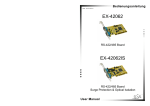
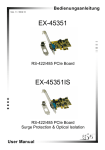
EX-45352
RS-422/485 PCIe Board
EX-45352IS
RS-422/485 PCIe Board
Surge Protection & Optical Isolation
User Manual
Deutsch
Seriell RS-422/485 PCIe Karte
Inhaltsverzeichnis
1.
Beschreibung ··························································································· 3
2.
Paketinhalt ······························································································· 3
3.
Layout und Jumper Einstellungen ··························································· 4
3.1 Layout ······················································································································· 4
3.2 Octopus Kabel ··········································································································· 4
3.2 Jumper Einstellungen ································································································ 5
4.
Hardware Installation ··············································································· 6
5.
Treiber Installation ··················································································· 7
5.1
6.
Verdrahtungsübersicht············································································· 8
6.1
6.2
6.3
7.
Windows 98 / ME / 2000 / XP/ Vista und 2003 Server ··············································· 7
S1 und S2 Anschlussbelegung ················································································· 8
RS-485 (2 Draht) Verkabelung ················································································· 8
RS-422 (4 Draht) Verkabelung ················································································· 8
Technische Daten ···················································································· 8
Index
1.
Description ······························································································· 9
2.
Packet Content ························································································ 9
3.
Layout and Jumper setting ···································································· 10
3.1 Layout ····················································································································· 10
3.2 Octopus cable·········································································································· 10
3.2 Jumper Setting ········································································································ 11
4.
5.
Hardware Installation ············································································· 12
Driver Installation ··················································································· 13
5.1
6.
Pin Assignments and Cable Wiring ······················································· 14
6.1
6.2
6.3
7.
Windows 98 / ME / 2000 / XP/ Vista and 2003 Server ············································· 13
S1 and S2 Pin Assignments···················································································· 14
RS-485 (2-Wire) Wiring ·························································································· 14
RS-422 (4-Wire) Wiring ·························································································· 14
Technical Specification ·········································································· 14
2
Seriell RS-422/485 PCIe Karte
Deutsch
1. Beschreibung
Vielen Dank das Sie sich für die RS-422/485 PCIe Karte von EXSYS entschieden haben. Sie ist eine Add-On Karte für den PCI-Express-Bus für Desktop, Workstation oder
Server um eine High-Speed Datenübertragung herzustellen. Der Serielle Port ist kompatible mit dem RS-422/485 Standard. Der Ausgang kann individuell als RS-485 mit 2
Draht, RS-485 mit 4 Draht oder RS-422 konfiguriert werden.
Merkmale:
• Kompatibel PCI Express Base Spezifikation Revision 1.1
• 128-byte On-Chip FIFO und Arbitrary Trigger Levels und Interrupts, Automatische
Hardware/Software Flow Control
•
•
•
•
•
Bis 921.6 Kbps Baud Rate
5,6,7,8,9-bits Data Framing
1, 1.5 und 2 Stop Bits
Unterstützt Echo Mode
15KV ESD Surge Protection und 2500Vrms Optical Isolation Protection
(nur für EX-45352IS)
• Unterstützt Win98, ME, 2000, XP(32/64bit),Vista(32/64bit)
Win7(32/64bit), WinCE und Linux
2. Packetinhalt
Bevor Sie die RS-422/485 PCI-Express Karte in Ihren PC installieren, überprüfen Sie
den Inhalt der Lieferung :
• 1 x RS-422/485 Seriell PCIe Karte
• 1 x Octopus Kabel mit 2 x 9 Pin Seriell Stecker
• 1 x LowProfile Bügel für schmale PC Gehäuse
• 1 x Treiber CD
• 1 x Bedienungsanleitung
• Optional erhältlich 5 Pin Terminal Block (EX-47999)
3
Deutsch
Seriell RS-422/485 PCIe Karte
3. Layout und Jumpereinstellungen
3.1 Layout
JP8:
JP2, JP5:
JP4: S1
S1 Abschlusswiderstand RS-485TXD Control RS-422/485
Ein/Ausschalten
Mode Einstellung
J1:
Nur für Testzwecke im Werk
JP7: S2
RS-422/485
Mode Einstellung
JP3, JP6:
RS-485TXD Control
JP9:
S2 Abschlusswiderstand
Ein/Ausschalten
J2: DB25 Stecker für Octopus-Kabel 2 x 9 Pin
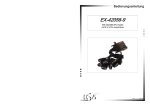
3.2 Octopus Kabel (DB25 Buchse zu 2 x DB9 Stecker)
Port 1 (DB 9 Pin Stecker)
P1
P1
Zur J2 Buchse DB 25 Stecker
Port 2 (DB 9 Pin Stecker)
P2
P2
4
Seriell RS-422/485 PCIe Karte
Deutsch
3.3 Jumper-Einstellung
Es gibt zwei Jumper-Reihen um die Ports S1 und S2 einzustellen
1.
Mode Einstellungs-Jumper: JP4 für S1 und JP7 für S2
2.
Abschlusswiderstand Jumper: JP8 für S1 und JP9 für S2
3.
Echo oder No Echo Jumper: JP5 für S1 und JP6 für S2
4.
TXD Control Einstellungs-Jumper: JP2 für S1 und JP3 für S2
1. Mode Einstellungen
JP4 für S1 Port
JP7 für S2 Port
485-2W
422
485-4W
485-2W = RS-485 Mode mit 2 Draht Leitung (Werkseinstellung)
485-4W = RS-485 Mode mit 4 Draht Leitung
422
= RS-422 Mode
2. Abschlusswiderstand Ein/Aus
Diese Jumper aktiviert oder deaktiviert den 120 Ohm Abschlusswiderstand zwischen DATA+ und DATA– des RS-485 Transceiver:
JP8 für S1 Port
JP9 für S2 Port
OFF ON
OFF
ON
= Abschlusswiderstand Ausgeschaltet (Werkseinstellung)
= Abschlusswiderstand Eingeschaltet
3. Echo oder No Echo Einstellung
Der “Echo Mode” ist für das Anwendungsprogramm nützlich um zu erkennen ob der
RS-485 “Bus” in einem Konflikt steht. Sind die zurückgesendeten Daten nicht die
gleichen was gesendet wurde, ist der RS-485 Bus überlastet und die Daten werden
nicht korrekt übermittelt. Diese Einstellung betrifft nur den RS-485 Mode mit 2 Draht.
Es hat keinen Einfluss auf die Modi RS-485 mit 4 Draht oder RS-422.
JP5 für S1 Port
JP6 für S2 Port
OFF ON
OFF = No Echo Data (Werkseinstellung)
ON = Echo bei der Übermittlung der Daten
5
Deutsch
Seriell RS-422/485 PCIe Karte
4. TXD Control Einstellung
Dieser Jumper wird verwendet im Mode RS-485 um das Steuersignal des SenderPuffer zu kontrollieren. Es hat zwei Einstellungen. Die erste ist „MAN“ (manuell) und
die zweite ist „AUT“ (automatisch). Die zweite ist die Werkseinstellung und sollte
nicht verstellt werden.
JP2 für S1 Port
JP3 für S2 Port
MAN AUT
AUT
ON
=
=
TXD Control ist automatisch (Werkseinstellung)
TXD Control ist manuell
(Muss manuell im Geräte Manager konfiguriert werden)
5. TXD Control Einstellung (J1):
Die Stecker-Leiste J1 ist nur für Testzwecke im Werk. Bitte installieren sie keine
Jumper oder Kabel.
4. Hardware Installation
Beachten Sie die folgenden Installationshinweise. Da es grosse Unterschiede bei Computern gibt, können wir Ihnen nur eine generelle Anleitung zum Einbau der RS-422/485
PCI Karte geben. Bei Unklarheiten halten Sie sich bitte an die Betriebsanleitung Ihres
Computersystem.
• Schalten Sie Ihren Rechner und alle angeschlossenen Peripheriegeräte aus und
ziehen Sie bei allen Geräten den Netzstecker.
• Lösen Sie die Schrauben des Gehäuses auf der Rückseite Ihres Computers und
entfernen Sie vorsichtig das Gehäuse.
• Suchen Sie einen freien PCI-Express-Slot und stecken Sie die RS-422/485 PCI
Karte vorsichtig in den ausgewählten PCI-Express-Slot ein.
• Beachten Sie das die RS-422/485 PCI Karte korrekt eingesteckt wird und das kein
Kurzschluss entsteht.
• Danach befestigen Sie die PCI-Express Karte mit einer Schraube am Gehäuse.
• Jetzt Computergehäuse mit den gelösten Schrauben wieder schliessen.
6
Seriell RS-422/485 PCIe Karte
Deutsch
5. Treiber Installation
Anmerkung!
Bitte lassen Sie Windows nicht automatisch nach den Treibern suchen, da dies wegen
den INF Files zu Problemen führen könnte. Stattdessen durchsuchen sie manuell den
Treiber an der richtigen Stelle (Ordner) auf der mitgelieferten CD.
Bild 1
Die Treiber finden Sie in dem
Order für das installierte Betriebssystem.
5.1 Windows 98, ME, 2000, XP, Vista, Win7
und Server 2003 / 2008
Windows startet automatisch den Hardwareassistenten um die Treiber zu installieren. Klicken sie auf >Weiter<.
Legen sie die Treiber CD in Ihr CD-ROM Laufwerk ein (z.B. Laufwerk D:). Wählen
sie „Nach einem passenden Treiber für das Gerät suchen (empfohlen)“
und klicken sie auf >Weiter<.
Wählen sie jetzt „Andere Quelle angeben“
und geben sie dann den Pfad für ihr Betriebssystem wie auf Bild 1 gezeigt ein. Klicken Sie dann auf >Weiter< und zum Abschluss auf >Fertigstellen<.
7
Deutsch
Seriell RS-422/485 PCIe Karte
6. Verdrahtungsübersicht
6.1
Anschlussbelegung
DB 9M
9 Pin D-SUB Stecker (S1 und S2)
Pin Signal
Pin Signal
Pin Signal
1
TXD- (DATA-)
4
RXD-
7
2
TXD+ (DATA+)
5
GND
8
3
RXD+
6
6.2
9
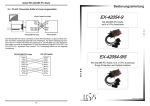
RS-485 (2 Draht) Verkabelung
DATA(-)
Pin 1
Pin 1
DATA (-)
DATA(+)
Pin 2
Pin 2
DATA (+)
Ground
Pin 5
Pin 5
Ground
RS-422/485 PCI Karte
6.3
RS-485 Geräte
RS-425 (4 Draht) Verkabelung
TXD(-)
TXD(+)
RXD(+)
RXD(-)
Ground
Pin 1
Pin 2
Pin 3
Pin 4
Pin 5
RS-422/485 PCI Karte
7. Technische Daten
Stromaufnahme:
Betriebstemperatur:
Betriebs Luftfeuchtigkeit:
12V DC, 150mA (max.)
3.3V DC, 95mA (max.)
00 bis 550C (320 bis 1310F)
5% bis 95% RH
8
Pin 1
Pin 2
Pin 3
Pin 4
Pin 5
TX(-)
TX(+)
RX(+)
RX(-)
Ground
RS-485 Geräte
Seriell RS-422/485 PCIe Board
English
1. Description
Thank you for purchasing this 1-Port RS422/485 Serial PCI-Express Card. It is a universal add on card that connects to a PC or server via the PCIe Bus, providing highspeed serial connectivity. The serial ports are fully compatible with RS422/485 standard by the bundled Serial COM port drivers. It can be set at any mode (RS485 2-wire,
RS485 4-wire and RS422) for different type connections.
Feature:
• Fully Compliant with PCI Express Base Specifications, Revision 1.1
• 128-byte On-Chip FIFO and Arbitrary Trigger Levels and Interrupts, Automatic
Hardware/Software Flow Control
•
•
•
•
•
Up to 921.6Kbps Baud Rate
Supports 5,6,7,8,9-bits Data Framing
Supports 1, 1.5, 2 Stop Bits
Support Echo Mode
15KV ESD Surge Protection and 2500Vrms Optical Isolation Protection
(only for EX-45352IS)
• Support Win98, ME, 2000, XP(32/64bit),Vista(32/64bit), Win7(32/64bit)
WinCE and Linux
2. Packet Content
Before you install the RS-422/485 PCIe card in your PC, check the contents of delivery:
• 1 x RS-422/485 Serial PCI card
• 1 x Octopus cable with 2 x 9 pin male connector
• 1 x LowProfile bracket for small computer case
• 1 x Driver CD
• 1 x User Manual
• Optional 5 Pin Terminal Block (EX-47999)
9
English
Seriell RS-422/485 PCIe Board
3. Layout and Jumpersetting
3.1 Layout
JP8:
S1 Terminator
Enable / Disable
JP2, JP5:
JP4: S1
RS-485TXD Control RS-422/485
Mode Selector
J2:
Factory Use Only
J3: Port 1 (S1)
DB9 male
RS-422/485 Port
JP7: S2
RS-422/485
Mode Selector
J4: Port 2 (S2)
DB9 male
RS-422/485 Port
JP3, JP6:
RS-485TXD Control
JP9:
S2 Terminator
Enable / Disable
3.2 Octopus cable (DB25 female to 2 x DB9 male)
Port 1 (DB 9 pin male connector)
P1
P1
To J2 female connector
(DB 25 male connector)
Port 2 (DB 9 pin male connector)
P2
P2
10
Seriell RS-422/485 PCIe Board
English
3.3 Jumper setting
There are 2 sets of the jumpers to set the settings for port 1 (S1) and port 2 (S2)
respectively.
1.
Mode Selection Jumper: JP4 for S1 and JP7 for S2
2.
Termination Resistor Enable/Disable Jumper: JP8 for S1 and JP9 for S2
3.
Echo or No Echo Selection Jumper: JP5 for S1 and JP6 for S2
4.
TXD Control Selection Jumper: JP2 for S1 and JP3 for S2
1. Mode Setting:
JP4 for S1 Port
JP7 for S2 Port
485-2W
422
485-4W
485-2W =
485-4W =
422
=
RS-485 Mode with 2-wire (Default)
RS-485 Mode with 4-wire
RS-422 Mode
2. Termination Resistor Enable/Disable:
This jumper enables/disables the 120 Ohm termination resistor between DATA+ and
DATA- of the RS485 transceiver:
JP8 for S1 Port
JP9 for S2 Port
OFF ON
OFF
ON
=
=
Termination Resistor Disabled (Default)
Termination Resistor Enabled
3. Echo or No Echo Settings:
This jumper is to set the transmission data will be echoed back or not. The Echo
mode is useful for the application program to detect if the RS485 bus has collision. If
the echoed data was not equal to the transmitted data, then the bus was in a collision. This setting only affects the RS485 2-wire mode. It doesn’t affect RS485 4wire, RS422, and RS232 modes.
JP5 for S1 Port
JP6 for S2 Port
OFF ON
OFF
ON
=
=
No Echo Data (Default)
Transmission data will be echoed
11
English
Seriell RS-422/485 PCIe Board
4. TXD Control Setting:
This jumper is used to select the control signal for the transmitter buffer in RS485 2wire mode. There are 2 settings are selectable, one is “MAN” (manually) the other
one is “AUT” (automatically, factor default), please keep it at “AUT” in all cases.
JP2 for S1 Port
JP3 for S2 Port
MAN AUT
AUT = TXD Control is Automatic (Default)
ON = TXD Control is Manual
(Needs to be Configured Manually in the Device Manager)
5. Factory Use Only Connectors (J1):
This connector is only used for factory production purpose, please don’t install any
jumper or cable on it!
4. Hardware Installation
•
•
•
•
Turn the system power OFF before installation!
•
Plug the RS422/485 PCIe card to the unused PCI-Express expansion slot and
attached the I/O card bracket to the computer chassis screw.
•
•
•
Put the chassis cover back on the computer.
Use static electricity discharge precautions.
Remove the chassis cover from your computer
Locate an unused PCI-Express slot (typically white or ivory) and remove the
corresponding slot cover from computer chassis.
Turn ON the power of your computer and peripherals.
Proceed with Software Driver Installation.
12
Seriell RS-422/485 PCIe Board
English
5. Driver Installation
Note:
PLEASE DO NOT LET WINDOWS AUTO SEARCH THE DRIVERS ON THE CD, it
will cause problems because the INF files will be conflict in this case. Instead, please
browse to the correct location (folder) manually to make sure the correct drivers are
chosen and installed correctly.
Bild 1
Drivers are in each
corresponding folder
5.1 Windows 98, ME, 2000, XP, Vista, Win7 and
Server 2003 / 2008
1. When the system is powered, Windows will invoke Windows’ New Hardware
Wizard. Click〝 Next 〞to continue, select〝 Install from a list or specific location(
(Advanced)
) 〞and click〝 Next 〞.
2. Select〝 Include this location in the search 〞then click〝 Browse 〞to specify the driver’s location for your OS (for example, XP is E:\IO\OXFORD2\XP32)
and click〝 Next 〞to continue.
3. Click〝 Next 〞to continue, and click〝 Finish 〞to complete the installation.
4. To check the Installation, right click on〝My Computer〞and choose
〝Manage〞. Choose〝 Device Manager 〞and double click〝 Ports 〞.
13
English
Seriell RS-422/485 PCIe Board
6. Pin Assignments and Cable Wiring
6.1
Pin connection
DB 9M
9 Pin D-SUB male connector (S1 and S2)
Pin Signal
Pin Signal
Pin Signal
1
TXD- (DATA-)
4
RXD-
7
2
TXD+ (DATA+)
5
GND
8
3
RXD+
6
6.2
9
RS-485 (2-wire) Cable Wiring
DATA(-)
Pin 1
Pin 1
DATA (-)
DATA(+)
Pin 2
Pin 2
DATA (+)
Ground
Pin 5
Pin 5
Ground
RS-422/485 PCI card
6.3
RS-485 Device
RS-425 (4-wire) Cable Wiring
TXD(-)
TXD(+)
RXD(+)
RXD(-)
Ground
Pin 1
Pin 2
Pin 3
Pin 4
Pin 5
RS-422/485 PCI card
7. Technical Specification
Power requirements:
Operating temperature:
Operating humidity:
12V DC, 150mA (max.)
3.3V DC, 95mA (max.)
00 to 550C (320 to 1310F)
5% to 95% RH
14
Pin 1
Pin 2
Pin 3
Pin 4
Pin 5
TX(-)
TX(+)
RX(+)
RX(-)
Ground
RS-485 Device