1
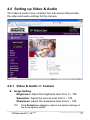
4.6 Setting up Video & Audio
The Video & Audio menu contains four sub-menus that provide
the video and audio settings for the camera.
4.6.1 Video & Audio >> Camera
z
Image Setting
- Brightness: Adjust the brightness level from 0 ~ 100.
- Saturation: Adjust the colours level from 0 ~ 100.
- Sharpness: Adjust the sharpness level from 0 ~ 100.
TIP
Click Default then Apply to restore the default settings of
the three options above.
IPRobocam541 / 641TM
43