1
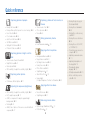
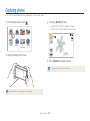
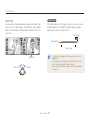
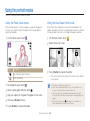
Quick reference Capturing photos of people • • • • • • • • Beauty Shot mode 51 Red-eye/Red-eye Fix (to prevent or correct red-eye) 62 Face Detection 68 Pose Guide mode 48 Auto Zoom Shot mode 48 Self Shot mode 49 Intelligent Portrait mode 50 Picture in Picture mode 50 • • • • Capturing photos at night or in the dark Scene mode > Sunset, Dawn 41 Night Shot mode 41 Flash options 62 ISO sensitivity (to adjust the sensitivity to light) 64 Capturing action photos • Continuous, Motion Capture 77 Adjusting the exposure (brightness) • ISO sensitivity (to adjust the sensitivity to light) 64 • EV (to adjust exposure) 73 • ACB (to compensate for subjects against bright backgrounds) 74 • Metering 74 • AEB (to take 3 photos of the same scene with different exposures) 77 Capturing photos of text, insects, or flowers • Scene mode > Text 41 • Close Up mode 42 • Macro 65 Taking panoramic photos • Live Panorama mode 39 Applying effects to photos • • • • • • • • Background Blur mode 52 Magic Frame mode 53 My Magic Frame mode 53 Funny Face mode 54 Photo Filter mode 55 Vignetting mode 57 Smart Filter effects 78 Image Adjust (to adjust Sharpness, Contrast, or Saturation) 80 Applying effects to videos • Movie Filter mode 56 • Vignetting mode 57 Reducing camera shake • Optical Image Stabilization (OIS) 33 • DUAL IS mode 43 8 • Viewing files by category in Smart album 88 • Viewing files as thumbnails 89 • Deleting files on the memory card 91 • Viewing files as a slide show 92 • Viewing files on a TV, HDTV, or 3D TV 100 • Connecting your camera to a computer 103 • Adjusting sound and volume 113 • Adjusting the brightness of the display 114 • Changing the display language 115 • Setting the date and time 115 • Before contacting a service center 128