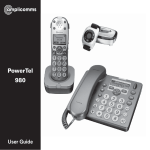
1
PowerTel
PowerTel
000
880
User
Guide
User
Guide
At a glance
At a glance
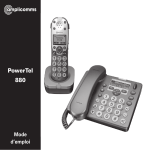
Please open this page for an ‘At a glance’ guide to your PowerTel 880
Please open this page for an ‘At a glance’ guide to your PowerTel 880
At a glance
At a glance
Corded phone base
Cordless handset and charger base
1 Menu/OK
1
2 Play/Pause
19 18 17 16 15 14
3 Stop
4 Mute/Delete
2
5 Equaliser
3
6 40dB Boost
(under
handset)
4
13
7 Volume up
5
6
8 Volume down
40dB
7
12
9 Keypad
11
10 Handsfree
Aa
8
10
PowerTel 880
9
11 Headset
13 Quick dial
memories/
User profiles
880
1 Incoming call light
12 Call transfer
13 Headset socket
(Headset not
included)
1
12
2 Memory 1, 2, 3
14 Phonebook
2
13
3 Boost button with
LED
15 Fast forward/
Memo
3
16 Up/Redial/
Pause
4
17 Incoming call
light/New
messages
received
6
15
16
5
17
18
7
19
4 Profile setting
5 Left softkey (opens
the menu in
standby state)
8
19 Rewind/OGM
9
10
15 Volume (+ / -)
16 Phonebook/
Save/OK
17 Recall
7 External call/
Handsfree
18 End call
20
9 Pause
(long press 0)
21
10 Microphone
Aa
14 Up/Redial
6 Internal key
8 /Ringer on/off
18 Down/Calls
list/Recall
12 Find handset/
Intercom/
Registration
14
19 Down/Calls list/
Equalizer
20 Keypad
21 #/Keylock
11 Charging light
11
Helpline 0844 800 6503 (See page 100 for costs and hours of operation)
Helpline 0844 800 6503 (See page 100 for costs and hours of operation)
Helpline 0844 800 6503 (See page 100 for costs and hours of operation)
CONTENTS
Contents
Getting started . . . . . . . . . . . . . . . . . . . . . . . . . . . . . . . . . . . . . . . . . . . . . . . . . . . .10
Check box contents . . . . . . . . . . . . . . . . . . . . . . . . . . . . . . . . . . . . . . . . . . . . . . . .10
Set up your phone system in four simple steps . . . . . . . . . . . . . . . . . . . . . . . . .11
Connect your corded phone . . . . . . . . . . . . . . . . . . . . . . . . . . . . . . . . . . . . . . . . .11
Connect your charger base . . . . . . . . . . . . . . . . . . . . . . . . . . . . . . . . . . . . . . . . . .12
Install your batteries . . . . . . . . . . . . . . . . . . . . . . . . . . . . . . . . . . . . . . . . . . . . . . .12
Charge your handset . . . . . . . . . . . . . . . . . . . . . . . . . . . . . . . . . . . . . . . . . . . . . . .13
Attach the belt clip . . . . . . . . . . . . . . . . . . . . . . . . . . . . . . . . . . . . . . . . . . . . . . . . .13
Corded phone display icons explained . . . . . . . . . . . . . . . . . . . . . . . . . . . . . . . .14
Handset display icons explained . . . . . . . . . . . . . . . . . . . . . . . . . . . . . . . . . . . . .15
Phone menu guide . . . . . . . . . . . . . . . . . . . . . . . . . . . . . . . . . . . . . . . . . . . . . . . . .17
How to use your phone menu display . . . . . . . . . . . . . . . . . . . . . . . . . . . . . . . . .17
Basic guide . . . . . . . . . . . . . . . . . . . . . . . . . . . . . . . . . . . . . . . . . . . . . . . . . . . . . . .17
Making and receiving calls . . . . . . . . . . . . . . . . . . . . . . . . . . . . . . . . . . . . . . . . . .20
Make a call using your corded phone . . . . . . . . . . . . . . . . . . . . . . . . . . . . . . . . .20
Make a call using your cordless handset . . . . . . . . . . . . . . . . . . . . . . . . . . . . . . .20
End a call . . . . . . . . . . . . . . . . . . . . . . . . . . . . . . . . . . . . . . . . . . . . . . . . . . . . . . . .20
Take a call . . . . . . . . . . . . . . . . . . . . . . . . . . . . . . . . . . . . . . . . . . . . . . . . . . . . . . . .21
Redial a number using your corded phone . . . . . . . . . . . . . . . . . . . . . . . . . . . . .21
Redial a number using your cordless handset . . . . . . . . . . . . . . . . . . . . . . . . . .22
Call back a previous caller . . . . . . . . . . . . . . . . . . . . . . . . . . . . . . . . . . . . . . . . . . .22
Dial a number in your phone book . . . . . . . . . . . . . . . . . . . . . . . . . . . . . . . . . . . .23
Helpline 0844 800 6503 (See page 100 for costs and hours of operation)
1
Contents
CONTENTS
Dial a number using the quick dial buttons . . . . . . . . . . . . . . . . . . . . . . . . . . . . .23
Adjust the handset earpiece volume . . . . . . . . . . . . . . . . . . . . . . . . . . . . . . . . . .24
Boost the handset earpiece volume . . . . . . . . . . . . . . . . . . . . . . . . . . . . . . . . . . .24
Setting the tone / Equalizer . . . . . . . . . . . . . . . . . . . . . . . . . . . . . . . . . . . . . . . . . .24
Handsfree feature . . . . . . . . . . . . . . . . . . . . . . . . . . . . . . . . . . . . . . . . . . . . . . . . .25
Use handsfree calling on the corded phone . . . . . . . . . . . . . . . . . . . . . . . . . . . .25
Use handsfree calling on your cordless handset . . . . . . . . . . . . . . . . . . . . . . . .25
See call length . . . . . . . . . . . . . . . . . . . . . . . . . . . . . . . . . . . . . . . . . . . . . . . . . . . .25
Use a headset (not included) . . . . . . . . . . . . . . . . . . . . . . . . . . . . . . . . . . . . . . . .26
Mute . . . . . . . . . . . . . . . . . . . . . . . . . . . . . . . . . . . . . . . . . . . . . . . . . . . . . . . . . . . .26
Switch the handset ringer on and off . . . . . . . . . . . . . . . . . . . . . . . . . . . . . . . . . .26
Lock and unlock the handset keypad . . . . . . . . . . . . . . . . . . . . . . . . . . . . . . . . . .26
Make an internal call . . . . . . . . . . . . . . . . . . . . . . . . . . . . . . . . . . . . . . . . . . . . . . .27
Transfer an external call internally . . . . . . . . . . . . . . . . . . . . . . . . . . . . . . . . . . . .28
Make a conference call from the corded phone . . . . . . . . . . . . . . . . . . . . . . . . .29
Make a conference call from the cordless handset . . . . . . . . . . . . . . . . . . . . . . .30
Find handset . . . . . . . . . . . . . . . . . . . . . . . . . . . . . . . . . . . . . . . . . . . . . . . . . . . . . .30
Power failure – What to do . . . . . . . . . . . . . . . . . . . . . . . . . . . . . . . . . . . . . . . . . .31
Using your menu – corded phone . . . . . . . . . . . . . . . . . . . . . . . . . . . . . . . . . . . .34
User Profiles . . . . . . . . . . . . . . . . . . . . . . . . . . . . . . . . . . . . . . . . . . . . . . . . . . . . . .34
Change the profile name . . . . . . . . . . . . . . . . . . . . . . . . . . . . . . . . . . . . . . . . . . . .34
Change a profile’s handset volume . . . . . . . . . . . . . . . . . . . . . . . . . . . . . . . . . . .35
2
Helpline 0844 800 6503 (See page 100 for costs and hours of operation)
CONTENTS
Contents
Change a profile’s boost setting . . . . . . . . . . . . . . . . . . . . . . . . . . . . . . . . . . . . . .35
Change a profile’s tone (‘equalizer’) setting . . . . . . . . . . . . . . . . . . . . . . . . . . . . .36
Copy a profile . . . . . . . . . . . . . . . . . . . . . . . . . . . . . . . . . . . . . . . . . . . . . . . . . . . . .37
Choosing which profile to use . . . . . . . . . . . . . . . . . . . . . . . . . . . . . . . . . . . . . . .38
Change ringer melody . . . . . . . . . . . . . . . . . . . . . . . . . . . . . . . . . . . . . . . . . . . . . .38
Record a personal ringer melody . . . . . . . . . . . . . . . . . . . . . . . . . . . . . . . . . . . . .39
Change ringer volume . . . . . . . . . . . . . . . . . . . . . . . . . . . . . . . . . . . . . . . . . . . . . .40
Switching the boost function on permanently . . . . . . . . . . . . . . . . . . . . . . . . . .40
Switch key tone on or off . . . . . . . . . . . . . . . . . . . . . . . . . . . . . . . . . . . . . . . . . . .41
Change display contrast . . . . . . . . . . . . . . . . . . . . . . . . . . . . . . . . . . . . . . . . . . . .41
Change display language . . . . . . . . . . . . . . . . . . . . . . . . . . . . . . . . . . . . . . . . . . .42
Read number . . . . . . . . . . . . . . . . . . . . . . . . . . . . . . . . . . . . . . . . . . . . . . . . . . . . .42
Change case . . . . . . . . . . . . . . . . . . . . . . . . . . . . . . . . . . . . . . . . . . . . . . . . . . . . . .43
Change System PIN . . . . . . . . . . . . . . . . . . . . . . . . . . . . . . . . . . . . . . . . . . . . . . . .43
Change date/time . . . . . . . . . . . . . . . . . . . . . . . . . . . . . . . . . . . . . . . . . . . . . . . . . .44
Change clock hours to 12- or 24-hour format display . . . . . . . . . . . . . . . . . . . . .44
Reset to default settings . . . . . . . . . . . . . . . . . . . . . . . . . . . . . . . . . . . . . . . . . . . .45
Using your phone book – corded phone . . . . . . . . . . . . . . . . . . . . . . . . . . . . . . .46
How to use the keypad when using your phone book . . . . . . . . . . . . . . . . . . . .46
Enter a name and number in your phone book . . . . . . . . . . . . . . . . . . . . . . . . .47
Edit a phone book entry . . . . . . . . . . . . . . . . . . . . . . . . . . . . . . . . . . . . . . . . . . . .47
Delete a phone book entry or all entries . . . . . . . . . . . . . . . . . . . . . . . . . . . . . . .48
Helpline 0844 800 6503 (See page 100 for costs and hours of operation)
3
Contents
CONTENTS
Copy phone book entries to another phone . . . . . . . . . . . . . . . . . . . . . . . . . . . .48
Using your quick dial memory – corded phone . . . . . . . . . . . . . . . . . . . . . . . . .50
Store a quickdial name and number . . . . . . . . . . . . . . . . . . . . . . . . . . . . . . . . . .50
Edit a quick dial entry . . . . . . . . . . . . . . . . . . . . . . . . . . . . . . . . . . . . . . . . . . . . . .50
Delete a quick dial entry . . . . . . . . . . . . . . . . . . . . . . . . . . . . . . . . . . . . . . . . . . . .51
Using your calls list – corded phone . . . . . . . . . . . . . . . . . . . . . . . . . . . . . . . . . .52
Store numbers from your calls list to the phonebook or . . . . . . . . . . . . . . . . . .53
Quick dial memory (M1, M2, M3) . . . . . . . . . . . . . . . . . . . . . . . . . . . . . . . . . . . . .53
Delete a single calls list entry . . . . . . . . . . . . . . . . . . . . . . . . . . . . . . . . . . . . . . . .53
Delete all entries in the call list . . . . . . . . . . . . . . . . . . . . . . . . . . . . . . . . . . . . . . .54
Using your menu - cordless handset . . . . . . . . . . . . . . . . . . . . . . . . . . . . . . . . . .56
User Profiles . . . . . . . . . . . . . . . . . . . . . . . . . . . . . . . . . . . . . . . . . . . . . . . . . . . . . .56
Change a profile name . . . . . . . . . . . . . . . . . . . . . . . . . . . . . . . . . . . . . . . . . . . . .56
Change a profile’s handset volume . . . . . . . . . . . . . . . . . . . . . . . . . . . . . . . . . . .57
Change a profile’s boost setting . . . . . . . . . . . . . . . . . . . . . . . . . . . . . . . . . . . . . .57
Change a profile’s tone (‘equalizer’) setting . . . . . . . . . . . . . . . . . . . . . . . . . . . . .58
Copy a profile . . . . . . . . . . . . . . . . . . . . . . . . . . . . . . . . . . . . . . . . . . . . . . . . . . . . .58
Choosing which profile to use . . . . . . . . . . . . . . . . . . . . . . . . . . . . . . . . . . . . . . .59
Change the handset ringer melody . . . . . . . . . . . . . . . . . . . . . . . . . . . . . . . . . . .60
Change the handset ringer volume . . . . . . . . . . . . . . . . . . . . . . . . . . . . . . . . . . .60
Change the tone (‘equalizer’) setting . . . . . . . . . . . . . . . . . . . . . . . . . . . . . . . . . .61
Boost on . . . . . . . . . . . . . . . . . . . . . . . . . . . . . . . . . . . . . . . . . . . . . . . . . . . . . . . . .61
4
Helpline 0844 800 6503 (See page 100 for costs and hours of operation)
CONTENTS
Contents
Change handset name . . . . . . . . . . . . . . . . . . . . . . . . . . . . . . . . . . . . . . . . . . . . . .62
Switch keypad beep on or off . . . . . . . . . . . . . . . . . . . . . . . . . . . . . . . . . . . . . . . .62
Change contrast . . . . . . . . . . . . . . . . . . . . . . . . . . . . . . . . . . . . . . . . . . . . . . . . . . .63
Switch auto talk on or off . . . . . . . . . . . . . . . . . . . . . . . . . . . . . . . . . . . . . . . . . . .63
Change backlight timer . . . . . . . . . . . . . . . . . . . . . . . . . . . . . . . . . . . . . . . . . . . . .64
Switch confirmation beep on or off . . . . . . . . . . . . . . . . . . . . . . . . . . . . . . . . . . .64
Select base . . . . . . . . . . . . . . . . . . . . . . . . . . . . . . . . . . . . . . . . . . . . . . . . . . . . . . .65
Change language . . . . . . . . . . . . . . . . . . . . . . . . . . . . . . . . . . . . . . . . . . . . . . . . . .65
Change date/time . . . . . . . . . . . . . . . . . . . . . . . . . . . . . . . . . . . . . . . . . . . . . . . . . .66
Change clock hours to 12- or 24-hour format . . . . . . . . . . . . . . . . . . . . . . . . . . .66
Set alarm . . . . . . . . . . . . . . . . . . . . . . . . . . . . . . . . . . . . . . . . . . . . . . . . . . . . . . . .67
Change base (corded phone) ringer melody . . . . . . . . . . . . . . . . . . . . . . . . . . . .68
Change base (corded phone) ringer volume . . . . . . . . . . . . . . . . . . . . . . . . . . .68
Change system PIN code . . . . . . . . . . . . . . . . . . . . . . . . . . . . . . . . . . . . . . . . . . .69
Appointment . . . . . . . . . . . . . . . . . . . . . . . . . . . . . . . . . . . . . . . . . . . . . . . . . . . . .70
Stop watch . . . . . . . . . . . . . . . . . . . . . . . . . . . . . . . . . . . . . . . . . . . . . . . . . . . . . . .71
Reset to default settings . . . . . . . . . . . . . . . . . . . . . . . . . . . . . . . . . . . . . . . . . . . .71
Using your phone book - cordless handset . . . . . . . . . . . . . . . . . . . . . . . . . . . . .72
How to use the keypad when using your phone book . . . . . . . . . . . . . . . . . . . .72
Enter a name and number in your phone book . . . . . . . . . . . . . . . . . . . . . . . . .73
Edit a phone book entry . . . . . . . . . . . . . . . . . . . . . . . . . . . . . . . . . . . . . . . . . . . .73
Delete a phone book entry or all entries . . . . . . . . . . . . . . . . . . . . . . . . . . . . . . .74
Helpline 0844 800 6503 (See page 100 for costs and hours of operation)
5
CONTENTS
Copy phone book entries to the Corded phone or another registered
handset . . . . . . . . . . . . . . . . . . . . . . . . . . . . . . . . . . . . . . . . . . . . . . . . . . . . . . . . . .74
Using your quick dial memory buttons - cordless handset . . . . . . . . . . . . . . . .76
Store a quick dial name and number . . . . . . . . . . . . . . . . . . . . . . . . . . . . . . . . . .76
Edit a quick dial entry . . . . . . . . . . . . . . . . . . . . . . . . . . . . . . . . . . . . . . . . . . . . . .76
Delete a quick dial entry . . . . . . . . . . . . . . . . . . . . . . . . . . . . . . . . . . . . . . . . . . . .77
Using your calls list - cordless handset . . . . . . . . . . . . . . . . . . . . . . . . . . . . . . . .78
Store numbers from your calls list to the phone book . . . . . . . . . . . . . . . . . . . .79
Store numbers from your calls list to a quick dial memory . . . . . . . . . . . . . . . .79
Delete a single calls list entry . . . . . . . . . . . . . . . . . . . . . . . . . . . . . . . . . . . . . . . .80
Delete all calls list entries . . . . . . . . . . . . . . . . . . . . . . . . . . . . . . . . . . . . . . . . . . .80
Using your answering machine . . . . . . . . . . . . . . . . . . . . . . . . . . . . . . . . . . . . . .82
Switch answering machine on or off . . . . . . . . . . . . . . . . . . . . . . . . . . . . . . . . . .82
Taking a call from the answering machine . . . . . . . . . . . . . . . . . . . . . . . . . . . . .82
Set the answering machine language . . . . . . . . . . . . . . . . . . . . . . . . . . . . . . . . .82
Adjust the base loudspeaker volume . . . . . . . . . . . . . . . . . . . . . . . . . . . . . . . . . .83
Set the answer mode . . . . . . . . . . . . . . . . . . . . . . . . . . . . . . . . . . . . . . . . . . . . . . .83
Record your outgoing message . . . . . . . . . . . . . . . . . . . . . . . . . . . . . . . . . . . . . .84
Check your outgoing message . . . . . . . . . . . . . . . . . . . . . . . . . . . . . . . . . . . . . . .84
Set the answer delay . . . . . . . . . . . . . . . . . . . . . . . . . . . . . . . . . . . . . . . . . . . . . . .85
Record a memo . . . . . . . . . . . . . . . . . . . . . . . . . . . . . . . . . . . . . . . . . . . . . . . . . . .86
Listen to messages or memos using the base buttons . . . . . . . . . . . . . . . . . . .86
6
Helpline 0844 800 6503 (See page 100 for costs and hours of operation)
CONTENTS
Contents
Delete a single message or memo . . . . . . . . . . . . . . . . . . . . . . . . . . . . . . . . . . .87
Delete all old messages and memos using the base . . . . . . . . . . . . . . . . . . . . .87
Listen to messages or memos using your handset . . . . . . . . . . . . . . . . . . . . . .87
Memory full . . . . . . . . . . . . . . . . . . . . . . . . . . . . . . . . . . . . . . . . . . . . . . . . . . . . . .87
Remote access to your answering machine . . . . . . . . . . . . . . . . . . . . . . . . . . . .88
Change PIN . . . . . . . . . . . . . . . . . . . . . . . . . . . . . . . . . . . . . . . . . . . . . . . . . . . . . . .88
Call in to check messages . . . . . . . . . . . . . . . . . . . . . . . . . . . . . . . . . . . . . . . . . . .89
Remote access instructions guide . . . . . . . . . . . . . . . . . . . . . . . . . . . . . . . . . . . .90
Registering / deregistering handsets . . . . . . . . . . . . . . . . . . . . . . . . . . . . . . . . . .92
Register a handset . . . . . . . . . . . . . . . . . . . . . . . . . . . . . . . . . . . . . . . . . . . . . . . . .92
Deregister a handset . . . . . . . . . . . . . . . . . . . . . . . . . . . . . . . . . . . . . . . . . . . . . . .93
Use on a private branch exchange . . . . . . . . . . . . . . . . . . . . . . . . . . . . . . . . . . . .96
To set the recall time on the corded phone . . . . . . . . . . . . . . . . . . . . . . . . . . . . .96
To set the recall time on the cordless handset . . . . . . . . . . . . . . . . . . . . . . . . . .96
Insert a dialling pause . . . . . . . . . . . . . . . . . . . . . . . . . . . . . . . . . . . . . . . . . . . . . .97
Using additional services . . . . . . . . . . . . . . . . . . . . . . . . . . . . . . . . . . . . . . . . . . .97
Set the dial mode on the corded phone . . . . . . . . . . . . . . . . . . . . . . . . . . . . . . .98
Set the dial mode on the cordless handset . . . . . . . . . . . . . . . . . . . . . . . . . . . . .98
Help and support . . . . . . . . . . . . . . . . . . . . . . . . . . . . . . . . . . . . . . . . . . . . . . . . .100
Troubleshooting guide . . . . . . . . . . . . . . . . . . . . . . . . . . . . . . . . . . . . . . . . . . . .100
Safety information . . . . . . . . . . . . . . . . . . . . . . . . . . . . . . . . . . . . . . . . . . . . . . . .106
Intended use . . . . . . . . . . . . . . . . . . . . . . . . . . . . . . . . . . . . . . . . . . . . . . . . . . . . .106
Helpline 0844 800 6503 (See page 100 for costs and hours of operation)
7
CONTENTSContents
Phone location . . . . . . . . . . . . . . . . . . . . . . . . . . . . . . . . . . . . . . . . . . . . . . . . . . .106
Power supply . . . . . . . . . . . . . . . . . . . . . . . . . . . . . . . . . . . . . . . . . . . . . . . . . . . .107
Medical equipment . . . . . . . . . . . . . . . . . . . . . . . . . . . . . . . . . . . . . . . . . . . . . . .107
Rechargeable batteries . . . . . . . . . . . . . . . . . . . . . . . . . . . . . . . . . . . . . . . . . . . .107
Hearing aid compatibility . . . . . . . . . . . . . . . . . . . . . . . . . . . . . . . . . . . . . . . . . .108
Disposal . . . . . . . . . . . . . . . . . . . . . . . . . . . . . . . . . . . . . . . . . . . . . . . . . . . . . . . .108
Technical details . . . . . . . . . . . . . . . . . . . . . . . . . . . . . . . . . . . . . . . . . . . . . . . . . .109
Default settings . . . . . . . . . . . . . . . . . . . . . . . . . . . . . . . . . . . . . . . . . . . . . . . . . .110
Maintenance and guarantee . . . . . . . . . . . . . . . . . . . . . . . . . . . . . . . . . . . . . . . .111
Maintenance . . . . . . . . . . . . . . . . . . . . . . . . . . . . . . . . . . . . . . . . . . . . . . . . . . . . .111
Guarantee . . . . . . . . . . . . . . . . . . . . . . . . . . . . . . . . . . . . . . . . . . . . . . . . . . . . . . .111
Declaration of conformity . . . . . . . . . . . . . . . . . . . . . . . . . . . . . . . . . . . . . . . . . .112
8
Helpline 0844 800 6503 (See page 100 for costs and hours of operation)
Getting started
Helpline
0844 (See
800 6503
(See page
100 for
costsand
and hours
of operation)
Helpline 0844 800
6503
page
58 for
costs
hours
of operation)
9
9
GETTING STARTED
Getting started
Important: please make sure you’ve read the safety information on page 106
before you set up your phone system.
Check box contents
If you have purchased a PowerTel 880 pack you should have:
• 1 corded phone (base)
• 1 power adapter
• 1 cordless handset
• 1 charger base with power adapter
• 1 telephone cable
• 1 battery cover
• 1 belt clip
• 3 rechargeable AAA 1.2V 750mAh
NiMH batteries
Important: use only the power adapters, telephone line cord and batteries
supplied with your PowerTel 880 otherwise your phone may not work.
10
Helpline 0844 800 6503 (See page 100 for costs and hours of operation)
GETTING STARTED
Set up your phone system in four simple steps
1 Connect your corded phone
1 Plug the power adapter into the socket marked
on the underside of your
corded phone and the other end into the mains power wall socket and switch
the power on.
2 Plug the telephone cable into the socket marked
on the underside of
your corded phone and plug the other end into the phone wall socket.
Socket for Vibrate
Pad (PTV100)
available as
an accessory
Mains power
wall socket
Jack for headset
(headset not included)
Helpline 0844 800 6503 (See page 100 for costs and hours of operation)
11
GETTING STARTED
Important: use only the power adapters, telephone line cord and batteries
supplied with your PowerTel 880 otherwise your phone may not work. You
should ensure access to the power adapter plug is not obstructed by furniture or such.
2 Connect your charger base
Plug the other power adapter that’s already attached to your charger base into
your mains power wall socket and switch the power on.
3 Install your batteries
1 Insert your rechargeable batteries into your handset. Make sure they’re the
right way round so ‘+’ lines up with ‘+’.
2 Replace your handset’s battery compartment cover.
12
Helpline 0844 800 6503 (See page 100 for costs and hours of operation)
GETTING STARTED
4 Charge your handset
So it can charge fully, place your handset on its base to charge for at least 16
hours (make sure the power socket is switched on!).
Important: only use the rechargeable 750mAh NiMH batteries supplied.
Over time if you need to replace the batteries make sure they are of the same
type as those supplied. Never use Alkaline batteries.
Attach the belt clip
There is a belt clip included in the box that you can attach to the back of your
handset if required. Simply turn the handset over and slot the belt clip securely
into the two recesses located on either side of the handset.
Your PowerTel 880 is now ready for use!
Private exchanges: if your phone is going to use a private exchange
(for example, if you have to dial ‘9’ to get an outside line, please follow
the steps on page 96).
Helpline 0844 800 6503 (See page 100 for costs and hours of operation)
13
GETTING STARTED
Corded phone display icons explained
The following icons appear in your corded phone display to indicate:
Phone book mode
Ringer off
Handsfree mode
Call in progress
Boost receiver volume is on (Icon will flash)
Mute microphone
You have new calls
Internal call in progress
14
Helpline 0844 800 6503 (See page 100 for costs and hours of operation)
GETTING STARTED
Handset display icons explained
The following icons appear in your cordless handset display to indicate:
Menu
Confirm / OK
Back
Phone book mode
There is more information to view on the left
There is more information to view on the right
Battery status
Ringer off
An alarm is activated
Helpline 0844 800 6503 (See page 100 for costs and hours of operation)
15
GETTING STARTED
Keylock is on
Handsfree mode
Call in progress
Boost receiver volume is on (Icon will flash)
Mute handset microphone
You have new calls
When steady, the handset is in range of the base
When flashing, the handset is out of range of the base
Internal call in progress
Answering machine is on
Answering machine is off
16
Helpline 0844 800 6503 (See page 100 for costs and hours of operation)
GETTING STARTED
Phone menu guide
Use this section to find your way around the menu display on your phones.
How to use your phone menu display
When you’ve set up your phones and everything’s connected, use your menu
display to do things with your phone – from changing the ringer sound to setting up user profiles and saving phone numbers.
Basic guide
Open main menu: press
(corded phone) or
(handset).
Browse sub menu: open your main menu and then press
or
.
Select sub menu item: scroll using
or
until the item you’re looking for
is shown and then press
(corded phone) or
(handset).
Browse a function: open your sub menu and then press
or
Helpline 0844 800 6503 (See page 100 for costs and hours of operation)
.
17
GETTING STARTED
Select a function: scroll using
or
until the function you’re looking for is
shown and then press
(corded phone) or
(handset).
Enter digits or letters: use your keypad.
Confirm or save an entry or action: press
set)..
Cancel and return to standby: press
(corded phone) or
(corded phone) or
(hand-
(handset).
Note: if you don’t do anything, your phone will automatically go on standby
after 30 seconds.
18
Helpline 0844 800 6503 (See page 100 for costs and hours of operation)
Making and
receiving calls
Helpline
0844 (See
800 6503
(See page
100 for
costsand
and hours
of operation)
Helpline 0844 800
6503
page
58 for
costs
hours
of operation)
19 19
MAKING AND RECEIVING CALLS
Making and receiving calls
Make a call using your corded phone
As you enter each number to be dialled it will be announced to you. For this
feature to work you must have the Read number feature set to On, see page 42.
1. Enter the number you wish to call using your corded phone’s keypad.
2. If you make a mistake, press
to delete the last digit.
3. Dial the number by picking up the handset or pressing
.
4. End your call by putting the handset back in its cradle.
Make a call using your cordless handset
1. Enter the number you wish to call using your handset’s keypad.
2. If you make a mistake, press
to delete it.
3. Dial the number by pressing
4. End your call by pressing
.
.
End a call
Simply put the handset in its base cradle if you’re using your corded phone or
press
on the cordless handset.
20
Helpline 0844 800 6503 (See page 100 for costs and hours of operation)
MAKING AND RECEIVING CALLS
Take a call
Corded phone: Simply lift the handset or press
.
Cordless handset: Simply lift the handset off the charger base (if “Auto Talk“ is
set to ON, see page 63) and speak into the phone or, if the handset is off the
charger base (or “Auto Talk“ is set to OFF, see page 63), press
and then
speak into the phone.
Redial a number using your corded phone
Your corded phone stores the last five numbers you’ve dialled (max. 24 digits
each).
1. Open the redial list by pressing
.
2. Scroll through the redial list using the
or
buttons until the
number you wish to redial is highlighted. To dial the number simply lift the
handset or press
to dial in handsfree mode.
Note: each phone number will be announced as you scroll through the
redial list provided the Read Number feature is enabled. See page 42, “Read
number” for details.
Helpline 0844 800 6503 (See page 100 for costs and hours of operation)
21
MAKING AND RECEIVING CALLS
Redial a number using your cordless handset
Your handset stores the last ten numbers you’ve dialled (max. 24 digits each).
1. Open the redial list by pressing
.
2. Scroll through the redial list using
or
redial is highlighted and then press
until the number you wish to
to dial the number.
Call back a previous caller
Your phone stores the last 30 incoming calls.
1. Open the incoming calls list by pressing
(corded phone) or
(cord-
less handset).
2. Scroll to find the number you want to call back using
your corded handset or press
or
then lift
on the cordless handset.
Note: each phone number will be announced (corded phone only) as you scroll
through the incoming calls list provided the Read Number feature is enabled.
See page 42, “Read number” for details.
22
Helpline 0844 800 6503 (See page 100 for costs and hours of operation)
MAKING AND RECEIVING CALLS
Dial a number in your phone book
To store a phone number in your phone book, see page 47 (corded phone) or
page 73 (cordless handset).
1. Open your phone book by pressing
2. Scroll to find your number using
press
(corded phone) or
or
(handset).
then lift your corded handset or
on the cordless handset.
or
enter the first letter of the desired entry using the keypad (e. g. “m” for “Miller”. If there are more than one entry beginning with “m“ scroll to find your
number using
or
then lift your corded handset or press
on the
cordless handset.
Dial a number using the quick dial buttons
To store phone numbers under your quick dial memory buttons, see page 50
(corded phone) or page 76 (cordless handset).
1. Choose your quick dial number by pressing
phone or
,
or
,
or
on the corded
on the cordless handset.
Helpline 0844 800 6503 (See page 100 for costs and hours of operation)
23
MAKING AND RECEIVING CALLS
2. Lift your corded phone handset or press
on the cordless handset to dial
the number.
Note: the quick dial number you’ve selected will be announced (corded phone
only) when you press the quick dial button provided the Read Number feature
is enabled. See page 42, “Read number” for details.
Adjust the handset earpiece volume
You can increase or decrease the volume to suit you. To adjust the volume
while you’re making a call, press the buttons
and
on the corded phone
or
and
on the right side of the handset.
Boost the handset earpiece volume
To boost the handset earpiece volume while you’re making a call, press the
key on the corded phone or the
key on the top left side of the handset.
An image of an ear will flash in the display to show that boost is on.
Setting the tone / Equalizer
To set the tone (equalizer) during a call, press
on the corded phone and set
the sound by pressing the keys
or
..
On the cordless handset press
or
during a call.
24
Helpline 0844 800 6503 (See page 100 for costs and hours of operation)
MAKING AND RECEIVING CALLS
Handsfree feature
Use the handsfree feature to talk to your caller without holding the handset or
to let other people in the room listen to the conversation.
Use handsfree calling on the corded phone
1. To switch handsfree mode on and off, simply press
.
2. To adjust handsfree volume, press
or
(there are 5 levels).
Use handsfree calling on your cordless handset
1. Switch on handsfree mode by pressing the
2. Exit handsfree mode by pressing
key twice.
.
3. To adjust the handsfree volume, press the buttons
and
on the right
of the handset.
Note: you can’t boost volume when using handsfree calling.
See call length
You can see the call time on your display.
Helpline 0844 800 6503 (See page 100 for costs and hours of operation)
25
MAKING AND RECEIVING CALLS
Use a headset (not included)
Simply plug your headset into the headset socket marked
on the right side
of the corded phone as well as on the handset. This socket can also be used
with an Induction Neck Loop NL100 (not supplied).
Mute
During a call you can mute the microphone so your caller cannot hear you.
To switch off the microphone, simply press
To switch it on again, simply press
(corded phone) or
(corded phone) or
(handset).
(handset) again.
Switch the handset ringer on and off
To switch the ringer on and off, simply press and hold
of seconds.
for a couple
Lock and unlock the handset keypad
You can still answer calls as usual when your keypad is locked.
To lock the keypad, press and hold
for 3 seconds. The
icon will
be displayed. To unlock, press and hold
again for 3 seconds.
26
Helpline 0844 800 6503 (See page 100 for costs and hours of operation)
MAKING AND RECEIVING CALLS
Make an internal call
Your corded phone base has an internal call number 0, and your cordless
handset 1. You can make internal calls between the two devices. These calls are
free of charge.
1. Press
on the cordless handset or
on the corded phone. The display
will show Internal - (on the handset) or Handset? (on the corded phone).
Enter the internal call number of the device you want to call, e.g. 1 (to call
handset) or 0 (to call the corded phone).
2. To accept the call lift the handset on the corded phone or press
on the
cordless handset.
3. End your call by replacing the handset on the base cradle or press
on the
cordless handset.
Helpline 0844 800 6503 (See page 100 for costs and hours of operation)
27
MAKING AND RECEIVING CALLS
Transfer an external call internally
1. During your external call, press
or
on the cordless handset.
2. Then enter the internal call number of the device you want to transfer the call
to e.g. 0 (to transfer the call to corded phone). If you are using the corded
phone, press
for approx. 3 seconds, until you hear a short beep.
2. To accept the call on the receiving handset, press
or lift the handset on
the corded phone.
3. You can now speak to the person answering and tell them you are going to
transfer a call. The call will be transferred when you press
on the cord-
less handset or replace the handset on the corded phone.
Note: if no one picks up the call you’re trying to transfer, you can take the
call back on your phone by pressing
or
.
INT
28
Helpline 0844 800 6503 (See page 100 for costs and hours of operation)
MAKING AND RECEIVING CALLS
Make a conference call from the corded phone
It’s easy to hold a conference call between one external and two internal callers.
1. During your external call, press and hold
until a short beep is heard,
then enter the internal call number of the handset you want to transfer the
call to e.g. 1 (to call cordless Handset 1).
2. To accept the call on the receiveing handset, press
.
3. Once the call has been received on the other handset that you’ve dialled, activate your conference call by pressing and holding
4. You can put the external call on hold by pressing
for 2 seconds.
.
5. The conference call will end when you put the handset back in its cradle.
Helpline 0844 800 6503 (See page 100 for costs and hours of operation)
29
MAKING AND RECEIVING CALLS
Make a conference call from the cordless handset
1. During your external call, press
or
. Then enter the internal call
number of the handset you want to transfer the call to e.g. 0 (to call the corded phone).
2. To accept the call on the receiving device, lift the handset on the corded
phone.
3. Once the call has been received on the other handset that you’ve dialled, activate your conference call by pressing
briefly.
4. The conference call will end when you press
.
Find handset
You can locate a missing handset or alert a handset user that they are wanted
by causing the handset to beep from the corded phone.
1. Press
on the corded phone. The handset(s) will beep.
2. Press any button on the handset to stop the handset(s) beeping.
30
Helpline 0844 800 6503 (See page 100 for costs and hours of operation)
MAKING AND RECEIVING CALLS
Power failure – What to do
If your mains power fails, you can still use your corded phone to make and
receive calls – though the incoming call light won’t work, your caller’s details
won’t be stored, and the display will only show when you lift the handset.
You can still also:
• View and dial numbers using your phonebook or the
,
and
keys
• Dial out using Recall (Flash) and pause
• Adjust the earpiece volume
• Mute the microphone
Helpline 0844 800 6503 (See page 100 for costs and hours of operation)
31
MAKING AND RECEIVING CALLS
32
Helpline 0844 800 6503 (See page 100 for costs and hours of operation)
Using your menu corded phone
Helpline
0844 (See
800 6503
(See page
100 for
costsand
and hours
of operation)
Helpline 0844 800
6503
page
58 for
costs
hours
of operation)
33 33
USING YOUR MENU – CORDED PHONE
Using your menu – corded phone
For information on your phone book, please go to page 46.
For information on your answering machine, please go to page 82.
User Profiles
You can store 3 different user profiles, each with different settings for the “Volume“, “Boost“ and “Equalizer“ feature by naming it (Max 10 letters).
Priority/Default Setting
If you are the main user of this telephone you should change the settings in
the menu so that they are just right for you. These settings will be memorised
automatically whenever you wish to make or answer a call.
The user profile feature can be used by others in the household whose
preferences for volume, boost and equalizer will also be memorised and
applied as indicated below.
Change the profile name
1. Open your menu by pressing
highlight Profile and press
2. Scroll using
or
, then scroll using
or
.
until you highlight the desired profile and press
.
34
until you
Helpline 0844 800 6503 (See page 100 for costs and hours of operation)
USING YOUR MENU – CORDED PHONE
3. Scroll using
or
until you highlight Name and press
4. Delete the current name by pressing
.
.
5. Enter a new name (up to ten letters) and press
.
Change a profile’s handset volume
You have a choice of five volume levels.
1. Open your menu by pressing
highlight Profile and press
2. Scroll using
, then scroll using
or
until you
.
or
until you highlight the desired profile and press
or
until you highlight Volume and press
.
3. Scroll using
.
4. You’ll see the current volume level (e.g. 3).
5. Change the volume level using
or
and press
.
Change a profile’s boost setting
1. Open your menu by pressing
highlight Profile and press
2. Scroll using
or
, then scroll using
or
until you
.
until you highlight the desired profile and press
.
Helpline 0844 800 6503 (See page 100 for costs and hours of operation)
35
USING YOUR MENU – CORDED PHONE
3. Scroll using
or
until you highlight Boost and press
.
4. You’ll see the current boost setting (i.e. On or Off).
5. Change the boost setting using
or
and press
.
Change a profile’s tone (‘equalizer’) setting
1. Open your menu by pressing
highlight Profile and press
2. Scroll using
, then scroll using
or
until you
.
or
until you highlight the desired profile and press
or
until you highlight Equalizer and press
.
3. Scroll using
4. You’ll see the current tone setting.
5. Change the tone setting using
or
and press
Note: when you finish changing any profile settings, press
corded phone back to standby.
36
.
to put the
Helpline 0844 800 6503 (See page 100 for costs and hours of operation)
.
USING YOUR MENU – CORDED PHONE
Copy a profile
You can easily copy a profile to another registered and compatible PowerTel
phone.
1. Open your menu by pressing
you highlight Profile and press
2. Scroll using
, then scroll using
or
until
.
or
until you highlight the desired profile and press
3. Scroll using
or
until you highlight Copy and press
4. Scroll using
or
until you highlight the handset (e.g. 1, 2, 3, 4 or 5)
.
you want to copy the profile to, and press
.
5. On the handset you’re copying the profile to: to confirm, press
Or to cancel, press
.
.
.
Helpline 0844 800 6503 (See page 100 for costs and hours of operation)
37
USING YOUR MENU – CORDED PHONE
Choosing which profile to use
You need to use the handset to choose a profile to use for a call – you can’t
choose a profile using handsfree.
Before you answer an incoming call, press
,
or
– depending on
which profile you want to use. The display will confirm your choice.
When you want to make a call and before you dial the number, press and hold
,
or
– depending on which profile you want to use. The display will
confirm your choice.
Note: once you’ve selected a profile to use when making a call, you have
about 30 seconds to dial the call under that profile before the system will
return to its default settings.
Change ringer melody
You have a choice of 10 ringer melodies (+ max. 5 personal ringer melodies) for
external calls and 9 ringer melodies for internal calls.
1. Open your menu by pressing
, then scroll using
you highlight Ringer Tone and press
or
until
.
2. Choose whether you want to use this melody for external or internal calls by
scrolling
press
38
or
to highlight either EXT Melody or INT Melody, and
.
Helpline 0844 800 6503 (See page 100 for costs and hours of operation)
USING YOUR MENU – CORDED PHONE
3. You’ll see the current settings.
4. Scroll using
use and press
or
until you highlight the ringer tone you want to
.
Record a personal ringer melody
You can record personal ringer melodies. They will appear in the list of melodies for external calls. You can record up to 5 personal ringer melodies.
1. Open your menu by pressing
, then scroll using
you highlight Ringer Tone and press
or
until
.
2. Scroll using
or
until you highlight Rec. Ringer and press
3. Scroll using
or
until you highlight Record New and press
.
.
4. Record your personal ringer tone after the beep.
5. Stop recording by pressing
.
6. Enter a name for the personal ringer tone and press
.
Helpline 0844 800 6503 (See page 100 for costs and hours of operation)
39
USING YOUR MENU – CORDED PHONE
In the menu “Rec. Ringer“ you can rename your personal ringtones and delete them one by one or all.
Change ringer volume
You have a choice of five volume levels plus Off.
1. Open your menu by pressing
, then scroll using
you highlight Ringer Tone and press
2. Scroll using
or
or
until
.
until you highlight Volume and press
.
3. You’ll see the current volume level (e.g. Ring Vol 5).
4. Change the ringer volume using
or
and press
.
Switching the boost function on permanently
When this feature is set to “On” the boost function is activated permanently.
The display shows
.
During a call the boost button is illuminated and
By pressing the button
flashes in the display.
you can switch off the boost function for the current
call. It will be switched on again for the next call.
If the boost function is switched off, you can activate it by pressing
be switched off again for the next call.
40
Helpline 0844 800 6503 (See page 100 for costs and hours of operation)
. It will
USING YOUR MENU – CORDED PHONE
1. Open your menu by pressing
, then scroll using
highlight Settings and press
2. Scroll using
or
or
until you
.
until you highlight Boost On and press
.
3. You’ll see the current boost memory setting (e.g. Off).
4. Change the boost memory setting using
or
and press
.
Switch key tone on or off
1. Open your menu by pressing
, then scroll using
highlight Key Tone and press
or
until you
.
2. You’ll see the current key tone setting (i.e. On or Off).
3. Change the key tone on or off using
or
and press
.
Change display contrast
You have a choice of five screen contrast levels.
1. Open your menu by pressing
highlight Display and press
2. Scroll using
or
, then scroll using
or
until you
.
until you highlight Contrast and press
.
3. You’ll see the current contrast setting (e.g. 4).
Helpline 0844 800 6503 (See page 100 for costs and hours of operation)
41
USING YOUR MENU – CORDED PHONE
4. Change the contrast setting using
or
and press
.
Change display language
You have a choice of six languages to use on your corded phone: English, German, French, Spanish, Italian and Dutch.
1. Open your menu by pressing
highlight Display and press
2. Scroll using
or
, then scroll using
or
until you
.
until you highlight Language and press
.
3. You’ll see the current language setting (e.g. English).
4. Change the language setting using
or
and press
.
Read number
When this feature is set to On: as you enter each number or press a quickdial
button to make a call, or when you scroll through your phonebook entries, your
redial list or calls list the telephone numbers will be announced to you.
1. Open your menu by pressing
highlight Settings and press
2. Scroll using
or
, then scroll using
or
.
until you highlight Read Number and press
3. You’ll see the current read number setting (e.g. On).
42
until you
Helpline 0844 800 6503 (See page 100 for costs and hours of operation)
.
USING YOUR MENU – CORDED PHONE
4. Change the read number setting using
or
and press
.
Change case
Select a font set (ABC = without special characters / AÀÁÂÃÄÅ = with special
characters / ABΓ = Greek / AБBΓ = Cyrillic). This font set will be used for entries
in the phonebook.
1. Open your menu by pressing
, then scroll using
you highlight Settings and press
2. Scroll using
or
or
until
.
until you highlight Change Case and press
.
3. The current setting is marked (e. g. ® ABC).
4. Change the case setting using
or
and press
.
Change System PIN
1. Open your menu by pressing
, then scroll using
you highlight Settings and press
2. Scroll using
or
or
.
until you highlight System PIN and press
3. Enter your old PIN and press
4. Enter your new PIN and press
until
.
.
.
5. Enter your new PIN once again and press
.
Helpline 0844 800 6503 (See page 100 for costs and hours of operation)
43
USING YOUR MENU – CORDED PHONE
NOTE: If you are sure you want to change the PIN from the default, please
keep a note of it since it will not possible to carry out certain functions without it. It is also not possible to recover a lost PIN.
Change date/time
1. Open your menu by pressing
, then scroll using
you highlight Time and press
2. Scroll using
or
or
until
.
until you highlight Date & Time and press
3. Enter the day, month and year and press
4. Enter the hours and press
.
.
.
Change clock hours to 12- or 24-hour format display
1. Open your menu by pressing
you highlight Time and press
2. Scroll using
or
, then scroll using
or
.
until you highlight Format and press
3. You’ll see the current time format setting (e.g. 24 hour).
4. Change the time format using
44
until
or
and press
.
Helpline 0844 800 6503 (See page 100 for costs and hours of operation)
.
USING YOUR MENU – CORDED PHONE
For information on dial mode, please go to page 96.
For information on recall, please go to page 96.
Reset to default settings
Note: your phone book, calls and redial lists and any answering machine
messages will be deleted if you reset your corded phone to its default settings.
1. Open your menu by pressing
you highlight Reset and press
2. Enter the System PIN and press
, then scroll using
or
until
.
. The corded phone will be reset.
Helpline 0844 800 6503 (See page 100 for costs and hours of operation)
45
USING YOUR PHONE BOOK – CORDED PHONE
Using your phone book – corded phone
You can store, alphabetically, up to 200 names and their phone numbers in your
phone book. To quickly find a phone book entry, simply enter the first letter of the
name you’ve stored.
Note: each phone book entry allows for up to 16 letters for any name and up
to 24 digits for any phone number.
Important: please remember to also enter the area code for each phone
number you enter in your phone book.
How to use the keypad when using your phone book
You’ll see that the keys on your keypad have letters as well as numbers. If you
press a chosen key a number of times it’ll show you all the numbers and letters
it represents.
Here are some keys you may find useful when entering names and phone
numbers in your phone book:
• press
for a space
• press
or
• press
to delete a number or letter you’ve entered
• press
to toggle between lower case letters and upper case letters.
46
for certain special characters
Helpline 0844 800 6503 (See page 100 for costs and hours of operation)
USING YOUR PHONE BOOK – CORDED PHONE
Enter a name and number in your phone book
1. Press
to open the phone book.
2. If the phone book is empty, the display shows Empty.
If there are entries, the first entry will be shown.
Press
, then scroll using
press
.
or
3. Enter the name you want to store and press
until you highlight Add New and
.
4. Enter the phone number you want to store and press
5. Scroll using
or
ber and press
.
to choose a ringer melody for this name and num-
.
Edit a phone book entry
1. Press
to open the phone book.
2. Scroll using
or
to find the entry you want to edit and press
3. Scroll using
or
until you highlight Edit and press
4. Press
press
.
.
to delete characters and use the keypad to enter new ones, then
.
Helpline 0844 800 6503 (See page 100 for costs and hours of operation)
47
USING YOUR PHONE BOOK – CORDED PHONE
5. Press
to delete digits and use the keypad to enter new ones, then press
.
6. Scroll using
or
to choose a ringer melody for this entry and press
.
Delete a phone book entry or all entries
1. Press
to open the phone book.
2. Scroll using
or
to find the entry you want to delete and press
or
until you highlight Delete or Delete All and press
.
3. Scroll using
.
4. Press
to confirm or
, to cancel.
Copy phone book entries to another phone
Note: you can only copy the phone book to another phone if that phone
is registered on your phone system. See page 92.
48
Helpline 0844 800 6503 (See page 100 for costs and hours of operation)
USING YOUR PHONE BOOK – CORDED PHONE
It’s easy to copy:
• a single entry (Copy entry)
• entries not already on the handset you’re copying to (Copy append)
• all entries (Copy all)
Important: when you copy all entries to a handset, all existing entries will
be deleted. To prevent this from happening you can use the “Copy append
mode”.
1. Press
to open the phone book.
2. Scroll using
or
to find the entry you want to copy and press
or
to either Copy entry, Copy append or Copy all and
.
3. Scroll using
press
.
4. Select the handset you want to copy to by pressing
or
and press
.
5. Pick up the handset you’re copying entries to and press
Helpline 0844 800 6503 (See page 100 for costs and hours of operation)
.
49
USING YOUR QUICK DIAL MEMORY – CORDED PHONE
Using your quick dial memory – corded phone
You can store a name (max. 16 characters) and telephone number (max. 24 digits) under each of the quick dial memory buttons:
,
and
.
Store a quickdial name and number
1. Choose the quick dial button under which you want to store a name and
number by pressing either
2. Press
,
or
.
twice.
3. Enter the name you want to store using the keypad and press
4. Enter the phone number you want to store and press
5. Scroll using
or
.
.
to choose a ringer melody for this entry and press
.
Edit a quick dial entry
1. Choose the quickdial entry you want to edit by pressing either
,
.
2. Press
3. Scroll using
50
.
or
until you highlight Edit and press
Helpline 0844 800 6503 (See page 100 for costs and hours of operation)
.
or
USING YOUR QUICK DIAL MEMORY – CORDED PHONE
4. Press
to delete characters and use the keypad to enter new ones, then
press
.
5. Press
to delete digits and use the keypad to enter new ones, then press
.
6. Scroll using
or
to choose a ringer melody for this entry and press
.
Delete a quick dial entry
1. Choose the quickdial entry you want to delete by pressing either
,
or
.
2. Press
.
3. Scroll using
or
until you highlight Delete and press
4. You’ll see Delete? on your display. Press
to confirm or
Helpline 0844 800 6503 (See page 100 for costs and hours of operation)
.
to cancel.
51
USING YOUR CALLS LIST – CORDED PHONE
Using your calls list – corded phone
Note: you must subscribe to your network provider’s Caller Display/Caller ID
service for this feature to work. A quarterly fee may be payable.
Incoming call telephone numbers should appear in your calls list. If you have
the caller’s number stored in your phonebook the name will be displayed
instead. A total of 30 incoming calls can be stored in the calls list (16 letters
per name and 23 digits per number). The number of new calls received will be
shown in the display with the flashing
icon. If the number doesn’t appear,
this is because the caller’s identification (Call Line ID) has been withheld by
the caller.
You can open and view your calls list by pressing
. To scroll through your
calls list simply press
or
.
Here are some things you may see on your calls list display:
• WITHHELD NUMBER – caller has withheld their number, or this information
isn’t available
• INTERNATIONA – caller is calling from another country or using an internet
service
• PAYPHONE – caller is calling from a public payphone
• OPERATOR – caller is a telephone network operator
52
Helpline 0844 800 6503 (See page 100 for costs and hours of operation)
USING YOUR CALLS LIST – CORDED PHONE
Store numbers from your calls list to the phonebook or
Quick dial memory (M1, M2, M3)
It’s easy to store incoming call numbers to your phone book or quick dial buttons.
1. Press
to open your calls list at the most recent entry.
2. Scroll using
or
to find the entry you want to store and press
or
until you highlight Save to PB or M1, M2 or M3
.
3. Scroll using
and press
.
4. Using your keypad, enter a name for this stored number and press
5. Edit the number for this name, if needed, and press
6. Scroll using
or
.
.
to choose a ringer melody for this entry and press
.
Delete a single calls list entry
1. Press
to open your calls list at the most recent entry.
2. Scroll using
or
to find the entry you want to delete and press
.
Helpline 0844 800 6503 (See page 100 for costs and hours of operation)
53
USING YOUR CALLS LIST – CORDED PHONE
3. Scroll using
or
until you highlight Delete and press
4. You’ll see Delete? on your display. Press
to confirm or
.
to cancel.
Delete all entries in the call list
1. Press
2. Scroll using
to open your calls list at the most recent entry.
or
until you highlight Delete All and press
3. You’ll see Delete All? on your display. Press
to confirm or
cel.
54
Helpline 0844 800 6503 (See page 100 for costs and hours of operation)
.
to can-
Using your menu cordless handset
Helpline
0844 (See
800 6503
(See page
100 for
costsand
and hours
of operation)
Helpline 0844 800
6503
page
58 for
costs
hours
of operation)
55 55
USING YOUR MENU - CORDLESS HANDSET
Using your menu - cordless handset
For information on your phone book, please go to page 72.
For information on your answering machine, please go to page 82.
User Profiles
You can store 2 different user profiles, each with different settings for the ‘Volume’, ‘Boost’ and ‘Equaliser’ features. You can also personalise each Profile by
naming it (Max. 11 letters).
Priority/Default Setting
If you are the main user of this telephone you should change the settings in the
menu so that they are just right for you. These settings will be memorised automatically whenever you wish to make or answer a call.
The user profile feature can be used by others in the household whose preferences for volume, boost and equaliser will also be memorised and applied as
indicated below.
Change a profile name
1. Open your menu by pressing
highlight Profile and press
, then scroll using
or
until you
.
2. Scroll using
or
until you highlight the desired profile and press
3. Scroll using
or
until you highlight Name and press
56
Helpline 0844 800 6503 (See page 100 for costs and hours of operation)
.
.
USING YOUR MENU - CORDLESS HANDSET
4. Delete the current name by pressing
.
5. Enter a new name (up to 11 letters) and press
.
Change a profile’s handset volume
You have a choice of five volume levels.
1. Open your menu by pressing
highlight Profile and press
, then scroll using
or
until you
.
2. Scroll using
or
until you highlight the desired profile and press
3. Scroll using
or
until you highlight Volume and press
.
.
4. You’ll see the current volume level (e.g. 1).
5. Change the volume level using
or
and press
.
Change a profile’s boost setting
1. Open your menu by pressing
highlight Profile and press
, then scroll using
or
until you
.
2. Scroll using
or
until you highlight the desired profile and press
3. Scroll using
or
until you highlight Boost and press
.
.
4. You’ll see the current boost setting (i.e. On or Off).
5. Change the boost setting using
or
and press
.
Helpline 0844 800 6503 (See page 100 for costs and hours of operation)
57
USING YOUR MENU - CORDLESS HANDSET
Change a profile’s tone (‘equalizer’) setting
1. Open your menu by pressing
highlight Profile and press
, then scroll using
or
until you
.
2. Scroll using
or
until you highlight the desired profile and press
3. Scroll using
or
until you highlight Equalizer and press
.
.
4. You’ll see the current tone setting.
5. Change the tone setting using
Note: press
or
and press
.
to put the handset back to standby.
Copy a profile
You can easily copy a profile to another registered and compatible PowerTel
phone.
1. Open your menu by pressing
highlight Profile and press
, then scroll using
or
until you
.
2. Scroll using
or
until you highlight the desired profile and press
3. Scroll using
or
until you highlight Copy and press
58
.
Helpline 0844 800 6503 (See page 100 for costs and hours of operation)
.
USING YOUR MENU - CORDLESS HANDSET
4. Scroll using
or
until you highlight the phone (e.g. 0 = Corded
phone, 2, 3, 4 or 5) you want to copy the profile to, and press
5. On the phone you’re copying the profile to: to confirm, press
handset) or
To cancel, press
.
(cordless
(corded phone).
(cordless handset) or
(corded phone).
Choosing which profile to use
You need to use a handset to choose a profile to use for a call – you can’t
choose a profile using handsfree.
Before you answer an incoming call, press the key “Profile setting” on the left
hand side of the handset repeated if necessary, depending on which profile you
want to use. The display will confirm your choice.
When you want to make a call and before you dial the number, press the key
“Profile setting” on the left hand side of the handset repeated if necessary, depending on which profile you want to use. The display will confirm your choice.
Note: once you’ve selected a profile to use when making a call, you have
about 30 seconds to dial the call under that profile before the system will
return to its default settings.
Helpline 0844 800 6503 (See page 100 for costs and hours of operation)
59
USING YOUR MENU - CORDLESS HANDSET
Change the handset ringer melody
You have a choice of ten ringer melodies.
1. Open your menu by pressing
, then scroll using
highlight Handset and press
2. Ring tone is shown, press
3. Scroll using
or
or
until you
.
.
until you highlight External or Internal and press
.
4. You’ll see the melody setting (e.g. 7 [External], 9 [Internal]).
5. Change the melody using
or
and press
.
Change the handset ringer volume
You have a choice of five volume levels plus Off.
1. Open your menu by pressing
highlight Handset and press
2. Scroll using
, then scroll using
or
until you
.
to highlight Ringer volume and press
.
3. You’ll see the current volume level (e.g. 5).
4. Change the ringer volume using
60
or
and press
.
Helpline 0844 800 6503 (See page 100 for costs and hours of operation)
USING YOUR MENU - CORDLESS HANDSET
Change the tone (‘equalizer’) setting
1. Open your menu by pressing
highlight Handset and press
2. Scroll using
or
, then scroll using
or
until you
.
until you highlight Equalizer and press
.
3. You’ll see the setting.
4. Change the tone setting using
or
and press
.
Note: to adjust tone while you’re making a call, press the
button to
access the equaliser setting. Then press the
or
button to adjust the
setting as shown on the bar-graph on the handset screen.
Boost on
When this feature is set to On the boost function is always activated. The BoostLED on the top left side of the handset is on and the boost icon will flash on
and off in the display.
You can use the
key to switch it off for the recent call. For the next call it will
be on again.
If the Boost on-function is set to Off, you will have to switch it on manually by
pressing the
key. For the next call, the boost function will be off again.
Helpline 0844 800 6503 (See page 100 for costs and hours of operation)
61
USING YOUR MENU - CORDLESS HANDSET
1. Open your menu by pressing
, then scroll using
highlight Handset and press
2. Scroll using
or
or
until you
.
until you highlight Boost on and press
.
3. You’ll see the current boost memory setting (e.g. Off).
4. Change the setting using
or
to On or Off and press
.
Change handset name
1. Open your menu by pressing
highlight Handset and press
2. Scroll using
or
, then scroll using
or
until you
.
until you highlight Handset name and press
3. Delete the current name by pressing
.
.
4. Enter a new name (up to 10 letters) and press
.
Switch keypad beep on or off
1. Open your menu by pressing
highlight Handset and press
2. Scroll using
or
, then scroll using
or
until you
.
until you highlight Keypad Beep and press
.
3. You’ll see the key pad setting (i.e. On or Off).
4. Change the key pad beep on or off using
62
or
and press
Helpline 0844 800 6503 (See page 100 for costs and hours of operation)
.
USING YOUR MENU - CORDLESS HANDSET
Change contrast
You have a choice of five screen contrast levels so you can set the display to
how you find it most easy to read.
1. Open your menu by pressing
highlight Handset and press
2. Scroll using
or
, then scroll using
or
until you
.
until you highlight Contrast and press
.
3. You’ll see the current contrast setting (e.g. 3).
4. Change the contrast setting using
or
and press
.
Switch auto talk on or off
When auto talk’s switched on your handset will automatically answer the call
when you pick up the handset from its charger base. This is the default setting.
If you set it to off you will need to press the
button to answer any calls.
1. Open your menu by pressing
highlight Handset and press
2. Scroll using
or
, then scroll using
or
until you
.
until you highlight Auto talk and press
.
3. You’ll see the current auto talk setting (e.g. On).
4. Change the auto talk setting using
or
and press
Helpline 0844 800 6503 (See page 100 for costs and hours of operation)
.
63
USING YOUR MENU - CORDLESS HANDSET
Change backlight timer
You have a choice of 10, 20, 30 or 40 seconds before the backlight timer
switches off.
1. Open your menu by pressing
highlight Handset and press
2. Scroll using
or
, then scroll using
or
until you
.
until you highlight Backlight time and press
.
3. You’ll see the current backlight timing (e.g. 10S).
4. Change the backlight timer setting using
or
and press
.
Switch confirmation beep on or off
This is the beep you hear when you change a setting. You can switch the
beep on or off.
1. Open your menu by pressing
highlight Handset and press
2. Scroll using
or
, then scroll using
or
until you
.
until you highlight Confirm beep and press
.
3. You’ll see the current confirmation beep setting (e.g. On).
4. Change the confirmation beep setting using
64
or
and press
Helpline 0844 800 6503 (See page 100 for costs and hours of operation)
.
USING YOUR MENU - CORDLESS HANDSET
Select base
You can use this feature if your handset is registered to more than one base.
1. Open your menu by pressing
highlight Handset and press
2. Scroll using
or
, then scroll using
or
until you
.
until you highlight Select base and press
.
3. You’ll see the current base setting (e.g. Auto or Manual). If Manual is selected
then you can choose which of 4 possible bases you wish to log on to.
4. Change the base setting using
or
and press
.
Change language
You have a choice of 6 languages to use on your handset: English, German,
French, Spanish, Netherlands and Italian.
1. Open your menu by pressing
highlight Handset and press
2. Scroll using
or
, then scroll using
or
until you
.
until you highlight Language and press
.
3. You’ll see the current language setting (e.g. English).
4. Change the language setting using
or
and press
Helpline 0844 800 6503 (See page 100 for costs and hours of operation)
.
65
USING YOUR MENU - CORDLESS HANDSET
Change date/time
1. Open your menu by pressing
highlight Time and press
2. Scroll using
or
, then scroll using
or
until you
.
until you highlight Date and Time and press
.
3. Enter the year, month, day, hours and minutes (your handset has a 24-hour
clock) and press
.
Change clock hours to 12- or 24-hour format
1. Open your menu by pressing
highlight Time and press
2. Scroll using
or
, then scroll using
or
until you
.
until you highlight Set time format and press
.
3. You’ll see the current time format setting (e.g. 24 hour).
4. Change the time format using
hour and press
66
or
to highlight either 12 hour or 24
.
Helpline 0844 800 6503 (See page 100 for costs and hours of operation)
USING YOUR MENU - CORDLESS HANDSET
Set alarm
1. Open your menu by pressing
highlight Time and press
2. Scroll using
or
, then scroll using
or
until you
.
until you highlight Set alarm (your alarm uses a
24-hour clock) and press
.
3. Select Once, Every Day, Mon to Fri or Off and press
.
4. Enter the time you want your alarm to go off and press
5. Choose your alarm melody and press
.
.
To confirm the alarm signal, press
. Pressing
activates the snooze
function. With this function the alarm is repeated up to five times after every
5 minutes before it is switched off completely.
Helpline 0844 800 6503 (See page 100 for costs and hours of operation)
67
USING YOUR MENU - CORDLESS HANDSET
Change base (corded phone) ringer melody
You have a choice of 9 base ringer melodies.
1. Open your menu by pressing
Base settings and press
, then scroll
or
until you highlight
.
2. Ring tone is highlighted, press
.
3. You’ll see the ringer melody setting (e.g. 8).
4. Change the ringer melody using
or
and press
.
Change base (corded phone) ringer volume
You have a choice of five volume levels plus Off.
1. Open your menu by pressing
, then scroll using
highlight Base settings and press
2. Scroll
or
until you
.
until you highlight Ringer volume and press
.
3. You’ll see the current base ringer volume level (e.g. 5).
4. Change the base ringer volume using
68
or
and press
Helpline 0844 800 6503 (See page 100 for costs and hours of operation)
.
USING YOUR MENU - CORDLESS HANDSET
For information on dial mode, please go to page 96.
For information on recall, please go to page 96.
Change system PIN code
1. Open your menu by pressing
highlight Base settings and press
2. Scroll using
or
, then scroll using
or
until you
.
until you highlight System PIN and press
3. Enter your old PIN code (default PIN is 0000) and press
4. Enter your new 4 digit PIN code and press
5. Enter your new PIN code again and press
.
.
.
.
Helpline 0844 800 6503 (See page 100 for costs and hours of operation)
69
USING YOUR MENU - CORDLESS HANDSET
Appointment
You can enter up to five appointments your telephone should remind you at.
1. Open your menu by pressing
Tools and press
, then scroll
or
until you highlight
.
2. Scroll using
or
until you highlight Appointment and press
3. Scroll using
or
until you highlight 1, 2, 3, 4 or 5 and press
4. Scroll using
or
until you highlight Edit and press
5. Delete characters with
pad and press
.
.
.
, enter a name for the appointment using the key-
.
6. Enter the date using the keypad and press
.
7. Enter the time using the keypad and press
.
8. Select a melody with
or
and press
.
If you want to edit or delete an appointment select it as described above
and make your changes (Edit) or delete the entry (Delete).
70
Helpline 0844 800 6503 (See page 100 for costs and hours of operation)
USING YOUR MENU - CORDLESS HANDSET
Stop watch
The stop watch shows minutes and seconds.
1. Open your menu by pressing
Tools and press
2. Scroll using
, then scroll
or
until you highlight
.
or
until you highlight Stop watch and press
3. Press
to start the stop watch.
4. Press
to stop the stop watch.
.
If you stopped the stop watch you can press [Start] to restart it or [Reset] to
reset it.
Reset to default settings
Important: if you reset to default settings all entries in your phone book,
calls list and redial list are deleted.
To reset to default settings
1. Press
for 10 seconds.
2. Confirm the reset to default settings by pressing
for Yes or
Helpline 0844 800 6503 (See page 100 for costs and hours of operation)
for No.
71
USING YOUR PHONE BOOK - CORDLESS HANDSET
Using your phone book - cordless handset
You can store, alphabetically, up to 200 names and their phone numbers in
your phone book. To quickly find a phone book entry, simply enter the first letter
of the name you’ve stored.
Note: each phone book entry allows for up to 16 letters for any name and up
to 24 digits for any phone number.
Important: please remember to also enter the area code for each phone
number you enter in your phone book.
How to use the keypad when using your phone book
You’ll see that the keys on your keypad have letters as well as numbers. If you
press a chosen key a number of times it’ll show you all the numbers and letters
it represents.
Here are some keys you may find useful when entering phone numbers in your
phone book:
• press
for a space
• enter special characters with
• press
• press the
or
to delete a number or letter you’ve entered
key to change from upper case (e.g. ABC) to lower case (e.g.
abc)
72
Helpline 0844 800 6503 (See page 100 for costs and hours of operation)
USING YOUR PHONE BOOK - CORDLESS HANDSET
Note: to enter the same letter twice, simply enter the letter and then
wait until the cursor moves to after the letter you’ve entered, before
entering it again.
Enter a name and number in your phone book
1. Open your phone book by pressing
2. Press
.
. The display will show New entry, press
3. Enter the name you want to store and press
.
4. Enter the phone number you want to store and press
5. Scroll using
and press
or
again.
.
to choose a ringer melody for this name and number
.
Edit a phone book entry
1. Open your phone book by pressing
2. Scroll using
or
to find the entry you want to edit and press
3. The display will show Edit entry, press
4. Press
then press
.
.
again.
to delete characters and use the keypad to enter new ones,
.
Helpline 0844 800 6503 (See page 100 for costs and hours of operation)
73
USING YOUR PHONE BOOK - CORDLESS HANDSET
5. Press
press
to delete digits and use the keypad to enter new ones, then
.
6. Scroll using
press
or
to choose a ringer melody for this entry and
.
Delete a phone book entry or all entries
1. Open your phone book by pressing
2. Scroll using
or
.
to find the entry you want to delete or highlight any
entry if you want to delete all entries and press
.
3. Press
to display either Delete entry or Delete all and press
4. Press
to confirm or
.
to cancel.
Copy phone book entries to the Corded phone or another
registered handset
Note: you can only copy the phone book to another handset if that handset
is registered on your phone system. See page 92.
It’s easy to copy:
• a single entry (Copy entry)
• entries not already on the handset you’re copying to (Copy append)
• all entries (Copy all)
74
Helpline 0844 800 6503 (See page 100 for costs and hours of operation)
USING YOUR PHONE BOOK - CORDLESS HANDSET
Important: when you copy all entries to a handset, all existing entries will
be deleted. To prevent this from happening you can use the “Copy append
mode”.
1. Open your phone book by pressing
2. Scroll using
press
3. Scroll
4. Scroll
or
.
to find the entry or entries you want to copy and
.
to either Copy entry, Copy append or Copy all and press
or
.
to highlight the handset number you want to copy to
(e.g. 2 for Handset 2) and press
to confirm.
5. Pick up the handset you’re copying entries to and press
Helpline 0844 800 6503 (See page 100 for costs and hours of operation)
.
75
USING YOUR QUICK DIAL MEMORY - CORDLESS HANDSET
Using your quick dial memory buttons - cordless handset
You can store a name (max. 16 characters) and a telephone number
(max. 24 digits) under each of the quick dial memory buttons:
,
and
.
Store a quick dial name and number
1. Choose the quick dial button under which you want to store a name and
number by pressing either
2. Press
,
or
.
. The display will show Edit entry, press
again.
3. Enter the name you want to store using the keypad and press
4. Enter the phone number you want to store and press
5. Scroll using
or
.
.
to choose a ringer melody for this entry and press
.The display will show Entry saved.
Edit a quick dial entry
1. Choose the quick dial entry to edit by pressing either
2. Press
76
. The display will show Edit entry, press
,
or
again.
Helpline 0844 800 6503 (See page 100 for costs and hours of operation)
.
Using your quick dial
memory
USING
YOUR QUICK DIAL MEMORY
3. Press
to delete characters and use the keypad to enter new ones,
then press
4. Press
press
- CORDLESS HANDSET
.
to delete digits and use the keypad to enter new ones, then
.
5. Scroll using
or
to choose a ringer melody for this entry and press
.The display will show Entry saved.
Delete a quick dial entry
1. Choose the quick dial entry to delete by pressing either
2. Press
. Scroll
to Delete Entry and press
3. Display will show Delete Entry? Press
,
or
.
.
to confirm or
Helpline 0844 800 6503 (See page 100 for costs and hours of operation)
to cancel.
77
USING YOUR CALLS LIST - CORDLESS HANDSET
Using your calls list - cordless handset
Note: you must subscribe to your network provider’s Caller Display/Caller ID
service for this feature to work. A quarterly fee may be payable.
Incoming call telephone numbers should appear in your calls list. If you have
the caller’s number stored in your phonebook the name will be displayed instead. A total of 30 incoming calls can be stored in the calls list (16 letters per
name and 23 digits per number). The number of new calls received will be
shown in the display with the flashing
icon. If the number doesn’t appear,
this is because either the caller’s identification (Call Line ID) has been withheld
by the caller, or it is unavailable due to network restrictions.
You can open your calls list by pressing the
button. To scroll through your
calls list simply press
or
. To display more information including
the date and time of the call, press
.
Here are some things you may see on your calls list display:
• WITHHELD NUMBER – caller has withheld their number, or this information
isn’t available
• INTERNATIONAL? – caller is calling from another country or using an
internet service
• PAYPHONE – caller is calling from a public payphone
• OPERATOR – caller is a telephone network operator
78
Helpline 0844 800 6503 (See page 100 for costs and hours of operation)
USING YOUR CALLS LIST - CORDLESS HANDSET
Store numbers from your calls list to the phone book
It’s easy to store incoming call numbers to your phone book.
1. Press
to open your calls list at the most recent entry.
2. Scroll using
or
to find the entry you want to store and press
3. The display will show Save number, press
.
4. Using your keypad, enter a name for this stored number and press
5. Edit the number for this name, if needed, and press
6. Scroll using
ber and press
or
.
.
.
to choose the ringer melody for this name and num-
.
Store numbers from your calls list to a quick dial memory
It’s easy to store incoming call numbers to one of the three quick dial memory
buttons.
1. Press
to open your calls list at the most recent entry.
2. Scroll using
or
to find the entry you want to store and press
3. Scroll using
to Save to M1 / M2 / M3 and press
.
.
4. Proceed as described above “Store numbers from your calls list to the phonebook”.
Helpline 0844 800 6503 (See page 100 for costs and hours of operation)
79
USING YOUR CALLS LIST - CORDLESS HANDSET
Delete a single calls list entry
1. Press
to open your calls list at the most recent entry.
2. Scroll using
or
to find the listed call you want to delete and press
.
3. Scroll
until you highlight Delete.
4. Press
to confirm or
to cancel.
Delete all calls list entries
1. Press
to open your calls list at the most recent entry and press
2. Scroll
until you highlight Delete all and press
3. The display will show Delete all? Press
80
.
to confirm or
to cancel.
Helpline 0844 800 6503 (See page 100 for costs and hours of operation)
.
Using your
answering
machine
Service-HotlineHelpline
Deutschland:
0180 5 001 388
0844 800 6503 (See page 100 for costs and hours of operation)
Kosten bei Drucklegung: 14 ct/Min. aus dem dt. Festnetz; maximal 42 ct/Min.
81 81
USING YOUR ANSWERING MACHINE
Using your answering machine
After you’ve set up your phone system, follow these easy steps to set up and
use your answering machine.
Switch answering machine on or off
To switch your answering machine on and off, simply press
on the corded
phone.The current answer mode will be announced. When new messages are
received, the indicator light on the corded phone will flash. The display also
shows the number of messages you have.
Taking a call from the answering machine
If the answering machine has accepted a call yet and you hear the caller speaking his message you can take the call to your phone and talk to the caller.
Lift the handset on the corded phone and talk to the caller.
On the cordless handset press
and subsequently
, to get the call.
Set the answering machine language
You have a choice of 6 answering machine voice prompt languages: English,
German, French, Italian, Spanish and Dutch.
82
Helpline 0844 800 6503 (See page 100 for costs and hours of operation)
USING YOUR ANSWERING MACHINE
1. Press
to open the menu, scroll using
Ans Machine and press
2. Scroll using
or
or
until you highlight
.
until you highlight Language and press
3. Choose the language using
or
and press
.
.
Adjust the base loudspeaker volume
You can increase or decrease the corded phone’s loudspeaker volume using the
buttons.
Set the answer mode
Having switched on the answering machine you can select “Answer & Record“
or “Answer only“. If you set the answer mode to “Answer only“ your callers will
not be able to leave a message.
1. Switch your answering machine on by pressing
on the corded phone.
2. To change the mode between Answer & Record and Answer Only press and
hold
for a couple of seconds.
3. To switch off the answering machine, press
briefly.
Helpline 0844 800 6503 (See page 100 for costs and hours of operation)
83
USING YOUR ANSWERING MACHINE
Record your outgoing message
You can change the default answering message to your own. Your outgoing message needs to be under two minutes.
1. Press and hold
on the corded phone for a couple of seconds and then
record your message after the beep.
2. To stop recording, press
. Your outgoing message will be played back to
you.
Note: to return your outgoing message to the default message, simply press
and hold
while the outgoing message is playing.
Check your outgoing message
1. Press
84
briefly. Your current outgoing message is announced.
Helpline 0844 800 6503 (See page 100 for costs and hours of operation)
USING YOUR ANSWERING MACHINE
Set the answer delay
You either choose the number of rings you want before your answering machine answers any incoming call (2-15 rings) or you can choose Time Saver.
Time Saver saves you the cost of the call if you’re calling in from elsewhere to
pick up any messages: if your answering machine answers after 2 rings you
have new messages, if it answers after 5 rings you have no new messages.
Therefore, you can hang up after 3 rings knowing you have no new messages
and you won’t be charged for the call.
1. Press
to open the menu, scroll using
Ans Machine and press
2. Scroll using
or
3. Change the setting using
or
until you highlight
.
until you highlight AnswerDelay and press
or
and press
.
.
Helpline 0844 800 6503 (See page 100 for costs and hours of operation)
85
USING YOUR ANSWERING MACHINE
Record a memo
You can record memo messages for yourself or other members of the household which can be played back like normal messages.
1. Press and hold
for a couple of seconds.
2. After the beep record your memo.
3. Press
to finish recording.
Listen to messages or memos using the base buttons
Playback is in the order messages or memos were received. New messages are
played before old ones. The time and date of each message or memo is announced before playback.
Here are some functions you may find useful:
•
to play or pause, press
•
to stop, press
•
to rewind, press
•
to fast forward, press
86
Helpline 0844 800 6503 (See page 100 for costs and hours of operation)
USING YOUR ANSWERING MACHINE
Delete a single message or memo
1. Play the message or memo you want to delete by pressing
2. Press and hold
.
for a couple of seconds during playback of the message
or memo to delete it.
Delete all old messages and memos using the base
1. Press and hold
for a couple of seconds when no messages are being
played.
2. To confirm, press
.
Listen to messages or memos using your handset
1. Open the answering machine menu by pressing
2. Ans Machine is displayed, press
3. Scroll using
and press
4. Press
or
.
.
to display either Play New Msgs or Play All Msgs
.
to return to standby.
Memory full
Your answering machine will announce if it’s full and automatically stop taking
any more messages and switch itself to Answer Only. You’ll need to delete
Helpline 0844 800 6503 (See page 100 for costs and hours of operation)
87
USING YOUR ANSWERING MACHINE
some of your messages or memos before any new messages can be recorded.
Remote access to your answering machine
You can call your answering machine to hear your messages when you’re away
from home using most modern phones, including mobile phones.
You need to use a PIN code to access your answering machine. The default code
is 000. We suggest you change this for security reasons.
Change PIN
1. Press
to open the menu, scroll using
Ans Machine and press
2. Scroll using
or
or
until you highlight
.
until you highlight Remote PIN and press
3. Enter the old Remote PIN and press
.
.
4. Enter the new Remote PIN and press
5. Enter the new Remote PIN again and press
.
.
Note: If you change and then forget your remote access code, you can restore
the code to it's default by using the Reset procedure. Detailed on page 45.
However all data will be lost.
88
Helpline 0844 800 6503 (See page 100 for costs and hours of operation)
USING YOUR ANSWERING MACHINE
Call in to check messages
NOTE: If you forget to switch on the answering machine it is possible to switch
it on remotely. Call in and after 20 rings the "answer only" mode announcement
is heard and it is then possible to use the procedures below to switch the machine on.
1. Dial your own phone number from the remote phone and wait until the
answering machine picks up the call.
2. Press
two times, then enter your 3 digit PIN after the voice prompt.
3. You can manage your messages using your keypad (see remote instructions
below)
Note: if you make a mistake entering your PIN three times, your answering
machine will hang up and you’ll need to call and try again.
Helpline 0844 800 6503 (See page 100 for costs and hours of operation)
89
USING YOUR ANSWERING MACHINE
Remote access instructions guide
While listening to your messages from a remote location, enter these numbers
to manage your messages.
To . . .
Rewind messages, press 1.
Play or pause your messages, press 2.
Fast Forward through your messages, press 3.
Hear outgoing message (OGM), press 4.
Record outgoing message (OGM), press 5. To end your message, press 6.
Stop messages, press 6.
Delete current message, press 7.
Switch answering machine off, press 8.
Switch answering machine on to take messages, press 9.
Delete all old messages, press 0.
Record a memo, press #. To end your message, press 6.
90
Helpline 0844 800 6503 (See page 100 for costs and hours of operation)
Registering/
deregistering
handsets
Helpline
0844 (See
800 6503
(See page
100 for
costsand
and hours
of operation)
Helpline 0844 800
6503
page
58 for
costs
hours
of operation)
91 91
REGISTERING / DEREGISTERING HANDSETS
Registering / deregistering handsets
Register a handset
You only need to register a handset if it has become de-registered from the
base or if you’ve purchased a new handset separately. You can register up to 5
handsets.
Important: make sure any handset you’re registering is fully charged before
you try to register it.
At the handset:
1. Press and hold
for approx 15 seconds until the display shows Press &
Hold Base Page Key.
At the corded phone:
2. Press and hold
92
for at least 10 seconds until the display shows Register.
Helpline 0844 800 6503 (See page 100 for costs and hours of operation)
REGISTERING / DEREGISTERING HANDSETS
Deregister a handset
You may need to deregister a handset if you’ve too many registered on your
phone system, or if the handset develops a fault and needs to be replaced.
To deregister a handset using the corded phone
1. Open your menu by pressing
.
2. Scroll using
or
until you highlight Remove HS and press
3. Enter the PIN code and press
.
4. Enter the handset’s internal number (e.g. 2) and press
.
.
To deregister a handset using the cordless handset
Important: You can only cancel subscription of another handset, not the
handset you are using to do the remove procedure.
1. Open your menu by pressing
you highlight Handset and press
2. Scroll using
Then scroll
or
, then scroll using
or
until
.
until you highlight Registration, and press
to highlight De-register and press
3. Enter the PIN code (default PIN 0000) and press
.
.
.
4. Enter the handset’s internal number (e.g. 1) and press
to confirm.
Helpline 0844 800 6503 (See page 100 for costs and hours of operation)
93
REGISTERING / DEREGISTERING HANDSETS
94
Helpline 0844 800 6503 (See page 100 for costs and hours of operation)
Use on a private
branch exchange
Helpline
0844 (See
800 6503
(See page
100 for
costsand
and hours
of operation)
Helpline 0844 800
6503
page
58 for
costs
hours
of operation)
95 95
USE ON A PRIVATE BRANCH EXCHANGE
Use on a private branch exchange
If your phone’s on an exchange (e.g. you need to dial 9 to get an outside line),
you can transfer calls and use call back by using the R button. You’ll need to
check your private exchange manual to find out which timing to use for your exchange. You can choose two recall timings: 100ms (Short) and 300ms (Long).
You have a choice of two dialling modes: tone and pulse. The default setting is
TONE and this is the correct setting for use within Europe.
To set the recall time on the corded phone
1. Press
to open the menu, scroll using
Settings and press
2. Scroll using
or
until you highlight
.
or
until you highlight Recall and press
.
3. You’ll see the current recall timing setting (e.g. Short).
4. Choose the recall timing setting you want (Short or Long) using
and press
or
.
To set the recall time on the cordless handset
1. Open your menu by pressing
highlight Base settings and press
2. Scroll using
96
or
, then scroll using
or
until you
.
until you highlight Recall and press
Helpline 0844 800 6503 (See page 100 for costs and hours of operation)
.
USE ON A PRIVATE BRANCH EXCHANGE
3. You’ll see the current recall timing setting (e.g. Short).
4. Choose the recall timing setting you want (Short or Long) using
and press
or
.
Insert a dialling pause
If you have to dial a number for an outside line and it takes a while to connect,
you can insert a pause so you don’t have to wait to hear the dialling tone.
To insert a dialling pause, simply enter the number you usually dial for an outside line and then press
for two seconds. A P on your display will show
dialling pause is active.
Note: you can also insert a dialling pause with a phone number in your
phone book.
Using additional services
Your phone should be able to support services such as call waiting and conference calls. You’ll need to check with your telephone network provider for further information on these services.
Helpline 0844 800 6503 (See page 100 for costs and hours of operation)
97
USE ON A PRIVATE BRANCH EXCHANGE
Set the dial mode on the corded phone
1. Press
to open the menu, scroll using
Settings and press
2. Scroll using
or
or
until you highlight
.
until you highlight Dial Mode and press
.
3. You’ll see the current dial mode setting (e.g. Tone).
4. Choose the dial mode setting you want (Tone or Pulse) using
and press
or
.
Set the dial mode on the cordless handset
1. Open your menu by pressing
highlight Base settings and press
2. Scroll using
or
, then scroll using
or
until you
.
until you highlight Dial Mode and press
.
3. You’ll see the current dial mode setting (e.g. Tone).
4. Choose the dial mode setting you want (Tone or Pulse) using
press
98
.
Helpline 0844 800 6503 (See page 100 for costs and hours of operation)
or
and
Help and support
Helpline
0844 (See
800 6503
(See page
100 for
costsand
and hours
of operation)
Helpline 0844 800
6503
page
58 for
costs
hours
of operation)
99 99
HELP AND SUPPORT
Help and support
If you need some help and you’re in the UK, please first check and see if your
problem can be solved using the troubleshooting guide below. If it can’t ,
please call us on 0844 800 6503 (using a UK landline, at time of going to print:
calls cost 6p for connection charge and then 5p a minute. Mobile costs may
vary). Lines are open Monday to Friday, 9am to 5pm, excluding public holidays.
If you’ve a claim on your 2-year guarantee, please contact your supplier.
Some issues may simply be resolved by disconnecting the power to the unit.
In such instances the power to the base station (corded phone) should be
switched off and batteries in the handset should also be removed for about
20 minutes. After which reconnect everything to determine if this has resolved the issue.
Troubleshooting guide
I can’t make phone calls
1. Make sure the phone cable is connected properly. If it is, there may be
a fault. Please make sure you’re using the phone cable that came with
your phone.
2. Check power’s plugged in, switched on and working.
3. Make sure you aren’t too far from the base/corded phone (in ideal conditions,
it should work up to 300 metres outdoors and up to 50 metres indoors).
4. Test the phone line and socket by using another phone.
100
Helpline 0844 800 6503 (See on this page for costs and hours of operation)
HELP AND SUPPORT
I keep losing my connection
1. Make sure you aren’t too far from the base/corded phone (in ideal conditions,
it should work up to 300 metres outdoors and up to 50 metres indoors).
2. The base/corded phone may not be in an ideal location – consider moving it.
I keep getting a double beep from the handset at random intervals.
1. Check the batteries are full charged.
2. It may be caused by interference. Make sure that both Handset and base are
not adjacent to other electronic equipment.
Try moving the base station to another location.
My handset keeps switching off
1. It may need recharging. So it can charge fully, place your handset on its charger base for at least 16 hours (make sure the power socket is switched on!).
2. Replace the rechargeable batteries. Any replacement batteries should be the
same type as those provided.
When I have called an automated service which requests me to press certain
digits, there is no response.
The dial mode may be set to "PULSE" instead of "TONE". Change it to the correct mode as described on page 98.
The phone system isn’t responding
You may need to reset to default settings. Please see page 71.
Helpline 0844 800 6503 (See page 100 for costs and hours of operation)
101
HELP AND SUPPORT
Caller’s identification (Call Line ID) isn’t working
1. Check you have this service on your phone line. Please call your
network provider.
2. The caller may have withheld their phone number.
My handset or base doesn’t ring
Check that the ringer is on. See pages 27, 60 and 68.
I’ve got a buzzing noise on my radio, TV or computer
We suggest you use your cordless handset at least one metre away from electrical equipment and mobile phones.
There is interference in the earpiece and/or internet connection is very slow
when using the phone
You must plug the phone into the wall socket via an ADSL filter if you have
broadband internet on your phone line.
My answering machine won’t record messages or memos
1. Check that your answering machine is connected and switched on.
2. Answering memory may be full. See page 87.
My remote access isn’t working
1. Check you’re using the correct PIN. See page 88.
2. Make sure you’re using a touchtone phone.
102
Helpline 0844 800 6503 (See page 100 for costs and hours of operation)
HELP AND SUPPORT
The white light on the corded phone is constantly flashing
You have new answering machine message(s).
Press the
button to listen to them and the flashing will stop.
1. I have been told by a caller that they had left a message but there are no
messages on my answering machine.
2. I have been told by a caller that they heard a message that my "Mail box is
full"
Check if you have a network based answering system such as "call minder" or
"1571" on your line by dialling 1571. If you have such a service you should consider asking your network provider to remove it.
Helpline 0844 800 6503 (See page 100 for costs and hours of operation)
103
HELP AND SUPPORT
104
Helpline 0844 800 6503 (See page 100 for costs and hours of operation)
General information
Helpline
0844 (See
800 6503
(See page
100 for
costsand
and hours
of operation)
Helpline 0844 800
6503
page
58 for
costs
hours
of operation)
105
105
GENERAL INFORMATION
Safety information
Please make sure you read this User Guide carefully.
Intended use
This phone is suitable for use on either a public telephone network or an approved Private exchange (PABX). Any other use is considered unintended use. Unauthorised modification or reconstruction isn’t permitted. Do not open the
device and attempt any repair work yourself.
Phone location
Make sure your phone:
• is on a dry, flat and stable surface
• isn’t a trip hazard with its power cable
• is at least one metre from other electrical appliances
• isn’t exposed to smoke, dust, vibration, chemicals, moisture, heat and
direct sunlight.
Please take care that the power supply isn’t obstructed by furniture.
106
Helpline 0844 800 6503 (See page 100 for costs and hours of operation)
GENERAL INFORMATION
Power supply
Important: use only the power adapters supplied with your PowerTel 880.
Power failure can affect your phone and equipment. This telephone cannot be
used to make calls in the event of a power failure. Alternative arrangements
should be made for access to emergency services.
Energy efficient power adapter
The included mains adapters meet the eco-design requirements
of the European Union (Directive 2005/32/EG). Thus, its power
consumption is considerably lower, both in operated as well
as in non-operated mode, compared with the mains adapter
of previous design.
Medical equipment
Do not use your phone:
• near emergency or intensive care medical equipment
• during an electrical storm
It is recommended that if you have a pacemaker fitted you check with a medical
expert or your health adviser before using this product.
Rechargeable batteries
Do not throw the batteries into a fire or water.
Helpline 0844 800 6503 (See page 100 for costs and hours of operation)
107
GENERAL INFORMATION
Hearing aid compatibility
You phone works with most popular hearing aids. However, given the wide
range of hearing aids available, we can’t guarantee that your phone will
function fully with every hearing aid.
Important: your phone can produce very high sound when Boost is switched on. Please take care if the handset is used by others.
Disposal
In order to dispose of your device, take it to a collection point provided by your local public waste authorities (e.g. recycling centre). According to laws on the disposal of electronic and electrical devices,
owners are obliged to dispose of old electronic and electrical devices
in a separate waste container.
The adjacent symbol indicates that the device must not be disposed
of in normal domestic waste!
Batteries represent a hazard to both health and the environment!
Never open, damage or swallow batteries, nor allow them to get into
the environment.
They may contain toxic and ecologically hazardous heavy metals. You
are legally obliged to dispose of batteries at the point of sale or at appropriate collection points provided by your local public waste authorities. Disposal is free of charge. The adjacent symbols indicate that
108
Helpline 0844 800 6503 (See page 100 for costs and hours of operation)
GENERAL INFORMATION
batteries must not be disposed of in normal domestic waste and but
at authorised collection points.
Packaging materials must be disposed of according to local regulations.
Technical details
Standard
Power supply (corded phone)
Power supply (charger base)
Range
Standby
Maximum Talk Time
Maximum earpiece volume
Rechargeable batteries
Dialling mode
Recall time (Flash)
Optimum ambient temperature
Optimum relative humidity
DECT¹ GAP²
Input: 100-240V 50/60Hz
Output: 6VDC 800mA
Input: 100-240V 50/60Hz
Output: 7VDC 420mA
Outdoors approx. 300m, Indoors approx. 50m
Up to 100hrs
Up to 10hrs
+40 dB (distortion < 1,5 %)
AAA 1.2V 750mAh NiMH
Tone (DTMF) / Pulse
Short (100 ms) / Long (300 ms)
0˚C to 45˚C
20% to 80%
¹ DECT: Digital Enhanced Cordless Telecommunication = standard for
cordless phones.
² GAP: Generic Access Profile = standard for the operation of handsets and base
stations from different manufacturers.
Helpline 0844 800 6503 (See page 100 for costs and hours of operation)
109
GENERAL INFORMATION
Default settings
To reset to default settings, please see page 71.
Cordless handset default settings
Language
English
Handset name
POWERTEL
Ringing melody (external/internal)
7/9
Ringing volume
5
Keypad beep
On
Auto talk
On
Contrast
3
Backlight time
10 s
Boost on
Off
Recall time
Short (100 ms)
Dialling mode
Tone
PIN code
0000
Corded phone
Language
Answer mode
PIN code for remote access
Answer delay
Time format
Ringing melody (external/internal)
Ringing volume
Keypad beep
Contrast
110
English
Answer and record
000
3
24 hours
8/9
5
On
4
Helpline 0844 800 6503 (See page 100 for costs and hours of operation)
GENERAL INFORMATION
Boost
Recall time
Dialling mode
Off
Short (100 ms)
Tone
Maintenance and guarantee
Maintenance
•
•
Please clean your equipment’s surfaces with a soft, fluff-free cloth.
Never use cleaning agents or solvents.
Guarantee
AMPLICOMMS equipment is produced and tested according to the latest production methods. The implementation of carefully chosen materials and highly
developed technologies ensure trouble free functioning and a long service life.
The terms of the guarantee do not apply where the cause of the equipment
malfunction is the fault of the telephone network operator or any interposed
private branch extension system. The terms of the guarantee do not apply to
the rechargeable batteries or power packs used in the products. The period of
guarantee is 24 months from the date of purchase.
All deficiencies resulting from material of production faults which occur during
the period of guarantee will be eliminated free of charge. Rights to claims under
the terms of guarantee are annulled following intervention by the purchaser or
third parties. Damage caused as a result of improper handling or operation, inHelpline 0844 800 6503 (See page 100 for costs and hours of operation)
111
GENERAL INFORMATION
correct positioning or storing, improper connection or installation, Acts of God
or other external influence are not covered by the terms of guarantee.
In the case of complaints, we reserve the right to repair or replace defect
parts or provide a replacement device. Replacement parts or devices become
our property.
Rights to compensation in the case of damage are excluded where there is no
evidence or intent or gross negligence by the manufacturer.
If your equipment shows signs of defect during the period of guarantee, please
return to the sales outlet in which you purchased the AMPLICOMMS equipment
together with the purchase receipt. All rights to claims under the terms of guarantee in accordance with this agreement must be asserted exclusively with regard to your sales outlet.
Two years after the purchase of our products, claims under the terms of guarantee can no longer be asserted.
Declaration of conformity
This device fulfils the requirements stipulated in the EU directive:
1999/5 EU directive on radio equipment and telecommunications
terminal equipment and the mutual recognition of their conformity.
Conformity with the above mentioned directive is confirmed by the CE symbol
on the device.
To view the complete Declaration of Conformity, please refer to the free
download available on our website www.amplicomms.com
112
Helpline 0844 800 6503 (See page 100 for costs and hours of operation)
Index
Helpline
0844 (See
800 6503
(See page
100 for
costsand
and hours
of operation)
Helpline 0844 800
6503
page
58 for
costs
hours
of operation)
113
113
INDEX
A
Alarm . . . . . . . . . . . . . . . . . . . . . . . . . . . . . . . 67
Answer delay . . . . . . . . . . . . . . . . . . . . . . . . . 85
Answer mode . . . . . . . . . . . . . . . . . . . . . . . . 83
Appointment . . . . . . . . . . . . . . . . . . . . . . . . . 70
Auto talk . . . . . . . . . . . . . . . . . . . . . . . . . . . . . 63
B
Backlight. . . . . . . . . . . . . . . . . . . . . . . . . . . . . 64
Base loudspeaker volume . . . . . . . . . . . . . . 83
Base ringer. . . . . . . . . . . . . . . . . . . . . . . . . . . 68
Basic guide. . . . . . . . . . . . . . . . . . . . . . . . . . . 17
Belt clip. . . . . . . . . . . . . . . . . . . . . . . . . . . . . . 13
Boost . . . . . . . . . . . . . . . . . . . . 24, 36, 40, 57, 61
Box contents . . . . . . . . . . . . . . . . . . . . . . . . . 10
D
Date/time . . . . . . . . . . . . . . . . . . . . . . . . . 44, 66
Declaration of conformity . . . . . . . . . . . . . . 112
Default settings . . . . . . . . . . . . . . . . . . . 71, 110
Delete a single message . . . . . . . . . . . . . . . . 87
Delete all old messages . . . . . . . . . . . . . . . . 87
Dial mode. . . . . . . . . . . . . . . . . . . . . . . . . . . . 98
Dialling pause . . . . . . . . . . . . . . . . . . . . . . . . 97
Display icons . . . . . . . . . . . . . . . . . . . . . . . . . 14
Disposal . . . . . . . . . . . . . . . . . . . . . . . . . . . . 108
E
C
Call back . . . . . . . . . . . . . . . . . . . . . . . . . . . . . 22
Call in to check messages . . . . . . . . . . . . . . . 89
Call length . . . . . . . . . . . . . . . . . . . . . . . . . . . 25
Calls list . . . . . . . . . . . . . . . . . . . . . . . . . . 52, 78
Change Case . . . . . . . . . . . . . . . . . . . . . . . . . 43
Change PIN . . . . . . . . . . . . . . . . . . . . . . . . . . 88
Charge your handset. . . . . . . . . . . . . . . . . . . 13
Clock hours format . . . . . . . . . . . . . . . . . . . . 66
Conference call . . . . . . . . . . . . . . . . . . . . . . . 29
114
Confirmation beep . . . . . . . . . . . . . . . . . . . . 64
Connect your charger base. . . . . . . . . . . . . . 12
Connect your corded phone . . . . . . . . . . . . . 11
Contrast . . . . . . . . . . . . . . . . . . . . . . . . . . 41, 63
Earpiece volume . . . . . . . . . . . . . . . . . . . . . . 24
End a call . . . . . . . . . . . . . . . . . . . . . . . . . . . . 20
Equalizer. . . . . . . . . . . . . . . . . . . . 24, 36, 58, 61
F
Find handset . . . . . . . . . . . . . . . . . . . . . . . . . 30
G
Getting started . . . . . . . . . . . . . . . . . . . . . . . . 10
Helpline 0844 800 6503 (See page 100 for costs and hours of operation)
INDEX
Guarantee . . . . . . . . . . . . . . . . . . . . . . . . . . . 111
H
Handset name . . . . . . . . . . . . . . . . . . . . . . . . 62
Handset ringer . . . . . . . . . . . . . . . . . . . . . 26, 60
Handsfree. . . . . . . . . . . . . . . . . . . . . . . . . . . . 25
Headset . . . . . . . . . . . . . . . . . . . . . . . . . . . . . 26
Hearing aid. . . . . . . . . . . . . . . . . . . . . . . . . . 108
Help . . . . . . . . . . . . . . . . . . . . . . . . . . . . . . . 100
Make a call . . . . . . . . . . . . . . . . . . . . . . . . . . . 20
Medical equipment . . . . . . . . . . . . . . . . . . . 107
Memo . . . . . . . . . . . . . . . . . . . . . . . . . . . . . . . 86
Memory full . . . . . . . . . . . . . . . . . . . . . . . . . . 87
Messages . . . . . . . . . . . . . . . . . . . . . . . . . . . . 86
Mute . . . . . . . . . . . . . . . . . . . . . . . . . . . . . . . . 26
O
Outgoing message . . . . . . . . . . . . . . . . . . . . 84
I
P
Install your batteries . . . . . . . . . . . . . . . . . . . 12
Intended use . . . . . . . . . . . . . . . . . . . . . . . . 106
Internal call . . . . . . . . . . . . . . . . . . . . . . . . . . 27
Key Tone . . . . . . . . . . . . . . . . . . . . . . . . . . . . . 41
Keypad Beep . . . . . . . . . . . . . . . . . . . . . . . . . 62
Phone book . . . . . . . . . . . . . . . . . 23, 46, 72, 79
Phone location . . . . . . . . . . . . . . . . . . . . . . . 106
PIN code . . . . . . . . . . . . . . . . . . . . . . . . . . . . . 69
Power failure . . . . . . . . . . . . . . . . . . . . . . . . . 31
Power supply . . . . . . . . . . . . . . . . . . . . . . . . 107
Private branch exchange. . . . . . . . . . . . . . . . 96
Profile name. . . . . . . . . . . . . . . . . . . . . . . 34, 56
L
Q
Language . . . . . . . . . . . . . . . . . . . . . . 42, 65, 82
Listen to messages . . . . . . . . . . . . . . . . . 86, 87
Lock the keypad . . . . . . . . . . . . . . . . . . . . . . . 26
Quick dial . . . . . . . . . . . . . . . . 23, 50, 53, 76, 79
K
M
Maintenance . . . . . . . . . . . . . . . . . . . . . . . . . 111
R
Read Number. . . . . . . . . . . . . . . . . . . . . . . . . 42
Recall time . . . . . . . . . . . . . . . . . . . . . . . . . . . 96
Rechargeable batteries . . . . . . . . . . . . . . . . 107
Helpline 0844 800 6503 (See page 100 for costs and hours of operation)
115
INDEX
Record a memo . . . . . . . . . . . . . . . . . . . . . . . 86
Record a personal ringer melody . . . . . . . . 39
Record your outgoing message . . . . . . . . . . 84
Redial . . . . . . . . . . . . . . . . . . . . . . . . . . . . . . . 21
Remote access . . . . . . . . . . . . . . . . . . . . . . . . 88
Remote access instructions guide . . . . . . . . 90
Reset . . . . . . . . . . . . . . . . . . . . . . . . . . . . . 45, 71
Ringer melody . . . . . . . . . . . . . . . . . . . . . . . . 38
Ringer volume . . . . . . . . . . . . . . . . . . . . . . . . 40
Troubleshooting . . . . . . . . . . . . . . . . . . . . . 100
U
User Profiles . . . . . . . . . . . . . . . . . . . . . . 34, 56
V
Volume . . . . . . . . . . . . . . . . . . . . . . . . . . . 35, 57
S
Safety information. . . . . . . . . . . . . . . . . . . . 106
Select base . . . . . . . . . . . . . . . . . . . . . . . . . . . 65
Set the answering machine language . . . . . 82
Setting the tone . . . . . . . . . . . . . . . . . . . . . . . 24
Stop watch . . . . . . . . . . . . . . . . . . . . . . . . . . . 71
Support. . . . . . . . . . . . . . . . . . . . . . . . . . . . . 100
Switch answering machine on or off . . . . . . 82
System PIN . . . . . . . . . . . . . . . . . . . . . . . 43, 69
T
Take a call. . . . . . . . . . . . . . . . . . . . . . . . . . . . 21
Taking a call from the answering machine . 82
Technical details. . . . . . . . . . . . . . . . . . . . . . 109
Time format . . . . . . . . . . . . . . . . . . . . . . . . . . 44
Transfer an external call . . . . . . . . . . . . . . . . 28
116
Helpline 0844 800 6503 (See page 100 for costs and hours of operation)
Helpline 0844 800 6503 (See page 100 for costs and hours of operation)
117
Distributed by: Audioline GmbH, D-41460 Neuss
November 11 – ISSUE 1.0