1
2.6 Expansion Slots (PCI and PCI Express Slots)
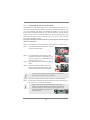
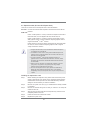
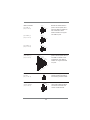
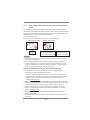
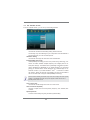
There are 2 PCI slots and 5 PCI Express slots on this motherboard.
PCI slots: PCI slots are used to install expansion cards that have the 32-bit PCI
interface.
PCIE slots:
PCIE1 / PCIE3 (PCIE 2.0 x1 slot) is used for PCI Express cards with x1
lane width cards, such as Gigabit LAN card, SATA2 card, etc.
PCIE2 / PCIE4 (PCIE 3.0 x16 slot) is used for PCI Express x16 lane
width graphics cards, or used to install PCI Express graphics cards to
support CrossFireXTM or SLITM function.
PCIE5 (PCIE 2.0 x16 slot) is used for PCI Express x4 lane width graphics cards, or used to install PCI Express graphics cards to support
3-Way CrossFireXTM function.
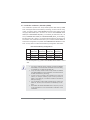
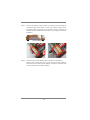
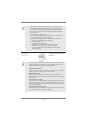
1. In single VGA card mode, it is recommended to install a PCI Express
x16 graphics card on PCIE2 slot.
2. In CrossFireXTM mode or SLITM mode, please install PCI Express x16
graphics cards on PCIE2 and PCIE4 slots. Therefore, both these two
slots will work at x8 bandwidth.
3. In 3-Way CrossFireXTM mode, please install PCI Express x16
graphics cards on PCIE2, PCIE4 and PCIE5 slots. Therefore, PCIE2
and PCIE4 slots will work at x8 bandwidth while PCIE5 slot will work
at x4 bandwidth.
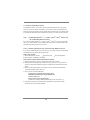
4. Please connect a chassis fan to motherboard chassis fan connector
(CHA_FAN1, CHA_FAN2 or CHA_FAN3) when using multiple
graphics cards for better thermal environment.
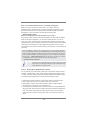
5. To run the PCI Express in Gen 3 speed, please must install the Ivy
Bridge CPU which supports PCI Express Gen3. If you install the
Sandy Bridge CPU, the PCI Express will run only at PCI Express Gen
2 speed.
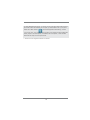
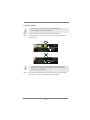
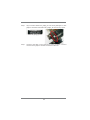
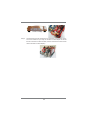
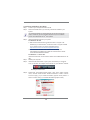
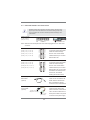
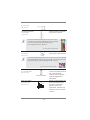
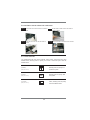
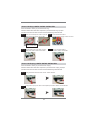
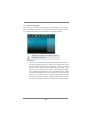
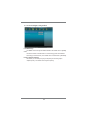
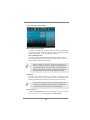
Installing an expansion card
Step 1.
Step 2.
Step 3.
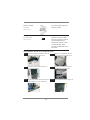
Step 4.
Step 5.
Step 6.
Before installing the expansion card, please make sure that the power
supply is switched off or the power cord is unplugged. Please read the
documentation of the expansion card and make necessary hardware
settings for the card before you start the installation.
Remove the system unit cover (if your motherboard is already installed
in a chassis).
Remove the bracket facing the slot that you intend to use. Keep the
screws for later use.
Align the card connector with the slot and press firmly until the card is
completely seated on the slot.
Fasten the card to the chassis with screws.
Replace the system cover.
21