1
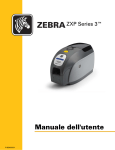
Zebra® ZXP Series 3™
Card Printer
User’s Manual
P1032297-001 Rev. A
Copyright Notice
© 2010 ZIH Corp.
This document contains information proprietary to Zebra Technologies Corporation. This
document and the information contained within is Copyrighted by Zebra Technologies
Corporation and may not be duplicated in full or in part by any person without written
approval from Zebra.
While every effort has been made to keep the information contained within current and
accurate as of the date of publication, no guarantee is given that the document is error-free or
that it is accurate with regard to any specification. Zebra Technologies Corporation reserves
the right to make changes, for the purpose of product improvement, at any time.
Trademarks
ZXP Series 3 is a trademark and Zebra is a registered trademark of Zebra Technologies
Corporation. Windows is a registered trademark of Microsoft Corporation in the United States
and other countries. All other trademarks or registered trademarks are marks of their
respective holders.
Product Disposal
Product Disposal Information • Do not dispose of this product in unsorted municipal
waste. This product is recyclable, and should be recycled according to your local
standards. For more information, please see our web site at:
http://www.zebra.com/environment
Contents
1 • Getting Started . . . . . . . . . . . . . . . . . . . . . . . . . . . . . . . . . . . . . . . 1
ZXP Series 3 Part Numbers . . . . . . . . . . . . . . . . . . . . . . . . . . . . . . . . . . . .
Features, Controls, and Indicators . . . . . . . . . . . . . . . . . . . . . . . . . . . . . . .
Rear Panel Connectors . . . . . . . . . . . . . . . . . . . . . . . . . . . . . . . . . . . . . . .
Multi-Function LCD Panel . . . . . . . . . . . . . . . . . . . . . . . . . . . . . . . . . . . . .
2
3
4
5
2 • Printer Installation. . . . . . . . . . . . . . . . . . . . . . . . . . . . . . . . . . . . . 9
Unpacking Your Card Printer . . . . . . . . . . . . . . . . . . . . . . . . . . . . . . . . . . . 9
Installing the Printer . . . . . . . . . . . . . . . . . . . . . . . . . . . . . . . . . . . . . . . . . 10
Setting up the Printer . . . . . . . . . . . . . . . . . . . . . . . . . . . . . . . . . . . . . 10
Connecting Power . . . . . . . . . . . . . . . . . . . . . . . . . . . . . . . . . . . . . . . .11
Connecting the Printer to your Computer. . . . . . . . . . . . . . . . . . . . . . 12
Viewing Printer Information . . . . . . . . . . . . . . . . . . . . . . . . . . . . . . . . . . . 13
Installing the Windows Printer Driver . . . . . . . . . . . . . . . . . . . . . . . . . . . . 14
Initial Steps. . . . . . . . . . . . . . . . . . . . . . . . . . . . . . . . . . . . . . . . . . . . . 14
Installing the USB Printer Driver . . . . . . . . . . . . . . . . . . . . . . . . . . . . 15
Installing the Ethernet Printer Driver . . . . . . . . . . . . . . . . . . . . . . . . . 20
P1032297-001 Rev. A
Zebra ZXP Series 3 Card Printer User’s Manual
iii
Contents
3 • Printer Setup . . . . . . . . . . . . . . . . . . . . . . . . . . . . . . . . . . . . . . . . 27
Printer Features . . . . . . . . . . . . . . . . . . . . . . . . . . . . . . . . . . . . . . . . . . . .
Loading Ribbon Cartridge. . . . . . . . . . . . . . . . . . . . . . . . . . . . . . . . . . . . .
Loading Cards . . . . . . . . . . . . . . . . . . . . . . . . . . . . . . . . . . . . . . . . . . . . .
Printing a Test Card . . . . . . . . . . . . . . . . . . . . . . . . . . . . . . . . . . . . . . . . .
Typical Printer Operation . . . . . . . . . . . . . . . . . . . . . . . . . . . . . . . . . . . . .
Creating a Sample Card . . . . . . . . . . . . . . . . . . . . . . . . . . . . . . . . . . .
Printing the Sample Card . . . . . . . . . . . . . . . . . . . . . . . . . . . . . . . . . .
27
28
30
33
34
34
34
4 • Printer Settings and Adjustments . . . . . . . . . . . . . . . . . . . . . . . 35
Introduction . . . . . . . . . . . . . . . . . . . . . . . . . . . . . . . . . . . . . . . . . . . . . . . .
Card Printer Properties . . . . . . . . . . . . . . . . . . . . . . . . . . . . . . . . . . . . . . .
General Tab . . . . . . . . . . . . . . . . . . . . . . . . . . . . . . . . . . . . . . . . . . . .
Sharing Tab . . . . . . . . . . . . . . . . . . . . . . . . . . . . . . . . . . . . . . . . . . . .
Ports Tab . . . . . . . . . . . . . . . . . . . . . . . . . . . . . . . . . . . . . . . . . . . . . .
Advanced Tab. . . . . . . . . . . . . . . . . . . . . . . . . . . . . . . . . . . . . . . . . . .
Color Management Tab . . . . . . . . . . . . . . . . . . . . . . . . . . . . . . . . . . .
Security Tab . . . . . . . . . . . . . . . . . . . . . . . . . . . . . . . . . . . . . . . . . . . .
Device Settings Tab . . . . . . . . . . . . . . . . . . . . . . . . . . . . . . . . . . . . . .
Card Printer Printing Preferences. . . . . . . . . . . . . . . . . . . . . . . . . . . . . . .
35
36
37
38
39
40
41
42
43
50
5 • Cleaning . . . . . . . . . . . . . . . . . . . . . . . . . . . . . . . . . . . . . . . . . . . . 57
Cleaning the System. . . . . . . . . . . . . . . . . . . . . . . . . . . . . . . . . . . . . . . . .
When to Clean . . . . . . . . . . . . . . . . . . . . . . . . . . . . . . . . . . . . . . . . . .
How to Clean . . . . . . . . . . . . . . . . . . . . . . . . . . . . . . . . . . . . . . . . . . .
Cleaning the Printhead . . . . . . . . . . . . . . . . . . . . . . . . . . . . . . . . . . . . . . .
57
57
58
59
6 • Troubleshooting . . . . . . . . . . . . . . . . . . . . . . . . . . . . . . . . . . . . . 61
Introduction . . . . . . . . . . . . . . . . . . . . . . . . . . . . . . . . . . . . . . . . . . . . . . . .
Troubleshooting Procedures. . . . . . . . . . . . . . . . . . . . . . . . . . . . . . . . . . .
LCD Panel Warnings and Error Messages. . . . . . . . . . . . . . . . . . . . .
Print Quality Issues. . . . . . . . . . . . . . . . . . . . . . . . . . . . . . . . . . . . . . .
61
62
62
64
7 • Technical Specifications . . . . . . . . . . . . . . . . . . . . . . . . . . . . . . . 71
Printer Specifications . . . . . . . . . . . . . . . . . . . . . . . . . . . . . . . . . . . . . . . . 71
ISO Standard Card Dimensions . . . . . . . . . . . . . . . . . . . . . . . . . . . . . . . . 74
Appendix A • Network Operations. . . . . . . . . . . . . . . . . . . . . . . . . . 77
Appendix B • Magnetic Encoder Option . . . . . . . . . . . . . . . . . . . . . 89
Appendix C • Smart Card Options. . . . . . . . . . . . . . . . . . . . . . . . . . 95
Appendix D • CardSenseTM Single Card Feed Mode . . . . . . . . . . 101
Appendix E • Enclosure Lock Option . . . . . . . . . . . . . . . . . . . . . . 107
Appendix F • Worldwide Support . . . . . . . . . . . . . . . . . . . . . . . . . 109
iv
Zebra ZXP Series 3 Card Printer User’s Manual
P1032297-001 Rev. A
1
Getting Started
This manual contains installation and operation information for the Zebra ZXP Series 3 Card
Printer, manufactured by Zebra Technologies Corporation.
The printer provides full color dye sublimation or monochrome thermal transfer printing on
standard 2.125 inch by 3.375 inch (54 mm by 86 mm) PVC or PVC Composite plastic cards.
The integrated card feeder and flipper minimizes printer size while maximizing performance.
Load-N-Go™ ribbon cartridges are used with an integrated card cleaning roller for easy
ribbon changing or replacement.
A variety of options (some of which can be factory-installed or field-installed as upgrades) are
available, making the printers configurable for varied application environments:
•
Magnetic Encoder
•
USB only or USB and 10/100 Ethernet
•
Contact + Contactless MIFARE Smart Card
•
Contact Station
•
CardSenseTM Single Card Feed Option
•
Security (Enclosure Lock) Option
Its auto-switching 100 ~ 240 Volts AC, 50 ~ 60 Hz external power supply uses interchangeable power cords for maximum flexibility.
This manual describes single- and dual-sided ZXP Series 3 Card Printers. References to “the
printer” in this document apply to either the single-sided or the dual-sided printers.
P1032297-001 Rev. A
Zebra ZXP Series 3 Card Printer User’s Manual
1
Getting Started
ZXP Series 3 Part Numbers
ZXP Series 3 Part Numbers
The Part Number of a particular Zebra ZXP Series 3 Card Printer is shown on a label affixed to
the bottom of the printer; that Part Number identifies the specific configuration for that printer.
This chart shows the configurations that are available:
PART NUMBER
Z 3 _ - _ _ _ _ _ _ _ _ _ _ _ _
_ _ 1 - _ _ _ _ _ _ _ _ _ _ _ _
_ _ 2 - _ _ _ _ _ _ _ _ _ _ _ _
DESCRIPTION
BASE UNIT
Single-Sided
Dual-Sided
SMART CARD OPTIONS
_ _ _ - 0 _ _ _ _ _ _ _ _ _ _ _
_ _ _ - A _ _ _ _ _ _ _ _ _ _ _
_ _ _ - E _ _ _ _ _ _ _ _ _ _ _
None
PC/SC Contact Encoder + Contactless MIFARE, NOTE
Contact Station, NOTE
MAG ENCODER OPTIONS
_ _ _ - _ 0 _ _ _ _ _ _ _ _ _ _
_ _ _ - _M_ _ _ _ _ _ _ _ _ _
None
ISO HiCo/LoCo Mag S/W-selectable, NOTE
SECURITY OPTIONS
_ _ _ - _ _ 0 _ _ _ _ _ _ _ _ _
_ _ _ - _ _ A _ _ _ _ _ _ _ _ _
None
Enclosure Lock, NOTE
INTERFACE OPTIONS
_ _ _ - _ _ _ 0 _ _ _ _ _ _ _ _
_ _ _ - _ _ _ C _ _ _ _ _ _ _ _
USB Only
USB & 10/100 Ethernet, NOTE
SOFTWARE / KIT
_ _ _ - _ _ _ _ 0 _ _ _ _ _ _ _
_ _ _ - _ _ _ _ G _ _ _ _ _ _ _
_ _ _ - _ _ _ _ H _ _ _ _ _ _ _
_ _ _ - _ _ _ _ I _ _ _ _ _ _ _
None
Starter Kit: Monochrome ( Incl: 1 Monochrome Ribbon,
200 PVC Cards )
Starter Kit: Color ( Incl: 1 YMCKO Ribbon, 200 PVC Cards )
Starter Kit: Dual-Sided Color ( Incl: 1 YMCKOK Ribbon,
200 PVC Cards )
MISCELLANEOUS
_ _ _ - _ _ _ _ _ 0 0 0 _ _ _ _
_ _ _ - _ _ _ _ _ 0 0 A _ _ _ _
None
Made in America
COUNTRY CODE
_
_
_
_
_
_
_
_
_
_
_
_
_
_
_
_
_
_
-
_
_
_
_
_
_
_
_
_
_
_
_
_
_
_
_
_
_
_
_
_
_
_
_
_
_
_
_
_
_
_
_
_
_
_
_
_
_
_
_
_
_
_
_
_
_
_
_
BR
US
EM
AU
CN
J P
_
_
_
_
_
_
_
_
_
_
_
_
Brazil Power Cord
Americas Regional SKU Power Cord ( Type B )
EMEA Regional SKU Power Cords ( Type C and Type G )
Australian Power Cord (Type I )
China Power Cord, 240 VAC
Japan Power Cord, 120 VAC Cord (PSC Compliant)
CUSTOM CODE
_ _ _ - _ _ _ _ _ _ _ _ _ _ 0 0
ACCESSORIES
105862-001
105999-301
State / Province / Project / Other
CardSenseTM single card feed option
Cleaning Kit: 4 printer-path and 4 feeder cleaning cards
NOTE: Field-Upgradeable Option
2
Zebra ZXP Series 3 Card Printer User’s Manual
P1032297-001 Rev. A
Getting Started
Features, Controls, and Indicators
Features, Controls, and Indicators
The picture below points out some of the printer’s external features; see Section 3 for an
interior view.
Lid Release
Button
Card Feeder
Cover
Multi-Function LCD
Display Panel
Multi-Function
Control Button
Card Output
Hopper
• Card Feeder Cover - Opening the Card Feeder Cover gives access to the automatic card
feeder. The translucent cover allows you to see when the card supply is running low. The
feeder has a 100-card capacity.
• Lid Release Button - Pressing the Lid Release Button allows the printer’s lid to swing
open. This gives internal access for changing the Ribbon Cartridge, changing Cleaning
Rollers, and cleaning the printer.
• Multi-Function LCD Display Panel - The Multi-Function LCD Display Panel displays
printer status information. Messages also alert the user of the need for action and indicate
certain fault conditions.
• Multi-Function Control Button - The Multi-Function Control Button initiates several
functions; these are described in the appropriate sections of this document.
• Card Output Hopper - Front-side Card Output Hopper has a 100-card capacity. Note that
ZXP Series 3 Card Printers with a Smart Card Option have a different Card Output
Hopper; see Appendix C.
P1032297-001 Rev. A
Zebra ZXP Series 3 Card Printer User’s Manual
3
Getting Started
Rear Panel Connectors
Rear Panel Connectors
Standard USB Connection
The figure below shows the rear of the Printer with the USB interface.
USB
Connector
Power
Socket
Security
Cable Slot
Power
Switch
Ethernet Connection
The figure below shows the rear of the printer with the standard USB interface with the
Ethernet and DB-9 Smart Card Contact Station Options.
USB
Connector
Power
Socket
Security
Cable Slot
Power
Switch
Power LED
Link LED
DB-9 Connector if Smart
Card Contact Station
Option is installed
Ethernet Connector
The Ethernet Connector has two LED status indicators:
4
•
Power LED (amber): When illuminated, indicates power is on.
•
Link LED (green): When illuminated, indicates valid Printer-Ethernet connectivity.
Zebra ZXP Series 3 Card Printer User’s Manual
P1032297-001 Rev. A
Getting Started
Multi-Function LCD Panel
Multi-Function LCD Panel
Your printer is equipped with a Multi-Function LCD Panel to provide printer status
information. The readout is controlled by the Multi-Function Control Button directly below
the viewing window.
Multi-Function LCD Panel messages fall into three categories: Operational, Warning,
and Error.
Operational Messages
Operational Messages are displayed during the Printer’s normal operation.
OPERATIONAL
CARD READY
CLEANING PRINTER
CLOSE FEEDER DOOR
CONTACT ENCODING
CONTACTLESS ENCODING
DOWNLOADING DATA
DOWNLOADING FIRMWARE
EMPTY FEEDER THEN CLOSE COVER
FEED LONG CLEANING CARD IN EXIT
INITIALIZING
INSERT CARD
INSERT FEEDER CLEANING CARD
MAG ENCODING
PRINTING BLACK
PRINTING CYAN
PRINTING MAGENTA
PRINTING MONO
PRINTING OVERLAY
PRINTING YELLOW
PUSH BUTTON TO CONTINUE
READY
REMOVE FEEDER CLEANING CARD
REMOVE LONG CLEANING CARD
REMOVE RIBBON THEN CLOSE LID
SINGLE CARD READY-PRINT OR EJECT
P1032297-001 Rev. A
Zebra ZXP Series 3 Card Printer User’s Manual
5
Getting Started
Multi-Function LCD Panel
Warning Messages
Warning messages alert the operator to action that should be taken; the printer will generally
continue operation.
WARNINGS (Printer will still operate)
CHECKING RIBBON
CLEAN PRINTER
CLOSE LID
ENCODING ERROR
FLASH ERROR
INVALID MAGNETIC DATA
READING ERROR
Error Messages
Error messages are displayed when a situation causes the printer to stop operating. Depending
on the cause of the error message, restarting the printer or curing the displayed Error may
return the printer to operational status, or the printer may require troubleshooting and repair.
ERRORS (Printer will not operate)
CHECK RIBBON
COMMAND ERROR
COVER OPEN
LID OPEN
MECHANICAL ERROR
OUT OF CARDS
OUT OF RIBBON
PARAMETERS ERROR
6
Zebra ZXP Series 3 Card Printer User’s Manual
P1032297-001 Rev. A
Getting Started
Multi-Function LCD Panel
Icons
Throughout this manual, different icons highlight important information, as follows:
Note • Indicates information that emphasizes or supplements important points of the
main text.
Important • Advises you of information that is essential to complete a task, or points out
the importance of specific information in the text.
Provides an example or scenario to demonstrate or clarify a section of text.
Electrostatic Discharge Caution • Warns you of the potential for electrostatic
discharge.
Electric Shock Caution • Warns you of a potential electric shock situation.
Hot Surface • Warns you of a situation where excessive heat could cause a burn.
Caution • Advises you that failure to take or avoid a specific action could result in
physical harm to you, or could result in physical damage to the hardware.
Product Disposal
Product Disposal Information • Do not dispose of this product in unsorted municipal
waste. This product is recyclable, and should be recycled according to your local
standards. For more information, please see our web site at:
http://www.zebra.com/environment
P1032297-001 Rev. A
Zebra ZXP Series 3 Card Printer User’s Manual
7
8
Zebra ZXP Series 3 Card Printer User’s Manual
P1032297-001 Rev. A
2
Printer Installation
Unpacking Your Card Printer
Your ZXP Series 3 Card Printer ships in a cardboard carton, protected by styrofoam inserts and
a protective anti-static bag. Keep all packaging material in case you need to move or re-ship
the printer.
Step 1. Before opening and unpacking the printer, inspect the carton to ensure that no
damage occurred during shipment.
Step 2. Ensure that you have a clean and nearly dust free environment for proper operation
and storage of the printer.
Step 3. Unlatch and remove the handle, open the carton, and remove the box containing the
printer accessories from the shipping carton.
Step 4. Remove the styrofoam packing material from the top of the printer.
Step 5. Lift the printer out of the carton by holding it on both sides of the bottom and lifting
the printer gently from the carton.
Step 6. Make sure the following accessories are included with your printer:
a.
Software CD-ROM
b.
Quick Start Guide
c.
Cleaning Kit
d.
Power Cords (one or two depending on the configuration)
e.
Power Supply
f.
USB Printer Cable
If any items are missing, please contact your dealer. To reorder; refer to Appendix F of
this manual.
P1032297-001 Rev. A
Zebra ZXP Series 3 Card Printer User’s Manual
9
Printer Installation
Installing the Printer
Installing the Printer
Setting up the Printer
Step 1. Place the printer in a location that allows easy access to all sides. The printer should
never be operated while resting on its side or upside down.
Step 2. Remove the yellow CAUTION label from the back of the printer.
Step 3. Ensure that the printer’s power switch is in the OFF (O) position.
10
Zebra ZXP Series 3 Card Printer User’s Manual
P1032297-001 Rev. A
Printer Installation
Installing the Printer
Connecting Power
Caution • Limit electrical power supplied to the printer to 24 VDC. Limit excess current
draw to 16 amps or less, using an associated circuit breaker or other such device. Never
operate the printer in a location where operator, computer, or printer can get wet.
Personal injury could result. The printer must be connected to an earthed electrical
power supply and properly protected against electrical surges and grounding faults. The
power supply pack can only be replaced by the same product from the manufacturer.
Caution • Do not power the printer with USB attached to your computer at this time.
THE DRIVER WILL PROMPT YOU WHEN IT IS TIME TO PLUG IN AND POWER UP
YOUR PRINTER.
Step 1. Insert the power supply plug into the power socket, attach the power cord (120VAC
or 230VAC) to the power supply, then plug the power cord in to a grounded electrical
socket of the proper voltage and type.
115 VAC
230 VAC
Step 2. Ensure that the printer’s power switch is in the OFF (O) position.
P1032297-001 Rev. A
Zebra ZXP Series 3 Card Printer User’s Manual
11
Printer Installation
Installing the Printer
Connecting the Printer to your Computer
Step 1. If your printer has only the USB interface, attach the included USB cable to your
computer and the printer.
Step 2. If your printer has the optional Ethernet interface (as well as the USB interface),
connect either the USB cable to printer and computer or the Ethernet cable to the
printer and the Ethernet network.
Important • Do not connect both the USB and the Ethernet interfaces at the same time!
Ethernet
12
USB
Zebra ZXP Series 3 Card Printer User’s Manual
P1032297-001 Rev. A
Printer Installation
Viewing Printer Information
Viewing Printer Information
To check the configuration parameters of the printer without being connected to a computer:
Step 1. Ensure that the printer power switch is in the OFF (O) position.
Step 2. While holding down the Control Button, place the printer power switch in the
ON ( | ) position. The LCD Display Panel will glow blue.
LCD Display
Panel
Control
Button
Step 3. Keep pressing the Control Button and observe the LCD Display Panel show
Initializing, CHECKING RIBBON, and FEEDING CARD.
Step 4. When the PRINTER INFO message appears in the display panel, momentarily release
and press the Control Button to display the first parameter: Model Name.
Step 5. Continue to tap the Control Button to advance through the parameters and cycle back
to the beginning:
a.
Model Name (Including the printer configuration)
b.
Serial Number
c.
Firmware Version
d.
Head Resistance
e.
X & Y Offset (front)
f.
X & Y Offset (back)
g.
EC Offset (front and back)
h.
Ribbon Type
i.
Smart Offset
j.
IP Address
k.
Mask
l.
Gateway
m. DHCP (enabled or disabled)
Step 6. A long press of the Control Button (about 1 second) will escape the sequence. Idle
time of 15 seconds will also escape the sequence.
P1032297-001 Rev. A
Zebra ZXP Series 3 Card Printer User’s Manual
13
Printer Installation
Installing the Windows Printer Driver
Installing the Windows Printer Driver
Initial Steps
Each computer that will use the printer must have the Printer Driver installed.
If not already done, connect power to the printer; and connect the printer to the computer.
• For USB Driver installation, turn the printer OFF (O) .
• For Ethernet Driver installation, turn the printer ON ( | ).
To install the Printer Driver, insert the User Documentation and Drivers CD, included with
your printer, into the host computer and the InstallShield Wizard will walk you through the
required installation steps. The InstallShield Wizard will:
•
Automatically install the User Interface when the driver CD is inserted. (Autorun
must be enabled for your CD).
If Autorun is disabled:
a. Insert the Driver CD into the CD-ROM drive.
b. At the root (top) level of the CD, double-click on the RunCD.exe file.
14
•
Start the installation process when the Install Printer Driver menu item is selected
from the Main Menu.
•
Install the new driver files, USB (on page 15) and/or Ethernet (on page 20 ).
Zebra ZXP Series 3 Card Printer User’s Manual
P1032297-001 Rev. A
Printer Installation
Installing the Windows Printer Driver
Installing the USB Printer Driver
Note • To install the Ethernet driver, see page 20.
Step 1. If not already done, connect power to the printer. Do not turn power ON.
Step 2. Connect the USB port on the rear of the printer to the computer’s USB port.
Step 3. Ensure that the Printer’s power switch is in the OFF (O) position.
Step 4. Insert the User Documentation and Drivers CD into the CD drive of the host
computer. The Main Menu will open.
Step 5. From the drop-down menu in the upper-right corner of the Main Menu, choose the
appropriate language for your system.
Step 6. From the Main Menu, click Install Printer Driver.
Step 7. If an older Printer and Driver is installed on your computer, the Select Features
window will be displayed; otherwise go to Step 9.
Step 8. In the Select Features window, choose the maintenance operation to be performed:
P1032297-001 Rev. A
a.
Select Modify to upgrade the older printer driver, click the Next button, and
follow the screen prompts. At the end of the process, you will be asked to reboot your computer. Re-boot your computer. The upgrade is complete.
b.
Select Remove to remove the older printer driver, click the Next button, and
follow the screen prompts. At the end of the uninstall process, you will be
asked to re-boot your computer. Re-boot your computer, and start over
with Step 1.
Zebra ZXP Series 3 Card Printer User’s Manual
15
Printer Installation
Installing the Windows Printer Driver
Step 9. The InstallShield Wizard window will open. To proceed with the installation, click
the Next button.
Step 10. Select Install USB printer drivers, and click the Next button.
Step 11. Ensure that the Printer’s power switch in the OFF (O) position; and then click the
OK button.
16
Zebra ZXP Series 3 Card Printer User’s Manual
P1032297-001 Rev. A
Printer Installation
Installing the Windows Printer Driver
Step 12. This will bring up the License Agreement window. To proceed with the installation,
click the Yes button.
Step 13. This will bring up the Setup Type window.
•
Select Complete to install all program features, and click the Next button.
- or -
•
P1032297-001 Rev. A
Select Custom to choose which program features you want installed, and click
the Next button.
Zebra ZXP Series 3 Card Printer User’s Manual
17
Printer Installation
Installing the Windows Printer Driver
Step 14. This will bring up the Select Program Folder window. Type in a new folder name or
select one from the existing folders list, and click the Next button.
Step 15. Observe the Setup Status window.
18
Zebra ZXP Series 3 Card Printer User’s Manual
P1032297-001 Rev. A
Printer Installation
Installing the Windows Printer Driver
Step 16. The Congratulations window will appear.
Step 17. At this point, turn on your printer; and then click the Next button. The Windows
New Hardware Found wizard will find the printer.
Step 18. When the InstallShield Wizard Complete window appears, click the Finish button.
Step 19. This completes USB driver installation.
Step 20. To use the Printer, you would select it like you would any other printer connected to
a Windows system.
Note • You may need to change the card setup (card orientation, ribbon type, etc.), encoding,
overlay, and/or black panel settings via the Printer Driver; see Card Printer Printing
Preferences on page 50.
P1032297-001 Rev. A
Zebra ZXP Series 3 Card Printer User’s Manual
19
Printer Installation
Installing the Windows Printer Driver
Installing the Ethernet Printer Driver
Note • To install the USB driver, see page 15.
Important • The Ethernet Network must be configured correctly, with the Printer and the
host computer on the same subnet mask. If you are not sure how to verify this or change the
configuration, consult someone knowledgeable on Ethernet Networks.
Step 1. If not already done, connect power to the printer. Turn power ON.
Step 2. Connect the Ethernet port on the rear of the printer to the Ethernet network
connection or directly to the computer’s Ethernet port.
Step 3. Ensure that the Printer’s power switch in the ON ( | ) position.
Step 4. Insert the User Documentation and Drivers CD into the CD drive of the host
computer. The Main Menu will open.
Step 5. From the drop-down menu in the upper-right corner of the Main Menu, choose the
appropriate language for your system.
Step 6. From the Main Menu, click Install Printer Driver.
Step 7. If an older Printer and Driver is installed on your computer, the Welcome window
will be displayed; otherwise go to Step 9.
20
Zebra ZXP Series 3 Card Printer User’s Manual
P1032297-001 Rev. A
Printer Installation
Installing the Windows Printer Driver
Step 8. In the Welcome window, choose the maintenance operation to be performed:
a.
Select Modify to update the older printer driver, click the Next button, and
follow the screen prompts. At the end of the upgrade process, you will be asked
to re-boot your computer. Re-boot your computer. The upgrade is complete.
b.
Select Remove to remove the older printer driver, click the Next button, and
follow the screen prompts. At the end of the uninstall process, you will be
asked to re-boot your computer. Re-boot your computer, and start over
with Step 1.
Step 9. The InstallShield Wizard window will open. To proceed with the installation, click
the Next button.
Step 10. Select Install Ethernet printer drivers, and click the Next button.
P1032297-001 Rev. A
Zebra ZXP Series 3 Card Printer User’s Manual
21
Printer Installation
Installing the Windows Printer Driver
Step 11. This will bring up the License Agreement window. To proceed with the installation,
select the I accept the terms of the license agreement option, and then click the
Next button.
Step 12. This will bring up the Setup Type window.
•
Select Complete to install all program features, and click the Next button.
- or -
•
22
Select Custom to choose which program features you want installed, and click
the Next button.
Zebra ZXP Series 3 Card Printer User’s Manual
P1032297-001 Rev. A
Printer Installation
Installing the Windows Printer Driver
Step 13. Setup will find and list all Zebra ZXP Series 3 Printers on the network. Select a
printer from the list (example, arrow below); and click the Next button.
Step 14. This will bring up the Select Program Folder window. Type in a new folder name or
select one from the existing folders list, and click the Next button.
P1032297-001 Rev. A
Zebra ZXP Series 3 Card Printer User’s Manual
23
Printer Installation
Installing the Windows Printer Driver
Step 15. Observe the Setup Status window.
Step 16. The Congratulations window will appear.
Step 17. At this point, click the Next button.
24
Zebra ZXP Series 3 Card Printer User’s Manual
P1032297-001 Rev. A
Printer Installation
Installing the Windows Printer Driver
Step 18. When the InstallShield Wizard Complete window appears, click the Finish button.
Step 19. This completes Ethernet driver installation.
Step 20. To use the Printer, you would select it just like you would any other printer connected
to the Ethernet.
Note • You may need to change the card setup (card orientation, ribbon type, etc.), encoding,
overlay, and/or black panel settings via the Printer Driver; see Card Printer Printing
Preferences on page 50.
P1032297-001 Rev. A
Zebra ZXP Series 3 Card Printer User’s Manual
25
26
Zebra ZXP Series 3 Card Printer User’s Manual
P1032297-001 Rev. A
3
Printer Setup
Printer Features
The following shows an interior view of the ZXP Series 3 Card Printer.
Lid
Printhead
Card Feeder
Ribbon Cartridge
Card Output
Hopper
P1032297-001 Rev. A
Zebra ZXP Series 3 Card Printer User’s Manual
27
Printer Setup
Loading Ribbon Cartridge
Loading Ribbon Cartridge
The Printer requires approved ribbon cartridges. The Resin Thermal Transfer and Dye
Sublimation ribbons are specifically designed for your Printer.
•
Only use Zebra i Series ribbons designed to work with ZXP Series 3 Card Printers.
•
Each ribbon cartridge includes an integrated adhesive cleaning roller assembly that is
used to clean the cards entering the printer. Improper cleaning will reduce printer life
and degrade print quality
•
When the ribbon is completely used, change the whole cartridge assembly.
Electrostatic Discharge Caution • DO NOT TOUCH the printhead or the electronic
components on the printhead. Discharge of electrostatic charge from the human body or other
surfaces can damage the printhead or other electronic components
1. Open printer lid by pressing the Cover Release button on the top of your printer.
2. Peel protective wrapper from the adhesive cleaning roller by gently pulling on the tape.
Discard the protective wrapper.
28
Zebra ZXP Series 3 Card Printer User’s Manual
P1032297-001 Rev. A
Printer Setup
Loading Ribbon Cartridge
3. Insert the ribbon cartridge with the cleaning roller facing down, so the gears on the ends of
the rollers fit into the appropriate slots.
4. Close the printer lid and push down until you hear an audible click.
Note • After the lid is closed, the ribbon automatically synchronizes when the printer
power is on.
P1032297-001 Rev. A
Zebra ZXP Series 3 Card Printer User’s Manual
29
Printer Setup
Loading Cards
Loading Cards
To help you load, print, and collect cards, the printer has a card feeder and card output hopper.
Card Feeder
The card feeder is used for loading cards, it can hold up to 100 cards of 30 mils thickness. The
card feeder is located under the card feeder cover of the Printer
.
Caution • DO NOT bend cards or touch print surfaces as this can reduce print quality.
Note • The surface of the cards must remain clean and dust free. Always store cards in an
enclosed container. Ideally, use cards as soon as possible. If cards stick together, carefully
fan or shuffle them.
Note • For Cards with magnetic stripe, refer to Appendix B for loading instructions.
Load cards into the card feeder as follows:
1. Open the card feeder cover.
2. Slide the card guide all the way to the right until it locks in place with an audible click.
30
Zebra ZXP Series 3 Card Printer User’s Manual
P1032297-001 Rev. A
Printer Setup
Loading Cards
3. Remove the cellophane wrapper from the card stack.
Note • Static charges and edge burrs from the card die-cutting process can render individual
cards stuck together with significant adhesion force. These cards must be physically
separated from each other before inserting into the feeder; if not separated, feeding or
printing problems may occur.
4. Holding the card deck by the sides, hold it vertically against a flat surface such as a
desktop; then push the stack back and forth to an angle of about 45° from vertical, so as to
separate all of the cards.
5. Restore the card stack to its original squared-off condition.
6. Place stack of up to 100 cards into the card feeder.
7. Close the card feeder cover. When card feeder cover is closed, the card guide locking
mechanism will automatically be released.
P1032297-001 Rev. A
Zebra ZXP Series 3 Card Printer User’s Manual
31
Printer Setup
Loading Cards
Card Output Hopper
1. Raise the printer lid, and pull the output hopper down to place it in its functional position.
2. When not using the printer, place the card output hopper back in its closed position to
protect the printer from dust.
32
Zebra ZXP Series 3 Card Printer User’s Manual
P1032297-001 Rev. A
Printer Setup
Printing a Test Card
Printing a Test Card
With ribbon cartridge and cards loaded, your printer is ready to print. To check the operation of
the printer, you should print a test card.
1. Go to the Driver Tools tab ( Select Start > Settings > Printers and Faxes. Right click on
the Zebra ZXP Card Printer listing. Select Properties > Device Settings > Tools ).
2. From the Print Test Card dropdown menu, select the desired test card (circled above).
3. Click on the Print button; see sample test cards below.
Standard:
P1032297-001 Rev. A
Printer Parameters
Zebra ZXP Series 3 Card Printer User’s Manual
33
Printer Setup
Typical Printer Operation
Typical Printer Operation
The ZXP Series 3 Card Printer can be used with your software application program, using the
Drivers on the CD provided with your Printer; refer to Installing the Windows Printer Driver
on page 14.
Creating a Sample Card
Before you begin a new printing session, print a sample card to ensure that the cards will be
printed correctly. Follow the steps below to print your first card using the True ColoursTM Card
Printer Ribbon Cartridge.
1. Open a new Microsoft Word document.
2. If the Zebra Printer was not set as the default printer, select the ZXP Series 3 Card Printer
as the default.
3. From the Microsoft Word document., set the Page Layout:
a.
Size: 3.14 in x 2.13 in (86 mm x 54 mm) Card
b.
Orientation: Portrait or Landscape
c.
Margins: Top, Bottom, Left, and Right = 0 (zero).
4. The card appears as a Microsoft Word document.
5. Design a card with both black and colored text and with colored images similar to the
sample card shown below.
SAMPLE CARD
W
dw
http://www.zebracard.com
.polaroid-id.com
Printing the Sample Card
Once you complete creating your sample card, you are ready to print. Ensure your printer has a
True ColoursTM Card Printer Ribbon Cartridge installed and there is card stock in the card
feeder. See Section 3 for instructions on installing the ribbon and loading the cards.
1. Print your sample card.
2. Once the printing is completed, remove the sample card from the card output hopper and
check for any discrepancies. For quality issues, see Troubleshooting on page 61.
3. If the sample card is correct, your printer is ready to produce more cards.
34
Zebra ZXP Series 3 Card Printer User’s Manual
P1032297-001 Rev. A
4
Printer Settings and
Adjustments
Introduction
This section describes the settings and adjustments that can be made to your Windows ZXP
Series 3 Printer Driver. This consists of two major topics:
Card Printer Properties . . . . . . . . . . . . . . . . . . . . . . . . . . . . . . . . . . . . . . . . . . . . 36
General Tab . . . . . . . . . . . . . . . . . . . . . . . . . . . . . . . . . . . . . . . . . . . . . . . . . 37
Sharing Tab. . . . . . . . . . . . . . . . . . . . . . . . . . . . . . . . . . . . . . . . . . . . . . . . . . 38
Ports Tab. . . . . . . . . . . . . . . . . . . . . . . . . . . . . . . . . . . . . . . . . . . . . . . . . . . . 39
Advanced Tab. . . . . . . . . . . . . . . . . . . . . . . . . . . . . . . . . . . . . . . . . . . . . . . . 40
Color Management Tab . . . . . . . . . . . . . . . . . . . . . . . . . . . . . . . . . . . . . . . . 41
Security Tab . . . . . . . . . . . . . . . . . . . . . . . . . . . . . . . . . . . . . . . . . . . . . . . . . 42
Device Settings Tab . . . . . . . . . . . . . . . . . . . . . . . . . . . . . . . . . . . . . . . . . . . 43
Card Printer Printing Preferences . . . . . . . . . . . . . . . . . . . . . . . . . . . . . . . . . . . . 50
P1032297-001 Rev. A
Zebra ZXP Series 3 Card Printer User’s Manual
35
Printer Settings and Adjustments
Card Printer Properties
Card Printer Properties
Note • The screen shots shown in this section are for the printer using the USB interface. If
you are using the Ethernet interface, the screens will refer to the “Network Printer.”
To access the Card Printer Properties, select Start > Settings > Printers and Faxes. Right click
on the Zebra ZXP Card Printer listing, then select Properties.
36
•
General Tab - Displays printer information of a general nature, includes selection for
Printing Preferences and Print Test Page (i.e., the standard Windows test page).
•
Sharing Tab - Operating System (OS) feature where the printer can be shared with other
clients on a network.
•
Ports Tab - OS feature displays available communication ports.
•
Advanced Tab - OS feature to select printer availability and spooling options.
•
Color Management Tab - Allows user to define color profile(s) with color printers.
•
Security Tab - OS feature where permissions to printers can be defined.
•
Device Settings Tab - Allows user to make basic printer adjustments and access advanced
printer controls.
Zebra ZXP Series 3 Card Printer User’s Manual
P1032297-001 Rev. A
Printer Settings and Adjustments
Card Printer Properties
General Tab
The General tab shows the selected printer and lists the features of the printer.
To access the General tab, select Start > Settings > Printers and Faxes. Right click on the
Zebra ZXP Card Printer listing. Select Properties > General.
•
Location - Lets you specify where the printer is located.
•
Comment - Lets you specify general information about the printer, such as the type
of print device and who is responsible for it. Once set, these fields can be displayed
by applications.
•
Model - Specifies the name of the printer driver installed.
-
Features - Specifies whether various options are available on the printer.
The Printing Preferences button takes you to Printing Preferences used to set selected
configuration parameters; see Card Printer Printing Preferences on page 50.
The Print Test Page button sends the standard Windows test page to the printer.
P1032297-001 Rev. A
Zebra ZXP Series 3 Card Printer User’s Manual
37
Printer Settings and Adjustments
Card Printer Properties
Sharing Tab
On the Sharing tab, you can choose to share the printer over the network and install additional
drivers to accommodate different operating systems.
To access the Sharing tab, select Start > Settings > Printers and Faxes. Right click on the
Zebra ZXP Card Printer listing. Select Properties > Sharing.
Printer sharing tasks that you can perform include:
•
To share a printer, select the Share this printer radio button; and specify a name for the
shared resource. Click OK when you're finished.
•
To change the shared name, simply enter a new name in the Share name field; and
click OK.
•
To quit sharing a printer, select the Do not share this printer radio button. Click OK
when you're finished.
Drivers: If this printer is shared with users running different versions of Windows, you may
want to install additional drivers, so that the users do not have to find the print driver when
they connect to the shared printer. Click on the Additional Drivers button.
38
Zebra ZXP Series 3 Card Printer User’s Manual
P1032297-001 Rev. A
Printer Settings and Adjustments
Card Printer Properties
Ports Tab
Use the Ports tab to specify the computer port to which the printer is connected. This will have
been established at the initial installation of the printer, and will not normally require attention.
To access the Ports tab, select Start > Settings > Printers and Faxes. Right click on the
Zebra ZXP Card Printer listing. Select Properties > Ports.
An exception to this is if you wish to use printer pooling, the ability to distribute print jobs to
multiple printers; see Printer Pooling on page 87 for details.
To enable printer pooling, select the Enable printer pooling checkbox, then check the
additional ports boxes. Each port should have a single Zebra printer installed on it. All the
pooled printers must be identical models with the same configuration (e.g., all with YMC
front, K back); and each must have its own printer driver installed.
Now, when you print to the “main printer” (that is, whichever printer you right-clicked in
Printers and Faxes to get to this screen), this printer will get print jobs until it has buffered as
many jobs as it can take. The remaining jobs will then “spill over” to other printers until all
printers in the pool are busy.
P1032297-001 Rev. A
Zebra ZXP Series 3 Card Printer User’s Manual
39
Printer Settings and Adjustments
Card Printer Properties
Advanced Tab
The Advanced tab determines the spooling (queuing) of print jobs and determines how
spooled jobs are handled relative to the most recent job.
To access the Advanced tab, select Start > Settings > Printers and Faxes. Right click on the
Zebra ZXP Card Printer listing. Select Properties > Advanced.
To enable spooling: Select the radio button labeled Spool print documents so program
finishes printing faster.
•
Select Start printing after last page is spooled if you want the entire document to be
spooled before printing begins. This option ensures that the entire document is sent to the
print queue before printing. If for some reason printing is canceled or not completed, the
job will not be printed.
•
Select Start printing immediately if you want printing to begin immediately when the print
device is not already in use. This option is preferable when you want print jobs to be
completed faster or when you want to ensure that the application returns control to users
as soon as possible.
To disable spooling: Select the radio button labeled Print directly to the printer radio button.
40
Zebra ZXP Series 3 Card Printer User’s Manual
P1032297-001 Rev. A
Printer Settings and Adjustments
Card Printer Properties
Color Management Tab
Color Management settings allow you to associate color profiles on the printer based on the
type of media being used and printer configuration. The Add button allows the operator to add
additional profiles to the color profile list.
To access the Color Management tab, select Start > Settings > Printers and Faxes. Right click
on the Zebra ZXP Card Printer listing. Select Properties > Color Management.
The following settings let you associate color profiles with your printer:
•
The Automatic radio button lets Windows select the best color profile from the list of
associated profiles (default).
•
The Manual radio button lets you select the appropriate profile from the list shown in the
Color Profile window.
You can manage Color Profiles currently associated with your printer as follows:
•
The Add button allows you to add additional profiles to the color profile list.
•
The Remove button allows you to remove profiles from the color profile list.
The Set As Default button allows you to set the selected profile as the default profile.
P1032297-001 Rev. A
Zebra ZXP Series 3 Card Printer User’s Manual
41
Printer Settings and Adjustments
Card Printer Properties
Security Tab
This is the standard Windows security screen, showing user access to various printer control
options. Both Print and Manage Printers must be checked for full functionality of the printer.
To access the Security tab, select Start > Settings > Printers and Faxes. Right click on the
Zebra ZXP Card Printer listing. Select Properties > Security.
The Security tab allows you to assign the actual permissions that apply to the print queue.
You can apply permissions to both users and to groups. It is usually considered a better
practice to only apply security to groups.
The Advanced Security Settings properties sheet allows you to assign a more comprehensive
set of permissions than the basic Security tab found on the printer’s properties sheet does.
42
Zebra ZXP Series 3 Card Printer User’s Manual
P1032297-001 Rev. A
Printer Settings and Adjustments
Card Printer Properties
Device Settings Tab
The Device Settings tab provides device information, security status, and printer usage.
To access the Device Settings tab, select Start > Settings > Printers and Faxes. Right click on
the Zebra ZXP Card Printer listing. Select Properties > Device Settings.
Printer Model/Firmware Version
Gives the printer model and firmware version.
P1032297-001 Rev. A
Zebra ZXP Series 3 Card Printer User’s Manual
43
Printer Settings and Adjustments
Card Printer Properties
Encoder Settings
Dialog box for setting Magnetic Encoder parameters. This feature is not enabled if the printer
does not have the magnetic encoder option.
44
•
Enable macro processing - This option will allow the user to choose the
encoding preamble.
•
Start of Data - Beginning of the data string for the encoder. Note that Start of Data
characters must be immediately followed by a one-digit number representing desired track
where the data will be written. Use the normal Windows default fonts.
•
End of Data - Ending of the data string for the encoder.
•
Advanced Settings - Click here for more information. (see ADVANCED SETTINGS
DIALOGUE BOX on page 45).
•
Restore Defaults - Click here to reset the encoder settings to the default values.
•
HiCo/LoCo - Select the type of coercivity of magnetic stripe cards to be used. Coercivity
is a measurement of a material's resistance to being magnetized. Low coercivity material
magnetizes easier than high coercivity material.
•
Encoder Position - Select the printer encoder position between Reversed and Normal.
Reversed is not supported by this printer.
•
Encoder Type - Select the type of encoder. JIS2 and AAMVA are not supported by
this printer.
Zebra ZXP Series 3 Card Printer User’s Manual
P1032297-001 Rev. A
Printer Settings and Adjustments
Card Printer Properties
ADVANCED SETTINGS DIALOGUE BOX
•
Track: Select the track you want to configure.
•
Track Settings: Select the Mode (ISO1, ISO2, ISO3, 3 bit, 4 bit, 5 bit, 6 bit, or 7 bit) and
Density (75bpi or 210 bpi) for the tracks.
•
Start/Stop Character (For Non-ISO encoding only): Enter an ASCII value for the Start
and Stop characters.
•
Encoding Start Position (For Non-ISO encoding only): Enter the encoding start position
in millimeters (mm).
•
Character Parity (For Non-ISO encoding only): Choose the Character Parity you want to
work with -- No parity, Even parity, or Odd parity.
•
LRC Parity (For Non-ISO encoding only): Choose the LRC Parity you want to work
with -- No parity, Even parity, or Odd parity.
Click the Restore Defaults button to reset the settings to the original values.
P1032297-001 Rev. A
Zebra ZXP Series 3 Card Printer User’s Manual
45
Printer Settings and Adjustments
Card Printer Properties
Tools
Dialog box for testing and communicating with the printer.
46
•
Command to send to printer - Enter a printer command (without leading escape
character) in the top edit box, and click on the Execute button to send to the printer
directly. The Printer Status will show the status of the printer. Contact Zebra Technical
Support for a complete list of the printer commands.
•
Print Test Card - Three test card types are available: Standard, Printer Parameters, and
Encoder Parameters. Click on the Print button to print the test card.
•
Clean - Printer only is the only cleaning option. Click on the Clean button to clean the
printer. Remove all consumables before executing a cleaning cycle.
•
Offset Setting - Enter the Front and Back X and Y direction offsets, and click on the
Set Offsets button to set the offsets for printing the card.
•
Direct Encoding - To encode magnetic data on a track, select the track (Track 1, Track 2,
or Track 3); enter the data to encode; and click on the Encode button. To read magnetic
data, select the track(s) to be read; and click on the Read button. To eject the card from the
printer, click on the Eject Card button.
•
Send File - This command will allow a .prn or .txt file to print.
-
The .prn file must be created with a Zebra printer driver using the same ribbon as
present in the printer.
-
The .txt file must contain firmware commands only with only one command per line.
The first line must only contain MASTER; the last line must only contain SLAVE.
Zebra ZXP Series 3 Card Printer User’s Manual
P1032297-001 Rev. A
Printer Settings and Adjustments
Card Printer Properties
F/W Download
This Dialog box is used to install the firmware downloaded from the Zebra web site at
http://zebracard.com under Drivers & Downloads.
Important • Do not turn off the power to the printer until the process is done and the LCD
displays READY. If the download process is interrupted, the printer will not operate.
Step 1. Click on the Select File button (arrow below).
Step 2. From the Browse window, “find” the downloaded firmware (BIN file type), and click
on the Open button.
Step 3. Click on the Start Firmware Download button (arrow below) to install the firmware;
otherwise, click on the Close button to abandon the firmware installation.
P1032297-001 Rev. A
Zebra ZXP Series 3 Card Printer User’s Manual
47
Printer Settings and Adjustments
Card Printer Properties
Device Information
Printer configuration status window.
48
•
Model/Firmware Version - Specifies the printer model number and installed
firmware version.
•
Serial Number - Specifies the printer serial number.
•
Head Resistance - Specifies the printhead resistance value.
•
Magnetic Encoder - Specifies if this option is present.
•
Smart Card - Specifies if a smart card encoder is present and type of encoder.
•
Ribbon Type - Specifies the ribbon installed in the printer.
•
Remaining Count - Shows the remaining card count for the ribbon installed. For
monochrome ribbons, this will display Unknown.
•
Panels Printed - Shows the total number of panels printed for the lifetime of the printer.
Zebra ZXP Series 3 Card Printer User’s Manual
P1032297-001 Rev. A
Printer Settings and Adjustments
Card Printer Properties
Single Feed Options
Note • For operating the ZXP Series 3 Card Printer in single card feed mode, the printer
requires that the operator install an optional CardSense Single Card Feed Kit; refer to
Appendix D for details.
Click on the appropriate radio button to Enable / Disable Single Feed operation.
About
Dialog Box for specifying the Printer Model, the Driver Version, and the Copyright.
Once the printer driver options have been configured to your satisfaction, click the OK button
to save your new configuration and close the Properties window.
P1032297-001 Rev. A
Zebra ZXP Series 3 Card Printer User’s Manual
49
Printer Settings and Adjustments
Card Printer Printing Preferences
Card Printer Printing Preferences
Note • The screen shots shown in this section are for the printer using the USB interface. If
you are using the Ethernet interface, the screens will refer to the “Network Printer.”
To access the Card Printer Properties, select Start > Settings > Printers and Faxes. Right
click on the Zebra ZXP Card Printer listing, then select Properties.
•
50
Paper / Output - Sets the layout of card.
-
Orientation - Landscape or Portrait printing layout.
-
Rotation - Rotate the image 180°. Options are None, Front, Back, and Front Back.
Zebra ZXP Series 3 Card Printer User’s Manual
P1032297-001 Rev. A
Printer Settings and Adjustments
Card Printer Printing Preferences
•
Color Adjustment - Adjusts color output (Intensity and Contrast).
Note • Printed colors can appear different than displayed colors; the following controls
allow you to optimize the printed results.
Allows you to adjust the image colors; these adjustments apply to the entire card, not just
photographic image.
-
Intensity - increase or decrease the image intensity by moving the Black, Red, Green,
and Blue slider bars left or right. This will change the overall lightness or darkness of
the image. Move the slider to the right (0 to 100) to increase the intensity and to the
left (0 to -100) to decrease the intensity. Note that color ribbon wrinkling can be
eliminated by reducing the intensity.
-
Contrast - increase or decrease the image contrast by moving the Black, Red, Green,
and Blue slider bars left or right. This magnifies or minimizes the difference between
the light and dark parts of the image. Move the sliders to the right (0 to 100) to
increase the contrast and to the left (0 to -100) to decrease the contrast.
Use the Restore Defaults button to reset the settings to the driver defaults.
P1032297-001 Rev. A
Zebra ZXP Series 3 Card Printer User’s Manual
51
Printer Settings and Adjustments
Card Printer Printing Preferences
Ribbon Type - Displays type of ribbon installed in printer.
Click on the Printer/Ribbon Details button to see the Device Information window:
•
Print on both sides - Selection for single-sided or dual-sided printing.
•
Front and Back - Feature selection for dual sided printing.
Choices are based on ribbon type; for example:
YMCKOK
•
YMCKO on Front, K on Back
•
YMCKO on Front, YMCKO on Back
YMCKO
•
•
YMCKO on Front, YMCKO on Back
•
YMCO on Front, K on Back
Monochrome Conversion - Specifies the method of monochrome conversion used in
printing. Different selections have different effects on the way the image is printed.
The options are:
52
•
Diffusion
•
Halftone Regular
•
Barcode
Zebra ZXP Series 3 Card Printer User’s Manual
P1032297-001 Rev. A
Printer Settings and Adjustments
Card Printer Printing Preferences
• Black Panel - Defines how black panel is applied in a card design.
4 selections:
•
Do Not Use - K panel not used
•
Use Always - all black pixels will go to K panel
•
Text Only - only black text goes to K panel
•
Except in Color Picture - all black pixels except bitmap goes to K panel
•
Black Bitmap - Applies black bitmap option, On or Off.
•
Front Overlay Varnish - Feature selection for applying overlay varnish ribbon to front
of card. Default setting is full edge-to-edge varnish.
There are various varnish options. A preview pane is shown for each selection.
P1032297-001 Rev. A
-
Full overlay varnish - Applies an edge-to-edge overlay.
-
No overlay - Does not apply any overlay.
-
Selected area overlay varnish - Applies an overlay only in the area selected by user.
-
Selected area blank - Applies an overlay only outside the area selected by user.
-
Bitmap-based overlay varnish - Applies a user-defined bitmap in the overlay panel.
-
Smartcard ISO - Does not apply an overlay in the area of the ISO standard smart
card contacts; see figure above.
-
Smartcard AFNOR - Does not apply an overlay in the area of the AFNOR standard
smart card contacts.
-
Magnetic Stripe - Does not apply an overlay in the area of the ISO standard
magnetic stripe.
Zebra ZXP Series 3 Card Printer User’s Manual
53
Printer Settings and Adjustments
Card Printer Printing Preferences
•
Back Overlay Varnish - Feature selection for applying an overlay varnish ribbon to the
back of a card. Default setting is full edge-to-edge varnish.
There are various varnish options. A preview pane is shown for each selection.
54
-
Full overlay varnish - Applies an edge-to-edge overlay.
-
No overlay - Does not apply any overlay.
-
Selected area overlay varnish - Applies an overlay only in the area selected by user.
-
Selected area blank - Applies an overlay only outside the area selected by user.
-
Bitmap-based overlay varnish - Applies a user-defined bitmap in the overlay panel.
-
Smartcard ISO - Does not apply an overlay in the area of the ISO standard smart
card contacts.
-
Smartcard AFNOR - Does not apply an overlay in the area of the AFNOR standard
smart card contacts.
-
Magnetic Stripe - Does not apply an overlay in the area of the ISO standard
magnetic stripe.
Zebra ZXP Series 3 Card Printer User’s Manual
P1032297-001 Rev. A
Printer Settings and Adjustments
Card Printer Printing Preferences
•
Head Settings - Setting for heat adjustments on the print head. Adjustments can be made
to the Contrast and Intensity.
Head settings can be changed to adjust the monochrome contrast, color intensity, and
color contrast. Changes made to head settings will change color quality of printed images.
These adjustments directly affect the heating levels used by the printer, for each of the
individual panels on a print ribbon.
-
Contrast - adjusts the black and overlay contrast from 0 to 10.
-
Color Intensity - adjusts the intensity of each color from 0 to 10.
-
Color Contrast - adjusts the contrast of each color from 0 to 10.
Click on the Restore defaults button to reset the settings to the factory default values.
•
•
P1032297-001 Rev. A
Printing Mode - Feature selection for type of printing required:
-
Print
-
Encode Only (use this when magnetic encoding is the only function desired, printing
will not occur).
-
Print and Encode on same side
Copies - Sets the number of copies of cards printed.
Zebra ZXP Series 3 Card Printer User’s Manual
55
56
Zebra ZXP Series 3 Card Printer User’s Manual
P1032297-001 Rev. A
5
Cleaning
Cleaning the System
Caution • PROTECT YOUR FACTORY WARRANTY!
The recommended maintenance procedures must be performed to maintain your
factory warranty. Other than the recommended cleaning procedures described in
this manual, allow only Zebra authorized technicians to service the ZXP Series 3
Card Printer.
NEVER loosen, tighten, adjust, or bend, etc., a part or cable inside the printer.
NEVER use a high-pressure air compressor to remove particles in the printer.
Your Printer includes a simple cleaning system using Pre-Saturated Cleaning Cards provided.
The regular use of these cards will clean and maintain important parts of your printer that
cannot be reached: including Printhead, the Transport Rollers, and the Magnetic Encoder
Station (optional feature).
When to Clean
Clean the Printer when:
P1032297-001 Rev. A
•
Print quality has been degraded.
•
The LCD panel displays the message CLEAN PRINTER.
Zebra ZXP Series 3 Card Printer User’s Manual
57
Cleaning
Cleaning the System
How to Clean
Step 1. Place the printer power switch in the ON ( | ) position, and then press and hold the
Multi-Function Control Button for 5 seconds.
Step 2. When the cleaning cycle is initiated, the LCD message REMOVE RIBBON THEN
CLOSE LID will display.
Multi-Function
LCD Panel
Feeder Cleaning
Card
Card
Feeder
Cover
Multi-Function
Control Button
Path Cleaning
Card
Step 3. After the ribbon is removed and the lid is closed, the message EMPTY FEEDER
THEN CLOSE COVER will display.
Step 4. If the lid is opened and closed without removing the ribbon, the REMOVE RIBBON
THEN CLOSE LID message will remain.
Step 5. Once the ribbon is removed and the cover is closed, the firmware will eject any card
inside the printer. The message EJECTING CARD will display.
Step 6. The LCD will display FEED LONG CLEANING CARD. When the presence of the
cleaning card is sensed, the rollers will take the card into the printer.
Step 7. When the cleaning process is done, the printer will eject the cleaning card. If the card
sensor still senses the cleaning card, the message REMOVE LONG CLEANING
CARD will display.
Step 8. Once the long cleaning card is no longer sensed by the card exit sensor, the message
INSERT FEEDER CLEANING CARD will display. Open the feeder cover, and
insert the feeder cleaning card.
Step 9. When the feeder cleaning card has been sensed by the feeder card sensor, the
message CLOSE FEEDER COVER will display.
Step 10. When feeder cleaning is complete, the message REMOVE FEEDER CLEANING
CARD will display.
Step 11. After the card is removed, the LCD will display READY. You may now reload the
ribbon and cards and continue printing.
58
Zebra ZXP Series 3 Card Printer User’s Manual
P1032297-001 Rev. A
Cleaning
Cleaning the Printhead
Cleaning the Printhead
Use of the cleaning cards will normally do an adequate job of cleaning the printer. However, a
separate Printhead cleaning, using swabs, can remove more stubborn deposits when print
anomalies persist. To avoid deposits, only use foam-tipped swabs.
Caution • Never use a sharp object to scrape deposits from the printhead. Permanent
damage to the printhead will result
Step 1. Place the printer power switch in the OFF (O) position.
Step 2. Open the printer lid by pressing the cover release button, and open the cover fully to
reveal the Printhead mounted on the inside of the cover.
Step 3. Clean the Printhead by moving an alcohol-moistened swab tip side-to-side across the
Printhead elements. Only use moderate force.
Step 4. Allow two to three minutes for the printhead to dry before placing the printer power
switch in the ON ( | ) position.
Step 5. To reorder swabs, refer to the Media List on the Windows Drivers and User
Documentation CD supplied with this printer.
P1032297-001 Rev. A
Zebra ZXP Series 3 Card Printer User’s Manual
59
60
Zebra ZXP Series 3 Card Printer User’s Manual
P1032297-001 Rev. A
6
Troubleshooting
Introduction
The objective of troubleshooting is to relate a problem to an associated assembly or system
function, in order to most efficiently isolate and repair the problem. Typically, this involves
determining the failure symptom and then checking one or more possible causes of the failure.
In general, for a given failure symptom one or more possible causes are listed, with suggested
corrective action to take. These causes should be checked and corrective actions taken in the
order given; they are listed in order of likelihood and complexity.
P1032297-001 Rev. A
Zebra ZXP Series 3 Card Printer User’s Manual
61
Troubleshooting
Troubleshooting Procedures
Troubleshooting Procedures
LCD Panel Warnings and Error Messages
The following tables show causes and solutions to symptoms related to improper operation.
Check the table when experiencing any loss of operation or print quality.
PANEL WARNINGS (printer will still operate)
Problem / Symptom
Description or Cause
Possible SolutionNote
CHECKING RIBBON
Printer is determining type of ribbon
installed.
No action required -- status message
only.
CLEAN PRINTER
Printer cleaning required.
Refer to Cleaning the System on
page 57.
CLOSE LID
The lid is open.
Make sure that the lid is completely
and securely closed.
ENCODING ERROR
May be incorrect card type.
Check that you are using the correct
magnetic card type (for low or high
coercivity encoding).
FLASH ERROR
A flash error occurred.
Reset the Printer, and try printing the
card again.
INVALID MAGNETIC DATA
The magnetic data may be invalid.
Check data format.
READING ERROR
A reading error occurred.
Reset the Printer, and try printing the
card again.
Note: If the problem persists, contact Technical Support; see Worldwide Support on page 109.
62
Zebra ZXP Series 3 Card Printer User’s Manual
P1032297-001 Rev. A
Troubleshooting
Troubleshooting Procedures
ERROR MESSAGES (printer will not operate)
Problem / Symptom
Description or Cause
Possible SolutionNote
CHECK RIBBON
Wrong type of ribbon may be
installed. Ribbon for P1XX will
not work.
Install proper ribbon.
Ribbon may be improperly installed.
Reload ribbon cartridge. Refer to
Loading Ribbon Cartridge on
page 28.
COMMAND ERROR
A command error occurred.
Reset the Printer, and try printing the
card again.
COVER OPEN
The cover is open.
Make sure that the cover is
completely and securely closed.
LID OPEN
The lid is open.
Make sure that the lid is completely
and securely closed.
MECHANICAL ERROR
Check that you are using the correct
card type.
See Technical Specifications on
page 71.
Check for card jam.
Open cover and remove Card
Cleaning Cartridge, empty the Card
Feeder, and remove the jammed
cards.
Check that ribbon is loaded
correctly.
Refer to Loading Ribbon Cartridge
on page 28 for details.
OUT OF CARDS
Check for cards in the card feeder.
If no cards present, load cards; then
press the Panel Button for 1 second.
The printing job will restart.
OUT OF RIBBON
Check ribbon. May be defective or
entirely used.
Load a new ribbon cartridge. Refer to
Loading Ribbon Cartridge on
page 28 for details.
PARAMETERS ERROR
A parameter error occurred.
Reset the Printer, and try printing the
card again.
Note: If the problem persists, contact Technical Support; see Worldwide Support on page 109.
P1032297-001 Rev. A
Zebra ZXP Series 3 Card Printer User’s Manual
63
Troubleshooting
Troubleshooting Procedures
Print Quality Issues
This section will help you resolve print quality problems.
The print quality is dependent on several factors. The two most important factors that will
increase your print quality are cleanliness and card stock.
To diagnose and fix print quality problems, follow the troubleshooting procedures below:
Small spots - - - - - - - - - - - - - - - - - - - - - - - - - 65
Non-printing horizontal lines (white) - - - - - - - - - - - - - 66
Pale or inconsistent results - - - - - - - - - - - - - - - - - - 67
Blurry printed image - - - - - - - - - - - - - - - - - - - - - 68
No printing - - - - - - - - - - - - - - - - - - - - - - - - - 69
64
Zebra ZXP Series 3 Card Printer User’s Manual
P1032297-001 Rev. A
Troubleshooting
Troubleshooting Procedures
Example • Small spots
Small spots appear on the printed card with a non-printed area or a different color.
Possible Cause:
•
Contamination on the card surface.
Solutions:
•
Check that cards are stored in a dust free environment.
•
Use a different supply of cards.
Possible Cause:
•
Dust inside the printer and/or dirty Cleaning Roller.
Solutions:
P1032297-001 Rev. A
•
Clean the printer. Refer to Cleaning the System on page 57.
•
Check that the protective cover was removed from the ribbon cartridge cleaning
roller. Refer to Loading Ribbon Cartridge on page 28.
Zebra ZXP Series 3 Card Printer User’s Manual
65
Troubleshooting
Troubleshooting Procedures
Example • Non-printing horizontal lines (white)
There are non-printing horizontal lines (white) on the card surfaces.
Possible Cause:
•
Ribbon cartridge is not correctly positioned.
Solutions:
•
Ensure that the ribbon is properly rolled onto the ribbon cores of the cartridge and that
there are no wrinkles in the ribbon.
•
Replace ribbon cartridge. Refer to Loading Ribbon Cartridge on page 28.
Possible Cause:
•
Printhead is dirty.
Solutions:
•
Clean the Printhead. Refer to Cleaning the Printhead on page 59.
Possible Cause:
•
Printhead elements are damaged (e.g., scratched or burnt).
Solutions:
•
66
Call Zebra Customer Service for Printhead replacement information; see Worldwide
Support on page 109.
Zebra ZXP Series 3 Card Printer User’s Manual
P1032297-001 Rev. A
Troubleshooting
Troubleshooting Procedures
Example • Pale or inconsistent results
Printing shows very pale or inconsistent results.
Possible Cause:
•
Ribbon cartridge have been stored improperly or is damaged.
Solution:
•
Change ribbon cartridge, and print again. Refer to Loading Ribbon Cartridge on
page 28.
Possible Cause:
•
Cards may not meet specifications. Refer to Technical Specifications on page 71.
Solution:
•
Use a different supply of cards.
Possible Cause:
•
Dust or embedded contamination on elements of the Printhead.
Solution:
•
Clean the Printhead. Refer to Cleaning the Printhead on page 59.
Possible Cause:
•
Printing on wrong side of writable back cards.
Solution:
•
P1032297-001 Rev. A
Reverse direction of cards in feeder.
Zebra ZXP Series 3 Card Printer User’s Manual
67
Troubleshooting
Troubleshooting Procedures
Example • Blurry printed image
Printing shows blurry printed image.
Possible Cause:
•
Ribbon cartridge may not be correctly positioned.
Solution:
•
Check that the ribbon is properly rolled onto the ribbon cores of the cartridge, with
no wrinkles.
•
Replace ribbon cartridge, making sure it locks in place, and print again. Refer to
Loading Ribbon Cartridge on page 28.
Possible Cause:
•
Ribbon may not be synchronized on the correct color panel position.
Solution:
•
Open lid, then close lid to synchronize ribbon.
Possible Cause:
•
Cards may not meet specifications. Refer to Technical Specifications on page 71.
Solution:
•
Use a different supply of cards.
Possible Cause:
•
Dust or embedded contamination inside the printer.
Solution:
•
68
Clean the Rollers and the Printhead. Refer to Cleaning the System on page 57 and
Cleaning the Printhead on page 59 respectively.
Zebra ZXP Series 3 Card Printer User’s Manual
P1032297-001 Rev. A
Troubleshooting
Troubleshooting Procedures
Example • No printing
No printing on the card.
Possible Cause:
•
Ribbon cartridge may not be installed in the printer.
Solution:
•
Check for ribbon cartridge in the printer. Refer to Loading Ribbon Cartridge on
page 28.
Possible Cause:
•
Cards may not meet specifications. Refer to Technical Specifications on page 71.
Solution:
•
Use a different supply of cards.
Possible Cause:
•
Cable on Printhead may be disconnected.
•
Printhead elements may be scratched or burnt.
Solution:
•
P1032297-001 Rev. A
Call Service for Printhead repair or replacement information; see Worldwide Support
on page 109.
Zebra ZXP Series 3 Card Printer User’s Manual
69
70
Zebra ZXP Series 3 Card Printer User’s Manual
P1032297-001 Rev. A
7
Technical Specifications
Printer Specifications
General
•
•
•
•
•
•
•
•
Single-sided and dual-sided printing
Single card feed capable
Load-N-Go drop-in ribbon cartridge
16-character LCD display
Windows© Drivers: XP, Server 2003 and 2008, Vista, and Windows 7 (32/64 bits)
100-card covered feeder (30 mil card)
50-card output hopper (30 mil card)
32 MB memory standard
Communications Interfaces
•
•
Standard: USB 2.0 (cable included)
Optional: Built-in 10/100 Mbps Ethernet
Printing Specifications
•
•
•
•
P1032297-001 Rev. A
Color dye sublimation or monochrome thermal transfer printing
300 dpi (11.8 dots/mm) print resolution
Single-Sided (Front only)
• 750 card per hour monochrome
• 180 cards per hour card full-color (YMCKO)
Dual- Sided (Front and Back)
• 140 cards per hour (YMCKO Front, K back)
Zebra ZXP Series 3 Card Printer User’s Manual
71
Technical Specifications
Printer Specifications
Ribbon Specifications
•
•
•
•
•
•
•
i Series™ intelligent media technology
YMCKO: 200 cards/roll
YMCKOK: 165 cards/roll
Monochrome: 1000 cards/roll - black, blue, green, gold, red, or silver
850 cards/roll - white
½ Panel YMC Full KO: 250 cards/roll
KdO: 500 cards/roll
KrO: 500 cards/roll
Cards Compatibility
•
•
•
•
•
•
Types: PVC, PVC Composite
Card width/length: ISO CR-80-ISO 7810: 2.125" by 3.375" (54 mm by 86 mm)
Card thickness: .015" to .040"; for optimum performance, use standard .030" cards
Magnetic Stripe - ISO 7811
Smart Card Contact - ISO 7816-1,2,3,4
Smart Card Contactless MIFARE - ISO 14443A/B
Encoding Options
•
•
•
Magnetic encoder (30 mil cards only), 3 track HiCo/LoCo: ISO 7811
Combined PC/SC MIFARE - ISO 14443 (13.56 MHz) and ISO 7816 contact encoder
Smart Card Contact Station ISO 7816
Optional Features
•
•
CardSense™ single-card feed mode
Extended product warranty programs
Bar Code
•
•
•
•
Code 39, Code 128 B & C with and without check digit
2 of 5 and 2 of 5 Interleaved
UPC-A, EAN 8, and EAN 13
PDF-417 2D bar code and other symbologies can be printed via Windows drivers
Security
•
•
Kensington security slot
Optional: Lockable covers on feeder, and print engine compartment
Electrical
•
Power Supply
Input: 100 ~ 240 Volts AC, 50 ~ 60 Hz (auto switching)
Output: 24V/4A
•
FCC Class A
Dimensions (printer only)
•
•
•
•
72
Height: 9.3 in (235.5 mm)
Width: 7.9 in (200.7 mm)
Depth: 14.5 in (367.6 mm)
Weight: 12.2 lbs (5.53 kg)
Zebra ZXP Series 3 Card Printer User’s Manual
P1032297-001 Rev. A
Technical Specifications
Printer Specifications
Environmental
•
•
•
•
Operating Temperature: 60°F to 86°F (15°C to 30°C)
Operating Relative Humidity: 20% to 65% non-condensing
Storage Temperature: 23°F to 158°F (-5°C to 70°C)
Storage Relative Humidity: 20% to 70% non-condensing
Agency Approvals
Zebra ZXP Series 3 Card Printer complies with following applicable directives and
standards for the ITE: Residential, Commercial & Light Industry environments
•
For US/Canada/Mexico/Australia&NZ
- FCC Class A, cfr47, Part 15 Subpart J
- FCC 15.257 2008, Part 15 Subpart C
- Canadian STD RSS-210
- NOM-ETL (Mexico)
- EN60950: 2000 Safety Standard (TUV & RTL)
- C-Tick (Australia) Electromagnetic Radiation Standard
•
For urope:
E
- Applicable Directives and Supporting Standards:
2004/108/EC EMC Directive, EN55022:2006 + AD:2007 Class A,
EN55024:1998 + AD1:2001 + AD2:2003,
EN61000-3-2:2006, EN61000-3-3:2008,
2006/95/EC LVD Directive, EN60950-1:2006 + A11, CB Scheme
- RFID Enabled
Applicable Directives and Supporting Standards:
99/5/EC R&TTE Directive, EN 301 489-3 V1.4.1,
EN 300 330 V1.5.1
P1032297-001 Rev. A
Zebra ZXP Series 3 Card Printer User’s Manual
73
Technical Specifications
ISO Standard Card Dimensions
ISO Standard Card Dimensions
Dimensions for Plain Card ISO Standard 7810
2.125 ± 0.002 in
(53.98 ± 0.050 mm)
Radius
0.125 in
(3.18 mm)
3.375 ± 0.010 in
(85.72 ± 0.25 mm)
0.009 ~ 0.034 in
(0.23 ~ 0.84 mm)
Dimensions for Magnetic Stripe Card ISO Standard 7811
0.623 in (15.82 mm) min
0.218 in (5.54 mm) max
MAGNETIC STRIPE
0~0.115 in (2.92 mm)
0~0.115 in (2.92 mm)
Contact Location for Smart Card ISO Standard 7816
0.757 in
(19.23 mm)
1.124 in
(28.55 mm)
0.403 in (10.25 mm)
0.782 in (19.87 mm)
74
Zebra ZXP Series 3 Card Printer User’s Manual
P1032297-001 Rev. A
Technical Specifications
ISO Standard Card Dimensions
Declarations of Conformity
EMC Directive
EN 55022 (1998)
EMC Directive
EN 301489-3 V1.4.1
93/68/EEC
EMC Directive
EN55024 (2001)
73/23/EEC modified
by 93/68/EEC
Low voltage
Directive
EN 60950-1 (2001)
Product safety
1999/5/CE
R&TTE Directive
EN300330-2 V1.1.1
Radio Frequency Interferences
89/336/EEC
modified by
92/31/EEC and
RF Emissions control
RF Emissions and Immunity for radio
equipment
Immunity to Electro-Magnetic
Disturbances
For a formal certificate, please contact the Compliance Office at Zebra’s Camarillo facility.
EUROPE: Norway Only: This product is also designed for IT power system with phase-to-phase
voltage 230V. Earth grounding is via the polarized, 3-wire power cord.
FI:
“Laite on liitettävä suojamaadoitus koskettimilla varustettuun pistorasiaan”
SE:
“Apparaten skall anslutas till jordat uttag”
NO: “Apparatet må tilkoples jordet stikkontakt”
FCC Regulations
The ZXP Series 3 has been tested and found to comply with the limits for a Class A digital
device, pursuant to Part 15 of the FCC Rules. These limits are designed to provide reasonable
protection against harmful interference when the equipment is operated in a commercial
environment. This equipment generates, uses, and can radiate radio frequency energy and, if
not installed and operated in accordance with the User’s Manual, may cause harmful
interference to radio communications. Operation of this equipment in a residential area is
likely to cause harmful interference in which case the user will be required to correct the
interference at his own expense.
Pursuant to Part 15.21 of the FCC Rules, any changes or modifications to this equipment not
expressly approved by Zebra may cause harmful interference and void the FCC authorization
to operate this equipment.
FCC Radiation Exposure Statement (applicable to 15.247 device only)
This equipment complies with FCC radiation exposure limits set forth for an
uncontrolled environment. This equipment should be installed and operated with
minimum 20 cm between the radiator and your body. This transmitter must not be
collocated or operating in conjunction with any other antenna or transmitter unless
authorized to do so by the FCC.
Industry Canada Notice
This device complies with Industry Canada ICES-003 class A requirements.
Cet équipement est conforme à l 'ICES-003 classe A de la Norme Industrielle Canadienne.
P1032297-001 Rev. A
Zebra ZXP Series 3 Card Printer User’s Manual
75
Technical Specifications
ISO Standard Card Dimensions
Japanese Notification
NCC Warning Message
76
Zebra ZXP Series 3 Card Printer User’s Manual
P1032297-001 Rev. A
Appendix A
Network Operations
Introduction
This section covers:
Network Configurations . . . . . . . . . . . . . . . . . . . . . . . . . . . . . . . . . . . . . . . . . . . . 78
Setting Up a Network Printer . . . . . . . . . . . . . . . . . . . . . . . . . . . . . . . . . . . . . . . . 80
Printer Pooling . . . . . . . . . . . . . . . . . . . . . . . . . . . . . . . . . . . . . . . . . . . . . . . . . . . 87
P1032297-001 Rev. A
Zebra ZXP Series 3 Card Printer User’s Manual
77
Network Operations
Network Configurations
Printer Sharing
In printer sharing, the printer is connected locally to the host computer and configured to be
shared to other client computers.
Client computers connect to the printer over the network through the host computer.
External Print Server
An external print server is a stand-alone device that acts as a server on the network specifically
for receiving print jobs and passing them to the printer.
Client computers connect to the print server over a network.
78
Zebra ZXP Series 3 Card Printer User’s Manual
P1032297-001 Rev. A
Network Operations
Internal Print Server
An internal print server is similar to an external print server, except the print server is
integrated into the printer. This removes the need for a separate power supply and separate
device drivers.
This is the simplest way to network a printer.
P1032297-001 Rev. A
Zebra ZXP Series 3 Card Printer User’s Manual
79
Network Operations
Setting Up a Network Printer
Use this procedure if you have already installed an ethernet printer on your system (refer
to Section 2), and you want to install a second ethernet printer on the network via the
Microsoft Add Printer Wizard.
Step 1. Click on the Start button, then select Settings > Printers and Faxes.
Step 2. Click on the Add a printer option in the Printer Tasks sidebar.
Step 3. Observe the Add Printer Wizard window.
Step 4. Click on the Next button, and observe the Local or Network Printer window.
Step 5. Select Local printer attached to this computer. Ensure Automatically detect and
install my Plug and Play printer is NOT checked.
80
Zebra ZXP Series 3 Card Printer User’s Manual
P1032297-001 Rev. A
Network Operations
Step 6. Click on the Next button
Step 7. Observe the Select a Printer Port window.
Step 8. Click on the Create a new port radio button.
Step 9. From the dropdown menu, select Standard TCP/IP Port.
Step 10. Click on the Next button, and observe the Add Standard TCP/IP Port
Wizard window.
Step 11. Be sure that your printer is turned on, and the network is connected and configured.
Step 12. Click on the Next button.
P1032297-001 Rev. A
Zebra ZXP Series 3 Card Printer User’s Manual
81
Network Operations
Step 13. Observe a second Add Standard TCP/IP Port Wizard window.
Step 14. Enter the IP Address of your printer. Note that the Port Name will automatically be
filled in when you enter the IP Address. Do not change the Port Name.
Step 15. Click on the Next button, and observe the Additional Port Information
Required window.
Step 16. Click on the Standard radio button; and from the dropdown menu, select Generic
Network Card.
Step 17. Click on the Next button.
82
Zebra ZXP Series 3 Card Printer User’s Manual
P1032297-001 Rev. A
Network Operations
Step 18. Observe the Completing the Add Standard TCP/IP Printer Port Wizard window.
Step 19. Click on the Finish button, and observe the Install Printer Software window.
Step 20. Select the Manufacturer and the Printer.
Step 21. Click on the Next button.
P1032297-001 Rev. A
Zebra ZXP Series 3 Card Printer User’s Manual
83
Network Operations
Step 22. Observe the Use Existing Driver window.
Step 23. Select the Keep existing driver radio button.
Step 24. Click the Next button, and observe the Name Your Printer window.
Step 25. Enter the printer name, use the default name, or add more information to indicate the
printer location; e.g., Mike’s Office, Hallway, Room 33, etc.
Step 26. Select the appropriate radio button in answer to the question Do you want to use this
printer as the default printer?
Step 27. Click the Next button.
84
Zebra ZXP Series 3 Card Printer User’s Manual
P1032297-001 Rev. A
Network Operations
Step 28. Observe the Printer Sharing window.
Step 29. Select the appropriate radio button in answer to the question Do you want to share
this printer...? Enter the Share name if applicable.
Step 30. Click the Next button, and observe the Print Test Page window.
Step 31. Select the appropriate radio button in answer to the question Do you want to print a
test page?
Step 32. Click the Next button.
P1032297-001 Rev. A
Zebra ZXP Series 3 Card Printer User’s Manual
85
Network Operations
Step 33. Observe the Completing the Add Printer Wizard window.
Step 34. Click on the Finish button to complete the Add Printer Wizard.
You have successfully installed the network printer.
86
Zebra ZXP Series 3 Card Printer User’s Manual
P1032297-001 Rev. A
Network Operations
Printer Pooling
Setting Up Printer Pooling
Printer Pooling is a standard feature of Windows, which lets you spread the printed output
across a pool of several printers. In this example, we will install and setup the three network
printers to be used for pooling.
Step 1. Before proceeding to pool the printers, test them individually, and be sure they are
configured similarly. Specifically, check the following:
•
•
•
Ribbon panel configuration (ribbon type, and what prints on which side of
the card).
Mag encoding configuration.
Black extraction configuration (if applicable).
Step 2. Access the Ports Tab.
To access the Ports tab, select Start > Settings > Printers and Faxes. Right click on
the Zebra ZXP Series 3 USB Card Printer listing. Select Properties > Ports.
Step 3. Select the Enable printer pooling checkbox (arrow above).
Step 4. Select the three printers by selecting the associated checkbox (circle above).
P1032297-001 Rev. A
Zebra ZXP Series 3 Card Printer User’s Manual
87
Network Operations
Using the Printer Pool
Important • Send print jobs to the printer pool, not to an individual printer.
When the first printer has taken as many jobs as it can handle (that being two jobs - one to be
printed immediately, the other waiting), the following jobs “spill over” to the second printer,
and then to the third printer.
Note that if you are only printing two jobs, they would both go to the first printer. Pooling is
a spill-over methodology. It does not balance printer usage.
Once the pool has been set up, maintenance and configuration changes should be done
through the menus for each individual printer, not through the pool (which can produce
undesirable results).
Important • The effect of any maintenance and/or changes can (and should) be tested by
sending print jobs separately to each printer, not to the pool.
88
Zebra ZXP Series 3 Card Printer User’s Manual
P1032297-001 Rev. A
Appendix B
Magnetic Encoder Option
Introduction
This section contains information on the additional operations of the ZXP Series 3 Card
Printer with an optional Magnetic Encoder.
This section covers:
Driver Settings . . . . . . . . . . . . . . . . . . . . . . . . . . . . . . . . . . . . . . . . . . . . . . . . . . .
Media Loading Orientation. . . . . . . . . . . . . . . . . . . . . . . . . . . . . . . . . . . . . . . . . .
Magnetic Encoder Cleaning . . . . . . . . . . . . . . . . . . . . . . . . . . . . . . . . . . . . . . . . .
Magnetic Encoding Type . . . . . . . . . . . . . . . . . . . . . . . . . . . . . . . . . . . . . . . . . . .
P1032297-001 Rev. A
Zebra ZXP Series 3 Card Printer User’s Manual
90
92
92
93
89
Magnetic Encoder Option
Driver Settings
Encoder Settings
The Encoder Settings dialog box is used for setting various Magnetic Encoder parameters.
This feature is not enabled if the printer does not have the magnetic encoder option.
To access the Encoder Settings dialog box, select Start > Settings > Printers and Faxes. Right
click on the Zebra ZXP Card Printer listing; then select Properties > Device Settings >
Encoder Settings.
•
Enable macro processing - This option will allow you to choose the encoding preamble.
•
Start of data - Beginning of the data string for the encoder. Note that Start of Data
characters must be immediately followed by a one-digit number representing desired track
where the data will be written. Use the normal Windows default fonts.
•
End of data - Ending of the data string for the encoder.
•
HiCo/LoCo - Select the type of coercivity of magnetic stripe cards to be used. Coercivity
is a measurement of a material's resistance to being magnetized. Low coercivity material
magnetizes easier than high coercivity material.
•
Encoder position - Select the printer encoder position between Reversed and Normal.
Reversed is not supported by this printer.
•
Encoder type - Select the type of encoder. JIS2 and AAMVA are not supported by
this printer.
Click on the Advanced Settings button for additional encoding options; see Advanced
Settings on page 91.
90
Zebra ZXP Series 3 Card Printer User’s Manual
P1032297-001 Rev. A
Magnetic Encoder Option
Advanced Settings
The Advanced Settings dialog box is used for primarily for Non-ISO encoding. You can make
Track and Track Settings, but the other settings (Start/Stop Character, Encoding Start Position,
Character Parity, and LRC Parity) are enabled only when a 3 bit, 4 bit, 5 bit, 6 bit, or 7 bit
Track Setting is selected.
•
Track: Select the track you want to configure.
•
Track Settings: Select the Mode (ISO1, ISO2, ISO3, 3 bit, 4 bit, 5 bit, 6 bit, or 7 bit) and
Density (75 bpi or 210 bpi) for the tracks.
•
Start/Stop Character (For Non-ISO encoding only): Enter an ASCII value for the Start
and Stop characters.
•
Encoding Start Position (For Non-ISO encoding only): Enter the encoding start position
in millimeters (mm).
•
Character Parity (For Non-ISO encoding only): Choose the Character Parity you want to
work with -- No parity, Even parity, or Odd parity.
•
LRC Parity (For Non-ISO encoding only): Choose the LRC Parity you want to work
with -- No parity, Even parity, or Odd parity.
Click the Restore Defaults button to reset the settings to the original values.
P1032297-001 Rev. A
Zebra ZXP Series 3 Card Printer User’s Manual
91
Magnetic Encoder Option
Media Loading Orientation
Caution • ONLY USE cards that comply with ISO 7810 & 7811 standards for magnetic
stripe cards. The magnetic stripe must be flush to the surface of the card to work properly.
Never use cards which have taped-on magnetic stripes.
Note • Zebra-approved HiCo & LoCo PVC cards are available. (Reference ZXP Series 3 Card
Printer Media List.)
When loading cards with magnetic stripes into the card feeder, please ensure that the magnetic
stripe is facing the left side of the printer, and closest to the bottom edge of the card feeder.
Magnetic Encoder Cleaning
Use the standard cleaning card process as described in Section 5, Cleaning. This cleans the
most important parts of the printer; including the Printhead, Transport Roller, and Magnetic
Stripe Encoder.
92
Zebra ZXP Series 3 Card Printer User’s Manual
P1032297-001 Rev. A
Magnetic Encoder Option
Magnetic Encoding Type
ISO (Default)
The encoder reads and writes standard ISO track data formats in standard ISO track locations.
The following shows the three standard ISO tracks.
Track 1 -- 210 BPI
Track 2 -- 75 BPI
Track 3 -- 210 BPI
Each track can be encoded and decoded with ASCII characters in the standard default ISO
data formats:
Track
Density
(BPI)
Bits per
character
Character
parity
Length
(characters)
LRC
parity
Start
sentinel
End
sentinel
Start sentinel
offset
1
210
7
Odd
76
Even
%
?
0.293" (7.4 mm)
2
75
5
Odd
37
Even
;
?
0.293" (7.4 mm)
3
210
5
Odd
104
Even
;
?
0.293" (7.4 mm)
The magnetic encoder can read or encode up to 3 tracks of digital information onto CR-80
cards incorporating a HiCo or LoCo magnetic stripe in the ISO 7811 format.
Encoding for the three tracks uses the ISO 7811 format.
•
•
•
Track 1 uses 210 BPI (bits per inch) encoding in the International Air Transport
Association (IATA) format of 79 alphanumeric characters, at 7 bits per character.
Track 2 uses 75 BPI encoding to store 40 numeric characters at 5 bits per character in
American Banking Association (ABA) format.
Track 3 uses 210 BPI encoding of 107 numeric characters at 5 bits per character in
THRIFT format.
The ISO data formats include a preamble (all zeros), a start character, data (7-bit or 5-bit as
specified by ISO), a stop character, and a longitudinal redundancy check (LRC) character. The
7-bit data format has 6 bits of encoded data and a parity bit. The 5-bit data format has 4 bits of
encoded data and a parity bit.
The ISO data formats include a data field separator (or delimiter) that allows parsing of the
encoded track data. An example of separate data fields would be the ABA data format
(Track 2) that includes a Primary Account Number (PAN) field and an account information
field (for expiration date, country code, etc.).
P1032297-001 Rev. A
Zebra ZXP Series 3 Card Printer User’s Manual
93
Magnetic Encoder Option
AAMVA
The data stored on magnetic stripes on American driver's licenses is specified by the American
Association of Motor Vehicle Administrators (AAMVA).
Alpha-numeric characters on Tracks 1 and 3, numerals only on Track 2.
Track
Density
(bits per
inch)
Bits per
character
Character
parity
Length
(characters)
LRC
parity
Start
sentinel
End
sentinel
Start sentinel
offset
inches (mm)
1
210
7
Odd
79
Even
%
?
0.293" (7.4)
2
75
5
Odd
37
Even
;
?
0.293" (7.4)
3
210
7
Odd
79
Even
%
?
0.293" (7.4)
CUSTOM
If a custom format is desired, the ISO standard format may be used as a starting point. The
standard format can then be modified by assigning different values to any or all of the density,
character, and sentinel attributes. (If any of these attributes is missing, its corresponding
value in the standard ISO format will be substituted.)
BINARY
The binary option allows the user to specify directly the value for each bit on the mag stripe:.
In this “direct binary” mode, it is the host’s responsibility to fully populate the magnetic stripe;
i.e., the hex data provided by the host must include the leading zeroes, start sentinel, data, end
sentinel, LRC, and trailing zeroes. Note that the magnetic stripe is encoded from the righthand end as viewed from the “stripe” side, with the stripe uppermost. The least significant bit
of the data is encoded first.
A sufficient number of leading zeroes should be prepended to offset the start sentinel by
approximately 0.3" (7.5 mm) from the right-hand end, as in the ISO format. Care should be
taken to ensure that the payload data does not exceed the capacity of the tracks at their
specified recording densities. (In the binary mode, out-of-range data is not recorded, and no
error condition will result.)
A CR-80 size card has a nominal capacity of 252 bits per track at 75 BPI, and 708 bits at
210 BPI. These capacities equate approximately to 31 hex bytes (248 binary bits) and 88 hex
bytes respectively.
94
Zebra ZXP Series 3 Card Printer User’s Manual
P1032297-001 Rev. A
APPENDIX C
Smart Card Options
Introduction
This Appendix contains information on the additional operations of a Printer equipped with
one or more of the available Smart Card options
Smart Cards can have a built-in microcomputer and/or memory to store fingerprints, voice
recognition patterns, medical records, and other such data. All other printer operations remain
the same as the standard models.
This section covers:
Output Hopper. . . . . . . . . . . . . . . . . . . . . . . . . . . . . . . . . . . . . . . . . . . . . . . . . . . .
Contact Smart Cards . . . . . . . . . . . . . . . . . . . . . . . . . . . . . . . . . . . . . . . . . . . . . . .
Contactless Smart Cards . . . . . . . . . . . . . . . . . . . . . . . . . . . . . . . . . . . . . . . . . . . .
Contact Station . . . . . . . . . . . . . . . . . . . . . . . . . . . . . . . . . . . . . . . . . . . . . . . . . . .
P1032297-001 Rev. A
Zebra ZXP Series 3 Card Printer User’s Manual
96
97
98
99
95
Smart Card Options
Output Hopper
The Output Hopper is positioned on the front of the Printer and receives the printed cards.
Step 1. Install the Output Hopper by inserting the four tabs on the hopper into the four slots
on the front of the Printer.
Step 2. Ensure that the Output Hopper locks securely in place.
96
Zebra ZXP Series 3 Card Printer User’s Manual
P1032297-001 Rev. A
Smart Card Options
Contact Smart Cards
Contact Smart Cards have a pad of contacts on the surface of the card that connects to the
circuitry embedded into the card.
Encoding data onto Smart Cards and reading the data previously encoded on them is totally
under control of the application software; no operator action is required. If you experience any
problems with encoding or reading data, refer to the users manual or other documentation for
the application software.
All other printer operations remain the same as the standard models.
Media Loading Orientation for Contact Smart Cards
Place the cards in the Input Hopper in the correct orientation with the gold-plated Smart
Card contacts at the top surface of the cards as shown. Ensure that the cards are seated
properly in the hopper.
Printing on Contact Smart Cards
When designing material to be printed on Contact Smart Cards, be sure the printing will not be
on the contact area.
P1032297-001 Rev. A
Zebra ZXP Series 3 Card Printer User’s Manual
97
Smart Card Options
Contactless Smart Cards
Rather than using a contact pad, Contactless Smart Cards use various short-range radio
technologies to “connect” to the printer. The printer moves the card to an antenna location
on the card path, and the encoding or decoding occurs.
All other printer operations remain the same.
Media Loading Orientation for Contactless Smart Cards
For Contactless Smart Cards, orientation is not a consideration.
Printing on Contactless Smart Cards
When designing material to be printed on Contactless Smart Cards, be sure the printing will
not be on the smart chip area; i.e., the printing on either side of the card must not be on top of
or underneath the smart chip area.
By looking at an un-printed card very carefully, it is possible to see the chip location (as in the
figure on the left below). If you print in that area, results will be unsatisfactory (in the figure on
the right, the “star” should have been a single solid color).
Smart Chip Location
98
Zebra ZXP Series 3 Card Printer User’s Manual
P1032297-001 Rev. A
Smart Card Options
Contact Station
Smart Card Interface
When a command to the printer interface sends a card to the Smart Card Contact Station, the
printer connects the Smart Card Contact Station to the female DB-9 connector on the rear of
the printer.
DB-9 Connector location for
Smart Card Contact Station
DB-9 Connector (detail)
An attached external Smart Card Programmer can be used to program Smart Card chips. The
following table shows the Smart Card Contact Points.
P1032297-001 Rev. A
Pin
Smart Card Contact Points
DB-9
Smart Card Contact Points
1
C1 (VCC)
6
C6 (Vpp)
2
C2 (Reset)
7
C7 (I/O)
3
C3 (Clock)
8
C8 (RFU)
4
C4 (RFU)
5
C5 (GND)
9
(GND when chip
is at station)
Zebra ZXP Series 3 Card Printer User’s Manual
99
100
Zebra ZXP Series 3 Card Printer User’s Manual
P1032297-001 Rev. A
Appendix D
CardSense Single Card
Feed Mode
TM
Introduction
For operating the ZXP Series 3 Card Printer in single card feed mode, the printer requires that
the operator install an optional CardSense Single Card Feed Kit.
In Single Card Feed Mode, the printer will only accept cards through the front slot, not from
the card feeder.
P1032297-001 Rev. A
Zebra ZXP Series 3 Card Printer User’s Manual
101
CardSense
TM
Single Card Feed Mode
Installing the CardSense Single Card Feed Kit
Step 1.
Turn printer power OFF.
Step 2.
Open the lid, and remove the ribbon cartridge.
Important • Make sure the output hopper remains closed.
Step 3.
Install the black roller. Place it between the blue clips just behind the card entry slot,
and press the roller straight down so it is fully seated.
Step 4.
While holding the roller down, turn power ON. You will hear a loud click as the
clips secure the roller.
Step 5.
At this point, let go of the roller, and then turn printer power OFF.
Step 6.
Open the Cleaning Cartridge. The new Cleaning Cartridge will contain a Cleaning
Roller with its protective wrapping.
New Cleaning
Roller with
Protective
Wrapping
102
Zebra ZXP Series 3 Card Printer User’s Manual
P1032297-001 Rev. A
CardSense
TM
Single Card Feed Mode
Step 7.
Remove the Cleaning Roller from the Cleaning Cartridge, and then remove the
protective wrapper from the Cleaning Roller,
Step 8.
Place the Cleaning Roller in the Cartridge, and close the lid.
Step 9.
The Cleaning Cartridge is held in place by two clips. While gently squeezing the
clips inward, press the cartridge into place. It will seat with a click.
Step 10. Insert the Ribbon Cartridge with the cleaning roller facing down, so the gears on the
ends of the rollers fit into the appropriate slots.
Step 11. Close the printer lid, and push down until you hear an audible click. If you can not
close the lid, the cleaning cartridge or the ribbon cartridge may be installed wrong.
Step 12. Place the printer power switch in the ON ( | ) position.
P1032297-001 Rev. A
Zebra ZXP Series 3 Card Printer User’s Manual
103
CardSense
TM
Single Card Feed Mode
Setting Up the Printer Driver
Step 1.
Open Printers and Faxes (click Start > Settings > Printers and Faxes).
Step 2.
Right-click the printer for which you want to change settings, then click Properties.
Step 3.
Select the Device Settings tab.
Step 4.
Select Single Feed ...
Step 5.
From the Single Feed Options window, select Enable Single Feed Support.
Step 6.
Click the Apply button.
Important • You can disable Single Feed Support and return to printing cards from the
hopper. You do not have to remove the components of the Single Card Feed Kit in order to
operate in normal mode.
104
Zebra ZXP Series 3 Card Printer User’s Manual
P1032297-001 Rev. A
CardSense
TM
Single Card Feed Mode
Printing a Single Card
Step 1.
Cards are inserted one at a time into the slot on the front of the printer. Do not feed
more than one card at a time. Note that the card must be fully inserted before printer
turns on and accepts the card.
ZXP Series 3
INSERT CARD
Step 2.
The card is printed.
Step 3.
The printed card is ejected out through the same (input) slot.
Note • If single-card feeding will be the normal mode of operation, you may select that
mode through the driver software. In single card feed mode, the card will not be printed until
the print job has been sent to the printer and the card to be printed has been inserted into the
single card feed slot
P1032297-001 Rev. A
Zebra ZXP Series 3 Card Printer User’s Manual
105
106
Zebra ZXP Series 3 Card Printer User’s Manual
P1032297-001 Rev. A
Appendix E
Enclosure Lock Option
Introduction
The Enclosure Lock Option can either be factory-installed or added as an upgrade.
This option ensures that only authorized personnel have physical access to the print media
(ribbon and cards). When locked, neither the Lid nor the Card Feeder Cover can be opened.
•
Turn the key clockwise to unlock the printer. Note that when unlocked, the key cannot be
removed from the lock.
•
Turn the key counter-clockwise to lock the printer, then remove the key.
P1032297-001 Rev. A
Zebra ZXP Series 3 Card Printer User’s Manual
107
108
Zebra ZXP Series 3 Card Printer User’s Manual
P1032297-001 Rev. A
Appendix F
Worldwide Support
For Technical Support or Repair Services, contact the appropriate facility listed below.
North America and Latin America - Technical Support
T:
+1 877 ASK ZEBRA (877 275 9327)
+1 847 913 2259
E: [email protected]
om
North America and Latin America - Repair Services
Before returning any equipment to Zebra Technologies Corporation for in-warranty or out-ofwarranty repair, contact Repair Services for a Repair Order (RO) number. Mark the RO
number clearly on the outside of the box. Ship the equipment, freight prepaid, to the address
listed below:
Zebra Technologies Repair Services
333 Corporate Woods Parkway
Vernon Hills, IL 60061
webform: www.zebra.com/repair
T: 1
-877-275-9327
E: [email protected]
P1032297-001 Rev. A
Zebra ZXP Series 3 Card Printer User’s Manual
109
Worldwide Support
Europe, Middle East, and Africa - Technical Support
Language
Phone
Email
German
+49 (0) 2159 676 870
[email protected]
French
+33 (0) 1 53 48 12 74
[email protected]
English
+44 (0) 1628 556 225
[email protected]
For further assistance, contact:
Zebra Technologies Card Printer Solutions
Dukes Meadow
Millboard Road, Bourne End
Buckinghamshire SL8 5XF, UK
T:
+44 (0) 1628 556 025
F:
+44 (0) 1628 556 001
E: [email protected]
Europe, Middle East, and Africa - Repair Services
Before returning any equipment to Zebra Technologies Corporation for in-warranty or out-ofwarranty repair, contact your supplier for a Return Materials Authorization (RMA) number, or
contact one ot the following repair centers for support and instructions:
Type of repair and location
Phone
Email
Depot Repair in Germany, Austria,
Switzerland
+49 (0) 2159 676 870
[email protected]
Depot Repair in France
+33 (0) 1 53 48 12 74
[email protected]
Depot and On-Site Repair in UK
and Ireland
+44 (0) 1628 556 225
[email protected]
Depot Repair in South Africa
+27 (0) 11 201 7777
-
Depot Repair in the Middle East
+971 (0) 46058220
[email protected]
For further assistance, contact:
For assistance anywhere in the EMEA, contact After Sales Customer Services at:
T:
+ 44 (0) 177 2 69 3069
E: ukrma@ze
bra.com
110
Zebra ZXP Series 3 Card Printer User’s Manual
P1032297-001 Rev. A
Worldwide Support
Asia Pacific - Technical Support
Zebra Technologies Asia Pacific Pte. Ltd.
120 Robinson Road
#06-01 Parakou Building
Singapore 068913
T: +6
F: +6
E:
5 6858 0722
5 6885 0838
[email protected]
Asia Pacific - Repair Services
Before returning any equipment to Zebra Technologies Corporation for in-warranty or out-of
warranty repair, contact Repair Services for a Return Materials Authorization (RMA) number.
Repack the equipment in the original packing material, and mark the RMA number clearly on
the outside. Ship the equipment, freight prepaid, to either address listed below:
Zebra Technologies Asia Pacific Pte. Ltd.
No.5 Changi North Way Level 3
Singapore 498771
Agility Building
T:
F: +6
E: AP
+65 6546 2670 ext 3203 and 3204
5 6546 5328
[email protected]
Zebra Website
http://www.zebra.com
P1032297-001 Rev. A
Zebra ZXP Series 3 Card Printer User’s Manual
111
112
Zebra ZXP Series 3 Card Printer User’s Manual
P1032297-001 Rev. A