1
Operating Instructions
for advanced features
Digital Camera
Model No.
DMC-FT3
Before use, please read these instructions completely.
VQT3L44
until
2010/2/28
Contents
Recording
Before Use
Care of the camera ...................................5
(Important) About the Waterproof/
Dustproof and Anti-shock
Performance of the Camera......................8
Standard Accessories .............................13
Names of the Components .....................14
Attaching the Strap..................................16
Preparation
Charging the Battery ...............................17
• Charging ...........................................17
• Approximate operating time and
number of recordable pictures ..........19
Inserting and Removing the Card
(optional)/the Battery...............................21
About the Built-in Memory/the Card ........24
• Approximate number of recordable
pictures and
available recording time....................26
Setting Date/Time (Clock Set).................27
• Changing the clock setting ................28
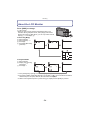
About the LCD Monitor............................54
Taking Pictures with the Zoom ................55
• Using the Optical Zoom/
Using the Extra Optical Zoom (EZ)/
Using the Intelligent Zoom/Using the
Digital Zoom......................................55
Taking Pictures Using the
Built-in Flash............................................58
• Switching to the appropriate
flash setting.......................................58
Taking Close-up Pictures
([AF Macro]/[Macro Zoom]) .....................61
Taking Pictures with the Self-timer..........62
Compensating the Exposure ...................63
Taking Pictures Using Auto Bracket........64
Take the Outdoors
Scene Expressively .................................65
• [Sports] ..............................................65
• [Snow] ...............................................65
• [Beach & Snorkeling].........................66
• [Underwater]......................................68
Basic
Selecting the [Rec] Mode ........................29
Taking Pictures with
Your Favourite Settings
(Normal Picture Mode) ............................30
• Tips for taking good pictures .............31
• Preventing jitter (camera shake) .......31
Focusing..................................................32
Playing Back Pictures
([Normal Play]) ........................................34
Recording Motion Pictures ......................36
Playing Back Motion Pictures..................38
Taking Pictures Using
the Automatic Function
(Intelligent Auto Mode) ............................39
• Changing the settings ......................40
• Scene Detection................................41
Deleting Pictures .....................................42
• To delete a single picture ..................42
• To delete multiple pictures
(up to 50) or all the pictures ..............43
Setting the Menu .....................................44
• Setting menu items ...........................44
• Using the Quick Menu.......................45
About the Setup Menu ............................46
-2-
Taking Pictures that Match the
Scene Being Recorded
(Scene Mode)..........................................69
• [Portrait] ............................................69
• [Soft Skin]..........................................70
• [Transform]........................................70
• [Self Portrait] .....................................70
• [Scenery] ...........................................70
• [Panorama Assist] .............................71
• [Night Portrait] ...................................71
• [Night Scenery] .................................72
• [Handheld Night Shot] .......................72
• [Food] ................................................72
• [Party]................................................72
• [Candle Light] ....................................72
• [Baby1]/[Baby2].................................73
• [Pet]...................................................73
• [Sunset] .............................................73
• [High Sens.] ......................................74
• [Hi-Speed Burst]................................74
• [Flash Burst] ......................................75
• [Starry Sky] .......................................75
• [Fireworks] ........................................75
• [Aerial Photo] ....................................75
• [Pin Hole] ..........................................76
• [Film Grain] .......................................76
• [High Dynamic]..................................76
• [Photo Frame] ...................................76
Taking 3D pictures
(3D Photo Mode).....................................77
Taking a Picture with
Face Recognition Function .....................78
• Face Settings ....................................79
Recording using the GPS function ..........83
• Acquiring of the GPS information......84
• Update the GPS information .............86
• Change the recorded place name
information ........................................87
• Switch between displaying and
hiding the location
name information ..............................88
• Register additional landmarks...........88
• Automatically correct the clock
using GPS function ...........................89
Measure bearing, altitude and
atmospheric pressure..............................90
• Compass ...........................................90
• Altimeter ............................................92
• Barometer .........................................93
Useful Functions at
Travel Destinations..................................94
• Recording which Day of the
Vacation and the Location of the
Vacation ([Travel Date]) ....................94
• Recording Dates/
Times at Overseas
Travel Destinations
([World Time]) ...................................96
Using the [Rec] Mode Menu....................97
• [Aspect Ratio] ....................................97
• [Picture Size] .....................................97
• [Quality] .............................................99
• [Sensitivity] ......................................100
• [White Balance] ...............................101
• [AF Mode]........................................103
• [Quick AF] .......................................105
• [Face Recog.] ..................................105
• [i.Exposure] .....................................105
• [Min. Shtr Speed] ............................106
• [i.Resolution] ...................................106
• [Digital Zoom] ..................................107
• [Burst] ..............................................107
• [Color Mode]....................................108
• [AF Assist Lamp] .............................108
• [Red-Eye Removal] .........................109
• [Stabilizer] .......................................109
• [Date Stamp] ...................................110
• [Clock Set] .......................................110
Using the [Motion Picture]
Mode menu ...........................................111
• [Rec Mode] ......................................111
• [Rec Quality]....................................112
• [Active Mode] ..................................113
• [Continuous AF] ..............................113
• [Wind Cut] .......................................114
• [LED Light] ......................................114
Entering Text .........................................115
-3-
Playback/Editing
Creating Still Pictures
from a Motion Picture ............................116
Various methods to playback ................117
• [Slide Show] ....................................118
• [Filtering Play] .................................120
• [Calendar] .......................................122
Using the [Playback] Mode menu .........123
• [Upload Set] ....................................123
• [Title Edit] ........................................125
• [Place-Name Edit] ...........................126
• [Text Stamp]....................................127
• [Video Divide] ..................................130
• [Resize] ...........................................131
• [Cropping] .......................................132
• [Favorite] .........................................133
• [Print Set] ........................................134
• [Protect]...........................................136
• [Face Rec Edit] ...............................137
• [Copy]..............................................138
Others
Screen Display ......................................157
Cautions for Use....................................160
Message Display ...................................171
Troubleshooting.....................................174
Connecting to other equipment
Playing Back Pictures
on a TV Screen .....................................139
• Playing back pictures using the
AV cable (supplied).........................139
• Playing back pictures on a TV with
an SD Memory Card slot ................140
• Playing back on the TV with
HDMI socket ...................................140
Playing back 3D pictures.......................144
• Playing back 3D pictures ................144
• Saving 3D pictures ..........................145
Saving the Recorded Still Pictures and
Motion Pictures .....................................146
• Copy by inserting the SD card
into the recorder..............................146
• Copy the playback image using
an AV cable ....................................147
• Copying to a PC using
“PHOTOfunSTUDIO” ......................148
Connecting to a PC ...............................149
• Uploading the images to
sharing sites....................................152
Printing the Pictures ..............................153
• Selecting a single picture and
printing it .........................................154
• Selecting multiple pictures and
printing them ...................................154
• Print Settings...................................155
-4-
Before Use
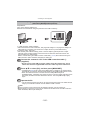
Please be sure to read “(Important) About the Waterproof/Dustproof and Anti-shock
Performance of the Camera” (P8) before using this unit underwater to prevent the unit
from being mishandled, which may cause water to seep in.
Before Use
Care of the camera
∫ Handling of the camera (to prevent water leakage and malfunction)
• Foreign objects may adhere to the inner side of the side door
(around the rubber seal or connecting terminals) when the side door
is opened or closed in places with sand or dust etc. This may result
in the impairment of the waterproof performance if the side door is
closed with foreign objects adhered. Be extremely careful since it
may result in malfunction etc.
• If any foreign object is adhered to the inner side of the side door,
remove with the supplied brush.
• If any liquid such as water droplets is adhered to the camera or inner
side of the side door, wipe off with a soft dry cloth. Do not open or
close the side door near the water, when underwater, using wet
hands, or when the camera is wet. It may cause water leakage.
Do not apply strong shock or vibration by dropping or knocking
the camera. Also, do not apply strong pressure to the camera.
e.g.:
– Sit down with the camera in your trousers pocket or forcefully insert it
into a full or tight bag, etc.
– Attach any items such as accessories to the strap attached to the
camera.
– When strong pressure is applied using the camera at a depth exceeding
12 m (40 feet).
• Waterproof performance may be impaired.
• Lens or LCD monitor may be damaged.
• It may cause malfunction in the performance or the function.
-5-
Before Use
∫ When inner side of the lens is fogged (condensation)
It is not a malfunction or failure of the camera. It may be
caused by the environment in which the camera is used.
What to do when inner side of the lens is fogged
• Turn off the power and open the side door in a place with constant
ambient temperature, away from high temperatures, humidity,
sand and dust. The fog will disappear naturally in 10 minutes to
2 hours with the side door open when the temperature of the
camera gets close to the ambient temperature.
• Contact Panasonic’s Service Centre if the fogging does not
disappear.
Conditions in which inner side of the lens may be fogged
Condensation may occur and the inner side of the lens may be fogged when the camera is
used in areas that undergo a significant change in temperature or in high humidity, such as
the following:
• When the camera is used underwater suddenly after being on a hot beach etc.
• When the camera is moved to a warm area from a cold area, such as at a ski resort or at
high altitude
• When the side door is opened in a high-humidity environment
-6-
Before Use
About the GPS
About the location name information of this unit
Please read the “User License Agreement for Location Name data” on P167 before using.
When [GPS Setting] is set to [ON], GPS function will operate even when the power
is turned off.
• Electromagnetic waves etc. from this unit may affect other electronic devices, so set
[GPS Setting] to [OFF] or [
] and turn the power of the unit off during plane takeoff or
landing, or in an area where use is prohibited. (P84)
• Battery power is consumed even if the power is turned off when [GPS Setting] is set to [ON].
About the information of recording location
• Location names of the recording locations or landmarks (such as name of the building etc.) are
as of December 2010. Information will not be updated.
• Depending on the country or the region, there may be less information for location names and
landmark names.
About the positioning
• It will take longer for positioning in an environment where it is harder to receive the radio waves
from the GPS satellites. (P83)
• Even if the receiving condition of the radio waves is excellent, it may take 2 to 3 minutes
to complete the positioning when performing positioning for the first time or when you
perform positioning after turning on the power again after turning the unit off with the
[GPS Setting] set to [
] or [OFF].
• The positions of the GPS satellites are changing constantly, so positioning may not be
performed or the information may have errors depending on the recording location or
conditions.
When used during overseas travel etc.
• The GPS may not operate in China or close to the Chinese border in neighbouring countries.
(As of December 2010)
• The usage of GPS, etc., may be restricted depending on the country or the region. This camera
has a GPS function, so check with the embassies or travel agencies etc. prior to your overseas
travel regarding any restrictions on cameras with a built-in GPS function.
About the compass, altimeter, depth meter, and barometer
• Information measured on this unit is only a rough indication. Do not use it for technical
purposes.
• When using this unit for full-scale mountain climbing, trekking, or underwater, use the
measured information (bearing, altitude, depth, atmospheric pressure) only as a rough
indication, and always carry a map and purpose-built measurement tools.
-7-
Before Use
(Important) About the Waterproof/Dustproof and
Anti-shock Performance of the Camera
Waterproof/Dustproof Performance
This camera’s waterproof/dustproof rating complies with the “IPX8” and “IP6X”
ratings. Provided the care and maintenance guidelines described in this
document are strictly followed, this camera can operate underwater, to a depth
not exceeding 12 m (40 feet) for a time not exceeding 60 minutes. (¢1)
Anti-shock Performance
This camera also complies with “MIL-STD 810F Method 516.5-Shock”. The
camera has cleared a drop test from a height of 2 m (6.6 feet) onto 3 cm (0.10 feet)
thick plywood. In most cases this camera should not sustain any damage if
dropped from a height not exceeding 2 m (6.6 feet). (¢2)
This does not guarantee no destruction, no malfunction, or waterproofing in all
conditions.
¢1 This means that the camera can be used underwater for specified time in specified pressure
in accordance with the handling method established by Panasonic.
¢2 “MIL-STD 810F Method 516.5-Shock” is the test method standard of the U.S. Defense
Department, which specifies performing drop tests from a height of 122 cm (4.0 feet), at
26 orientations (8 corners, 12 ridges, 6 faces) using 5 sets of devices, and passing the
26 orientation drops within 5 devices. (If failure occurs during the test, a new set is used to
pass the drop orientation test within a total of 5 devices)
Panasonic’s test method is based on the above “MIL-STD 810F Method 516.5-Shock”.
However, the drop height was changed from 122 cm (4.0 feet) to 200 cm (6.6 feet) dropping
onto 3 cm (0.10 feet) thick plyboard. This drop test was passed.
(Disregarding appearance change such as loss of paint or distortion of the part where drop
impact is applied.)
∫ Handling of the camera
• Waterproofing is not guaranteed if the unit is subject to an impact as a result of being hit or
dropped etc. If an impact to the camera occurs, it should be inspected (subject to a fee) by a
Panasonic’s Service Centre to verify that the waterproofing is still effective.
• When the camera is splashed with detergent, soap, hot spring, bath additive, sun oil, sun
screen, chemical, etc., wipe it off immediately.
• Waterproof function of the camera is for sea water and fresh water only.
• Any malfunction caused by customer misuse, or mishandling will not be covered by the
warranty.
• The inside of this unit is not waterproof. Water leakage will cause malfunction.
• Supplied accessories are not waterproof (excluding strap).
• Card and battery are not waterproof. Do not handle with a wet hand. Also, do not insert wet
card or battery into the camera.
• Do not leave the camera for a long period of time in places where temperature is very low (at
ski resorts or at high altitude etc.) or very high [above 40 oC (104 °F)], inside a car under strong
sunlight, close to a heater, on the beach, etc. Waterproof performance may be degraded.
-8-
Before Use
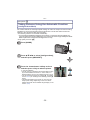
∫ About the [Precautions] demonstration display
• [Precautions] is displayed when the power is turned on for the first time after purchase, with the
side door completely closed.
• Please check beforehand to maintain the waterproof performance.
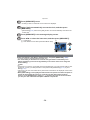
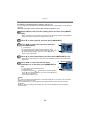
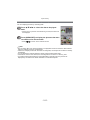
1
2
Press 2 to select [Yes], and press [MENU/SET].
• It will automatically skip to the clock setting screen if [No] is selected before it starts.
Press 2/1 to select the picture.
2: Return to the previous screen
1: View the next screen
• It can be forcefully ended by pressing [MENU/SET].
• When it is forcefully ended while checking by turning the unit off or pressing [MENU/SET],
3
[Precautions] is displayed every time the power is turned on.
After the final screen (12/12), press [MENU/SET] to finish.
• When [MENU/SET] is pressed after the final screen (12/12), [Precautions] is not displayed
from the next time the power is turned on.
• This can also be viewed from [Precautions] (P46) in the [Setup] menu.
-9-
Before Use
Check before using underwater
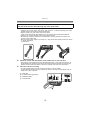
Do not open or close the side door in places with sand and dust, close to water, or
with wet hands. Sand or dust adhering may cause water leaks.
1
Check that there are no foreign objects on the inner side of the side door.
• If there is any foreign object, such as lint, hair, sand, etc., on the surrounding area, water
will leak within a few seconds causing malfunction.
• Wipe it off with a dry soft cloth if there is any liquid.
It may cause water leaks and malfunction if you use the camera with liquid adhered.
• If there is any foreign material, remove with supplied brush.
• Be extremely careful to remove the small sand etc. that may adhere to the sides and
corners of the rubber seal.
• Remove large foreign objects, wet sand, etc., using the shorter (harder) side of the brush.
A Brush (supplied)
B Side door
2
Check for cracks and deformation of the rubber seal on the side door.
• The integrity of the rubber seals may decrease after about 1 year, with use and age. To
avoid permanently damaging the camera the seals should be replaced once each year.
Please contact Panasonic’s Service Centre for related costs and other information.
3
Close the side door securely.
• Lock the [LOCK] switch securely until the red part is no longer visible.
• To prevent water seeping into the camera, be careful not to trap foreign objects such as
liquids, sand, hair or dust etc.
ロヰヤレ
Red part
[LOCK] switch (grey part)
Released state
Locked state
ロヰヤレ
- 10 -
ロヰヤレ
C:
D:
E:
F:
Before Use
Using the camera underwater
• Use the camera underwater at a depth of up to 12 m (40 feet) with the water temperature
between 0 oC and 40 oC (32 oF to 104 °F).
• Do not use for scuba diving (Aqualung).
• Do not use the camera at a depth of over 12 m (40 feet).
• Do not use it in the hot water over 40 oC (104 °F) (in the bath or hot spring).
• Do not use the camera underwater not longer than 60 minutes continuously.
• Do not open or close the side door.
• Do not apply shock to the camera underwater. (Waterproof performance may not be
maintained, and there is a chance of water leak.)
• Do not dive into the water holding the camera. Do not use the camera in a location where the
water will splash strongly, such as rapid flow or waterfall. (Strong water pressure may be
applied, and it may cause malfunction.)
• The camera will sink in the water. Take care not to drop the camera and lose it underwater by
securely placing the strap around your wrist or similar measure.
Caring of the camera after using it underwater
Do not open or close the side door until the sand and dust is removed by rinsing
the camera with water.
Make sure to clean the camera after using it.
• Thoroughly wipe off any water droplets, sand, and saline matter on your hands, body, hair,
etc.
• It is recommended to clean the camera indoors, avoiding places where water spray or sand
may fall.
Do not leave the camera uncared for more than 60 minutes after using it
underwater.
• Leaving the camera with foreign objects or saline matter on it may cause damage,
discolouration, corrosion, unusual odour, or deterioration of the waterproof performance.
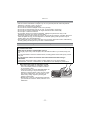
1
Rinse with water with the side door closed.
• After use at the seaside or underwater, soak the
unit in fresh water pooled in a shallow container
for 10 minutes or less.
• If the zoom button or camera [OFF/ON] button do
not move smoothly, it may be caused by an
adhesion of foreign objects. Using in such a state
may cause malfunctions, such as locking up, so
wash off any foreign objects by shaking the
camera in fresh water.
• Bubbles may come out of the drainage hole when
you immerse the camera in water, but this is not a
malfunction.
- 11 -
Before Use
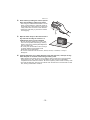
2
Drain water by holding the camera upside
down and shaking it lightly a few times.
• After using the camera at the seaside or under
water, or after washing it, water will remain at
the speaker site of the camera for a while and
it may cause lower sound or sound distortion.
• Fasten the strap firmly to prevent the camera
from dropping.
3
Wipe off water drops on the camera with a
dry soft cloth and dry the camera in a
shaded area which is well ventilated.
• Dry the camera by standing it on a dry cloth.
This unit incorporates drain design, draining
water in gaps in the camera [OFF/ON] button
and zoom button etc.
• Do not dry the camera with hot air from dryer
or similar. Waterproof performance will
deteriorate due to deformation.
• Do not use chemicals such as benzine, thinner, alcohol, or cleanser, or soap or
detergents.
4
Confirm that there are no water droplets, open the side door, and wipe off any
water droplets or sand left inside using a soft dry cloth.
• Water droplets may adhere to the card or battery when the side door is opened without
thoroughly drying. Also, water may accumulate in the gap around the card/battery
compartment or the terminal connector. Be sure to wipe any water off with a soft dry cloth.
• The water droplets may seep into the camera when the side door is closed while it is still
wet, causing condensation or failure.
- 12 -
Before Use
Standard Accessories
Check that all the accessories are supplied before using the camera.
• Supplied accessories are not waterproof (excluding strap).
• Keep the Brush out of reach of children to prevent swallowing.
• The accessories and their shape will differ depending on the country or area where the camera
was purchased.
For details on the accessories, refer to Basic Operating Instructions.
• Battery Pack is indicated as battery pack or battery in the text.
• Battery Charger is indicated as battery charger or charger in the text.
• SD Memory Card, SDHC Memory Card and SDXC Memory Card are indicated as card in the
text.
• The card is optional.
You can record or play back pictures on the built-in memory when you are not using a
card.
• Consult the dealer or your nearest Service Centre if you lose the supplied accessories. (You
can purchase the accessories separately.)
- 13 -
Before Use
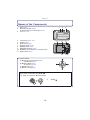
Names of the Components
1
2
3
Flash (P58)
Self-timer indicator (P62)/
AF Assist Lamp (P108)/LED light (P114)
Lens (P6, 178)
4
5
6
7
8
9
10
11
LCD monitor (P54, 157)
Speaker (P47)
Zoom button (P55)
Playback button (P34)
[MODE] button (P29)
[MENU/SET] button (P44)
[Q.MENU] (P45)/Delete (P42)/Cancel button
[DISP.] button (P54)
1
4
2
5
3
6
7
8
9
12 1110
12 Cursor buttons
A: 3/Exposure compensation (P63)
Auto Bracket (P64)
B: 4/Macro Mode (P61)
AF Tracking (P104)
C: 2/Self-timer (P62)
D: 1/Flash setting (P58)
MENU
/SET
In these operating instructions, the cursor buttons are described as shown in the
figure below or described with 3/4/2/1.
e.g.: When you press the 4 (down) button
MENU
/SET
or
- 14 -
Press 4
Before Use
13
14
15
16
17
18
Motion picture button (P36)
Shutter button (P30, 39)
Camera [OFF/ON] button (P27)
GPS antenna (P83)
Microphone
GPS status indicator
13 1415 16
17
18
19 Tripod receptacle
19
20 [HDMI] socket (P140, 142)
21 [AV OUT/DIGITAL] socket (P139, 147, 150, 153)
20
ロヰヤレ
22 Strap eyelet (P16)
• Be sure to attach the strap when using the camera
to ensure that you will not drop it.
23 Release lever (P21)
24 [LOCK] switch (P10, 21)
25 Side door (P10, 21)
• When using an AC adaptor, ensure that
the Panasonic DC coupler (optional) and
AC adaptor (optional) are used. For
connection details, refer to P23.
- 15 -
22
23
24
モヷチヰヶヵチバチュリヨリヵモロ
21
ロヰヤレ
25
Before Use
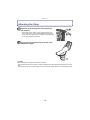
Attaching the Strap
Run the strap through the strap eyelet on
the camera.
• If the strap cord is loose, it may snag when the side
door is opened or closed. Since damage or leaks may
result, be sure to attach the cord firmly, checking that it
is not snagged in the side door.
Insert your hand following the arrow, then
adjust the length.
Note
• Attach the strap correctly following the procedure.
• The camera will sink in the water, so use it underwater securely fastening the strap around your
wrist.
• Do not swing around or pull forcefully on the unit with the strap attached. The strap may break.
- 16 -
Preparation
Preparation
Charging the Battery
∫ About batteries that you can use with this unit
It has been found that counterfeit battery packs which look very similar to the
genuine product are made available to purchase in some markets. Some of these
battery packs are not adequately protected with internal protection to meet the
requirements of appropriate safety standards. There is a possibility that these
battery packs may lead to fire or explosion. Please be advised that we are not
liable for any accident or failure occurring as a result of use of a counterfeit
battery pack. To ensure that safe products are used we would recommend that a
genuine Panasonic battery pack is used.
• Use the dedicated charger and battery.
Charging
• The battery is not charged when the camera is shipped. Charge the battery before use.
• Charge the battery with the charger indoors.
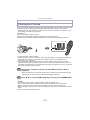
Attach the battery paying
attention to the direction of the
battery.
plug-in type
Connect the charger to the
electrical outlet.
• Disconnect the charger from the
electrical socket and detach the battery
after charging is completed.
90
inlet type
- 17 -
Preparation
∫ About the [CHARGE] indicator
The [CHARGE] indicator turns on:
The [CHARGE] indicator A is turned on during charging.
The [CHARGE] indicator turns off:
The [CHARGE] indicator A will turn off once the charging has completed without any
problem.
• When the [CHARGE] indicator flashes
– The battery temperature is too high or too low. It is recommended to charge the battery again
in an ambient temperature of between 10 oC to 30 oC (50 °F to 86 °F).
– The terminals of the charger or the battery are dirty. In this case, wipe off the dirt with a dry
cloth.
∫ Charging time
Charging time
Approx. 130 min
• The indicated charging time is for when the battery has been discharged completely.
The charging time may vary depending on how the battery has been used. The charging
time for the battery in hot/cold environments or a battery that has not been used for long
time may be longer than normal.
Note
• Do not leave any metal items (such as clips) near the contact areas of the power plug.
Otherwise, a fire and/or electric shocks may be caused by short-circuiting or the
resulting heat generated.
• The battery becomes warm after using it and during and after charging. The camera also
becomes warm during use. This is not a malfunction.
• The battery can be recharged even when it still has some charge left, but it is not
recommended that the battery charge be frequently topped up while the battery is fully
charged. (Since characteristic swelling may occur.)
- 18 -
Preparation
Approximate operating time and number of recordable pictures
∫ Battery indication
The battery indication is displayed on the LCD monitor.
• The indication turns red and blinks if the remaining battery power is exhausted. Recharge the
battery or replace it with a fully charged battery.
∫ Recording still pictures
Number of recordable
pictures
Approx. 310 pictures
Recording time
Approx. 155 min
By CIPA standard in Normal Picture
Mode
Recording conditions by CIPA standard
• CIPA is an abbreviation of [Camera & Imaging Products Association].
• Temperature: 23 oC (73.4 °F)/Humidity: 50%RH when LCD monitor is on.
• Using a Panasonic SD Memory Card (32 MB).
• Using the supplied battery.
• Starting recording 30 seconds after the camera is turned on. (When the Optical Image
Stabilizer function is set to [ON].)
• Recording once every 30 seconds with full flash every second recording.
• Changing the zoom magnification from Tele to Wide or vice versa in every recording.
• Turning the camera off every 10 recordings and leaving it until the temperature of the battery
decreases.
• Not using the GPS function.
The number of recordable pictures varies depending on the recording interval time.
If the recording interval time becomes longer, the number of recordable pictures
decreases. [For example, if you were to take one picture every two minutes, then the
number of pictures would be reduced to approximately one-quarter of the number
of pictures given above (based upon one picture taken every 30 seconds).]
- 19 -
Preparation
∫ Playback
Playback time
Approx. 300 min
Note
• The operating times and number of recordable pictures will differ according to the
environment and the operating conditions.
For example, in the following cases, the operating times shorten and the number of recordable
pictures is reduced.
– Cold climates or at low temperatures¢
¢ Residual image may show on the LCD display when in use. The battery performance
will decrease, so keep the camera and spare batteries warm by placing them in a
warm place such as inside your cold protection gear or clothing. Performance of
batteries and LCD monitor will restore to normal when the temperature returns to
normal.
– When using [LCD Mode].
– When operations such as flash and zoom are used repeatedly.
– When the GPS function is operating.
• When the operating time of the camera becomes extremely short even after properly charging
the battery, the life of the battery may have expired. Buy a new battery.
- 20 -
Preparation
Inserting and Removing the Card (optional)/the
Battery
• Check that this unit is turned off.
• Confirm that there is no foreign object. (P10)
• We recommend using a Panasonic card.
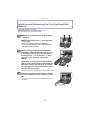
1:Slide the [LOCK] switch B, and release
the lock.
ロヰヤレ
2:Slide the release lever A and open the
side door.
• Always use genuine Panasonic batteries.
• If you use other batteries, we cannot guarantee
the quality of this product.
Battery: Being careful about the battery
orientation, insert all the way until you hear
a locking sound and then check that it is
locked by lever C. Pull the lever C in the
direction of the arrow to remove the
battery.
モヷチヰヶヵチバチュリヨリヵモロ
Card: Push it securely all the way until you
hear a “click” while being careful about the
direction in which you insert it. To remove
the card, push the card until it clicks, then
pull the card out upright.
D: Do not touch the connection terminals of the card.
• Confirm that the red part on the release lever is not
showing.
- 21 -
ロヰヤレ
Close the side door until it clicks, and then
lock the [LOCK] switch by sliding it toward
[1].
Preparation
Note
• Remove the battery after use.
• The battery will be exhausted if left for a long period of time after being charged.
• Turn the camera off and wait for the “LUMIX” display on the LCD monitor to clear before
removing the card or battery. (Otherwise, this unit may no longer operate normally and the card
itself may be damaged or the recorded pictures may be lost.)
∫ About the water leakage warning message
To maintain the waterproof performance of this unit, a message prompting to check for any
foreign material inside the side door or to perform maintenance is displayed along with a
warning sound when the following are performed. (P173)
• When the power is turned on after opening the side door and replacing the card.
• When the power is turned on after opening the side door and replacing the battery.
Note
• After opening the side door, close it securely taking care not to get any foreign objects caught.
• If there is any foreign object, remove it with attached brush.
• Warning message display can be forcefully turned off by pressing any button.
- 22 -
Preparation
Using an AC adaptor (optional) and a DC coupler (optional) instead of the battery
ロヰヤレ
モヷチヰヶヵチバチュリヨリヵモロ
The AC Adaptor (optional) can only be used with the
designated Panasonic DC coupler (optional). The AC
adaptor (optional) cannot be used by itself.
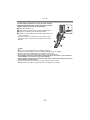
1 Open the side door A.
2 Insert the DC coupler, being careful of the direction.
3 Plug the AC adaptor into an electrical outlet.
4 Connect the AC adaptor B to the [DC IN] socket C of
the DC coupler.
• Ensure that only the AC adaptor and DC coupler for this
camera are used. Using any other equipment may cause
damage.
Note
• Always use a genuine Panasonic AC adaptor (optional).
• When using an AC adaptor, use the AC cable supplied with the AC adaptor.
• Side door cannot be closed while the AC adaptor is connected.
• Some tripods cannot be attached when the DC coupler is connected.
• Do not apply any force to the side door with the weight of the cable or your hand when
the AC adaptor is connected. It may cause damage.
• The DC coupler may get disconnected from this unit if a cable is pulled when connecting
the AC adaptor, so take caution.
• Also read the operating instructions for the AC adaptor and DC coupler.
• Waterproof function does not operate when the AC adaptor is connected.
- 23 -
Preparation
About the Built-in Memory/the Card
The following operations can be performed using this unit.
• When a card has not been inserted: Pictures can be recorded in
the built-in memory and played back.
• When a card has been inserted: Pictures can be recorded on the
card and played back.
• When using the built-in memory
k>ð (access indication¢)
• When using the card
† (access indication¢)
¢ The access indication lights red when pictures are being recorded on the built-in memory (or
the card).
Built-in Memory
• You can copy the recorded pictures to a card. (P138)
• Memory size: Approx. 19 MB
• The access time for the built-in memory may be longer than the access time for a card.
Card
The following cards which conform to the SD video standard can be used with this unit.
(These cards are indicated as card in the text.)
Type of card which can be
used with this unit
SD Memory Card (8 MB to
2 GB)
SDHC Memory Card (4 GB
to 32 GB)
SDXC Memory Card
(48 GB, 64 GB)
Remarks
• Use a card with SD Speed Class¢ with “Class 4” or
higher when recording motion pictures in [AVCHD].
Also, use a card with SD Speed Class with “Class 6” or
higher when recording motion pictures in
[Motion JPEG].
• SDHC Memory Card can be used with SDHC Memory Card
or SDXC Memory Card compatible equipment.
• SDXC Memory Card can only be used with SDXC Memory
Card compatible equipment.
• Check that the PC and other equipment are compatible when
using the SDXC Memory Cards.
http://panasonic.net/avc/sdcard/information/SDXC.html
• Only the cards with capacity listed left can be used.
¢ SD Speed Class is the speed standard regarding continuous writing. Check via the label on
the card, etc.
e.g.:
• Please confirm the latest information on the following website.
http://panasonic.jp/support/global/cs/dsc/
(This Site is English only.)
- 24 -
Preparation
Note
• Do not turn this unit off, remove its battery or card, or disconnect the AC adaptor
(optional) when the access indication is lit (when pictures are being written, read or
deleted, or the built-in memory or the card is being formatted). Furthermore, do not
subject the camera to vibration, impact or static electricity.
The card or the data on the card may be damaged, and this unit may no longer operate
normally.
If operation fails due to vibration, impact or static electricity, perform the operation
again.
• Write-Protect switch A provided (When this switch is set to the [LOCK] position,
no further data writing, deletion or formatting is possible. The ability to write, delete
and format data is restored when the switch is returned to its original position.)
• The data on the built-in memory or the card may be damaged or lost due to
electromagnetic waves, static electricity or breakdown of the camera or the card.
2
We recommend storing important data on a PC etc.
• Do not format the card on your PC or other equipment. Format it on the camera
only to ensure proper operation. (P53)
• Keep the Memory Card out of reach of children to prevent swallowing.
- 25 -
Preparation
Approximate number of recordable pictures and available recording time
∫ About the display of the number of recordable pictures and available recording
time
• You can confirm the number of recordable pictures and available recording time by pressing
[DISP.] several times. (P54)
A Number of recordable pictures
B Available recording time
B
A
∫ Number of recordable pictures
• [i99999] is displayed if there are more than 100,000 pictures remaining.
Aspect ratio [X], Quality [A]
Picture size
Built-in Memory
(Approx. 19 MB)
2 GB
4 GB
16 GB
12M
5M(EZ)
3
5
380
650
760
1300
3120
5300
0.3M(EZ)
100
10050
19940
81340
∫ Available recording time (when recording motion pictures)
[AVCHD]
Recording
quality setting
Built-in Memory
(Approx. 19 MB)
2 GB
4 GB
16 GB
GFS
j
15 min 00 s
30 min 00 s
2 h 00 min
FSH
GS
j
j
15 min 00 s
15 min 00 s
30 min 00 s
30 min 00 s
2 h 00 min
2 h 00 min
SH
j
15 min 00 s
30 min 00 s
2 h 00 min
Recording
quality setting
Built-in Memory
(Approx. 19 MB)
2 GB
4 GB
16 GB
HD
VGA
j
j
8 min 10 s
21 min 40 s
16 min 20 s
43 min 10 s
1 h 7 min
2 h 56 min
QVGA
35 s
1 h 2 min
2 h 4 min
8 h 28 min
[Motion JPEG]
• The number of recordable pictures and the available recording time are an approximation.
(These vary depending on the recording conditions and the type of card.)
• The number of recordable pictures and the available recording time varies depending on the
subjects.
• Number of recordable pictures/available recording time for the card may decrease when
[Upload Set] is performed.
• Motion pictures can be recorded continuously for up to 29 minutes 59 seconds. Also, motion
picture recorded continuously in [Motion JPEG] is up to 2 GB. (Example: [8m10s] with [HD])
Remaining time for continuous recording is displayed on the screen.
- 26 -
Preparation
Setting Date/Time (Clock Set)
• The clock is not set when the camera is shipped.
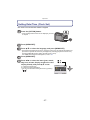
Press the [OFF/ON] button.
• If the language select screen is not displayed, proceed
to step 4.
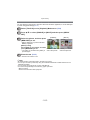
Press [MENU/SET].
Press 3/4 to select the language, and press [MENU/SET].
• [Precautions] is displayed. Be sure to check this so that you can maintain the waterproof
performance. [Please set the clock] is displayed by selecting [No] before it starts or by
pressing [MENU/SET] after viewing the last screen (12/12).
For details about the [Precautions] demo, refer to P9.
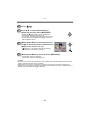
Press [MENU/SET].
Press 2/1 to select the items (year, month,
day, hour, minute, display sequence or time
display format), and press 3/4 to set.
A Time at the home area
B Time at the travel destination
• You can cancel without setting the clock by pressing
[
].
- 27 -
Preparation
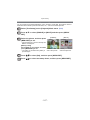
Press [MENU/SET] to set.
• A setting screen for automatic clock correction is displayed.
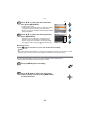
Select [Yes] to automatically correct the clock, and then press
[MENU/SET].
• [GPS Setting] (P84) will be set to [ON], and the clock is automatically corrected to the
current time.
Press [MENU/SET] in the message display screen.
Press 2/1 to select the home area, and then press [MENU/SET].
C Current time
D Time difference from GMT (Greenwich Mean Time)
C
D
Changing the clock setting
Select [Clock Set] in the [Rec] or [Setup] menu, and press [MENU/SET]. (P44)
• It can be changed in steps 5 and 6 to set the clock.
• The clock setting is maintained for 3 months using the built-in clock battery even
without the battery. (Leave the charged battery in the unit for 24 hours to charge the
built-in battery.)
Note
• If the clock is not set, the correct date cannot be printed when you order a photo studio to print
the picture, or when you stamp the date on the pictures with [Date Stamp] (P110) or [Text
Stamp] (P127).
• If the clock is set, the correct date can be printed even if the date is not displayed on the screen
of the camera.
• When [GPS Setting] is set to [ON], the GPS function will operate even when the power is
turned off. Electromagnetic waves etc. from this unit may affect other electronic
devices, so set [GPS Setting] to [OFF] or [
] and turn the power of the unit off when
you carry this unit onboard an aeroplane or inside a hospital etc.
- 28 -
Basic
Basic
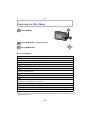
Selecting the [Rec] Mode
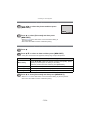
Press [MODE].
Press 3/4/2/1 to select the mode.
Press [MENU/SET].
∫ List of [Rec] Modes
!
Normal Picture Mode (P30)
The subjects are recorded using your own settings.
¦
Intelligent Auto Mode (P39)
The subjects are recorded using settings automatically selected by the camera.
Sports Mode (P65)
Use this mode to take pictures of sporting events, etc.
Snow Mode (P65)
This allows you to take pictures that show the snow as white as possible at a ski resort or
a snow-covered mountain.
Beach & Snorkeling Mode (P66)
This mode is optimal for taking pictures underwater and at the beach.
Underwater Mode (P68)
This is optimal for taking pictures underwater deeper than 12 m (40 feet) by the use of
the marine case (DMW-MCFT3; optional)
Û
Scene Mode (P69)
This allows you to take pictures that match the scene being recorded.
3D Photo Mode (P77)
Takes a 3D picture.
Note
• When the mode has been switched from [Playback] Mode to [Rec] Mode, the previously set
[Rec] Mode will be set.
- 29 -
Basic
[Rec] Mode: ·
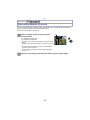
Taking Pictures with Your Favourite Settings
(Normal Picture Mode)
The camera automatically sets the shutter speed and the aperture value according to the
brightness of the subject.
You can take pictures with greater freedom by changing various settings in [Rec] menu.
Press [MODE].
Press 3/4/2/1 to select [Normal Picture],
and then press [MENU/SET].
Aim the AF area at the point you want to focus on.
Press the shutter button halfway to focus.
A ISO sensitivity
B Aperture value
C Shutter speed
• The focus indication D (green) lights when the subject
is focused.
• Aperture value and shutter speed is displayed in red
when correct exposure is not achieved. (Exclude when
using a flash)
Press the halfway pressed shutter button
fully to take a picture.
- 30 -
D
AB C
Basic
Tips for taking good pictures
• Be sure to attach the strap when using the camera to ensure
that you will not drop it.
• Hold the camera gently with both hands, keep your arms still at
your side and stand with your feet slightly apart.
• Be careful not to move the camera when you press the shutter
button.
• Do not block the flash and AF Assist Lamp/LED light with your
fingers.
• Be careful not to block the microphone with your fingers when
recording motion pictures.
• Do not touch the front of the lens. (P162)
A
B
C
D
Strap
Flash
AF Assist Lamp/LED light
Microphone
∫ Direction Detection Function
Pictures recorded with the camera held vertically are played back vertically (rotated). (Only
when [Rotate Disp.] (P52) is set)
• The Direction Detection function may not operate correctly if recording is performed with the
camera aimed up or down.
• Motion pictures taken with the camera held vertically are not displayed vertically.
Preventing jitter (camera shake)
When the jitter alert [
] appears, use [Stabilizer] (P109), a tripod or the Self-timer
(P62).
• Shutter speed will be slower particularly in the following cases. Keep the camera still from the
moment the shutter button is pressed until the picture appears on the screen. We recommend
using a tripod.
– Slow Sync./Red-Eye Reduction
– In [Panorama Assist], [Night Portrait], [Night Scenery], [Party], [Candle Light], [Starry Sky],
[Fireworks] or [High Dynamic] in Scene Mode
– When the shutter speed is slowed in [Min. Shtr Speed]
- 31 -
Basic
Focusing
Aim the AF area at the subject, and then press the shutter button halfway.
When the subject is When the subject
focused
is not focused
Focus
Focus indication A
On
Blinks
AF area B
White>Green
White>Red
Sound
Beeps 2 times
Beeps 4 times
B
• AF area is displayed larger during the digital zoom or when it is dark.
∫ About focus range
The focus range is displayed when operating the zoom.
• The focus range is displayed in red when it is not focused after
pressing the shutter button halfway.
The focus range may change gradually depending on the zoom
position.
e.g.: Range of focus during the Intelligent Auto Mode
T
30 cm (0.99feet)
ロヰヤレ
W
A
5 cm (0.17 feet)
- 32 -
Basic
∫ When the subject is not in focus (such as when it is not in the centre of the
composition of the picture you want to take)
1
2
Aim the AF area at the subject, and then press the shutter button halfway to fix the
focus and exposure.
Press and hold the shutter button halfway while moving the camera as you
compose the picture.
• You can repeatedly retry the actions in step 1
before pressing the shutter button fully.
∫ Subjects and recording conditions which are difficult to focus
• Fast-moving subjects, extremely bright subjects or subjects without contrast
• When recording subjects through windows or near shiny objects
• When it is dark or when jitter occurs
• When the camera is too close to the subject or when taking a picture of both distant and near
subjects
- 33 -
Basic
[Playback] Mode: ¸
Playing Back Pictures ([Normal Play])
Press [(].
• Normal Playback is displayed automatically when the
power is turned on by pressing and holding the [(]
button.
Note
• This camera complies with the DCF standard “Design rule for Camera File system” established
by JEITA “Japan Electronics and Information Technology Industries Association” and with Exif
“Exchangeable Image File Format”. Files which do not comply with the DCF standard cannot
be played back.
• Pictures recorded with other cameras may not be able to play back on this unit.
Selecting a picture
A
Press 2 or 1.
2:
Play back the previous picture
1:
Play back the next picture
B
A File number
B Picture number
• Speed of picture forwarding/rewinding changes
depending on the playback status.
• If you press and hold 2/1, you can play back the pictures in succession.
- 34 -
Basic
Displaying Multiple Screens (Multi Playback)
Press [W] of the zoom button.
A
1 screen>12 screens>30 screens>Calendar screen
display
ヸ
A Number of the selected picture and the total number of
recorded pictures
• Press [T] of the zoom button to return to the previous screen.
• Pictures displayed using [ ] cannot be played back.
∫ To return to Normal Playback
Press 3/4/2/1 to select a picture and then press [MENU/SET].
Using the Playback Zoom
Press [T] of the zoom button.
1k>2k>4k>8k>16k
• When you press [W] of the zoom button after enlarging the
picture, the magnification becomes lower.
• When you change the magnification, the zoom position
indication B appears for about 1 second, and the position of
the enlarged section can be moved by pressing 3/4/2/1.
• The more a picture is enlarged, the more its quality
deteriorates.
- 35 -
ヵ
B
Basic
[Rec] Mode: ñ·
¿
Recording Motion Pictures
This can record full high definition motion pictures that are compatible with the AVCHD
format or motion pictures recorded in Motion JPEG.
Audio will be recorded in monaural.
Start recording by pressing the motion
picture button.
A Available recording time
B Elapsed recording time
• You can record motion pictures fitting each Recording
Mode.
• Release the motion picture button right after you press
it.
• The recording state indicator (red) C will flash while
recording motion pictures.
• For the setting of the [Rec Mode] and [Rec Quality],
refer to P111.
A
B C
Stop the recording by pressing the motion picture button again.
- 36 -
Basic
Note
• The available recording time displayed on the screen may not decrease regularly.
• Depending on the type of the card, the card access indication may appear for a while after
recording motion pictures. This is not a malfunction.
• The screen may be blacked out momentarily, or the unit may record noise due to static
electricity or electromagnetic waves etc. depending on the environment of the Motion Picture
Recording.
• When operating the zoom in recording motion pictures, it may take time to come into focus.
• The operational sound of the zoom or button operation may be recorded when it is operated
during the recording of a motion picture.
• Zoom speed may be slower than normal in recording motion pictures.
• If the Extra Optical Zoom was used before pressing the motion picture button, recordable area
will be changed drastically since these settings are cancelled.
• Noise may be recorded underwater.
• Even if the aspect ratio setting is the same in still and motion pictures, the angle of view may
change at the start of the motion picture recording.
When [
Rec Area] (P48) is set to [ON], angle of view during motion picture recording is
displayed.
• It is recommended to use a fully charged battery or AC adaptor (optional) and DC coupler
(optional) when recording motion pictures.
• If while recording motion pictures using the AC adaptor (optional) and the power supply is cut
off due to a power outage or if the AC adaptor (optional) is disconnected etc., the motion picture
being recorded will not be recorded.
• A sound might be muffed or warped when there is water on the microphone or the speaker.
Wipe the residue after letting the water drip out from the microphone and speaker by tipping it
down, and use it only after letting it dry for a while. (P162)
• The motion picture will be recorded in the following categories for certain Scene Modes. A
motion picture recording matching each scene will be performed for the ones not listed below.
Selected Scene Mode
Scene Mode while recording motion picture
[Baby1]/[Baby2]
Portrait Mode
[Night Portrait], [Night Scenery],
[Handheld Night Shot],
[Starry Sky]
Low Light Mode
[Panorama Assist], [Pet],
[Hi-Speed Burst], [Flash Burst],
[Fireworks], [Photo Frame]
Normal Motion Picture
• [Sports] Mode will be in normal motion picture recording.
- 37 -
Basic
[Playback] Mode: ¸
Playing Back Motion Pictures
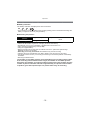
• This unit was designed to play motion pictures using the AVCHD and QuickTime Motion JPEG
formats that were taken with this model (only).
• Motion pictures in AVCHD format that can be played back on this unit are [AVCHD] motion
pictures that were recorded with this unit, AVCHD format (including [AVCHD Lite]) motion
pictures recorded with Panasonic digital cameras (LUMIX) only.
Press 2/1 to select a picture with a motion
picture icon (such as [
]/[
]), and then
press 3 to play back.
A Motion picture icon
B The Motion Picture Recording time
• After playback starts, the elapsed playback time is
displayed on the screen.
For example, 8 minutes and 30 seconds is displayed as
[8m30s].
• Some information (recording information, etc.) is not
displayed for motion pictures recorded in [AVCHD].
A
B
∫ Operations performed during Motion Picture Playback
The cursor displayed during playback is the same as 3/4/2/1.
3
Play/Pause
4
Stop
2
Fast rewind, Frame-by-frame rewind¢
1
Fast forward, Frame-by-frame forward¢
[W] Reduce volume level
ヸ
[T]
ヵ
Increase volume level
¢ These operations can be performed only in the Pause Mode.
• About fast forward/rewind playback
– Press 1 during playback to fast forward (press 2 to rewind). The fast forward/rewind speed
increases if you press 1/2 again. (The display on the screen changes from 5 to
.)
– Press 3 to resume normal playback speed.
– When using a high capacity card, it is possible that fast rewinding may be slower than usual.
Note
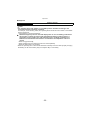
• To play back the motion pictures recorded by this unit on a PC, use the “QuickTime” or the
“PHOTOfunSTUDIO” software on the CD-ROM (supplied).
• Motion pictures recorded with other camera may not be able to playback on this unit.
- 38 -
Basic
[Rec] Mode: ñ
Taking Pictures Using the Automatic Function
(Intelligent Auto Mode)
The camera will set the most appropriate settings to match the subject and the recording
conditions so we recommend this mode for beginners or those who want to leave the
settings to the camera and take pictures easily.
• The following functions are activated automatically.
– Scene Detection/[Stabilizer]/Intelligent ISO sensitivity control/Face Detection/[Quick AF]/
[i.Exposure]/[Red-Eye Removal]/Backlight Compensation/[i.Resolution]/[i.ZOOM]/Auto White
Balance/[AF Assist Lamp]/[Active Mode]/[Continuous AF]
• Image quality is fixed to [A].
Press [MODE].
Press 3/4/2/1 to select [Intelligent Auto],
and then press [MENU/SET].
Press the shutter button halfway to focus
and then press it fully to take the picture.
1
1 Focus indication
• The AF area 2 is displayed around the subject’s face
by the Face Detection function. In other cases, it is
displayed at the point on the subject which is in focus.
• You can set the AF tracking by pressing 3. For details,
refer to P104. (AF tracking is cancelled by pressing 3
again)
• The minimal distance (how close you can be to the
subject) will change depending on the zoom factor.
Please check with the recordable range display on the
screen. (P32)
- 39 -
2
Basic
Changing the settings
Following menus can be set with the Intelligent Auto Mode.
Menu
Item
[Rec]
[Picture Size]¢/[Burst]/[Color Mode]¢/[Motion Deblur]/[Face
Recog.]
[Motion Picture]
[Rec Mode]/[Rec Quality]/[LED Light]
[GPS/Sensor]
[GPS Setting]/[Repositioning]/[GPS Area Select]/[Area Info. Set]/
[My Landmark]/[Altimeter Adjust]/[Calibrate compass]
[Setup]
[Clock Set]/[World Time]/[Beep]¢/[Language]/[Stabilizer Demo.]
• For the setting method of the menu, refer to P44.
¢ Settings may be different from other [Rec] Modes.
• Menus specific to Intelligent Auto Mode
– Colour setting of [Happy] is available in [Color Mode]. It is possible to automatically take a
picture with a higher level of brilliance for the colour brightness and vividness.
] is displayed on the recording screen. The camera
automatically sets an optimal shutter speed according to the motion of the subject to reduce
blur on the subject. (In such a case, the number of pixels may be reduced.)
– When [Motion Deblur] is set to [ON], [
∫ About the flash
• When [
] is selected, [
], [
], [
] or [
] is set depending on the type of subject
and brightness.
• When [
] or [
] is set, Digital Red-Eye Correction is enabled.
• Shutter speed will be slower during [
] or [
].
- 40 -
Basic
Scene Detection
When the camera identifies the optimum scene, the icon of the scene concerned is
displayed in blue for 2 seconds, after which its colour changes to the usual red.
When taking pictures
¦
>
[i-Portrait]
[i-Scenery]
[i-Macro]
[i-Night Portrait]
• Only when [
] is selected
[i-Night Scenery]
[i-Sunset]
[i-Baby]¢
When recording motion pictures
¦
>
[i-Portrait]
[i-Scenery]
[i-Low Light]
[i-Macro]
• [¦] is set if none of the scenes are applicable, and the standard settings are set.
• When [ ], [ ] or [ ] is selected, the camera automatically detects a person’s face, and it
will adjust the focus and exposure. (Face Detection)
• If a tripod is used, for instance, and the camera has judged that camera shake is minimal when
the Scene Mode has been identified as [ ], the shutter speed will be set to a maximum of
8 seconds.Take care not to move the camera while taking pictures.
• When [Face Recog.] is set to [ON], and the face similar to the registered face is detected, [R] is
displayed in the top right of [ ], [ ] and [ ].
¢ When [Face Recog.] is set to [ON], [ ] will be displayed for birthdays of registered faces
already set only when the face of a person 3 years old or younger is detected.
Note
• Due to factors such as size, contrast, motion and proximity a different mode may be identified
for the same subject.
– Subject conditions: When the face is bright or dark, the size of the subject, the colour of the
subject, the distance to the subject, the contrast of the subject, when the subject is moving
– Recording conditions: Sunset, sunrise, under low brightness conditions, underwater, when
the camera is shaken, when zoom is used
• For the best results, it is recommended that you take pictures in the appropriate Recording
Mode.
• Face Detection may become slower or it may not detect underwater.
• The Backlight Compensation
Backlight refers to when light comes from the back of a subject.
In this case, the subject will become dark, so this function compensates the backlight by
brightening the whole of the picture automatically.
- 41 -
Basic
[Playback] Mode: ¸
Deleting Pictures
Once deleted, pictures cannot be recovered.
• Pictures on the built-in memory or the card, that are being played back will be deleted.
To delete a single picture
Select the picture to be deleted, and then
press [
].
• Confirmation screen is displayed.
Picture is deleted by selecting [Yes].
- 42 -
Basic
To delete multiple pictures (up to 50) or all the pictures
Press [
].
Press 3/4 to select [Delete Multi] or
[Delete All] and then press [MENU/SET].
• [Delete All] > Confirmation screen is displayed.
Pictures are deleted by selecting [Yes].
• It is possible to delete all pictures except the ones set
as favourite when [All Delete ExceptÜ] is selected
with the [Delete All] set.
(When [Delete Multi] is selected) Press 3/
4/2/1 to select the picture, and then press
[DISP.] to set. (Repeat this step.)
•[
] appears on the selected pictures. If [DISP.] is
pressed again, the setting is cancelled.
(When [Delete Multi] is selected), Press [MENU/SET].
• Confirmation screen is displayed.
Pictures are deleted by selecting [Yes].
Note
• Do not turn the camera off while deleting. Use a battery with sufficient battery power or the AC
adaptor (optional) and DC coupler (optional).
• Depending on the number of pictures to be deleted, it may take some time to delete them.
• If pictures do not conform to the DCF standard or are protected, they will not be deleted even if
[Delete All] or [All Delete ExceptÜ] is selected.
- 43 -
Basic
Setting the Menu
The camera comes with menus that allow you to choose the settings for taking pictures
and playing them back as you like and menus that enable you to have more fun with the
camera and use it more easily.
In particular, the [Setup] menu contains some important settings relating to the camera’s
clock and power. Check the settings of this menu before proceeding to use the camera.
Setting menu items
Press [MENU/SET].
Press 3/4/2/1 to select menu and then
press [MENU/SET].
Menu
Description of settings
[Rec] (P97 to 110)
([Rec] Mode only)
This menu lets you set the Colouring,
Sensitivity, Aspect Ratio, Number of pixels
and other aspects of the pictures you are
recording.
[Motion Picture] (P111 to 114)
([Rec] Mode only)
This menu lets you set the [Rec Mode], [Rec
Quality], and other aspects for motion
picture recording.
[GPS/Sensor] (P83 to 89)
This menu lets you adjust the altimeter and
depth meter or display the current location
information using the GPS function.
[Playback] (P123 to 138)
([Playback] Mode only)
This menu lets you set the Protection,
Cropping or Print Settings, etc. of recorded
pictures.
[Setup] (P46 to 53)
This menu lets you perform the clock
settings, select the operating beep tone
settings and set other settings which make it
easier for you to operate the camera.
The [Setup] menu can be set from either the
[Rec] Mode or [Playback] Mode.
- 44 -
Basic
Press 3/4 to select the menu item and
then press [MENU/SET].
A
A Menu screen page
• It will switch to next page when you reach the bottom.
(It will also switch by pressing the zoom button)
• Screen at right is an example of selecting [AF Mode] in
[Rec] mode Menu.
Press 3/4 to select the setting and then
press [MENU/SET].
• Depending on the menu item, its setting may not
appear or it may be displayed in a different way.
• Screen at right is an example to set the [AF Mode]
from [Ø] (1-area-focusing) to [š] (Face Detection).
∫ Close the menu
Press [
] several times or press the shutter button halfway.
Note
• Due to the camera’s specifications, it may not be possible to set some of the functions or some
functions may not work in some of the conditions under which the camera is used.
Using the Quick Menu
By using the Quick Menu, some of the menu settings can be easily found.
• Some of the menu items cannot be set by the modes.
Press [Q.MENU] when recording.
Press 3/4/2/1 to select the menu item
and the setting and then press [MENU/SET]
to close the menu.
- 45 -
Basic
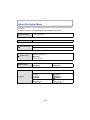
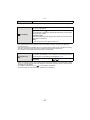
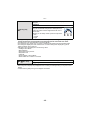
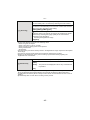
About the Setup Menu
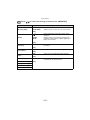
[Clock Set], [Economy] and [Auto Review] are important items. Check their settings before
using them.
For details on how to select the [Setup] menu settings, refer to P44.
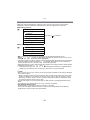
[Precautions]
To maintain waterproof performance, display the things you need
to check before use.
• Refer to P9 for details.
U [Clock Set]
—
• Refer to P27 for details.
[Auto Clock Set]
The clock is updated automatically using the GPS function.
[ON]/[OFF]
• Refer to P89 for details.
[World Time]
“ [Destination]:
Travel Destination Area
– [Home]:
Your Home Area
• Refer to P96 for details.
— [Travel Date]
[Travel Setup]:
[SET]/[OFF]
[Location]:
[SET]/[OFF]
• Refer to P94 for details.
This allows you to set the beep and shutter sound.
r [Beep]
r [Beep Level]:
[t] (Low)
[u] (High)
[s] (Muted)
[
[
[
[Beep Tone]:
]/[ 2 ]/[ 3 ]
[
[
1
- 46 -
[Shutter Vol.]:
] (Low)
] (High)
] (Muted)
1
[Shutter Tone]:
]/[ 2 ]/[ 3 ]
Basic
u [Volume]
Adjust the volume of the speaker to any of 7 levels.
• When you connect the camera to a TV, the volume of the TV speakers does not change.
These menu settings make it easier to see the LCD monitor when
you are in bright places.
LCD [LCD Mode]
„ [Auto Power LCD]¢:
The brightness is adjusted automatically depending on how bright
it is around the camera.
… [Power LCD]:
The LCD monitor becomes brighter and easier to see even when
taking pictures outdoors.
[OFF]
¢ Can be set only when [Rec] mode is set.
• The brightness of the pictures displayed on the LCD monitor is increased so some subjects
may appear different from real life on the LCD monitor. However, this does not affect the
recorded pictures.
• The LCD monitor automatically returns to normal brightness after 30 seconds when recording
in Power LCD Mode. Press any button to make the LCD monitor bright again.
• The number of recordable pictures decreases in [LCD Mode].
[Guide Line]
Set the pattern of the guidelines displayed when taking pictures.
You can also set whether or not to have the recording information
displayed when the guidelines are displayed. (P54)
[Rec. Info.]:
[ON]/[OFF]
[Pattern]:
[ ]/[
]
• When you align the subject on the horizontal and vertical guidelines or the cross point of these
lines, you can take pictures with well-designed composition by viewing the size, the slope and
the balance of the subject.
• The [Pattern] setting is fixed to [ ] in the Intelligent Auto Mode.
• In [Photo Frame] in Scene Mode, the guideline is not displayed.
- 47 -
Basic
This allows you to set either to display or not display the
histogram.
[ON]/[OFF]
[Histogram]
A Histogram is a graph that displays brightness
along the horizontal axis (black to white) and the
number of pixels at each brightness level on the
vertical axis.
It allows you to easily check a picture’s exposure.
A dark
B optimal
C bright
• When you take pictures with the flash or in dark places, the histogram is displayed in
orange because the recorded picture and the histogram do not match each other.
• The histogram is an approximation in Recording Mode.
• The Histogram of a picture may not match in the Recording Mode and the Playback Mode.
• The Histogram displayed in this camera does not match Histograms displayed by picture
editing software used in PCs etc.
• Histograms are not displayed in the following cases.
– Intelligent Auto Mode
– Multi Playback
– Recording motion pictures
– Playback Zoom
– Calendar
– [Photo Frame] in Scene Mode
– When HDMI micro cable is connected
[
Rec Area]
Angle of view for Motion Picture Recording can be checked.
[ON]/[OFF]
• Motion Picture Recording frame display is only an approximation.
• Recording frame display may disappear when zooming to Tele depending on the picture size
setting.
• It will be fixed to [OFF] during the Intelligent Auto Mode.
- 48 -
Basic
You can conserve the battery life by setting these menus.
Also, the battery life is conserved by dimming the LCD monitor.
q [Economy]
p [Auto Power Off]:
The camera is automatically turned off if the camera has not been
used for the time selected on the setting.
[2MIN.]/[5MIN.]/[10MIN.]/[OFF]
ECO
[LCD Power Save]:
Brightness of the LCD monitor is lowered. The battery life will be
conserved by lowering the image quality of the LCD monitor
further during the recording¢.
¢ Excluding the Digital Zoom range.
[ON]/[OFF]
• [Auto Power Off] is set to [5MIN.] in the Intelligent Auto Mode.
• [Auto Power Off] does not work in the following cases.
– When using the AC adaptor
– When connecting to a PC or a printer
– When recording or playing back motion pictures
– During a Slide Show
– [Auto Demo]
• The effect of the [LCD Power Save] is lower in the Digital Zoom range compared to the Optical
Zoom range.
• The effect of the [LCD Power Save] will not affect the image being recorded.
• Setting of [LCD Mode] has priority over the setting of [LCD Power Save] regarding the
brightness of the LCD monitor.
Set the length of time that the picture is displayed after taking it.
o [Auto Review]
[1SEC.]
[2SEC.]
[HOLD]:
The pictures are displayed until one any of the buttons
is pressed.
[OFF]
• [Auto Review] is activated regardless of its setting when using Auto Bracket, [Handheld Night
Shot], [Hi-Speed Burst] and [Flash Burst] in Scene Mode and [Burst] in [Rec] Mode menu.
• In Intelligent Auto Mode or [Photo Frame] in Scene Mode, the Auto Review function is fixed to
[2SEC.].
• [Auto Review] does not work when recording motion pictures.
- 49 -
Basic
v [No.Reset]
Reset the file number of the next recording to 0001.
• The folder number is updated and the file number starts from 0001.
• A folder number between 100 and 999 can be assigned.
When the folder number reaches 999, the number cannot be reset. We recommend formatting
the card (P53) after saving the data on a PC or elsewhere.
• To reset the folder number to 100, format the built-in memory or the card first and then use this
function to reset the file number.
A reset screen for the folder number will then appear. Select [Yes] to reset the folder number.
w [Reset]
The [Rec] or [Setup] menu settings are reset to the initial settings.
• When the [Reset] setting is selected during recording, the operation that resets the lens is also
performed at the same time. You will hear the sound of the lens operating but this is normal and
not indicative of malfunctioning.
• When the [Rec] Mode settings are reset, data registered with [Face Recog.] will be also reset.
• When [Setup] menu settings are reset, the following settings are also reset.
– The birthday and name settings for [Baby1]/[Baby2] and [Pet] in Scene Mode
– [GPS/Sensor] menu
– The settings of [Travel Date] (departure date, return date, location)
– The [World Time] setting
• The folder number and the clock setting are not changed.
Select the USB communication system after or before connecting
the camera to your PC or your printer with the USB connection
cable (supplied).
x [USB Mode]
y [Select on connection]:
Select either [PC] or [PictBridge(PTP)] if you connected the
camera to a PC or a printer supporting PictBridge.
{ [PictBridge(PTP)]:
Set after or before connecting to a printer supporting PictBridge.
z [PC]:
Set after or before connecting to a PC.
- 50 -
Basic
Set to match the colour television system in each country or the
type of TV. (Playback Mode only)
[Video Out]:
| [Output]
[NTSC]:
Video output is set to NTSC system.
[PAL]:
Video output is set to PAL system.
• This will operate when the AV cable or HDMI micro cable (optional) is
connected.
[TV Aspect]:
[W]:
When connecting to a 16:9 screen TV.
[X]:
When connecting to a 4:3 screen TV.
• This will work when the AV cable is connected.
- 51 -
Basic
Setup so this unit can be controlled by the remote control of the
VIERA by automatically coupling this unit with the VIERA Link
compatible equipment using HDMI micro cable (optional).
[VIERA Link]
[ON]:
Remote control operation of the VIERA Link
compatible equipment is enabled. (Not all operations
are possible)
Button operation of the main unit will be limited.
[OFF]:
Operation is performed with the buttons on this unit.
• This will work when the HDMI micro cable (optional) is connected.
• Refer to P142 for details.
Setup the output method for 3D pictures.
[3D Playback]
[
]:
Set when connecting to a 3D compatible television.
[
]:
Set when connecting to a television not compatible
with 3D.
Set this when you would like to view pictures in 2D
(conventional image) on a 3D compatible television.
• This will work when the HDMI micro cable (optional) is connected.
• Refer to P144 for the method to playback 3D pictures in 3D.
This mode allows you to display pictures vertically if they were
recorded holding the camera vertically. (Playback Mode only)
M [Rotate Disp.]
[
[
]:
]:
It will rotate and display vertically.
It will display vertically only when playing
back connected to a TV.
[OFF]
• Refer to P34 for information about how to play back pictures.
• When you play back pictures on a PC, they cannot be displayed in the rotated direction unless
the OS or software is compatible with Exif. Exif is a file format for still pictures which allows
recording information etc. to be added. It was established by “JEITA (Japan Electronics and
Information Technology Industries Association)”.
• It may not be possible to rotate pictures that have been recorded with other equipment.
• The display is not rotated during Multi Playback.
[Version Disp.]
It is possible to check which version of firmware is on the camera.
- 52 -
Basic
[Format]
The built-in memory or card is formatted. Formatting irretrievably
deletes all the data so check the data carefully before formatting.
• Use a battery with sufficient battery power or the AC adaptor (optional) and DC coupler
(optional) when formatting. Do not turn the camera off during formatting.
• If a card has been inserted, only the card is formatted. To format the built-in memory, remove
the card.
• If the card has been formatted on a PC or other equipment, format it on the camera again.
• It may take longer to format the built-in memory than the card.
• If you cannot format, contact the dealer or your nearest Service Centre.
~ [Language]
Set the language displayed on the screen.
• If you set a different language by mistake, select [~] from the menu icons to set the desired
language.
Displays the amount of jitter the camera has detected. ([Stabilizer
Demo.])
The camera’s features are displayed as Slide Shows.
([Auto Demo])
[Stabilizer Demo.]
DEMO [Demo Mode]
A Amount of jitter
B Amount of jitter after correction
A
B
[Auto Demo]:
[ON]
[OFF]
• The Stabilizer function is switched between [ON] and [OFF] every time [MENU/SET] is pressed
during the [Stabilizer Demo.].
• [Stabilizer Demo.] is an approximation.
• [Auto Demo] has no TV output capability even when it is in Playback Mode.
• Press [
] to close [Auto Demo].
- 53 -
Recording
Recording
About the LCD Monitor
Press [DISP.] to change.
A LCD monitor
• When the menu screen appears, the [DISP.] button is not
activated. During Playback Zoom, while playing back Motion
Pictures and during a Slide Show, you can only select “Normal
display F” or “No display H”.
In Recording Mode
B
C
D
E
Normal display¢1
Normal display¢1, 2
No display
No display (Recording
guide line)¢1
3
R35s
In Playback Mode
F Normal display
G Display with recording
information¢1, 2
H No display¢3
1/3
1/3
100-0001
100-0001
AWB
ISO
10:00 1.DEC.2011
100
F3.3 1/60
¢1 If the [Histogram] in [Setup] menu is set to [ON], Histogram will be displayed.
¢2 By pressing [DISP.] while [GPS Setting] is set to [ON] or [
], the environment information
measured by the compass, altimeter, and barometer is displayed.
¢3 Name of the registered person in [Face Recog.] is displayed when [DISP.] is pressed.
- 54 -
Recording
[Rec] Mode: ñ·
¿
Taking Pictures with the Zoom
Using the Optical Zoom/Using the Extra Optical Zoom (EZ)/Using the
Intelligent Zoom/Using the Digital Zoom
You can zoom-in to make people and objects appear closer or zoom-out to record
landscapes in wide angle. To make subjects appear even closer (maximum of 9.1k), do
not set the picture size to the highest setting for each aspect ratio (X/Y/W/ ).
To make subjects appear further away use (Wide)
ヸ
Press [W] of the zoom button.
To make subjects appear closer use (Tele)
ヵ
Press [T] of the zoom button.
- 55 -
Recording
∫ Types of zooms
Feature
Maximum
magnification
Picture
quality
Conditions
Optical Zoom
Extra Optical Zoom (EZ)
4.6k
9.1k¢
No deterioration
No deterioration
[Picture Size] with
selected.
None
(P97) is
Screen
display
A [
Feature
] is displayed.
Intelligent Zoom
Digital Zoom
Approximately 4 times the Optical
Maximum
Approximately 1.3 times the Optical
Zoom, Extra Optical Zoom, or
magnification Zoom or Extra Optical Zoom
Intelligent Zoom
Picture
The higher the magnification level, the
No noticeable deterioration
quality
greater the deterioration.
[i.Resolution] (P106) on the [Rec] menu [Digital Zoom] (P107) on the [Rec]
Conditions
is set to [i.ZOOM].
menu is set to [ON].
Screen
display
B [
W
T
W
T
W
T
W
T
W
T
W
T
] is displayed.
C The Digital Zoom range is
displayed.
• When using the Zoom function, an estimate of the focus range will appear in
conjunction with the zoom display bar. [Example: 0.3 m (0.99 feet) –¶]
¢ The magnification level differs depending on [Picture Size] and [Aspect Ratio] setting.
- 56 -
Recording
Note
• The indicated zoom magnification is an approximation.
• “EZ” is an abbreviation of “Extra Optical Zoom”. It is possible to take more magnified pictures
with the optical zoom.
• When using the Digital Zoom, we recommend using a tripod and the Self-timer (P62) for taking
pictures.
• The Intelligent Zoom cannot be used in the following cases.
– In [Motion Deblur] in Intelligent Auto Mode
– In Macro Zoom Mode
– In [Handheld Night Shot], [High Sens.], [Hi-Speed Burst], [Flash Burst] or [Pin Hole] in Scene
Mode
• The Extra Optical Zoom cannot be used in the following cases.
– In [Motion Deblur] in Intelligent Auto Mode
– In Macro Zoom Mode
– In [Transform], [Handheld Night Shot], [High Sens.], [Hi-Speed Burst], [Flash Burst],
[Pin Hole] or [Photo Frame] in Scene Mode
– When recording motion pictures
• [Digital Zoom] cannot be used in the following cases.
– In Intelligent Auto Mode
– In [Transform], [Handheld Night Shot], [High Sens.], [Hi-Speed Burst], [Flash Burst],
[Pin Hole], [Film Grain] or [Photo Frame] in Scene Mode
- 57 -
Recording
[Rec] Mode: ñ·
¿
Taking Pictures Using the Built-in Flash
A Photo flash
Do not cover the flash with your fingers or other objects.
Switching to the appropriate flash setting
Set the flash to match the recording.
Press 1 [‰].
Press 3/4 to select a mode and then press [MENU/SET].
Item
‡: AUTO
ˆ:
AUTO/Red-Eye
Reduction¢
‰: Forced Flash ON
Š:
Forced ON/Red-Eye
Reduction¢
‹:
Slow Sync./Red-Eye
Reduction¢
Œ: Forced Flash OFF
Settings
The flash is automatically activated when the recording
conditions make it necessary.
The flash is automatically activated when the recording
conditions make it necessary.
It is activated once before the actual recording to reduce the
red-eye phenomenon (eyes of the subject appearing red in the
picture) and then activated again for the actual recording.
• Use this when you take pictures of people in low lighting
conditions.
The flash is activated every time regardless of the recording
conditions.
• Use this when your subject is back-lit or under fluorescent
light.
If you take a picture with a dark background landscape, this
feature will slow the shutter speed when the flash is activated so
that the dark background landscape will become bright.
Simultaneously it reduces the red-eye phenomenon.
• Use this when you take pictures of people in front of a dark
background.
The flash is not activated in any recording conditions.
• Use this when you take pictures in places where the use of
the flash is not permitted.
¢The flash is activated twice. The subject should not move until the second flash
is activated. Interval until the second flash depends on the brightness of the
subject.
- 58 -
Recording
∫ About the Digital Red-Eye Correction
When [Red-Eye Removal] (P109) has been set to [ON] and Red-Eye Reduction ([
],
[
], [
]) is selected, Digital Red-Eye Correction is performed whenever the flash is
used. The camera automatically detects red-eye and corrects the picture.
(Only available when [AF Mode] is set to [š] and Face Detection is active)
• Under certain circumstances, red-eye cannot be corrected.
• [ ] is displayed on the icon when it is set to [ON].
• It will be fixed to [ON] during the Intelligent auto mode.
∫ Available flash settings by Recording Mode
The available flash settings depend on the Recording Mode.
(±: Available, —: Not available, ¥: Scene Mode initial setting)
ñ
·
*
+
0
,
.
/
1
2
‡
ˆ
‰
±¢
—
—
Š ‹
—
—
Œ
±
±
±
±
—
±
±
¥
—
±
—
—
±
¥
—
±
—
—
±
¥
—
±
—
—
±
±
—
±
—
—
¥
±
¥
±
—
—
±
±
¥
±
—
—
±
±
¥
±
—
—
±
±
¥
±
—
—
±
3
:
;
í
ï
9
ô
5
4
7
‡
ˆ
‰
—
—
—
Š ‹
±
±
Œ
¥
±
¥
±
—
—
±
±
¥
±
—
—
±
¥
±
—
±
—
—
—
—
—
—
—
¥
±
—
±
—
—
¥
—
—
—
—
—
¥
—
—
¥
—
—
—
—
—
—
—
—
¥
—
—
—
—
—
¥
¥
—
—
—
—
—
¥
—
—
—
—
—
—
—
—
—
—
¥
¥
—
±
—
—
±
—
—
—
—
¥
±
¥
—
±
—
—
±
—
—
—
—
—
¥
—
—
—
—
±
¥
—
—
—
—
—
¥
¥
±
±
—
—
±
±
—
±
—
—
¥
—
—
—
—
—
±
—
—
—
±
¥
±
¢ [
] is displayed.
• The flash setting may change if the Recording Mode is changed. Set the flash setting again if
necessary.
• The flash setting is memorised even if the camera is turned off. However, the Scene Mode flash
setting is reset to the initial setting when the Scene Mode is changed.
• Flash will not be activated when recording motion picture.
- 59 -
Recording
∫ The available flash range
Wide
[AUTO] in
[Sensitivity]
Tele
30 cm (0.99 feet) to 5.6 m (18.4 feet)
30 cm (0.99 feet) to 3.1 m (10.2 feet)
∫ Shutter speed for each flash setting
Flash setting
Shutter speed (Sec.)
Flash setting
‡
ˆ
‹
1/60 to 1/1300th¢1
‰
Š
Shutter speed (Sec.)
1 to 1/1300th¢1
1 or 1/4th to 1/1300th¢2
Œ
¢1 It may vary depending on the [Min. Shtr Speed] setting.
¢2 When [Min. Shtr Speed] is set to [AUTO].
• ¢2: The shutter speed becomes a maximum of 1 second in the following cases:
– When the Optical Image Stabilizer is set to [OFF].
– When the camera has determined that there is very little jitter when the Optical Image
Stabilizer is set to [ON].
• In Intelligent Auto Mode, shutter speed changes depending on the identified scene.
• The shutter speed for [Sports], [Snow], [Beach & Snorkeling] and Scene Modes will be different
from above table.
Note
• If you bring the flash too close to an object, the object may be distorted or discoloured by the
heat or lighting from the flash.
• When you take a picture beyond the available flash range, the exposure may not be adjusted
properly and the picture may become bright or dark.
• When the flash is being charged, the flash icon blinks red, and you cannot take a picture even
when you press the shutter button fully.
• When you take a picture beyond the available flash range, the White Balance may not be
properly adjusted.
• The flash effect may not be sufficient when using [Flash Burst] in Scene Mode or when shutter
speed is fast.
• It may take time to charge the flash if you are taking pictures in quick succession. Take a
picture after the access indication disappears.
• The Red-Eye Reduction effect differs between people. Also, if the subject is far away from the
camera or was not looking at the first flash, the effect may not be as evident.
- 60 -
Recording
[Rec] Mode: ·
Taking Close-up Pictures ([AF Macro]/[Macro Zoom])
Press 4 [#].
Press 3/4 to select a mode and then press [MENU/SET].
Item
Description of settings
This mode allows you to take close-up pictures of a subject, e.g.
when taking pictures of flowers. You can take pictures of a
[
]
subject as close as 5 cm (0.17 feet) from the lens by pressing the
([AF Macro])
zoom button upmost to Wide (1k).
•[
] is displayed during AF Macro Mode.
You can take a picture with the Digital Zoom up to 3k while
maintaining the distance to the subject for the extreme Wide
[
]
position [5 cm (0.17 feet)].
([Macro Zoom]) • The image quality is poorer than during normal recording.
• Zoom range will be displayed in blue. (digital zoom range)
• [ ] is displayed during Macro Zoom Mode.
[OFF]
j
Note
• We recommend using a tripod and the Self-timer.
• We recommend setting the flash to [Œ] when you take pictures at close range.
• If the distance between the camera and the subject is beyond the focus range of the camera,
the picture may not be properly focused even if the focus indication lights.
• When a subject is close to the camera, the effective focus range is significantly narrowed.
Therefore, if the distance between the camera and the subject is changed after focusing on the
subject, it may become difficult to focus on it again.
• Macro Mode gives priority to a subject close to the camera. Therefore, if the distance between
the camera and the subject is far, it takes longer to focus on it.
• When you take pictures at close range, the resolution of the periphery of the picture may
decrease slightly. This is not a malfunction.
• [Macro Zoom] cannot be used in the following cases.
– In 3D Photo Mode
– When [ ] in [AF Mode] is set
- 61 -
Recording
[Rec] Mode: ñ·
¿
Taking Pictures with the Self-timer
Press 2 [ë].
Press 3/4 to select a mode and then press [MENU/SET].
Item
[
Description of settings
]
Picture is taken after 10 seconds.
• Self-timer cannot be set to 10 seconds in [Self Portrait] in Scene
]
Picture is taken after 2 seconds.
• When using a tripod etc., this setting is a convenient way to avoid
Mode.
[
the jitter caused by pressing the shutter button.
[OFF]
j
Press the shutter button halfway to focus
and then press it fully to take the picture.
• The Self-timer indicator A blinks and the shutter is
activated after 10 seconds (or 2 seconds).
Note
• When you press the shutter button once fully, the subject is automatically focused just before
recording. In dark places, the Self-timer indicator will blink and then may turn on brightly
operating as an AF Assist Lamp to allow the camera to focus on the subject.
• We recommend using a tripod when recording with the Self-timer.
• Setting of the Self-timer cannot be performed in following conditions.
– In [Hi-Speed Burst] in Scene Mode
– When recording motion pictures
- 62 -
Recording
[Rec] Mode: ·
¿
Compensating the Exposure
Use this function when you cannot achieve appropriate exposure due to the difference in
brightness between the subject and the background. Look at the following examples.
Underexposed
Properly exposed
Compensate the exposure
towards positive.
Overexposed
Compensate the exposure
towards negative.
Press 3 [È] until [Exposure] appears, compensate
the exposure with 2/1.
• Select [0 EV] to return to the original exposure.
Press [MENU/SET].
• The exposure compensation value appears on the screen.
Note
• EV is an abbreviation of [Exposure Value]. It refers to the amount of light given to the CCD by
the aperture value and the shutter speed.
• The set exposure value is memorised even if the camera is turned off.
• The compensation range of the exposure will be limited depending on the brightness of the
subject.
• Exposure Compensation cannot be used when in [Starry Sky] in Scene Mode.
- 63 -
Recording
[Rec] Mode: ·
¿
Taking Pictures Using Auto Bracket
In this mode, 3 pictures are automatically recorded in the selected Exposure
Compensation range each time the shutter button is pressed. You can select the picture
with the desired exposure from the 3 pictures with different exposures.
With Auto Bracket d1 EV
1st picture
2nd picture
3rd picture
d0 EV
j1 EV
i1 EV
Press 3 [È] until [Auto Bracket] appears, set the
compensation range of the exposure with 2/1.
• When you do not use Auto Bracket, select [OFF] (0).
Press [MENU/SET].
Note
• When setting Auto Bracket, [ ] appears on the screen.
• When taking pictures using Auto Bracket after setting the Exposure Compensation range, the
pictures taken are based on the selected Exposure Compensation range.
When the exposure is compensated, the Exposure Compensation value appears on the lower
left of the screen.
• The exposure may not be compensated with Auto Bracket depending on the brightness of the
subject.
• [Œ] is set for the flash when Auto Bracket is set.
• Setting of the auto bracket cannot be performed in following conditions.
– In [Transform], [Panorama Assist], [Handheld Night Shot], [Hi-Speed Burst], [Flash Burst],
[Starry Sky], [Pin Hole], [Film Grain] and [Photo Frame] in Scene Mode
– When recording motion pictures
- 64 -
Recording
[Rec] Mode:
Take the Outdoors Scene Expressively
By setting the [Rec] Mode to [
], [
], [
] or [
] pictures can be taken more
effectively matching the conditions such as sports, snow, beach & snorkeling.
Note
• The mode flash setting is reset to the initial setting when the mode is switched after changing
].
the flash setting between [
], [
], [
] and [
• Tone of the colour of the image may change when picture is taken with unmatched usage.
• The following items cannot be set because the camera automatically adjusts them to the
optimal setting.
– [Sensitivity]/[i.Exposure]/[Min. Shtr Speed]/[i.Resolution]/[Color Mode]
[Sports]
Set here when you want to take pictures of sports scenes or other fast-moving events.
Note
• Shutter speed may slow down up to 1 second.
• This mode is suitable for taking pictures of subjects at distances of 5 m (16.4 feet) or more.
[Snow]
This allows you to take pictures that show the snow as white as possible at a ski resort or
a snow-covered mountain.
Note
• To prevent water leakage, make sure that there are no foreign objects, such as sand, hair, dust,
etc., clamped and close the side door all the way until it clicks. Also, read “(Important) About
the Waterproof/Dustproof and Anti-shock Performance of the Camera” (P8) before using the
camera.
- 65 -
Recording
[Beach & Snorkeling]
This is optimal for taking pictures underwater and at the beach. Depth meter will
automatically operate. It can be a rough indication of how deep you have gone
underwater.
Make sure to perform [Depth indicator] in [GPS/Sensor] menu to set the depth meter
before you dive underwater.
Press [MENU/SET].
Press 3/4/2/1 to select [GPS/Sensor] menu, and then press
[MENU/SET].
Press 3/4 to select [Depth indicator], and then press [MENU/SET].
• Confirmation screen is displayed. Depth meter will be set to 0 m (0 feet) when [Yes] is
selected. Exit the menu once completed.
- 66 -
Recording
∫ About the screen display underwater
A Depth meter
A
N
• Depth meter will display the depth up to 12 m (40 feet) in 3 levels.
When the third level is flashing
You are approaching a depth of 12 m (40 feet), which is
the diving limit of this unit. Please be aware.
Entire depth meter is flashing
You have exceeded a depth of 12 m (40 feet).
• Camera will automatically set to the optimal picture quality for underwater from the depth
information. Icons showing the picture quality will switch in such a case.
[
]
It is adjusted to optimal picture quality for underwater up to a depth of 3 m
(10 feet) when [
] is displayed.
[
]
It is adjusted to optimal picture quality for underwater for a depth of 3 m (10 feet)
to 12 m (40 feet) when [
] is displayed.
About the fine adjustment of the white balance
Colour can be adjusted in accordance with the depth or weather. For details, refer to
“Finely adjusting the White Balance” on P102.
Note
• Measured depth may not be accurate when pressure is applied to front or rear of this unit by
pressing with your hands, etc. In such a case, it is recommended to perform [Depth indicator]
again when you get back to the surface.
• To prevent water leakage, make sure that there are no foreign objects, such as sand, hair, dust,
etc., clamped and close the side door all the way until it clicks. Also, read “(Important) About
the Waterproof/Dustproof and Anti-shock Performance of the Camera” (P8) before using the
camera.
• Dip the camera in fresh water in a shallow container for 10 minutes or less after using it, then
wipe the water off with dry soft cloth. (P11)
- 67 -
Recording
[Underwater]
This is optimal for taking pictures underwater deeper than 12 m (40 feet) by the use of the
marine case (DMW-MCFT3; optional)
¢ This camera has a waterproof/dustproof function equivalent to “IP68”. It is possible to take
pictures in 12 m (40 feet) depth for 60 minutes.
Fixing the focus underwater (AF Lock)
You can fix the focus before taking a picture with AF lock. This is useful if you want to take
pictures of a fast moving subject etc.
1 Aim the AF area at the subject.
2 Press 2 to fix the focus.
• The AF lock icon appears when the subject is focused.
• Press 2 again to cancel AF lock.
• When you press the zoom button, the AF lock is cancelled. In this case, focus on the
subject and fix the focus again.
• You cannot set to AF lock when [AF Mode] is set to [
].
White Balance fine adjustment
You can adjust the hue to match the water depth and the weather.
For details, see “Finely adjusting the White Balance” on P102.
Note
• To prevent water leakage, make sure that there are no foreign objects, such as sand, hair, dust,
etc., clamped and close the side door and all the way until it clicks. Also, read “(Important)
About the Waterproof/Dustproof and Anti-shock Performance of the Camera” (P8) before using
the camera.
• Dip the camera in fresh water in a shallow container for 10 minutes or less after using it, then
wipe the water off with dry soft cloth. (P11)
• Positioning is not possible underwater, because the GPS signals cannot reach the
camera.
• Compass, altimeter (depth meter), or barometer cannot be used.
- 68 -
Recording
[Rec] Mode: ¿
Taking Pictures that Match the Scene Being
Recorded (Scene Mode)
When you select a Scene Mode to match the subject and recording situation, the camera
sets the optimal exposure and hue to obtain the desired picture.
Press [MODE].
Press 3/4/2/1 to select [Scene Mode], and then
press [MENU/SET].
Press 3/4/2/1 to select the Scene Mode and then
press [MENU/SET].
• You can switch menu screens from any menu item by pressing the zoom button.
Note
• To change the Scene Mode, press [MENU/SET] and then press 3/4/2/1 to select
[Scene Mode], and then press [MENU/SET] to return to step 3 above.
• The following items cannot be set in Scene Mode because the camera automatically adjusts
them to the optimal setting.
– [Sensitivity]/[i.Exposure]/[Min. Shtr Speed]/[i.Resolution]/[Color Mode]
[Portrait]
When taking pictures of people outdoors during the day, this mode allows you to improve
the appearance of the persons and make their skin tones look healthier.
∫ Technique for Portrait Mode
To make this mode more effective:
1 Press and hold down the zoom button as far as possible to Tele.
2 Move close to the subject to make this mode more effective.
- 69 -
Recording
[Soft Skin]
When taking pictures of people outdoors during the day, this mode enables the texture of
their skin to appear even softer than with [Portrait]. (It is effective when taking pictures of
people from the chest up.)
∫ Technique for Soft Skin Mode
To make this mode more effective:
1 Press and hold down the zoom button as far as possible to Tele.
2 Move close to the subject to make this mode more effective.
Note
• If a part of the background etc. is a colour close to skin colour, this part is also smoothed.
• This mode may not be effective when there is insufficient brightness.
[Transform]
Subject can be recorded either slim or stretched, and at the same time, skin can be
recorded smoothly.
∫ Setting the level of transform
Select the level of transform.
Note
• Do not use the material against the public order and morals, or to offend someone.
[Self Portrait]
Select this to take pictures of yourself.
∫ Technique for Self Portrait Mode
• Press the shutter button halfway to focus. The Self-timer indicator
lights up when you are brought into focus. Making sure you hold
the camera still, press the shutter button fully to take the picture.
• The subject is not focused when the Self-timer indicator is
blinking. Make sure to press the shutter button halfway again to
focus.
• If the picture is blurry due to the slow shutter speed, we
recommend using the 2 second Self-timer.
[Scenery]
This allows you to take pictures of a wide landscape.
- 70 -
Recording
[Panorama Assist]
You can take pictures with connections suitable for creating panorama images.
∫ Setting the recording direction
1 Press 3/4 to select the recording direction and then press [MENU/SET].
• The horizontal/vertical guideline will be displayed.
2 Take the picture.
• You can retake the picture by selecting [Retake].
3
4
Press 3 to select [Next] and then press [MENU/SET].
• Part of the recorded image is displayed as a transparent image.
Take picture after moving the camera horizontally or
vertically so the transparent image overlaps.
• When taking the third and later pictures, repeat steps 3 and 4.
5
Press 3/4 to select [Exit] and then press [MENU/SET].
Note
• The focus, zoom, exposure, White Balance, shutter speed and ISO sensitivity are fixed to the
settings for the first picture.
• We recommend using a tripod. When it is dark, we recommend using the Self-timer for taking
pictures.
• Shutter speed may slow down up to 8 seconds.
• The shutter may remain closed (max. about 8 sec.) after taking the picture because of signal
processing. This is not a malfunction.
• The recorded images can be combined into panorama pictures using the software
“PHOTOfunSTUDIO” on the CD-ROM (supplied).
[Night Portrait]
This allows you to take pictures of a person and the background with near real-life
brightness.
∫ Technique for Night Portrait Mode
• Use the flash. (You can set to [‹].)
• Ask the subject not to move while taking a picture.
Note
• We recommend using a tripod and the Self-timer for taking pictures.
• Shutter speed may slow down up to 8 seconds.
• The shutter may remain closed (max. about 8 sec.) after taking the picture because of signal
processing. This is not a malfunction.
• Noise may become visible when you take pictures in dark places.
- 71 -
Recording
[Night Scenery]
This allows you to take vivid pictures of the nightscape.
Note
• We recommend using a tripod and the self-timer for taking pictures.
• Shutter speed may slow down up to 8 seconds.
• The shutter may remain closed (max. about 8 sec.) after taking the picture because of signal
processing. This is not a malfunction.
• Noise may become visible when you take pictures in dark places.
[Handheld Night Shot]
This mode allows you to record multiple pictures of night scenes at high speed, which are
all combined to make a single picture. It will reduce the jitter and noise from the picture
even when recording with the camera in your hand.
∫ Picture size and aspect ratio
Select the picture size of 3M (4:3), 2.5M (3:2), 2M (16:9) or 2.5M (1:1).
Note
• Take pictures in sequence and combine them into one picture.
• Do not move the camera while recording pictures continuously.
• Noise may become visible when you take pictures in dark places or take pictures of moving
subjects.
[Food]
This mode allows you to take pictures of food with a natural hue without being affected by
the ambient light in restaurants etc.
[Party]
Select this when you want to take pictures at a wedding reception, an indoor party etc.
This allows you to take pictures of people and the background with near real-life
brightness.
∫ Technique for Party Mode
• Use the flash. (You can set to [Š] or [‹].)
• We recommend using a tripod and the self-timer for taking pictures.
• It is recommended to take picture about 1.5 m (5 feet) away from the subject, after setting the
zoom to full W (wide) by pressing [W] of the zoom button.
[Candle Light]
This mode allows you to take pictures with a candle-lit atmosphere.
∫ Technique for Candle Light Mode
• This is more effective when taking pictures without using the flash.
Note
• We recommend using a tripod and the self-timer for taking pictures.
• Shutter speed may slow down up to 1 second.
- 72 -
Recording
[Baby1]/[Baby2]
This takes pictures of a baby with a healthy complexion. When you use the flash, the light
from it is weaker than usual.
It is possible to set different birthdays and names for [Baby1] and [Baby2]. You can select
to have these appear at the time of playback, or have them stamped on the recorded
image using [Text Stamp] (P127).
∫ Birthday/Name setting
1 Press 3/4 to select [Age] or [Name] and then press [MENU/SET].
2 Press 3/4 to select [SET] and then press [MENU/SET].
3 Enter the birthday or name.
Birthday:
2/1: Select the items (year/month/day).
3/4: Setting.
[MENU/SET]: Set.
For details on how to enter characters, refer to “Entering Text” on P115.
Name:
• When the birthday or name is set, [Age] or [Name] is automatically set to [ON].
• If [ON] is selected when the birthday or name has not been registered, the setting screen
4
appears automatically.
Press 4 to select [Exit] and then press [MENU/SET] to finish.
∫ To cancel [Age] and [Name]
Select the [OFF] setting in step 2.
Note
• The age and name can be printed out using the “PHOTOfunSTUDIO” bundled software on the
CD-ROM (supplied).
• If [Age] or [Name] is set to [OFF] even when the birthday or name has been set, the age or
name will not be displayed.
• Shutter speed may slow down up to 1 second.
[Pet]
Select this when you want to take pictures of a pet such as a dog or a cat.
You can set your pet’s birthday and name.
For information about [Age] or [Name], refer to [Baby1]/[Baby2] on P73.
[Sunset]
Select this when you want to take pictures of sunset view. This allows you to take vivid
pictures of the red colour of the sun.
- 73 -
Recording
[High Sens.]
This mode minimises the jitter of the subjects, and enables you to take pictures of these
subjects in dimly lit rooms.
∫ Picture size and aspect ratio
Select the picture size of 3M (4:3), 2.5M (3:2), 2M (16:9) or 2.5M (1:1).
[Hi-Speed Burst]
This is a convenient mode for shooting rapid movement or a decisive moment.
∫ Picture size and aspect ratio
Select the picture size of 3M (4:3), 2.5M (3:2), 2M (16:9) or 2.5M (1:1).
• Still pictures are taken continuously while the shutter button is pressed fully.
Maximum Burst speed
approx. 10 pictures/second (Speed priority)
approx. 7 pictures/second (Image priority)
Number of recordable
pictures
approx. 15 pictures (Built-in memory)
approx. 15 to 100 pictures¢ (Card)
¢ The maximum is 100.
• The Burst speed changes according to the recording conditions.
• The number of Burst recording pictures are limited by the picture-taking conditions and the type
and/or status of the card used.
• The number of Burst recording pictures may increase when you use a card with fast writing
speed or card is formatted.
Note
• The focus, zoom, exposure, white balance, shutter speed and ISO sensitivity are fixed to the
settings for the first picture.
• The ISO sensitivity is automatically adjusted. However, the ISO sensitivity is increased to make
the shutter speed become high-speed.
• Depending on the operating conditions, it may take time to take the next picture if you repeat
taking a picture.
- 74 -
Recording
[Flash Burst]
Still pictures are taken continuously with flash. It is convenient to take continuous still
pictures in dark places.
∫ Picture size and aspect ratio
Select the picture size of 3M (4:3), 2.5M (3:2), 2M (16:9) or 2.5M (1:1).
• Still pictures are taken continuously while the shutter button is pressed fully.
Number of recordable
pictures
max. 5 pictures
Note
• The focus, zoom, exposure, shutter speed, ISO sensitivity, and flash level are fixed to the
settings for the first picture.
• Number of recordable pictures will be fixed to 5 pictures when the self-timer is used.
[Starry Sky]
This mode allows you to take vivid pictures of a starry sky or a dark subject.
∫ Setting the shutter speed
Select a shutter speed of [15 sec.], [30 sec.] or [60 sec.].
• Press the shutter button fully to display the countdown screen. Do not move the camera after
this screen is displayed. When countdown finishes, [Please wait...] is displayed for the same
length of time as the set shutter speed for signal processing.
∫ Technique for Starry Sky Mode
• The shutter opens for 15, 30 or 60 seconds. Be sure to use a tripod. We also recommend
taking pictures with the self-timer.
[Fireworks]
This mode allows you to take beautiful pictures of fireworks exploding in the night sky.
∫ Technique for Fireworks Mode
• Since the shutter speed becomes slower, we recommend using a tripod.
Note
• This mode is most effective when the subject is 10 m (33 feet) or more away.
• The shutter speed is fixed to 1/4th of a second or 2 seconds.
• You can change the shutter speed by compensating the exposure.
• The AF area is not displayed.
[Aerial Photo]
This mode allows you to take pictures through an airplane window.
∫ Technique for Aerial Photo Mode
• We recommend using this technique if it is difficult to focus when taking pictures of clouds etc.
Aim the camera at something with high contrast, press the shutter button halfway to fix the
focus and then aim the camera at the subject and press the shutter button fully to take the
picture.
- 75 -
Recording
[Pin Hole]
Picture is taken darker and with soft focus around the subjects.
Note
• Face Detection may not operate normally in the dark areas around the edges of the screen.
[Film Grain]
Picture is taken with a grainy texture as though blasted with sand.
[High Dynamic]
You can use this mode to easily record pictures in which bright and dark regions of the
scene are expressed with suitable brightness when looking into the sun, at night, or in
similar circumstances.
∫ Setting the effect
[STD.]:Natural colour effect
[ART]: Eye-catching effect which emphasizes contrast and colour
[B&W]:Black and white effect
Note
• Compensation effect may not be achieved depending on the conditions.
• When it is dark, we recommend using a tripod and the self-timer for taking pictures.
• Shutter speed may slow down up to 8 seconds.
• The shutter may remain closed (max. about 8 sec.) after taking the picture because of signal
processing. This is not a malfunction.
• LCD screen noise may be more visible than during normal recording due to brightness
compensation of the darker areas.
[Photo Frame]
Record the image with a frame around it.
∫ Setting the frame
Select from 3 types of frames.
Note
• The colour of the frame displayed on the screen and the colour of the frame around the actual
image may differ, but this is not a malfunction.
- 76 -
Recording
[Rec] mode:
Taking 3D pictures (3D Photo Mode)
Pictures are recorded continuously while moving the camera horizontally, two pictures
selected automatically are combined to make a single 3D picture.
To view 3D pictures, a television that supports 3D is required (This unit will playback in
2D).
Refer to P144 for details about the playback method.
Press [MODE].
Press 3/4/2/1 to select [3D Photo Mode], and then press [MENU/
SET].
• Description of recording method is displayed.
Press the shutter button once then pan
the camera.
Move the camera horizontally straight
from left to right while recording.
• A guide is displayed while recording.
• Move the camera approximately 10 cm (0.33 feet)
within approximately 4 seconds using the guide.
∫ Technique for taking 3D pictures
– Take a picture of a subject that is not moving
– Take a picture in a well-lit place, such as outdoors, etc.
– Fix the focus and exposure by pressing the shutter button halfway, then press the shutter
button fully and move the camera
Note
• You cannot record 3D pictures in vertical orientation.
• The 3D pictures are saved in MPO format (3D).
• Zoom position is fixed to Wide.
• The picture size is fixed to 2M (16:9).
• The ISO sensitivity is automatically adjusted. However, the ISO sensitivity is increased to make
the shutter speed become high-speed.
• Motion pictures cannot be recorded during 3D Photo Mode.
• 3D effect may not be achieved or the recorded picture may be warped with the 3D recording
depending on the recording environment, such as in the following:
– When the subject is too dark/the brightness changes
– When the subject is moving
- 77 -
Recording
[Rec] Mode: ñ·
¿
Recording
Taking a Picture with Face Recognition Function
Face Recognition is a function which finds a face resembling a registered face and
prioritises focus and exposure automatically. Even if the person is located towards the
back or on the end of a line in a group photo, the camera can still take a clear picture.
[Face Recog.] is initially set to [OFF] on the camera.
[Face Recog.] will turn [ON] automatically when the face image is registered.
• The following functions will also work with the Face Recognition
function.
In Recording Mode
– Display of corresponding name when camera detects a registered
KEN
face¢ (if name has been set for the registered face)
In Playback Mode
– Display of name and age (if information has been registered)
– Selective playback of pictures chosen from pictures registered with Face Recognition
([Category Selection] (P120) in [Filtering Play]).
¢ Names of up to 3 people are displayed. Precedence for the names displayed when taking
pictures is determined according to the order of registration.
Note
• During the Burst Mode, [Face Recog.] picture information can be attached to only the first
picture.
• [Face Recog.] can be used in the following Scene Modes.
– [Portrait]/[Soft Skin]/[Self Portrait]/[Scenery]/[Night Portrait]/[Party]/[Candle Light]/[Baby1]/
[Baby2]/[Pet]/[Sunset]/[High Sens.]/[Pin Hole]/[High Dynamic]/[Photo Frame]
• [Face Recog.] will find a face similar to the registered face, and does not guarantee secure
recognition of a person.
• Face Recognition may take more time to select and recognise distinctive facial features than
regular Face Detection.
• This function is fixed to [OFF] while motion pictures are taken.
• Even when Face Recognition information has been registered, pictures taken with [Name] set
to [OFF] will not be categorised by Face Recognition in [Category Selection] ([Filtering Play]).
• Even when Face Recognition information is changed (P82), Face Recognition
information for the pictures already taken will not be changed.
For instance, if the name is changed, pictures recorded before the change will not be
categorised by Face Recognition in [Category Selection] ([Filtering Play])
• To change the name information of the pictures taken, perform the [REPLACE] in
[Face Rec Edit] (P137).
- 78 -
Recording
Face Settings
You can register information such as names and birthdays for face images of up to 6
people.
Registration can be facilitated by taking multiple face images of each person. (up to 3
pictures/registration)
∫ Point of recording when registering the face images
• Face front with eyes open and mouth closed, making sure the outline (Good example for
registering)
of the face, the eyes, or the eyebrows are not covered with the hair
when registering.
• Make sure there is no extreme shading on the face when registering.
(Flash will not flash during registration.)
∫ When it is not recognising during recording
• Register the face of same person indoors and outdoors, or with different expressions or
angles. (P80)
• Additionally register at the location of recording.
• When a person who is registered is not recognised, correct by re-registering.
• Face Recognition may not be possible or may not recognise faces correctly even for
registered faces, depending on the facial expression and environment.
- 79 -
Recording
Registering face image of new person
Select [Face Recog.] on the [Rec] Mode menu and then press [MENU/
SET]. (P44)
Press 3/4 to select [MEMORY] and then press [MENU/SET].
Press 3/4/2/1 to select the Face Recognition frame that is not
registered, and then press [MENU/SET].
• [New] will not display if there are 6 people already registered. Delete a person already
registered to register a new person.
Take the picture adjusting the face with the guide.
• The faces of subjects other than people (pets, etc.) cannot be registered.
• When [DISP.] is pressed, an explanation appears for taking face images.
• Confirmation screen is displayed. It is executed when [Yes] is selected.
- 80 -
Recording
Select item to edit with 3/4, and then press [MENU/SET].
• You can register up to 3 face images.
Item
[Name]
Description of settings
It is possible to register names.
1 Press 4 to select [SET] and then press [MENU/SET].
2 Enter the name.
• For details on how to enter characters, refer to “Entering Text”
section on P115.
[Age]
It is possible to register the birthday.
1 Press 4 to select [SET] and then press [MENU/SET].
2 Press 2/1 to select the items (Year/Month/Day), and
then press 3/4 to set and then press [MENU/SET].
[Focus Icon]
Change the displayed focus icon when the subject is focused.
Press 3/4 to select the focus icon, and then press [MENU/
SET].
[Add Images]
To add additional face images.
(Add Images)
1 Select the unregistered Face Recognition frame, and
then press [MENU/SET].
2 Perform step 4 in “Registering face image of new
person”.
To delete one of the face images.
(Delete)
Press 2/1 to select the face image to delete, and then press
[MENU/SET].
• If there is only one image registered, it cannot be deleted.
• Exit the menu after it is set.
- 81 -
Recording
Change or delete the information for a registered person
You can modify the pictures or information of an already registered person. You can also
delete the information of the registered person.
1
2
3
4
Select [Face Recog.] from the [Rec] Mode menu, and then press [MENU/SET].
(P44)
Press 4 to select [MEMORY] and press [MENU/SET].
Press 3/4/2/1 to select the face image to edit or delete and then press
[MENU/SET].
Press 3/4 to select the item and then press [MENU/SET].
Item
Description of settings
[Info Edit]
Changing the information of an already registered person.
Perform step 5 in “Registering face image of new person”.
[Priority]
The focus and exposure are preferentially adjusted for
higher-priority faces.
Press 3/4/2/1 to select the priority and then press
[MENU/SET].
[Delete]
Deleting information of a registered person.
• Exit the menu after it is set.
- 82 -
Recording
[Rec] Mode: ñ·
¿
Recording using the GPS function
∫ About the GPS
This is an abbreviation for “Global Positioning System”, which is a system that allows you
to check your position utilising GPS satellites.
Calculating the current position by receiving radio waves including orbit information and
clock information from multiple GPS satellites is called positioning.
Positioning is performed by this unit when radio waves from 3 or more GPS satellites are
received.
∫ Receiving signals from GPS satellites
• It is recommended to use by holding the camera still for a while at an outdoor location clear to
the sky, with the antenna pointed upward.
• Radio waves from GPS satellites cannot be received properly at the following locations, so the
positioning may not be possible or a significant error may occur.
– Indoor/underground or underwater (when using the marine case)/in the woods/travelling in a
train or a car etc./close to or between buildings/close to high voltage lines/inside a tunnel/
close to mobile phones working on 1.5 GHz band etc.
• Do not cover the GPS antenna with your hands etc.
• Do not carry the unit inside a metallic case or similar when positioning. Positioning is not
possible when the unit is covered by metal etc.
• Following menus can be set.
Menu
[GPS/Sensor]
Item
[GPS Setting]/[Repositioning]/[GPS Area Select]/[Area Info. Set]/
[My Landmark]/[Altimeter Adjust]/[Depth indicator]¢/
[Calibrate compass]
¢ This can be set only when [Beach & Snorkeling] mode (P66) is set.
- 83 -
Recording
Acquiring of the GPS information
Positioning is started once the GPS function is started, and acquired location name
information and other information can be stored in the recorded pictures.
Select [GPS Setting] from the [GPS/Sensor] menu. (P44)
Press 3/4 to select [ON] or [
] and then press [MENU/SET].
Item
[ON]
[
Settings
• Starts the GPS to receive radio waves.
• It will continuously perform the positioning even if the power is turned
off when set to [ON].
]
• It will perform the positioning only when the power is turned on.
• It will not perform the positioning when the power is turned off.
[OFF]
[INFO]
—
• You can check or update the GPS information
• For detail, refer to “Update the GPS information” on P86.
• Exit the menu after it is set.
Note
• Even if the receiving condition of the radio waves is excellent, it may take 2 to 3 minutes
to complete the positioning when performing positioning for the first time or when you
perform positioning after turning on the power again after turning the unit off with the
[GPS Setting] set to [
] or [OFF].
• When [GPS Setting] is set to [ON], the GPS function will operate even when the power is
turned off. Electromagnetic waves from this unit may affect other electronic devices, so
set [GPS Setting] to [OFF] or [
] and turn the unit off when you carry this unit onboard
an airplane or inside a hospital etc.
• GPS status indicator is lit during the positioning. Also, when
the GPS status indicator is lit with the power is turned off,
[GPS Setting] is set to [ON].
A GPS status indicator
- 84 -
Recording
∫ About the GPS information display screen
• An icon displaying the positioning status is displayed in the
recording screen when the GPS is started up.
A Location name information
A
Icon displaying the
positioning status
Elapsed time after successful positioning
[
]
Within the last 5 minutes
[
]
Between 5 minutes and 1 hour ago
[
]
Between 1 hour and 2 hours ago
[
]
More than 2 hours ago
[
]
When positioning was not possible
• Location name information is displayed on the screen once the positioning is successful.
Displayed location name information is stored in this unit.
• Current location information stored in the unit is deleted in the following cases:
– When [GPS Setting] is set to [OFF]
– When the power is turned off with [GPS Setting] set to [
]
– When the setup is reset by [Reset]
∫ About the GPS information stored in the recorded pictures
Once the positioning is successful, the following informations are stored in the recorded
pictures and motion pictures recorded in [Motion JPEG] or [AVCHD] set to [GFS], [GS].
– latitude/Longitude
– Location name information (country/region, prefecture/state, city/ward/county, town/village,
landmark)
Valid information for the current position is displayed as location name information by
searching the location names and landmarks in the database in this unit based on the
longitude/latitude from the positioning. (It may not display the closest location.)
• [---] is displayed when there is no valid information even when the positioning is successful.
• Even when the location name information is displayed as [---], it may be possible to select the
location name information with [GPS Area Select] (P87).
• Desired landmark may not be registered. Location name information is as of December 2010.
For details of the types of landmark, refer to “Landmark types” on P170.
• Location name information (location names or landmark names) may be different from the
official names.
- 85 -
Recording
Update the GPS information
When the displayed location name information is different from the current location or
when the positioning is not successful, move to a location where the radio waves from
GPS satellites can be received better and perform the positioning update.
Select [Repositioning] from the [GPS/Sensor] menu, and then press
[MENU/SET]. (P44)
• Positioning is started and the current location information is updated once the positioning is
successful.
• Positioning can be updated skipping the information confirmation screen by selecting [
[
] from the Quick Menu (P45), and then pressing [MENU/SET].
] or
∫ Checking GPS reception
1 Select [INFO] from the [GPS Setting] menu, and then press [MENU/SET].
• Last updated positioning result is displayed.
Time positioning was performed
Number of GPS satellites received from
Latitude
Longitude
2
Press [MENU/SET] in the information confirmation screen.
• Positioning is started and the current location information is updated once the positioning
is successful.
∫ About the time interval of the positioning
• Even if you do not perform [Repositioning], it will perform the positioning automatically right
after the power is turned on, and in constant time intervals. (When [GPS Setting] is not set to
[OFF])
• It will perform the positioning in constant time intervals even when the power is turned off with
[GPS Setting] set to [ON].
• Positioning with the power turned off is cancelled in the following cases:
– When the remaining battery power becomes [
]
– When the power is not turned on for a specific period of time
- 86 -
Recording
Change the recorded place name information
When the information acquired by the positioning is different from the current location, it is
possible to change it by selecting the desired location name or landmark from the
selectable candidates registered in the database of this unit.
Select [GPS Area Select] from the [GPS/Sensor] menu. (P44)
• Other location name information can be selected when [
] is displayed.
Press 3/4 to select the item to change, and then press [MENU/SET].
Press 3/4 to select the location name or landmark from the
candidates, and then press [MENU/SET].
∫ When not storing the location name or the landmark in the recorded pictures
When not storing all the location name information:
Select [Delete all place-names] in above step 2
– Confirmation screen is displayed. All the displayed location name information is deleted and
the information will not be stored from the next time a picture is recorded when [Yes] is
selected.
When not storing specific location name information:
Select [Delete country], etc., in above step 3
– Confirmation screen is displayed. All the items inferior to the deleted item are deleted and the
information will not be stored from the next time a picture is recorded when [Yes] is selected.
(Example: When the [State/Prov./County] is deleted, [County/Township], [City/Town/Village]
and [Landmark] that are inferior to it are also deleted.)
Note
• To restore the location name information deleted, set them again.
• When desired location name or landmark is not displayed among the candidates, perform
[My Landmark] (P88) before taking a picture, or perform [Place-Name Edit] (P126) after taking
a picture.
• Longitude/latitude is not deleted even when the location name or landmark is deleted. Turn
[GPS Setting] to [OFF] if you would not like to store the latitude/longitude.
- 87 -
Recording
Switch between displaying and hiding the location name information
Switches the displaying and hiding of the location name information displayed on the
screen.
Select [Area Info. Set] from the [GPS/Sensor] menu. (P44)
Press 3/4 to select the item to change, and then press [MENU/SET].
Select [ON] for the items to display and [OFF] for the items not to
display by pressing 3/4, and then press [MENU/SET].
Register additional landmarks
Additionally register new landmarks in the database of this unit. It can be displayed on the
screen or stored as a positioning result once registered.
Select [My Landmark] from the [GPS/Sensor] menu. (P44)
Press 3/4 to select [None], and then press [MENU/SET].
• Confirmation screen is displayed. Positioning is started when [Yes] is selected.
• Current location information is displayed once the positioning is successful.
After confirming the GPS information, press [MENU/SET].
Enter landmark name.
• For details on how to enter characters, refer to “Entering Text” on P115.
∫ Change or delete registered landmark names
1 Select registered landmark name in above step 2, and then press [MENU/SET].
2 Press 2/1 to select [Edit] or [Delete], and then press [MENU/SET].
• Text input screen is displayed when [Edit] is selected. Enter the landmark name again.
• The registered landmark is deleted when [Delete] is selected.
Note
• Up to 50 landmarks can be additionally registered.
- 88 -
Recording
Automatically correct the clock using GPS function
Clock of the camera is automatically corrected to the time of the current location utilising
the date and time information received from the GPS satellites. The clock is automatically
set to local time when you travel to countries or regions with a time difference and the
positioning is successful.
Select [Auto Clock Set] (P46) from the [Setup] menu. (P44)
Press 3/4 to select [ON], and then press [MENU/SET].
Perform procedures from step 6 of “Setting Date/Time (Clock Set)”
(P27) (first time only).
Note
• When [Auto Clock Set] is set to [ON], [World Time] (P96) is set to [Destination] automatically.
• The date and time corrected with [Auto Clock Set] are not as accurate as the radio clock. If it
cannot correct accurately, reset the clock using [Clock Set].
- 89 -
Recording
[Rec] Mode: ñ·
¿
Measure bearing, altitude and atmospheric
pressure
It is possible to display or store in recorded pictures the environmental information of the
recording location utilising the built-in compass, altimeter, and barometer.
To display the compass, altimeter, and barometer, set [GPS Setting] to [ON] or [
].
Select [GPS Setting] from the [GPS/
Sensor] menu. (P44)
A
B
C
D
E
F
Compass
Altimeter
Latitude
Longitude
Time positioning was performed
Barometer
A
B
C
D
E
Press 3/4 to select [ON] or [
N
N
1.DEC
1.DEC.2011
F
], and then press [MENU/SET].
Compass
• 8 bearings are measured based on the direction the lens of
the camera is pointing in.
• Direction of the coloured part of the compass needle is north
A.
About the declination adjustment
Earth is a giant magnet with the S-pole at the North Pole and the N-pole at the South
Pole, and the magnetism the Earth has is called “geomagnetism”. There is a difference
between the angle of the north that a magnetic compass points to and the geographical
“true north” due to the effect of the “geomagnetism”. The difference between these
angles is called “declination”.
The compass in this unit will point to “true north” by automatically correcting the
“declination” with a built-in magnetic sensor.
• The declination adjustment of this unit is performed by the latitude/longitude
information acquired by the positioning of the GPS. It is recommended to update the
current latitude/longitude by frequently performing the positioning since there may
be a significant difference in declination due to travelling depending on the location.
- 90 -
Recording
Note
• It may not measure correctly when you measure with this unit upside down.
• The bearing measurement value may be affected in locations with weak geomagnetism.
• It may not measure accurately if close to the following objects:
– Permanent magnets (metals in magnetic necklaces, etc.)/metallic objects (steel desks,
lockers, etc.)/high-voltage lines or overhead wires/household appliances (TVs, PCs,
speakers, etc.)
• It may not measure accurately in the following locations:
– Inside cars/trains/ships/aeroplanes/rooms (when the steel beams are magnetised)
Adjusting the compass
The bearing may not be measured due to disturbance of the geomagnetism depending on
the environment, such as when there is something emitting strong magnetism nearby, etc.
[ ] is displayed on the compass when the bearing cannot be measured, and a message
prompting to adjust is displayed. In such a case, perform [Calibrate compass].
Select [Calibrate compass] from the [GPS/Sensor] menu. (P44)
Securely hold the unit vertically, and
adjust by turning it in a figure 8 a few
times rolling your wrist.
• An adjustment completed message is
displayed when the adjustment is successful.
Note
• Perform the adjustment with the strap around your wrist to avoid dropping the unit.
• When the adjustment fails, move to a location with no effect from surrounding magnetism, and
perform the adjustment again.
- 91 -
Recording
Altimeter
You can check the altitude of the current location.
• Displaying range is j600 m (–2000 feet) to 9000 m (30000 feet).
• There are the following 2 ways to display altitude value:
– Sea level altitude (absolute altitude from sea level)
– Relative altitude (difference of altitude between two places)
The altitude value displayed on this unit employs relative altitude. Displayed relative
altitude is estimated by a method which uses the relationship between the altitude and
atmospheric pressure in the “ISA (International Standard Atmosphere)” specified by the
“ICAO (International Civil Aviation Organization)”.
Adjusting the altitude
Altitude shows error due to change in atmospheric pressure. In such a case, it can be
adjusted to the reference altitude by adjusting the altitude displayed on this unit to the
locations with altimeter reference signs, correct altitude information, etc.
Select [Altimeter Adjust] from the [GPS/Sensor] menu, and then
press [MENU/SET]. (P44)
Press 3/4 to select [ON], and then press [MENU/SET].
Press 2/1 to select the items, and press 3/4 to set.
• It can be adjusted to between j599 m (–1999 feet) and 8999 m (29999 feet).
Press [MENU/SET] to set.
• Adjusted altitude value will return to the current value by returning to step 2 above to
select [OFF].
Note
• Adjustment is not possible when the measured value exceeds the display range. It will display
[----].
• With the displaying of the relative altitude, it may display with negative numbers even if it is
higher than sea level depending on the value adjusted with [Altimeter Adjust].
- 92 -
Recording
Barometer
This can be used as a rough indication to understand the
trend of weather change during mountain climbing or
camping, etc. With the most current atmospheric pressure as
a reference, it is displayed on the graph within the range of
j10 hPa¢ to _10 hPa¢. (Atmospheric pressure out of range
cannot be displayed in details)
1013hPa
+10 hPa
−10 hPa
Current atmospheric pressure information
Atmospheric pressure information in 90 minute intervals
Atmospheric pressure information 24 hours ago
hPa (hectopascal) is a unit used to represent atmospheric
pressure.
• Atmospheric pressure changes in accordance with the
movement of the atmosphere.
– When the atmospheric pressure rises: Weather tends to
recover
– When the atmospheric pressure drops: Weather tends to worsen
• If you leave the [GPS Setting] set to [ON], the atmospheric pressure will be measured even
when the power is off.
A
B
C
¢
∫ About the measured altitude and atmospheric pressure
• Altitude value may show errors depending on the change in atmospheric pressure compared to
areas such as locations with altimeter reference signs. Adjust frequently with [Altimeter Adjust].
• Altitude announced onboard an airplane is measured using the atmospheric pressure
surrounding the airplane. It does not match the altitude actually measured inside the airplane.
• Even if the unit is fixed at a constant altitude, the measured altitude may fluctuate due to the
effects of change in atmospheric pressure.
• Altitude and atmospheric pressure may not be measured
accurately in the following cases:
– When there is a significant change in weather conditions
– When there is a movement with a rapid change in altitude
– When this unit is wet (after using underwater, etc.)¢2
– When pressure is applied to the front or rear of this unit¢1
– When closing the side door¢2
¢1 Hold this unit as shown in the figure when measuring.
¢2 It will adapt to the ambient atmospheric pressure within a few minutes, and display correct
measurement values.
- 93 -
Recording
[Rec] Mode: ñ·
¿
Useful Functions at Travel Destinations
Recording which Day of the Vacation and the Location of the Vacation
([Travel Date])
For details on the [Setup] menu settings, refer to P44.
If you set the departure date or the travel destination of the vacation in advance, the
number of days that have passed since the departure date (which day of the vacation it is)
is recorded when you take the picture. You can display the number of days that have
passed when playing back the pictures and stamp it on the recorded pictures with [Text
Stamp] (P127).
• The number of days that have passed since the departure date can be printed out using the
“PHOTOfunSTUDIO” bundled software on the CD-ROM (supplied).
• Select [Clock Set] to set the current date and time in advance. (P27)
Select [Travel Date] from the [Setup] menu, and then press [MENU/
SET].
Press 3 to select [Travel Setup] and then press [MENU/SET].
Press 3/4 to select [SET] and then press
[MENU/SET].
Press 3/4/2/1 to set the departure date (year/
month/day), and then press [MENU/SET].
Press 3/4/2/1 to set the return date (year/month/day), and then
press [MENU/SET].
Press 4 to select [Location] and then press [MENU/
SET].
Press 3/4 to select [SET] and then press
[MENU/SET].
- 94 -
Recording
Enter the location.
• For details on how to enter characters, refer to “Entering Text” on P115.
• Exit the menu after it is set.
∫ Cancelling the travel date
The travel date is automatically cancelled if the current date is after the return date. If you
want to cancel the travel date before the end of the vacation, select [OFF] on the screen
shown in step 3. If the [Travel Setup] is set to [OFF], [Location] will be also set to [OFF].
To delete only the [Location] data, select [OFF] on the screen in step 7.
Note
• The travel date is calculated using the date in the clock setting and the departure date you set.
If you set [World Time] to the travel destination, the travel date is calculated using the date in
the clock setting and the travel destination setting.
• The travel date setting is memorised even if the camera is turned off.
• If [Travel Date] is set to [OFF], the number of days that have passed since the departure date
will not be recorded. Even if [Travel Date] is set to [SET] after taking the pictures, which day of
the vacation you took them is not displayed.
• If you set a departure date and then take a picture on a date before this departure date, [-]
(minus) is displayed in orange and the day of the vacation that you took the picture is not
recorded.
• If the travel date is displayed as [-] (minus) in white, there is a time difference that involves date
change between the [Home] and [Destination]. (It will be recorded)
• [Location] is stored separately from the location name information stored in pictures with the
GPS function.
• [Travel Date] cannot be set for motion pictures recorded with [AVCHD].
• [Location] cannot be recorded when taking motion pictures.
• [Travel Date] cannot be set in the Intelligent Auto Mode. Setting of other recording mode will be
reflected.
- 95 -
Recording
Recording Dates/Times at Overseas Travel Destinations ([World Time])
For details on the [Setup] menu settings, refer to P44.
You can display the local times at the travel destinations and record them on the pictures
you take.
• Select [Clock Set] to set the current date and time in advance. (P27)
Select [World Time] from the [Setup] menu, and then press [MENU/
SET].
• When first using the camera after purchasing it, the message appears. Press [MENU/
SET], and set the home area on the screen in step 3.
Press 4 to select [Home], and then press [MENU/SET].
Press 2/1 to select the home area, and then
press [MENU/SET].
A
A Current time
B Time difference from GMT (Greenwich Mean Time)
• If daylight saving time [
] is used at the home area, press B
3. (The time advances by one hour.) Press 3 again to
return to the original time.
Press 3 to select [Destination] and then press [MENU/SET] to set.
• Depending on the setting, the time at the travel destination area or the home area is
displayed.
Press 2/1 to select the area the travel
destination is in and then press [MENU/SET] to
set.
C
D
C Current time of the destination area
D Time difference
• If daylight saving time [
] is used at the travel destination,
press 3. (The time advances by one hour.) Press 3 again to
return to the original time.
• Exit the menu after it is set.
Note
• If you cannot find the travel destination in the areas displayed on the screen, set by the time
difference from the home area.
• The travel destination icon [“] appears when playing back pictures taken at the travel
destination.
• When the [Auto Clock Set] is set to [ON], you can change daylight saving time setting in
[Location] only.
- 96 -
Recording
Using the [Rec] Mode Menu
[Aspect Ratio]
For details on [Rec] Mode menu settings, refer to P44.
This allows you to select the aspect ratio of the pictures to suit printing or the playback
method.
Applicable modes: ·
¿
[X]
[Aspect Ratio] of a 4:3 TV
[Y]
[Aspect Ratio] of a 35 mm film camera
[W] [Aspect Ratio] of a high-definition TV, etc.
[
]
Square aspect ratio
Note
• The ends of the recorded pictures may be cut at printing so check before printing. (P183)
[Picture Size]
For details on [Rec] Mode menu settings, refer to P44.
Set the number of pixels. The higher the numbers of pixels, the finer the detail of the
pictures will appear even when they are printed onto large sheets.
Applicable modes:
ñ·
¿
When the aspect ratio is [X].
¢ This item cannot be set in the Intelligent Auto Mode.
(12M)
4000k3000 pixels
(8M
)¢
(5M
)
2560k1920 pixels
(3M
)¢
2048k1536 pixels
(2M
)¢
1600k1200 pixels
(0.3M
3264k2448 pixels
)
640k480 pixels
When the aspect ratio is [Y].
(10.5M)
(7M
4000k2672 pixels
)¢
3264k2176 pixels
(4.5M
)¢
2560k1712 pixels
(2.5M
)¢
2048k1360 pixels
(0.3M
)¢
640k424 pixels
- 97 -
Recording
When the aspect ratio is [W].
(9M)
4000k2248 pixels
)¢
(6M
2560k1440 pixels
)¢
(2M
1920k1080 pixels
)¢
(0.2M
When the aspect ratio is [
(9M)
(6M
3264k1840 pixels
)¢
(3.5M
640k360 pixels
].
2992k2992 pixels
)¢
2448k2448 pixels
(3.5M
)¢
1920k1920 pixels
(2.5M
)¢
1536k1536 pixels
(0.2M
)¢
480k480 pixels
Note
• A digital picture is made of numerous dots called pixels. The higher the numbers of pixels, the
finer the picture will be when it is printed on a large piece of paper or displayed on a PC
monitor.
• If you change the aspect ratio, set the picture size again.
• The Extra Optical Zoom does not work in the following cases so the picture size for [ ] is not
displayed.
– In [Motion Deblur] in Intelligent Auto Mode
– In Macro Zoom Mode
– In [Transform], [Handheld Night Shot], [High Sens.], [Hi-Speed Burst], [Flash Burst],
[Pin Hole] or [Photo Frame] in Scene Mode
– In 3D Photo Mode
– When recording motion pictures
• Pictures may appear mosaic depending on the subject and the recording conditions.
• The setting is fixed to 3M (4:3), 2.5M (3:2), 2M (16:9), 2.5M (1:1) in [Transform] in Scene Mode.
• The setting is fixed to 2M (4:3) in [Photo Frame] in Scene Mode.
- 98 -
Recording
[Quality]
For details on [Rec] Mode menu settings, refer to P44.
Set the compression rate at which the pictures are to be stored.
Applicable modes:
·
¿
[A]
Fine (when giving priority to the picture quality)
[›]
Standard (when using the standard picture quality and increasing the number of
pictures to be recorded without changing the number of pixels)
Note
• The setting is fixed to [›] in [Transform], [Handheld Night Shot], [High Sens.],
[Hi-Speed Burst] or [Flash Burst] in Scene Mode.
• The following icons are displayed during the 3D recording.
[
]:
[
]:
MPOiFine (Both MPO images and fine JPEG images are recorded
simultaneously.)
MPOiStandard (Both MPO images and standard JPEG images are recorded
simultaneously.)
- 99 -
Recording
[Sensitivity]
For details on [Rec] Mode menu settings, refer to P44.
This allows the sensitivity to light (ISO sensitivity) to be set. Setting to a higher number
enables pictures to be taken even in dark places without the resulting pictures coming out
dark.
Applicable modes: ·
[AUTO]/[
]/[100]/[200]/[400]/[800]/[1600]
[100]
Recording location
(recommended)
[1600]
When it is light (outdoors)
When it is dark
Shutter speed
Slow
Fast
Noise
Less
Increased
Increased
Less
Jitter of the subject
ISO sensitivity
Settings
AUTO
maximum [400]
(With the flash on [1600])
The ISO sensitivity is automatically adjusted according to the
brightness.
maximum [1600]
(Intelligent)
The ISO sensitivity is adjusted according to the movement of
the subject and the brightness.
100/200/400/800/1600
The ISO sensitivity is fixed to various settings.
∫ About [
] (Intelligent ISO sensitivity control)
The camera detects movement of the subject and then automatically sets the optimum ISO
sensitivity and shutter speed to suit the movement of the subject and brightness of the
scene to minimise the jitter of the subject.
• The shutter speed is not fixed when the shutter button is pressed halfway. It is continuously
changing to match the movement of the subject until the shutter button is pressed fully.
Note
• For the focus range of flash when [AUTO] is set, refer to P60.
• The setting is fixed to [
] in the following cases.
– In [Baby1]/[Baby2], [Pet] and [Flash Burst] in Scene Mode
– [Sports]
• The setting is fixed to [AUTO] when recording motion pictures.
- 100 -
Recording
[White Balance]
For details on [Rec] Mode menu settings, refer to P44.
In sunlight, under incandescent lights or in other such conditions where the colour of white
takes on a reddish or bluish tinge, this item adjusts to the colour of white which is closest
to what is seen by the eye in accordance with the light source.
Applicable modes: ·
¿
[AWB]
Automatic adjustment
[V]
When taking pictures outdoors under a clear sky
[Ð]
When taking pictures outdoors under a cloudy sky
[î]
When taking pictures outdoors in the shade
[Ñ]
When taking pictures under incandescent lights
[Ò]
Value set by using [Ó]
[Ó] Set manually
Note
• The optimal White Balance will differ depending on the type of fluorescent lamp being recorded
under so use [AWB] or [Ó].
• The White Balance setting is memorised even if the camera is turned off. (However, the White
Balance setting for a Scene Mode returns to [AWB] when the Scene Mode is changed.)
• White balance is fixed to [AWB] in following conditions:
– [Snow]
– [Beach & Snorkeling]
– [Underwater]
– In [Scenery], [Night Portrait], [Night Scenery], [Handheld Night Shot], [Food], [Party],
[Candle Light], [Sunset], [Flash Burst], [Starry Sky], [Fireworks], [Aerial Photo] or [Film Grain]
in Scene Mode
∫ Auto White Balance
Depending on the conditions when pictures are taken, the pictures may take on a reddish
or bluish tinge. Furthermore, when a multiple number of light sources are being used or
there is nothing with a colour close to white, Auto White Balance may not function properly.
In this case, set the White Balance to a mode other than [AWB].
1 Auto White Balance will work within this range.
2 Blue sky
3 Cloudy sky (Rain)
4 Shade
5 Sunlight
6 White fluorescent light
7 Incandescent light bulb
8 Sunrise and sunset
9 Candlelight
KlKelvin colour temperature
- 101 -
Recording
Setting the White Balance manually
Set the White Balance value. Use to match the condition when taking photographs.
1 Select [Ó] and then press [MENU/SET].
2 Aim the camera at a sheet of white paper etc. so that the
frame in the centre is filled by the white object only and then
press [MENU/SET].
• If the subject is overly bright or overly dark, you may not be able to
set the White Balance. If this is the case, adjust to an appropriate
brightness and then set the White Balance again.
• Exit the menu after it is set.
Finely adjusting the White Balance
You can finely adjust the White Balance when you cannot acquire the desired hue by
setting the White Balance.
• Fine adjustment is possible only when the White Balance is set to [V]/[Ð]/[î]/[Ñ]/[Ò].
1 Select the White Balance to finely adjust and then press [DISP.] to display
[WB Adjust.].
2 Press 2/1 to adjust the White Balance.
3
2 [Red]:
Press when the hue is bluish.
1 [Blue]:
Press when the hue is reddish.
• Select [0] to return to the original White Balance.
Press [MENU/SET] to finish.
Note
• The White Balance icon on the screen turns red or blue.
• You can finely adjust the White Balance independently for each White Balance item.
• The White Balance fine adjustment setting is reflected in the picture when using the flash.
• The White Balance fine adjustment setting is memorised even if the camera is turned off.
• The White Balance fine adjustment level in [Ò] returns to [0] when you reset the White
Balance using [Ó].
• In the [Beach & Snorkeling] or [Underwater] Mode, the White Balance is fixed at [AWB], but it
can be finely adjusted.
• White Balance fine adjustment cannot be set for [B/W], [SEPIA], [COOL] and [WARM] in
[Color Mode].
- 102 -
Recording
[AF Mode]
For details on [Rec] Mode menu settings, refer to P44.
This allows the focusing method that suits the positions and number of the subjects to be
selected.
Applicable modes: ·
¿
[š]: Face Detection
The camera automatically detects the person’s face. The focus
and exposure can then be adjusted to fit the face no matter
what portion of the picture it is in. (max. 15 areas)
[
]: AF Tracking
Focus can be adjusted to a specified subject. Focus will keep
on following the subject even if it moves. (Dynamic Tracking)
[
]: 23-area-focusing¢ Up to 23 points for each AF area can be focused. This is
effective when the subject is not in the centre of the screen.
(AF area frame will be same as image aspect ratio setting.)
[Ø]: 1-area-focusing
The camera focuses on the subject in the AF area on the
centre of the screen.
[Ù]: Spot-focusing¢
The camera focuses on a limited narrow area in the screen.
¢ [Ø] will be used during Motion Picture Recording.
Note
• It will be fixed to [š] when the [Face Recog.] is set to [ON].
• The AF Mode is fixed to [Ø] in [Starry Sky], [Fireworks] in Scene Mode.
• It is not possible to set [š] in the following cases.
– [Underwater]
– In [Panorama Assist], [Night Scenery], [Handheld Night Shot], [Food] and [Aerial Photo] in
Scene Mode.
- 103 -
Recording
∫ About [š] (Face Detection)
The following AF area frames are displayed when the camera detects
the faces.
Yellow:
When the shutter button is pressed halfway, the frame turns green
when the camera is focused.
White:
Displayed when more than one face is detected. Other faces that are the same distance
away as faces within the yellow AF areas are also focused.
• Under certain picture-taking conditions, including the following cases, the facial recognition
function may fail to work, making it impossible to detect faces. [AF Mode] is switched to [
([Ø] while motion pictures are taken).
– When the face is not facing the camera
– When the face is at an angle
– When the face is extremely bright or dark
– When there is little contrast on the faces
– When the facial features are hidden behind sunglasses, etc.
– When the face appears small on the screen
– When there is rapid movement
– When the subject is other than a human being
– When the camera is shaking
– When Digital Zoom is used
– Taking pictures underwater
∫ Setting up [
]
] (AF Tracking)
Bring the subject to the AF tracking frame, and press 4.
A AF tracking frame
• AF area will be displayed in yellow when a subject is recognised, and
focus will automatically adjust continuously following the subject’s
movement (Dynamic tracking).
• AF tracking is turned off when 4 is pressed again.
Note
• Dynamic tracking function may fail to lock, lose the subject in AF
A
tracking, or track different subject depending on the recording
conditions such as the ones below.
– When the subject is too small
– When the recording location is too dark or bright
– When the subject is moving too fast
– When the background has the same or similar colour to the subject
– When jitter is occurring
– When using the zoom
– Taking picture underwater
• If it fails to lock, AF area will flash in red, and disappear. Press 4 again.
• AF Tracking will not operate when the subject is not specified, the subject is lost, or has failed
to be tracked. The picture will be taken with [Ø] in [AF Mode] in that case.
• It cannot be set to [ ] in the following conditions.
– In [Panorama Assist], [Starry Sky], [Fireworks], [Pin Hole], [Film Grain] and [High Dynamic] in
Scene Mode
– In [B/W], [SEPIA], [COOL], or [WARM] in [Color Mode]
- 104 -
Recording
[Quick AF]
For details on [Rec] Mode menu settings, refer to P44.
As long as the camera is held steady, the camera will automatically adjust the focus and
focus adjustment will then be quicker when the shutter is pressed. This is useful when you
do not want to miss a picture-taking opportunity.
Applicable modes: ·
[ON]/[OFF]
¿
Note
• The battery will be consumed faster than usual.
• Press the shutter button halfway again when it is difficult to focus on the subject.
• It does not operate during AF tracking.
• [Quick AF] cannot be set when in [Night Portrait], [Night Scenery], [Handheld Night Shot],
[Starry Sky] and [Fireworks] in Scene Mode.
[Face Recog.]
Note
• Refer to P78 for details.
[i.Exposure]
For details on [Rec] Mode menu settings, refer to P44.
Contrast and exposure will be adjusted automatically when there is a big difference in
brightness between the background and subject, to bring the image close to real life.
Applicable modes: ·
[ON]/[OFF]
Note
• Even when the [Sensitivity] is set to [ISO100], [Sensitivity] may be set higher than [ISO100] if
the picture is taken with [i.Exposure] set to valid.
• Compensation effect may not be achieved depending on the conditions.
•[
] in the screen turns to yellow when [i.Exposure] is in effect.
- 105 -
Recording
[Min. Shtr Speed]
For details on [Rec] Mode menu settings, refer to P44.
You can take bright pictures in dark places by setting [Min. Shtr Speed] slower. Also, you
can set it faster to reduce the blur of the subject.
Applicable modes: ·
[AUTO], [1/125], [1/60], [1/30], [1/15], [1/8], [1/4], [1/2], [1]
Minimum shutter speed setting
1/125
1
Brightness
Darker
Brighter
Jitter
Less
More
Note
• This should usually be set to [AUTO] to take pictures. (When you select a minimum shutter
speed other than [AUTO], [
] appears on the screen.)
• When [AUTO] is selected, shutter speed may be set up to 1 second when there is not much
jitter to adjust with the [Stabilizer], or when [Stabilizer] is set to [OFF].
• Setting [Min. Shtr Speed] to slower speed might increase the chance of jitter, so we
recommend using a tripod and the self-timer for taking pictures.
• Setting [Min. Shtr Speed] to faster speed might make the picture darker, so we recommend
recording the picture in well-lit area. If correct exposure cannot be achieved, [
red when the shutter button is pressed halfway.
] will flash in
[i.Resolution]
For details on [Rec] Mode menu settings, refer to P44.
Pictures with sharp profile and resolution can be taken by utilising the Intelligent
Resolution Technology.
Applicable modes: ·
[ON]
[i.Resolution] is activated.
[i.ZOOM]
[i.Resolution] is activated, and the zoom magnification is increased by
approximately 1.3k without noticeable deterioration in the picture.
[OFF]
—
Note
• Refer to P55 for information about the Intelligent Zoom.
- 106 -
Recording
[Digital Zoom]
For details on [Rec] Mode menu settings, refer to P44.
This can enlarge subjects even more than the Optical Zoom, Extra Optical Zoom or
[i.ZOOM].
Applicable modes: ·
¿
[ON]/[OFF]
Note
• Refer to P55 for details.
• The setting is fixed to [ON] in Macro Zoom Mode.
[Burst]
For details on [Rec] Mode menu settings, refer to P44.
Pictures are taken continuously while the shutter button is pressed.
Select the ones you really like from among the pictures you have taken.
Applicable modes: ñ·
[˜]/[OFF]
¿
Burst speed (pictures/second)
approx. 3.7
Number of recordable pictures
max. 7 pictures
Note
• Focus, Exposure, and White Balance will be fixed to the settings for the first picture. Depending
on changes in the brightness of the subject, the recording may be brighter or darker from the
second picture.
• When the Self-timer is used, the number of recordable pictures in Burst Mode is fixed to 3.
• The Burst speed (pictures/second) may become slower depending on the recording
environment such as in dark places, if the ISO sensitivity is high etc.
• Burst Mode is not cancelled when the camera is turned off.
• If you take pictures in Burst Mode with the built-in memory, it will take time to write the picture
data.
• [Œ] is set for the flash when Burst is set.
• You cannot use Burst Mode in following conditions.
– In [Panorama Assist], [Handheld Night Shot], [Hi-Speed Burst], [Flash Burst], [Starry Sky],
[Fireworks], [Pin Hole] and [Photo Frame] in Scene Mode
– When recording motion pictures
- 107 -
Recording
[Color Mode]
For details on [Rec] Mode menu settings, refer to P44.
Using these modes, the pictures can be made sharper or softer, the colours of the pictures
can be turned into sepia colours or other colour effects can be achieved.
Applicable modes: ñ·
[STANDARD]
This is the standard setting.
[Happy]¢1
Image with enhanced brightness and vividness.
[NATURAL]¢2
The picture becomes softer.
[VIVID]¢2
The picture becomes sharper.
[B/W]
The picture becomes black and white.
[SEPIA]
The picture becomes sepia.
[COOL]¢2
The picture becomes bluish.
[WARM]¢2
The picture becomes reddish.
¢1 This can be set only when Intelligent Auto Mode is set.
¢2 This can be set only during Normal Picture Mode.
[AF Assist Lamp]
For details on [Rec] Mode menu settings, refer to P44.
AF assist lamp will illuminate the subject when the shutter button is pressed half-way
making it easier for the camera to focus when recording in low light conditions. (Larger AF
area is displayed depending on the recording conditions.)
Applicable modes: ·
[ON]/[OFF]
¿
Note
• The effective range of the AF Assist Lamp is 1.5 m (5 feet).
• When you do not want to use the AF Assist Lamp A (e.g. when taking
pictures of animals in dark places), set the [AF Assist Lamp] to [OFF]. In this
case, it will become more difficult to focus on the subject.
• The setting is fixed to [OFF] in the following cases.
– [Underwater]
– In [Self Portrait], [Scenery], [Night Scenery], [Handheld Night Shot],
[Sunset], [Fireworks] and [Aerial Photo] in Scene Mode
- 108 -
Recording
[Red-Eye Removal]
For details on [Rec] Mode menu settings, refer to P44.
Applicable modes: ·¿
[ON]/[OFF]
Note
• Refer to P59 for details.
[Stabilizer]
For details on [Rec] Mode menu settings, refer to P44.
Using this mode, jitter during picture taking is detected, and the camera automatically
compensates for the jitter, enabling jitter-free images to be taken.
Applicable modes: ·
[ON]/[OFF]
¿
Note
• The stabilizer function may not be effective in the following cases.
– When there is a lot of jitter.
– When the zoom magnification is high.
– In Digital Zoom range.
– When taking pictures while following a moving subject.
– When the shutter speed becomes slower to take pictures indoors or in dark places.
Be careful of camera jitter when you press the shutter button.
• The setting is fixed to [ON] in [Self Portrait] or [Handheld Night Shot] in Scene Mode or in
recording motion pictures.
• The setting is fixed to [OFF] in [Starry Sky] in Scene Mode.
- 109 -
Recording
[Date Stamp]
For details on [Rec] Mode menu settings, refer to P44.
You can take a picture with date and time of recording.
Applicable modes: ·
¿
[W/O TIME]
Stamp the year, month, and day.
[WITH TIME]
Stamp the year, month, day, hour, and minutes.
[OFF]
—
Note
• Date information for pictures recorded with the [Date Stamp] set cannot be deleted.
• When printing pictures with [Date Stamp] at a shop or with a printer, the date will be
printed on top of the other if you choose to print with the date.
• Date information cannot be stamped into the pictures recorded without setting the clock.
• The setting is fixed to [OFF] in the following cases.
– In [Panorama Assist], [Hi-Speed Burst] and [Flash Burst] in Scene Mode
– Auto Bracket
– [Burst] in [Rec] Mode menu
– When recording motion pictures
• [Text Stamp], [Resize] and [Cropping] cannot be set for pictures recorded with [Date Stamp]
set.
• Even if you take a picture with [Date Stamp] set to [OFF], it is possible to stamp dates into the
recorded pictures using [Text Stamp] (P127) or setup the Date print (P134, 155).
[Clock Set]
For details on [Rec] Mode menu settings, refer to P44.
Note
• Refer to P27 for details.
- 110 -
Recording
Using the [Motion Picture] Mode menu
[Rec Mode]
For details on [Motion Picture] Mode menu settings, refer to P44.
This sets up the data format of motion pictures.
Applicable modes:
ñ·
¿
[
[AVCHD]]
• Select this format to record HD (high definition) video for playback on your HDTV using an
HDMI connection.
• It can be played back as is by inserting the card into a device compatible with AVCHD. Refer to
the instructions of the device used for details on compatibility.
• Use a card with SD Speed Class with “Class 4” or higher.
[
[Motion JPEG]]
• Select this format to record standard definition video for playback on your PC. It can be
recorded using less storage when there is not much space left on the memory card or when
you want to attach the motion picture to an e-mail.
• Use a card with SD Speed Class with “Class 6” or higher.
- 111 -
Recording
[Rec Quality]
For details on [Motion Picture] Mode menu settings, refer to P44.
This sets up the picture quality of motion pictures.
Applicable modes:
ñ·
¿
When [AVCHD] is selected
Item
[GFS]
[FSH]
[GS]
[SH]
Quality (bit rate)
fps
1920k1080 pixels/Approx. 17 Mbps
50i
(CCD output is 25 fps)
1280k720 pixels/Approx. 17 Mbps
50p
(CCD output is 25 fps)
Aspect ratio
16:9
• What is bit rate
This is the volume of data for a definite period of time, and the quality becomes higher when the
number gets bigger. This unit is using the “VBR” recording method. “VBR” is an abbreviation of
“Variable Bit Rate”, and the bit rate (volume of data for definite period of time) is changed
automatically depending on the subject to record. Therefore, the recording time is shortened
when a subject with fast movement is recorded.
• [GFS]/[FSH] can record motion pictures with even higher definition and picture quality than
[GS], [SH].
• GPS information can be stored when you record with [AVCHD] set to [GFS] or [GS].
When [Motion JPEG] is selected
Item
Picture size
[HD]
1280k720 pixels
fps
[VGA]
640k480 pixels
[QVGA]
320k240 pixels
Aspect ratio
16:9
30
4:3
• It cannot be recorded to built-in memory except for the [QVGA].
Note
• Motion pictures recorded in [AVCHD] or [Motion JPEG] may be played back with poor
picture or sound quality or playback may not be possible even when played back with
equipment compatible with these formats. Also, the recording information may not be
displayed properly. In this case, use this unit.
For details on AVCHD compatible devices, refer to the support sites below.
http://panasonic.jp/support/global/cs/dsc/
(This Site is English only.)
• To play back AVCHD motion pictures recorded with this unit on Panasonic Blu-ray Disc Players
(DMP-BD30/DMP-BD31/DMP-BD50) it is necessary to update the firmware of the Blu-ray Disc
Player.
You can download the latest firmware version from the following website.
http://panasonic.net/support/
- 112 -
Recording
[Active Mode]
For details on [Motion Picture] Mode menu settings, refer to P44.
In addition to the optical image stabilizer, the electronic image stabilizer is used, further
decreasing the jitter of the image when recording motion picture while walking, etc.
Applicable modes:
·
¿
[ON]/[OFF]
Note
• While recording motion pictures, the angle of view narrows.
• Stronger effect of the correction can be achieved at the wide end.
• Image stabilizer may not be as effective when recording in rooms or dark places.
• The setting is fixed to [OFF] in the following cases.
– In [Pin Hole] or [Film Grain] in Scene Mode
– In [Motion JPEG]
[Continuous AF]
For details on [Motion Picture] Mode menu settings, refer to P44.
It will continually keep on focusing to the subject that the focus was once set.
Applicable modes:
·
¿
[ON]/[OFF]
Note
• Set this function to [OFF] if you wish to fix the focus on the position where you started the
Motion Picture Recording.
• In [Starry Sky] and [Fireworks] in Scene Mode, this setting is fixed to [OFF].
- 113 -
Recording
[Wind Cut]
For details on [Motion Picture] Mode menu settings, refer to P44.
This reduces the wind noise in the audio recording.
Applicable modes:
·
¿
[ON]/[OFF]
Note
• Sound quality will be different than usual when [Wind Cut] is set.
[LED Light]
For details on [Motion Picture] Mode menu settings, refer to P44.
This will illuminate the subject with a lamp when taking picture in dark surrounding.
Applicable modes:
ñ·
¿
[
]
The light is turned on automatically depending on the condition when recording
motion picture.
[
]
LED light is turned on continuously while recording a motion picture.
[
]
LED light is turned off continuously while recording a motion picture.
Note
• Maximum illuminating range of the LED light is 50 cm (1.64 feet).
• The life of battery will decrease when the LED light is turned on constantly.
• It may not turn on even in a dark place when the battery is low while set to [
].
• Set to [
] for places where the usage of the light is prohibited or if the LED light does not turn
off in bright places when it is set to [
].
• The setting is fixed to [
] in the following cases.
– In [Baby1] and [Baby2] in Scene Mode
- 114 -
Recording
Entering Text
It is possible to enter babies’ and pets’ names and the names of travel destinations when
recording. (Only alphabetical characters and symbols can be entered.)
Display the entry screen.
• You can display the entry screen via the following operations.
– [Name] of [Baby1]/[Baby2] or [Pet] (P73) in Scene Mode.
– [Name] in [Face Recog.] (P81)
– [My Landmark] (P88)
– [Location] in [Travel Date] (P94).
– [Title Edit] (P125)
– [Place-Name Edit] (P126)
Press 3/4/2/1 to select text and then press
[MENU/SET] to register.
• Move the cursor to [
] and then press [MENU/SET] to switch
text between [A] (capitals), [a] (lower case), [1] (numbers) and
[&] (special characters).
• The entry position cursor can be moved left and right with the
zoom button.
• To continuously enter the same character, move the cursor by pressing [T] on the zoom
button.
• The following operations can be performed by moving the cursor to the item and
pressing [MENU/SET]:
– []]:
Enter a blank
– [Delete]:
Delete a character
– [ ]:
Move the entry position cursor to the left
– [ ]:
Move the entry position cursor to the right
• A maximum of 30 characters can be entered. (Maximum of 9 characters when setting
names in [Face Recog.])
Press 3/4/2/1 to move the cursor to [Set] and then press [MENU/
SET] to end text input.
Note
• Text can be scrolled if all of the entered text does not fit on the screen.
- 115 -
Playback/Editing
[Playback] Mode: ¸
Playback/Editing
Creating Still Pictures from a Motion Picture
You can create a single still picture from a recorded motion picture.
Press 3 to pause motion picture playback.
Press [MENU/SET].
• Confirmation screen is displayed. It is executed when [Yes] is selected.
Exit the menu after it is executed.
Picture size
[Motion JPEG]
Picture size
[HD]
2 M (16:9)
[VGA]/[QVGA]
0.3 M (4:3)
[AVCHD]
[GFS]/[FSH]/[GS]/[SH]
Picture size
2 M (16:9)
Note
• You may not be able to save still pictures from a motion picture taken on other equipment.
• Still pictures created from a motion picture may be coarser than with normal picture quality.
• There may be a reddish vertical streak in the picture, or part of or the whole picture may
become reddish when there is a bright spot on the subject.
- 116 -
Playback/Editing
[Playback] Mode: ¸
Various methods to playback
You can playback the recorded pictures in various methods.
Press [(].
Press [MODE].
Press 3/4/2/1 to select item, and then press [MENU/SET].
Item
Settings
[Normal Play] (P34)
All the images are played back.
[Slide Show] (P118)
Images are played back in sequence.
[Filtering Play] (P120)
Images are sorted into categories and played back.
[Calendar] (P122)
Images are played back by the date the picture was
taken.
- 117 -
Playback/Editing
[Slide Show]
Recorded pictures can be played back in fixed intervals in order along with music. It is also
possible to playback only the still pictures, only the motion pictures, only the 3D pictures,
or pictures recorded with GPS function by the location names, etc., as a slide show. This
method of playback is recommended when connecting to a TV and viewing the pictures.
Select the group to playback by pressing 3/4, and then press
[MENU/SET].
• Refer to P144 for the method to playback [3D Play] pictures in 3D.
• During [Category Selection], press 3/4/2/1 to select a category, and then press
[MENU/SET]. Refer to P120 for category details.
Press 3 to select [Start] and then press [MENU/SET].
Press 4 to finish the slide show.
• Normal Playback resumes after the slide show finishes.
∫ Operations performed during slide show
The cursor displayed during playback is the same as 3/4/2/1.
] is pressed.
• The menu screen is restored when [
3
Play/Pause
4
Exit slide show
2
Back to previous picture¢
1
Ahead to next picture¢
[W] Reduce volume level
ヸ
[T]
ヵ
Increase volume level
¢ These operations can be performed only in the Pause Mode or during motion picture
playback.
- 118 -
Playback/Editing
∫ Changing the slide show settings
You can change the settings for Slide Show Playback by selecting
[Effect] or [Setup] on the slide show menu screen.
[Effect]
This allows you to select the screen effects or music effects when
switching from one picture to the next.
[NATURAL], [SLOW], [SWING], [URBAN], [OFF], [AUTO]
• When [URBAN] has been selected, the picture may appear in black and white as a screen
effect.
• [AUTO] can be used only when [Category Selection] has been selected. The pictures are
played back with the recommended effects in each category.
• During the [Video Only] slide show, [Effect] is fixed to [OFF].
• Some [Effect] will not operate when playing back pictures displayed vertically.
[Setup]
[Duration] or [Repeat] can be set.
Item
Settings
[Duration]
[1SEC.]/[2SEC.]/[3SEC.]/[5SEC.]
[Repeat]
[ON]/[OFF]
[Sound]
[AUTO]:
Music is played when the still pictures are played
back, and audio is played when the motion pictures
are played back.
[Music]:
Music is played back.
[Audio]:
Audio (only for motion pictures) is played back.
[OFF]:
There will be no sound.
• [Duration] can be set only when [OFF] has been selected as the [Effect] setting.
- 119 -
Playback/Editing
[Filtering Play]
Pictures are classified into only still pictures, only motion pictures, or only 3D pictures etc.,
and played back.
Item
Description of settings
[Picture Only]
Only still pictures are played back.
[Video Only]
Only motion pictures are played back.
[3D Play]
Only 3D pictures are played back.
• Refer to P144 for the method to playback [3D Play] pictures in 3D.
It is possible to playback by selecting the location name or
landmark of the place where it was recorded.
1 Press 3/4 to select an item and then press [MENU/SET].
2 Press 3/4/2/1 to select the location name or
landmark, and then press [MENU/SET].
[GPS Area Play]
[Travel]
You can play back the pictures you have recorded with
[Travel Date] set.
Select the item with 3/4, and press [MENU/SET]
• When [Select All] is selected, all the pictures recorded with
[Travel Date] set are played back.
• When [Travel Date] or [Location] is selected, select the date or the
travel destination with 3/4/2/1, and press [MENU/SET].
[Category Selection]
This mode allows you to search images by Scene Mode or other
categories (such as [Portrait], [Scenery] or [Night Scenery]) and sort
the pictures into each of the categories. You can then play back the
pictures in each category.
Press 3/4/2/1 to select the category
and then press [MENU/SET] to set.
• Only the category for which pictures have
been found can be selected.
[Favorite]
You can play back the pictures you have set as [Favorite] (P133).
- 120 -
Playback/Editing
∫ About the categories to be sorted
It will be sorted as following when [Category Selection] is set.
Recording information e.g. Scene Modes
[Face Recog.]¢
*
[Portrait], [i-Portrait], [Soft Skin], [Transform], [Self Portrait], [Night Portrait],
[i-Night Portrait], [Baby1]/[Baby2], [i-Baby]
,
[Scenery], [i-Scenery], [Sunset], [i-Sunset], [Aerial Photo]
.
[Night Portrait], [i-Night Portrait], [Night Scenery],
[i-Night Scenery], [Handheld Night Shot], [Starry Sky]
[Sports], [Snow], [Beach & Snorkeling], [Party], [Candle Light], [Fireworks],
[Aerial Photo]
Î
í
1
[Baby1]/[Baby2], [i-Baby]
[Pet]
[Food]
[Underwater]
¢ Press 3/4/2/1 to select the person to playback and then press [MENU/SET].
- 121 -
Playback/Editing
[Calendar]
You can display pictures by recording date.
Press 3/4/2/1 to select the date to be played
back.
• If there were no pictures recorded during a month, that month is
not displayed.
Press [MENU/SET] to display the pictures that were
recorded on the selected date.
• Press [
] to return to the calendar screen.
Note
• The recording date of the picture selected in the playback screen becomes the date selected
when the calendar screen is first displayed.
• If there are multiple pictures with the same recording date, the first picture recorded on that day
is displayed.
• You can display the calendar between January 2000 and December 2099.
• If the date is not set in the camera, the recording date is set as the 1st January, 2011.
• If you take pictures after setting the travel destination in [World Time], the pictures are
displayed by the dates at the travel destination in Calendar Playback.
- 122 -
Playback/Editing
[Playback] Mode: ¸
Using the [Playback] Mode menu
You can setup pictures to be uploaded to image sharing sites and perform editing like
cropping recorded pictures, as well as set up the protection of recorded images, etc.
• With [Text Stamp], [Resize] or [Cropping] a new edited picture is created. A new picture cannot
be created if there is no free space on the built-in memory or the card so we recommend
checking that there is free space and then editing the picture.
[Upload Set]
It is possible to setup the images to be uploaded to the image sharing sites (Facebook/
YouTube) on this unit.
• You can only upload still pictures to Facebook, and only motion pictures to YouTube.
• This cannot be done to the images in the built-in memory. Copy the images to a card
(P138), and then perform the [Upload Set].
Select [Upload Set] on the [Playback] Mode menu. (P44)
Press 3/4 to select [SINGLE] or [MULTI] and then press [MENU/
SET].
[SINGLE]
Select the picture, and then press
[MENU/SET] to set.
[MULTI]
[MULTI] setting
Press [DISP.] to set (repeat), and then
press [MENU/SET] to set.
• The setting is cancelled when [DISP.] is
pressed again.
• Confirmation screen is displayed. It is
executed when [Yes] is selected.
Exit the menu after it is executed.
Press 2/1 to
select the picture.
- 123 -
Press 3/4/2/1 to
select the pictures.
Playback/Editing
∫ Upload to the image sharing sites
An upload tool built-in to the camera “LUMIX Image Uploader” is automatically copied to
the card when you setup [Upload Set].
Perform the upload operation after connecting the camera to a PC (P149). For details,
refer to P152.
∫ Cancelling all the [Upload Set] settings
Select [Upload Set] on the [Playback] Mode menu.
Press 3/4 to select [CANCEL] and then press [MENU/SET].
• Confirmation screen is displayed. It is executed when [Yes] is selected.
1
2
Exit the menu after it is executed.
Note
• Setting may not be possible for pictures recorded with other cameras.
• It cannot be set with the card less than 512 MB.
- 124 -
Playback/Editing
[Title Edit]
You can add text (comments) to pictures. After text has been registered, it can be stamped
in prints using [Text Stamp] (P127).
Select [Title Edit] on the [Playback] Mode menu. (P44)
Press 3/4 to select [SINGLE] or [MULTI] and then press [MENU/
SET].
Select the picture, and then press
[MENU/SET] to set.
[SINGLE]
[MULTI]
• [’] is displayed for pictures with titles
already registered.
[MULTI] setting
Press [DISP.] to set (repeat), and then
Press 2/1 to
press [MENU/SET] to set.
• The setting is cancelled when [DISP.] is select the picture.
Press 3/4/2/1 to
select the pictures.
pressed again.
Enter the text. (P115)
• Exit the menu after it is set.
Note
• To delete the title, erase all the text in the text input screen.
• You can print out texts (comments) using the “PHOTOfunSTUDIO” bundled software on the
CD-ROM (supplied).
• You can set up to 50 pictures at one time with [MULTI].
• You cannot use [Title Edit] for the following types of pictures:
– Motion pictures
– Pictures recorded with other equipment
- 125 -
Playback/Editing
[Place-Name Edit]
You can display other location names or landmark names as selectable candidates by
searching the database in this unit using the location information of the picture when it was
recorded. Location name information can be changed by overwriting with selected
candidate information.
Select [Place-Name Edit] from Playback menu. (P44)
Press 2/1 to select a picture with [
[MENU/SET].
] icon, and then press
Press 3/4 to select item, and then press [MENU/SET].
Item
Settings
[Candidate]
Display other candidates by searching within the database in this
unit.
1 Press 3/4 to select the item to change, and then press
[MENU/SET].
2 Select the candidate from the search result, and then
press [MENU/SET].
[Direct]
Stored location or landmark name can be changed with the text
entry function.
• For details on how to enter character, refer to “Entering Text” on
P115.
[Repeat]
Copy the contents of the last performed edit into other pictures.
Press [MENU/SET] when the contents of the last performed
edit are displayed.
• The contents of the edit are copied to the selected pictures.
• Exit the menu after it is executed.
Note
• Pictures recorded using Panasonic cameras (LUMIX) with the GPS function released in or
before 2010 cannot be edited.
- 126 -
Playback/Editing
[Text Stamp]
You can stamp the recording date/time, name, location, travel date, the location name or
landmark name stored by the GPS function, etc., onto the recorded pictures.
Select [Text Stamp] on the [Playback] Mode menu. (P44)
Press 3/4 to select [SINGLE] or [MULTI] and then press [MENU/
SET].
Select the picture, and then press
[MENU/SET] to set.
[SINGLE]
[MULTI]
• [‘] is displayed on pictures already with
date or text stamped.
[MULTI] setting
Press [DISP.] to set (repeat), and then
Press 2/1 to
press [MENU/SET] to set.
• The setting is cancelled when [DISP.] is select the picture.
Press 3/4/2/1 to
select the pictures.
pressed again.
Press 3/4 to select [Set], and then press [MENU/SET].
\
Press 3/4 to select text stamp items, and then press [MENU/SET].
- 127 -
Playback/Editing
Press 3/4 to select the settings, and then press [MENU/SET].
Item
[Shooting Date]
Setting item
[W/O TIME]:
Stamp the year, month and date.
[WITH TIME]:
Stamp the year, month, day, hour and minutes.
[OFF]
[
[Name]
]:
[
Name registered in Face Recognition will be
stamped.
]:
Stamps names on pictures that already have
registered name settings of [Baby1]/[Baby2] or
[Pet] in Scene Mode.
[OFF]
[ON]:
[Location]
Stamps the travel destination name set under
[Location].
[OFF]
[Travel Date]
[Title]
[ON]:
Stamps the travel date set under [Travel Date].
[OFF]
[ON]:
Title input in the [Title Edit] will be stamped.
[OFF]
[Country/Region]
[ON]:
[State/Prov./County]
[OFF]
Stamps the location name or landmark name
recorded with the GPS function.
[County/Township]
[City/Town/Village]
[Landmark]
- 128 -
Playback/Editing
Press [
].
Press 3 to select [OK], and then press [MENU/SET].
• Confirmation screen is displayed. It is executed when [Yes] is selected.
Exit the menu after it is executed.
Note
• When you print pictures stamped with text, the date will be printed over the stamped text if you
specify printing of the date at the photo shop or on the printer.
• You can set up to 50 pictures at one time in [MULTI].
• The picture quality may deteriorate when text stamping is carried out.
• Depending on the printer being used, some characters may be cut at printing. Check before
printing.
• When text is stamped onto the images smaller than 0.3 M, it is difficult to read it.
• The whole set of characters may not be stamped for location names or landmark names that
have many characters.
• Text and dates cannot be stamped on the pictures in the following cases.
– Motion pictures
– Pictures recorded without setting the clock and title
– Pictures with date or text stamped
– Pictures recorded with other equipment
- 129 -
Playback/Editing
[Video Divide]
Recorded motion picture can be divided in two. It is recommended for when you want to
divide a part you need with a part you do not need.
It cannot be restored once divided.
Select [Video Divide] on the [Playback] Mode menu. (P44)
Press 2/1 to select the motion picture to divide, and then press
[MENU/SET].
Press 3 at the location to divide.
• Motion picture is played back from the same location when 3 is pressed again.
Press 4.
• Confirmation screen is displayed. It is executed when [Yes] is selected.
Exit the menu after it is executed.
• Motion picture may be lost if the card or battery is removed while processing the
dividing.
Note
• [Video Divide] may not be performed on motion pictures recorded with other equipment.
• Motion pictures cannot be divided at a location close to the start or end of the motion picture.
• With [Motion JPEG] motion pictures, the order of pictures will change if divided.
It is recommended to display these motion pictures by using [Calendar] or [Video Only] in the
[Filtering Play].
• With [AVCHD] motion pictures, the order of pictures will not change.
• Motion pictures with a short recording time cannot be divided.
- 130 -
Playback/Editing
[Resize]
To allow easy posting to web pages, attachment to e-mail etc., picture size (number of
pixels) is reduced.
Select [Resize] on the [Playback] Mode menu. (P44)
Press 3/4 to select [SINGLE] or [MULTI] and then press [MENU/
SET].
Select the picture and size.
[SINGLE] setting
1 Press 2/1 to select the picture, and then press
[MENU/SET].
2 Press 2/1 to select the size, and then press
[MENU/SET].
• Confirmation screen is displayed. It is executed when [Yes]
is selected.
Exit the menu after it is executed.
[MULTI] setting
1 Press 3/4 to select the size, and then press
[MENU/SET].
2 Press 3/4/2/1 to select the picture, and then press
[DISP.].
• Repeat this step for each picture, and press [MENU/SET] to
set.
• Confirmation screen is displayed. It is executed when [Yes]
is selected.
Exit the menu after it is executed.
Note
• You can set up to 50 pictures at one time in [MULTI].
• The picture quality of the resized picture will deteriorate.
• It may not be possible to resize pictures recorded with other equipment.
• Motion pictures or still pictures with date or text stamped cannot be resized.
- 131 -
Playback/Editing
[Cropping]
You can enlarge and then crop the important part of the recorded picture.
Select [Cropping] on the [Playback] Mode menu. (P44)
Press 2/1 to select the picture, and then press [MENU/SET].
Use the zoom button and press 3/4/2/1 to select the parts to be
cropped.
ヸ
ヵ
Zoom button [T]: Enlargement
Zoom button [W]: Reduction
3/4/2/1: Move
Press [MENU/SET].
• Confirmation screen is displayed. It is executed when [Yes] is selected.
Exit the menu after it is executed.
Note
• The picture quality of the cropped picture will deteriorate.
• It may not be possible to crop pictures recorded with other equipment.
• Motion pictures or still pictures with date or text stamped cannot be cropped.
• Information regarding the Face Recognition in the original picture will not be copied to images
having undergone [Cropping].
- 132 -
Playback/Editing
[Favorite]
You can do the following if a mark has been added to pictures and they have been set as
favourites.
• Play back only the pictures set as favourites. ([Favorite] in [Filtering Play])
• Play back the pictures set as favourites only as a slide show.
• Delete all the pictures not set as favourites. ([All Delete ExceptÜ])
Select [Favorite] on the [Playback] Mode menu. (P44)
Press 3/4 to select [SINGLE] or [MULTI] and then press [MENU/
SET].
[SINGLE]
Select the picture, and then press
[MENU/SET].
[MULTI]
• The setting is cancelled when
[MENU/SET] is pressed again.
• Exit the menu after it is set.
Press 2/1 to
select the picture.
Press 3/4/2/1
to select the
pictures.
∫ Cancelling all the [Favorite] settings
1 Select [Favorite] on the [Playback] Mode menu.
2 Press 3/4 to select [CANCEL] and then press [MENU/SET].
• Confirmation screen is displayed. It is executed when [Yes] is selected.
Exit the menu after it is executed.
Note
• You can set up to 999 pictures as favourites.
• You may not be able to set pictures taken with other equipment as favourites.
- 133 -
Playback/Editing
[Print Set]
DPOF “Digital Print Order Format” is a system that allows the user to select which pictures
to print, how many copies of each picture to print and whether or not to print the recording
date on the pictures when using a DPOF compatible photo printer or photo printing store.
For details, ask at your photo printing store.
When you want to use a photo printing store to print pictures recorded on the built-in
memory, copy them to a card (P138) and then set the print setting.
Select [Print Set] on the [Playback] Mode menu. (P44)
Press 3/4 to select [SINGLE] or [MULTI] and then press [MENU/
SET].
[SINGLE]
Select the picture, and then press
[MENU/SET].
Press 2/1 to
select the picture.
[MULTI]
Press 3/4/2/1
to select the
pictures.
Press 3/4 to set the number of prints, and then press [MENU/SET]
to set.
• When [MULTI] has been selected, repeat steps 3 and 4 for each picture. (It is not
possible to use the same setting for a multiple number of pictures.)
• Exit the menu after it is set.
- 134 -
Playback/Editing
∫ Cancelling all the [Print Set] settings
1 Select [Print Set] on the [Playback] Mode menu.
2 Press 3/4 to select [CANCEL] and then press [MENU/SET].
• Confirmation screen is displayed. It is executed when [Yes] is selected.
Exit the menu after it is executed.
∫ To print the date
After setting the number of prints, set/cancel printing with the recording date by pressing
[DISP.].
• Depending on the photo printing store or the printer, the date may not be printed even if you set
to print the date. For further information, ask at your photo printing store or refer to the
operating instructions for the printer.
• The date cannot be printed on pictures with date or text stamped.
Note
• The number of prints can be set from 0 to 999.
• Depending on the printer, the date print settings of the printer may take precedence so check if
this is the case.
• It may not be possible to use the print settings with other equipment. In this case, cancel all the
settings, and reset the settings.
• [Print Set] cannot be set for motion pictures.
• If the file is not based on the DCF standard, the print setting cannot be set.
- 135 -
Playback/Editing
[Protect]
You can set protection for pictures you do not want to be deleted by mistake.
Select [Protect] on the [Playback] Mode menu. (P44)
Press 3/4 to select [SINGLE] or [MULTI] and then press [MENU/
SET].
[SINGLE]
Select the picture, and then press
[MENU/SET].
[MULTI]
• The settings are cancelled when [MENU/
SET] is pressed again.
• Exit the menu after it is set.
Press 2/1 to
select the picture.
Press 3/4/2/1
to select the
pictures.
∫ Cancelling all the [Protect] settings
1 Select [Protect] on the [Playback] Mode menu.
2 Press 3/4 to select [CANCEL] and then press [MENU/SET].
• Confirmation screen is displayed. It is executed when [Yes] is selected.
Exit the menu after it is executed.
Note
• The protect setting may not be effective on other equipment.
• Even if you protect pictures in the built-in memory or a card, they will be deleted if the built-in
memory or the card is formatted.
• Even if you do not protect pictures on a card, they cannot be deleted when the card’s
Write-Protect switch is set to [LOCK].
- 136 -
Playback/Editing
[Face Rec Edit]
You can delete or change the information relating to Face Recognition for the selected
picture.
Select [Face Rec Edit] on the [Playback] Mode menu. (P44)
Press 3/4 to select [REPLACE] or [DELETE] and then press [MENU/
SET].
Press 2/1 to select the picture and then press [MENU/SET].
Press 2/1 to select the person and then press [MENU/SET].
(When [REPLACE] is selected) Press 3/4/2/1 to select the person
to replace and then press [MENU/SET].
• Confirmation screen is displayed. It is executed when [Yes] is selected.
Exit the menu after it is executed.
Note
• Cleared information regarding the [Face Recog.] cannot be restored.
• When all Face Recognition information in a picture has been cancelled, the picture will not be
categorised using Face Recognition in [Category Selection] in [Filtering Play].
• You cannot edit the Face Recognition information of protected pictures.
- 137 -
Playback/Editing
[Copy]
You can copy the data of the pictures you have taken from the built-in memory to a card or
from a card to the built-in memory.
Select [Copy] on the [Playback] Mode menu. (P44)
Press 3/4 to select the copy destination and then press [MENU/
SET].
: All the picture data in the built-in memory are copied onto the card at one
time.
: One picture at a time is copied from the card to the built-in memory.
(When [
] is selected) Press 2/1 to select the picture and then
press [MENU/SET].
• Confirmation screen is displayed. It is executed when [Yes] is selected.
Exit the menu after it is executed.
• Do not turn the camera off at any point during the copying process.
Note
• If a picture exists with the same name (folder number/file number) as the picture to be copied in
the copy destination when [
] is selected, a new folder is created and the picture is copied.
If a picture exists with the same name (folder number/file number) as the picture to be copied in
the copy destination when [
] is selected, that picture is not copied.
• It may take time to copy the picture data.
• [Print Set], [Protect] or [Favorite] settings will not be copied. Perform the settings again after
copying is finished.
• Motion picture recorded in [AVCHD] cannot be copied.
- 138 -
Connecting to other equipment
[Playback] Mode: ¸
Connecting to other equipment
Playing Back Pictures on a TV Screen
Playing back pictures using the AV cable (supplied)
Preparations:
Set the [TV Aspect]. (P51)
Turn this unit and the TV off.
モヷチヰヶヵチバチュリヨリヵモロ
1 Yellow: to the video input socket
2 White: to the audio input socket
A Align the marks, and insert.
B AV cable (supplied)
• Check the directions of the connectors, and plug them straight in or unplug them straight out.
(Otherwise the connectors may be bent out of shape which may cause malfunction.)
Connect the AV cable B (supplied) to the video input and the audio
input sockets on the TV.
Connect the AV cable to the [AV OUT] socket on the camera.
Turn the TV on and select external input.
Turn the camera on and then press [(].
• Normal playback is displayed automatically when the power is turned on by pressing
and holding the [(] button.
Note
• Depending on the [Aspect Ratio], black bands may be displayed on the top and bottom or the
left and right of the pictures.
• Do not use any other AV cables except the supplied one.
• Read the operating instructions for the TV.
• When you play back a picture vertically, it may be blurry.
• You can view pictures on TVs in other countries (regions) which use the NTSC or PAL system
when you set [Video Out] in the [Setup] menu.
• Audio will be played back in monaural.
• Change the screen mode on your TV if the picture is displayed with the top or bottom cut off.
- 139 -
Connecting to other equipment
Playing back pictures on a TV with an SD Memory Card slot
The recorded still pictures can be played back on a TV with an SD Memory Card slot.
Note
• Depending on the TV model, pictures may not be displayed on the full screen.
• Motion pictures recorded with [AVCHD] can be played back on Panasonic TVs (VIERA) with
the AVCHD logo mark. In all other cases, connect the camera to the TV using the AV cable
(supplied) and playback the motion picture.
• SDHC Memory Cards cannot be played back unless it is a TV compatible with SDHC Memory
Cards or SDXC Memory Cards.
• SDXC Memory Cards cannot be played back unless it is a TV compatible with SDXC Memory
Cards.
Playing back on the TV with HDMI socket
You can enjoy high quality pictures and motion pictures on the TV by connecting the
camera with the HDMI compatible high definition TV using HDMI micro cable (optional).
Preparations: Turn this unit and the TV off.
HDMI IN
ロヰヤレ
1 HDMI socket
2 TV with HDMI socket
3 HDMI micro (D type)
A Align the marks, and insert.
B HDMI micro cable (optional)
• Check the direction of the terminals and plug in/out straight holding onto the plug. (Malfunction
may occur if it is plugged in obliquely or in the wrong direction, or the terminal may be
damaged.)
Connect the HDMI micro cable B (optional) to the HDMI input socket
on the TV.
Connect the HDMI micro cable to the [HDMI] socket on the camera.
Turn the TV on and switch to HDMI input.
- 140 -
Connecting to other equipment
Turn the camera on and then press [(].
• Normal Playback is displayed automatically when the power is turned on by pressing
and holding the [(] button.
Note
• Depending on the [Aspect Ratio], bands may be displayed on the top and bottom or the left and
right of the pictures.
• Do not use any other cables except a genuine Panasonic HDMI micro cable (RP-CHEU15;
optional).
Part numbers: RP-CHEU15 (1.5 m) (5 feet)
• During HDMI output, no picture is displayed on the LCD monitor.
• Output from the HDMI micro cable has priority when both AV cable and HDMI micro cable are
connected.
• The connection with the USB connection cable will take priority when you connect the USB
connection cable simultaneously with the HDMI micro cable.
• When pictures are displayed, they may not be displayed properly depending on the type of TV.
• Read the operating instructions for the TV.
• Audio will be played back as monaural.
• Some playback functions are restricted.
• Playback menu and [Setup] menu cannot be used.
- 141 -
Connecting to other equipment
Playback using VIERA Link (HDMI) (HDAVI Control™)
What is the VIERA Link?
• This function allows you to use your remote control for the Panasonic TV for easy
operations when this unit has been connected to a VIERA Link compatible device using a
HDMI micro cable (optional) for automatic linked operations. (Not all operations are
possible.)
• VIERA Link is a unique Panasonic function built on a HDMI control function using the
standard HDMI CEC (Consumer Electronics Control) specification. Linked operations with
HDMI CEC compatible devices made by other companies are not guaranteed. When using
devices made by other companies that are compatible with VIERA Link, refer to the
operating instructions for the respective devices.
• This unit is compatible with VIERA Link Ver.5. VIERA Link Ver.5 is the newest Panasonic
version and is also compatible with existing Panasonic VIERA Link devices. (As of
December 2010)
Preparations: Set the [VIERA Link] to [ON]. (P52)
Connect this unit to a Panasonic TV compatible with VIERA Link with
an HDMI micro cable (optional) (P140).
Turn the camera on and then press [(].
Operate with the remote control for the TV.
• Operate with reference to the operation icons displayed on the screen.
Panasonic TV compatible with VIERA Link
1 [OPTION]
2 [OK]
3 [RETURN]
¢ The shape of the remote control varies
depending on the region. Operate following
the TV guide displayed on screen.
- 142 -
Connecting to other equipment
Note
• To play back the audio of the motion pictures, set the [Sound] in the Slide Show setting screen
to [AUTO] or [Audio].
• Operation icons are hidden, if no operation is performed for a while when the operation icons
are displayed. Operation icons are displayed when one of the following buttons is pressed
while the operation icons are not displayed.
– 3/4/2/1, [OK], [OPTION], [RETURN], Red button, Green button, Yellow button
• It is recommended to connect this unit to an HDMI terminal other than the HDMI1 if there are 2
or more HDMI input terminals on the TV.
• When the [VIERA Link] (P52) of this unit is set to [ON], operation using the button on this unit
will be limited.
• VIERA Link must be activated on the connected TV. (Read the operating instructions of the TV
for how to set etc.)
• If you are not using VIERA Link, set [VIERA Link] (P52) to [OFF].
∫ Other linked operations
Turning the power off:
If you use the remote control for the TV to turn off the power, the power on this unit also
turns off.
Automatic input switching:
• If you connect with a HDMI micro cable and then turn on the power on this unit, the input
channel on the TV automatically switches to this unit’s screen. If the TV’s power is in standby
status, it will turn on automatically (if [Set] has been selected for the TV’s [Power on link]
setting).
• Depending on the HDMI terminal on the TV, the input channel may not switch automatically. In
this case, use the remote control for the TV to switch the input channel. (For details on how to
switch input, please read the operating instructions for the TV.)
• If VIERA Link does not work properly, refer to P182.
Note
• If you are unsure whether or not the TV you are using are compatible with VIERA Link, read the
operating instructions for the TV.
• Available linked operations between this unit and a Panasonic TV is different depending on the
types of Panasonic TVs even if they are compatible with VIERA Link. Refer to the operating
instructions of the TV for the operations that support on the TV.
• Operation is not possible with a cable that is not based on the HDMI standard.
Do not use any other cables except a genuine Panasonic HDMI micro cable (RP-CHEU15;
optional).
Part numbers: RP-CHEU15 (1.5 m) (5 feet)
• VIERA Link will not work even if you connect the HDMI micro cable while the unit is connected
to the PC or the printer.
- 143 -
Connecting to other equipment
Playing back 3D pictures
Playing back 3D pictures
Connecting the camera to a 3D compatible television and playing back pictures taken in
3D allows you to enjoy 3D pictures for extra impact.
It is also possible to playback the recorded 3D pictures by inserting an SD card into the 3D
compatible television with an SD card slot.
http://panasonic.jp/support/global/cs/dsc/ (This site is English only.)
Preparations: Set [3D Playback] (P52) to [
].
Connect the unit to a 3D compatible television using the HDMI micro
cable and display the playback screen. (P140)
Select [3D Play] in [Slide Show] (P118) or [Filtering Play] (P120).
Note
• When [VIERA Link] (P52) is set to [ON] and the camera is connected to a TV supporting VIERA
Link, input of the TV will be switched automatically and playback screen will be displayed.
Refer to P142 for details.
• For the pictures recorded in 3D, [
] will appear on the thumbnail display at playback.
∫ Functions that cannot be set/do not work with 3D pictures
• Playback Zoom¢
• Deleting pictures¢
• Editing functions of [Playback] Mode menu ([Title Edit]/[Text Stamp]/[Resize]/[Cropping])
¢ Can be used when displayed in 2D.
- 144 -
Connecting to other equipment
Note
• When a picture recorded in 3D is displayed on the LCD monitor of this unit, it is played back in
2D (conventional image).
• A black screen is displayed for a few seconds when switching back and forth playback of 3D
pictures and 2D pictures.
• When you select a 3D picture thumbnail, it may take a few seconds for playback to start. After
playback, the thumbnail display may take a few seconds to reappear.
• When viewing 3D pictures, your eyes may become tired if you are too close to the television
screen.
• If your television does not switch to a 3D picture, make the necessary settings on the TV. (For
details, refer to the operating instructions of the TV.)
Saving 3D pictures
∫ Copying to a PC
• For details, refer to “Copying to a PC using “PHOTOfunSTUDIO”” on P148.
- 145 -
Connecting to other equipment
Saving the Recorded Still Pictures and Motion
Pictures
Methods to export still pictures and motion pictures to other devices will vary depending on
the file format. (JPEG, MPO, AVCHD, or Motion JPEG). Here are a few suggestions.
Copy by inserting the SD card into the recorder
File formats that can be used: [JPEG], [AVCHD]
It is possible to copy onto Blu-ray disc, DVD disc, or hard disk by inserting an SD
card with still pictures and motion pictures recorded by this unit into a Panasonic
Blu-ray Disc Recorder or DVD Recorder.
Check the latest information about the equipment that can copy directly by inserting the
SD card recorded by this unit, and equipment that is compatible with high definition
(AVCHD) on the following website.
http://panasonic.jp/support/global/cs/dsc/ (This site is English only.)
• See the instruction manual for the recorder about the details of
copying and playing back.
• Note that the equipment described may not be available in
certain countries and regions.
- 146 -
Connecting to other equipment
Copy the playback image using an AV cable
File formats that can be used: [AVCHD], [Motion JPEG]
Copy images played back with this unit to Blu-ray disc, DVD disc, hard disk, or video using
a Blu-ray Disc Recorder, DVD recorder, or video.
This can be played back with equipment that is not compatible with high definition
(AVCHD), so it is convenient for distributing copies. Image will be standard quality instead
of high definition at this time.
1
2
3
モヷチヰヶヵチバチュリヨリヵモロ
1 Yellow: to the video input socket
2 White: to the audio input socket
A AV cable (supplied)
Connect this unit with the recording equipment with an AV cable (supplied).
Start the playback of this unit.
Start the recording on the recording equipment.
• When ending the recording (copying), stop the playback on this unit after stopping the
recording in recording equipment.
Note
• When you play back motion pictures on 4:3 aspect ratio TV, you must set [TV Aspect] (P51) on
this unit to [4:3] before starting a copy. The image will appear vertically long if you play back
motion pictures copied with [16:9] setting on a [4:3] aspect TV.
• Do not use any other AV cables except the supplied one.
• It is recommended to turn off the display of the screen by pressing the [DISP.] on the camera
while copying. (P54)
• See the instruction manual for the recording equipment about the details of copying and playing
back.
- 147 -
Connecting to other equipment
Copying to a PC using “PHOTOfunSTUDIO”
File formats that can be used: [JPEG], [MPO], [AVCHD], [Motion JPEG]
It is possible to acquire still pictures and motion pictures recorded in [AVCHD] or
[Motion JPEG] formats, or create conventional standard quality DVD video from the
motion picture that was recorded as [AVCHD], using “PHOTOfunSTUDIO” in the CD-ROM
(supplied). (P149)
Also, you can write images to DVD, combine multiple pictures
to create a single panorama picture, or create a slide show by
adding audio and/or music. These pictures can then be stored
onto a DVD.
1
Install “PHOTOfunSTUDIO” to the PC.
• Read the separate instructions for the supplied software for more information about the
2
Connect camera to PC.
• For details on connecting, refer to “Connecting to a PC” (P149).
Copy the images to a PC using “PHOTOfunSTUDIO”.
• For details, refer to the operating instructions of “PHOTOfunSTUDIO” (PDF).
3
software in the CD-ROM (supplied) and how to install it.
Note
• You will not be able to play back the acquired [AVCHD] motion pictures when the files or folders
related to the motion pictures are deleted, modified, or moved using Windows Explorer or
similar, so make sure to acquire the [AVCHD] motion pictures using “PHOTOfunSTUDIO”.
- 148 -
Connecting to other equipment
Connecting to a PC
You can transfer the pictures in the camera to a PC by connecting the camera and the PC.
• Some PCs can read directly from the card removed from the camera. For details, refer to the
operating instructions of your PC.
• If the computer being used does not support SDXC Memory Cards, a message
prompting you to format may appear. (Doing so will cause recorded images to be erased
so do not choose to format.)
If the card is not recognised, please refer to the below support site.
http://panasonic.net/avc/sdcard/information/SDXC.html
• You can easily print out or mail the pictures you have imported. Use of the
“PHOTOfunSTUDIO” bundled software on the CD-ROM (supplied) is a convenient way of
doing this.
• Read the separate instructions for the supplied software for more information about the
software in the CD-ROM (supplied) and how to install it.
∫ PC that can be used
Windows
98/98SE
or older
Can the
PHOTOfunSTUDIO be
used?
Can the [AVCHD] motion
picture be acquired to the
PC?
Can the still pictures and
[Motion JPEG] motion
pictures in the digital
camera be acquired to
the PC using a USB
connection cable?
Macintosh
Me/2000
XP/Vista/7
OS 9/OS X
—
≤¢1
—
—
≤¢2
—
—
≤
≤
(OS 9.2.2/OS X
[10.1~10.6])
• PC with Windows 98/98SE or older, or Mac OS 8.x or older cannot be connected via USB, but
it can acquire the pictures if an SD memory card reader/writer can be used.
¢1 It is necessary for Internet Explorer 6.0 or newer to be installed. PC with higher processing
performance is required depending on the function to be used. It may not play back correctly
or operate correctly depending on the environment of the PC used.
¢2 Always acquire the [AVCHD] motion pictures using the “PHOTOfunSTUDIO”.
- 149 -
Connecting to other equipment
Acquiring of still pictures and [Motion JPEG] motion pictures
(other than [AVCHD] motion pictures)
Preparations:
Turn on the camera and the PC.
Remove the card before using the pictures in the built-in memory.
モヷチヰヶヵチバチュリヨリヵモロ
A USB connection cable (supplied)
• Check the directions of the connectors, and plug them straight in or unplug them straight out.
(Otherwise the connectors may be bent out of shape which may cause malfunction.)
B Align the marks, and insert.
• Use a battery with sufficient battery power or the AC adaptor (optional) and DC coupler
(optional). If the remaining battery power becomes low while the camera and the PC are
communicating, the alarm beeps.
Refer to “Disconnecting the USB connection cable safely” (P152) before disconnecting the
USB connection cable. Otherwise, data may be destroyed.
Connect the camera to a PC via the USB connection cable A
(supplied).
• Do not use any other USB connection cables except the supplied one. Use of
cables other than the supplied USB connection cable may cause malfunction.
Press 3/4 to select [PC], and then press [MENU/SET].
• If [USB Mode] (P50) is set to [PC] in the [Setup] menu in advance, the camera will be
automatically connected to the PC without displaying the [USB Mode] selection screen.
• When the camera has been connected to the PC with [USB Mode] set to
[PictBridge(PTP)], a message may appear on the PC’s screen. Select [Cancel] to close
the screen, and disconnect the camera from the PC. Then set [USB Mode] to [PC]
again.
Operate the PC.
• You can save the images into the PC by drag and drop the image or the folder with the
image you would like to transfer onto the different folder in the PC.
Note
• Before connecting or disconnecting the AC adaptor (optional), turn the camera off.
• Before inserting or removing a card, turn the camera off and disconnect the USB connection
cable. Otherwise, data may be destroyed.
- 150 -
Connecting to other equipment
∫ Viewing the contents of the built-in memory or card using the PC (folder
composition)
For Windows:
A drive ([Removable Disk]) is displayed in [My Computer]
For Macintosh: A drive ([LUMIX], [NO_NAME] or [Untitled]) is displayed on the
desktop
DCIM:
Images
1 Folder number
2 File number
3 JPG:
MOV:
MPO:
Still pictures
[Motion JPEG] Motion
pictures
3D pictures
MISC:
DPOF print
AVCHD:
[AVCHD] Motion pictures
AD_LUMIX:
For Upload set
Favourite
LUMIXUP.EXE:
AVCHD
Upload tool
“LUMIX Image Uploader”
AD_LUMIX
LUMIXUP.EXE
A new folder is created when pictures are taken in the following situations.
• After [No.Reset] (P50) in the [Setup] menu has been executed
• When a card containing a folder with the same folder number has been inserted (Such as when
pictures were taken using another maker of camera)
• When there is a picture with file number 999 inside the folder
- 151 -
Connecting to other equipment
∫ Disconnecting the USB connection cable safely
• Proceed with the hardware removal using “Safely Remove Hardware” on the task tray of the
PC. If the icon is not displayed, check that [Access] is not displayed on the LCD monitor of the
digital camera before removing the hardware.
∫ Connection in the PTP Mode (WindowsR XP, Windows VistaR, WindowsR 7 and
Mac OS X only)
Set [USB Mode] to [PictBridge(PTP)].
• Data can now be read only from the card into the PC.
• When there are 1000 or more pictures on a card, the pictures may not be imported in the PTP
Mode.
• [AVCHD] motion picture cannot be played back in PTP Mode.
Uploading the images to sharing sites
Still pictures and motion pictures can be uploaded to image sharing sites (Facebook/
YouTube) using the upload tool “LUMIX Image Uploader”.
You do not need to transfer the images to the PC or install dedicated software onto the PC,
so you can easily upload the images even away from your home or work if there is a PC
that is connected to the network.
• It is only compatible with a PC with Windows XP/Windows Vista/Windows 7.
(View the operating instructions of the “LUMIX Image Uploader” using Internet Explorer)
Preparations:
Setup the images to upload with [Upload Set] (P123).
Connect the PC to the Internet.
Create an account at the image sharing site to be used, and prepare the login information.
1
Startup the “LUMIXUP.EXE” by double-clicking it. (P151)
• An upload tool “LUMIX Image Uploader” may startup automatically if the
2
Select the destination to upload.
• Operate following the instructions displayed on the PC screen.
“PHOTOfunSTUDIO” software on the CD-ROM (supplied) is installed.
Note
• Operation cannot be guaranteed for future specification changes of the YouTube and Facebook
services. Service contents or screen may be modified without notice.
(This service is as of December 1st, 2010)
• Do not upload any images protected by copyright, unless you own the copyright yourself, or
have permission from the relevant copyright holder.
• Pictures recorded using the GPS function will be uploaded to the image sharing sites with the
location name information stored. Upload after making sure that is not a problem.
- 152 -
Connecting to other equipment
Printing the Pictures
If you connect the camera to a printer supporting PictBridge, you can select the pictures to
be printed out and instruct that printing be started from the camera’s LCD monitor.
• Some printers can print directly from the card removed from the camera. For details, refer to
the operating instructions of your printer.
Preparations:
Turn on the camera and the printer.
Remove the card before printing the pictures in the built-in memory.
Perform the print quality and other settings at the printer before printing the pictures.
モヷチヰヶヵチバチュリヨリヵモロ
A USB connection cable (supplied)
• Check the directions of the connectors, and plug them straight in or unplug them straight out.
(Otherwise the connectors may be bent out of shape which may cause malfunction.)
B Align the marks, and insert.
• Use a battery with sufficient battery power or the AC adaptor (optional) and DC coupler
(optional). If the remaining battery power becomes low while the camera and the printer are
connected, the alarm beeps. If this happens during printing, stop printing at once. If not printing,
disconnect the USB connection cable.
Connect the camera to a printer via the USB connection cable A
(supplied).
• When the camera is connected to the printer, the Cable Disconnect Prohibit icon [å]
appears. Do not disconnect the USB cable while [å] is displayed.
Press 3/4 to select [PictBridge(PTP)], and then press [MENU/SET].
Note
• Do not use any other USB connection cables except the supplied one.
Use of cables other than the supplied USB connection cable may cause malfunction.
• Before connecting or disconnecting the AC adaptor (optional), turn the camera off.
• Before inserting or removing a card, turn the camera off, and disconnect the USB connection
cable.
• Motion pictures cannot be printed out.
- 153 -
Connecting to other equipment
Selecting a single picture and printing it
Press 2/1 to select the picture and then press
[MENU/SET].
PictBridge
Multi Print
Select
Print
Press 3 to select [Print start] and then press
[MENU/SET].
• Refer to P155 for the items which can be set before starting to
print the pictures.
• Disconnect the USB connection cable after printing.
Selecting multiple pictures and printing them
Press 3.
Press 3/4 to select an item and then press [MENU/SET].
• If the print check screen has appeared, select [Yes], and print the pictures.
Item
Description of settings
Multiple pictures are printed at one time.
[Multi Select]
• Press 3/4/2/1 to select the pictures, and then press [DISP.]. (When
[DISP.] is pressed again, the setting is cancelled.)
• After the pictures have been selected, press [MENU/SET].
[Select All]
Prints all the stored pictures.
[Print Set (DPOF)]
Prints the pictures set in [Print Set] only. (P134)
[Favorite]
Prints the pictures set as favourites only. (P133)
Press 3 to select [Print start] and then press [MENU/SET].
• Refer to P155 for the items which can be set before starting to print the pictures.
• Disconnect the USB connection cable after printing.
- 154 -
Connecting to other equipment
Print Settings
Select and set the items both on the screen in step 2 of the “Selecting a single
picture and printing it” and in step 3 of the “Selecting multiple pictures and printing
them” procedures.
• When you want to print pictures in a paper size or a layout which is not supported by the
camera, set [Paper Size] or [Page Layout] to [{] and then set the paper size or the layout on
the printer. (For details, refer to the operating instructions of the printer.)
• When [Print Set (DPOF)] has been selected, the [Print with Date] and [Num.of prints] items are
not displayed.
[Print with Date]
Item
Description of settings
[ON]
Date is printed.
[OFF]
Date is not printed.
• If the printer does not support date printing, the date cannot be printed on the picture.
• Depending on the printer, the date print settings of the printer may take precedence so check if
this is the case.
• When printing images with [Date Stamp] or [Text Stamp], please remember to set Print With
Date to [OFF] or the date will print on top.
Note
When asking the photo shop to print the pictures
• By stamping the date using [Date Stamp] (P110) or [Text Stamp] (P127) or setting date printing
at the time of the [Print Set] (P134) setting before going to a photo shop, the dates can be
printed at the photo shop.
[Num.of prints]
You can set the number of prints up to 999.
- 155 -
Connecting to other equipment
[Paper Size]
Item
Description of settings
Settings on the printer are prioritised.
{
[L/3.5qk5q]
89 mmk127 mm
[2L/5qk7q]
127 mmk178 mm
[POSTCARD]
100 mmk148 mm
[16:9]
101.6 mmk180.6 mm
[A4]
210 mmk297 mm
[A3]
297 mmk420 mm
[10k15cm]
100 mmk150 mm
[4qk6q]
101.6 mmk152.4 mm
[8qk10q]
203.2 mmk254 mm
[LETTER]
216 mmk279.4 mm
[CARD SIZE]
54 mmk85.6 mm
• Paper sizes not supported by the printer will not be displayed.
[Page Layout] (Layouts for printing that can be set with this unit)
Item
Description of settings
{
Settings on the printer are prioritised.
á
1 picture with no frame on 1 page
â
1 picture with a frame on 1 page
ã
2 pictures on 1 page
ä
4 pictures on 1 page
• An item cannot be selected if the printer does not support the page layout.
∫ Layout printing
When printing a picture several times on 1 sheet of paper
For example, if you want to print the same picture 4 times on 1 sheet of paper, set
[Page Layout] to [ä] and then set [Num.of prints] to 4 for the picture that you want to
print.
When printing different pictures on 1 sheet of paper
For example, if you want to print 4 different pictures on 1 sheet of paper, set [Page Layout]
to [ä] and then set [Num.of prints] to 1 for each of the 4 pictures.
Note
• The camera is receiving an error message from the printer when the [¥] indication lights
orange during printing. After finishing printing, make sure there are no problems with the
printer.
• If the number of prints is high, the pictures may be printed several times. In this case, the
remaining number of prints indicated may differ from the number set.
- 156 -
Others
Others
Screen Display
∫ In Recording
Recording in Normal Picture Mode [!] (Initial setting)
1 Recording Mode
1 2 3 4 5 6
2 REC MODE (P111)/Recording quality
(P112)
15
3
3 Picture size (P97)
14
4 Quality (P99)
5 Flash Mode (P58)
13
6 Optical Image Stabilizer (P109)/
: Jitter
alert (P31)
7 Battery indication (P19)
ISO
8 Focus (P32)
100 F3.3
9 AF area (P32)
12 11
10 Shutter speed (P30)
11 Aperture value (P30)
12 ISO sensitivity (P100)
13 Recording state
14 Built-in memory (P24)
: Card (P24) (displayed only during recording)
15 Number of recordable pictures¢1 (P26)
- 157 -
7
8
9
1/60
10
Others
∫ In Recording (after settings)
16 17 18 19 20
16 Spot AF area (P103)
B/W
17 Wind Cut (P114)
37
18 Motion Deblur (P40)
36
19 White Balance (P101)
35
20 Colour Mode (P108)
34
21 AF Macro Mode (P61)
3s
33
: Macro Zoom Mode (P61)
32
22 Burst (P107)/
: Auto Bracket (P64)
1
23 GPS (P85)
31
24 Histogram (P48)
30 29 28 27 26
25 Intelligent Exposure (P105)
26 Number of days that have passed since the
departure date (P94)
Name¢2 (P73)
27 Minimum shutter speed (P106)
28 Self-timer Mode (P62)
29 Exposure Compensation (P63)
30 AF Tracking (P104)/
: AF Assist Lamp (P108)
31 Current date and time/“: Travel destination setting¢3 (P96)
Zoom/Extra Optical Zoom (P55)/Intelligent Zoom (P55)/Digital Zoom (P55, 107):
21
22
23
24
25
W
32 Age¢2 (P73)
Location¢3 (P94)
33
34
35
36
37
Location name information (P85)
LCD Mode (P47)
Date Stamp (P110)
Active Mode (P113)
Elapsed recording time (P36)
Available recording time¢4 (P36): R8m30s
¢1 [i99999] is displayed if there are more than 100,000 pictures remaining.
¢2 This is displayed for about 5 seconds when this unit is turned on in [Baby1]/[Baby2] or [Pet]
in Scene Mode.
¢3 This is displayed for about 5 seconds when the camera is turned on, after setting the clock
and after switching from Playback Mode to Recording Mode.
¢4 “m” is an abbreviation for minute and “s” for second.
- 158 -
Others
∫ In Playback
1 2 3 4 5
6 7 8
1 Playback Mode (P117)
2 Protected picture (P136)
B/W
1/3
3 Favourites (P133)
19
1
18
100-0001
4 Date/Text stamped display (P110, 127)
3s
17
5 Colour Mode (P108)
16
6 Picture size (P97)
7 Quality (P99)
15
8 Battery indication (P19)
9 Picture number/Total pictures
10:00 1.DEC.2011
1
1.DEC.
.DEC.2011
2011
14
Elapsed playback time¢1 (P38): 8m30s
10 GPS (P126)
11 Number of prints (P134)
12 Histogram (P48)
13 Name¢2 (P73, 81)
Location¢2 (P94)
Title¢2 (P125)
Location name information (P85)
Recording information (P54)
14 Recorded date and time/World Time (P96)
Age (P73)
Number of days that have passed since the departure date (P94)
15 Power LCD (P47)
16 Folder/File number (P151)
17 Motion picture recording time¢1 (P38): 8m30s
18 Built-in memory (P24)
19 Motion Picture Playback (P38)
Recording Quality (P112)
Cable disconnection warning icon (P153)
9
10
11
12
13
¢1 “m” is an abbreviation for minute and “s” for second.
¢2 It is displayed in order of [Title], [Location], [Name] ([Baby1]/[Baby2], [Pet]), [Name] ([Face
Recog.]).
- 159 -
Others
Cautions for Use
(Important) About the waterproof/dustproof and anti-shock performance of the
camera
• This camera has a waterproof/dustproof function equivalent to "IP68". It is possible to take
pictures in 12 m (40 feet) depth for 60 minutes.¢1
¢1 This means that the camera can be used underwater for specified time in specified pressure
in accordance with the handling method established by Panasonic. This does not guarantee
no destruction, no malfunction, or waterproofing in all conditions.
• Supplied accessories are not waterproof (excluding strap).
• The camera has cleared a drop test from a height of 2 m (6.6 feet) onto 3 cm (0.10 feet) thick
plywood, which is compliant with “MIL-STD 810F Method 516.5-Shock”.¢2
¢2 This does not guarantee no destruction, no malfunction, or waterproofing in all conditions.
Waterproofing is not guaranteed if the unit is subject to an impact as a result of being hit or
dropped etc.
• When an impact is applied to the camera, it is recommended to consult the dealer or your
nearest Service Centre, and perform a checkup (subject to a fee) to see if the waterproofing
has been retained properly.
• Using the camera in environments where splashing with hot spring water, oil or alcohol is likely
to occur may cause the water/dust resistance and impact resistance of the camera to
deteriorate.
• Malfunction caused by exposure to water due to mishandling by the customer will not be
covered by the warranty.
For more detail, refer to “(Important) About the Waterproof/Dustproof and
Anti-shock Performance of the Camera” (P8).
When using in a cold climate or at low temperatures
• It may cause injury to the skin if you directly touch the metal parts of the unit in places
where temperature is very low [environments under 0 oC (32 oF), such as ski resorts or
places at high altitude] for a long period of time.
Use gloves or similar when using it for long periods.
• The performance of the battery (number of recordable pictures/operating time) may decrease
temporarily when using in a temperature between j10 oC to 0 oC (14 oF to 32 oF) (cold places
such as ski resorts or places at high altitude).
• The battery cannot be recharged in a temperature less than 0 oC (32 oF). (The [CHARGE]
indicator blinks when the battery cannot be recharged.)
• If the camera gets very cold in cold places such as ski resorts or places at high altitude,
performance of the LCD monitor may temporarily drop immediately after turning the power on,
e.g. the picture on the LCD monitor being slightly darker than usual or ghost images appearing.
Keep the camera warm when using in a cold environment. The performance will resume as
normal when the internal temperature rises.
• If the camera is used in cold places such as ski resorts or places at high altitude with snow or
water droplets adhered to the camera, some parts of the camera may become hard to move or
the sound may become dim with snow or water droplets freezing in the gap of the zoom button,
the camera [OFF/ON] button, speakers, and microphone. This is not a malfunction.
• When the camera is used in a cold places such as ski resorts or places at high altitude, keep
the camera warm by placing it in a warm place such as inside your cold protection gear or
clothing.
- 160 -
Others
Optimal use of the camera
Keep this unit as far away as possible from electromagnetic equipment (such as
microwave ovens, TVs, video games etc.).
• If you use this unit on top of or near a TV, the pictures and/or sound on this unit may be
disrupted by electromagnetic wave radiation.
• Do not use this unit near cell phones because doing so may result in noise adversely affecting
the pictures and/or sound.
• Recorded data may be damaged, or pictures may be distorted, by strong magnetic fields
created by speakers or large motors.
• Electromagnetic wave radiation generated by microprocessors may adversely affect this unit,
disturbing the pictures and/or sound.
• If this unit is adversely affected by electromagnetic equipment and stops functioning properly,
turn this unit off and remove the battery or disconnect AC adaptor (optional). Then reinsert the
battery or reconnect AC adaptor and turn this unit on.
Do not use this unit near radio transmitters or high-voltage lines.
• If you record near radio transmitters or high-voltage lines, the recorded pictures and/or sound
may be adversely affected.
Always use the supplied cords and cables. If you use optional accessories, use the
cords and the cables supplied with them.
Do not extend the cords or the cables.
Do not spray the camera with insecticides or volatile chemicals.
• If the camera is sprayed with such chemicals, the body of the camera may be damaged and the
surface finish may peel off.
• Do not keep rubber or plastic products in contact with the camera for a long period of time.
Operation of this unit is tested up to j10 oC (14 oF), but be aware that some parts of
the camera may become hard to move when the zoom button or the camera [OFF/
ON] button gets frozen etc., or the side door may become hard to open in cold
places such as ski resorts or places at high altitude where the temperature may
drop very rapidly.
• When using the camera at the cold climate, place the camera inside the protective gear or
clothing to keep it warm when using it.
- 161 -
Others
Cleaning
Before cleaning the camera, remove the battery or the DC coupler (optional), or
disconnect the power plug from the outlet. Then wipe the camera with a dry soft
cloth.
• When the camera is soiled badly, it can be cleaned by wiping the dirt off with a wrung wet cloth,
and then with a dry cloth.
• Do not use solvents such as benzine, thinner, alcohol, cleanser, kitchen detergents, etc., to
clean the camera, since it may deteriorate the external case or the coating may peel off.
• When using a chemical cloth, be sure to follow the accompanying instructions.
• When salt etc., has adhered to the camera, the arm part of the
side door etc., may whiten. Use damp cotton swabs or similar
to wipe until the whitened part is removed. Brush off lightly
with the supplied brush after wiping.
A Arm part
About the LCD Monitor
• Do not press the LCD monitor with excessive force. Uneven colours may appear on the LCD
monitor and it may malfunction.
• If the camera gets cold in a cold environment etc., performance of the LCD monitor may
temporarily drop immediately after turning the power on, such as the picture on the LCD
monitor being slightly darker than usual or ghost images appearing. Keep the camera warm
when using in a cold environment. The performance will resume to normal when the internal
temperature rises.
Extremely high precision technology is employed to produce the LCD monitor screen.
However, there may be some dark or bright spots (red, blue or green) on the screen.
This is not a malfunction. The LCD monitor screen has more than 99.99% effective
pixels with a mere 0.01% of the pixels inactive or always lit. The spots will not be
recorded on pictures on the built-in memory or a card.
About the lens, the microphone, and the speaker
• Do not press the lens with excessive force.
• Do not leave the camera with the lens facing the sun as rays of light from the sun may cause it
to malfunction. Also, be careful when placing the camera outside or near a window.
• If there is water or dirt on the lens, wipe it off with dry soft cloth before taking a picture.
• A sound might be muffled or warped when there is water on the microphone or the speaker.
Wipe the residues after letting the water drip out from the microphone and speaker by tipping
the camera downward, and use it after letting it dry for a while.
• Do not poke the holes of microphone and speaker with sharp points. (It may damage the
waterproof sheet inside, which may damage the waterproof performance.)
- 162 -
Others
Battery
The battery is a rechargeable lithium ion battery. Its ability to generate power comes
from the chemical reaction that takes place inside it. This reaction is susceptible to
the surrounding temperature and humidity. If the temperature is too high or too low,
the operating time of the battery will become shorter.
Always remove the battery after use.
• Place the removed battery in a plastic bag, and store or carry away from metallic objects (clips,
etc.).
If you drop the battery accidentally, check to see if the body of the battery and the
terminals are damaged.
• Inserting a damaged battery in the camera will damage the camera.
Bring charged spare batteries when going out.
• Be aware that recordable time will become shorter in cold places such as ski resorts or places
at high altitude.
• When you travel, do not forget to bring the battery charger (supplied) so that you can charge
the battery in the country that you are travelling in.
Dispose of unusable battery.
• The battery has a limited life.
• Do not throw the battery into fire because it may cause an explosion.
Do not allow battery terminals to come into contact with metal objects (such as
necklaces, hairpins etc.).
• This can cause short circuiting or heat generation and you may be badly burned if you touch a
battery.
Charger
• If you use the battery charger near a radio, the radio reception may be disturbed.
• Keep the charger 1 m (3.3 feet) or more away from radios.
• The charger may generate whirring sounds when it is being used. This is not a malfunction.
• After use, be sure to disconnect the power supply device from the electrical outlet. (A very
small amount of current is consumed if it is left connected.)
• Keep the terminals of the charger and battery clean.
- 163 -
Others
About 3D
∫ About 3D viewing
Anyone who is hypersensitive to light, suffers from heart disease or is otherwise
unwell should avoid viewing 3D pictures.
• Doing so may have an adverse affect on such medical conditions.
If you feel tired, uncomfortable or otherwise strange when viewing 3D pictures, stop
viewing at once.
• Continuing to view may cause illness.
• Please rest appropriately after stopping the viewing.
When viewing 3D pictures, we recommend taking a break every 30 to 60 minutes.
• Viewing for extended periods may cause eye-fatigue.
Short-sighted or long-sighted persons, those with differences in the sight of their
right and left eyes, and those with astigmatism are advised to correct their vision by
wearing glasses etc.
Stop viewing if you can clearly see a double image while viewing 3D pictures.
• There are differences in the way that different people experience 3D pictures. Please correct
your sight appropriately before viewing 3D pictures.
• You can change the 3D setting of your television or 3D output setting of the unit to 2D.
When viewing 3D pictures on a 3D compatible television, position yourself a
distance away that is least 3 times the effective height of the television.
• (Recommended distance): For 42z; approx. 1.6 m (5.3 feet), for 46z; approx. 1.7 m (5.6 feet),
for 50z; approx. 1.9 m (6.2 feet), for 54z; approx. 2.0 m (6.6 feet).
• Viewing from a distance closer than the recommended distance may lead to eye-fatigue.
- 164 -
Others
Card
Do not leave the card where the temperature is high, where electromagnetic waves
or static electricity are easily generated or exposed to direct sunlight.
Do not bend or drop the card.
• The card may be damaged or the recorded content may be damaged or deleted.
• Put the card in the card case or the storage bag after use and when storing or carrying the
card.
• Do not allow dirt, dust or water to get into the terminals on the back of the card and do not touch
the terminals with your fingers.
Notice for when transferring to another party, or disposing of the memory card
• “Format” or “delete” using the camera or a PC will only modify the file management information,
and it will not erase the data in the memory card completely.
It is recommended to physically destroy the memory card or use the commercially available
computer data deletion software to completely erase the data in the memory card before
transferring to another party or disposing.
Management of data in the memory card is the responsibility of the user.
About the personal information
If a name or birthday is set for [Baby1]/[Baby2]/Face Recognition function, this personal
information is kept in the camera and recorded in the image.
Disclaimer
• Information including personal information may be altered or vanish due to erroneous
operation, effect of static electricity, accident, malfunction, repair, or other handlings.
Please note in advance that Panasonic is not liable in any way for any direct or indirect damage
from the alteration or vanishing of information or personal information.
When requesting a repair, transferring to another party or disposing
• Reset the settings to protect the personal information. (P50)
• If there are pictures stored in the built-in memory, copy them into the memory card (P138)
before formatting the built-in memory (P53) as needed.
• Remove the memory card from the camera when requesting a repair.
• Built-in memory and settings may return to factory default when camera is repaired.
• Please contact the dealer where you purchased the camera or your nearest Service Centre if
above operations are not possible due to malfunction.
When transferring to another party, or disposing of the memory card, please refer to
“Notice for when transferring to another party, or disposing of the memory card” on
P165.
- 165 -
Others
When not using the camera for a long period of time
• Store the battery in a cool and dry place with a relatively stable temperature: (Recommended
temperature: 15 oC to 25 oC (59 oF to 77 oF), Recommended humidity: 40%RH to 60%RH)
• Always remove the battery and the card from the camera.
• If the battery is left inserted in the camera, it will discharge even if the camera is turned off. If
the battery continues to be left in the camera, it will discharge excessively and may become
unusable even if charged.
• When storing the battery for a long period of time, we recommend charging it once a year.
Remove the battery from the camera and store it again after it has completely discharged.
• We recommend storing the camera with a desiccant (silica gel) when you keep it in a closet or
a cabinet.
About the picture data
• Recorded data may be damaged or lost if the camera breaks down due to inappropriate
handling. Panasonic will not be liable for any damage suffered due to loss of recorded data.
About tripods or unipods
• When you use a tripod, make sure the tripod is stable when this unit is attached to it.
• You may not be able to remove the card or the battery when using a tripod or unipod.
• Make sure that the screw on the tripod or unipod is not at an angle when attaching or detaching
the camera. You may damage the screw on the camera if you use excessive force when
turning it. Also, the camera body and the rating label may be damaged or scratched if the
camera is attached too tightly to the tripod or unipod.
• Read the operating instructions for the tripod or unipod carefully.
• Some tripods or unipods cannot be attached when the DC coupler (optional) and AC adaptor
(optional) are connected.
- 166 -
Others
Important!
Be sure to read the following before using the location names that are stored in this
product.
User License Agreement for Location Name data
Personal Use Only.
You agree to use this data together with this digital camera for the solely personal,
non-commercial purposes for which you were licensed, and not for service bureau,
time-sharing or other similar purposes. Accordingly, but subject to the restrictions set forth
in the following paragraphs, you may copy this data only as necessary for your personal
use to (i) view it, and (ii) save it, provided that you do not remove any copyright notices
that appear and do not modify the data in any way. You agree not to otherwise reproduce,
copy, modify, decompile, disassemble or reverse engineer any portion of this data, and
may not transfer or distribute it in any form, for any purpose, except to the extent permitted
by mandatory laws. Multi-disc sets may only be transferred or sold as a complete set as
provided by Panasonic Corporation and not as a subset thereof.
Restrictions.
Except where you have been specifically licensed to do so by Panasonic Corporation, and
without limiting the preceding paragraph, you may not (a) use this data with any products,
systems, or applications installed or otherwise connected to or in communication with
vehicles, capable of vehicle navigation, positioning, dispatch, real time route guidance,
fleet management or similar applications; or (b) with or in communication with any
positioning devices or any mobile or wireless-connected electronic or computer devices,
including without limitation cellular phones, palmtop and handheld computers, pagers, and
personal digital assistants or PDAs.
Warning.
The data may contain inaccurate or incomplete information due to the passage of time,
changing circumstances, sources used and the nature of collecting comprehensive
geographic data, any of which may lead to incorrect results.
No Warranty.
This data is provided to you as is, and you agree to use it at your own risk. Panasonic
Corporation and its licensors (and their licensors and suppliers) make no guarantees,
representations or warranties of any kind, express or implied, arising by law or otherwise,
including but not limited to, content, quality, accuracy, completeness, effectiveness,
reliability, fitness for a particular purpose, usefulness, use or results to be obtained from
this data, or that the data or server will be uninterrupted or error-free.
- 167 -
Others
Disclaimer of Warranty:
PANASONIC CORPORATION AND ITS LICENSORS (INCLUDING THEIR LICENSORS
AND SUPPLIERS) DISCLAIM ANY WARRANTIES, EXPRESS OR IMPLIED, OF
QUALITY, PERFORMANCE, MERCHANTABILITY, FITNESS FOR A PARTICULAR
PURPOSE OR NON-INFRINGEMENT. Some States, Territories and Countries do not
allow certain warranty exclusions, so to that extent the above exclusion may not apply to
you.
Disclaimer of Liability:
PANASONIC CORPORATION AND ITS LICENSORS (INCLUDING THEIR LICENSORS
AND SUPPLIERS) SHALL NOT BE LIABLE TO YOU: IN RESPECT OF ANY CLAIM,
DEMAND OR ACTION, IRRESPECTIVE OF THE NATURE OF THE CAUSE OF THE
CLAIM, DEMAND OR ACTION ALLEGING ANY LOSS, INJURY OR DAMAGES, DIRECT
OR INDIRECT, WHICH MAY RESULT FROM THE USE OR POSSESSION OF THE
INFORMATION; OR FOR ANY LOSS OF PROFIT, REVENUE, CONTRACTS OR
SAVINGS, OR ANY OTHER DIRECT, INDIRECT, INCIDENTAL, SPECIAL OR
CONSEQUENTIAL DAMAGES ARISING OUT OF YOUR USE OF OR INABILITY TO
USE THIS INFORMATION, ANY DEFECT IN THE INFORMATION, OR THE BREACH OF
THESE TERMS OR CONDITIONS, WHETHER IN AN ACTION IN CONTRACT OR TORT
OR BASED ON A WARRANTY, EVEN IF PANASONIC CORPORATION OR ITS
LICENSORS HAVE BEEN ADVISED OF THE POSSIBILITY OF SUCH DAMAGES. Some
States, Territories and Countries do not allow certain liability exclusions or damages
limitations, so to that extent the above may not apply to you.
Export Control:
You agree not to export from anywhere any part of the data provided to you or any direct
product thereof except in compliance with, and with all licenses and approvals required
under, applicable export laws, rules and regulations.
Entire Agreement:
These terms and conditions constitute the entire agreement between Panasonic
Corporation (and its licensors, including their licensors and suppliers) and you pertaining
to the subject matter hereof, and supersedes in their entirety any and all written or oral
agreements previously existing between us with respect to such subject matter.
About the geographical coordinate system
The latitude and longitude standard (geographical coordinate system) recorded with this
camera is WGS84.
About copyright
According to copyright law, the map data stored in this camera may not be used for
purposes other than personal use without the permission of the copyright holder.
About navigation functions
This camera is not equipped with a navigation function.
- 168 -
Others
Notices related to licensed software copyright holders
© 2010 NAVTEQ. All rights reserved.
This service uses POI (Points Of Interest) of ZENRIN CO., LTD.
“POWERED BY ZENRIN” is a trademark of ZENRIN CO., LTD.
© 2011 ZENRIN CO., LTD. All rights reserved.
© Her Majesty the Queen in Right of Canada, © Queen’s Printer for Ontario, © Canada
Post Corporation, GeoBase®, © Department of Natural Resources Canada, © United
States Postal Service® 2009, USPS®, ZIP+4®
Australia
Copyright. Based on data provided under license from PSMA
Australia Limited (www.psma.com.au).
Austria
© Bundesamt für Eich- und Vermessungswesen
Croatia, Cyprus,
Estonia, Latvia,
Lithuania, Moldova,
Poland, Slovenia
and/or Ukraine
© EuroGeographics
France
source: GéorouteR IGN France & BD CartoR IGN France
Germany
Die Grundlagendaten wurden mit Genehmigung der zustaendigen
Behoerden entnommen.
Great Britain
Based upon Crown Copyright material.
Greece
Copyright Geomatics Ltd.
Hungary
Copyright © 2003; Top-Map Ltd.
Italy
La Banca Dati Italiana è stata prodotta usando quale riferimento
anche cartografia numerica ed al tratto prodotta
e fornita dalla Regione Toscana.
Norway
Copyright © 2000; Norwegian Mapping Authority
Portugal
Source: IgeoE – Portugal
Spain
Información geográfica propiedad del CNIG
Sweden
Based upon electronic data © National Land Survey Sweden.
Switzerland
Topografische Grundlage: © Bundesamt für Landestopographie.
- 169 -
Others
∫ Landmark types
The following points of interest, such as tourist spots and public facilities, are displayed as
landmarks.
• About 1,000,000 landmarks are registered, but some landmarks are not registered.
(Current as of December 2010. Will not be updated.)
Zoo
Botanical garden
Aquarium
Amusement park
Golf course
Camp sites
Ski resorts
Skating rinks
Outdoor activity sites
Famous site, tourist
attraction, beauty spot
Castle, ruins
Shrine
Buddhist temple
Church
Tomb, monument, mound,
historic site, palace
Airport, airfield
Port
Ferry terminal, ship boarding
point
Baseball park
Athletics ground
Gymnasium
Park
Station
Hospital
Prefectural or state office
City or ward office
Town or village office
Embassy, consulate
Art museum
History museum
Other museum
Theater
Cinemas, performing
theatres
Department stores
Shopping centres, malls
Auditoriums, halls
Cultural facilities
Microbreweries, sake
breweries, wineries
Canyons, mountain streams,
waterfalls, valleys,
seashores
Lifts, cable cars
Tower
- 170 -
Others
Message Display
Confirmation messages or error messages will be displayed on the screen in some cases.
The major messages are described below as examples.
[GPS feature is not available in this region.]
• The GPS may not operate in China or close to the Chinese border in neighbouring countries.
(As of December 2010)
[This picture is protected]
> Delete the picture after cancelling the protect setting. (P136)
[Some pictures cannot be deleted]/[This picture cannot be deleted]
• Pictures not based on the DCF standard cannot be deleted.
> If you want to delete some pictures, format the card after saving necessary data on a PC
etc. (P53)
[Cannot be set on this picture]
• [Title Edit], [Text Stamp] or [Print Set] cannot be set for pictures not based on the DCF
standard.
[Not enough space on built-in memory]/[Not enough memory on the card]
• There is no space left on the built-in memory or the card.
• When you copy pictures from the built-in memory to the card (batch copy), the pictures are
copied until the capacity of the card becomes full.
[Some pictures cannot be copied]/[Copy could not be completed]
• The following pictures cannot be copied.
– When a picture with the same name as the picture to be copied exists in the copy
destination. (Only when copying from a card to the built-in memory.)
– Files not based on the DCF standard.
• Moreover, pictures recorded or edited by other equipment may not be copied.
[Built-In Memory Error
Format built-in memory?]
• This message will be displayed when you formatted the built-in memory on a PC.
> Format the built-in memory on the camera again. (P53) The data on the built-in memory
will be deleted.
- 171 -
Others
[Memory card error.
This card cannot be used in this camera.
Format this card?]
• It is a format that cannot be used with this unit.
> Insert a different card.
> Format the card again with the camera after saving necessary data on a PC etc. (P53)
Data will be deleted.
[Please turn camera off and then on again]/[System Error]
• This message will be displayed when the lens did not operate properly.
> Turn the camera off and on. If the message persists, contact the dealer or your nearest
Service Centre.
[Memory card parameter error]/[This memory card cannot be used]
> Use a card compatible with this unit. (P24)
– SD Memory Card (8 MB to 2 GB)
– SDHC Memory Card (4 GB to 32 GB)
– SDXC Memory Card (48 GB, 64 GB)
[Insert SD card again]/[Try another card]
• An error has occurred accessing the card.
> Insert the card again.
> Insert a different card.
[Read Error/Write Error
Please check the card]
• It has failed to read or write data.
> Remove the card after turning the power off. Insert the card again, turn the power on, and
try to read or write the data again.
• The card may be broken.
> Insert a different card.
[Motion recording was cancelled due to the limitation of the writing speed of the
card]
• Use a card with SD Speed Class with “Class 4” or higher when recording motion pictures in
[AVCHD].
Also, use a card with SD Speed Class with “Class 6” or higher when recording motion pictures
in [Motion JPEG].
• In the event that it stops even after using a “Class 4” card or higher, the data writing speed has
deteriorated so it is recommended to make a backup and then format (P53).
• Depending on the type of the card, Motion Picture Recording may stop in the middle.
- 172 -
Others
[Cannot record due to incompatible format(NTSC/PAL) data on this card.]
> If you want to delete some pictures, format the card after saving necessary data on a PC
etc. (P53)
> Insert a different card.
[A folder cannot be created]
• A folder cannot be created because there are no remaining folder numbers that can be used.
> Format the card after saving necessary data on a PC etc. (P53) If you execute [No.Reset]
in the [Setup] menu after formatting, the folder number is reset to 100. (P50)
[Picture is displayed for 16:9 TV]/[Picture is displayed for 4:3 TV]
• Select [TV Aspect] in the [Setup] menu if you want to change the TV aspect. (P51)
• This message also appears when the USB connection cable is connected to the camera only.
In this case, connect the other end of the USB connection cable to a PC or a printer. (P150,
153)
[This battery cannot be used]
• The battery cannot be recognised by the camera.
> Use a genuine Panasonic battery. If this message is displayed even when a genuine
Panasonic battery is used, contact the dealer or your nearest Service Centre.
• The battery cannot be recognised as its terminal is dirty.
> Remove any dirt etc. from the terminal.
[To prevent water leakage, ensure that the door is locked properly.]
• Refer to P22 for details.
- 173 -
Others
Troubleshooting
First, try out the following procedures (P174–185).
If the problem is not resolved, it may be improved by selecting [Reset] (P50) on the
[Setup] menu when taking pictures.
Battery and power source
The camera cannot be operated even when it is turned on.
The camera turns off immediately after it is turned on.
• The battery is exhausted. Charge the battery.
• If you leave the camera on, the battery will be exhausted.
> Turn the camera off frequently by using the [Economy] Mode etc. (P49)
This unit is turned off automatically.
• If you connect to a TV compatible with VIERA Link with an HDMI micro cable (optional) and
turn off the power on the TV with the remote control for the TV, the power on this unit also turns
off.
> If you are not using VIERA Link, set [VIERA Link] to [OFF]. (P52)
Side door does not close.
• Insert all the way until you hear a locking sound and it is locked by the lever while being careful
about the direction the battery is inserted. (P21)
- 174 -
Others
About the GPS
Positioning is not possible.
• [GPS Setting] is set to [OFF]. (P84)
• Radio waves from GPS satellites may not be received depending on the recording
environment, such as indoors or close to a building. (P83)
> It is recommended to use by holding the camera still for a while at an outdoor location clear
to the sky, with the antenna pointed upward.
GPS status indicator is lit while the power is turned off.
• [GPS Setting] is set to [ON].
> Set [GPS Setting] to [OFF] or [
a hospital etc.
] when you turn the unit off onboard an airplane or inside
Positioning takes time.
• It may take a few minutes the first time you use it or when it has not been used for a while.
• Positioning is performed within 2 minutes normally, but since the position of the GPS satellites
change, it may take longer depending on the location or environment of the recording.
• It will take longer for positioning in an environment where it is harder to receive the radio waves
from the GPS satellites. (P83)
Location name information is different from the place the picture was recorded
in.
• Straight after the power is turned on, or when the GPS icon is not set to [
and location name information stored in the unit may differ significantly.
• It can be changed to a different candidate before recording a picture when [
(P87)
], current location
] is displayed.
Location name information is not displayed.
• When a landmark etc. does not exist nearby or no information is registered in the database of
the unit, [---] is displayed. (P85)
> You can enter location names etc. with [Place-Name Edit] during the playback. (P126)
- 175 -
Others
Recording
The picture cannot be recorded.
• Is the mode set to Recording Mode? (P29)
• Is there any memory remaining on the built-in memory or the card?
> Delete the pictures which are not necessary to increase the available memory. (P42)
• You may not be able to record for a short while after turning the power on when using a large
capacity card.
The recorded picture is whitish.
• The picture can become whitish if there is dirt e.g. fingerprints on the lens.
> When it is dirty, lightly wipe the surface of the lens with soft and dry cloth.
• Is the inside of the lens fogged?
> There is condensation. Refer to “When inner side of the lens is fogged (condensation)” on
P6 for what to do.
The recorded picture is too bright or dark.
> Check that the exposure is correctly compensated. (P63)
• Setting the [Min. Shtr Speed] to faster speed might make the picture darker.
> Set the [Min. Shtr Speed] (P106) to slower speed.
Multiple pictures are taken at one time.
> Set Auto Bracket (P64) or [Burst] (P107) of the [Rec] Mode menu to [OFF].
• Has [Hi-Speed Burst] (P74) or [Flash Burst] (P75) in Scene Mode been set?
The subject is not focused properly.
• The focus range varies depending on the recording mode.
> Set to the proper mode for the distance to the subject.
• The subject is beyond the focus range of the camera. (P32)
• There is camera shake (jitter) or the subject is moving slightly. (P31)
The auto-focus and other operations are not working normally.
• Turn the power on again. If the operations are still not working normally, remove the power and
consult the dealer or your nearest Service Centre.
- 176 -
Others
The recorded picture is blurred.
The Optical Image Stabilizer is not effective.
> The shutter speed becomes slower when pictures are taken in dark places so hold the
camera firmly with both hands to take the pictures. (P31)
> When taking pictures at a slow shutter speed, use the Self-timer. (P62)
Taking pictures using Auto Bracket is not possible.
• Is there any memory remaining on the built-in memory or the card?
The recorded picture looks rough.
Noise appears on the picture.
• Is the ISO sensitivity high or the shutter speed slow?
(ISO sensitivity is set to [AUTO] when the camera is shipped. Therefore, when taking pictures
indoors etc. noise will appear.)
> Decrease the ISO sensitivity. (P100)
> Set [Color Mode] to [NATURAL]. (P108)
> Take pictures in bright places.
• Has [High Sens.] or [Hi-Speed Burst] in the Scene Mode been set? If so, the resolution of the
recorded picture decreases slightly because of high sensitivity processing, but this is not a
malfunction.
The brightness or the hue of the recorded picture is different from the actual
scene.
• If recording under fluorescent light, the brightness or the hue may change slightly when the
shutter speed becomes fast. This occurs due to the characteristics of fluorescent light. It is not
a malfunction.
When recording pictures or half-pressing the shutter button, reddish stripes may
appear on the LCD monitor. Alternatively, part or all of the LCD monitor may turn
a reddish colour.
• This is a characteristic of CCDs, and it appears when the subject has a
bright part. Some unevenness may occur in the surrounding areas, but
this is not a malfunction.
It is recorded in motion pictures but is not recorded on still pictures.
• It is recommended that when you take pictures you take care not to
expose the screen to sunlight or any other source of strong light.
- 177 -
Others
Motion Picture Recording stops in the middle.
• Use a card with SD Speed Class with “Class 4” or higher when recording motion pictures in
[AVCHD].
Also, use a card with SD Speed Class with “Class 6” or higher when recording motion pictures
in [Motion JPEG].
• Depending on the type of the card, recording may stop in the middle.
> If Motion Picture Recording stops during use of a card of at least “Class 4” or if you use a
card that has been formatted on a PC or other equipment, the data-writing speed is lower.
In such cases, we recommend that you make a backup of the data and then format (P53)
the card in this unit.
The subject cannot be locked. (AF track fails)
• If the subject has different colours as the periphery, set the AF area to those colours specific to
the subject by aligning that area with the AF area. (P104)
Lens
Recorded image may be warped, or nonexistent colour is surrounding the
subject.
• It is possible that the subject may be warped slightly, or the borders get coloured, depending on
the zoom magnification, due to the characteristics of the lens. Also, the peripherals of the
image might look warped because the perspective is enhanced when the wide angle is used.
This is not a malfunction.
The inner side of the lens is fogged.
• The inside of the lens may fog due to condensation depending on the environment this unit is
used in, areas that undergo a significant change in temperature or in high humidity, etc. Refer
to “When inner side of the lens is fogged (condensation)” on P6 for what to do.
- 178 -
Others
LCD monitor
The LCD monitor becomes darker or brighter for a moment.
• This phenomenon appears when you press the shutter button halfway to set the aperture value
and does not affect the recorded pictures.
• This phenomenon also appears when the brightness changes when the camera is zoomed or
when the camera is moved. This is because of operation of the automatic aperture of the
camera, and it is not a malfunction.
The LCD monitor flickers indoors.
• The LCD monitor may flicker for a few seconds after turning the camera on indoors under
fluorescent light. This is not a malfunction.
The LCD monitor is too bright or dark.
• Is [LCD Mode] active? (P47)
Black, red, blue and green dots appear on the LCD monitor.
• This is not a malfunction.
These pixels do not affect the recorded pictures.
Noise appears on the LCD monitor.
• In dark places, noise may appear to maintain the brightness of the LCD monitor. This does not
affect the pictures you are recording.
- 179 -
Others
Flash
The flash is not activated.
• Is the flash setting set to [Œ]?
> Change the flash setting. (P58)
• Flash Mode is not available when Auto Bracket (P64) or [Burst] (P107) in the [Rec] Mode menu
has been set.
Flash is activated several times.
• The flash is activated twice when Red-Eye Reduction (P58) has been set.
• Has [Flash Burst] (P75) in Scene Mode been set?
Playback
The picture being played back is rotated and displayed in an unexpected
direction.
• [Rotate Disp.] (P52) is set to [
] or [
].
The picture is not played back.
There are no recorded pictures.
• Did you press [(]? (P34)
• Is there a picture on the built-in memory or the card?
> The pictures on the built-in memory appear when a card is not inserted. The picture data on
the card appears when a card is inserted.
• Is this a folder or picture which was processed in the PC? If it is, it cannot be played back by
this unit.
> It is recommended to use the “PHOTOfunSTUDIO” software in the CD-ROM (supplied) to
write pictures from PC to card.
• Has [Filtering Play] been set for playback?
> Change to [Normal Play]. (P117)
The folder number and the file number are displayed as [—] and the screen turns
black.
• Is this a non-standard picture, a picture which has been edited using a PC or a picture which
was taken by another make of digital camera?
• Did you remove the battery immediately after picture-taking or did you take the picture using a
battery with a low remaining charge?
> Format the data to delete the pictures mentioned above. (P53)
(Other pictures will be deleted as well and it will not be possible to restore them.
Therefore, check well before formatting.)
With a Calendar Search, pictures are displayed on dates differing from the actual
dates on which the pictures were taken.
• Is the clock in the camera set properly? (P27)
• When pictures edited using a PC or pictures taken by other equipment are searched, they may
be displayed on dates differing from the actual dates on which the pictures were taken.
- 180 -
Others
White round spots like soap bubbles appear on the recorded picture.
• If you take a picture with the flash in a dark place or indoors, white
round spots may appear on the picture caused by the flash reflecting of
particles of dust in the air. This is not a malfunction.
A characteristic of this is that the number of round spots and their
position differ in every picture.
Red part of the recorded image has changed colour to black.
• When Digital Red-Eye Correction ([
], [
], [
]) is in operation, if you take a picture
of subject with red colour surrounded by a skin tone colour, that red part may be corrected to
black by the Digital Red-Eye Correction function.
> It is recommend to take picture with Flash Mode set to [‡], [‰] or [Œ], or
[Red-Eye Removal] on the [Rec] Mode menu set to [OFF]. (P109)
[Thumbnail is displayed] appears on the screen.
• Is it a picture that has been recorded with other equipment? In such cases, these pictures may
be displayed with a deteriorated picture quality.
The sound of the recorded motion pictures sometimes breaks up.
• This unit automatically adjusts the aperture during Motion Picture Recording. At such times, the
sound may break up. This is not a malfunction.
A clicking sound is recorded in the motion pictures.
• This unit automatically adjusts the aperture during Motion Picture Recording. At such times, a
clicking sound is heard, and this sound may be recorded on the motion pictures. This is not a
malfunction.
• The operational sound of the zoom or button operation may be recorded when it is operated
during the recording of a motion picture.
Motion pictures recorded with this model can not be played back on other
equipment.
• Playback of motion pictures recorded with this unit (Motion JPEG) may not be possible with
other companies' digital cameras. Also, Panasonic's digital cameras (LUMIX)¢ may also not be
able to play them back.
¢ Introduced prior to December 2008, and FS and LS series introduced in 2009.
• Motion pictures recorded with [AVCHD] cannot be played back with devices that are not
compatible with AVCHD. Some AVCHD compatible devices may not be able to play them
correctly.
> Motion pictures recorded with [GFS], [GS] of [AVCHD] cannot be played back with the
Panasonic digital camera (LUMIX) compatible with AVCHD sold on or before 2010.
- 181 -
Others
TV, PC and printer
The picture does not appear on the television.
• Is the camera connected to the TV correctly?
> Set the TV input to External Input Mode.
The display areas on the TV screen and the camera’s LCD monitor are different.
• Depending on the TV model, the pictures may be extended horizontally or vertically or they
may be displayed with their edges cut off.
The motion pictures cannot be played back on a TV.
• Are you trying to play back the motion pictures by directly inserting the card in the card slot of
the TV?
> Connect the camera to the TV with the AV cable (supplied), or with the HDMI micro cable
(optional), and then play back the motion pictures on the camera. (P139, 140)
The picture is not displayed fully on the TV.
> Check [TV Aspect] setting. (P51)
VIERA Link does not work.
• Is it connected properly with the HDMI micro cable (optional)? (P140)
> Confirm that the HDMI micro-cable (optional) is firmly fitted.
• Is the [VIERA Link] on this unit set to [ON]? (P52)
> Depending on HDMI terminal of the TV, the input channel may not switch automatically. In
this case, use the remote control for the TV to switch input. (For details on how to switch
input, please read the operating instructions for the TV.)
> Check the VIERA Link setting on the connected device.
> Turn the power to the unit off and then back on again.
> Set [VIERA Link] to [Off] on the TV and then turn it back to [On]. (Refer to the operating
instructions of the TV for details.)
> Check [Video Out] setting. (P51)
The picture cannot be transferred when the camera is connected to a PC.
• Is the camera connected to the PC correctly?
• Is the camera recognised by the PC correctly?
> Set to [PC] in [USB Mode]. (P50, 150)
- 182 -
Others
The card is not recognised by the PC. (The built-in memory is recognised.)
> Disconnect the USB connection cable. Connect it again while the card is inserted in the
camera.
The card is not recognised by the PC. (SDXC memory card is used)
> Check if your PC is compatible with SDXC memory cards.
http://panasonic.net/avc/sdcard/information/SDXC.html
> A message prompting to format the card may be displayed when connecting, but do not
format.
> If the [Access] displayed on the LCD monitor does not disappear, disconnect the USB
connection cable after turning off the power.
There is a problem trying to upload to YouTube or Facebook.
> Confirm that the login information (login ID/user name/mail address/password) is correct.
> Confirm that the PC is connected to the Internet.
> Confirm that resident software such as virus protection software or firewall is not blocking
access to YouTube or Facebook.
> Confirm with YouTube or Facebook as well.
The picture cannot be printed when the camera is connected to a printer.
• Pictures cannot be printed using a printer which does not support PictBridge.
> Set to [PictBridge(PTP)] in [USB Mode]. (P50, 153)
The ends of the pictures are cut at printing.
> When using a printer with a Cropping or Borderless Printing function, cancel this function
before printing. (For details, refer to the operating instructions for the printer.)
> When you order photo studios to print pictures, ask the photo studio if the pictures can be
printed with both ends.
- 183 -
Others
Others
[Precautions] is displayed repeatedly whenever the power is turned on.
• Press [MENU/SET] after viewing the last screen (12/12) of the [Precautions]. For details, refer
to P9.
An unreadable language was selected by mistake.
> Press [MENU/SET], select the [Setup] menu icon [ ]. Then press [MENU/SET], and then
select the [~] icon to set the desired language. (P53)
White lamp may come on when the shutter button is pressed halfway.
• AF Assist Lamp (P108) will turn on white in the dark place to assist the focusing.
The AF Assist Lamp does not turn on.
• Is [AF Assist Lamp] on the [Rec] Mode menu set to [ON]? (P108)
• The AF Assist Lamp does not turn on in bright places.
The camera becomes warm.
• The surface of the camera may become warm during use. This does not affect the performance
or quality of the camera.
The side door will not close.
• Have foreign objects become trapped?
> Remove the foreign objects. (P10)
• When closing, do not set the [LOCK] switch to the locked side. Doing so may cause damage or
leaks.
> Release the lock. (P21)
A part of the camera such as the zoom button and side door does not move.
• If the camera is used in cold places such as ski resorts or places at high altitude with the snow
or water droplets adhered to the camera, some parts of the camera may become hard to move
with snow or water droplets freezing in the gap of the zoom button or the camera [OFF/ON]
button. This is not a malfunction. When the camera returns to normal temperature it will
function as normal.
• When using the camera in a place with sand or dust, some parts of the camera may become
hard to move with foreign objects getting in the gap of the zoom button, or the camera [OFF/
ON] button. Either clean with the supplied brush or wash off with fresh water.
The camera makes a rattling sound or you can feel some vibration.
• Below cases are not malfunctions, so you can use the camera as normal.
> You hear a "rattling" sound when the camera is shaken while the power is off or during
Playback Mode. (Sound of lens moving)
> When power is turned on or off, or when switching from recording to Playback Mode, there
is a rattling noise (this is the sound of the lens moving).
> When zooming, you can feel some vibration (this is caused by the lens moving).
- 184 -
Others
The lens clicks.
• When the brightness changes due to zoom or camera movement etc., the lens may click and
the picture on the screen may drastically change. However, the picture is not affected. The
sound is caused by the automatic adjustment of the aperture. This is not a malfunction.
The clock is reset.
• If you do not use the camera for a long time, the clock may be reset.
> [Please set the clock] message will be displayed; please re-set the clock. (P27)
When pictures are taken using the zoom, they are slightly distorted and the
areas around the subject contain colours which are not actually present.
• It is possible that the subject may be warped slightly, or the borders get coloured, depending on
the zoom magnification, due to the characteristics of the lens, but this is not a malfunction.
Zooming stops instantaneously.
• When using the Extra Optical Zoom or the Intelligent Zoom, the zooming action will stop
temporarily. This is not a malfunction.
Zoom does not go up to maximum magnification.
• Is the camera set to Macro Zoom Mode? (P61)
Maximum zoom during Macro Zoom Mode is 3k digital zoom.
The file numbers are not recorded consecutively.
• When you perform an operation after taking a certain action, the pictures may be recorded in
folders with different numbers from the ones used prior to the operation.
The file numbers are recorded in ascending order.
• If the battery was inserted or removed without first turning the camera’s power off, the folder
and file numbers for the pictures taken will not be stored in the memory. When the power is
then turned back on and pictures are taken, they may be stored under file numbers which
should have been assigned to previous pictures.
When the camera is left alone, the slide show is suddenly displayed.
• This is the [Auto Demo] to introduce the features of the camera. Press a button to return the
camera to the original screen.
Bearing information measured with this unit is different from the public bearing
indications.
• The declination adjustment may not be working properly.
> Perform [Repositioning] of [GPS/Sensor] menu (P86), and acquire correct latitude/
longitude of the current location.
- 185 -
• SDXC Logo is a trademark of SD-3C, LLC.
• The “AVCHD” and the “AVCHD” logo are
trademarks of Panasonic Corporation and Sony
Corporation.
• Manufactured under license from Dolby
Laboratories.
Dolby and the double-D symbol are trademarks
of Dolby Laboratories.
• HDMI, the HDMI Logo, and High-Definition
Multimedia Interface are trademarks or
registered trademarks of HDMI Licensing LLC
in the United States and other countries.
• HDAVI Control™ is a trademark of Panasonic
Corporation.
• QuickTime and the QuickTime logo are
trademarks or registered trademarks of Apple
Inc., used under license therefrom.
• YouTube is a trademark of Google Inc.
• This product uses “DynaFont” from
DynaComware Corporation. DynaFont is a
registered trademark of DynaComware Taiwan
Inc.
• Other names, company names, and product
names printed in these instructions are
trademarks or registered trademarks of the companies concerned.
This product is licensed under the AVC patent portfolio license for the personal and
non-commercial use of a consumer to (i) encode video in compliance with the AVC Standard
(“AVC Video”) and/or (ii) decode AVC Video that was encoded by a consumer engaged in a
personal and non-commercial activity and/or was obtained from a video provider licensed to
provide AVC Video. No license is granted or shall be implied for any other use. Additional
information may be obtained from MPEG LA, LLC. See http://www.mpegla.com.