1
Contents
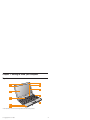
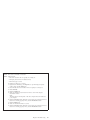
Chapter 1. Getting to know your computer
Top view . .
Left-side view
Right-side view
Front view .
Bottom view .
.
.
.
.
.
.
.
.
.
.
.
.
.
.
.
.
.
.
.
.
.
.
.
.
.
.
.
.
.
.
.
.
.
.
.
Chapter 2. Using your computer .
.
.
.
.
.
.
.
.
.
.
.
.
.
.
.
.
.
Putting your computer to standby or shutting it
Putting your computer to standby . . .
Shutting down your computer . . . .
Using the touch pad . . . . . . . .
Using the keyboard . . . . . . . .
Numeric keypad . . . . . . . .
Function key combinations . . . . .
Using memory cards . . . . . . . .
Inserting a memory card . . . . . .
Removing a memory card. . . . . .
Using the integrated camera . . . . . .
Using the Internet . . . . . . . . .
Using LAN port . . . . . . . .
Using wireless LAN . . . . . . .
Using wireless WAN . . . . . . .
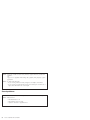
Securing your computer . . . . . . .
Attaching a security lock (optional) . . .
Using passwords . . . . . . . .
Installing device drivers . . . . . . .
© Copyright Lenovo 2009
.
.
.
.
.
.
.
.
.
.
.
.
.
.
.
.
.
.
.
.
.
.
.
.
.
.
.
.
.
.
.
.
.
.
.
.
.
.
.
.
.
.
.
.
.
.
.
.
.
.
.
.
.
.
.
.
.
.
.
.
.
down
. .
. .
. .
. .
. .
. .
. .
. .
. .
. .
. .
. .
. .
. .
. .
. .
. .
. .
.
.
.
.
.
.
.
.
.
.
.
.
.
.
.
.
.
.
.
.
.
.
.
.
.
.
.
.
.
.
.
.
.
.
.
.
.
.
.
.
.
.
.
.
.
.
.
.
.
.
.
.
.
.
.
.
.
.
.
.
.
.
.
.
.
.
.
.
.
.
.
.
.
.
.
.
.
.
.
.
.
.
.
.
.
.
.
.
.
.
.
.
.
.
.
.
.
.
.
.
.
.
.
.
.
.
.
.
.
.
.
.
.
.
.
.
.
.
.
.
.
.
.
.
.
.
.
.
.
.
.
.
.
.
.
.
.
.
.
.
.
. 1
.
.
.
.
.
1
3
4
6
7
. 11
.
.
.
.
.
.
.
.
.
.
.
.
.
.
.
.
.
.
.
.
.
.
.
.
.
.
.
.
.
.
.
.
.
.
.
.
.
.
11
11
12
12
14
14
15
17
18
18
18
18
19
20
20
21
22
22
28
iii