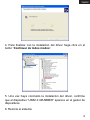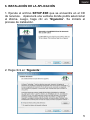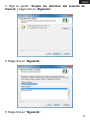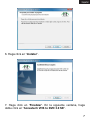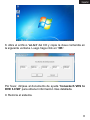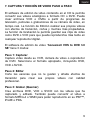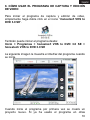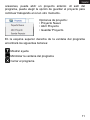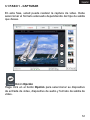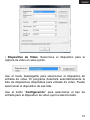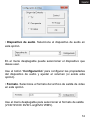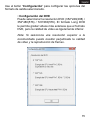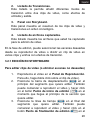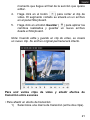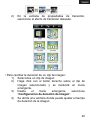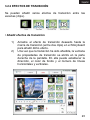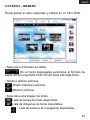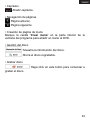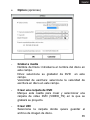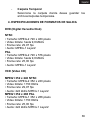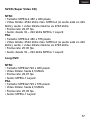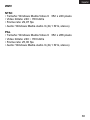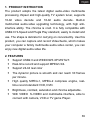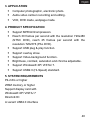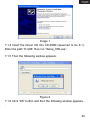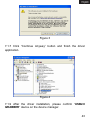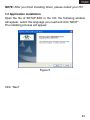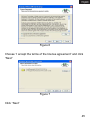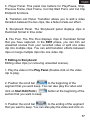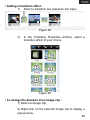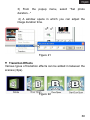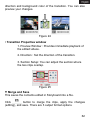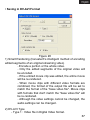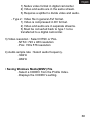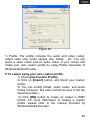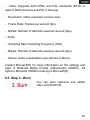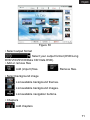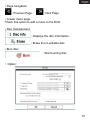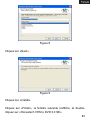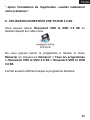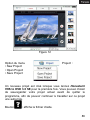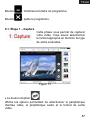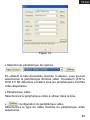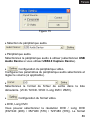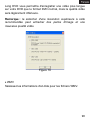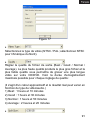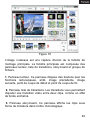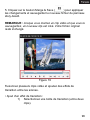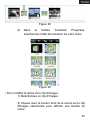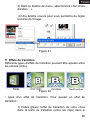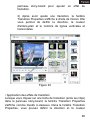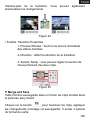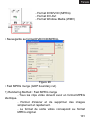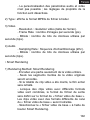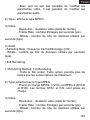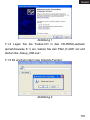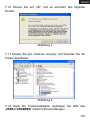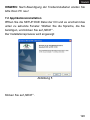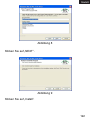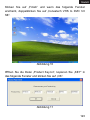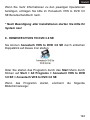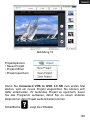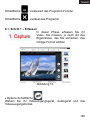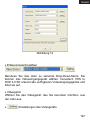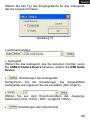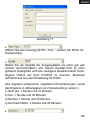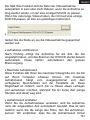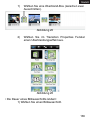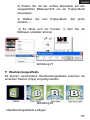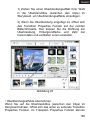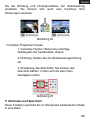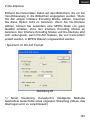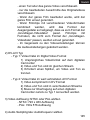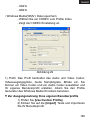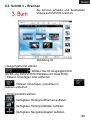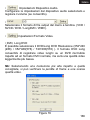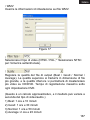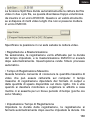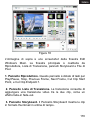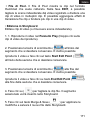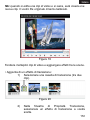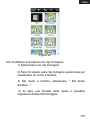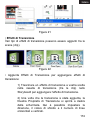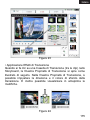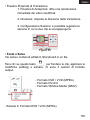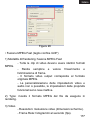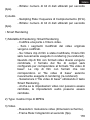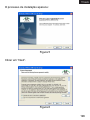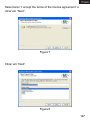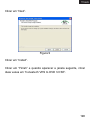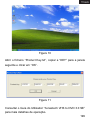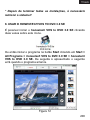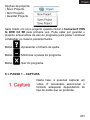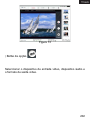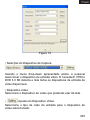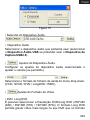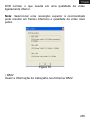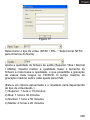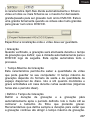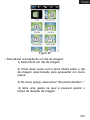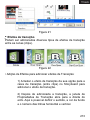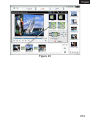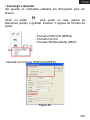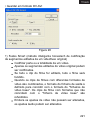
1
Español………………………………..………………1 English…………………….…………………………. 39 Français……………………………...…..………….. 76 Deutsch……………………………..……………...... 115 Italiano………….……….....…….…………………... 153 Português………………………….....…………….... 190 1. INTRODUCCIÓN El grabador de video USB 2.0 de Approx adopta la última tecnología digital multimedia de audio-video con procesador chipset y sintonizador de TV de alta calidad, soporta 10 bit de video y 16 bit de audio. Incluye tecnología de actualización multinomial de audio-video, con gran capacidad eliminar interferencias. Compatible con USB2.0, de alta velocidad y fácil de usar (Plug & Play). Su forma ergonómica facilita su transporte y almacenamiento. A través de su interfaz USB 2.0, usted podrá conectar fácilmente su PC o portátil a cualquier dispositivo de video analógico o digital (DV, V8, VHS, reproductor de DVD o VCD) en un sólo paso: “Plug & Play”. Gracias al APPGRABBER podrá capturar y grabar Video/Audio y convertir su ordenador en un centro multimedia con el que podrá importar sus videos favoritos, organizarlos, editarlos y seleccionar escenas para crear sus propias películas. 2. CARACTERÍSTICAS • Soporta USB2.0 y Windows® XP/ Vista/ 7 • Grabación a tiempo real y soporta MPEG1/2/4 • Imagen dinámica suave que puede alcanzar 30 frames por minuto. • Alta calidad de compresión MEPG1, MPEG2. • Permite la grabación directa en tiempo real a un archivo DVD o VCD. • Con opciones de ajuste de brillo, contraste, saturación y color. • Con VIDEO, S-Video e interfaz multimedia, par conectarse a una cámara, VCD o una consola de videojuegos. 1 3. REQUISITOS DEL SISTEMA • Intel® Pentium® 4-2.8G o superior • Memoria RAM de 256MB o superior (se recomienda 512MB) • Windows® XP/ Vista/ 7 • DirectX 9.0c o superior • Puerto USB 2.0 disponible 4. CONTENIDO DEL EMBALAJE • Grabador de Video USB 2.0 APPGRABBER • Cable USB • Guía de Usuario • CD con Driver y Aplicación Nota: la lista superior es para referencia, el contenido del embalaje está sujeto a cambios sin notificación. 5. INSTALACIÓN DEL DRIVER Nota: esta descripción de instalación del driver toma como ejemplo Windows XP versión en español. Bajo otros sistemas operativos puede haber ligeras diferencias. 1. Cuando conecte el Grabador mediante el cable USB al puerto USB de su ordenador, el sistema automáticamente comprobará el nuevo hardware y aparecerá un mensaje como el de la imagen. 2 2. Inserte el CD de Recursos en el reproductor de CD-ROM (supongamos que es K:\) Introduzca la ruta “K:\x86”, y a continuación ejecute “Setup:X86.exe”. Aparecerá la siguiente ventana. 3. Haga clic en OK para que aparezca la siguiente ventana. 3 4. Para finalizar con la instalación del driver haga click en el botón “Continuar de todos modos”. 5. Una vez haya concluido la instalación del driver, confirme que el dispositivo “USB2.0 GRABBER” aparece en el gestor de dispositivos. 6. Reinicie el sistema. 4 6. INSTALACIÓN DE LA APLICACIÓN 1. Ejecute el archivo SETUP.EXE que se encuentra en el CD de recursos. Aparecerá una ventana donde podrá seleccionar el idioma. Luego, haga clic en “Siguiente”. Se iniciará el proceso de instalación. 2. Haga click en “Siguiente”. 5 3. Elija la opción “Acepto los términos del acuerdo de licencia” y haga click en “Siguiente”. 4. Haga click en “Siguiente”. 5. Haga click en “Siguiente”. 6 6. Haga click en “Instalar”. 7. Haga click en “Finalizar”. En la siguiente ventana, haga doble click en “honestech VHS to DVD 3.0 SE”. 7 8. Abra el archivo “sn.txt” del CD y copie la clave contenida en la siguiente ventana. Luego haga click en “OK”. Por favor, diríjase al documento de ayuda “honestech VHS to DVD 3.0 SE” para obtener información más detallada. 9. Reinicie el sistema. 8 7. CAPTURA Y EDICIÓN DE VIDEO PASO A PASO El software de edición de video contenido en el CD le permite convertir sus videos analógicos a formato CD o DVD. Puede crear archivos VCD o DVDs a partir de programas de televisión, películas o grabaciones de su cámara de video, en tiempo real. La función de Edición realizar sus propios videos con efectos de transición, cortes y muchas más propiedades. La función de Grabación le permite guardar sus clips de video como DVD o VCD para que pueda reproducirlos más tarde en cualquier reproductor digital. El software de edición de video “honestech VHS to DVD 3.0 SE” tiene 3 modos: Paso 1: Capturar Capture video desde su VCR, cámara de video o reproductor de DVD. Seleccione el formato apropiado, incluyendo DVD, VCD o SVCD. Paso 2: Editar Corte las escenas que no le gusten y añada efectos de transición para crear sus propios videos con calidad profesional. Paso 3: Grabar (Quemar) Cree archivos DVD, VCD o SVCD con los videos que ha capturado y editado. También puede convertir el video a formato MPEG-4 o WMN para poder reproducirlo en su PSP™, iPod® o PDA. 9 8. CÓMO USAR EL PROGRAMA DE CAPTURA Y EDICIÓN DE VIDEO Para iniciar el programa de captura y edición de video, simplemente haga doble click en el icono “honestech VHS to DVD 3.0 SE”. También puede iniciar el programa desde: Inicio > Programas > honestech VHS to DVD 3.0 SE > honestech VHS to DVD 3.0 SE La siguiente imagen le muestra el interfaz del programa cuando se inicia. Cuando inicie el programa por primera vez se creará un proyecto nuevo. Si ya ha usado el programa en otras 10 ocasiones, puede abrir un proyecto anterior. Al salir del programa, puede elegir la opción de guardar el proyecto para continuar trabajando en él en otro momento. Opciones de proyecto: • Proyecto Nuevo • Abrir Proyecto • Guardar Proyecto En la esquina superior derecha de la ventana del programa encontrará los siguientes botones: : Mostrar ayuda : Minimizar la ventana del programa : Cerrar el programa 11 3.1 PASO 1 - CAPTURAR En esta fase, usted puede realizar la captura de video. Debe seleccionar el formato adecuado dependiendo del tipo de salida que desee. Botón Opción • Haga click en el botón Opción para seleccionar su dispositivo de entrada de video, dispositivo de audio y formato de salida de video. 12 • Dispositivo de Video. Seleccione el dispositivo para la captura de video en esta opción. Use el menú desplegable para seleccionar el dispositivo de entrada de video. El programa detectará automáticamente la lista de dispositivos disponibles para entrada de video. Puede seleccionar el dispositivo de esa lista. Use el botón “Configuración” para seleccionar el tipo de entrada para el dispositivo de video que ha seleccionado. 13 • Dispositivo de audio. Seleccione el dispositivo de audio en esta opción. En el menú desplegable puede seleccionar el dispositivo que desee usar. Use el botón “Configuración” para configurar las propiedades del dispositivo de audio y ajustar el volumen (si existe esta opción). • Formato. Seleccione el formato del archivo de salida de video en esta opción. Use el menú desplegable para seleccionar el formato de salida (VCD/ SVCD/ DVD/ LongDVD/ WMV). 14 Use el botón “Configuración” para configurar las opciones del formato de salida seleccionado. • Configuración del DVD Puede seleccionar la resolución DVD (352*240(288) / 352*480(576) / 720*480(576). El formato Long DVD le permite grabar videos más extensos que el formato DVD, pero la calidad de video es ligeramente inferior. Nota: Si selecciona una resolución superior a la recomendada puede resultar perjudicada la calidad de video y la reproducción de frames. 15 • Configuración de WMV Introduzca la información del encabezamiento para los archivos WMV (Título, Autor, Marca registrada, Descripción). • Tipo de Video. Seleccione el modo de video en esta opción. Para Europa, el modo de video debe ser PAL (el modo NTSC es el usado en Norteamérica). • Calidad. Ajuste la calidad del archivo de salida en esta opción. Puede seleccionar: Lo mejor (mejorada), Buena, Normal, Regular (media). Cuanto más alta sea la calidad seleccionada, 16 mayor será el tamaño del archivo. Si selecciona calidades menores podrá grabar videos de mayor duración en su CD/DVD. El tiempo máximo de duración por DVD para cada modo de calidad seleccionado es el siguiente (este tiempo es una aproximación): 1) Lo mejor: 1 hora y 10 minutos 2) Buena: 1 hora y 30 minutos 3) Normal: 1 hora y 50 minutos 4) Regular: 2 horas y 20 minutos • Tamaño de División. Para archivos de video muy extensos, puede seleccionar esta opción para partir el archivo en dos o más archivos de menor tamaño. Esta herramienta es muy adecuada para videos de demasiada duración que no caben en un solo CD/DVD. • Carpeta de Salida. Especifique la localización donde va a guardar la captura de video en esta opción. • Guardar y Grabar. En la parte inferior izquierda de la ventana del programa se encuentra la casilla “Grabar y Quemar”. Si marca esta opción, la grabación se realizará con la duración que usted establezca y comenzará a grabarse el CD/DVD automáticamente después. Esta opción hace automático todo el proceso. 17 • Tiempo máximo de grabación. En la parte inferior central de la ventana del programa puede visualizar la duración máxima de grabación de video que puede capturar en su ordenador (Máximo Tiempo de Grabar). Esta duración dependerá del formato de salida de video y del espacio libre de su disco duro. • Programar tiempo de grabación. En la parte inferior derecha de la ventana del programa se encuentra la opción “Entrar Tiempo de Grabar” mediante la cual puede programar el tiempo de duración de la grabación, de modo que el programa dejará de grabar cuando termine el tiempo establecido. Esta opción es muy útil si se conoce la duración de una película que desee capturar. No obstante, siempre se puede detener la grabación manualmente. • . Botón Grabar. Haga click en este botón para iniciar la grabación. . Botón Parar. Haga click en este botón para detener la • grabación. El video grabado se guardará en el archivo especificado en la opción “Carpeta de Salida”. • Estado actual. Esta línea de tiempo muestra el estado actual de la grabación con respecto al tiempo total de duración. 18 3.2 PASO 2 – EDITAR Una vez haya capturado todos los videos, puede pasar a la fase de edición del programa. La ventana Editar del programa consta de: panel de reproducción, listado de transiciones, panel con Storyboard y listado de archivos capturados. 1. Panel de Reproducción. En este panel puede encontrar los botones: Reproducción/Pausa, Detener, Fotograma anterior, Fotograma Siguiente, Punto de inicio del corte y Punto de finalización del corte. 19 2. Listado de Transiciones. Este listado le permite añadir diferentes modos de transición entre dos clips de video, como efectos de entrada y salida. 3. Panel con Storyboard. Este panel muestra un resumen de los clips de video y transiciones en orden cronológico. 4. Listado de archivos capturados. Este listado muestra los archivos que usted ha capturado para la edición de video. En la fase de edición, puede seleccionar las escenas deseadas desde su reproductor de video o dividir un clip de video en varios clips y unirlos con efectos de transición. 3.2.1 EDICIÓN EN STORYBOARD Para editar clips de video (o eliminar escenas no deseadas) 1. 2. 3. Reproduzca el video en el Panel de Reproducción. Para ello, haga doble click sobre el clip de video). Posicione la barra de desplazamiento ( ) en el principio del segmento que quiere editar. También puede comenzar a reproducir el video y hacer click ) en el en el botón Punto de inicio de edición ( momento que llegue al principio de la sección que quiere editar. Posicione la línea de tiempo ( ) en el final del segmento que quiere editar. También puede comenzar a reproducir el video y hacer click en el botón Punto de finalización de edición ( ) en el 20 momento que llegue al final de la sección que quiere editar. 4. Haga click en el botón ( ) para cortar el clip de video. El segmento cortado se situará en un archivo en el panel Storyboard. 5. Haga click en el botón Guardar ( ) para aplicar los cambios realizados y guardar un nuevo archivo desde el Storyboard. Nota: Cuando edite y guarde un clip de video, se creará un nuevo clip. Su archivo original permanecerá intacto. Para unir varios clips de video y añadir efectos de transición entre escenas • Para añadir un efecto de transición: 1) Seleccione una marca de transición (entre dos clips). 21 2) En la ventana de propiedades de transición, seleccione el efecto de transición deseado. • Para cambiar la duración de un clip de imagen: 1) Seleccione un clip de imagen 2) Haga click con el botón derecho sobre el clip de imagen seleccionado y se mostrará un menú emergente. 3) Desde el menú emergente, seleccione “Configuración de duración de imagen”. 4) Se abrirá una ventana donde puede ajustar el tiempo de duración de la imagen. 22 3.2.2 EFECTOS DE TRANSICIÓN Se pueden añadir varios efectos de transición entre las escenas (clips). • Añadir efectos de transición 1) 2) Arrastre el efecto de transición deseado hasta la marca de transición (entre dos clips) en el Storyboard para añadir dicho efecto. Una vez que la transición ha sido añadida, la ventana de propiedades de transición se abrirá en la parte derecha de la pantalla. En ella puede establecer la dirección, el color de fondo y el número de líneas horizontales y verticales. 23 • Aplicar los efectos de transición Cuando haga click en una marca de transición (entre dos clips) en el Storyboard, la ventana de propiedades de transición se abrirá como se muestra en la imagen. En esta ventana, puede previsualizar los cambios realizados. 1. 2. 3. Ventana de previsualización: le proporciona una visualización inmediata de los videos editados. Dirección: establece la dirección de la transición. Configuración de sección: le permite configurar la sección donde dos clips se solapan. 3.2.3 APLICAR Y GUARDAR Haga click en el botón Guardar para aplicar los cambios realizados y guardar los contenidos editados en el Storyboard en un archivo. 24 Hay 3 opciones de formato de salida: • Formato DVD/VCD (MPEG) • Formato DV-AVI • Formato Windows Media (WMV) • Guardar un archivo en formato DVD/VCD (MPEG) 25 1) 2) 3) 4) 1) Compresión rápida MPEG Método de renderización: Compresión rápida MPEG Todos los clips de video deben tener el mismo formato MPEG. Se realiza insertando y eliminando frames de forma simple y rápida. El formato de salida de video debe corresponderse con el formato MPED original. No es posible ajustar las características de video y audio; la función propiedades de configuración está inactiva. Tipo: expone el formato MPEG de archivo para ser renderizado. Video Resolución: resolución de video de la pantalla. Frecuencia de imagen: frames por segundo (fps). Velocidad de bits: número de bits de datos usados por segundo (bps). Audio Toma de muestras: frecuencia de muestreo (KHz). Velocidad de bits: número de bits de datos usados por segundo (bps). Procesamiento rápido Método de renderización: Codifica una fracción o el video completo Sólo los segmentos editados del video original son codificados. Si el video completo ha sido editado, el video completo es renderizado. 26 - 2) 3) 4) 1) 2) 3) Cuando los clips de video de diferentes formatos son combinados, el formato de salida debe corresponderse con el formato de el “archivo de video base”. Los clips de video con formatos que no se corresponden con el archivo de video base serán renderizados. Seleccione la opción “base video file” usando el botón Renderización Rápida. Aunque las opciones de configuración de video no pueden cambiar, la configuración de audio puede cambiarse. Tipo: expone el tipo MPEG Video Resolución: resolución de video de la pantalla. Frecuencia de imagen: frames por segundo (fps). Velocidad de bits: número de bits de datos usados por segundo (bps). Audio Toma de muestras: frecuencia de muestreo (KHz). Velocidad de bits: número de bits de datos usados por segundo (bps). Procesamiento completo Método de renderización: Renderiza el video completo. Esta opción necesita un mayor tiempo de ejecución que las otras opciones de renderización. Tipo: Selecciona el tipo MPEG Video Resolución: resolución de video de la pantalla. 27 - 4) Frecuencia de imagen: frames (fps). Velocidad de bits: número de usados por segundo (bps). Audio Toma de muestras: frecuencia (KHz). Velocidad de bits: número de usados por segundo (bps). por segundo bits de datos de muestreo bits de datos Opción de codificación avanzada 1) Modo “Codificación entrelazada”: codifica cada frame separando las unidades de campo en pares en impares. Puede mejorar la calidad de la pantalla usando esta opción cuando aparezcan líneas horizontales en la pantalla. Cuando active el modo “Codificación entrelazada”, se creará un archivo MPEG con frames entrelazados. Esta opción sólo está habilitada en MPEG2. Desentrelazar (origen): elimina las lineas horizontales de la pantalla antes de la codificación. Si selecciona el modo “Codificación entrelazada” no podrá usar esta función. Si selecciona “Desentrelazar” podrá obtener una buena calidad de archivo MPEG sin usar el modo “Codificación entrelazada”. 2) 28 Ambos modos “Codificación entrelazada” y “Desentrelazar” son muy efectivos para convertir archivos DV-AVI creados con cámara de video en archivos MPEG. • Guardar un archivo en formato DV-AVI Procesamiento inteligente (método inteligente para codificar segmentos de un video streaming original) - Codifica una fracción o el video completo Sólo los segmentos editados del video original son codificados. Si el video completo ha sido editado, el video completo es renderizado. Cuando los clips de video de diferentes formatos son combinados, el formato de salida debe corresponderse con el formato de el “archivo de video base”. Los clips de video con formatos que no se corresponden con el archivo de video base serán renderizados. 29 - Aunque las opciones de configuración de video no pueden cambiar, la configuración de audio puede cambiarse. DV-AVI Type 1) 2) 3) 1) 2) 3) Type 1: archivo de video en formato de video digital Formato de video original en cámara de video digital. Video y audio están en el mismo canal. Requiere un splitter para dividir video y audio. Type 2: archivo de video en formato AVI general El Video es comprimido en formato DV. Video y audio están en canales separados. Debe ser convertido en Type 1 para ser transferido a una cámara de video digital. - Resolución imagen: seleccione NTSC o PAL. o NTSC: resolución 720 x 480 o PAL: resolución 720 x 576 - Velocidad de muestreo audio: seleccione la frecuencia de audio. o 32 KHz o 48 KHz • Guardar un archivo en formato Windows Media (WMV) - Seleccione un CODEC de la lista en el campo Perfil. Establezca la configuración del CODEC. 30 Perfil: el perfil incluye el codec de audio y video, la resolución de la salida de video, la tasa de muestreo de audio, la tasa de bits, etc. Puede elegir un codec de video y un codec de audio a su elección o crear su propio perfil usando el generador de perfiles (Profile Generator) de Windows Media Encoder. Para guardar el archivo usando su propio perfil, 1) Marque la casilla “Usar perfil predeterminado”. 2) Haga click en el botón “Importar” para importar su perfil. 3) Puede modificar la Velocidad de bits, el códec de audio y el formato de audio. 4) Haga click en el botón “Aceptar” para crear el archivo de salida WMV. 31 Para obtener más información sobre cómo crear su propio perfil, por favor, consulte el manual que le proporciona Windows Media Encoder. - Video: soporta los estándares NTSC (para Norteamérica) y PAL (para Europa). Resolución: resolución de video de la pantalla. Frecuencia de imagen: frames por segundo (fps). Velocidad de bits: número de bits de datos usados por segundo (bps). Audio Toma de muestras: frecuencia de muestreo (KHz). Velocidad de bits: número de bits de datos usados por segundo (bps). Stereo: tipo de presentación de audio (Stereo o Mono). Contacte con Microsoft® para obtener más información sobre la configuración y usos del formato Windows Media (Video/Audio CODEC). Todos los derechos de los CODECs de Microsoft pertenecen a Microsoft®. 32 3.3 PASO 3 – GRABAR Puede grabar el video capturado y editado en un CD o DVD. • Seleccione el formato de salida. : En el menú desplegable seleccione el formato de salida (DVD/ Long DVD/ VCD/ SVCD/ Data CD/ Data DVD). • Añada o elimine archivos. : Añadir (importar) archivos. : Eliminar archivos. • Seleccione una imagen de fondo. : Lista de temas de fondo disponibles. : Lista de imágenes de fondo disponibles. : Lista de botones de navegación disponibles. 33 • Capítulos : Añadir capítulos. • Navegación de páginas : Página anterior. : Página siguiente. • Creación de página de menú Marque la casilla “Crear menú” en la parte inferior de la ventana del programa para añadir un menú al DVD. • Gestión del disco : Muestra la información del disco. : Borra el disco regrabable. • Grabar disco : Haga click en este botón para comenzar a grabar el disco. 34 Option (opciones) - Grabar a media Nombre de Disco: introduzca el nombre del disco en este campo. Drive: seleccione su grabador de DVD en este campo. Velocidad de escritura: seleccione la velocidad de escritura en disco en este campo. - Crear una carpeta de DVD Marque esta casilla para crear y seleccionar una carpeta de video DVD (VIDEO_TS) en la que se grabará su proyecto. - Crear UDI Seleccione la carpeta donde quiere guardar el archivo de imagen de disco. 35 - Carpeta Temporal Seleccione la carpeta donde desea guardar los archivos/carpetas temporales. 4. ESPECIFICACIONES DE FORMATOS DE SALIDA DVD (Digital Versatile Disk) NTSC • Tamaño: MPEG-2 720 x 480 pixels • Video bitrate: hasta 9,8 Mbit/s • Frame rate: 29,97 fps • Audio: MPEG-1 Layer2 PAL • Tamaño: MPEG-2 720 x 576 pixels • Video bitrate: hasta 9,8 Mbit/s • Frame rate: 25,00 fps • Audio: MPEG-1 Layer2 VCD (Video CD) MPEG1 352 x 240 NTSC • Tamaño: MPEG-2 352 x 240 pixels • Video bitrate: 1150 Kbit/s • Frame rate: 29,97 fps • Audio: 224 kbit/s MPEG-1 Layer2 MPEG1 352 x 288 PAL • Tamaño: MPEG-1 352 x 288 pixels • Video bitrate: 1150 Kbit/s • Frame rate: 25,00 fps • Audio: 224 kbit/s MPEG-1 Layer2 36 SVCD (Super Video CD) NTSC • Tamaño: MPEG-2 480 x 480 pixels • Video bitrate: 2524 kbit/s máx. MPEG-2 (si audio está en 224 kbit/s), audio + video bitrate máximo es 2748 kbit/s. • Frame rate: 29,97 fps • Audio: desde 32 – 224 kbit/s MPEG-1 Layer2 PAL • Tamaño: MPEG-2 480 x 576 pixels • Video bitrate: 2524 kbit/s máx. MPEG-2 (si audio está en 224 kbit/s), audio + video bitrate máximo es 2748 kbit/s. • Frame rate: 25,00 fps • Audio: desde 32 – 224 kbit/s MPEG-1 Layer2 Long DVD NTSC • Tamaño: MPEG2 720 x 480 pixels • Video bitrate: hasta 2,5 Mbit/s • Frame rate: 29,97 fps • Audio: MPEG-1 Layer2 PAL • Tamaño: MPEG2 720 x 576 pixels • Video bitrate: hasta 2,5 Mbit/s • Frame rate: 25,00 fps • Audio: MPEG-1 Layer2 37 WMV NTSC • Tamaño: Windows Media Video 9 352 x 240 pixels • Video bitrate: 240 ~ 760 kbit/s • Frame rate: 29,97 fps • Audio: Windows Media Audio 9 (44,1 KHz, stereo) PAL • Tamaño: Windows Media Video 9 352 x 288 pixels • Video bitrate: 240 ~ 760 kbit/s • Frame rate: 25,00 fps • Audio: Windows Media Audio 9 (44,1 KHz, stereo) 38 1. PRODUCT INSTRUCTION The product adopts the latest digital audio-video multimedia processing chipset and high-quality TV system tuner, supports 10-bit video decode and 16-bit audio decode. Built-in multinomial audio-video upgrading technology, with high antiinterfere ability. The chroma is vivid. It is fully compatible with USB2.0 Hi-Speed and Plug& Play standard, easily to install and use. The shape is delicate for carrying on conveniently. Use this product, you can capture and record Video/Audio, which makes your computer a family multimedia audio-video center, you can enjoy new digital audio-video life. 2. FEATURES ◆ Support USB2.0 and WINDOWS XP/VISTA/7. ◆ Real-time record and support MPEG1/2/4. ◆ Support 24-bit real color ◆ The dynamic picture is smooth and can reach 30 frames per minute. ◆ High quality MPEG-1, MPEG-2 compress engine, realtime record standard VCD, DVD. ◆ ◆ Brightness, contrast, saturation and chroma adjustable. With VIDEO S-VIDEO and multimedia interface, able to connect with camera, VCD or TV game Player. 39 3. APPLICATION ◆ Computer photographic, electronic photo. ◆ Audio-video cartoon recording and editing. ◆ VCD, DVD made, webpage made. 4. PRODUCT SPECIFICATION ◆ Support MPEGⅠ/Ⅱcompression. ◆ Reach 30 frames per second with the resolution 720x480 (NTSC DVD), reach 25 frames per second with the resolution 720x576 (PAL DVD). ◆ Support USB plug & play function. ◆ Support overlay show. ◆ Support Video-background function. ◆ Brightness, contrast, saturation and chroma adjustable. ◆ Support Windows® XP/ VISTA/ 7. ◆ Support USB2.0 (Hi-Speed) standard. 5. SYSTEM REQUIREMENTS P4-2.8G or higher 256M memory or higher Support display card with Windows® XP/ VISTA/ 7 Directx9.0C A vacant USB2.0 interface 40 6. PRODUCT LIST USB Grabber 1 piece USB Cable 1 piece User’s Manual 1 piece Drives & Application CD 1 piece Notice: The above list is only for reference, the list is subject to change without notice. 7. DRIVERS AND APPLICATIONS INSTALLATION Notice: The driver installation takes Windows XP with English version as an example, but under other operating systems, it may be slightly different. 7.1 Drivers installation 7.1.1 When you put USB GRABBER via USB cable into USB interface, the system will automatically check new hardware and then will prompt the following pictures. 41 Image 1 7.1.4 Insert the Driver CD into CD-ROM (assumed to be K :\). Enter the path “K:\x86” then run “Setup_X86.exe”. 7.1.5 Then the following window appears. Figure 2 7.1.6 Click “OK” button and then the following window appears. . 42 Figure 3 7.1.7 Click “Continue Anyway” button and finish the driver application. Figure 4 7.1.9 After the driver installation, please confirm “USB2.0 GRABBER” device on the device manager. 43 NOTE: After you finish installing driver, please restart your PC! 7.2 Application installation Open the file of SETUP.EXE in the CD, the following window will appear, select the language you need and click “NEXT”. The installing process will appear: Figure 5 Click “Next” 44 Figure 6 Choose “I accept the terms of the license agreement” and click “Next” Figure 7 Click “Next” 45 Figure 8 Click “Next” Figure 9 Click “Install”. Click “Finish”, And when the following window appears, double click “honestech VHS to DVD 3.0 SE”. 46 Figure 10 Open the file of “Product Key.txt”, Copy “KEY” to the following window, and click “OK”. Figure 11 Please refer to the honestech VHS to DVD 3.0 SE User Guide for more operation details. 47 * After you finish all the installations, please restart the system!! 8 . USING HONESTECH VHS TO DVD 3.0 SE You can start honestech VHS to DVD 3.0 SE by simply double-clicking on this icon. Or you can start the program through the Start menu button by clicking Start > All Programs > honestech VHS to DVD 3.0 SE > honestech VHS to DVD 3.0 SE Following screen will be displayed when the program starts. 48 Figure 12 Project options: • New Project • Open Project • Save Project. A new project will be created when you start honestech VHS to DVD 3.0 SE for the first time. You may choose to save your current project before you exit the program so that you can continue working on the project at another time. Button : Shows help file. Button : Minimizes the program window. 49 Button : Exits the program. 8.1. Step 1 – Capture In this phase, you will capture your video. You must select properly format depending on the type of output you want. Figure 13 Option Button Select your input video device, audio device and the video output format. 50 Figure 14 Selecting Capture Device. Using the drop-down menu shown above, you can select the video input device. honestech VHS to DVD 3.0 SE will detect and list all available video input devices. Video Device. Select the video device that you want to use from the list. Video Device Settings. Select input cable type for the video device you selected. 51 Figure 15 Selecting Audio Device. Audio Device Select the audio device that you want to use (Select USB Audio Device if you are using USB2.0 Capture Device). Audio Device Settings. Configure the settings of the selected audio device and adjust the volume (if allowed). Select the output file format from drop down menu. (VCD / SVCD / DVD / LongDVD / WMV). Video Format Settings. DVD, Long DVD You can select the DVD/Long DVD Resolution ( 352*240(288) / 352*480(576) / 720*480(576) ). Long DVD format will allow you to record longer video on your writable DVD than the normal DVD format, but it will result in slightly lower video quality. 52 Note: Selecting higher than the recommended resolution setting may result in dropped frames and poor video quality. Figure 16 WMV Enter the Header Information on WMV files. Figure 17 53 Select video type (NTSC / PAL; * Select NTSC for North America). Adjust the quality of the output file (Best / Good / Normal / Average). The higher quality will result in bigger file size, and the lower quality will allow you to burn longer video on your CD/DVD. Maximum recording time under each setting for DVD. (This is an approximate calculation, and the result will vary depending on the video/audio type.) 1) Best: 1 hour and 10 minutes 2) Good: 1 hour and 30 minutes 3) Normal: 1 hour and 50 minutes 4) Average: 2 hours and 20 minutes Split Size feature automatically splits the capture video file into two or more files if it would becomes too large to fit on a single DVD/CD. This is a great tool if you have many long videos that cannot fit on a single DVD/CD. Specify the location where the capture video will be saved. 54 Record and Burn When checked, the recording will be made for the duration of time you set, and DVD/CD burning will start automatically afterward. This option makes the whole process automatic. Maximum Recording Time This feature lets you know the maximum amount of video you can capture on your computer. The maximum recording time will depend on the output format and amount of hard drive space available. This is useful when you want to monitor and record activities at home while you are away for a short period of time (Few hours are ideal). Set Recording Time Set the duration of recording, and the recording will stop automatically after the duration you set. This is very useful if you know the length of the movie you are capturing. It is recommended that you always set the recording duration time to prevent the recording from continuing until it reaches the maximum recording time. You can always stop the recording manually before the recording duration time is reached. Record Button. Click to start recording. Stop Button. Click to stop the recording. The recorded video will be saved in the output folder. 55 Current State. Displays the recording status and the remaining time for the recording duration time or the maximum record time. 8.2. Step 2 – Edit Once all your videos are captured, you can move on to the edit phase of honestech VHS to DVD 3.0 SE. Figure 18 The above image is a screenshot of the Edit Window's Main Window. The Main Window consists of Player, Transition List, Storyboard panels and the File Pool. 56 1. Player Panel. This panel has buttons for Play/Pause, Stop, Previous Frame, Next Frame, Cut Clip Start Point, and Cut Clip Endpoint functions. 2. Transition List Panel. Transition allows you to add a video transition between the two clips, like a fade-in-fade-out effect. 3. Storyboard Panel. The Storyboard panel displays clips in thumbnail format in time order. 4. File Pool. The File Pool displays clips in thumbnail format that you have captured. In the EDIT phase, you can trim out unwanted scenes from your recorded video or split one video clip into multiple clips. You can add transition effects betweem clips or merge multiple clips into one video clip. Editing in Storyboard Editing video clips (or removing unwanted scenes). 1. Play the video in the Play Panel (Double-click on the video clip to play). ) to the beginning of the 2. Position the scroll bar ( segment that you want keep. You can also play the video and click on Start Edit Point ( section that you want to keep. ) button at the beginning of the 3. Position the scroll bar ( ) to the ending of the segment that you want to keep. You can also play the video and click on 57 End Edit Point ( that you want to keep. ) button at the end of the segment 4. Click on ( ) to cut the file clip. The selected segment will be placed in the Storyboard. ) button to apply the changes 5. Click Merge & Save ( and save the new file from the Storyboard. NOTE: When you edit a video clip and save, a new clip will be created. Your original file will remain unchanged. Figure 19 Merge multiple video clips and add transition effects between scenes. 58 • Adding a transition effect : 1) Select a transition box (between two clips). Figure 20 2) In the Transition Properties window, select a transition effect of your choice. Figure 20 • To change the duration of an image clip : 1) Select an image clip. 2) Right-click on the selected image clip to display a popup menu. 59 3) From the popup menu, select "Set photo duration..." 4) A window opens in which you can adjust the image duration time. Figure 21 Transition Effects Various types of transition effects can be added in between the scenes (clips). Figure 22 60 • Adding Transition Effects To add a transition effects: 1) Drag a transition effect of your choice to the transition box (between clips) in the Storyboard other to add the transition effect. 2) Once the transition has been added, the Transition Properties window will open to the right of the screen. Here you can set the direction, background color, and number of horizontal and vertical lines. Figure 23 • Applying Transition Effects When you click on a Transition Box (in between the clips) in the Storyboard, the Transition Properties window opens as shown below. In the Transition Properties window, you can set the 61 direction and background color of the transition. You can also preview your changes. Figure 24 • Transition Properties window 1. Preview Window : Provides immediate playback of the edited videos. 2. Direction : Set the direction of the transition. 3. Section Setup: You can adjust the section where the two clips overlap. Figure 25 Merge and Save This saves the contents edited in Storyboard into a file. button to merge the clips, apply the changes Click (editing), and save. There are 3 output format options. 62 - DVD/VCD (MPEG) Format - DV-AVI Format - Window Media (WMV) Format • Saving in DVD/VCD(MPEG) Format. Figure 26 • Fast MPEG merge (GOP boundary cut) 1) Rendering Method : Fast MPEG merge - All video clips must have identical MPEG formats. - Makes inserting and deleting frames simple and fast. - The output video format will match the original MPEG format. 63 - Customizing of video and audio settings is not possible; function property settings are made inactive. 2) Type : Displays MPEG format of file to be rendered. 3) Video - Resolution: Video resolution (screen size). - Frame Rate: Frames per second (fps). - Bitrate: Number of data bits used per second (bps). 4) Audio - Sampling Rate: Sampling Frequency (KHz). - Bitrate: Number of data bits used per second (bps). • Smart Rendering 1) Rendering Method : Smart Rendering - Encode a portion or the whole video. - Only the edited segments of the original video will be encoded. - If the entired movie clip was edited, the entire movie will be re-rendered. - When movie clips with different video formats are combined, the format of the output file will be set to match the format of the "base video file". Movie clips with formats that don't match the "base video file" will be re-rendered. - Select the "base video file" using the Smart Rendering button. - Although the video settings cannot be changed, the audio settings can be changed. 2) Type : Display MPEG type 64 3) Video - Resolution: Video resolution (screen size). - Frame Rate: Frames per second (fps). - Bitrate: Number of data bits used per second (bps). 4) Audio - Sampling Rate: Sampling Frequency (KHz). - Bitrate: Number of data bits used per second (bps). • Full Rendering 1) Rendering Method: Full Rendering - Renders the entire movie. This rendering option will take longer than the other rendering options. 2) Type : Select MPEG type - Supports MPEG-1 (VCD) and MPEG-2 (SVCD and DVD). Both NTSC and PAL standards are supported. 3) Video - Resolution: Video resolution (screen size). - Frame Rate: Frames per second (fps). - Bitrate: Number of data bits used per second (bps). 4) Audio - Sampling Rate: Sampling Frequency (KHz). - Bitrate: Number of data bits used per second (bps). 65 • Advanced encoding option. Figure 27 1) Interlace encoding mode: Encodes each frame by separating the field units into even numbered line fields and odd numbered line fields. You can improve screen quality using this option when horizontal lines appear in the input source screen. When the Interlace Encoding Mode is set, an MPEG file whose frame type is interlaced is created. This option is available only in MPEG2. 2) De-interlace: Removes the horizontal lines on the screen entered in the frame unit before encoding. If you select the Interlace Encoding Mode above, you don‟t have to use this option. In addition, if you select De-interlace, you can obtain a good quality MPEG file without using the Interlace Encoding Mode. Interlace Encoding Mode and De-Interlace are very effective when converting DV-AVI files created by Camcorders into MPEG files. 66 • Saving in DV-AVI Format Figure 28 1) Smart Rendering (honestech's intelligent method of encoding edited segments of an original streaming video) - Encode a portion or the whole video. - Only the edited segments of the original video will be encoded. - If the entired movie clip was edited, the entire movie will be re-rendered. - When movie clips with different video formats are combined, the format of the output file will be set to match the format of the "base video file". Movie clips with formats that don't match the "base video file" will be re-rendered. - Although the video settings cannot be changed, the audio settings can be changed. 2) DV-AVI Type - Type 1 : Video file in Digital Video format. 67 1) Native video format in digital camcorder. 2) Video and audio are in the same stream. 3) Requires a splitter to divide video and audio. - Type 2 : Video file in general AVI format. 1) Video is compressed in DV format. 2) Video and audio are in separate streams. 3) Must be converted back to type 1 to be transferred to a digital camcorder. 3) Video resolution : Select NTSC or PAL. - NTSC: 720 x 480 resolution - PAL: 720x 576 resolution 4) Audio sample rate : Select audio frequency. - 32kHz - 48kHz • Saving Windows Media(WMV) File - Select a CODEC from the Profile Index. - Displays the CODEC's setting. 68 Figure 29 1) Profile: The profile includes the audio and video codec, output video size, audio sample rate, bitrate , etc. You can select a video codec and an audio codec of your choice and create your own custom profile by using Profile Generator of Windows Media Encoder. To output using your own custom profile, 1) Check [Use Custom Profile]. 2) Click on [Import] button, and import your custom profile. 3) You can modify bitrate, audio codec, and audio format (however, this value cannot be save in the the imported profile.). 4) Click [OK] button to create an output in WMV format. For more information of making a custom profile, please refer to the manual provided by Windows Media Encoder. 69 - Video: Supports both NTSC and PAL standards (NTSC is used in North America and PAL in Europe). - Resolution: Video resolution (screen size). - Frame Rate: Frames per second (fps). - Bitrate: Number of data bits used per second (bps). • Audio - Sampling Rate: Sampling Frequency (KHz). - Bitrate: Number of data bits used per second (bps). - Stereo: Audio presentation type (Stereo or Mono) Contact Microsoft(R) for more information on the settings and uses of Windows Media Format (Video/Audio CODEC). All rights to Microsoft CODECs belong to Microsoft(R). 8.3. Step 3 –Burn You can burn captured and edited video onto DVD/CD. 70 Figure 30 • Select output format : Select your output format (DVD/Long DVD/VCD/SVCD/Data CD/ Data DVD). • Add or remove files : Add (import) files. : Remove files. • Select background image : List available background themes. : List available background images. : List available navigation buttons. • Chapters : Add chapters 71 • Page navigation : Previous Page. : Next Page • Create menu page. Check this option to add a menu to the DVD. • Disc management. : Displays the disc information. : Erase the re-writable disc. • Burn disc. : Start burning disc. • Option: 72 - Record to media Disc name : Enter disc name Drive : Select a DVD writer Write Speed : Select disc writing speed. Create DVD folder Create DVD video folder (VIDEO_TS) and select a folder where you want to save the DVD video folder. Create UDI Select a folder where disc image file will be stored. Temp Folder Select temp folder where the temporary files/folders will be stored. 73 9. OUTPUT SPECIFICATION • DVD (Digital Versatile Disk) Spec - NTSC • Size: MPEG-2 720 X 480 pixels. • Video bitrate: Up to 9.8 Mbit/sec. • Frame rate: 29.97 frames/sec. • Audio: MPEG-1 Layer2. - PAL • Size: MPEG-2 720 X 576 pixels. • Video bitrate: Up to 9.8 Mbit/sec. • Frame rate: 25.00 frames/sec. • Audio: MPEG-1 Layer2. • VCD (Video CD) - MPEG1 352 X 240 NTSC • Size: MPEG-1 352 X 240 pixels. • Video bitrate: 1150 kbit/sec. • Frame rate: 29.97 frames/sec. • Audio: 224 kbit/sec MPEG-1 Layer2. - MPEG1 352 X 288 PAL • Size: MPEG-1 352 X 288 pixels. • Video bitrate: 1150 kbit/sec. • Frame rate: 25.00 frames/sec. • Audio: 224 kbit/sec MPEG-1 Layer2. • SVCD (Super Video CD) - NTSC • Size: MPEG-2 480 X 480 pixels. • Video bitrate: max 2524 kbit/sec MPEG-2 (if the audio is in 224 kbit/sec), audio + video max bitrate is 2748 kbit/sec. • Frame rate: 29.97 frames/sec. • Audio: from 32 - 224 kbit/sec MPEG-1 Layer2 74 - PAL • Size: MPEG-2 480 X 576 pixels. • Video bitrate: max 2524 kbit/sec MPEG-2 (if the audio is in 224 kbit/sec), audio + video max bitrate is 2748 kbit/sec. • Frame rate: 25.00 frames/sec • Audio: from 32 - 224 kbit/sec MPEG-1 Layer2 • Long DVD - NTSC • Size : MPEG2 720 X 480 pixels • Video bitrate : Up to 2.5 Mbit/sec • Frame rate : 29.97 frames/sec • Audio : MPEG-1 Layer2 - PAL • Size : MPEG2 720 X 576 pixels • Video bitrate : Up to 2.5 Mbit/sec • Frame rate : 25.00 frames/sec • Audio : MPEG-1 Layer2 • WMV - NTSC • Size : Windows Media Video 9 352 X 240 pixels • Video bitrate : 240 ~760 kbit/sec • Frame rate : 29.97 frames/sec • Audio : Windows Media Audio 9 (44.1Khz ,stereo) - PAL • Size : Windows Media Video 9 352 X 288 pixels • Video bitrate : 240 ~760 kbit/sec • Frame rate : 25.00 frames/sec • Audio : Windows Media Audio 9 (44.1Khz ,stereo 75 1. INSTRUCTION PRODUIT Ce produit bénéficie du dernier jeu de composants en date, avec traitement multimédia de l'audio-vidéo numérique, tuner de télévision de haute qualité, décodeur vidéo 10 bits et décodeur audio 16 bits. Technologie d'actualisation audio vidéo multinomiale intégrée, avec capacité élevée anti-interférence. Les couleurs sont saisissantes. Il est totalement compatible avec la norme USB 2.0 Hi-Speed et prêt à l'emploi, facile à installer et simple à utiliser. Le boîtier est délicat et commode à transporter. Utilisez ce produit pour capturer et enregistrer la vidéo et l'audio, et transformer votre ordinateur en centre audiovidéo multimédia, afin de profiter d'une nouvelle vie en audiovidéo numérique. 2. FONCTIONNALITÉS ◆ Prise en charge USB2.0 et Windows XP / VISTA / 7. ◆ Enregistrement en temps réel et prise en charge MPEG1/2/4. ◆ Prise en charge des couleurs réelles en 24 bits. ◆ L'image dynamique est lisse peut atteindre 30 images par minute. ◆ MPEG-1 de haute qualité, moteur de compression MPEG-2, enregistrement en temps réel, norme VCD, DVD. ◆ Luminosité, contraste, saturation et couleur configurables. ◆ Avec des interfaces vidéo, S-Video et multimédia, 76 possibilité de raccorder une caméra, un VCD ou une console de jeu. 3. APPLICATION ◆ Photo sur ordinateur, photo électronique. ◆ Enregistrement et montage de film audio-vidéo. ◆ Fabrication de DVD, VCD et de sites web. 4. SPÉCIFICATIONS PRODUIT ◆ Prise en charge de la compression MPEGⅠ/Ⅱ. ◆ Atteint 30 images par seconde avec une résolution de 720x480 (NTSC DVD), et 25 images par seconde avec une résolution de 720x576 (DVD PAL). ◆ Prise en charge USB prêt à l'emploi. ◆ Prise en charge affichage incrusté. ◆ Prise en charge fonction vidéo en arrière-plan. ◆ Luminosité, contraste, saturation et couleur configurables. ◆ Prise en charge Windows® XP / VISTA / 7. ◆ Prise en charge de la norme USB 2.0 (Hi-Speed). 5. EXIGENCES SYSTÈME Pentium 4 2,8 GHz ou plus Mémoire 256 Mo ou plus Prise en charge carte graphique avec Windows® XP/ VISTA/ 7 DirectX 9.0C Un port USB 2.0 libre 77 6. LISTE PRODUIT Graveur USB 1 pièce Câble USB 1 pièce Manuel de l'utilisateur 1 pièce CD avec application et pilotes 1 pièce Remarque : la liste ci-dessus est donnée à titre indicatif et soumise à modification sans préavis. 7. INSTALLATION APPLICATION ET PILOTES Remarque : l'installation des pilotes utilise comme exemple la version anglaise de Windows XP et d'autres systèmes d'exploitation peuvent présenter de légères différences. 7.1. Installation des pilotes 7.1.1 Lorsque vous raccordez le graveur USB avec le câble USB au port USB, le système détectera automatiquement le nouveau matériel et les boîtes de dialogue suivantes s'afficheront. 78 Image 1 7.1.4 Insérez le CD des pilotes dans le lecteur de CD-ROM (considéré comme K:\). Sélectionnez le chemin « K:\x86 », puis exécutez « Setup_X86.exe ». 7.1.5 Puis la fenêtre suivante s'affiche. Figure 2 7.1.6 Cliquez sur le bouton «OK» et la fenêtre suivante s'affiche. 79 . Figure 3 7.1.7 Cliquez sur le bouton «Continue Anyway» et terminez l'installation des pilotes. Figure 4 80 7.1.9 Après l'installation des pilotes, veuillez vérifier la présence du périphérique « USB2.0 GRABBER » dans le gestionnaire de périphériques. REMARQUE : après l'installation des pilotes, veuillez redémarrer votre ordinateur ! 7.2 Installation de l'application Ouvrez le fichier SETUP.EXE dans le CD, la fenêtre suivante s'affiche, sélectionnez la langue correspondante et cliquez sur «NEXT». L'assistant d'installation suivant s'affiche : Figure 5 Cliquez sur «Next». 81 Figure 6 Choisissez «I accept the terms of the license agreement» et cliquez sur «Next». Figure 7 Cliquez sur «Next». 82 Figure 8 Cliquez sur «Next». Figure 9 Cliquez sur «Install». Cliquez sur «Finish», la fenêtre suivante s'affiche, et doublecliquez sur «Honestech VHS to DVD 3.0 SE». 83 Figure 10 Ouvrez le fichier «Product Key.txt», copiez le numéro de série dans la fenêtre suivante et cliquez sur «OK». Figure 11 Veuillez consulter le guide de l'utilisateur Honestech VHS to DVD 3.0 SE pour en savoir plus sur l'utilisation. 84 * Après l'installation de l'application, veuillez redémarrer votre ordinateur ! 8 . UTILISATION HONESTECH VHS TO DVD 3.0 SE Vous pouvez lancer Honestech VHS to DVD 3.0 SE en double-cliquant sur cette icône. Ou vous pouvez lancer le programme à travers le menu Démarrer en cliquant sur Démarrer > Tous les programmes > Honestech VHS to DVD 3.0 SE > Honestech VHS to DVD 3.0 SE. L'écran suivant s'affiche lorsque le programme démarre. 85 Figure 12 Option du menu • New Project • Open Project • Save Project Project : Un nouveau projet est créé lorsque vous lancez Honestech VHS to DVD 3.0 SE pour la première fois. Vous pouvez choisir de sauvegarder votre projet actuel avant de quitter le programme, afin de pouvoir continuer à travailler sur ce projet une autre fois. Bouton : affiche le fichier d'aide. 86 Bouton : minimise la fenêtre du programme. Bouton : quitte le programme. 8.1. Étape 1 – Capture Cette phase vous permet de capturer votre vidéo. Vous devez sélectionner le format approprié en fonction du type de sortie souhaitée. Figure 13 Le bouton d'option affiche les options permettant de sélectionner le périphérique d'entrée vidéo, le périphérique audio et le format de sortie vidéo. 87 Figure 14 Sélection du périphérique de capture. En utilisant la liste déroulante illustrée ci-dessus, vous pouvez sélectionner le périphérique d'entrée vidéo. Honestech VHS to DVD 3.0 SE détectera et listera tous les périphériques d'entrée vidéo disponibles. Périphérique vidéo. Sélectionnez le périphérique vidéo à utiliser dans la liste. Configuration du périphérique vidéo. Sélectionnez le type de câble d'entrée du périphérique vidéo sélectionné. 88 Figure 15 Sélection du périphérique audio. Périphérique audio. Sélectionnez le périphérique audio à utiliser (sélectionnez USB Audio Device si vous utilisez USB2.0 Capture Device). Configuration du périphérique vidéo. Configurez les paramètres du périphérique audio sélectionné et réglez le volume (si applicable). Sélectionnez le format du fichier de sortie dans la liste déroulante. (VCD / SVCD / DVD / Long DVD / WMV). Configuration du format vidéo. DVD, Long DVD Vous pouvez sélectionner la résolution DVD / Long DVD (352*240 (288) / 352*480 (576) / 720*480 (576)). Le format 89 Long DVD vous permettra d'enregistrer une vidéo plus longue sur votre DVD que le format DVD normal, mais la qualité vidéo sera légèrement inférieure. Remarque : la sélection d'une résolution supérieure à celle recommandée peut entraîner des pertes d'image et une mauvaise qualité vidéo. Figure 16 WMV Saisissez les informations d'en-tête pour les fichiers WMV. 90 Figure 17 Sélectionnez le type de vidéo (NTSC / PAL; sélectionnez NTSC pour l'Amérique du Nord). Réglez la qualité du fichier de sortie (Best / Good / Normal / Average). La plus haute qualité produira le plus gros fichier et la plus faible qualité vous permettra de graver une plus longue vidéo sur votre CD/DVD. Voici la durée d'enregistrement maximale possible pour chaque réglage de qualité : (Il s'agit d'un calcul approximatif et le résultat réel peut varier en fonction du type de vidéo/audio.) 1) Best : 1 heure et 10 minutes 2) Good : 1 heure et 30 minutes 3) Normal : 1 heure et 50 minutes 4) Average : 2 heures et 20 minutes 91 La fonction Split Size divise automatiquement le fichier de capture vidéo en deux fichiers ou plus, dans le cas où il serait trop gros pour tenir sur un seul CD/DVD. C'est un outil très pratique si vous possédez plusieurs vidéos de longue durée qui ne tiennent pas sur un seul CD/DVD. Indiquez le dossier de destination où sera sauvegardée la vidéo capturée. Record and Burn Lorsque cette option est cochée, l'enregistrement sera effectué pour la durée définie, et la gravure du CD/DVD débutera automatiquement ensuite. Cette option automatise tout le processus. Maximum Recording Time Cette fonction vous permet de connaître la quantité maximale de vidéo qu'il est possible de capturer sur votre ordinateur. La durée maximale d'enregistrement dépend du format de sortie et de l'espace disponible sur le disque dur. Cette fonction est utile lorsque vous souhaitez surveiller et enregistrer des activités à domicile pendant une absence (quelques heures sont idéales). Set Recording Time Cette option permet de définir la durée de l'enregistrement, qui s'arrêtera automatiquement à la fin du temps imparti. C'est particulièrement pratique si vous connaissez la longueur du film 92 à capturer. Il est recommandé de toujours définir la durée d'enregistrement de manière à empêcher la poursuite de l'enregistrement lorsque la durée maximale d'enregistrement a été atteinte. Vous pouvez toujours arrêter manuellement l'enregistrement, avant que la durée d'enregistrement ne soit atteinte. Bouton d'enregistrement. Cliquez dessus pour lancer l'enregistrement. Bouton d'arrêt. Cliquez dessus pour arrêter l'enregistrement. La vidéo enregistrée est alors sauvegardée dans le dossier de sortie. État actuel. Cette barre affiche l'état de l'enregistrement et le temps restant de la durée d'enregistrement ou de la durée maximale d'enregistrement. 8.2. Étape 2 – Montage Après avoir capturé toutes vos vidéos, vous pouvez passer à la phase de montage avec Honestech VHS to DVD 3.0 SE. 93 Figure 18 L'image ci-dessus est une capture d'écran de la fenêtre de montage principale. La fenêtre principale est composée des panneaux lecteur, liste de transitions, story-board et groupe de fichiers. 1. Panneau lecteur. Ce panneau dispose des boutons pour les fonctions lecture/pause, arrêt, image précédente, image suivante, point de coupe de début et point de coupe de fin. 2. Panneau liste de transitions. Les transitions vous permettent d'ajouter une transition vidéo entre deux clips, comme un effet de fondu enchaîné. 3. Panneau story-board. Ce panneau affiche les clips sous forme de miniature dans l'ordre chronologique. 94 4. Groupe de fichiers. Le groupe de fichiers affiche les clips capturés dans un format miniature. Dans la phase EDIT, vous pouvez supprimer les scènes indésirables dans vos vidéos enregistrées ou diviser une vidéo en plusieurs clips. Vous pouvez ajouter des effets de transition entre les clips et fusionner plusieurs clips dans une seule vidéo. Montage dans le panneau story-board Montage des clips vidéo (ou suppression des scènes indésirables). 1. Lisez la vidéo dans le panneau Play (double-cliquez sur le clip vidéo à lire). ) sur le début du segment à 2. Positionnez le curseur ( conserver. Vous pouvez également lire la vidéo et cliquer sur le bouton Start Edit Point ( conserver. ) au début de la section à ) sur la fin du segment à 3. Positionnez le curseur ( conserver. Vous pouvez également lire la vidéo et cliquer sur le bouton End Edit Point ( conserver. ) à la fin de la section à ) pour découper le clip. Le segment coupé 4. Cliquez sur ( est placé dans le panneau story-board. 95 5. Cliquez sur le bouton Merge & Save ( ) pour appliquer les changements et sauvegarder le nouveau fichier du panneau story-board. REMARQUE : lorsque vous montez un clip vidéo et que vous le sauvegardez, un nouveau clip est créé. Votre fichier original reste inchangé. Figure 19 Fusionnez plusieurs clips vidéo et ajoutez des effets de transition entre les scènes. • Ajout d'un effet de transition : 1) Sélectionnez une boîte de transition (entre deux clips). 96 Figure 20 2) Dans la fenêtre Transition Properties, sélectionnez l'effet de transition de votre choix. Figure 20 • Pour modifier la durée d'un clip d'images : 1) Sélectionnez un clip d'images. 2) Cliquez avec le bouton droit de la souris sur le clip d'images sélectionné pour afficher une fenêtre de menu. 97 3) Dans la fenêtre de menu, sélectionnez «Set photo duration... ». 4) Une fenêtre s'ouvre pour vous permettre de régler la durée de l'image. Figure 21 Effets de transition Différents types d'effets de transition peuvent être ajoutés entre les scènes (clips). Figure 22 • Ajout d'un effet de transition. Pour ajouter un effet de transition : 1) Faites glisser l'effet de transition de votre choix dans la boîte de transition (entre les clips) dans le 98 panneau story-board pour ajouter un effet de transition. 2) Après avoir ajouté une transition, la fenêtre Transition Properties s'affiche à droite de l'écran. Elle vous permet de définir la direction, la couleur d'arrière-plan et le nombre de lignes verticales et horizontales. Figure 23 • Application des effets de transition Lorsque vous cliquez sur une boîte de transition (entre les clips) dans le panneau story-board, la fenêtre Transition Properties s'affiche comme illustré ci-dessous. Dans la fenêtre Transition Properties, vous pouvez définir la direction et la couleur 99 d'arrière-plan de la transition. prévisualiser les changements. Vous pouvez également Figure 24 • Fenêtre Transition Properties 1. Preview Window : fournit une lecture immédiate des vidéos montées. 2. Direction : définit la direction de la transition. 3. Section Setup : vous pouvez réglez la section de chevauchement des deux clips. Figure 25 Merge and Save Cette fonction sauvegarde dans un fichier les clips montés dans le panneau story-board. pour fusionner les clips, appliquer Cliquez sur le bouton les changements (montage) et sauvegarder. Il existe 3 options du format de sortie. 100 - Format DVD/VCD (MPEG) - Format DV-AVI - Format Window Media (WMV) • Sauvegarde au format DVD/VCD(MPEG). Figure 26 • Fast MPEG merge (GOP boundary cut) 1) Rendering Method : Fast MPEG merge - Tous les clips vidéo doivent avoir un format MPEG identique. - Permet d'insérer et de supprimer des images simplement et rapidement. - Le format de sortie vidéo correspond au format MPEG original. 101 - La personnalisation des paramètres audio et vidéo n'est pas possible ; les réglages de propriété de la fonction sont désactivés. 2) Type : affiche le format MPEG du fichier à traiter. 3) Video - Resolution : résolution vidéo (taille de l'écran). - Frame Rate : nombre d'images par seconde (ips). - Bitrate : nombre de bits de données utilisés par seconde (bps). 4) Audio - Sampling Rate : fréquence d'échantillonnage (kHz). - Bitrate : nombre de bits de données utilisés par seconde (bps). • Smart Rendering 1) Rendering Method: Smart Rendering - Encodez une partie seulement de la vidéo entière. - Seuls les segments montés de la vidéo originale seront encodés. - Si la totalité du clip vidéo a été monté, le film entier sera retraité. - Lorsque des clips vidéo avec différents formats vidéo sont combinés, le format du fichier de sortie sera défini sur le format du « fichier vidéo de base ». Les clips vidéo avec des formats différents de celui du « fichier vidéo de base » seront retraités. - Sélectionnez le « fichier vidéo de base » à l'aide du bouton Smart Rendering. 102 - Bien qu'il ne soit pas possible de modifier les paramètres vidéo, il est possible de modifier les paramètres audio. 2) Type : affiche le type MPEG. 3) Video - Resolution : résolution vidéo (taille de l'écran). - Frame Rate : nombre d'images par seconde (ips). - Bitrate : nombre de bits de données utilisés par seconde (bps). 4) Audio - Sampling Rate : fréquence d'échantillonnage (kHz). - Bitrate : nombre de bits de données utilisés par seconde (bps). • Full Rendering 1) Rendering Method: Full Rendering - Traite le film entier. Cette option prendra plus de temps que les autres options de traitement. 2) Type: sélectionnez le type MPEG. - Prend en charge MPEG-1 (VCD) et MPEG-2 (SVCD et DVD). Les normes NTSC et PAL sont prises en charge. 3) Video - Resolution : résolution vidéo (taille de l'écran). - Frame Rate : nombre d'images par seconde (ips). - Bitrate : nombre de bits de données utilisés par seconde (bps). 103 4) Audio - Sampling Rate : fréquence d'échantillonnage (kHz). - Bitrate : nombre de bits de données utilisés par seconde (bps). • Advanced encoding option Figure 27 1) Interlace encoding mode : Cette option encode chaque image en séparant les unités de champ en champs de ligne avec numérotation paire et champs de ligne avec numérotation impaire. Vous pouvez améliorer la qualité d'écran en utilisant cette option lorsque des lignes horizontales apparaissent sur l'écran de la source d'entrée. Lorsque l'option Interlace Encoding Mode est définie, un fichier MPEG dont le type d'image est entrelacé est créé. Cette option est disponible uniquement en MPEG-2. 104 2) De-interlace : Cette option supprime les lignes horizontales sur l'écran insérées dans l'unité d'image avant l'encodage. Si vous sélectionnez l'option Interlace Encoding Mode ci-dessus, vous n'avez pas besoin d'utiliser cette option. En outre, si vous sélectionnez De-interlace, vous pouvez obtenir un fichier MPEG de bonne qualité sans avoir à utiliser l'option Interlace Encoding Mode. Les options Interlace Encoding Mode et De-Interlace sont très efficaces pour la conversion des fichiers DV-AVI créés par les caméscopes en fichiers MPEG. • Sauvegarde au format DV-AVI Figure 28 1) Smart Rendering (méthode intelligente d'Honestech pour l'encodage des segments montés d'un flux vidéo original) - Encodez une partie seulement de la vidéo entière. - Seuls les segments montés de la vidéo originale seront encodés. 105 - Si la totalité du clip vidéo a été monté, le film entier sera retraité. - Lorsque des clips vidéo avec différents formats vidéo sont combinés, le format du fichier de sortie sera défini sur le format du « fichier vidéo de base ». Les clips vidéo avec des formats différents de celui du « fichier vidéo de base » seront retraités. - Bien qu'il ne soit pas possible de modifier les paramètres vidéo, il est possible de modifier les paramètres audio. 2) DV-AVI Type - Type 1 : fichier vidéo au format vidéo numérique. 1) Format vidéo natif d'un caméscope numérique. 2) La vidéo et l'audio font partie du même flux. 3) Nécessite un séparateur pour séparer la vidéo de l'audio. - Type 2 : fichier vidéo au format AVI générique. 1) La vidéo est compressé au format DV. 2) La vidéo et l'audio sont dans des flux séparés. 3) Le fichier doit être converti en type 1 avant d'être transféré vers un caméscope numérique. 3) Video resolution : sélectionnez NTSC ou PAL. - NTSC : résolution de 720 x 480. - PAL : résolution de 720x 576. 4) Audio sample rate : sélectionnez la fréquence audio. - 32 kHz - 48 kHz 106 • Sauvegarde d'un fichier Windows Media (WMV) - Sélectionnez un CODEC dans Profile Index. - Affiche le réglage du CODEC. Figure 29 1) Profile : le profil comprend le codec audio et vidéo, la taille de la sortie vidéo, l'échantillonnage audio, le débit de données ,etc. Vous pouvez sélectionner un codec vidéo et un codec audio à votre convenance et créer votre propre profil personnalisé en utilisant Profile Generator de Windows Media Encoder. Utilisation de votre propre profil personnalisé 1) Cochez la case [Use Custom Profile]. 2) Cliquez sur le bouton [Import] et importez votre profil personnalisé. 3) Vous pouvez modifier le débit des données, le codec audio et le format audio (cependant, cette valeur ne peut pas être sauvegardée dans le profil importé). 107 4) Cliquez sur le bouton [OK] pour créer un fichier de sortie au format WMV. Pour en savoir plus sur la confection d'un profil personnalisé, veuillez consulter le manuel fourni avec Windows Media Encoder. - Video : prend en charge les normes NTSC et PAL (NTSC est utilisé en Amérique du Nord et PAL en Europe). - Resolution: résolution vidéo (taille de l'écran). - Frame Rate: nombre d'images par seconde (ips). - Bitrate: nombre de bits de données utilisés par seconde (bps). • Audio - Sampling Rate: fréquence d'échantillonnage (kHz). - Bitrate: nombre de bits de données utilisés par seconde (bps). - Stereo: type de présentation audio (stéréo ou mono) Contactez Microsoft(R) pour en savoir plus sur les paramètres et l'utilisation du format Windows Media (codec audio/vidéo). Tous les droits des codecs Microsoft appartiennent à Microsoft®. 8.3. Étape 3 – Gravure Vous pouvez graver la vidéo capturée et montée sur un CD/DVD. 108 Figure 30 • Select output format : Sélectionnez votre format de sortie (DVD / Long DVD / VCD / SVCD / Data CD / Data DVD). • Add or remove files : ajoutez (importez) des fichiers. : supprimez des fichiers. • Select background image : liste les thèmes d'arrière-plan disponibles. : liste les images d'arrière-plan disponibles. : liste les boutons de navigation disponibles. 109 • Chapters : ajoutez des chapitres • Page navigation : page précédente. : page suivante. • Create menu page. Cochez cette option pour ajouter un menu au DVD. • Disc management. : affiche les informations du disque. : efface les disques réinscriptibles. • Burn disc: lance la gravure du disque. 110 • Option : - Record to media Disc name : saisissez le nom du disque et le lecteur. Select a DVD writer Write Speed : sélectionnez une vitesse d'écriture du disque. - Create DVD folder : créez le dossier vidéo du DVD (VIDEO_TS) et sélectionnez un dossier pour sauvegarder le dossier vidéo du DVD. - Create UDI : sélectionnez un dossier pour stocker le fichier image. - Temp Folder : sélectionnez le dossier temporaire pour stocker les dossiers/fichiers temporaires. 111 9. SPÉCIFICATIONS SORTIE DVD (Digital Versatile Disk) - NTSC • Taille : MPEG-2 720 X 480 pixels. • Débit de données vidéo : jusqu'à 9,8 Mbit/s. • Débit d'image : 29,97 images/s. • Audio : MPEG-1 Layer2. - PAL • Taille : MPEG-2 720 X 576 pixels. • Débit de données vidéo : jusqu'à 9,8 Mbit/s. • Débit d'image : 25,00 images/s. • Audio : MPEG-1 Layer2. VCD (Video CD) - MPEG1 352 X 240 NTSC • Taille : MPEG-1 352 X 240 pixels. • Débit de données vidéo : 1150 kbit/s. • Débit d'image : 29,97 images/s. • Audio : 224 kbit/s MPEG-1 Layer2. - MPEG1 352 X 288 PAL • Taille : MPEG-1 352 X 288 pixels. • Débit de données vidéo : 1150 kbit/s. • Débit d'image : 25,00 images/s. • Audio : 224 kbit/s MPEG-1 Layer2. SVCD (Super Video CD) - NTSC • Taille : MPEG-2 480 X 480 pixels. • Débit de données vidéo : 2524 kbit/s maxi MPEG-2 (si l'audio est à 224 kbit/s), débit maxi 112 audio + vidéo 2748 kbit/s.• Débit d'image : 29,97 images/s. • Audio : de 32 - 224 kbit/s MPEG-1 Layer2. - PAL • Taille : MPEG-2 480 X 576 pixels. • Débit de données vidéo : 2524 kbit/s maxi MPEG-2 (si l'audio est à 224 kbit/s), débit maxi audio + vidéo 2748 kbit/s. • Débit d'image : 25,00 images/s. • Audio : de 32 - 224 kbit/s MPEG-1 Layer2. Long DVD - NTSC • Taille : MPEG-2 720 X 480 pixels. • Débit de données vidéo : jusqu'à 2,5 Mbit/s. • Débit d'image : 29,97 images/s. • Audio : MPEG-1 Layer2. - PAL • Taille : MPEG-2 720 X 576 pixels. • Débit de données vidéo : jusqu'à 2,5 Mbit/s. • Débit d'image : 25,00 images/s. • Audio : MPEG-1 Layer2. WMV - NTSC • Taille : Windows Media Video 9 352 X 240 pixels. • Débit de données vidéo : 240 ~ 760 kbit/s. • Débit d'image : 29,97 images/s. • Audio : Windows Media Audio 9 (44,1 KHz, stéréo). - PAL • Taille : Windows Media Video 9 352 X 288 pixels. • Débit de données vidéo : 240 ~ 760 kbit/s. 113 • Débit d'image : 25,00 images/s. • Audio : Windows Media Audio 9 (44,1 KHz, stéréo). 114 1. PRODUKTANLEITUNG Das Gerät benutzt das neueste digitale Audio-Video Multimedia Processing Chipset und hochwertige TV System Tuner, unterstützt 10-Bit Video-Dekodierung und 16-Bit AudioDekodierung und ist eingebunden in multinomiale Audio-Video Upgrading-Technologie mit hohem Anti-Interferenz-Vermögen. Die Farbsättigung ist strahlend. Das Produkt ist vollkommen kompatibel mit dem USB2.0 Hi-Speed und Plug & Play Standard und leicht zu installieren und zu benutzen. Mit der grazilen Form ist er einfach zu tragen. Mit diesem Gerät können Sie Video/Audio-Aufnahmen machen, durch die Ihr Computer zu einem Multimedia Audio-Video Zentrum ihrer ganzen Familie wird. Sie werden eine neue digitale Audio-Video Welt entdecken. 2. EIGENSCHAFTEN Unterstützt USB2.0 und WINDOWS® XP/ VISTA/ 7. Echtzeitaufnahme und unterstützt MPEG1/2/4. Unterstützt 24-Bit Echtfarbe. Das dynamische Bild ist flüssig und es können 30 Einzelbilder pro Minute erreicht werden. Hochwertiger MPEG-1, MPEG-2 Kompressionsmotor, Echtzeitaufnahme Standard VCD, DVD. Leuchtkraft, Kontrast und Farbsättigung verstellbar. Möglichkeit, durch VIDEO, S-VIDEO und Multimedia Schnittstelle mit Kamera, VCD oder TV Game Player zu 115 verbinden. 3. ANWENDUNG Computerfotografisches, elektronisches Foto Audio-Video Cartoon Aufnahme und Bearbeitung VCD, DVD geeignet, Webpage geeignet 4. ANGABEN ZUM PRODUKT Unterstützt MPEG I/II Kompression Erreicht 30 Einzelbilder pro Sekunde mit 720x480(NTSC DVD) Auflösung, erreicht 25 Einzelbilder pro Sekunde mit 720x576 (PAL DVD) Auflösung Unterstützt USB Plug & Play Funktion Unterstützt Überblendungsfunktion Unterstützt Video-Background Funktion Leuchtkraft, Kontrast und Farbsättigung verstellbar Unterstützt USB2.0 und WINDOWS® XP/VISTA/7 Unterstützt USB2.0 (Hi-Speed) Standard 5. SYSTEMANFORDERUNGEN P4-2.8G oder höhere Version 256M Speicher oder mehr Unterstützt Display-Karte mit USB2.0 und WINDOWS® XP/ VISTA/ 7 Directx9.0C Eine freie USB2.0 Schnittstelle 116 6. PRODUKTLISTE 1 USB Grabber 1 USB Kabel 1 Benutzerhandbuch 1 Treiber & Applikations-CD Hinweis: Die oben genannte Liste ist als Empfehlung zu verstehen. Sie kann jederzeit und ohne Vorankündigung geändert werden. 7. INSTALLATION DER TREIBER UND APPLIKATIONEN Hinweis: Zur Installation wird Windows XP in englischer Version als Beispiel Betriebssystemen können herangezogen. die Unter anderen Installationsschritte leicht abweichen. 7.1 Treiberinstallation 7.1.1 Wenn Sie den USB GRABBER durch das USB Kabel mit der USB Schnittstelle verbinden, prüft das System automatisch neue Hardware und führt die folgenden Schritte aus: 117 Abbildung 1 7.1.4 Legen Sie die Treiber-CD in das CD-ROM-Laufwerk (annahmsweise K :\) ein. Geben Sie den Pfad „K:\x86” ein und starten Sie „Setup_X86.exe”. 7.1.5 Es erscheint dann das folgende Fenster: Abbildung 2 118 7.1.6 Klicken Sie auf „OK” und es erscheint das folgende Fenster: Abbildung 3 7.1.7 Klicken Sie auf „Continue Anyway” und beenden Sie die Treiber Applikation. Abbildung 4 7.1.9 Nach der Treiberinstallation bestätigen Sie bitte das „USB2.0 GRABBER” Gerät im Device Manager. 119 HINWEIS: Nach Beendigung der Treiberinstallation starten Sie bitte Ihren PC neu! 7.2 Applikationsinstallation Öffnen Sie die SETUP.EXE Datei der CD und es erscheint das unten zu sehende Fenster. Wählen Sie die Sprache, die Sie benötigen, und klicken Sie auf „NEXT”. Der Installationsprozess wird angezeigt: Abbildung 5 Klicken Sie auf „NEXT”. 120 Abbildung 6 Wählen Sie „I accept the terms of the license agreement” und klicken Sie auf „Next”. Abbildung 7 Klicken Sie auf „NEXT”. 121 Abbildung 8 Klicken Sie auf „NEXT”. Abbildung 9 Klicken Sie auf „Install”. 122 Klicken Sie auf „Finish” und wenn das folgende Fenster erscheint, doppelklicken Sie auf „honestech VHS to DVD 3.0 SE”. Abbildung 10 Öffnen Sie die Datei „Product Key.txt”, kopieren Sie „KEY” in das folgende Fenster und klicken Sie auf „OK”. Abbildung 11 123 Wenn Sie mehr Informationen zu den jeweiligen Operationen benötigen, schlagen Sie bitte im Honestech VHS to DVD 3.0 SE Benutzerhandbuch nach. * Nach Beendigung aller Installationen starten Sie bitte Ihr System neu! 8 . HONESTECH VHS TO DVD 3.0 SE Sie können honestech VHS to DVD 3.0 SE durch einfachen Doppelklick auf dieses Icon starten. Oder Sie starten das Programm durch das Start Menü durch Klicken auf Start > All Programs > honestech VHS to DVD 3.0 SE > honestech VHS to DVD 3.0 SE Wenn das Programm Bildschirmanzeige: startet, erscheint die folgende 124 Abbildung 12 Projektoptionen: • Neues Projekt • Projekt öffnen • Projekt speichern Wenn Sie honestech VHS to DVD 3.0 SE zum ersten Mal starten, wird ein neues Projekt eingerichtet. Sie können sich dafür entscheiden, Ihr laufendes Projekt zu speichern, bevor Sie das Programm verlassen, damit Sie zu einem anderen Zeitpunkt an dem Projekt weiterarbeiten können. Schaltfläche : zeigt die Hilfsdatei 125 Schaltfläche : verkleinert das Programm-Fenster Schaltfläche : verlässt das Programm 8.1. Schritt 1 – Erfassen In dieser Phase erfassen Sie Ihr Video. Sie müssen, je nach Art des Ergebnisses, das Sie wünschen, das richtige Format wählen Abbildung 13 Options Schaltfläche Wählen Sie Ihr Videoeingangsgerät, Audiogerät und das Videoausgangsformat. 126 Abbildung 14 Erfassungsgerät wählen Benutzen Sie das oben zu sehende Drop-Down-Menü. Sie können das Videoeingangsgerät wählen. honestech VHS to DVD 3.0 SE erkennt alle verfügbaren Videoeingangsgeräte und listet sie auf. Videogerät Wählen Sie das Videogerät, das Sie benutzen möchten, aus der Liste aus. Einstellungen des Videogeräts 127 Wählen Sie den Typ des Eingangskabels für das Videogerät, das Sie ausgesucht haben. Abbildung 15 Audiogerät wählen Audiogerät Wählen Sie das Audiogerät, das Sie benutzen möchten (wenn Sie USB2.0 Capture Device benutzen, wählen Sie USB Audio Device). Einstellungen des Audiogeräts Konfigurieren Sie die Einstellungen des ausgewählten Audiogeräts und regulieren Sie die Lautstärke (falls möglich). Wählen Sie aus dem Drop-Down-Menü das AusgangsDateiformat (VCD / SVCD / DVD / LongDVD / WMV). Einstellungen des Videoformats 128 DVD, Long DVD Sie können die DVD/Long DVD Auflösung wählen (352*240(288) / 352*480(576) / 720*480(576) ). Das Long DVD Format erlaubt Ihnen, ein längeres Video auf Ihrer beschreibbaren DVD als auf einem normalen DVD Format aufzunehmen, wobei die Videoqualität allerdings etwas niedriger sein wird. Hinweis: Wird eine höhere Auflösung als die empfohlene Einstellung gewählt, kann dies zur Auslassung von Einzelbildern und geringerer Videoqualität führen. Abbildung 16 WMV Geben Sie die Information des Dateikopfs Ihrer WMV Dateien ein. 129 Abbildung 17 Wählen Sie den Videotyp (NTSC / PAL; * wählen Sie NTSC für Nordamerika). Stellen Sie die Qualität der Ausgangsdatei ein (sehr gut/ gut/ normal/ durchschnittlich). Die höhere Qualität führt zu einer größeren Dateigröße und eine niedrigere Qualität erlaubt Ihnen, längere Videos auf Ihrer CD/DVD zu brennen. Maximale Aufnahmezeit bei jeder Einstellung für DVDs: (Die Angaben entsprechen ungefähren Einschätzungen, wobei das Ergebnis in Abhängigkeit vom Video/Audiotyp variiert.) 1) Sehr gut: 1 Stunde und 10 Minuten 2) Gut: 1 Stunde und 30 Minuten 3) Normal: 1 Stunde und 50 Minuten 4) Durchschnittlich: 2 Stunde und 20 Minuten 130 Die Split Size Funktion teilt die Datei der Videoaufnahme automatisch in zwei oder mehr Dateien, wenn die Aufnahme zu lang werden würde, um auf eine einzige DVD/CD zu passen. Wenn Sie viele lange Videos haben, die nicht auf eine einzige DVD/CD passen, ist dies ein großartiges Instrument,. Geben Sie die Stelle an, wo die Videoaufnahme gespeichert werden soll. Aufnehmen und Brennen Nach Prüfung erfolgt die Aufnahme für die Zeit, die Sie eingestellt haben, und das Brennen der DVD/CD startet danach automatisch. Diese Option automatisiert den ganzen Brennvorgang. Maximale Aufnahmezeit Diese Funktion teilt Ihnen die maximale Videogröße mit, die Sie auf Ihrem Computer erfassen können. Die maximale Aufnahmezeit hängt vom Ausgangsformat und dem verfügbaren Speicherplatz auf der Festplatte ab. Diese Möglichkeit ist nützlich, wenn Sie zu Hause etwas verfolgen und aufnehmen möchten, während Sie für kurze Zeit (einige Stunden sind ideal) weg sind. Aufnahmezeit einstellen Wenn Sie die Aufnahmedauer einstellen, wird die Aufnahme nach der eingestellten Zeit automatisch beendet. Das ist sehr nützlich, wenn Sie die Länge des Films, den Sie aufnehmen, kennen. Wir empfehlen, dass Sie die Aufnahmezeit immer 131 einstellen, um zu verhindern, dass etwas aufgenommen wird, bis die maximale Aufnahmezeit erreicht ist. Bevor die eingestellte Aufnahmezeit erreicht ist, können Sie die Aufnahme immer manuell beenden. Aufnahmetaste: Klicken Sie darauf, um mit der Aufnahme zu beginnen. Stopp-Taste: Klicken Sie darauf, um die Aufnahme zu beenden. Das Aufnahmevideo wird im Ausgangsverzeichnis gespeichert. Gegenwärtiger Stand (Current State): Angezeigt wird der Aufnahmestand und die verbleibende Aufnahmezeit oder die maximale Aufnahmezeit. 8.2. Schritt 2 – Bearbeiten Wenn Ihre Videos alle erfasst sind, können Sie mit dem Bearbeitungsabschnitt von honestech VHS to DVD 3.0 SE beginnen. 132 Abbildung 18 Die obige Abbildung ist ein Bildschirmfoto des Hauptfensters von Edit. Das Hauptfenster besteht aus Player, Transition List, Storyboard Panels und File Pool. 1. Player Panel: Dieses Panel hat Schaltflächen für Play/Pause, Stop, Previous Frame, Next Frame, Cut Clip Start Point und Cut Clip Endpoint Funktionen. 2. Transition List Panel: Diese Funktion erlaubt Ihnen, eine Überblendung als Ein- und Ausblendeffekt zwischen zwei Ausschnitten einzufügen. 3. Storyboard Panel: Mit dieser Funktion werden Videoausschnitte im Miniaturformat in zeitlicher Reihenfolge angezeigt. 133 4. File Pool: Mit dieser Funktion werden Videoausschnitte, die Sie erfasst haben, im Miniaturformat angezeigt. In der EDIT Phase können Sie unerwünschte Szenen aus Ihrem aufgenommenen Video herausschneiden oder einen Videoabschnitt in mehrere Clips unterteilen. Sie können Überblendungseffekte zwischen Videoabschnitten einfügen oder mehrere Videoabschnitte zu einem einzigen Clip verbinden. Bearbeiten im Storyboard Diese Funktion ermöglicht die Bearbeitung von Videoclips (oder die Entfernung unerwünschter Szenen). 1. Spielen Sie das Video im Play Panel (Doppelklicken Sie auf das Videoclip um es abzuspielen). ) auf den Anfang 2. Positionieren Sie den Rollbalken ( des Segments, das Sie behalten möchten. Sie können auch das Video abspielen und am Anfang des Segments, das Sie behalten möchten, auf die Start Edit Point ( klicken. ) Taste 3. Positionieren Sie den Rollbalken ( ) auf das Ende des Segments, das Sie behalten möchten. Sie können auch das Video abspielen und am Ende des Segments, das Sie behalten möchten, auf die End Edit Point ( ) Taste klicken. 134 4. Klicken Sie auf ( ) um den Dateiabschnitt herauszuschneiden. Der ausgewählte Abschnitt wird im Storyboard abgelegt. 5. Klicken Sie auf die Merge & Save ( ) Taste, um die Änderungen zu übernehmen und speichern Sie die neue Datei vom Storyboard. HINWEIS: Wenn Sie ein Videoclip bearbeiten und speichern, wird ein neues Videoclip erstellt. Ihre Originaldatei bleibt unverändert. Abbildung 19 Mehrere Videoausschnitte zu einem einzigen Clip verbinden und Überblendungseffekte zwischen einzelnen Szenen einfügen: • Überblendungseffekte einfügen: 135 1) Wählen Sie eine Überblend-Box (zwischen zwei Ausschnitten). Abbildung 20 2) Wählen Sie im Transition Properties Fenster einen Überblendungseffekt aus. Abbildung 20 • Die Dauer eines Bildausschnitts ändern: 1) Wählen Sie einen Bildausschnitt. 136 2) Klicken Sie mit der rechten Maustaste auf den ausgewählten Bildausschnitt um ein PopUp-Menü anzuzeigen. 3) Wählen duration...“. Sie vom PopUp-Menü „Set photo 4) Es öffnet sich ein Fenster, in dem Sie die Bilddauer einstellen können. Abbildung 21 Überblendungseffekte Es können verschiedene Überblendungseffekte zwischen die einzelnen Szenen (Clips) eingefügt werden. Abbildung 22 • Überblendungseffekte einfügen 137 1) Ziehen Sie einen Überblendungseffekt Ihrer Wahl in die Überblend-Box (zwischen den Clips) im Storyboard, um Überblendungseffekte einzufügen. 2) Wenn die Überblendung eingefügt ist, öffnet sich das Transition Properties Fenster auf der rechten Bildschirmseite. Hier können Sie die Richtung der Überblendung, Hintergrundfarbe und Zahl der horizontalen und vertikalen Linien einstellen. Abbildung 23 • Überblendungseffekte übernehmen Wenn Sie auf die Überblend-Box (zwischen den Clips) im Storyboard klicken, öffnet sich das unten zu sehende Transition Properties Fenster. Im Transition Properties Fenster können 138 Sie die Richtung und Hintergrundfarbe der Überblendung einstellen. Sie können sich auch eine Vorschau Ihrer Änderungen ansehen. Abbildung 24 • Transition Properties Fenster 1. Vorschau Fenster: Bietet eine sofortige Wiedergabe der bearbeiteten Videos. 2. Richtung: Stellen Sie die Überblendungsrichtung ein. 3. Einstellung des Abschnitts: Sie können den Abschnitt wählen, in dem sich die zwei Clips überlappen sollen. Abbildung 25 Verbinden und Speichern Diese Funktion speichert die im Storyboard bearbeiteten Inhalte in eine Datei. 139 Klicken Sie auf die Taste um die Clips miteinander zu verbinden, übernehmen Sie die Änderungen (Bearbeitung) und speichern Sie sie. Es gibt 3 Optionen für Ausgangsformate. - DVD/VCD (MPEG) Format - DV-AVI Format - Window Media (WMV) Format • Speichern im DVD/VCD(MPEG) Format Abbildung 26 • Schnelles MPEG Verbinden (GOP Boundary Cut) 1) Rendering Methode: Schnelles MPEG Verbinden 140 - Alle Videoclips müssen identische MPEG Formate haben. - Macht das Einfügen und Löschen von Einzelbildern einfach und schnell - das Videoausgangsformat passt zum ursprünglichen MPEG Format - Anpassung der Video- und Audioeinstellungen ist nicht möglich, Funktionseinstellungen wurden inaktiviert 2) Typ: zeigt MPEG Format der Datei zur Wiedergabe an 3) Video - Auflösung: Videoauflösung (Bildschirmgröße) - Bildfrequenz: Bilder pro Sekunde (fps) - Bitrate: Zahl der Dateneinheiten pro Sekunde (bps) 4) Audio - Samplingrate: Samplingfrequenz (kHz). - Bitrate: Zahl der Dateneinheiten pro Sekunde (bps) • Smart Rendering 1) Rendering Methode: Smart Rendering - einen Teil oder das ganze Video verschlüsseln - nur die bearbeiteten Ausschnitte des Originalvideos verschlüsseln - Wenn der ganze Film bearbeitet wurde, wird der ganze Film erneut gerendert. - Wenn Filmclips mit verschiedenen Videoformaten kombiniert werden, wird das Format der Ausgangsdatei so festgelegt, dass es zum Format der 141 „Grundlagen-Videodatei“ passt. Filmclips mit Formaten, die nicht zum Format der „GrundlagenVideodatei“ passen, werden erneut gerendert. - Wählen Sie die „Grundlagen-Videodatei“ mit der Smart Rendering Taste. - Im Gegensatz zu den Videoeinstellungen können die Audioeinstellungen verändert werden. 2) Typ: Anzeige MPEG Typ 3) Video - Auflösung: Videoauflösung (Bildschirmgröße) - Bildfrequenz: Bilder pro Sekunde (fps) - Bitrate: Zahl der Dateneinheiten pro Sekunde (bps) 4) Audio - Samplingrate: Samplingfrequenz (kHz). - Bitrate: Zahl der Dateneinheiten pro Sekunde (bps) • Full Rendering 1) Rendering Methode: Full Rendering - Rendert den ganzen Film. Diese Rendering Option dauert länger als andere Rendering Optionen. 2) Typ: Wahl des MPEG Typs - Unterstützt MPEG-1 (VCD) und MPEG-2 (SVCD and DVD). Es werden sowohl NTSC als auch PAL Standards unterstützt. 3) Video - Auflösung: Videoauflösung (Bildschirmgröße) - Bildfrequenz: Bilder pro Sekunde (fps) 142 - Bitrate: Zahl der Dateneinheiten pro Sekunde (bps) 4) Audio - Samplingrate: Samplingfrequenz (kHz). - Bitrate: Zahl der Dateneinheiten pro Sekunde (bps) • Erweiterte Verschlüsselungsoption Abbildung 27 1) Interlace Verschlüsselungsmodus: Verschlüsselt jedes Einzelbild durch Trennung der Einheiten in Halbbilder mit geraden Zeilen und Halbbilder mit ungeraden Zeilen. Wenn horizontale Linien auf dem Source Eingangsbildschirm erscheinen, können Sie die Bildschirmqualität mit dieser Option verbessern. Wenn der Interlace Encoding Modus eingestellt ist, wird eine MPEG Datei erstellt, deren Bildter im Interlace-Verfahren zusammengesetzt wurden. Diese Option ist nur in MPEG2 verfügbar. 143 2) De-Interlace: Entfernt die horizontalen Zeilen auf dem Bildschirm, die vor der Verschlüsselung in die Bildeinheit eingegeben wurden. Wenn Sie den obigen Interlace Encoding Modus wählen, brauchen Sie diese Option nicht zu benutzen. Wenn Sie De-Interlace wählen, können Sie außerdem eine MPEG Datei von guter Qualität erhalten, ohne den Interlace Encoding Modus zu benutzen. Der Interlace Encoding Modus und De-Interlace sind sehr wirkungsvoll, wenn DV-AVI Dateien, die von Camcordern erstellt wurden, in MPEG Dateien umgewandelt werden. • Speichern im DV-AVI Format Abbildung 28 1) Smart Rendering (honestech's intelligente Methode bearbeitete Ausschnitte eines originalen Streaming Videos, das übertragen wird, zu verschlüsseln) 144 - einen Teil oder das ganze Video verschlüsseln - nur die bearbeiteten Ausschnitte des Originalvideos verschlüsseln - Wenn der ganze Film bearbeitet wurde, wird der ganze Film erneut gerendert. - Wenn Filmclips mit verschiedenen Videoformaten kombiniert werden, wird das Format der Ausgangsdatei so festgelegt, dass es zum Format der „Grundlagen-Videodatei“ passt. Filmclips mit Formaten, die nicht zum Format der „GrundlagenVideodatei“ passen, werden erneut gerendert. - Im Gegensatz zu den Videoeinstellungen können die Audioeinstellungen geändert werden. 2) DV-AVI Typ - Typ 1: Video Datei im Digital Video Format 1) Ursprüngliches Videoformat auf dem digitalen Camcorder 2) Video und Ton sind im gleichen Stream 3) Erfordert einen Splitter, um Video und Ton zu trennen - Typ 2: Video Datei im weit verbreiteten AVI Format 1) Video komprimiert im DV Format 2) Video und Ton sind in verschiedenen Streams 3) Muss zur Übertragung auf einen digitalen Camcorder zurück zu Typ 1 konvertiert werden 3) Video Auflösung: NTSC oder PAL wählen - NTSC: 720 x 480 Auflösung - PAL: 720x 576 Auflösung 4) Audio Samplingrate: Audiofrequenz wählen 145 - 32kHz - 48kHz • Windows Media(WMV): Datei speichern - Wählen Sie ein CODEC vom Profile Index - Zeigt die CODEC Einstellung an Abbildung 29 1) Profil: Das Profil beinhaltet das Audio und Video Codec, Videoausgangsgröße, Audio Samplingrate, Bitrate etc. Sie können ein Video Codec und ein Audio Codec auswählen und Ihr eigenes Benutzerprofil erstellen, indem Sie den Profile Generator des Windows Media Encoders benutzen. Zur Ausgangsnutzung Ihres eigenen Benutzerprofils 1) Prüfen Sie [Use Custom Profile]. 2) Klicken Sie auf die [Import] Taste und importieren Sie Ihr Benutzerprofil. 146 3) Sie können die Bitrate, Audio Codec und das Audioformat ändern (dieser Wert kann allerdings nicht im importierten Profil gespeichert werden): 4) Klicken Sie auf die [OK] Taste um einen Ausgang im WMV Format zu erstellen. Für mehr Informationen zur Erstellung eines Benutzerprofils sehen Sie bitte im Handbuch von Windows Media Encoder nach. - Video: Unterstützt sowohl NTSC als auch PAL Standard (NTSC wird in Nordamerika und PAL in Europa benutzt). - Auflösung: Videoauflösung (Bildschirmgröße) - Bildfrequenz: Bilder pro Sekunde (fps) - Bitrate: Zahl der Dateneinheiten pro Sekunde (bps) • Audio - Samplingrate: Samplingfrequenz (kHz) - Bitrate: Zahl der Dateneinheiten pro Sekunde (bps) - Stereo: Audio Präsentationstyp (Stereo oder Mono) Wenden Sie sich an Microsoft(R), wenn Sie mehr über die Einstellungen und Benutzung des Windows Media Formats (Video/Audio CODEC) wissen wollen. Alle Rechte an Microsoft CODECs gehören Microsoft(R). 147 8.3. Schritt 3 – Brennen Sie können erfasste und bearbeitete Videos auf DVD/CD brennen. Abbildung 30 • Ausgangsformat wählen : Wählen Sie Ihr Ausgangsformat (DVD/Long DVD/VCD/SVCD/Data CD/ Data DVD). • Dateien hinzufügen oder entfernen : Dateien hinzufügen (importieren) Dateien entfernen : • Hintergrundbild wählen : Verfügbare Hintergrundthemen auflisten : Verfügbare Hintergrundbilder auflisten : Verfügbare Navigationstasten auflisten 148 • Kapitel : Kapitel hinzufügen • Seitennavigation : Vorherige Seite : Nächste Seite • Menüseite erstellen Prüfen Sie diese Option, um der DVD ein Menü hinzuzufügen. • Disc Management : zeigt die Disketteninformation an : wiederbeschreibbare Diskette löschen • Diskette brennen : Brennvorgang der Diskette starten • Option: 149 - Record to media Disc name: Name des Diskettenlaufwerks eingeben: Wählen Sie die Schreibgeschwindigkeit des DVD Writers: Wählen Sie die Schreibgeschwindigkeit der Diskette. - Erstellen Sie ein DVD Verzeichnis, DVD Video Verzeichnis (VIDEO_TS) und wählen Sie ein Verzeichnis, in dem Sie das DVD Video Verzeichnis speichern möchten. - Erstellen Sie ein UDI: Wählen Sie ein Verzeichnis, in dem die Disc Image Datei gespeichert werden soll. - Temp Folder: Wählen Sie ein temporäres Verzeichnis, in dem temporäre Dateien/ Verzeichnisse gespeichert werden sollen. 150 9. TECHNISCHE DATEN AUSGANG • DVD (Digital Versatile Disk) Spec - NTSC • Größe: MPEG-2 720 X 480 Pixel • Video Bitrate: bis zu 9,8 Mbit/s • Bildfrequenz: 29,97 Bilder/Sek. • Audio: MPEG-1 Layer2 - PAL • Größe: MPEG-2 720 X 576 Pixel • Video Bitrate: bis zu 9,8 Mbit/s • Bildfrequenz: 25,00 Bilder/Sek. • Audio: MPEG-1 Layer2 • VCD (Video CD) - MPEG1 352 X 240 NTSC • Größe: MPEG-1 352 X 240 Pixel • Video Bitrate: 1150 kBit/s • Bildfrequenz: 29,97 Bilder/Sek. • Audio: 224 kBit/s MPEG-1 Layer2 - MPEG1 352 X 288 PAL • Größe: MPEG-1 352 X 288 Pixel • Video Bitrate: 1150 kBit/s • Bildfrequenz: 25,00 Bilder/Sek. • Audio: 224 kBit/s MPEG-1 Layer2 • SVCD (Super Video CD) - NTSC • Größe: MPEG-2 480 X 480 Pixel • Video Bitrate: max 2524 kBit/s MPEG-2 (wenn Audio in 224 kBit/s), Audio + Video max. Bitrate ist 2748 kBit/s. • Bildfrequenz: 29,97 Bilder/Sek. • Audio: von 32 - 224 kBit/s MPEG-1 Layer2 151 - PAL • Größe: MPEG-2 480 X 576 Pixel • Video Bitrate: max 2524 kBit/s MPEG-2 (wenn Audio in 224 kBit/s), Audio + Video max. Bitrate ist 2748 kBit/s. • Bildfrequenz: 25,00 Bilder/Sek. • Audio: von 32 - 224 kBit/s MPEG-1 Layer2 • Long DVD - NTSC • Größe: MPEG2 720 X 480 Pixel • Video Bitrate: bis zu 2,5 Mbit/s • Bildfrequenz: 29,97 Bilder/Sek. • Audio: MPEG-1 Layer2 - PAL • Größe: MPEG2 720 X 576 Pixel • Video Bitrate: bis zu 2,5 Mbit/s • Bildfrequenz: 25,00 Bilder/Sek. • Audio: MPEG-1 Layer2 • WMV - NTSC • Größe: Windows Media Video 9 352 X 240 Pixel • Video Bitrate: 240 ~760 kBit/s • Bildfrequenz: 29,97 Bilder/Sek. • Audio: Windows Media Audio 9 (44,1Khz, Stereo) - PAL • Größe: Windows Media Video 9 352 X 288 Pixel • Video Bitrate: 240 ~760 kBit/s • Bildfrequenz: 25,00 Bilder/Sek. • Audio: Windows Media Audio 9 (44,1Khz, Stereo) 152 1. ISTRUZIONI PRODOTTO Il prodotto adotta l'audio/video digitale di ultima generazione multimediale di elaborazione chipset e sistema di sintonizzazione TV ad alta qualità, supporta decodifica video 10-bit e decodifica audio 16-bit. Audio-video multinomiale con tecnologia di aggiornamento ed alta capacità anti-interferenze. Il croma è vivace. È pienamente compatibile con USB 2.0 ad Alta Velocità e Plug & play standard, facile da installare e da utilizzare. Modello fine da poter portare dietro comodamente. Utilizzate questo prodotto, potete catturare e registrare Video/Audio, il che rende il vostro computer uno strumento multimediale audio-video per tutta la famiglia tramite cui potrete godervi il nuovo concetto di audio-video digitale. 2. CARATTERISTICHE ◆ Supporta USB 2.0 e WINDOWS® XP/ VISTA/ 7. ◆ Registra in tempo reale e supporta MPEG1/2/4. ◆ Supporta colore reale a 24 bit ◆ L'immagine dinamica è liscia e può raggiungere i 30 fotogrammi al minuto. ◆ Motore di compressione MPEG-1, MPEG-2 ad alta qualità, registrazione in tempo reale di VCD, DVD. ◆ Luminosità, contrasto, saturazione e crominanza regolabile. ◆ Con VIDEO, S-VIDEO ed interfaccia multimedia, si può connettere alla videocamera, al VCD o al TV game Player. 153 3. APPLICAZIONE ◆ Computer fotografico, foto in formato elettronico. ◆ Registrazione ed edizione audio-video cartoni. ◆ VCD, DVD fatto, pagina web fatta. 4. SPECIFICHE PRODOTTO ◆ Supporta compressione MPEG1/2. ◆ Raggiungere i 30 fotogrammi al secondo con risoluzione 720x480 ( NTSC, DVD, raggiunge 25 fotogrammi al secondo con risoluzione 720x576 (PAL DVD). ◆ Supporta funzione USB plug & play. ◆ Supporta sfondo trasparente. ◆ Supporta funzione video di background. ◆ Luminosità, contrasto, saturazione e crominanza regolabile. ◆ Supporta Windows® XP/ VISTA/ 7. ◆ Supporta USB 2.0 (Alta Velocità) standard. 5. REQUISITI DEL SISTEMA P4-2.8G o superiore 256M di memoria o superiore Supporta scheda display con Windows® XP/ VISTA/ 7 Directx9.0C Un’interfaccia USB2.0 disponibile 154 6. ELENCO PRODOTTI Grabber USB 1 unità Cavo USB 1 unità Manuale Utente 1 unità CD Drives e Applicazione 1 unità Avviso: l'elenco di cui sopra è puramente indicativo, potrà essere soggetto a modifiche senza preavviso. 7. INSTALLAZIONE DRIVERS E APPLICAZIONI Avviso: l'installazione del driver richiede Windows XP con versione in lingua inglese come da esempio, ma con altri sistemi operativi, potrebbe essere leggermente diversa. 7.1 Installazione Drivers 7.1.1 Quando si collega il GRABBER USB tramite cavo USB all’interfaccia USB, il sistema controllerà automaticamente il nuovo hardware e quindi suggerirà le seguenti immagini. 155 Figura 1 7.1.4 Inserire il CD Driver nel CD-ROM (assunto da K :\). Immettere il percorso “K:\x”, quindi eseguire “Setup_X86.exe”. 7.1.5 Apparirà la seguente finestra. Figura 2 7.1.6 Fare clic su "OK" e apparirà la seguente finestra. . 156 Figura 3 7.1.7 Fare clic su "Continue Anyway" e terminare l'applicazione driver. Figura 4 7.1.9 Dopo l'installazione del driver, si prega di confermare il dispositivo "USB 2.0 GRABBER" su gestione dispositivi. 157 Nb: dopo aver completato l'installazione del driver, riavviare il PC! 7.2 Installazione applicazione Aprire il file di SETUP.EXE nel CD, apparirà la seguente finestra, selezionare la lingua di cui avete bisogno e cliccare su "NEXT". Apparirà il processo di installazione: Figura 5 Cliccare su “Next”. 158 Figura 6 Selezionare “Accetto I termini del contratto di licenza” quindi cliccare su “Next”. Figura 7 Cliccare su “Next”. 159 Figura 8 Cliccare su “Next”. Figura 9 Cliccare su “Install” Fare clic su "Finish", e quando appare la seguente finestra, fare doppio clic su "Honestech VHS a DVD 3.0 SE". 160 Figura 10 Aprire il file “Product Key.txt”, copiare la "CHIAVE" nella seguente finestra, e fare clic su "OK" Figura 11 Si prega di fare riferimento al Manuale Utente del VHS a DVD 3.0 per ulteriori dettagli sul funzionamento. 161 * Dopo aver completato tutte le installazioni, si prega di riavviare il sistema!! 8 . UTILIZZO HONESTECH VHS a DVD 3.0 SE È possibile avviare honestech VHS a DVD 3.0 SE facendo semplicemente doppio clic su quest’icona. Oppure si può avviare il programma attraverso il tasto menù Start facendo clic su Start > All Programs > Honestech VHS a DVD 3.0 SE > Honestech VHS a DVD 3.0 SE La finestra seguente sarà mostrata quando si avvia il programma. Figura 12 162 Opzioni progetto: • Nuovo progetto • Apri progetto • Salva progetto. Un nuovo progetto sarà creato quando si avvia Honestech VHS a DVD 3.0 SE per la prima volta. Si può scegliere di salvare il progetto corrente prima di uscire dal programma, in modo che sia possibile continuare a lavorare sul progetto in un altro momento. Tasto : per visualizzare file di aiuto. Tasto : minimizza la finestra del programma. Tasto : per uscire dal programma. 8.1. Passo 1 – Capture In questa fase, è possibile catturare il video. È necessario selezionare adeguatamente il formato a seconda del tipo di output che si desidera. 163 Figura 13 • Tasto opzioni Selezionare il dispositivo di ingresso video, dispositivo audio e il formato di uscita video. Figura 14 164 • Selezione Dispositivo di Cattura. Utilizzando il menù a tendina mostrato qui sotto, è possibile selezionare il dispositivo di entrata video. honestech VHS a DVD 3.0 SE rileverà e elencherà tutti i dispositivi di entrata video disponibili. • Dispositivo Video. Selezionare il dispositivo video che si desidera utilizzare dall'elenco. • Impostazioni Dispositivo Video. Selezionare il tipo di cavo di ingresso per il dispositivo video selezionato. Figura 15 • Selezione Dispositivo Audio. • Dispositivo Audio. Selezionare il dispositivo audio che si desidera utilizzare (Selezionare Dispositivo Audio USB se si sta utilizzando un Dispositivo di Cattura USB2.0). 165 • Impostazioni Dispositivo Audio. Configurare le impostazioni del dispositivo audio selezionato e regolare il volume (se consentito). • Selezionare il formato di file output dal menù a tendina. (VCD / SVCD / DVD / LongDVD / WMV). • Impostazioni Formato Video. • DVD, Long DVD È possibile selezionare il DVD/Long DVD Risoluzione (352*240 (288) / 352*480(576) / 720*480(576) ). Il formato DVD Long consentirà di registrare video lunghi su un DVD riscrivibile rispetto ad un formato DVD normale, ma avrà una qualità video leggermente più bassa. Nb: Selezionando una risoluzione più alta rispetto a quella consigliata, si può verificare la perdita di frame e una scarsa qualità video. Figura 16 166 • WMV Inserire le informazioni di intestazione sui file WMV. Figura 17 • Selezionare il tipo di video (NTSC / PAL; * Selezionare NTSC per l’America settentrionale). • Regolare la qualità del file di output (Best / Good / Normal / Avarege). La qualità superiore si tradurrà in dimensione di file più grande, e la qualità inferiore vi permetterà di masterizzare più video su CD/DVD. Tempo di registrazione massimo sotto ogni impostazione DVD. (Questo è un calcolo approssimativo, e il risultato può variare a seconda del tipo di video/audio.) 1) Best: 1 ora e 10 minuti 2) Good: 1 ora e 30 minuti 3) Normal: 1 ora e 50 minuti 4) Average: 2 ore e 20 minuti 167 • La funzione Split Size divide automaticamente la cattura del file video in due o più file, se questa diventasse troppo voluminosa da inserire in un unico DVD/CD. Questo è un valido strumento se si dispone di molti video lunghi che non si possono mettere in unico DVD/CD. • Specificare la posizione in cui sarà salvata la cattura video. • Registrazione e Masterizzazione Se selezionata, la registrazione verrà effettuata per la durata del tempo impostato, e la masterizzazione DVD/CD si avvierà dopo automaticamente. Quest’opzione rende l'intero processo automatico. • Tempo di Registrazione Massimo Questa funzione consente di conoscere la quantità massima di video che può essere catturarta sul computer. Il tempo massimo di registrazione dipenderà dal formato di output e dalla quantità di spazio disponibile sul disco rigido. Ciò è utile quando si desidera monitorare e registrare le attività a casa mentre ci si assenta per un breve periodo di tempo (poche ore sono l'ideale). • Impostazione Tempo di Registrazione Impostare la durata della registrazione, la registrazione si fermerà automaticamente dopo averne impostato la durata. Ciò 168 è molto utile se si conosce la lunghezza del film che si sta catturando. Si consiglia di impostare sempre la durata della registrazione per impedire che la registrazione continui fino a quando non avrà raggiunto il tempo massimo di registrazione. È sempre possibile arrestare la registrazione manualmente prima che raggiunga il tempo di durata della registrazione. • Tasto Record. Cliccare per avviare la registrazione. • Tasto Stop. Cliccare per interrompere la registrazione. Il video registrato sarà salvato nella cartella output. • Stato Corrente. Visualizza lo stato di registrazione e il tempo rimanente per la durata della registrazione o il tempo massimo di registrazione. 8.2. Passo 2 – Edit Una volta che tutti i tuoi video vengono catturati, si può passare alla fase di edizione dell’honestech VHS a DVD 3.0 SE. 169 Figura 18 L'immagine di sopra è uno screenshot della finestra Edit Window's Main. La finestra principale è costituita da Riproduttore, Lista di Transizione, pannelli Storyboard e File di Pool. 1. Pannello Riproduttore. Questo pannello è dotato di tasti per Play/Pause, Stop, Previous Frame, Next Frame, Cut Clip Start Point, e Cut Clip Endpoint f. 2. Pannello Lista di Transizione. La transizione consente di aggiungere una transizione video tra le due clip, come un effetto fade-in fade-out. 3. Pannello Storyboard. Il Pannello Storyboard mostra le clip in formato thumbnail in ordine di tempo. 170 • File di Pool. Il File di Pool mostra le clip nel formato thumbnail che avete catturato. Nella fase EDIT, è possibile tagliare le scene indesiderate dal video registrato o dividere una clip di video in molteplici clip. È possibile aggiungere effetti di transizione fra clip o fondere più clip in una clip di video. • Edizione in Storyboard Editare clip di video (o rimuovere scene indesiderate). 1. 1. Riprodurre il video nel Pannello Play (Doppio clic sulla clip di video da riprodurre). 2. Posizionare la barra di scorrimento ( ) all’inizio del segmento che si desidera conservare. È inoltre possibile riprodurre il video e fare clic sul tasto Start Edit Point ( all’inizio della sezione che si desidera conservare. ) 3. Posizionare la barra di scorrimento ( ) alla fine del segmento che si desidera conservare. È inoltre possibile riprodurre il video e fare clic su tasto End Edit Point ( alla fine della sezione che si desidera conservare. ) ) per tagliare le clip file. Il segmento 4. Fare clic su ( selezionato verrà inserito nello Storyboard. ) per applicare le 5. Fare clic sul tasto Merge & Save ( modifiche e salvare il nuovo file dallo Storyboard. 171 Nb: quando si edita una clip di video e si salva, sarà creata una nuova clip. Il vostro file originale rimarrà inalterato. Figura 19 Fondere molteplici clip di video e aggiungere effetti tra le scene. • Aggiunta di un effetto di transizione: 1) Selezionare una casella di transizione (tra due clip). Figura 20 2) Nella finestra di Proprietà Transizione, selezionare un effetto di transizione a vostra scelta. 172 Figura 20 • Per modificare la durata di una clip immagine: 1) Selezionare una clip immagine. 2) Fare clic destro sulla clip immagine selezionata per visualizzare un menù a tendina. 3) Dal menù a tendina, selezionare " Set photo duration..." 4) Si apre una finestra nella quale è possibile regolare la durata dell’immagine. 173 Figura 21 • Effetti di Transizione Vari tipi di effetti di transizione possono essere aggiunti tra le scene (clip). Figura 22 • Aggiunta Effetti di Transizione per aggiungere effetti di transizione: 1) Trascinare un effetto di transizione a vostra scelta nella casella di transizione (tra le clip) nello Storyboard per aggiungere l'effetto di transizione. 2) Una volta che la transizione è stata aggiunta, la finestra Proprietà di Transizione si aprirà a destra della schermata. Qui è possibile impostare la direzione, il colore di sfondo e il numero di linee orizzontali e verticali. 174 Figura 23 • Applicazione Effetti di Transizione Quando si fa clic su una Casella di Transizione (tra le clip) nello Storyboard, la finestra Proprietà di Transizione si apre come illustrato di seguito. Nella finestra Proprietà di Transizione, è possibile impostare la direzione e il colore di sfondo della transizione. È inoltre possibile visualizzare in anteprima le modifiche. Figura 24 175 • Finestra Proprietà di Transizione 1. Finestra di Anteprima: offre una riproduzione immediata dei video modificati. 2. Direzione: imposta la direzione della transizione. 3. Configurazione Sezione: è possibile regolare la sezione in cui le due clip si sovrappongono. Figura 25 • Fondi e Salva Ciò salva i contenuti editati in Storyboard in un file. per fondere le clip, applicare le Fare clic su questo tasto modifiche (editing) e salvare. Ci sono 3 opzioni di formato output. - Formato DVD / VCD (MPEG) - Formato DV-AVI - Formato Window Media (WMV) - Salvare in Formato DVD / VCD (MPEG). 176 Figura 26 • Fusione MPEG Fast (taglio confine GOP) 1) Modalità di Rendering: fusione MPEG Fast - Tutte le clip di video devono avere identici formati MPEG. - Rende semplice e veloce l'inserimento e l'eliminazione di frame. - Il formato video output corrisponde al formato originale MPEG. - La personalizzazione delle impostazioni video e audio non è possibile, le impostazioni delle proprietà funzionali sono rese inattive. 2) Type: mostra il formato MPEG del file da eseguire in rendeing. 3) Video - Resolution: risoluzione video (dimensioni schermo). - Frame Rate: fotogrammi al secondo (fps). 177 - Bitrate: numero di bit di dati utilizzati per secondo (bps). 4) Audio - Sampling Rate: frequenza di Campionamento (KHz). - Bitrate: numero di bit di dati utilizzati per secondo (bps). • Smart Rendering 1) Modalità di Rendering: Smart Rendering - Codifica una parte o l'intero video. - Solo i segmenti modificati del video originale vengono codificati. - Se l’intera clip di film è stata modificata, l'intero film sarà nuovamente eseguito in rendering (re-rendered). Quando clip di film con formati video diversi vengono combinate, il formato del file di output sarà configurato per corrispondere al formato "file video di base". Le clip di film con formati che non corrispondono al “file video di base” saranno nuovamente eseguite in rendering (re-rendered) - Selezionare il "file video di base" utilizzando il tasto Smart Rendering. - Anche se le impostazioni video non possono essere cambiate, le impostazioni audio possono essere cambiate. 2) Type: mostra il tipo di MPEG 3) Video - Resolution: risoluzione video (dimensioni schermo). - Frame Rate: fotogrammi al secondo (fps). 178 - Bitrate: numero di bit di dati utilizzati per secondo (bps). 4) Audio - Sampling Rate: frequenza di Campionamento (KHz). - Bitrate: numero di bit di dati utilizzati per secondo (bps). • Full Rendering 1) Modalità di Rendering. Full Rendering - Esegue in rendering l'intero filmato. Quest’opzione di rendering impiegherà più tempo rispetto alle altre opzioni di rendering. 2) Type: seleziona tipo di MPEG - Supporta MPEG-1 (VCD) e MPEG-2 (SVCD e DVD). Entrambi gli standard NTSC e PAL sono supportati. 3) Video - Resolution: risoluzione video (dimensioni schermo). - Frame Rate: fotogrammi al secondo (fps). - Bitrate: numero di bit di dati utilizzati per secondo (bps). 4) Audio - Sampling Rate: frequenza di Campionamento (KHz). - Bitrate: numero di bit di dati utilizzati per secondo (bps). 179 • Opzione avanzata di codifica. Figura 27 1) Modalità di codifica interlacciata: Codifica ogni frame, separando le unità di campo anche in campi di linea numerati e in dispari campi di linea numerati. È possibile migliorare la qualità dello schermo utilizzando quest’opzione quando le linee orizzontali appaiono sulla schermata della sorgente di input. Quando la Modalità di Codifica Interlacciata è impostata, viene creato un file MPEG il cui tipo di frame è interlacciato. Quest’opzione è disponibile solo in MPEG2. 2) Deinterlacciamento: Rimuove le linee orizzontali dallo schermo entrate nell’unità frame prima della codifica. Se si seleziona la Modalità di Codifica Interlacciata di cui sopra, non sarà necessario utilizzare quest’opzione. Inoltre, se si seleziona il Deinterlacciamento, è possibile ottenere una buona qualità di file MPEG senza la necessità di usare la Modalità di Codifica Interlacciata. La Modalità di Codifica Interfacciata e di 180 Deinterlacciamento sono molto efficaci nella conversione di file DV-AVI creati da videocamere in file MPEG. • Salvare in Formato DV-AVI Figura 28 1) Smart Rendering (metodo intelligente honestech di codifica segmenti modificati di un originale video streaming) - Codifica una parte o l'intero video. - Solo i segmenti modificati del video originale vengono codificati. - Se l’intera clip di film è stata modificata, l'intero film sarà nuovamente eseguito in rendering (re-rendered). Quando clip di film con formati video diversi vengono combinate, il formato del file di output sarà configurato per corrispondere al formato "file video di base". Le clip di film con formati che non corrispondono al “file video di base” saranno nuovamente eseguite in rendering (re-rendered). 181 - Anche se le impostazioni video non possono essere cambiate, le impostazioni audio possono essere cambiate. 2) Tipo DV-AVI - Type 1: - file video in formato Video Digitale. 1) Formato video Native in videocamera digitale. 2) Video e audio sono nello stesso flusso di streaming. 3) Richiede uno splitter per dividere video e audio. - Type 2: file video in formato generale AVI. 1) Il video è compresso in formato DV. 2) Video e audio sono in flussi di streaming separati. 3) Deve essere riconvertito al tipo 1 per essere trasferito a una videocamera digitale. 3) Risoluzione video: Selezionare NTSC o PAL. - NTSC: risoluzione 720 x 480 - PAL: risoluzione 720x 576 4) Frequenza di campionamento audio: selezionare la frequenza audio. - 32kHz - 48kHz • Salvare File Windows Media (WMV) - Selezionare un CODEC dal Profile Index. - Visualizzare l'impostazione del CODEC. 182 Figura 29 1) Profile: il profilo include il codec audio e video, il formato di uscita video, la frequenza di campionamento audio, bitrate, ecc. È possibile selezionare un codec video e un codec audio a scelta e creare un profilo personalizzato utilizzando Profile Generator di Windows Media Encoder. • Per emettere utilizzando il proprio profilo personalizzato. 1) Controllare [Use Custom Profile]. 2) Fare clic sul tasto [Import] ed importare il profilo personalizzato. 3) È possibile modificare bitrate, codec audio e formato audio (tuttavia, questo valore non può essere salvato nel profilo importato.). 4) Fare clic sul tasto [OK] per creare un output in formato WMV. Per ulteriori informazioni su come realizzare un profilo personalizzato, si prega di fare riferimento al manuale fornito da Windows Media Encoder. 183 - Video: Supporta entrambi gli standard NTSC e PAL (NTSC viene utilizzato nell’America settentrionale e PAL in Europa). - Resolution: risoluzione video (dimensioni schermo). - Frame Rate: fotogrammi al secondo (fps). - Bitrate: numero di bit di dati utilizzati per secondo (bps). • Audio - Sampling Rate: frequenza di Campionamento (KHz). - Bitrate: numero di bit di dati utilizzati per secondo (bps). - Stereo: Tipo di presentazione audio (Stereo o Mono) Contattare Microsoft (R) per ulteriori informazioni sulle impostazioni e l'utilizzo di Windows Media Format (Codec Video/Audio). Tutti i diritti sui CODEC Microsoft appartengono a Microsoft(R). 8.3. Passo 3 –Burn È possibile masterizzare catturati e editati su DVD/ CD. video 184 Figura 30 • Selezionare il formato di output. : Selezionare il formato di output che si desidera (DVD/Long DVD/VCD/SVCD/Data CD/ Data DVD). • Aggiungi o rimuovi file. : aggiungi (importa) file. : rimuovi file. • Seleziona immagine di sfondo. : elenco temi di sfondo disponibili. : elenco immagini di sfondo disponibili. : elenco tasti di navigazione disponibili. • Capitoli. : aggiungi capitoli. • Navigazione pagina. 185 : pagina precedente. : pagina seguente. • Crea pagina menù. Verifica quest’opzione per aggiungere un menù al DVD. • Disco di gestione. : mostra informazioni sul disco. : cancella il disco riscrivibile. • Masterizzazione disco. : avvia masterizzazione disco. • Opzione: 186 - Registra a nome media Disco: Inserisci Drive nome disco: Seleziona Velocità di scrittura masterizzatore DVD: Seleziona velocità di scrittura disco. - Crea cartella DVD Crea cartella video DVD (VIDEO_TS) e seleziona una cartella in cui si desidera salvare la cartella video DVD. - Creare UDI Seleziona una cartella in cui verrà memorizzato il file immagine. - Cartella Temp Seleziona cartella Temp in cui saranno memorizzati i file/cartelle temporanei. 187 9. SPECIFICHE USCITA • DVD (Disco Versatile Digitale) Spec - NTSC • Dimensioni: MPEG-2 720 X 480 pixel. • Bitrate medio: fino a 9.8 Mbit/sec. • Frequenza fotogrammi: 29.97 fotogrammi/sec. • Audio: MPEG-1 Layer2. - PAL • Dimensioni: MPEG-2 720 X 576 pixel. • Bitrate medio: fino a 9.8 Mbit/sec. • Frequenza fotogrammi: 25.00 fotogrammi/sec. • Audio: MPEG-1 Layer2. • VCD (Video CD) - MPEG1 352 x 240 NTSC • Dimensioni: MPEG-1 352 X 240 pixel. • Bitrate medio: 1150 kbit/sec. • Frequenza fotogrammi: 29.97 fotogrammi/sec. • Audio: 224 kbit/sec MPEG-1 Layer2. - MPEG1 352 X 288 PAL • Dimensioni: MPEG-1 352 X 288 pixel. • Bitrate medio: 1150 kbit/sec. • Frequenza fotogrammi: 25.00 fotogrammi/sec. • Audio: 224 kbit/sec MPEG-1 Layer2. • VCD (Super Video CD) - NTSC • Dimensioni: MPEG-2.480 X 480 pixel. • Bitrate medio: max 2524 kbit/sec MPEG-2 (se l'audio è a 224 kbit/sec), audio + video bitrate massimo è a 2748 kbit/sec. • Frequenza fotogrammi: 29.97 fotogrammi/sec. 188 • Audio: da 32 - 224 kbit/sec MPEG-1 Layer2 - PAL • Dimensioni: MPEG-2.480 X 576 pixel. • Bitrate medio: max 2524 kbit/sec MPEG-2 (se l'audio è a 224 kbit/sec), audio + video bitrate massimo è a 2748 kbit/sec. • Frequenza fotogrammi: 25.00 fotogrammi/sec. • Audio: da 32 - 224 kbit/sec MPEG-1 Layer2 • Long DVD - NTSC • Dimensioni: MPEG2 720 x 480 pixel • Bitrate medio: fino a 2.5 Mbit/sec • Frequenza fotogrammi: 29.97 fotogrammi/sec. • Audio: MPEG-1 Layer2 - PAL • Dimensioni: MPEG2 720 x 576 pixel • Bitrate medio: fino a 2.5 Mbit/sec • Frequenza fotogrammi: 25.00 fotogrammi/sec • Audio: MPEG-1 Layer2 • WMV - NTSC • Dimensioni: Windows Media Video 9 352 X 240 pixel • Bitrate medio: 240 ~ 760 kbit/sec • Frequenza fotogrammi: 29.97 fotogrammi/sec • Audio: Windows Media Audio 9 (44.1 kHz, stereo) - PAL • Dimensioni: Windows Media Video 9 352 X 288 pixel • Bitrate medio: 240 ~ 760 kbit/sec • Frequenza fotogrammi: 25.00 fotogrammi/sec • Audio: Windows Media Audio 9 (44.1 kHz, stereo) 189 1. INSTRUÇÕES PRODUTO O produto adopta o último chipset de processamento áudiovídeo digital multimédia e um sistema de sintonização de TV de alta-qualidade, que suporta descodificação vídeo 10-bit e descodificação vídeo 16-bit. Tecnologia multinomial áudiovídeo integrada e elevada capacidade de anti-interferência. A saturação é vívida. Totalmente compatível com a norma Altavelocidade e Plug&Play USB2.0 é fácil de instalar e de usar. A forma é adequada para transportar. Use este produto com o qual pode capturar e gravar Vídeo/Áudio, transformando o seu computador num centro multimédia áudio-vídeo e permite que aprecie uma nova vida áudio-vídeo digital. 2. CARACTERÍSTICAS Suporte USB2.0 e WINDOWS® XP/ VISTA/ 7. Gravação em tempo-real e suporte MPEG1/2/4. Suporte 24-bit real color A imagem dinâmica é suave e pode atingir 30 frames por minuto. Motor de compressão de alta qualidade MPEG-1, MPEG-2, gravação em tempo real standard VCD, DVD. Luminosidade, contraste, saturação e croma ajustável. Com interface VIDEO, S-VIDEO e multimédia, que pode ser ligado a uma câmara, VCD ou Leitor de jogos TV. 190 3. APLICAÇÃO Computador fotográfico, fotos electrónicas. Cartão de gravação e edição áudio-vídeo. VCD, DVD, Webpage. 4. ESPECIFICAÇÃO DO PRODUTO Suporte compressão MPEG I/II. Atinge 30 frames por segundo com a resolução 720x480 (NTSC DVD), 25 frames por segundo com a resolução 720x576 (PAL DVD). Suporte função Plug & Play USB. Suporte apresentação em sobreposição. Suporte função vídeo-base. Luminosidade, contraste, saturação e croma ajustável. Suporte Windows® XP/ VISTA/ 7. Suporte standard USB2.0 (Alta-Velocidade). 191 5. REQUISITOS DO SISTEMA P4-2.8G ou superior 256M memória ou superior Suporte cartão com Windows® XP/ VISTA/ 7 Directx9.0C Interface USB2.0 livre 6. LISTA PRODUTOS 1 x Grabber USB 1 x Cabo USB 1 x Manual do Utilizador 1 x CD Drives & Aplicação Nota: A lista acima é apenas para referência, estando sujeita a alterações sem aviso prévio. 7. INSTALAÇÃO DRIVERS E APLICAÇÕES Nota: A instalação do driver toma o Windows XP com versão em Inglês como exemplo, embora com outros sistemas operativos possam ocorrer ligeiras diferenças. 192 7.1 INSTALAÇÃO DRIVERS 7.1.1 Quando colocar o USB GRABBER através do cabo USB na interface USB, o sistema verifica automaticamente o novo hardware e apresenta as seguintes imagens. Figura 1 7.1.4 Inserir o CD Driver CD na gaveta de CD-ROM (normalmente a K:\). Introduzir o caminho “K:\x86” e de seguida “Setup_X86.exe”. 193 7.1.5 De seguida aparece a seguinte janela. Figura 2 7.1.6 Clicar em “OK” e a janela seguinte aparece. . Figura 3 7.1.7 Clicar em “Continue Anyway” e terminar o driver de aplicação. 194 Figura 4 7.1.9 Depois da instalação do driver, confirme o dispositivo “USB2.0 GRABBER” no gestor do dispositivo. NOTA: Depois de terminada a instalação do driver, é necessário reiniciar o PC! 7.2 INSTALAÇÃO DA APLICAÇÃO Ao abrir o ficheiro SETUP.EXE no CD e depois de aparecer a janela seguinte, seleccione o idioma que pretende e clique em “NEXT”. 195 O processo de instalação aparece: Figura 5 Clicar em “Next”. Figura 6 196 Seleccionar “I accept the terms of the license agreement” e clicar em “Next”. Figura 7 Clicar em “Next”. Figura 8 197 Clicar em “Next”. Figura 9 Clicar em “Install”. Clicar em “Finish” e quando aparecer a janela seguinte, clicar duas vezes em “honestech VHS to DVD 3.0 SE”. 198 Figura 10 Abrir o ficheiro “Product Key.txt”, copiar a “KEY” para a janela seguinte e clicar em “OK”. Figura 11 Consultar o Guia do Utilizador “honestech VHS to DVD 3.0 SE” para mais detalhes de operação. 199 * Depois de terminar todas as instalações, é necessário reiniciar o sistema!! 8. USAR O HONESTECH VHS TO DVD 3.0 SE É possível iniciar o honestech VHS to DVD 3.0 SE clicando duas vezes sobre este ícone. Ou então iniciar o programa no botão Start clicando em Start > All Programs > honestech VHS to DVD 3.0 SE > honestech VHS to DVD 3.0 SE. De seguida é apresentado o seguinte ecrã quando o programa arranca. Figura 12 200 Opções de projecto: • Novo Projecto • Abrir Projecto • Guardar Projecto Será criado um novo projecto quando iniciar o honestech VHS to DVD 3.0 SE pela primeira vez. Pode optar por guardar o projecto actual antes de sair do programa para poder continuar a trabalhar no mesmo posteriormente. Botão : Apresentar o ficheiro de ajuda. Botão : Minimizar a janela do programa. Botão : Sair do programa. 8.1. PASSO 1 – CAPTURA Nesta fase, é possível capturar um vídeo. É necessário seleccionar o formato adequado dependendo do tipo de saída que se pretende. 201 Figura 13 • Botão de opção Seleccionar o dispositivo de entrada vídeo, dispositivo áudio e o formato de saída vídeo. 202 Figura 14 • Selecção do Dispositivo de Captura. Usando o menu drop-down apresentado acima, é possível seleccionar o dispositivo de entrada vídeo. O honestech VHS to DVD 3.0 SE detecta e lista todos os dispositivos de entrada de vídeo disponíveis. • Dispositivo vídeo. Selecciona o dispositivo de vídeo que pretende usar da lista. • Ajustes do Dispositivo Vídeo. Selecciona o tipo de cabo de entrada para o dispositivo de vídeo seleccionado. 203 Figura 15 • Selecção do Dispositivo Áudio. • Dispositivo Áudio Seleccionar o dispositivo áudio que pretende usar (seleccionar o Dispositivo Áudio USB se pretender usar o Dispositivo de Captura USB2.0). • Ajustes do Dispositivo Áudio. Configurar os ajustes do dispositivo áudio seleccionado e ajustar o volume (se permitido). • Seleccionar o formato do ficheiro de saída do menu drop-down. (VCD / SVCD / DVD / LongDVD / WMV). • Ajustes do Formato de Vídeo. • DVD, Long DVD É possível seleccionar a Resolução DVD/Long DVD (352*240 (288) / 352*480 (576) / 720*480 (576)). O formato Long DVD permite gravar vídeo mais longos no seu DVD que no formato 204 DVD normal, o que resulta em uma qualidade de vídeo ligeiramente inferior. Nota: Seleccionar uma resolução superior à recomendada pode resultar em frames inferiores e qualidade de vídeo mais pobre. Figura 16 • WMV Inserir a Informação do Cabeçalho nos ficheiros WMV. 205 Figura 17 • Seleccionar o tipo de vídeo (NTSC / PAL; * Seleccionar NTSC para América do Norte). • Ajuste a qualidade do ficheiro de saída (Superior / Boa / Normal / Média). Quanto melhor a qualidade maior o tamanho do ficheiro e mais baixa a qualidade, o que possibilita a gravação de vídeos mais longos no CD/DVD. O tempo máximo de gravação máximo sobre cada ajuste para DVD. (Este é um cálculo aproximado e o resultado varia dependendo do tipo de vídeo/áudio.) 1) Superior: 1 hora e 10 minutos 2) Boa: 1 hora e 30 minutos 3) Normal: 1 hora e 50 minutos 4) Média: 2 horas e 20 minutos 206 • A característica Split Size divide automaticamente o ficheiro vídeo em dois ou mais ficheiros se o mesmo for demasiado grande/pesado para ser gravado num único DVD/CD. Esta é uma grande ferramenta quando os vídeos são muito grandes para gravar num único DVD/CD. • Especificar a localização onde o vídeo deve ser guardado. • Gravação Quando verificado, a gravação será efectuada durante o tempo de gravação que definir, que é iniciada automaticamente para o DVD/CD logo de seguida. Esta opção automatiza todo o processo. • Tempo Máximo de Gravação Esta característica permite-lhe saber a quantidade de vídeo que pode guardar no seu computador. O tempo máximo de gravação depende do formato de saída e da quantidade de espaço disponível de disco. Isto é útil quando monitoriza e grava actividades em casa durante curtas ausências (Algumas horas são o período ideal). • Definir o Tempo de Gravação Definir a duração de gravação e a gravação pára automaticamente após o período definido. Isto é muito útil se conhecer o tamanho do filme que pretende gravar. Recomendamos que defina sempre a duração para evitar que a gravação continue até atingir o tempo máximo de gravação. 207 É sempre possível efectuar a gravação manualmente antes do período de duração ser atingido. • Botão de Gravação. Clicar para começar a gravar. • Botar de Parar. Clicar para parar a gravação. O vídeo gravado será guardado para a pasta de saída. • Estado Actual. Apresenta o estado de gravação e o tempo remanescente para a duração de gravação ou o tempo máximo de gravação. 8.2. PASSO 2 – EDITAR Depois de gravados todos os vídeos, é possível mover os mesmos para a fase de edição do honestech VHS to DVD 3.0 SE. 208 Figura 18 A imagem acima é um screenshot da Janela Principal da Janela Edit. A Janela Principal é constituída por Leitor, Lista de Transição, painéis Storyboard e o File Pool. 1. Painel de Leitor. Este painel tem botões para as funções Play/Pause, Stop, Previous Frame, Next Frame, Cut Clip Start Point e Cut Clip Endpoint. 2. O painel da Lista de Transição. A transição permite adicionar uma transição de vídeo entre dois clips, como um efeito fade-in-fade-out (escurecimento/desvanecimento). 3. Painel Storyboard. Este painel apresenta clips em formato thumbnail por ordem cronológica. 4. File Pool. O File Pool apresenta os clipes em formato thumbnail que foram gravados. Na fase EDIT, é possível cortar 209 cenas ao vídeo gravado ou dividir um videoclip em diversos clips. É possível adicionar efeitos de transição entre clips ou juntar múltiplos clips em apenas um videoclip. • E ditar em Storyboard Edição de videoclips (ou remoção de cenas). 1. Reproduzir o vídeo no Play Panel (Clicar duas vezes sobre o vídeo para reproduzir). 2. Posicionar a barra de deslocamento ( ) no início do segmento que pretende manter. É ainda possível reproduzir o vídeo e clicar no botão Start Edit Point ( secção que pretende manter. ) no início da 3. Posicionar a barra de deslocamento ( ) no final do segmento que pretende manter. É ainda possível reproduzir o vídeo e clicar no botão End Edit Point ( segmento que pretende manter. ) no final do e 4. Clicar em ( ) para cortar o ficheiro do clip. O segmento seleccionado é colocado no Storyboard. ) para implementar as 5. Clicar no botão Merge & Save ( alterações e guardas o novo ficheiro do Storyboard. NOTA: Sempre que editar e guardar um videoclip, é criado um novo clip. O seu ficheiro original não é alterado. 210 Figura 19 Juntar múltiplos videoclips e adicionar efeitos de transição entre as cenas. • Adicionar um efeito de transição: 1) Seleccionar uma caixa de transição (entre dois clips). Figura 20 2) Na janela de Propriedades de Transição, seleccionar o efeito de transição pretendido. 211 Figura 20 • Para alterar a duração de um clip de imagem: 1) Seleccionar um clip de imagem. 2) Clicar duas vezes com a tecla direita sobre o clip da imagem seleccionada para apresentar um menu popup. 3) No menu popup, seleccionar "Set photo duration..." 4) Abre uma janela na qual é possível ajustar o tempo de duração da imagem. 212 Figura 21 • E feitos de transição Podem ser adicionados diversos tipos de efeitos de transição entre as cenas (clips). Figura 22 • Adição de Efeitos para adicionar efeitos de Transição: 1) Arrastar o efeito de transição da sua opção para a caixa de transição (entre clips) no Storyboard para adicionar o efeito de transição. 2) Depois de adicionada a transição, a janela de Propriedades de Transição abre para a direita do ecrã. Aqui é possível definir o sentido, a cor de fundo e o número das linhas horizontal e vertical. 213 Figura 23 214 • Aplicação de Efeitos de Transição Quando clicar sobre uma Caixa de Transição (entre os clips) no Storyboard, a janela das Propriedades de Transição abre como apresentado abaixo. Na janela das Propriedades de Transição, é possível definir o sentido e a cor de fundo da transição. É ainda possível prever as alterações. Figura 24 • Janela das Propriedades de Transição 1. Janela de Previsão: Disponibiliza reprodução imediata dos vídeos editados. 2. Direcção: Define a direcção da transição. 3. Ajuste da Secção: É possível ajustar a secção de sobreposição dos dois clips. Figura 25 215 • Convergir e Guardar Isto guarda os conteúdos editados em Storyboard para um ficheiro. Clicar no botão para juntar os clips, aplicar as alterações (editar) e guardar. Existem 3 opções de formato de saída. - Formato DVD/VCD (MPEG) - Formato DV-AVI - Formato Window Media (WMV) • Guardar em formato DVD/VCD(MPEG). Figura 26 216 • Fusão rápida MPEG (GOP corte limite) 1) Método Representação: Fusão rápida MPEG - Todos os clips de vídeo devem ter formatos MPEG idênticos. - Simplifica e torna mais rápido o processo de inserção e corte de frames. - O formato de saída vídeo deve ser equivalente ao formato MPEG original. - Não é possível costumizar os ajustes vídeo e áudio; os ajustes de propriedade encontram-se inactivos. 2) Tipo: Formato de apresentação MPEG do ficheiro a ser fundidos. 3) Vídeo - Resolução: Resolução vídeo (tamanho do ecrã). - Taxa frame: Frames por segundo (fps). - Bitrate: Número de bits dados usados por segundo (bps). 4) Áudio - Taxa amostragem: Frequência amostragem (KHz). - Bitrate: Número de dados bits usado por segundo (bps). • Fusão Smart 1) Método de fusão: Fusão Smart Codificar parte ou a totalidade do vídeo. Codificar apenas os segmentos editados do vídeo original. 217 Se o clip completo do filme foi editado, todo o filme é refundido. Quando os clips de com diferentes formatos de vídeo são combinados, o formato do ficheiro de saída pode ser definido para coincidir com o formato do "ficheiro vídeo de base". Os clips de filme com formatos que não coincidam com o "ficheiro vide de base" serão refundidos. Seleccionar o "ficheiro de vídeo base" usando o botão Smart Rendering. Embora os ajustes de vídeo não possam ser alterados, os ajustes áudio podem ser alterados. 2) Tipo: Tipo ecrã MPEG 3) Vídeo - Resolução: Resolução vídeo (tamanho do ecrã). - Taxa frame: Frames por segundo (fps). - Bitrate: Número de bits dados usados por segundo (bps). 4) Áudio - Taxa amostragem: Frequência amostragem (KHz). - Bitrate: Número de dados bits usado por segundo (bps). • Fusão Completa 1) Método de fusão: Fusão Completa Fusão do filme completo. Esta opção demora mais tempo que as outras opções de fusão. 2) Tipo: Seleccionar tipo MPEG 218 Suporta MPEG-1 (VCD) e MPEG-2 (SVCD e DVD). As normas NTSC e PAL são suportadas. 3) Vídeo - Resolução: Resolução vídeo (tamanho do ecrã). - Taxa frame: Frames por segundo (fps). - Bitrate: Número de bits dados usados por segundo (bps). 4) Áudio - Taxa amostragem: Frequência amostragem (KHz). - Bitrate: Número de dados bits usado por segundo (bps). • Opção de codificação avançada. Figura 27 1) Modo codificação entrelaçada: Codifica cada frame separando as unidades de campo em campos numerados de linhas par e em campos numerados de linhas impar. É possível melhorar a qualidade do ecrã usando esta opção quando as linhas horizontais aparecem no ecrã fonte de entrada. Quando o Modo de 219 Codificação Entrelaçado é definido, é criado um ficheiro MPEG cujo tipo de frame é entrelaçado. Esta opção está disponível apenas em MPEG2. 2) Desenterlaçar: Remover as linhas horizontais no ecrã introduzindo na unidade frame antes de codificar. Se seleccionar a opção Modo de Codificação Entrelaçado acima, não é necessário usar esta opção. Além disso, se seleccionar desenterlaçar, é possível obter um ficheiro MPEG de boa qualidade sem usar o Modo de Codificação Entrelaçado. O Modo de Codificação Entrelaçado e o Desenterlaçado são muito eficazes quando converte ficheiros DV-AVI criados por câmaras em ficheiros MPEG. 220 • Guardar em formato DV-AVI Figura 28 1) Fusão Smart (método inteligente honestech de codificação de segmentos editados de um videofluxo original) Codificar parte ou a totalidade de um vídeo. Apenas os segmentos editados do vídeo original podem ser codificados. Se todo o clip do filme for editado, todo o filme será fundido. Quando os clips de filmes com diferentes formatos de vídeo são combinados, o formato do ficheiro de saída é definido para coincidir com o formato do "ficheiros de vídeo base". Os clips de filme com formatos que não coincidem com o "ficheiro de vídeo base" são refundidos. Embora os ajustes de vídeo não possam ser alterados, os ajustes áudio podem ser alterados. 221 2) Tipo DV-AVI - Tipo 1: Ficheiro vídeo em formato Digital Vídeo. 1) Formato de vídeo nativo em câmara digital. 2) Vídeo e áudio estão no mesmo fluxo. 3) Requer um separador para dividir vídeo e áudio. - Tipo 2: Ficheiro vídeo em formato AVI geral. 1) O vídeo é comprimido em formato DV. 2) Os vídeos e áudios estão em fluxos separados. 3) Devem ser convertidos de novo para o tipo 1 para serem transferidos para uma câmara digital. 3) Resolução vídeo: Seleccionar NTSC ou PAL. - NTSC: resolução 720 x 480 - PAL: resolução 720x 576 4) Taxa áudio da amostra: Seleccionar frequência áudio. - 32kHz - 48kHz • Guardar o ficheiro Windows Media (WMV) - Seleccionar um CODEC do Índice de Perfil. - Apresenta o ajuste do CODEC. 222 Figura 29 1) Perfil: O perfil inclui o codec áudio e vídeo, tamanho da saída de vídeo, taxa áudio da amostra, bitrate, etc. É possível seleccionar o codec vídeo e áudio pretendido e criar um perfil customizado, usando o Gerador de Perfis do Codificador do Windows Media. • Para sair usando o seu próprio perfil customizado, 1) Verificar [Usar o Custom Profile]. 2) Clicar no botão [Import] e importar o seu perfil customizado. 3) É possível modificar bitrate, codec áudio e formato áudio (no entanto, este valor não pode ser guardado no perfil importado). 4) Clicar no botão [OK] para criar uma saída em formato WMV. Para mais informação sobre a criação de um perfil customizado, consultar o manual fornecido pelo Codificador do Windows Media. 223 - Vídeo: Suporta as normas NTSC e PAL (NTSC é usada na América do Norte e a PAL na Europa). - Resolução: Resolução vídeo (tamanho de ecrã). - Taxa de Frame: Frames por segundo (fps). - Bitrate: Número de bits de dados usados por segundo (bps). • Áudio - Taxa de Amostragem: Frequência de Amostragem (KHz). - Bitrate: Número de bits de dados usados por segundo (bps). - Estéreo: Tipo de apresentação áudio (Estéreo ou Mono) Para mais informação sobre os ajustes e a utilização do Windows Media Format (CODEC Vídeo/Áudio). Todos os direitos da Microsoft CODECs são propriedade da Microsoft(R). 224 8.3. PASSO 3 – GRAVAR É possível gravar vídeos capturados e editados para DVD/CD. Figura 30 • Seleccionar o formato de saída : Seleccionar o formato de saída (DVD/Long DVD/VCD/SVCD/Data CD/ Data DVD). • Adicionar ou remover ficheiros files : Adicionar (importar) ficheiros. : Remover ficheiros. • Seleccionar a imagem de fundo : Listar temas de fundo disponíveis. 225 : Listar imagens de fundo disponíveis. : Listar os botões de navegação disponíveis. • Capítulos : Adicionar capítulos • Página de navegação : Página Anterior. : Próxima Seguinte. • Criar página de menu. Verificar esta opção para adicionar um menu ao DVD. • Gestão do disco. : Apresenta a informação do disco. : Apagar o disco regravável. • Gravar disco. : Iniciar gravação de disco. 226 • Opção: - Gravar para o disco média; Nome: Inserir o nome do disco; Drive: Seleccionar um gravador DVD; Escrever Velocidade: Seleccionar velocidade de escrita do disco. – Criar pasta DVD; Criar pasta vídeo DVD (VIDEO_TS) e seleccionar a pasta onde pretende gravar a pasta vídeo DVD. - Criar UDI: Seleccionar uma pasta onde o ficheiro de imagem do disco fica guardado. - Pasta Temp: Seleccionar a pasta temp onde os ficheiros / pastas temporárias serão guardadas. 227 9. ESPECIFICAÇÃO DA SAÍDA • DVD (Digital Versatile Disk) Spec - NTSC • Tamanho: MPEG-2 720 X 480 pixéis. • Bitrate Vídeo: Até 9.8 Mbit/seg. • Taxa Frame: 29.97 frames/seg. • Áudio: MPEG-1 Layer2. - PAL • Tamanho: MPEG-2 720 X 576 pixéis. • Bitrate Vídeo: Até 9.8 Mbit/seg. • Taxa Frame: 25.00 frames/seg. • Áudio: MPEG-1 Layer2. • VCD (Vídeo CD) - MPEG1 352 X 240 NTSC • Tamanho: MPEG-1 352 X 240 pixéis. • Bitrate Vídeo: 1150 kbit/seg. • Taxa Frame: 29.97 frames/seg. • Áudio: 224 kbit/seg MPEG-1 Layer2. - MPEG1 352 X 288 PAL • Tamanho: MPEG-1 352 X 288 pixéis. • Bitrate Vídeo: 1150 kbit/seg. • Taxa Frame: 25.00 frames/seg. • Áudio: 224 kbit/seg MPEG-1 Layer2. • SVCD (Super Vídeo CD) - NTSC • Tamanho: MPEG-2 480 X 480 pixéis. • Bitrate Vídeo: máx 2524 kbit/seg MPEG-2 (se o áudio estiver em 224 kbit/seg), bitrate máx. áudio + vídeo é 2748 kbit/seg. • Taxa Frame: 29.97 frames/seg. • Áudio: de 32 - 224 kbit/seg MPEG-1 Layer2 228 - PAL • Tamanho: MPEG-2 480 X 576 pixéis. • Bitrate Vídeo: máx 2524 kbit/seg MPEG-2 (se o áudio estiver em 224 kbit/seg), bitrate máx. áudio + vídeo é 2748 kbit/seg. • Taxa Frame: 25.00 frames/seg • Áudio: de 32 - 224 kbit/seg MPEG-1 Layer2 • Long DVD - NTSC • Tamanho: MPEG2 720 X 480 pixéis • Bitrate Vídeo: Até 2.5 Mbit/seg • Taxa Frame: 29.97 frames/seg • Áudio: MPEG-1 Layer2 - PAL • Tamanho: MPEG2 720 X 576 pixéis • Bitrate Vídeo: Até 2.5 Mbit/seg • Taxa Frame: 25.00 frames/seg • Áudio: MPEG-1 Layer2 • WMV - NTSC • Tamanho: Windows Media Vídeo 9 352 X 240 pixéis • Bitrate Vídeo: 240 ~760 kbit/seg • Taxa Frame: 29.97 frames/seg • Áudio: Windows Media Áudio 9 (44.1Khz, estéreo) - PAL • Tamanho: Windows Media Vídeo 9 352 X 288 pixéis • Bitrate Vídeo: 240 ~760 kbit/seg 229 • Taxa Frame: 25.00 frames/seg • Áudio: Windows Media Áudio 9 (44.1Khz, estéreo) 230