Transcript
LMCIP | Laptop Mobile Connect Mount for Apple® iPhone™
Package Contents:
(1) LMC200 - Laptop Mobile Connect mount with Dual-T Pattern
(1) CC005-IP - Custom cradle for Apple iPhone
No tools required for installation.
CC005-IP
Custom Cradle
for iPhone
LMC200
Laptop Mount
Compatible with:
• Apple iPhone 3G and Original Apple iPhone
Patent Pending
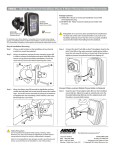
Laptop Mount Installation
iPhone Insertion into the Custom Cradle
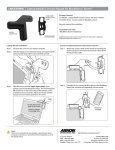
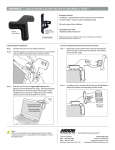
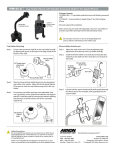
Step 1. Lift open the screen to your laptop computer.
Step 1.
Step 2. Hold the laptop mount with both hands and squeeze both
spring-loaded clasps (A) forward until fully opened.
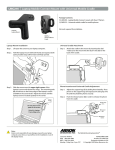
Lift and hold the upper thumb tab (C) while gently lowering the iPhone device (not included, sold separately) into
the cradle. The protective sleeve remains on the cradle.
C
A
Device not
included
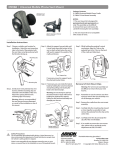
Step 3. Slide the mount over the upper right corner of the
laptop’s screen and release the clasps. The mounting pads
(B) should rest on the frame edge of the laptop’s screen
and not on the screen itself. Adjust the mount until the
laptop screen is located squarely in the corner.
iPhone Cradle and Device Attachment
Step 1.
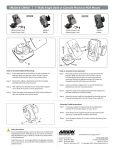
Attach the iPhone cradle to the mount by inserting the
dual T-tabs (D) on the mount into the dual T-slots (E) on
the back of the cradle.
D
B
E
Do not place mount
pads on the screen.
Attach to Laptop
Frame Edge only.
!
Note:
Arkon is not responsible for any damages caused to your laptop
computer, your device, or yourself due to the installation or use of
this laptop mount.
The Mobile Mounting Specialists™
Consumer Hotline:
USA (800) 841-0884
INT’L (626) 254-9005
Monday - Friday 9 am - 5 pm, PST
www.arkon.com
Arcadia, CA 91006 USA
Designed and Made in USA
© Copyright 2009 Arkon Resources, Inc.