1
3
2
4
3 Using the universal remote control.............................. 7-9
3.1 Buttons and functions.............................................................7-8
3.2 Resetting a button to its original function..................7-9
5
6
7
1
8
9
10
11
12
4
Service and support.....................................................10-12
4.1 Frequently asked questions...........................................10-11
4.2 Need help?.....................................................................................12
Helpline............................................................................................13
Brand list..................................................................................14-23
Information to the consumer.....................................................24
Compliance with EMF..............................................................24
Recycling and disposal..............................................................24
Battery information...................................................................24
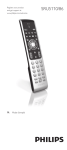
Your SRP2002
Congratulations on your purchase of the Philips SRP2002
universal remote control. After setting up the remote control
you can operate up to 2 different devices with it: TV and
VCR/DVD players/recorders (including Blu-ray player). To fully benefit from the support that Philips offers, register
your product at:
www.philips.com/welcome.
2
G
etting started
2.1 Inserting the batteries
• Insert 2 AAA type batteries,
noting the + and -
configuration in the battery
compartment.
Note
When replacing the batteries, all user settings will be
retained in the remote control memory for 5 minutes.
2
English
1 Your SRP2002........................................................................ 3
2 Getting started.................................................................. 3-7
2.1 Inserting the batteries................................................................ 3
2.2 Setting up the universal remote control.....................4-7
Getting started
1
Table of contents
EN
3