1
Chapter 4: Software & Applications
contents of the disc with the Windows file browsing interface.
The Exit button closes the Auto Setup window. To run the program again, reinsert
the CD-ROM disc in the drive; or click the CD-ROM driver from the Windows
Explorer, and click the Setup icon.
The Application button brings up a software menu. It shows the bundled software
that this mainboard supports.
The ReadMe brings you to the Install Path where you can find out path names of
software driver.
Auto-Installing under Windows 98/2000/XP
If you are under Windows 98/2000/XP, please click the Setup button to run the
software auto-installing program while the Auto Setup screen pops out after
inserting the support CD-ROM:
1
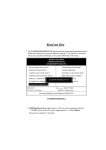
The installation program loads and displays the following screen.
Click the Next button.
2
Select the items that you want to setup by clicking on it (the default
options are recommended). Click the Next button to proceed.
29