1
USER GUIDE
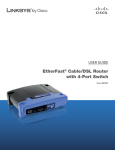
EtherFast® Cable/DSL VPN Router
with 4-Port Switch
Model: BEFVP41 (EU/LA)
About This Guide
About This Guide
Icon Descriptions
While reading through the User Guide you may see
various icons that call attention to specific items. Below is
a description of these icons:
NOTE: This check mark indicates that there is
a note of interest and is something that you
should pay special attention to while using the
product.
WARNING: This exclamation point indicates
that there is a caution or warning and it is
something that could damage your property or
product.
WEB: This globe icon indicates a noteworthy
website address or e-mail address.
Online Resources
Website addresses in this document are listed without
http:// in front of the address because most current web
browsers do not require it. If you use an older web browser,
you may have to add http:// in front of the web address.
Resource
Website
Linksys
www.linksys.com
Linksys International
www.linksys.com/eu or
www.linksys.com/latam
Support
www.linksys.com/support
Glossary
www.linksys.com/glossary
Network Security
www.linksys.com/security
Copyright and Trademarks
Linksys, EtherFast, Cisco, and the Cisco Logo
are registered trademarks or trademarks
of Cisco Systems, Inc. and/or its affiliates
in the U.S. and certain other countries.
Copyright © 2008 Cisco Systems, Inc. All
rights reserved. Other brands and product
names are trademarks or registered
trademarks of their respective holders.
EtherFast Cable/DSL VPN Router with 4-Port Switch
i
Table of Contents
Chapter 1: Introduction
1
Introduction to VPNs . . . . . . . . . . . . . . . . . . . . . . . . . . . . . . . . . . . . . . . . . . . . 1
VPN Examples . . . . . . . . . . . . . . . . . . . . . . . . . . . . . . . . . . . . . . . . . . . . . . . . 1
VPN Security . . . . . . . . . . . . . . . . . . . . . . . . . . . . . . . . . . . . . . . . . . . . . . . . . 2
Chapter 2: Product Overview
3
Front Panel . . . . . . . . . . . . . . . . . . . . . . . . . . . . . . . . . . . . . . . . . . . . . . . . . . 3
Back Panel . . . . . . . . . . . . . . . . . . . . . . . . . . . . . . . . . . . . . . . . . . . . . . . . . . . 3
Chapter 3: Advanced Configuration
4
Setup > Basic Setup . . . . . . . . . . . . . . . . . . . . . . . . . . . . . . . . . . . . . . . . . . . . . 4
Setup > DDNS . . . . . . . . . . . . . . . . . . . . . . . . . . . . . . . . . . . . . . . . . . . . . . . . 7
Setup > MAC Address Clone . . . . . . . . . . . . . . . . . . . . . . . . . . . . . . . . . . . . . . . 8
Setup > Advanced Routing . . . . . . . . . . . . . . . . . . . . . . . . . . . . . . . . . . . . . . . . 8
Security > Firewall . . . . . . . . . . . . . . . . . . . . . . . . . . . . . . . . . . . . . . . . . . . . . . 9
Security > VPN . . . . . . . . . . . . . . . . . . . . . . . . . . . . . . . . . . . . . . . . . . . . . . . . 9
Access Restrictions . . . . . . . . . . . . . . . . . . . . . . . . . . . . . . . . . . . . . . . . . . . . 12
Applications and Gaming > Port Range Forwarding . . . . . . . . . . . . . . . . . . . . . . . 13
Applications & Gaming > Port Triggering . . . . . . . . . . . . . . . . . . . . . . . . . . . . . . 14
Applications and Gaming > UPnP Forwarding . . . . . . . . . . . . . . . . . . . . . . . . . . . 14
Applications and Gaming > DMZ . . . . . . . . . . . . . . . . . . . . . . . . . . . . . . . . . . . 15
Administration > Management . . . . . . . . . . . . . . . . . . . . . . . . . . . . . . . . . . . . 15
Administration > Log . . . . . . . . . . . . . . . . . . . . . . . . . . . . . . . . . . . . . . . . . . . 16
Administration > Diagnostics . . . . . . . . . . . . . . . . . . . . . . . . . . . . . . . . . . . . . . 17
Administration > Factory Defaults . . . . . . . . . . . . . . . . . . . . . . . . . . . . . . . . . . 17
Administration > Firmware Upgrade . . . . . . . . . . . . . . . . . . . . . . . . . . . . . . . . . 18
Status > Gateway . . . . . . . . . . . . . . . . . . . . . . . . . . . . . . . . . . . . . . . . . . . . . 18
Status > Local Network . . . . . . . . . . . . . . . . . . . . . . . . . . . . . . . . . . . . . . . . . . 18
Appendix A: Troubleshooting
20
Appendix B: VPN Tunnel
21
Overview . . . . . . . . . . . . . . . . . . . . . . . . . . . . . . . . . . . . . . . . . . . . . . . . . . 21
Instructions . . . . . . . . . . . . . . . . . . . . . . . . . . . . . . . . . . . . . . . . . . . . . . . . . 21
Appendix C: Specifications
22
Appendix D: Warranty Information
23
Limited Warranty . . . . . . . . . . . . . . . . . . . . . . . . . . . . . . . . . . . . . . . . . . . . . 23
EtherFast Cable/DSL VPN Router with 4-Port Switch
ii
Table of Contents
Appendix E: Regulatory Information
25
FCC Statement . . . . . . . . . . . . . . . . . . . . . . . . . . . . . . . . . . . . . . . . . . . . . . . 25
Safety Notices . . . . . . . . . . . . . . . . . . . . . . . . . . . . . . . . . . . . . . . . . . . . . . . 25
Industry Canada Statement . . . . . . . . . . . . . . . . . . . . . . . . . . . . . . . . . . . . . . . 25
EC Declaration of Conformity (Europe) . . . . . . . . . . . . . . . . . . . . . . . . . . . . . . . . 25
User Information for Consumer Products Covered by EU Directive 2002/96/EC on Waste
Electric and Electronic Equipment (WEEE) . . . . . . . . . . . . . . . . . . . . . . . . . . . . . 26
Appendix F: Software License Agreement
30
Software in Linksys Products . . . . . . . . . . . . . . . . . . . . . . . . . . . . . . . . . . . . . . 30
Software Licenses . . . . . . . . . . . . . . . . . . . . . . . . . . . . . . . . . . . . . . . . . . . . . 30
EtherFast Cable/DSL VPN Router with 4-Port Switch
iii
Introduction
Chapter 1
Chapter 1:
Introduction
Thank you for choosing the Linksys by Cisco EtherFast
Cable/DSL VPN Router with 4-Port Switch. The Router
lets you access the Internet through its four switched
ports. You can also use the Router to share resources
such as computers, printers and files. A variety of security
features help to protect your data and your privacy while
online. Security features include Virtual Private Network
(VPN) technology and a Stateful Packet Inspection (SPI)
firewall. Configuring the Router is easy using the provided
browser‑based utility.
Introduction to VPNs
A VPN is a connection between two endpoints—a VPN
Router, for instance—in different networks that allows
private data to be sent securely over a shared or public
network, such as the Internet. This establishes a private
network that can send data securely between these two
locations or networks.
The private network is established by creating a “tunnel”.
A VPN tunnel connects the two computers or networks
and allows data to be transmitted over the Internet
as if it were still within those networks. A VPN tunnel
uses industry‑standard encryption and authentication
techniques to secure the data sent between the two
networks.
Virtual Private Networking was created as a cost-effective
alternative to using a private, dedicated, leased line for a
private network. It can be used to create secure networks
linking a central office with branch offices, telecommuters,
and/or professionals on the road.
There are two basic ways to create a VPN connection:
•• VPN Router to VPN Router
•• computer (using VPN client software) to VPN Router
The VPN Router creates a “tunnel” or channel between two
endpoints, so that data transmissions between them are
secure. A computer with VPN client software can be one
of the two endpoints.
For an Internet Protocol Security (IPSec) VPN tunnel, the
VPN Router and any computer with the built-in IPSec
Security Manager (Windows 2000 and XP) can create a VPN
tunnel using IPSec (Windows Vista uses a similar utility).
Other Windows operating systems require additional,
third-party VPN client software applications that support
IPSec to be installed.
EtherFast Cable/DSL VPN Router with 4-Port Switch
VPN Examples
The following are examples of a VPN tunnel between two
VPN routers and a VPN tunnel between a computer using
VPN client software and a VPN router.
VPN Router to VPN Router
For example, at home, a telecommuter uses his VPN
Router for his always-on Internet connection. His Router
is configured with his office’s VPN settings. When he
connects to his office’s router, the two routers create a
VPN tunnel, encrypting and decrypting data. As VPNs use
the Internet, distance is not a factor. Using the VPN, the
telecommuter now has a secure connection to the central
office’s network, as if he were physically connected.
Home
Internet
VPN Router
Central Office
VPN Router
VPN Router to VPN Router
Computer (using VPN client software) to
VPN Router
The following is an example of a computer-to-VPN Router
VPN. In her hotel room, a traveling businesswoman
connects to her Internet Service Provider (ISP). Her
notebook computer has VPN client software that is
configured with her office’s VPN settings. She accesses
the VPN client software and connects to the VPN Router
at the central office. As VPNs use the Internet, distance is
not a factor. Using the VPN, the businesswoman now has a
secure connection to the central office’s network, as if she
were physically connected.
1
Introduction
Chapter 1
Off-Site
Internet
There are additional ways to enhance data security beyond
the VPN Router. Here are some suggestions:
•• Enhance security on your other networks. Install
firewall routers for your Internet connections, and use
the most up-to-date security measures for wireless
networking.
Notebook with VPN
Client Software
VPN
Router
Central Office
•• Narrow the scope of your VPN tunnel as much as
possible. Rather than allowing a range of IP addresses,
use the addresses specific to the endpoints (such as
computers) required.
•• Do not set the Remote Security Group to the Any
setting, as this will open the VPN to any IP address.
Host a specific IP address.
•• Use the strongest encryption and authentication
Computer to VPN Router
For additional information and instructions about creating
your own VPN, refer to “Appendix B: VPN Tunnel” or visit
the Linksys website at www.linksys.com.
methods available on the VPN Router, 3DES encryption
and SHA authentication.
•• Manage
your
periodically.
pre-shared
keys;
change
them
VPN Security
IPSec is compatible with most VPN endpoints and ensures
privacy and authentication for data, while authenticating
user identification. With IPSec, authentication is based
upon the computer’s IP address. This confirms the user’s
identity and establishes the secure tunnel at the network
layer, protecting all data that passes through.
By operating at the network layer, IPSec is independent of
any applications running on the network. This way, it does
not affect your computer’s performance and still allows
you to do more with greater security. Still, it is important
to note that IPSec encryption does create a slight
slowdown in network throughput, due to the encryption
and decryption of data.
Some VPNs will still leave the IP headers decrypted. These
headers contain the IP addresses for the users at both
ends of the tunnel and can be used by potential hackers
in future attacks. The VPN Router, however, does not leave
the IP headers decrypted, if you enable and set up Perfect
Forward Secrecy (PFS). With PFS, both the IP headers and
secret keys used to secure the tunnel are encrypted.
The VPN Router allows users on your local network to
secure their data over the Internet (using VPN tunnels)
without having to purchase the extra client licenses
that other VPN hardware manufacturers and software
packages may require. With VPN functions handled by
the Router, rather than your computer (which software
packages would require), then your computer would
have fewer tasks to process. Also, you would not have to
reconfigure your computer for VPN usage.
EtherFast Cable/DSL VPN Router with 4-Port Switch
2
Product Overview
Chapter 2
Chapter 2:
Product Overview
Back Panel
Front Panel
Power (Green) The Power LED lights up and
will stay on while the Router is powered on.
It flashes when the Router goes through its
self-diagnostic mode during every boot-up or
upgrades its firmware.
1, 2, 3, 4 (Green) These numbered LEDs,
corresponding with the numbered ports on the
Router’s back panel, serve two purposes. If the
LED is continuously lit, the Router is successfully
connected to a device through that port. A
flashing LED indicates network activity over
that port.
Reset There are two ways to reset the Router to
its factory default settings. Use a straightened
paper clip or similar object to press and hold the
Reset button for approximately five seconds.
You can also restore the defaults from the
Administration > Factory Defaults screen of the
Router’s web-based utility.
Internet The Internet port is where you will
connect your cable or DSL Internet connection.
1, 2, 3, 4 These Ethernet ports (1, 2, 3, 4)
connect the Router to computers on your wired
network and other Ethernet network devices.
Power The Power port is where you will
connect the power adapter.
Internet (Green) The Internet LED lights up
when there is a connection made through the
Internet port. A flashing LED indicates network
activity over the Internet port.
EtherFast Cable/DSL VPN Router with 4-Port Switch
3
Advanced Configuration
Chapter 3
Chapter 3:
Advanced Configuration
After setting up the Router with the Setup Wizard (located
on the CD-ROM), the Router will be ready for use. However,
if you’d like to change its advanced settings, use the
Router’s web-based utility. This chapter describes each
web page of the utility and each page’s key functions. You
can access the utility via a web browser on a computer
connected to the Router.
The web-based utility has these main tabs: Setup, Security,
Applications & Gaming, Administration, and Status.
Additional tabs will be available after you click one of the
main tabs.
NOTE: When first installing the Router, you
should use the Setup Wizard on the Setup
CD-ROM. If you want to configure advanced
settings, use this chapter to learn about the
web-based utility.
How to Access the Web-Based Utility
To access the web-based utility, launch the web browser on
your computer, and enter the Router’s default IP address,
192.168.1.1, in the Address field. Then, press Enter.
A login screen will appear. Leave the User Name field
blank. The first time you open the web-based utility, use
the default password admin. (You can set a new password
from the Administration > Management screen.) Click OK
to continue.
Setup > Basic Setup
Internet Setup
The Internet Setup section configures the Router to your
Internet connection. Most of this information can be
obtained through your Internet Service Provider (ISP).
Connection Type
Select the type of Internet connection your ISP provides
from the drop-down menu. These are the available types:
•• Obtain an IP Automatically
•• Static IP
•• PPPoE
•• RAS
•• PPTP
•• Heart Beat Signal
Login Screen
Setup > Basic Setup
The first screen that appears is the Basic Setup screen. This
allows you to change the Router’s general settings.
Obtain an IP Automatically
By default, the Router’s Connection Type is set to Obtain
an IP automatically, which should be kept only if your
ISP supports DHCP or you are connecting through a
dynamic IP address. (This option usually applies to cable
connections.)
Connection Type > Obtain an IP Automatically
EtherFast Cable/DSL VPN Router with 4-Port Switch
4
Advanced Configuration
Chapter 3
Static IP
If you are required to use a permanent IP address to
connect to the Internet, select Static IP.
Connection Type > Static IP
IP Address Enter the Router’s IP address, as seen from the
Internet. This is provided by your ISP.
before your Internet connection terminates. The default
Max Idle Time is 5 minutes.
Keep Alive: Redial Period If you select this option,
the Router will periodically check your Internet
connection. If you are disconnected, then the Router
will automatically re-establish your connection. To use
this option, select Keep Alive. In the Redial Period field,
you specify how often you want the Router to check
the Internet connection. The default Redial Period is
30 seconds.
RAS
Remote Access Service (RAS) is a service that applies to
connections in Singapore only. For users in Singapore,
check with Singtel for information on RAS.
Subnet Mask Enter the Router’s subnet mask, as seen by
users on the Internet (including your ISP). This is provided
by your ISP.
Default Gateway Your ISP will provide you with the IP
address of the ISP server.
Primary and Secondary DNS Your ISP will provide you
with at least one DNS (Domain Name System) server IP
address.
PPPoE
Some DSL-based ISPs use PPPoE (Point-to-Point Protocol
over Ethernet) to establish Internet connections. If you are
connected to the Internet through a DSL line, check with
your ISP to see if they use PPPoE. If they do, you will have
to enable PPPoE.
Connection Type > RAS
User Name and Password Enter the User Name and
Password provided by Singtel.
RAS Plan Select the type of plan you have.
Connection Type > PPPoE
User Name and Password Enter the User Name and
Password provided by your ISP.
Service Name If provided by your ISP, enter the Service
Name.
Connect on Demand: Max Idle Time You can configure
the Router to cut the Internet connection after it has been
inactive for a specified period of time (Max Idle Time). If
your Internet connection has been terminated due to
inactivity, Connect on Demand enables the Router to
automatically re-establish your connection as soon as you
attempt to access the Internet again. To use this option,
select Connect on Demand. In the Max Idle Time field,
enter the number of minutes you want to have elapsed
EtherFast Cable/DSL VPN Router with 4-Port Switch
Connect on Demand: Max Idle Time You can configure
the Router to cut the Internet connection after it has been
inactive for a specified period of time (Max Idle Time). If
your Internet connection has been terminated due to
inactivity, Connect on Demand enables the Router to
automatically re-establish your connection as soon as you
attempt to access the Internet again. To use this option,
select Connect on Demand. In the Max Idle Time field,
enter the number of minutes you want to have elapsed
before your Internet connection terminates. The default
Max Idle Time is 5 minutes.
Keep Alive: Redial Period If you select this option, the
Router will periodically check your Internet connection. If
you are disconnected, then the Router will automatically
re-establish your connection. To use this option, select
Keep Alive. In the Redial Period field, you specify how often
you want the Router to check the Internet connection. The
default value is 30 seconds.
5
Advanced Configuration
Chapter 3
PPTP
Point-to-Point Tunneling Protocol (PPTP) is a service that
applies to connections in Europe only.
Connection Type > Heart Beat Signal
User Name and Password Enter the User Name and
Password provided by your ISP.
Heart Beat Server Enter the IP address of your ISP’s Heart
Beat server. This is provided by your ISP.
Connection Type > PPTP
IP Address Enter the Router’s IP address, as seen from the
Internet. This is provided by your ISP.
Subnet Mask Enter the Router’s subnet mask, as seen by
users on the Internet (including your ISP). This is provided
by your ISP.
Default Gateway Your ISP will provide you with the IP
address of the ISP server.
User Name and Password Enter the User Name and
Password provided by your ISP.
Connect on Demand: Max Idle Time You can configure
the Router to cut the Internet connection after it has been
inactive for a specified period of time (Max Idle Time). If
your Internet connection has been terminated due to
inactivity, Connect on Demand enables the Router to
automatically re-establish your connection as soon as you
attempt to access the Internet again. To use this option,
select Connect on Demand. In the Max Idle Time field,
enter the number of minutes you want to have elapsed
before your Internet connection terminates. The default
Max Idle Time is 5 minutes.
Keep Alive: Redial Period If you select this option, the
Router will periodically check your Internet connection. If
you are disconnected, then the Router will automatically
re-establish your connection. To use this option, select
Keep Alive. In the Redial Period field, you specify how often
you want the Router to check the Internet connection. The
default value is 30 seconds.
Heart Beat Signal
Heart Beat Signal is a service used in Australia only. If you
are using a Heart Beat Signal connection, check with your
ISP for the necessary setup information.
Connect on Demand: Max Idle Time You can configure
the Router to cut the Internet connection after it has been
inactive for a specified period of time (Max Idle Time). If
your Internet connection has been terminated due to
inactivity, Connect on Demand enables the Router to
automatically re-establish your connection as soon as you
attempt to access the Internet again. To use this option,
select Connect on Demand. In the Max Idle Time field,
enter the number of minutes you want to have elapsed
before your Internet connection terminates. The default
Max Idle Time is 5 minutes.
Keep Alive: Redial Period If you select this option, the
Router will periodically check your Internet connection. If
you are disconnected, then the Router will automatically
re-establish your connection. To use this option, select
Keep Alive. In the Redial Period field, you specify how often
you want the Router to check the Internet connection. The
default value is 30 seconds.
Optional Settings and MTU
Some of these settings may be required by your ISP. Verify
with your ISP before making any changes.
Optional Settings and MTU
Host Name and Domain Name These fields allow you to
supply a host and domain name for the Router. Some ISPs,
usually cable ISPs, require these names as identification.
You may have to check with your ISP to see if your
broadband Internet service has been configured with a
host and domain name. In most cases, leaving these fields
blank will work.
MTU and Size MTU is the Maximum Transmission Unit.
It specifies the largest packet size permitted for Internet
transmission. Select Manual if you want to manually enter
the largest packet size that is transmitted. To have the
EtherFast Cable/DSL VPN Router with 4-Port Switch
6
Advanced Configuration
Chapter 3
Router select the best MTU for your Internet connection,
keep the default setting, Automatic.
Size When Manual is selected in the MTU field, this option
is enabled. Leave this value in the 1200 to 1500 range. The
default size is 1400.
Network Setup
The Network Setup section changes the settings on the
network connected to the Router’s Ethernet ports.
amount of time, in minutes, that the user will be “leased”
this dynamic IP address. After the time is up, the user will
be automatically assigned a new dynamic IP address. The
default is 0 minutes, which means one day.
Time Setting
Time Zone Select the time zone in which your network
functions.
Click Save Settings to apply your changes, or click Cancel
Changes to cancel your changes.
Setup > DDNS
The Router offers a Dynamic Domain Name System (DDNS)
feature. DDNS lets you assign a fixed host and domain
name to a dynamic Internet IP address. It is useful when
you are hosting your own website, FTP server, or other
server behind the Router. Before you can use this feature,
you need to sign up for DDNS service with a DDNS service
provider, www.dyndns.org.
Network Setup
Router IP
This presents both the Router’s IP Address and Subnet
Mask as seen by your network.
DDNS
DDNS Service If your DDNS service is provided by
DynDNS.org, then select DynDNS.org. If you do not want
to use this feature, keep the default setting, Disabled.
Network Address Server Settings (DHCP)
The settings allow you to configure the Router’s Dynamic
Host Configuration Protocol (DHCP) server function. The
Router can be used as a DHCP server for your network. A
DHCP server automatically assigns an IP address to each
computer on your network. If you choose to enable the
Router’s DHCP server option, make sure there is no other
DHCP server on your network.
Local DHCP Server DHCP is enabled by factory default.
If you already have a DHCP server on your network, or you
don’t want a DHCP server, then select Disable (no other
DHCP features will be available).
Start IP Address Enter a value for the DHCP server to
start with when issuing IP addresses. Because the Router’s
default IP address is 192.168.1.1, the Start IP Address must
be 192.168.1.2 or greater, but smaller than 192.168.1.253.
The default is 192.168.1.100.
Number of Address Enter the maximum number of
computers that you want the DHCP server to assign IP
addresses to. This number cannot be greater than 253.
The default is 50.
DHCP Address Range Displayed here is the range of
available IP addresses.
Client Lease Time The Client Lease Time is the amount
of time a network user will be allowed connection to the
Router with their current dynamic IP address. Enter the
EtherFast Cable/DSL VPN Router with 4-Port Switch
Setup > DDNS > DynDNS.org
DynDNS.org
User Name Enter the User Name for your DDNS account.
Password Enter the Password for your DDNS account.
Host Name The is the DDNS URL assigned by the DDNS
service.
Internet IP Address The Router’s Internet IP address is
displayed here. Because it is dynamic, it will change.
Status The status of the DDNS service connection is
displayed here.
Click Save Settings to apply your changes, or click Cancel
Changes to cancel your changes.
7
Advanced Configuration
Chapter 3
Setup > MAC Address Clone
Advanced Routing
A MAC address is a 12-digit code assigned to a unique
piece of hardware for identification. Some ISPs will require
you to register a MAC address in order to access the
Internet. If you do not wish to re-register the MAC address
with your ISP, you may assign the MAC address you have
currently registered with your ISP to the Router with the
MAC Address Clone feature.
Dynamic Routing
NAT If this Router is hosting your network’s connection to
the Internet, keep the default, Enabled. If another router
exists on your network, select Disabled. (When NAT is
disabled, the DHCP server feature is also disabled.)
Transmit RIP Version To use dynamic routing for
transmission of network data, select the protocol you
want: RIP1, RIP1-Compatible, or RIP2.
Receive RIP Version To use dynamic routing for reception
of network data, select the protocol you want, RIP1 or
RIP2.
Static Routing
Setup > MAC Address Clone
MAC Clone
MAC Clone Service To have the MAC address cloned,
select Enable.
MAC Address Enter the MAC address registered with
your ISP here.
Clone Click this button to clone the MAC address of the
computer you are using.
Click Save Settings to apply your changes, or click Cancel
Changes to cancel your changes.
A static route is a pre-determined pathway that network
information must travel to reach a specific host or network.
Enter the information described below to set up a new
static route.
Select Entry To set up a static route between the Router
and another network, select a number from the dropdown list. Click Delete Entry to delete a static route.
Destination IP Address Enter the IP address of the
remote network or host to which you want to assign a
static route.
Subnet Mask Enter the subnet mask. This determines
which portion of a Destination IP Address is the network
portion, and which portion is the host portion.
Setup > Advanced Routing
Gateway Enter the IP address of the gateway device that
allows for contact between the Router and the remote
network or host.
This screen is used to set up the Router’s advanced
functions. Dynamic Routing automatically adjusts how
packets travel on your network. Static Routing sets up a
fixed route to another network destination.
Hop Count Enter the maximum number of steps between
network nodes that data packets will travel. A node is any
device on the network, such as a computer, print server,
or router.
Interface Select the appropriate interface. This tells you
whether the Destination IP Address is on the LAN (Local
Area Network) or the Internet.
Click Show Routing Table to view the static routes you
have already set up.
Setup > Advanced Routing
EtherFast Cable/DSL VPN Router with 4-Port Switch
Advanced Routing > Routing Table
8
Advanced Configuration
Chapter 3
Block WAN Requests
Routing Table
For each route, the Destination LAN IP address, Subnet
Mask, Gateway, Hop Count, and Interface are displayed.
Click Refresh to update the information.
Click Save Settings to apply your changes, or click Cancel
Changes to cancel your changes.
Security > Firewall
The Firewall screen is used to configure a firewall that can
filter out various types of unwanted traffic on the Router’s
local network.
Block Anonymous Internet Requests This feature
makes it more difficult for outside users to work their
way into your network. This feature is enabled by default.
Select Disabled to allow anonymous Internet requests.
Click Save Settings to apply your changes, or click Cancel
Changes to cancel your changes.
Security > VPN
The VPN screen allows you to configure Virtual Private
Network (VPN) tunnels. The VPN tunnel is a secure
connection between two locations, which are also called
endpoints.
Security > Firewall
Firewall
SPI Firewall Protection To use firewall protection,
keep the default selection, Enabled. To turn off firewall
protection, select Disabled.
Additional Filters
Filter Proxy Use of WAN proxy servers may compromise
the Gateway’s security. Denying Proxy will disable access
to any WAN proxy servers. Select this option to enable
proxy filtering. Deselect the option to allow proxy access.
Filter Java Applets Java is a programming language for
websites. If you deny Java, you run the risk of not having
access to Internet sites created using this programming
language. Select this option to enable Java filtering.
Deselect the option to allow Java usage.
Filter Cookies A cookie is data stored on your computer
and used by Internet sites when you interact with them.
Select this option to filter cookies. Deselect the option to
allow cookie usage.
Filter ActiveX ActiveX is a programming language for
websites.If you deny ActiveX, you run the risk of not having
access to Internet sites created using this programming
language. Select this option to enable ActiveX filtering.
Deselect the option to allow ActiveX usage.
EtherFast Cable/DSL VPN Router with 4-Port Switch
Security > VPN
VPN Passthrough
IPSec Passthrough Internet Protocol Security (IPSec) is
a suite of protocols used to implement secure exchange
of packets at the IP layer. To allow IPSec tunnels to pass
through the Router, select Enabled.
PPTP Passthrough Point-to-Point Tunneling Protocol
(PPTP) allows the Point-to-Point Protocol (PPP) to be
tunneled through an IP network. To allow PPTP tunnels to
pass through the Router, select Enabled.
9
Advanced Configuration
Chapter 3
VPN Tunnel
IP Address
The Router creates a tunnel between two endpoints,
so that the data traveling between these endpoints is
secure.
Only the computer with a specific IP address will be able
to access the tunnel.
IP Addr. Enter the appropriate address.
Select Tunnel Entry Select the tunnel you wish to create.
It is possible to create up to 50 simultaneous tunnels.
IP Range
Delete To delete a tunnel, select it from the drop-down
menu, and then click Delete.
This option is a combination of the Subnet and IP Address
options.
Summary To view summary information about a tunnel,
select it from the drop-down menu, and then click
Summary.
IP Range Specify a range of IP addresses within the
subnet that will have access to the tunnel.
VPN Tunnel To enable a tunnel, select it from the dropdown menu, and then click Enabled. To disable a tunnel,
select Disabled.
Tunnel Name Enter a name for this VPN tunnel, such as
Los Angeles Office, Chicago Branch, or New York Division.
This allows you to identify multiple tunnels and does not
have to match the name used at the other end of the
tunnel.
Host and Any are options for the Remote Secure Group
only.
Host
The Remote Secure Group will be the same as the Remote
Security Gateway Setting: IP Address, FQDN (Fully Qualified
Domain Name), or Any.
Any
Interface Select the appropriate WAN port, WAN1 or
WAN2 (available if the Dual WAN feature is enabled).
The local VPN Router will accept a request from any IP
address. Select this option when the other endpoint is
using DHCP or PPPoE on the Internet side.
Enable Check this box to enable a VPN tunnel. (When
you create a VPN tunnel, this check box will be disabled.)
Remote Security Gateway
Local Secure Group and Remote Secure Group
A Local Secure Group is a computer(s) on your network
that can access the tunnel. A Remote Secure Group is a
computer(s) on the remote end of the tunnel that can
access the tunnel. For the Local Secure Group, select
Subnet, IP Address, or IP Range. For the Remote Secure
Group, select Subnet, IP Address, IP Range, Host, or
Any.
The Remote Security Gateway is the VPN device, such as a
second VPN Router, on the remote end of the VPN tunnel.
Select IP Address, FQDN, or Any.
Remote Security Gateway
NOTE: The Local Secure Group you select should
match the Remote Secure Group selected on
the VPN device at the other end of the tunnel.
IP Address
IP Addr. Enter the IP address of the VPN device on the
other end of the tunnel. The remote VPN device can be
another VPN Router, a VPN server, or a computer with VPN
client software that supports IPSec. Make sure that you
have entered the address correctly.
NOTE: Make sure you enter the IP address of the
remote VPN device, NOT the local VPN Router.
Local and Remote Secure Group
Subnet
The default is Subnet. All computers on the local subnet
will be able to access the tunnel.
IP and Mask Enter the appropriate addresses. The default
value of 0 should remain in the last fields of the IP and
Mask settings.
EtherFast Cable/DSL VPN Router with 4-Port Switch
FQDN
FQDN Enter the Fully Qualified Domain Name (FQDN) of
the VPN device at the other end of the tunnel. The remote
VPN device can be another VPN Router, a VPN server,
or a computer with VPN client software that supports
IPSec. The FQDN is the host name and domain name
10
Advanced Configuration
Chapter 3
for a specific computer on the Internet (for example:
vpn.myvpnserver.com).
Any
The remote VPN Router will accept a request from any
IP address. The remote VPN device can be another VPN
Router, a VPN server, or a computer with VPN client
software that supports IPSec. If the remote user has an
unknown or dynamic IP address (such as a professional on
the road or a telecommuter using DHCP or PPPoE), then
select this option.
Encryption Encryption helps make your connection
more secure. Select DES or 3DES. 3DES is recommended
because it is more secure. Both ends of the tunnel can also
choose to disable encryption.
NOTE: The encryption method you select must
match the encryption method on the remote
VPN device.
Authentication Authentication acts as another level
of security. Select MD5 or SHA. SHA is recommended
because it is more secure. Both ends of the tunnel can also
choose to disable authentication.
NOTE: Then authentication method you select
must match the authentication method on the
remote VPN device.
Key Management
In order for any encryption to occur, the two ends of a
VPN tunnel must agree on the methods of encryption,
decryption, and authentication. This is done by sharing
a key to the encryption code. For key management, the
default is Auto (IKE). To generate the key yourself, select
Manual. Follow the instructions for the Key Management
option you have selected.
encryption keys will not be able to obtain future IPSec keys.
Select Enabled to ensure that the initial key exchange and
IKE proposals are secure.
Pre-shared Key This specifies the pre-shared key used
to authenticate the remote IKE peer. Based on this Preshared key, a key is generated to encrypt the data being
transmitted over the tunnel; at the end of the tunnel, the
key is decrypted. Enter a key of up to 24 alphanumeric
characters. No special characters or spaces are allowed.
Both ends of the VPN tunnel must use the same Preshared Key. It is strongly recommended that you change
the Preshared Key periodically to maximize VPN security.
Key Lifetime Enter the number of seconds you want the
key to last before it expires. Leave the field blank for the
key to last indefinitely. The default is 3600 seconds.
Manual
No key negotiation is needed. Manual key management is
used in small static environments or for troubleshooting
purposes.
Encryption Key This field specifies a key used to encrypt
and decrypt IP traffic. Enter a key of up to 24 alphanumeric
characters. Make sure both ends of the VPN tunnel use the
same Encryption Key.
Authentication Key This field specifies a key used to
authenticate IP traffic. Enter a key of up to 20 alphanumeric
characters. Make sure both ends of the VPN tunnel use the
same Authentication Key.
Inbound SPI Enter the Inbound SPI value (numbers only).
This must match the Outbound SPI value of the remote
VPN device. After you click Save Settings, hexadecimal
characters (a series of letters and numbers) are displayed
in this field.
Outbound SPI Enter the Outbound SPI value (numbers
only). This must match the Inbound SPI value of the remote
VPN device. After you click Save Settings, hexadecimal
characters (a series of letters and numbers) are displayed
in this field.
Status
The status of the VPN tunnel is displayed.
Remote Security Group Type > IP
Auto (IKE)
IKE is an Internet Key Exchange protocol used to negotiate
key material for Security Association (SA). IKE uses the
Preshared Key to authenticate the remote IKE peer.
Perfect Forward Secrecy If the Perfect Forward Secrecy
(PFS) feature is enabled, IKE Phase 2 negotiation will
generate new key material for IP traffic encryption and
authentication, so hackers using brute force to break
EtherFast Cable/DSL VPN Router with 4-Port Switch
To create a VPN tunnel, click Connect. To display VPN
activity on a separate screen, click View Logs. The VPN Log
screen displays connections, transmissions, receptions,
and encryption methods (this is available if you enable
the log function on the Administration > Log screen). For
more advanced VPN options, click Advanced Setting.
Advanced Setting
For most users, the settings on the VPN page should
suffice; however, the Router provides advanced IPSec
settings for advanced users.
11
Advanced Configuration
Chapter 3
Key Lifetime Enter the number of seconds you want
the key to last before a re-key negotiation between each
endpoint is completed. The default is 3600 seconds.
Phase 2
The Encryption, Authentication, and PFS settings are
automatically displayed.
Group Select the Diffie-Hellman Group, which is a
cryptographic technique that uses public and private
keys for encryption and decryption. Select 768-bit or
1024‑bit.
Key Lifetime Enter the number of seconds you want
the key to last before a re-key negotiation between each
endpoint is completed. The default is 3600 seconds.
Other Settings
NetBIOS broadcast To enable NetBIOS traffic to pass
through the VPN tunnel, select this option.
Advanced VPN Tunnel Setup
Phase 1
Phase 1 is used to create a security association (SA), often
called the IKE SA. After Phase 1 is completed, Phase 2 is
used to create one or more IPSec SAs, which are then used
to key IPSec sessions.
Operation mode There are two types of Phase 1
exchanges, Main mode and Aggressive mode, which
exchange the same IKE payloads in different sequences.
Main mode is for normal usage and includes more
authentication requirements than Aggressive mode.
If network security is preferred, select Main mode. If
network speed is preferred, select Aggressive mode. No
matter which mode is selected, the VPN Router will accept
both Main and Aggressive requests from the remote VPN
device.
Username If a user on one side of the tunnel is using a
unique firewall identifier, then select this option and enter
the unique firewall identifier.
Proposal 1
Encryption Select the length of the key used to encrypt/
decrypt ESP packets. Select DES or 3DES. 3DES is
recommended because it is more secure.
Anti-replay Anti-replay protection keeps track of
sequence numbers as packets arrive, ensuring security at
the IP packet level. To enable the Anti-replay protection,
select this option.
Keep-Alive Keep-Alive helps maintain IPSec VPN tunnel
connections. To re-establish the VPN tunnel whenever it is
dropped, select this option.
If IKE failed more than _ times, block this unauthorized
IP for _ seconds To block unauthorized IP addresses,
select this option. Specify how many times IKE must fail
before blocking that unauthorized IP address for a length
of time that you specify.
On the Advanced VPN Tunnel Setup screen, click Save
Settings to apply your changes, or click Cancel Changes
to cancel your changes.
On the VPN screen, click Save Settings to apply your
changes, or click Cancel Changes to cancel your
changes.
Access Restrictions
The Access Restrictions screen allows you to block or allow
specific kinds of Internet usage and traffic, such as Internet
access, designated services, and websites during specific
days and times.
Authentication Select the method used to authenticate
ESP packets. Select MD5 or SHA. SHA is recommended
because it is more secure.
Group Select the Diffie-Hellman Group, which is a
cryptographic technique that uses public and private
keys for encryption and decryption. Select 768-bit or
1024‑bit.
EtherFast Cable/DSL VPN Router with 4-Port Switch
12
Advanced Configuration
Chapter 3
7. Select any Blocked Services and enter a range of ports
in the fields provided. If the service you want to block
is not listed or you want to edit a service’s settings,
then click Add/Edit Service.
8. If you want to block websites with specific URL
addresses, enter each URL in a separate field next to
Website Blocking by URL Address.
9. If you want to block websites using specific keywords,
enter each keyword in a separate field next to Website
Blocking by Keyword.
10. Click Save Settings to save the policy’s settings, or
click Cancel Changes to cancel the policy’s settings.
Applications and Gaming > Port Range
Forwarding
Access Restrictions
Internet Access
Internet Access Policy Access can be managed by a
policy. Use the settings on this screen to establish an
access policy (after Save Settings is clicked). Selecting a
policy from the drop-down menu will display that policy’s
settings. To delete a policy, select that policy’s number
and click Delete. To view all the policies, click Summary.
(To delete policies from the Summary screen, select the
policy or policies, and then click Delete. To return to the
Access Restrictions screen, click Close.)
The Port Range Forwarding screen allows you to set up
public services on your network, such as web servers,
ftp servers, e-mail servers, or other specialized Internet
applications. (Specialized Internet applications are any
applications that use Internet access to perform functions
such as videoconferencing or online gaming. Some Internet
applications may not require any forwarding.)
When users send these types of requests to your network via
the Internet, the Router will forward those requests to the
appropriate servers (computers). Before using forwarding,
you should assign static IP addresses to the designated
servers.
If you need to forward all ports to one computer, click the
DMZ tab.
To create an Internet Access policy:
1. Select a number from the Internet Access Policy
drop‑down menu.
2. Enter a Policy Name in the field provided.
3. Click Edit List to select which computers will be affected
by the policy. You can select a computer by MAC address
or IP address. You can also enter a range of IP addresses
if you want this policy to affect a group of computers.
After making your changes, click Save Settings to
apply your changes, or click Cancel Changes to cancel
your changes.
5. Select the appropriate option, Deny or Allow,
depending on whether you want to block or allow
Internet access for the computers you listed.
6. Decide which days and what times you want this policy
to be enforced. Select the individual days during which
the policy will be in effect, or select Everyday. Then
enter a range of hours and minutes during which the
policy will be in effect, or select 24 Hours.
EtherFast Cable/DSL VPN Router with 4-Port Switch
Applications and Gaming > Port Range Forwarding
Port Range Forwarding
To forward a port, enter the information on each line for
the criteria required.
Application In this field, enter the name you wish to give
the application. Each name can be up to 12 characters.
13
Advanced Configuration
Chapter 3
Start and End Enter the number or range of port(s)
used by the server or Internet applications. Check
with the Internet application documentation for more
information.
TCP UDP Select the protocol used for this application,
either TCP or UDP, or Both.
IP Address For each application, enter the IP address of
the PC running the specific application.
Enabled Select Enabled to enable port forwarding for
the applications you have defined.
Click Save Settings to apply your changes, or click Cancel
Changes to cancel your changes.
Applications and Gaming > UPnP
Forwarding
The UPnP Forwarding screen displays preset application
settings as well as options to customize port services for
other applications.
Click Save Settings to apply your changes, or click Cancel
Changes to cancel your changes.
Applications & Gaming > Port Triggering
The Port Triggering screen allows the Router to watch
outgoing data for specific port numbers. The IP address of
the computer that sends the matching data is remembered
by the Router, so that when the requested data returns
through the Router, the data is pulled back to the proper
computer by way of IP address and port mapping rules.
Applications and Gaming > UPnP Forwarding
UPnP Forwarding
Application Ten applications are preset. For custom
applications, enter the name of your application in one of
the available fields.
The preset applications are among the most widely used
Internet applications. They include the following:
Applications and Gaming > Port Triggering
Port Triggering
Application Enter the application name of the trigger.
Triggered Range
Start Port and End Port For each application, enter
the starting and ending port numbers of the triggered
port number range. Check with the Internet application
documentation for the port number(s) needed.
FTP (File Transfer Protocol) - A protocol used to transfer
files over a TCP/IP network (Internet, UNIX, etc.). For
example, after developing the HTML pages for a website
on a local machine, they are typically uploaded to the web
server using FTP.
Telnet - A terminal emulation protocol commonly used on
Internet and TCP/IP-based networks. It allows a user at a
terminal or computer to log onto a remote device and run
a program.
Forwarded Range
SMTP (Simple Mail Transfer Protocol) - The standard email protocol on the Internet. It is a TCP/IP protocol that
defines the message format and the message transfer
agent (MTA), which stores and forwards the mail.
Start Port and End Port For each application, enter
the starting and ending port numbers of the forwarded
port number range. Check with the Internet application
documentation for the port number(s) needed.
DNS (Domain Name System) - The way that Internet
domain names are located and translated into IP addresses.
A domain name is a meaningful and easy-to-remember
“handle” for an Internet address.
EtherFast Cable/DSL VPN Router with 4-Port Switch
14
Advanced Configuration
Chapter 3
TFTP (Trivial File Transfer Protocol) - A version of the TCP/IP
FTP protocol that has no directory or password capability.
Finger - A UNIX command widely used on the Internet
to find out information about a particular user, such as a
telephone number, whether the user is currently logged
on, and the last time the user was logged on. The person
being “fingered” must have placed his or her profile on
the system in order for the information to be available.
Fingering requires entering the full user@domain
address.
Applications and Gaming > DMZ
The DMZ feature allows one network computer to be
exposed to the Internet for use of a special-purpose
service such as Internet gaming or videoconferencing.
DMZ hosting forwards all the ports at the same time to
one PC. The Port Range Forwarding feature is more secure
because it only opens the ports you want to have opened,
while DMZ hosting opens all the ports of one computer,
exposing the computer to the Internet.
HTTP (HyperText Transport Protocol) - The communications
protocol used to connect to servers on the World Wide
Web. Its primary function is to establish a connection with
a web server and transmit HTML pages to the client web
browser.
POP3 (Post Office Protocol 3) - A standard mail server
commonly used on the Internet. It provides a message
store that holds incoming e-mail until users log on and
download it. POP3 is a simple system with little selectivity.
All pending messages and attachments are downloaded at
the same time. POP3 uses the SMTP messaging protocol.
NNTP (Network News Transfer Protocol) - The protocol
used to connect to Usenet groups on the Internet. Usenet
newsreaders support the NNTP protocol.
SNMP (Simple Network Management Protocol) - A widely
used network monitoring and control protocol. Data is
passed from SNMP agents, which are hardware and/or
software processes reporting activity in each network
device (hub, router, bridge, etc.), to the workstation
console used to oversee the network. The agents return
information contained in a MIB (Management Information
Base), which is a data structure that defines what is
obtainable from the device and what can be controlled
(turned off, on, etc.).
Ext. Port. Enter the number of the external port used by
the server in the Ext. Port column. Check with the Internet
application documentation for more information.
TCP UDP Select the protocol UDP or TCP for each
application. You cannot select both protocols.
Applications and Gaming > DMZ
DMZ
Any PC whose port is being forwarded must have its DHCP
client function disabled and should have a new static IP
address assigned to it because its IP address may change
when using the DHCP function.
DMZ Host IP Address Enter the IP address of the
computer you want to expose.
DMZ To disable DMZ hosting, keep the default, Disable.
To expose one PC, select Enable.
Click Save Settings to apply your changes, or click Cancel
Changes to cancel your changes.
Administration > Management
The Management screen allows the network’s administrator
to manage specific Router functions for access and
security.
Int. Port Enter the number of the internal port used
by the server in the Int. Port column. Check with the
Internet application software documentation for more
information.
IP Address Enter the IP address of the server that you
want the Internet users to be able to access.
Enabled Select Enabled to enable the service you have
defined.
Click Save Settings to apply your changes, or click Cancel
Changes to cancel your changes.
EtherFast Cable/DSL VPN Router with 4-Port Switch
15
Advanced Configuration
Chapter 3
Data is passed from an SNMP agent, such as the Router,
to the workstation console used to oversee the network.
The Router then returns information contained in a
Management Information Base (MIB), a data structure that
defines what is obtainable from the device and what can
be controlled.
SNMP functions, such as statistics, configuration, and
device information, are not available without third-party
management software. The Router is compatible with all
HP OpenView compliant software.
Enabled/Disabled To use SNMP, select
Otherwise, keep the default, Disabled.
Enabled.
Identification
Device Name The name of the Router is displayed.
Administration > Management
Gateway Password
Get Community Enter the password that allows read‑only
access to the Router’s SNMP information.
Set Community Enter the password that allows read/
write access to the Router’s SNMP information.
Local Gateway Access
UPnP
To ensure the Router’s security, you will be asked for your
password when you access the Router’s web-based utility.
The default is admin.
Universal Plug and Play (UPnP) allows Windows XP to
automatically configure the Router for various Internet
applications, such as gaming and videoconferencing.
Gateway Password Enter a new password for the
Router.
UPnP If you want to use UPnP, keep the default setting,
Enabled. Otherwise, select Disabled.
Re-enter to confirm Enter the password again to
confirm.
Click Save Settings to apply your changes, or click Cancel
Changes to cancel your changes.
Remote Gateway Access
Administration > Log
Remote Administration To permit remote access of the
Router, from outside the local network, select Enabled.
Otherwise, keep the default, Disabled.
The Router can keep logs of all traffic for your Internet
connection.
Administration Port Enter the port number that will be
open to outside access.
NOTE: When you are in a remote location
and wish to manage the Router, enter
http://<Internet_IP_address>:port,
depending on whether you use HTTP or HTTPS.
Enter the Router’s specific Internet IP address
in place of <Internet_IP_address>, and enter
the Administration Port number in place of the
word port.
SNMP
Simple Network Management Protocol (SNMP) is a widely
used network monitoring and control protocol. Network
supervisors can use SNMP to monitor the Router using
network management systems.
EtherFast Cable/DSL VPN Router with 4-Port Switch
Administration > Log
Log
Email Alerts
E-mail Alerts To have logs or alert messages e-mailed to
you, select Enable. Otherwise, select Disable.
16
Advanced Configuration
Chapter 3
Denial of Service Thresholds Enter the number of Denial
of Service (DoS) attacks the Router detects before it sends
an e-mail alert. The default is 20.
Ping Test
SMTP Mail Server If you want any log or alert information
e-mailed to you, then enter the name or numerical IP
address of your SMTP server. Your ISP can provide you
with this information.
Ping Target IP Enter the address of the PC or other device
whose connection you wish to test.
Email Address for Alert Logs Enter the e-mail address
that will receive your log files. If you do not want copies of
the log information e-mailed to you, then leave this field
blank.
Return Email Address Your mail server may require a
return e-mail address. Enter that address in this field. If
you are not sure, then enter the same e-mail address in
the Email Address for Alert Logs field.
Log To monitor traffic between the network and the
Internet, select Yes. To disable the Log function, select No.
With logging enabled, you can choose to view temporary
logs or keep a permanent record using the Logviewer
software. (To view temporary logs, click the Security >
VPN tab. Then click View Logs.)
Logviewer IP Address For a permanent record of these
logs, the Logviewer software must be used. Download
this software from the Linksys website, www.linksys.com.
The Logviewer software saves all incoming and outgoing
activity in a permanent file on your computer’s hard drive.
Enter the fixed IP address of the computer running the
Logviewer software. The Router will now send updated
logs to that computer.
Ping Test Parameters
Ping Size Enter the number of bytes that will be sent. The
default is 60 bytes. The range is 60 to 1514 bytes.
No. of Pings Enter many times you wish the Router to
ping the location. The default is 1. The range is 1 to 4.
Ping Interval Enter the number of milliseconds that the
Router should wait between pings. The default is 1000
milliseconds. The range is 0 to 9999.
Ping Timeout Enter the number of milliseconds that
the Router should wait before it times out after a failed
test. A failed test is determined when a computer or other
device does not respond to a ping. The default is 5000
milliseconds. The range is 0 to 9999.
Start Test Click this option to begin the ping test. The
results will be displayed after the test is run.
Click Save Settings to save these settings for future ping
tests, or click Cancel Changes to return these settings to
their previous configuration.
Administration > Factory Defaults
The Administration > Factory Defaults screen allows you
to restore the Router’s configuration to its factory default
settings.
Click Save Settings to apply your changes, or click Cancel
Changes to cancel your changes.
Administration > Diagnostics
The ping test allows you to check the connections of your
network devices, including connection to the Internet.
Administration > Factory Defaults
NOTE: Do not restore the factory defaults unless
you are having difficulties with the Router and
have exhausted all other troubleshooting
measures. Once the Router is reset, you will have
to re-enter all of your configuration settings.
Administration > Diagnostics
Factory Defaults
Restore Factory Defaults To reset the Router’s settings
to the default values, select Yes and click Save Settings.
Then follow the on-screen instructions. Any settings you
EtherFast Cable/DSL VPN Router with 4-Port Switch
17
Advanced Configuration
Chapter 3
have saved will be lost when the default settings are
restored.
Administration > Firmware Upgrade
The Firmware Upgrade screen allows you to upgrade the
Router’s firmware. Do not upgrade the firmware unless
you are experiencing problems with the Router or the new
firmware has a feature you want to use.
Status > Gateway
Gateway Information
Administration > Firmware Upgrade
NOTE: The Router may lose the settings you
have customized. Before you upgrade its
firmware, write down all of your custom settings.
After you upgrade its firmware, you will have to
re‑enter all of your configuration settings.
Upgrade Firmware
Before upgrading the firmware, download the Router’s
firmware upgrade file from the Linksys website,
www.linksys.com. Then extract the file.
File Path Enter the path and name of the extracted
firmware upgrade file, or click Browse to select the
extracted firmware upgrade file.
Upgrade After you have selected the appropriate file,
click this option, and follow the on-screen instructions.
Status > Gateway
Hardware Version The model and version numbers of
the Router are displayed.
Software Version The version number and date of the
Router’s firmware are displayed.
MAC Address The MAC address of the Router’s Internet
interface is displayed.
Current Time The time according to the time zone
selected on the Basic Setup screen is displayed.
Internet Connection
This section shows the current network information
stored in the Router. The information varies depending on
the Internet connection type selected on the Basic Setup
screen.
Click Refresh to update the on-screen information.
Status > Local Network
The Local Network screen displays information about the
local, wired network.
The Router screen displays information about the Router
and its current settings.
Status > Local Network
EtherFast Cable/DSL VPN Router with 4-Port Switch
18
Advanced Configuration
Chapter 3
Local Network
Local MAC Address The MAC address of the Router’s
local interface is displayed.
IP Address The local IP address of the Router is
displayed.
Subnet Mask The Subnet Mask of the Router is
displayed.
DHCP Server The status of the Router’s DHCP server
function is displayed.
DHCP Clients Table Click this option to view a list of PCs
that are using the Router as a DHCP server.
DHCP Clients Table
DHCP Client Table
The DHCP Client Table lists computers and other
devices that have been assigned IP addresses by the
Router. The DHCP Server IP Address is the IP address
of the Router. The table lists the Client Hostname, IP
Address, MAC Address, and Interface for each DHCP
client. To remove a DHCP client, select the client
and click Delete. To retrieve the most up-to-date
information, click Refresh.
Click Refresh to update the on-screen information.
EtherFast Cable/DSL VPN Router with 4-Port Switch
19
Troubleshooting
Appendix A
Appendix A:
Troubleshooting
Your computer cannot connect to the Internet.
When you double-click the web browser, you are
prompted for a username and password. If you want to
get rid of the prompt, follow these instructions.
Launch the web browser and perform the following steps
(these steps are specific to Internet Explorer but are similar
for other browsers):
Follow these instructions until your computer can connect
to the Internet:
1.
Select Tools > Internet Options.
••
Make sure that the Router is powered on. The Power
LED should be green and not flashing.
2.
Click the Connections tab.
3.
Select Never dial a connection.
••
If the Power LED is flashing, then power off all of
your network devices, including the modem, Router,
and computers. Then power on each device in the
following order:
4.
Click OK.
1.
Cable or DSL modem
2.
Router
3.
Computer
The Router does not replace your modem. You still need
your cable modem in order to use the Router. Connect your
cable connection to the cable modem, insert the setup
CD into your computer, and then follow the on‑screen
instructions.
••
Check the cable connections. The computer should
be connected to one of the ports numbered 1-4 on
the Router, and the modem must be connected to the
Internet port on the Router.
The modem does not have an Ethernet port.
The modem is a dial-up modem for traditional dial-up
service. To use the Router, you need a cable/DSL modem
and high-speed Internet connection.
You cannot use the DSL service to connect manually to
the Internet.
After you have installed the Router, it will automatically
connect to your Internet Service Provider (ISP), so you no
longer need to connect manually.
The Router does not have a coaxial port for the cable
connection.
You need to modify the settings on the Router.
Open the web browser (for example, Internet Explorer or
Firefox), and enter the Router’s IP address in the address
field (the default IP address is 192.168.1.1). When
prompted, leave the User name field blank and enter the
password to the Router (the default is admin). Click the
appropriate tab to change the settings.
WEB: If your questions are not addressed here,
refer to the Linksys website, www.linksys.com.
The DSL telephone line does not fit into the Router’s
Internet port.
The Router does not replace your modem. You still need
your DSL modem in order to use the Router. Connect
the telephone line to the DSL modem, insert the setup
CD into your computer, and then follow the on‑screen
instructions.
EtherFast Cable/DSL VPN Router with 4-Port Switch
20
Appendix B
VPN Tunnel
Appendix B: VPN Tunnel
Overview
This appendix describes an example of how to set up a
VPN tunnel between two VPN Routers. Refer to “Chapter 3:
Advanced Configuration” for more information.
Instructions
1. Open your web browser, and enter 192.168.1.1 in the
Address field. Press Enter.
2. On the login screen, enter the password you have set
up for the Router (the default is admin). Press Enter.
3. Click the Security > VPN tab.
4. For the Select Tunnel Entry setting, select an entry
number.
5. For the VPN Tunnel setting, select Enable.
6. Enter a Tunnel Name. This name should be unique for
this particular tunnel.
7. For the Local Secure Group setting, select Subnet.
Then complete the IP and Mask fields (refer to your
local network’s IP address scheme).
8. For the Remote Secure Group setting, select IP Addr.
Then enter the IP address of the remote computer on
the other end of the tunnel.
9. For the Remote Security Gateway setting, select IP
Addr. Then enter the Internet IP address of the remote
VPN Router.
10. Select the Encryption and Authentication methods for
the tunnel you want to create. Make sure both ends of
the tunnel use the same methods.
11. For the Perfect Forward Secrecy (PFS) setting, select
Enabled. Then complete the Pre-shared Key and Key
Lifetime fields.
12. Click Save Settings.
13. To test your connection, click Connect.
EtherFast Cable/DSL VPN Router with 4-Port Switch
21
Specifications
Appendix C
Appendix C:
Specifications
Model
BEFVP41
Standards
IEEE 802.3 (10BaseT),
IEEE 802.3u (100BaseTX)
VPN Encryption
DES (56-bit), 3DES (168-bit)
VPN Authentication MD5, SHA
Ports
Internet: One 10/100 RJ-45 Port
Local Network: Four 10/100
RJ-45 Ports
Cabling Type
UTP Category 5 or Better
LEDs
Power, Ethernet (1-4), Internet
Environmental
Dimensions
186 x 48 x 154 mm
Unit Weight
360 g
Power
External, 12VDC, 1A
Certifications
FCC, CE
Operating Temp.
0 to 45ºC (32 to 113ºF)
Storage Temp.
-20 to 70ºC (-4 to 158ºF)
Operating Humidity 0% to 90%, Noncondensing
Storage Humidity
5% to 90%, Noncondensing
Specifications are subject to change without notice.
EtherFast Cable/DSL VPN Router with 4-Port Switch
22
Appendix D
Appendix D:
Warranty Information
Limited Warranty
Linksys warrants that this Linksys hardware product will be
substantially free of defects in materials and workmanship
arising under normal use during the Warranty Period,
which begins on the date of purchase by the original enduser purchaser and lasts for the period specified below:
•• Two (2) years for new product
•• Ninety (90) days for refurbished product
This limited warranty is non-transferable and extends only
to the original end-user purchaser. Your exclusive remedy
and Linksys’ entire liability under this limited warranty
will be for Linksys, at its option, to (a) repair the product
with new or refurbished parts, (b) replace the product
with a reasonably available equivalent new or refurbished
Linksys product, or (c) refund the purchase price of the
product less any rebates. Any repaired or replacement
products will be warranted for the remainder of the
original Warranty Period or thirty (30) days, whichever is
longer. All products and/or parts that are replaced become
the property of Linksys.
This limited warranty shall apply in addition to any
statutory or other rights which you may have under a
contract of sale.
Exclusions and Limitations
This limited warranty does not apply if: (a) the product
assembly seal has been removed or damaged, (b) the
product has been altered or modified, except by Linksys,
(c) the product damage was caused by use with nonLinksys products, (d) the product has not been installed,
operated, repaired, or maintained in accordance with
instructions supplied by Linksys, (e) the product has
been subjected to abnormal physical or electrical stress,
misuse, negligence, or accident, (f ) the serial number on
the Product has been altered, defaced, or removed, or (g)
the product is supplied or licensed for beta, evaluation,
testing or demonstration purposes for which Linksys does
not charge a purchase price or license fee.
ALL SOFTWARE PROVIDED BY LINKSYS WITH THE PRODUCT,
WHETHER FACTORY LOADED ON THE PRODUCT OR
CONTAINED ON MEDIA ACCOMPANYING THE PRODUCT,
IS PROVIDED “AS IS” WITHOUT ANY WARRANTY OF ANY
KIND. Without limiting the foregoing, Linksys does not
warrant that the operation of the product or software will
be uninterrupted or error free. Also, due to the continual
development of new techniques for intruding upon and
attacking networks, Linksys does not warrant that the
product, service, software or any equipment, system or
EtherFast Cable/DSL VPN Router with 4-Port Switch
Warranty Information
network on which the product or software is used will be
free of vulnerability to intrusion or attack. The product
may include or be bundled with third party software or
service offerings. This limited warranty shall not apply to
such third party software or service offerings. This limited
warranty does not guarantee any continued availability
of a third party’s service for which this product’s use or
operation may require.
TO THE EXTENT NOT PROHIBITED BY LAW, ALL IMPLIED
WARRANTIES AND CONDITIONS OF MERCHANTABILITY,
SATISFACTORY QUALITY OR FITNESS FOR A PARTICULAR
PURPOSE ARE LIMITED TO THE DURATION OF THE
WARRANTY PERIOD. ALL OTHER EXPRESS OR IMPLIED
CONDITIONS, REPRESENTATIONS AND WARRANTIES,
INCLUDING, BUT NOT LIMITED TO, ANY IMPLIED
WARRANTY OF NON-INFRINGEMENT, ARE DISCLAIMED.
Some jurisdictions do not allow limitations on how long
an implied warranty lasts, so the above limitation may not
apply to you. This limited warranty gives you specific legal
rights, and you may also have other rights which vary by
jurisdiction.
TO THE EXTENT NOT PROHIBITED BY LAW, IN NO EVENT
WILL LINKSYS BE LIABLE FOR ANY LOST DATA, REVENUE
OR PROFIT, OR FOR SPECIAL, INDIRECT, CONSEQUENTIAL,
INCIDENTAL OR PUNITIVE DAMAGES, REGARDLESS OF THE
THEORY OF LIABILITY (INCLUDING NEGLIGENCE), ARISING
OUT OF OR RELATED TO THE USE OF OR INABILITY TO
USE THE PRODUCT (INCLUDING ANY SOFTWARE), EVEN
IF LINKSYS HAS BEEN ADVISED OF THE POSSIBILITY OF
SUCH DAMAGES. IN NO EVENT WILL LINKSYS’ LIABILITY
EXCEED THE AMOUNT PAID BY YOU FOR THE PRODUCT.
The foregoing limitations will apply even if any warranty
or remedy provided under this limited warranty fails of
its essential purpose. Some jurisdictions do not allow
the exclusion or limitation of incidental or consequential
damages, so the above limitation or exclusion may not
apply to you.
Obtaining Warranty Service
If you have a question about your product or experience a
problem with it, please go to www.linksys.com/support
where you will find a variety of online support tools and
information to assist you with your product. If the product
proves defective during the Warranty Period, contact
Linksys Technical Support for instructions on how to
obtain warranty service. The telephone number for Linksys
Technical Support in your area can be found in the product
User Guide and at www.linksys.com. Have your product
serial number and proof of purchase on hand when calling.
A DATED PROOF OF ORIGINAL PURCHASE IS REQUIRED
TO PROCESS WARRANTY CLAIMS. If you are requested to
return your product, you will be given a Return Materials
Authorization (RMA) number. You are responsible for
properly packaging and shipping your product to Linksys
at your cost and risk. You must include the RMA number
23
Appendix D
Warranty Information
and a copy of your dated proof of original purchase when
returning your product. Products received without a RMA
number and dated proof of original purchase will be
rejected. Do not include any other items with the product
you are returning to Linksys. Defective product covered
by this limited warranty will be repaired or replaced and
returned to you without charge. Customers outside of
the United States of America and Canada are responsible
for all shipping and handling charges, custom duties,
VAT and other associated taxes and charges. Repairs or
replacements not covered under this limited warranty will
be subject to charge at Linksys’ then-current rates.
Technical Support
This limited warranty is neither a service nor a
support contract. Information about Linksys’ current
technical support offerings and policies (including
any fees for support services) can be found at
www.linksys.com/support
General
This limited warranty is governed by the laws of the
jurisdiction in which the Product was purchased by you.
If any portion of this limited warranty is found to be void
or unenforceable, its remaining provisions shall remain in
full force and effect.
Please direct all inquiries to: Linksys, P.O. Box 18558, Irvine,
CA 92623.
For more information, please contact us
www.linksys.com
Select your country, and then select SUPPORT/
TECHNICAL
For product returns:
Select your Country and then select CUSTOMER SUPPORT
EtherFast Cable/DSL VPN Router with 4-Port Switch
24
Regulatory Information
Appendix E
Appendix E:
Regulatory Information
FCC Statement
This product has been tested and complies with the
specifications for a Class B digital device, pursuant to Part
15 of the FCC Rules. These limits are designed to provide
reasonable protection against harmful interference in
a residential installation. This equipment generates,
uses, and can radiate radio frequency energy and, if not
installed and used according to the instructions, may
cause harmful interference to radio communications.
However, there is no guarantee that interference will not
occur in a particular installation. If this equipment does
cause harmful interference to radio or television reception,
which is found by turning the equipment off and on, the
user is encouraged to try to correct the interference by
one or more of the following measures:
Avis d’Industrie Canada
Cet appareil numérique de la classe B est conforme à la
norme NMB-003 du Canada.
Le fonctionnement est soumis aux conditions suivantes :
1. Ce périphérique ne doit pas causer d’interférences;
2. Ce périphérique doit accepter toutes les interférences
reçues, y compris celles qui risquent d’entraîner un
fonctionnement indésirable.
EC Declaration of Conformity (Europe)
In compliance with the EMC Directive 89/336/EEC, Low
Voltage Directive 73/23/EEC, and Amendment Directive
93/68/EEC, this product meets the requirements of the
following standards:
•• EN55022 Emission
•• EN55024 Immunity
•• EN60950 Safety
•• Reorient or relocate the receiving antenna
•• Increase the separation between the equipment or
devices
•• Connect the equipment to an outlet other than the
receiver’s
•• Consult a dealer or an experienced radio/TV technician
for assistance
Safety Notices
•• Caution: To reduce the risk of fire, use only No.26 AWG
or larger telecommunication line cord.
•• Do not use this product near water, for example, in a
wet basement or near a swimming pool.
•• Avoid using this product during an electrical storm.
There may be a remote risk of electric shock from
lightning.
Industry Canada Statement
This Class B digital apparatus complies with Canadian
ICES-003.
Operation is subject to the following two conditions:
1. This device may not cause interference and
2. This device must accept any interference, including
interference that may cause undesired operation of
the device.
EtherFast Cable/DSL VPN Router with 4-Port Switch
25
Appendix E
User Information for Consumer Products
Covered by EU Directive 2002/96/EC on
Waste Electric and Electronic Equipment
(WEEE)
This document contains important information for users
with regards to the proper disposal and recycling of
Linksys products. Consumers are required to comply with
this notice for all electronic products bearing the following
symbol:
Regulatory Information
Čeština (Czech) - Informace o ochraně životního
prostředí pro zákazníky v zemích Evropské unie
Evropská směrnice 2002/96/ES zakazuje, aby zařízení označené
tímto symbolem na produktu anebo na obalu bylo likvidováno
s netříděným komunálním odpadem. Tento symbol udává,
že daný produkt musí být likvidován odděleně od běžného
komunálního odpadu. Odpovídáte za likvidaci tohoto produktu
a dalších elektrických a elektronických zařízení prostřednictvím
určených sběrných míst stanovených vládou nebo místními
úřady. Správná likvidace a recyklace pomáhá předcházet
potenciálním negativním dopadům na životní prostředí a lidské
zdraví. Podrobnější informace o likvidaci starého vybavení si
laskavě vyžádejte od místních úřadů, podniku zabývajícího se
likvidací komunálních odpadů nebo obchodu, kde jste produkt
zakoupili.
Dansk (Danish) - Miljøinformation for kunder i EU
English - Environmental Information for Customers in
the European Union
European Directive 2002/96/EC requires that the equipment
bearing this symbol on the product and/or its packaging must
not be disposed of with unsorted municipal waste. The symbol
indicates that this product should be disposed of separately
from regular household waste streams. It is your responsibility to
dispose of this and other electric and electronic equipment via
designated collection facilities appointed by the government or
local authorities. Correct disposal and recycling will help prevent
potential negative consequences to the environment and
human health. For more detailed information about the disposal
of your old equipment, please contact your local authorities,
waste disposal service, or the shop where you purchased the
product.
Български (Bulgarian) - Информация относно
опазването на околната среда за потребители в
Европейския съюз
Европейска директива 2002/96/EC изисква уредите, носещи
този символ върху изделието и/или опаковката му, да не
се изхвърля т с несортирани битови отпадъци. Символът
обозначава, че изделието трябва да се изхвърля отделно от
сметосъбирането на обикновените битови отпадъци. Ваша
е отговорността този и другите електрически и електронни
уреди да се изхвърлят в предварително определени от
държавните или общински органи специализирани пунктове
за събиране. Правилното изхвърляне и рециклиране
ще спомогнат да се предотвратят евентуални вредни за
околната среда и здравето на населението последствия. За
по-подробна информация относно изхвърлянето на вашите
стари уреди се обърнете към местните власти, службите за
сметосъбиране или магазина, от който сте закупили уреда.
EtherFast Cable/DSL VPN Router with 4-Port Switch
EU-direktiv 2002/96/EF kræver, at udstyr der bærer dette symbol
på produktet og/eller emballagen ikke må bortskaffes som
usorteret kommunalt affald. Symbolet betyder, at dette produkt
skal bortskaffes adskilt fra det almindelige husholdningsaffald.
Det er dit ansvar at bortskaffe dette og andet elektrisk og
elektronisk udstyr via bestemte indsamlingssteder udpeget
af staten eller de lokale myndigheder. Korrekt bortskaffelse
og genvinding vil hjælpe med til at undgå mulige skader for
miljøet og menneskers sundhed. Kontakt venligst de lokale
myndigheder, renovationstjenesten eller den butik, hvor du
har købt produktet, angående mere detaljeret information om
bortskaffelse af dit gamle udstyr.
Deutsch (German) - Umweltinformation für Kunden
innerhalb der Europäischen Union
Die Europäische Richtlinie 2002/96/EC verlangt, dass technische
Ausrüstung, die direkt am Gerät und/oder an der Verpackung mit
diesem Symbol versehen ist , nicht zusammen mit unsortiertem
Gemeindeabfall entsorgt werden darf. Das Symbol weist darauf
hin, dass das Produkt von regulärem Haushaltmüll getrennt
entsorgt werden sollte. Es liegt in Ihrer Verantwortung, dieses
Gerät und andere elektrische und elektronische Geräte über
die dafür zuständigen und von der Regierung oder örtlichen
Behörden dazu bestimmten Sammelstellen zu entsorgen.
Ordnungsgemäßes Entsorgen und Recyceln trägt dazu bei,
potentielle negative Folgen für Umwelt und die menschliche
Gesundheit zu vermeiden. Wenn Sie weitere Informationen zur
Entsorgung Ihrer Altgeräte benötigen, wenden Sie sich bitte an
die örtlichen Behörden oder städtischen Entsorgungsdienste
oder an den Händler, bei dem Sie das Produkt erworben haben.
26
Appendix E
Regulatory Information
Eesti (Estonian) - Keskkonnaalane informatsioon
Euroopa Liidus asuvatele klientidele
Français (French) - Informations environnementales
pour les clients de l’Union européenne
Euroopa Liidu direktiivi 2002/96/EÜ nõuete kohaselt on
seadmeid, millel on tootel või pakendil käesolev sümbol ,
keelatud kõrvaldada koos sorteerimata olmejäätmetega. See
sümbol näitab, et toode tuleks kõrvaldada eraldi tavalistest
olmejäätmevoogudest. Olete kohustatud kõrvaldama käesoleva
ja ka muud elektri- ja elektroonikaseadmed riigi või kohalike
ametiasutuste poolt ette nähtud kogumispunktide kaudu.
Seadmete korrektne kõrvaldamine ja ringlussevõtt aitab vältida
võimalikke negatiivseid tagajärgi keskkonnale ning inimeste
tervisele. Vanade seadmete kõrvaldamise kohta täpsema
informatsiooni saamiseks võtke palun ühendust kohalike
ametiasutustega, jäätmekäitlusfirmaga või kauplusega, kust te
toote ostsite.
La directive européenne 2002/96/CE exige que l’équipement
sur lequel est apposé ce symbole sur le produit et/ou son
emballage ne soit pas jeté avec les autres ordures ménagères. Ce
symbole indique que le produit doit être éliminé dans un circuit
distinct de celui pour les déchets des ménages. Il est de votre
responsabilité de jeter ce matériel ainsi que tout autre matériel
électrique ou électronique par les moyens de collecte indiqués
par le gouvernement et les pouvoirs publics des collectivités
territoriales. L’élimination et le recyclage en bonne et due forme
ont pour but de lutter contre l’impact néfaste potentiel de ce
type de produits sur l’environnement et la santé publique. Pour
plus d’informations sur le mode d’élimination de votre ancien
équipement, veuillez prendre contact avec les pouvoirs publics
locaux, le service de traitement des déchets, ou l’endroit où vous
avez acheté le produit.
Español (Spanish) - Información medioambiental para
clientes de la Unión Europea
La Directiva 2002/96/CE de la UE exige que los equipos que
lleven este símbolo en el propio aparato y/o en su embalaje
no deben eliminarse junto con otros residuos urbanos no
seleccionados. El símbolo indica que el producto en cuestión
debe separarse de los residuos domésticos convencionales con
vistas a su eliminación. Es responsabilidad suya desechar este y
cualesquiera otros aparatos eléctricos y electrónicos a través de
los puntos de recogida que ponen a su disposición el gobierno y
las autoridades locales. Al desechar y reciclar correctamente estos
aparatos estará contribuyendo a evitar posibles consecuencias
negativas para el medio ambiente y la salud de las personas. Si
desea obtener información más detallada sobre la eliminación
segura de su aparato usado, consulte a las autoridades locales,
al servicio de recogida y eliminación de residuos de su zona o
pregunte en la tienda donde adquirió el producto.
Ελληνικά (Greek) - Στοιχεία περιβαλλοντικής
προστασίας για πελάτες εντός της Ευρωπαϊκής
Ένωσης
Σύμφωνα με την Κοινοτική Οδηγία 2002/96/EC, ο εξοπλισμός που
φέρει αυτό το σύμβολο στο προϊόν ή/και τη συσκευασία του
δεν πρέπει να απορρίπτεται μαζί με τα μη διαχωρισμένα αστικά
απορρίμματα. Το σύμβολο υποδεικνύει ότι αυτό το προϊόν θα
πρέπει να απορρίπτεται ξεχωριστά από τα συνήθη οικιακά
απορρίμματα. Είστε υπεύθυνος για την απόρριψη του παρόντος
και άλλου ηλεκτρικού και ηλεκτρονικού εξοπλισμού μέσω των
καθορισμένων εγκαταστάσεων συγκέντρωσης απορριμμάτων,
οι οποίες ορίζονται από το κράτος ή τις αρμόδιες τοπικές αρχές.
Η σωστή απόρριψη και ανακύκλωση συμβάλλει στην πρόληψη
ενδεχόμενων αρνητικών επιπτώσεων στο περιβάλλον και την
υγεία. Για περισσότερες πληροφορίες σχετικά με την απόρριψη
του παλαιού σας εξοπλισμού, επικοινωνήστε με τις τοπικές αρχές,
τις υπηρεσίες αποκομιδής απορριμμάτων ή το κατάστημα από
το οποίο αγοράσατε το προϊόν.
EtherFast Cable/DSL VPN Router with 4-Port Switch
Italiano (Italian) - Informazioni relative all’ambiente
per i clienti residenti nell’Unione Europea
La direttiva europea 2002/96/EC richiede che le apparecchiature
contrassegnate con questo simbolo
sul prodotto e/o
sull’imballaggio non siano smaltite insieme ai rifiuti urbani
non differenziati. Il simbolo indica che questo prodotto non
deve essere smaltito insieme ai normali rifiuti domestici. È
responsabilità del proprietario smaltire sia questi prodotti sia
le altre apparecchiature elettriche ed elettroniche mediante
le specifiche strutture di raccolta indicate dal governo o dagli
enti pubblici locali. Il corretto smaltimento ed il riciclaggio
aiuteranno a prevenire conseguenze potenzialmente negative
per l’ambiente e per la salute dell’essere umano. Per ricevere
informazioni più dettagliate circa lo smaltimento delle vecchie
apparecchiature in Vostro possesso, Vi invitiamo a contattare gli
enti pubblici di competenza, il servizio di smaltimento rifiuti o il
negozio nel quale avete acquistato il prodotto.
Latviešu valoda (Latvian) - Ekoloģiska informācija
klientiem Eiropas Savienības jurisdikcijā
Direktīvā 2002/96/EK ir prasība, ka aprīkojumu, kam pievienota
zīme uz paša izstrādājuma vai uz tā iesaiņojuma, nedrīkst
izmest nešķirotā veidā kopā ar komunālajiem atkritumiem
(tiem, ko rada vietēji iedzīvotāji un uzņēmumi). Šī zīme nozīmē
to, ka šī ierīce ir jāizmet atkritumos tā, lai tā nenonāktu kopā ar
parastiem mājsaimniecības atkritumiem. Jūsu pienākums ir šo
un citas elektriskas un elektroniskas ierīces izmest atkritumos,
izmantojot īpašus atkritumu savākšanas veidus un līdzekļus, ko
nodrošina valsts un pašvaldību iestādes. Ja izmešana atkritumos
un pārstrāde tiek veikta pareizi, tad mazinās iespējamais
kaitējums dabai un cilvēku veselībai. Sīkākas ziņas par
novecojuša aprīkojuma izmešanu atkritumos jūs varat saņemt
vietējā pašvaldībā, atkritumu savākšanas dienestā, kā arī veikalā,
kur iegādājāties šo izstrādājumu.
27
Appendix E
Regulatory Information
Lietuvškai (Lithuanian) - Aplinkosaugos informacija,
skirta Europos Sąjungos vartotojams
Nederlands (Dutch) - Milieu-informatie voor klanten
in de Europese Unie
Europos direktyva 2002/96/EC numato, kad įrangos, kuri ir
kurios pakuotė yra pažymėta šiuo simboliu (įveskite simbolį),
negalima šalinti kartu su nerūšiuotomis komunalinėmis
atliekomis. Šis simbolis rodo, kad gaminį reikia šalinti atskirai
nuo bendro buitinių atliekų srauto. Jūs privalote užtikrinti, kad
ši ir kita elektros ar elektroninė įranga būtų šalinama per tam
tikras nacionalinės ar vietinės valdžios nustatytas atliekų rinkimo
sistemas. Tinkamai šalinant ir perdirbant atliekas, bus išvengta
galimos žalos aplinkai ir žmonių sveikatai. Daugiau informacijos
apie jūsų senos įrangos šalinimą gali pateikti vietinės valdžios
institucijos, atliekų šalinimo tarnybos arba parduotuvės, kuriose
įsigijote tą gaminį.
De Europese Richtlijn 2002/96/EC schrijft voor dat apparatuur die
is voorzien van dit symbool op het product of de verpakking,
niet mag worden ingezameld met niet-gescheiden huishoudelijk
afval. Dit symbool geeft aan dat het product apart moet worden
ingezameld. U bent zelf verantwoordelijk voor de vernietiging
van deze en andere elektrische en elektronische apparatuur via de
daarvoor door de landelijke of plaatselijke overheid aangewezen
inzamelingskanalen. De juiste vernietiging en recycling van
deze apparatuur voorkomt mogelijke negatieve gevolgen voor
het milieu en de gezondheid. Voor meer informatie over het
vernietigen van uw oude apparatuur neemt u contact op met
de plaatselijke autoriteiten of afvalverwerkingsdienst, of met de
winkel waar u het product hebt aangeschaft.
Malti (Maltese) - Informazzjoni Ambjentali għal Klijenti
fl-Unjoni Ewropea
Norsk (Norwegian) - Miljøinformasjon for kunder i EU
Id-Direttiva Ewropea 2002/96/KE titlob li t-tagħmir li jkun fih issimbolu fuq il-prodott u/jew fuq l-ippakkjar ma jistax jintrema
ma’ skart muniċipali li ma ġiex isseparat. Is-simbolu jindika
li dan il-prodott għandu jintrema separatament minn ma’ liskart domestiku regolari. Hija responsabbiltà tiegħek li tarmi
dan it-tagħmir u kull tagħmir ieħor ta’ l-elettriku u elettroniku
permezz ta’ faċilitajiet ta’ ġbir appuntati apposta mill-gvern jew
mill-awtoritajiet lokali. Ir-rimi b’mod korrett u r-riċiklaġġ jgħin
jipprevjeni konsegwenzi negattivi potenzjali għall-ambjent u
għas-saħħa tal-bniedem. Għal aktar informazzjoni dettaljata
dwar ir-rimi tat-tagħmir antik tiegħek, jekk jogħġbok ikkuntattja
lill-awtoritajiet lokali tiegħek, is-servizzi għar-rimi ta’ l-iskart, jew
il-ħanut minn fejn xtrajt il-prodott.
EU-direktiv 2002/96/EF krever at utstyr med følgende symbol
avbildet på produktet og/eller pakningen, ikke må kastes
sammen med usortert avfall. Symbolet indikerer at dette
produktet skal håndteres atskilt fra ordinær avfallsinnsamling
for husholdningsavfall. Det er ditt ansvar å kvitte deg med
dette produktet og annet elektrisk og elektronisk avfall via egne
innsamlingsordninger slik myndighetene eller kommunene
bestemmer. Korrekt avfallshåndtering og gjenvinning vil
være med på å forhindre mulige negative konsekvenser for
miljø og helse. For nærmere informasjon om håndtering av
det kasserte utstyret ditt, kan du ta kontakt med kommunen,
en innsamlingsstasjon for avfall eller butikken der du kjøpte
produktet.
Magyar (Hungarian) - Környezetvédelmi információ az
európai uniós vásárlók számára
Polski (Polish) - Informacja dla klientów w Unii
Europejskiej o przepisach dotyczących ochrony
środowiska
A 2002/96/EC számú európai uniós irányelv megkívánja, hogy
azokat a termékeket, amelyeken, és/vagy amelyek csomagolásán
az alábbi címke megjelenik, tilos a többi szelektálatlan lakossági
hulladékkal együtt kidobni. A címke azt jelöli, hogy az adott
termék kidobásakor a szokványos háztartási hulladékelszállítási
rendszerektõl elkülönített eljárást kell alkalmazni. Az Ön
felelõssége, hogy ezt, és más elektromos és elektronikus
berendezéseit a kormányzati vagy a helyi hatóságok által
kijelölt gyűjtõredszereken keresztül számolja fel. A megfelelõ
hulladékfeldolgozás segít a környezetre és az emberi egészségre
potenciálisan ártalmas negatív hatások megelõzésében. Ha
elavult berendezéseinek felszámolásához további részletes
információra van szüksége, kérjük, lépjen kapcsolatba a helyi
hatóságokkal, a hulladékfeldolgozási szolgálattal, vagy azzal
üzlettel, ahol a terméket vásárolta.
EtherFast Cable/DSL VPN Router with 4-Port Switch
Dyrektywa Europejska 2002/96/EC wymaga, aby sprzęt
oznaczony symbolem znajdującym się na produkcie i/lub jego
opakowaniu nie był wyrzucany razem z innymi niesortowanymi
odpadami komunalnymi. Symbol ten wskazuje, że produkt
nie powinien być usuwany razem ze zwykłymi odpadami z
gospodarstw domowych. Na Państwu spoczywa obowiązek
wyrzucania tego i innych urządzeń elektrycznych oraz
elektronicznych w punktach odbioru wyznaczonych przez władze
krajowe lub lokalne. Pozbywanie się sprzętu we właściwy sposób
i jego recykling pomogą zapobiec potencjalnie negatywnym
konsekwencjom dla środowiska i zdrowia ludzkiego. W celu
uzyskania szczegółowych informacji o usuwaniu starego sprzętu,
prosimy zwrócić się do lokalnych władz, służb oczyszczania
miasta lub sklepu, w którym produkt został nabyty.
28
Appendix E
Regulatory Information
Português (Portuguese) - Informação ambiental para
clientes da União Europeia
Slovenščina (Slovene) - Okoljske informacije za stranke
v Evropski uniji
A Directiva Europeia 2002/96/CE exige que o equipamento
que exibe este símbolo no produto e/ou na sua embalagem
não seja eliminado junto com os resíduos municipais não
separados. O símbolo indica que este produto deve ser
eliminado separadamente dos resíduos domésticos regulares.
É da sua responsabilidade eliminar este e qualquer outro
equipamento eléctrico e electrónico através das instalações
de recolha designadas pelas autoridades governamentais ou
locais. A eliminação e reciclagem correctas ajudarão a prevenir
as consequências negativas para o ambiente e para a saúde
humana. Para obter informações mais detalhadas sobre a
forma de eliminar o seu equipamento antigo, contacte as
autoridades locais, os serviços de eliminação de resíduos ou o
estabelecimento comercial onde adquiriu o produto.
Evropska direktiva 2002/96/ES prepoveduje odlaganje opreme s
tem simbolom – na izdelku in/ali na embalaži z nesortiranimi
komunalnimi odpadki. Ta simbol opozarja, da je treba izdelek
zavreči ločeno od preostalih gospodinjskih odpadkov. Vaša
odgovornost je, da to in preostalo električno in elektronsko
opremo oddate na posebna zbirališča, ki jih določijo državne
ustanove ali lokalne oblasti. S pravilnim odlaganjem in
recikliranjem boste preprečili morebitne škodljive vplive na
okolje in zdravje ljudi. Če želite izvedeti več o odlaganju stare
opreme, se obrnite na lokalne oblasti, odlagališče odpadkov ali
trgovino, kjer ste izdelek kupili.
Română (Romanian) - Informaţii de mediu pentru
clienţii din Uniunea Europeană
Directiva europeană 2002/96/CE impune ca echipamentele care
prezintă acest simbol pe produs şi/sau pe ambalajul acestuia să
nu fie casate împreună cu gunoiul menajer municipal. Simbolul
indică faptul că acest produs trebuie să fie casat separat de
gunoiul menajer obişnuit. Este responsabilitatea dvs. să casaţi
acest produs şi alte echipamente electrice şi electronice prin
intermediul unităţilor de colectare special desemnate de guvern
sau de autorităţile locale. Casarea şi reciclarea corecte vor ajuta
la prevenirea potenţialelor consecinţe negative asupra sănătăţii
mediului şi a oamenilor. Pentru mai multe informaţii detaliate
cu privire la casarea acestui echipament vechi, contactaţi
autorităţile locale, serviciul de salubrizare sau magazinul de la
care aţi achiziţionat produsul.
Slovenčina (Slovak) - Informácie o ochrane životného
prostredia pre zákazníkov v Európskej únii
Podľa európskej smernice 2002/96/ES zariadenie s týmto
symbolom
na produkte a/alebo jeho balení nesmie byť
likvidované spolu s netriedeným komunálnym odpadom.
Symbol znamená, že produkt by sa mal likvidovať oddelene
od bežného odpadu z domácností. Je vašou povinnosťou
likvidovať toto i ostatné elektrické a elektronické zariadenia
prostredníctvom špecializovaných zberných zariadení určených
vládou alebo miestnymi orgánmi. Správna likvidácia a recyklácia
pomôže zabrániť prípadným negatívnym dopadom na životné
prostredie a zdravie ľudí. Ak máte záujem o podrobnejšie
informácie o likvidácii starého zariadenia, obráťte sa, prosím, na
miestne orgány, organizácie zaoberajúce sa likvidáciou odpadov
alebo obchod, v ktorom ste si produkt zakúpili.
EtherFast Cable/DSL VPN Router with 4-Port Switch
Suomi (Finnish) - Ympäristöä koskevia tietoja EUalueen asiakkaille
EU-direktiivi 2002/96/EY edellyttää, että jos laitteistossa on tämä
symboli
itse tuotteessa ja/tai sen pakkauksessa, laitteistoa
ei saa hävittää lajittelemattoman yhdyskuntajätteen mukana.
Symboli merkitsee sitä, että tämä tuote on hävitettävä erillään
tavallisesta kotitalousjätteestä. Sinun vastuullasi on hävittää
tämä elektroniikkatuote ja muut vastaavat elektroniikkatuotteet
viemällä tuote tai tuotteet viranomaisten määräämään
keräyspisteeseen. Laitteiston oikea hävittäminen estää
mahdolliset kielteiset vaikutukset ympäristöön ja ihmisten
terveyteen. Lisätietoja vanhan laitteiston oikeasta hävitystavasta
saa paikallisilta viranomaisilta, jätteenhävityspalvelusta tai siitä
myymälästä, josta ostit tuotteen.
Svenska (Swedish) - Miljöinformation för kunder i
Europeiska unionen
Det europeiska direktivet 2002/96/EC kräver att utrustning med
denna symbol på produkten och/eller förpackningen inte får
kastas med osorterat kommunalt avfall. Symbolen visar att denna
produkt bör kastas efter att den avskiljts från vanligt hushållsavfall.
Det faller på ditt ansvar att kasta denna och annan elektrisk och
elektronisk utrustning på fastställda insamlingsplatser utsedda
av regeringen eller lokala myndigheter. Korrekt kassering och
återvinning skyddar mot eventuella negativa konsekvenser
för miljön och personhälsa. För mer detaljerad information om
kassering av din gamla utrustning kontaktar du dina lokala
myndigheter, avfallshanteringen eller butiken där du köpte
produkten.
WEB: For additional information, please visit
www.linksys.com/international
29
Appendix F
Appendix F: Software
License Agreement
Software in Linksys Products
This product from Cisco-Linksys LLC or from one of its
affiliates Cisco Systems-Linksys (Asia) Pte Ltd. or CiscoLinksys K.K. (“Linksys”) contains software (including
firmware) originating from Linksys and its suppliers
and may also contain software from the open source
community. Any software originating from Linksys and its
suppliers is licensed under the Linksys Software License
Agreement contained at Schedule 1 below. You may also
be prompted to review and accept that Linksys Software
License Agreement upon installation of the software
Any software from the open source community is licensed
under the specific license terms applicable to that software
made available by Linksys at www.linksys.com/gpl or as
provided for in Schedules 2, 3 and 4 below.
Where such specific license terms entitle you to the source
code of such software, that source code is upon request
available at cost from Linksys for at least three years
from the purchase date of this product and may also be
available for download from www.linksys.com/gpl. For
detailed license terms and additional information on
open source software in Linksys products please look at
the Linksys public web site at: www.linksys.com/gpl/ or
Schedules 2, 3 or 4 below as applicable.
BY DOWNLOADING OR INSTALLING THE SOFTWARE,
OR USING THE PRODUCT CONTAINING THE SOFTWARE,
YOU ARE CONSENTING TO BE BOUND BY THE SOFTWARE
LICENSE AGREEMENTS BELOW. IF YOU DO NOT AGREE TO
ALL OF THESE TERMS, THEN YOU MAY NOT DOWNLOAD,
INSTALL OR USE THE SOFTWARE. YOU MAY RETURN
UNUSED SOFTWARE (OR, IF THE SOFTWARE IS SUPPLIED
AS PART OF ANOTHER PRODUCT, THE UNUSED PRODUCT)
FOR A FULL REFUND UP TO 30 DAYS AFTER ORIGINAL
PURCHASE, SUBJECT TO THE RETURN PROCESS AND
POLICIES OF THE PARTY FROM WHICH YOU PURCHASED
SUCH PRODUCT OR SOFTWARE.
Software Licenses
The software Licenses applicable to software from Linksys
are made available at the Linksys public web site at:
www.linksys.com. For your convenience of reference, a
copy of the Linksys Software License Agreement and the
main open source code licenses used by Linksys in its
products are contained in the Schedules below.
EtherFast Cable/DSL VPN Router with 4-Port Switch
Software License Agreement
Schedule 1 - Linksys Software License Agreement
THIS LICENSE AGREEMENT IS BETWEEN YOU AND
CISCO-LINKSYS LLC OR ONE OF ITS AFFILIATES CISCO
SYSTEMS-LINKSYS (ASIA) PTE LTD. OR CISCO-LINKSYS
K.K. (“LINKSYS”) LICENSING THE SOFTWARE INSTEAD OF
CISCO-LINKSYS LLC. BY DOWNLOADING OR INSTALLING
THE SOFTWARE, OR USING THE PRODUCT CONTAINING
THE SOFTWARE, YOU ARE CONSENTING TO BE BOUND BY
THIS AGREEMENT. IF YOU DO NOT AGREE TO ALL OF THESE
TERMS, THEN YOU MAY NOT DOWNLOAD, INSTALL OR USE
THE SOFTWARE. YOU MAY RETURN UNUSED SOFTWARE
(OR, IF THE SOFTWARE IS SUPPLIED AS PART OF ANOTHER
PRODUCT, THE UNUSED PRODUCT) FOR A FULL REFUND
UP TO 30 DAYS AFTER ORIGINAL PURCHASE, SUBJECT TO
THE RETURN PROCESS AND POLICIES OF THE PARTY FROM
WHICH YOU PURCHASED SUCH PRODUCT OR SOFTWARE.
License. Subject to the terms and conditions of this
Agreement, Linksys grants the original end user purchaser
of the Linksys product containing the Software (“You”)
a nonexclusive license to use the Software solely as
embedded in or (where authorized in the applicable
documentation) for communication with such product.
This license may not be sublicensed, and is not transferable
except to a person or entity to which you transfer
ownership of the complete Linksys product containing
the Software, provided you permanently transfer all rights
under this Agreement and do not retain any full or partial
copies of the Software, and the recipient agrees to the
terms of this Agreement.
“Software” includes, and this Agreement will apply to
(a) the software of Linksys or its suppliers provided in or
with the applicable Linksys product, excluding technology
from the open source community, and (b) any upgrades,
updates, bug fixes or modified versions (“Upgrades”) or
backup copies of the Software supplied to You by Linksys
or an authorized reseller, provided you already hold a
valid license to the original software and have paid any
applicable fee for the Upgrade.
Protection of Information. The Software and
documentation contain trade secrets and/or copyrighted
materials of Linksys or its suppliers. You will not copy
or modify the Software or decompile, decrypt, reverse
engineer or disassemble the Software (except to the
extent expressly permitted by law notwithstanding this
provision), and You will not disclose or make available
such trade secrets or copyrighted material in any form
to any third party. Title to and ownership of the Software
and documentation and any portion thereof, will remain
solely with Linksys or its suppliers.
Collection and Processing of Information. You agree that
Linksys and/or its affiliates may, from time to time, collect
and process information about your Linksys product and/
or the Software and/or your use of either in order (i) to
enable Linksys to offer you Upgrades; (ii) to ensure that
30
Software License Agreement
Appendix F
your Linksys product and/or the Software is being used in
accordance with the terms of this Agreement; (iii) to provide
improvements to the way Linksys delivers technology to
you and to other Linksys customers; (iv) to enable Linksys
to comply with the terms of any agreements it has with
any third parties regarding your Linksys product and/or
Software and/or (v) to enable Linksys to comply with all
applicable laws and/or regulations, or the requirements
of any regulatory authority or government agency.
Linksys and/ or its affiliates may collect and process
this information provided that it does not identify you
personally. Your use of your Linksys product and/or the
Software constitutes this consent by you to Linksys and/
or its affiliates’ collection and use of such information and,
for EEA customers, to the transfer of such information to a
location outside the EEA.
Software Upgrades etc. If the Software enables you to
receive Upgrades, you may elect at any time to receive
these Upgrades either automatically or manually. If you
elect to receive Upgrades manually or you otherwise
elect not to receive or be notified of any Upgrades, you
may expose your Linksys product and/or the Software
to serious security threats and/or some features within
your Linksys product and/or Software may become
inaccessible. There may be circumstances where we
apply an Upgrade automatically in order to comply with
changes in legislation, legal or regulatory requirements
or as a result of requirements to comply with the terms
of any agreements Linksys has with any third parties
regarding your Linksys product and/or the Software. You
will always be notified of any Upgrades being delivered
to you. The terms of this license will apply to any such
Upgrade unless the Upgrade in question is accompanied
by a separate license, in which event the terms of that
license will apply.
Open Source Software. The GPL or other open source
code incorporated into the Software and the open source
license for such source code are available for free download
at http://www.linksys.com/gpl. If You would like a copy
of the GPL or other open source code in this Software on a
CD, Linksys will mail to You a CD with such code for $9.99
plus the cost of shipping, upon request.
Term and Termination. You may terminate this License
at any time by destroying all copies of the Software
and documentation. Your rights under this License will
terminate immediately without notice from Linksys if You
fail to comply with any provision of this Agreement.
Limited Warranty. The warranty terms and period
specified in the applicable Linksys Product User Guide
shall also apply to the Software.
Disclaimer of Liabilities. IN NO EVENT WILL LINKSYS OR
ITS SUPPLIERS BE LIABLE FOR ANY LOST DATA, REVENUE
OR PROFIT, OR FOR SPECIAL, INDIRECT, CONSEQUENTIAL,
INCIDENTAL OR PUNITIVE DAMAGES, REGARDLESS OF
CAUSE (INCLUDING NEGLIGENCE), ARISING OUT OF
EtherFast Cable/DSL VPN Router with 4-Port Switch
OR RELATED TO THE USE OF OR INABILITY TO USE THE
SOFTWARE, EVEN IF LINKSYS HAS BEEN ADVISED OF
THE POSSIBILITY OF SUCH DAMAGES. IN NO EVENT WILL
LINKSYS’ LIABILITY EXCEED THE AMOUNT PAID BY YOU
FOR THE PRODUCT. The foregoing limitations will apply
even if any warranty or remedy under this Agreement fails
of its essential purpose. Some jurisdictions do not allow
the exclusion or limitation of incidental or consequential
damages, so the above limitation or exclusion may not
apply to You.
Export. Software, including technical data, may be subject
to U.S. export control laws and regulations and/or export
or import regulations in other countries. You agree to
comply strictly with all such laws and regulations.
U.S. Government Users. The Software and documentation
qualify as “commercial items” as defined at 48 C.F.R. 2.101
and 48 C.F.R. 12.212. All Government users acquire the
Software and documentation with only those rights
herein that apply to non-governmental customers.
General Terms. This Agreement will be governed by and
construed in accordance with the laws of the State of
California, without reference to conflict of laws principles.
The United Nations Convention on Contracts for the
International Sale of Goods will not apply. If any portion
of this Agreement is found to be void or unenforceable,
the remaining provisions will remain in full force and
effect. This Agreement constitutes the entire agreement
between the parties with respect to the Software and
supersedes any conflicting or additional terms contained
in any purchase order or elsewhere.
END OF SCHEDULE 1
Schedule 2
If this Linksys product contains open source software
licensed under Version 2 of the “GNU General Public
License” then the license terms below in this Schedule 2
will apply to that open source software. The license terms
below in this Schedule 2 are from the public web site at
http://www.gnu.org/copyleft/gpl.html
GNU GENERAL PUBLIC LICENSE
Version 2, June 1991
Copyright © 1989, 1991 Free Software Foundation, Inc.
51 Franklin Street, Fifth Floor, Boston, MA 02110-1301,
USA
Everyone is permitted to copy and distribute verbatim
copies of this license document, but changing it is not
allowed.
Preamble
The licenses for most software are designed to take away
your freedom to share and change it. By contrast, the
31
Appendix F
GNU General Public License is intended to guarantee your
freedom to share and change free software–to make sure
the software is free for all its users. This General Public
License applies to most of the Free Software Foundation’s
software and to any other program whose authors
commit to using it. (Some other Free Software Foundation
software is covered by the GNU Lesser General Public
License instead.) You can apply it to your programs, too.
When we speak of free software, we are referring to
freedom, not price. Our General Public Licenses are
designed to make sure that you have the freedom to
distribute copies of free software (and charge for this
service if you wish), that you receive source code or can
get it if you want it, that you can change the software or
use pieces of it in new free programs; and that you know
you can do these things.
To protect your rights, we need to make restrictions that
forbid anyone to deny you these rights or to ask you to
surrender the rights. These restrictions translate to certain
responsibilities for you if you distribute copies of the
software, or if you modify it.
For example, if you distribute copies of such a program,
whether gratis or for a fee, you must give the recipients
all the rights that you have. You must make sure that they,
too, receive or can get the source code. And you must
show them these terms so they know their rights.
We protect your rights with two steps: (1) copyright the
software, and (2) offer you this license which gives you
legal permission to copy, distribute and/or modify the
software.
Also, for each author’s protection and ours, we want to
make certain that everyone understands that there is no
warranty for this free software. If the software is modified
by someone else and passed on, we want its recipients
to know that what they have is not the original, so that
any problems introduced by others will not reflect on the
original authors’ reputations.
Finally, any free program is threatened constantly by
software patents. We wish to avoid the danger that
redistributors of a free program will individually obtain
patent licenses, in effect making the program proprietary.
To prevent this, we have made it clear that any patent must
be licensed for everyone’s free use or not licensed at all.
The precise terms and conditions for copying, distribution
and modification follow.
EtherFast Cable/DSL VPN Router with 4-Port Switch
Software License Agreement
TERMS AND CONDITIONS FOR COPYING, DISTRIBUTION AND
MODIFICATION
0. This License applies to any program or other work
which contains a notice placed by the copyright
holder saying it may be distributed under the terms
of this General Public License. The “Program”, below,
refers to any such program or work, and a “work
based on the Program” means either the Program
or any derivative work under copyright law: that is
to say, a work containing the Program or a portion
of it, either verbatim or with modifications and/
or translated into another language. (Hereinafter,
translation is included without limitation in the term
“modification”.) Each licensee is addressed as “you”.
Activities other than copying, distribution and
modification are not covered by this License; they
are outside its scope. The act of running the Program
is not restricted, and the output from the Program is
covered only if its contents constitute a work based on
the Program (independent of having been made by
running the Program). Whether that is true depends
on what the Program does.
1. You may copy and distribute verbatim copies of the
Program’s source code as you receive it, in any medium,
provided that you conspicuously and appropriately
publish on each copy an appropriate copyright
notice and disclaimer of warranty; keep intact all the
notices that refer to this License and to the absence
of any warranty; and give any other recipients of the
Program a copy of this License along with the Program.
You may charge a fee for the physical act of transferring
a copy, and you may at your option offer warranty
protection in exchange for a fee.
2. You may modify your copy or copies of the Program
or any portion of it, thus forming a work based on the
Program, and copy and distribute such modifications
or work under the terms of Section 1 above, provided
that you also meet all of these conditions:
a. You must cause the modified files to carry
prominent notices stating that you changed the
files and the date of any change.
b. You must cause any work that you distribute or
publish, that in whole or in part contains or is
derived from the Program or any part thereof, to be
licensed as a whole at no charge to all third parties
under the terms of this License.
32
Appendix F
c. If the modified program normally reads commands
interactively when run, you must cause it, when
started running for such interactive use in the most
ordinary way, to print or display an announcement
including an appropriate copyright notice and
a notice that there is no warranty (or else, saying
that you provide a warranty) and that users may
redistribute the program under these conditions,
and telling the user how to view a copy of
this License. (Exception: if the Program itself is
interactive but does not normally print such an
announcement, your work based on the Program
is not required to print an announcement.)
These requirements apply to the modified work as
a whole. If identifiable sections of that work are not
derived from the Program, and can be reasonably
considered independent and separate works in
themselves, then this License, and its terms, do not
apply to those sections when you distribute them as
separate works. But when you distribute the same
sections as part of a whole which is a work based on
the Program, the distribution of the whole must be on
the terms of this License, whose permissions for other
licensees extend to the entire whole, and thus to each
and every part regardless of who wrote it.
Thus, it is not the intent of this section to claim rights
or contest your rights to work written entirely by you;
rather, the intent is to exercise the right to control the
distribution of derivative or collective works based on
the Program.
In addition, mere aggregation of another work not
based on the Program with the Program (or with a
work based on the Program) on a volume of a storage
or distribution medium does not bring the other work
under the scope of this License.
3. You may copy and distribute the Program (or a
work based on it, under Section 2) in object code or
executable form under the terms of Sections 1 and 2
above provided that you also do one of the following:
a. Accompany it with the complete corresponding
machine-readable source code, which must be
distributed under the terms of Sections 1 and 2
above on a medium customarily used for software
interchange; or,
b. Accompany it with a written offer, valid for at least
three years, to give any third party, for a charge
no more than your cost of physically performing
source distribution, a complete machine-readable
copy of the corresponding source code, to be
distributed under the terms of Sections 1 and 2
above on a medium customarily used for software
interchange; or,
EtherFast Cable/DSL VPN Router with 4-Port Switch
Software License Agreement
c. Accompany it with the information you received as
to the offer to distribute corresponding source code.
(This alternative is allowed only for noncommercial
distribution and only if you received the program
in object code or executable form with such an
offer, in accord with Subsection b above.)
The source code for a work means the preferred form
of the work for making modifications to it. For an
executable work, complete source code means all
the source code for all modules it contains, plus any
associated interface definition files, plus the scripts
used to control compilation and installation of the
executable. However, as a special exception, the source
code distributed need not include anything that is
normally distributed (in either source or binary form)
with the major components (compiler, kernel, and so
on) of the operating system on which the executable
runs, unless that component itself accompanies the
executable.
If distribution of executable or object code is made
by offering access to copy from a designated place,
then offering equivalent access to copy the source
code from the same place counts as distribution of
the source code, even though third parties are not
compelled to copy the source along with the object
code.
4. You may not copy, modify, sublicense, or distribute
the Program except as expressly provided under
this License. Any attempt otherwise to copy, modify,
sublicense or distribute the Program is void, and will
automatically terminate your rights under this License.
However, parties who have received copies, or rights,
from you under this License will not have their licenses
terminated so long as such parties remain in full
compliance.
5. You are not required to accept this License, since you
have not signed it. However, nothing else grants you
permission to modify or distribute the Program or its
derivative works. These actions are prohibited by law if
you do not accept this License. Therefore, by modifying
or distributing the Program (or any work based on the
Program), you indicate your acceptance of this License
to do so, and all its terms and conditions for copying,
distributing or modifying the Program or works based
on it.
6. Each time you redistribute the Program (or any work
based on the Program), the recipient automatically
receives a license from the original licensor to copy,
distribute or modify the Program subject to these
terms and conditions. You may not impose any further
restrictions on the recipients’ exercise of the rights
granted herein. You are not responsible for enforcing
compliance by third parties to this License.
33
Software License Agreement
Appendix F
7. If, as a consequence of a court judgment or allegation
of patent infringement or for any other reason (not
limited to patent issues), conditions are imposed on
you (whether by court order, agreement or otherwise)
that contradict the conditions of this License, they do
not excuse you from the conditions of this License. If
you cannot distribute so as to satisfy simultaneously
your obligations under this License and any other
pertinent obligations, then as a consequence you
may not distribute the Program at all. For example,
if a patent license would not permit royalty-free
redistribution of the Program by all those who receive
copies directly or indirectly through you, then the only
way you could satisfy both it and this License would be
to refrain entirely from distribution of the Program.
If any portion of this section is held invalid or
unenforceable under any particular circumstance,
the balance of the section is intended to apply and
the section as a whole is intended to apply in other
circumstances.
It is not the purpose of this section to induce you to
infringe any patents or other property right claims or
to contest validity of any such claims; this section has
the sole purpose of protecting the integrity of the free
software distribution system, which is implemented
by public license practices. Many people have
made generous contributions to the wide range of
software distributed through that system in reliance
on consistent application of that system; it is up to
the author/donor to decide if he or she is willing to
distribute software through any other system and a
licensee cannot impose that choice.
This section is intended to make thoroughly clear
what is believed to be a consequence of the rest of this
License.
8. If the distribution and/or use of the Program is
restricted in certain countries either by patents or by
copyrighted interfaces, the original copyright holder
who places the Program under this License may add an
explicit geographical distribution limitation excluding
those countries, so that distribution is permitted only
in or among countries not thus excluded. In such case,
this License incorporates the limitation as if written in
the body of this License.
9. The Free Software Foundation may publish revised
and/or new versions of the General Public License
from time to time. Such new versions will be similar in
spirit to the present version, but may differ in detail to
address new problems or concerns.
Each version is given a distinguishing version number.
If the Program specifies a version number of this
License which applies to it and “any later version”, you
have the option of following the terms and conditions
either of that version or of any later version published
by the Free Software Foundation. If the Program does
EtherFast Cable/DSL VPN Router with 4-Port Switch
not specify a version number of this License, you
may choose any version ever published by the Free
Software Foundation.
10. If you wish to incorporate parts of the Program into
other free programs whose distribution conditions are
different, write to the author to ask for permission. For
software which is copyrighted by the Free Software
Foundation, write to the Free Software Foundation; we
sometimes make exceptions for this. Our decision will
be guided by the two goals of preserving the free status
of all derivatives of our free software and of promoting
the sharing and reuse of software generally.
NO WARRANTY
11. BECAUSE THE PROGRAM IS LICENSED FREE OF CHARGE,
THERE IS NO WARRANTY FOR THE PROGRAM, TO THE
EXTENT PERMITTED BY APPLICABLE LAW. EXCEPT
WHEN OTHERWISE STATED IN WRITING THE COPYRIGHT
HOLDERS AND/OR OTHER PARTIES PROVIDE THE
PROGRAM “AS IS” WITHOUT WARRANTY OF ANY
KIND, EITHER EXPRESSED OR IMPLIED, INCLUDING,
BUT NOT LIMITED TO, THE IMPLIED WARRANTIES OF
MERCHANTABILITY AND FITNESS FOR A PARTICULAR
PURPOSE. THE ENTIRE RISK AS TO THE QUALITY AND
PERFORMANCE OF THE PROGRAM IS WITH YOU.
SHOULD THE PROGRAM PROVE DEFECTIVE, YOU
ASSUME THE COST OF ALL NECESSARY SERVICING,
REPAIR OR CORRECTION.
12. IN NO EVENT UNLESS REQUIRED BY APPLICABLE LAW OR
AGREED TO IN WRITING WILL ANY COPYRIGHT HOLDER,
OR ANY OTHER PARTY WHO MAY MODIFY AND/OR
REDISTRIBUTE THE PROGRAM AS PERMITTED ABOVE,
BE LIABLE TO YOU FOR DAMAGES, INCLUDING ANY
GENERAL, SPECIAL, INCIDENTAL OR CONSEQUENTIAL
DAMAGES ARISING OUT OF THE USE OR INABILITY TO
USE THE PROGRAM (INCLUDING BUT NOT LIMITED TO
LOSS OF DATA OR DATA BEING RENDERED INACCURATE
OR LOSSES SUSTAINED BY YOU OR THIRD PARTIES OR
A FAILURE OF THE PROGRAM TO OPERATE WITH ANY
OTHER PROGRAMS), EVEN IF SUCH HOLDER OR OTHER
PARTY HAS BEEN ADVISED OF THE POSSIBILITY OF
SUCH DAMAGES.
END OF TERMS AND CONDITIONS
END OF SCHEDULE 2
Schedule 3
If this Linksys product contains open source software
licensed under Version 2.1 of the“GNU Lesser General Public
License” then the license terms below in this Schedule 3
will apply to that open source software. The license terms
below in this Schedule 3 are from the public web site at
http://www.gnu.org/licenses/old-licenses/lgpl-2.1.html.
34
Appendix F
GNU LESSER GENERAL PUBLIC LICENSE
Version 2.1, February 1999
Copyright (C) 1991, 1999 Free Software Foundation, Inc.
51 Franklin Street, Fifth Floor, Boston, MA 02110-1301,
USA
Everyone is permitted to copy and distribute verbatim
copies of this license document, but changing it is not
allowed.
[This is the first released version of the Lesser GPL. It also
counts as the successor of the GNU Library Public License,
version 2, hence the version number 2.1.]
Preamble
The licenses for most software are designed to take away
your freedom to share and change it. By contrast, the GNU
General Public Licenses are intended to guarantee your
freedom to share and change free software—to make
sure the software is free for all its users.
This license, the Lesser General Public License, applies to
some specially designated software packages—typically
libraries—of the Free Software Foundation and other
authors who decide to use it. You can use it too, but we
suggest you first think carefully about whether this license
or the ordinary General Public License is the better strategy
to use in any particular case, based on the explanations
below.
When we speak of free software, we are referring to
freedom of use, not price. Our General Public Licenses
are designed to make sure that you have the freedom
to distribute copies of free software (and charge for this
service if you wish); that you receive source code or can
get it if you want it; that you can change the software and
use pieces of it in new free programs; and that you are
informed that you can do these things.
To protect your rights, we need to make restrictions that
forbid distributors to deny you these rights or to ask you
to surrender these rights. These restrictions translate to
certain responsibilities for you if you distribute copies of
the library or if you modify it.
For example, if you distribute copies of the library,
whether gratis or for a fee, you must give the recipients
all the rights that we gave you. You must make sure that
they, too, receive or can get the source code. If you link
other code with the library, you must provide complete
object files to the recipients, so that they can relink them
with the library after making changes to the library and
recompiling it. And you must show them these terms so
they know their rights.
We protect your rights with a two-step method: (1) we
copyright the library, and (2) we offer you this license,
which gives you legal permission to copy, distribute and/
or modify the library.
EtherFast Cable/DSL VPN Router with 4-Port Switch
Software License Agreement
To protect each distributor, we want to make it very clear
that there is no warranty for the free library. Also, if the
library is modified by someone else and passed on, the
recipients should know that what they have is not the
original version, so that the original author’s reputation
will not be affected by problems that might be introduced
by others.
Finally, software patents pose a constant threat to the
existence of any free program. We wish to make sure
that a company cannot effectively restrict the users of
a free program by obtaining a restrictive license from a
patent holder. Therefore, we insist that any patent license
obtained for a version of the library must be consistent
with the full freedom of use specified in this license.
Most GNU software, including some libraries, is covered
by the ordinary GNU General Public License. This license,
the GNU Lesser General Public License, applies to certain
designated libraries, and is quite different from the
ordinary General Public License. We use this license for
certain libraries in order to permit linking those libraries
into non-free programs.
When a program is linked with a library, whether
statically or using a shared library, the combination of
the two is legally speaking a combined work, a derivative
of the original library. The ordinary General Public
License therefore permits such linking only if the entire
combination fits its criteria of freedom. The Lesser General
Public License permits more lax criteria for linking other
code with the library.
We call this license the “Lesser” General Public License
because it does Less to protect the user’s freedom than
the ordinary General Public License. It also provides
other free software developers Less of an advantage over
competing non-free programs. These disadvantages are
the reason we use the ordinary General Public License
for many libraries. However, the Lesser license provides
advantages in certain special circumstances.
For example, on rare occasions, there may be a special
need to encourage the widest possible use of a certain
library, so that it becomes a de-facto standard. To achieve
this, non-free programs must be allowed to use the library.
A more frequent case is that a free library does the same
job as widely used non-free libraries. In this case, there is
little to gain by limiting the free library to free software
only, so we use the Lesser General Public License.
In other cases, permission to use a particular library in nonfree programs enables a greater number of people to use
a large body of free software. For example, permission to
use the GNU C Library in non-free programs enables many
more people to use the whole GNU operating system, as
well as its variant, the GNU/Linux operating system.
Although the Lesser General Public License is Less
protective of the users’ freedom, it does ensure that the
user of a program that is linked with the Library has the
35
Appendix F
freedom and the wherewithal to run that program using a
modified version of the Library.
The precise terms and conditions for copying, distribution
and modification follow. Pay close attention to the
difference between a “work based on the library” and a
“work that uses the library”. The former contains code
derived from the library, whereas the latter must be
combined with the library in order to run.
GNU LESSER GENERAL PUBLIC LICENSE
TERMS AND CONDITIONS FOR COPYING, DISTRIBUTION AND
MODIFICATION
0. This License Agreement applies to any software library
or other program which contains a notice placed by
the copyright holder or other authorized party saying
it may be distributed under the terms of this Lesser
General Public License (also called “this License”). Each
licensee is addressed as “you”.
A “library” means a collection of software functions
and/or data prepared so as to be conveniently linked
with application programs (which use some of those
functions and data) to form executables.
The “Library”, below, refers to any such software library
or work which has been distributed under these terms.
A “work based on the Library” means either the Library
or any derivative work under copyright law: that is to
say, a work containing the Library or a portion of it,
either verbatim or with modifications and/or translated
straightforwardly into another language. (Hereinafter,
translation is included without limitation in the term
“modification”.)
“Source code” for a work means the preferred form of
the work for making modifications to it. For a library,
complete source code means all the source code for
all modules it contains, plus any associated interface
definition files, plus the scripts used to control
compilation and installation of the library.
Activities other than copying, distribution and
modification are not covered by this License; they are
outside its scope. The act of running a program using
the Library is not restricted, and output from such a
program is covered only if its contents constitute a
work based on the Library (independent of the use
of the Library in a tool for writing it). Whether that is
true depends on what the Library does and what the
program that uses the Library does.
EtherFast Cable/DSL VPN Router with 4-Port Switch
Software License Agreement
1. You may copy and distribute verbatim copies of the
Library’s complete source code as you receive it, in
any medium, provided that you conspicuously and
appropriately publish on each copy an appropriate
copyright notice and disclaimer of warranty; keep
intact all the notices that refer to this License and to
the absence of any warranty; and distribute a copy of
this License along with the Library.
You may charge a fee for the physical act of transferring
a copy, and you may at your option offer warranty
protection in exchange for a fee.
2. You may modify your copy or copies of the Library or
any portion of it, thus forming a work based on the
Library, and copy and distribute such modifications
or work under the terms of Section 1 above, provided
that you also meet all of these conditions:
a) The modified work must itself be a software
library.
b) You must cause the files modified to carry
prominent notices stating that you changed the
files and the date of any change.
c) You must cause the whole of the work to be
licensed at no charge to all third parties under the
terms of this License.
d) If a facility in the modified Library refers to a function
or a table of data to be supplied by an application
program that uses the facility, other than as an
argument passed when the facility is invoked, then
you must make a good faith effort to ensure that,
in the event an application does not supply such
function or table, the facility still operates, and
performs whatever part of its purpose remains
meaningful.
(For example, a function in a library to compute
square roots has a purpose that is entirely welldefined independent of the application. Therefore,
Subsection 2d requires that any applicationsupplied function or table used by this function
must be optional: if the application does not supply
it, the square root function must still compute
square roots.)
These requirements apply to the modified work as
a whole. If identifiable sections of that work are not
derived from the Library, and can be reasonably
considered independent and separate works in
themselves, then this License, and its terms, do
not apply to those sections when you distribute
them as separate works. But when you distribute
the same sections as part of a whole which is a
work based on the Library, the distribution of the
whole must be on the terms of this License, whose
permissions for other licensees extend to the entire
whole, and thus to each and every part regardless
of who wrote it.
36
Appendix F
Thus, it is not the intent of this section to claim
rights or contest your rights to work written entirely
by you; rather, the intent is to exercise the right to
control the distribution of derivative or collective
works based on the Library.
In addition, mere aggregation of another work
not based on the Library with the Library (or with
a work based on the Library) on a volume of a
storage or distribution medium does not bring the
other work under the scope of this License.
3. You may opt to apply the terms of the ordinary GNU
General Public License instead of this License to a
given copy of the Library. To do this, you must alter all
the notices that refer to this License, so that they refer
to the ordinary GNU General Public License, version
2, instead of to this License. (If a newer version than
version 2 of the ordinary GNU General Public License
has appeared, then you can specify that version
instead if you wish.) Do not make any other change in
these notices.
Once this change is made in a given copy, it is
irreversible for that copy, so the ordinary GNU General
Public License applies to all subsequent copies and
derivative works made from that copy.
This option is useful when you wish to copy part of the
code of the Library into a program that is not a library.
4. You may copy and distribute the Library (or a portion
or derivative of it, under Section 2) in object code or
executable form under the terms of Sections 1 and
2 above provided that you accompany it with the
complete corresponding machine-readable source
code, which must be distributed under the terms of
Sections 1 and 2 above on a medium customarily used
for software interchange.
If distribution of object code is made by offering
access to copy from a designated place, then offering
equivalent access to copy the source code from the
same place satisfies the requirement to distribute
the source code, even though third parties are not
compelled to copy the source along with the object
code.
5. A program that contains no derivative of any portion
of the Library, but is designed to work with the Library
by being compiled or linked with it, is called a “work
that uses the Library”. Such a work, in isolation, is not
a derivative work of the Library, and therefore falls
outside the scope of this License.
However, linking a “work that uses the Library” with
the Library creates an executable that is a derivative
of the Library (because it contains portions of the
Library), rather than a “work that uses the library”. The
executable is therefore covered by this License. Section
6 states terms for distribution of such executables.
EtherFast Cable/DSL VPN Router with 4-Port Switch
Software License Agreement
When a “work that uses the Library” uses material from
a header file that is part of the Library, the object code
for the work may be a derivative work of the Library
even though the source code is not. Whether this is
true is especially significant if the work can be linked
without the Library, or if the work is itself a library. The
threshold for this to be true is not precisely defined by
law.
If such an object file uses only numerical parameters,
data structure layouts and accessors, and small macros
and small inline functions (ten lines or less in length),
then the use of the object file is unrestricted, regardless
of whether it is legally a derivative work. (Executables
containing this object code plus portions of the Library
will still fall under Section 6.)
Otherwise, if the work is a derivative of the Library, you
may distribute the object code for the work under the
terms of Section 6. Any executables containing that
work also fall under Section 6, whether or not they are
linked directly with the Library itself.
6. As an exception to the Sections above, you may also
combine or link a “work that uses the Library” with the
Library to produce a work containing portions of the
Library, and distribute that work under terms of your
choice, provided that the terms permit modification
of the work for the customer’s own use and reverse
engineering for debugging such modifications.
You must give prominent notice with each copy of
the work that the Library is used in it and that the
Library and its use are covered by this License. You
must supply a copy of this License. If the work during
execution displays copyright notices, you must include
the copyright notice for the Library among them, as
well as a reference directing the user to the copy of this
License. Also, you must do one of these things:
a) Accompany the work with the complete
corresponding machine-readable source code
for the Library including whatever changes were
used in the work (which must be distributed
under Sections 1 and 2 above); and, if the work
is an executable linked with the Library, with the
complete machine-readable “work that uses the
Library”, as object code and/or source code, so that
the user can modify the Library and then relink
to produce a modified executable containing the
modified Library. (It is understood that the user
who changes the contents of definitions files in the
Library will not necessarily be able to recompile the
application to use the modified definitions.)
37
Appendix F
Software License Agreement
b) Use a suitable shared library mechanism for linking
with the Library. A suitable mechanism is one that
(1) uses at run time a copy of the library already
present on the user’s computer system, rather than
copying library functions into the executable, and
(2) will operate properly with a modified version of
the library, if the user installs one, as long as the
modified version is interface-compatible with the
version that the work was made with.
8. You may not copy, modify, sublicense, link with, or
distribute the Library except as expressly provided
under this License. Any attempt otherwise to copy,
modify, sublicense, link with, or distribute the Library
is void, and will automatically terminate your rights
under this License. However, parties who have received
copies, or rights, from you under this License will not
have their licenses terminated so long as such parties
remain in full compliance.
c) Accompany the work with a written offer, valid
for at least three years, to give the same user the
materials specified in Subsection 6a, above, for a
charge no more than the cost of performing this
distribution.
9. You are not required to accept this License, since you
have not signed it. However, nothing else grants you
permission to modify or distribute the Library or its
derivative works. These actions are prohibited by law if
you do not accept this License. Therefore, by modifying
or distributing the Library (or any work based on the
Library), you indicate your acceptance of this License
to do so, and all its terms and conditions for copying,
distributing or modifying the Library or works based
on it.
d) If distribution of the work is made by offering access
to copy from a designated place, offer equivalent
access to copy the above specified materials from
the same place.
e) Verify that the user has already received a copy of
these materials or that you have already sent this
user a copy.
For an executable, the required form of the “work that
uses the Library” must include any data and utility
programs needed for reproducing the executable from
it. However, as a special exception, the materials to be
distributed need not include anything that is normally
distributed (in either source or binary form) with the
major components (compiler, kernel, and so on) of the
operating system on which the executable runs, unless
that component itself accompanies the executable.
It may happen that this requirement contradicts the
license restrictions of other proprietary libraries that
do not normally accompany the operating system.
Such a contradiction means you cannot use both
them and the Library together in an executable that
you distribute.
7. You may place library facilities that are a work based
on the Library side-by-side in a single library together
with other library facilities not covered by this License,
and distribute such a combined library, provided that
the separate distribution of the work based on the
Library and of the other library facilities is otherwise
permitted, and provided that you do these two
things:
a) Accompany the combined library with a copy of the
same work based on the Library, uncombined with
any other library facilities. This must be distributed
under the terms of the Sections above.
b) Give prominent notice with the combined library of
the fact that part of it is a work based on the Library,
and explaining where to find the accompanying
uncombined form of the same work.
EtherFast Cable/DSL VPN Router with 4-Port Switch
10. Each time you redistribute the Library (or any work
based on the Library), the recipient automatically
receives a license from the original licensor to copy,
distribute, link with or modify the Library subject
to these terms and conditions. You may not impose
any further restrictions on the recipients’ exercise of
the rights granted herein. You are not responsible
for enforcing compliance by third parties with this
License.
11. If, as a consequence of a court judgment or allegation
of patent infringement or for any other reason (not
limited to patent issues), conditions are imposed on
you (whether by court order, agreement or otherwise)
that contradict the conditions of this License, they do
not excuse you from the conditions of this License. If
you cannot distribute so as to satisfy simultaneously
your obligations under this License and any other
pertinent obligations, then as a consequence you may
not distribute the Library at all. For example, if a patent
license would not permit royalty-free redistribution of
the Library by all those who receive copies directly or
indirectly through you, then the only way you could
satisfy both it and this License would be to refrain
entirely from distribution of the Library.
If any portion of this section is held invalid or
unenforceable under any particular circumstance,
the balance of the section is intended to apply, and
the section as a whole is intended to apply in other
circumstances.
It is not the purpose of this section to induce you to
infringe any patents or other property right claims or
to contest validity of any such claims; this section has
the sole purpose of protecting the integrity of the free
software distribution system which is implemented
by public license practices. Many people have
made generous contributions to the wide range of
38
Software License Agreement
Appendix F
software distributed through that system in reliance
on consistent application of that system; it is up to
the author/donor to decide if he or she is willing to
distribute software through any other system and a
licensee cannot impose that choice.
This section is intended to make thoroughly clear
what is believed to be a consequence of the rest of this
License.
12. If the distribution and/or use of the Library is restricted
in certain countries either by patents or by copyrighted
interfaces, the original copyright holder who places
the Library under this License may add an explicit
geographical distribution limitation excluding those
countries, so that distribution is permitted only in or
among countries not thus excluded. In such case, this
License incorporates the limitation as if written in the
body of this License.
13. The Free Software Foundation may publish revised
and/or new versions of the Lesser General Public
License from time to time. Such new versions will be
similar in spirit to the present version, but may differ in
detail to address new problems or concerns.
Each version is given a distinguishing version number.
If the Library specifies a version number of this License
which applies to it and “any later version”, you have the
option of following the terms and conditions either of
that version or of any later version published by the Free
Software Foundation. If the Library does not specify a
license version number, you may choose any version
ever published by the Free Software Foundation.
15. BECAUSE THE LIBRARY IS LICENSED FREE OF CHARGE,
THERE IS NO WARRANTY FOR THE LIBRARY, TO THE
EXTENT PERMITTED BY APPLICABLE LAW. EXCEPT
WHEN OTHERWISE STATED IN WRITING THE COPYRIGHT
HOLDERS AND/OR OTHER PARTIES PROVIDE THE
LIBRARY “AS IS” WITHOUT WARRANTY OF ANY KIND,
EITHER EXPRESSED OR IMPLIED, INCLUDING, BUT
NOT LIMITED TO, THE IMPLIED WARRANTIES OF
MERCHANTABILITY AND FITNESS FOR A PARTICULAR
PURPOSE. THE ENTIRE RISK AS TO THE QUALITY AND
PERFORMANCE OF THE LIBRARY IS WITH YOU. SHOULD
THE LIBRARY PROVE DEFECTIVE, YOU ASSUME THE
COST OF ALL NECESSARY SERVICING, REPAIR OR
CORRECTION.
16. IN NO EVENT UNLESS REQUIRED BY APPLICABLE LAW
OR AGREED TO IN WRITING WILL ANY COPYRIGHT
HOLDER, OR ANY OTHER PARTY WHO MAY MODIFY
AND/OR REDISTRIBUTE THE LIBRARY AS PERMITTED
ABOVE, BE LIABLE TO YOU FOR DAMAGES,
INCLUDING ANY GENERAL, SPECIAL, INCIDENTAL OR
CONSEQUENTIAL DAMAGES ARISING OUT OF THE
USE OR INABILITY TO USE THE LIBRARY (INCLUDING
BUT NOT LIMITED TO LOSS OF DATA OR DATA BEING
RENDERED INACCURATE OR LOSSES SUSTAINED BY
YOU OR THIRD PARTIES OR A FAILURE OF THE LIBRARY
TO OPERATE WITH ANY OTHER SOFTWARE), EVEN IF
SUCH HOLDER OR OTHER PARTY HAS BEEN ADVISED
OF THE POSSIBILITY OF SUCH DAMAGES.
END OF TERMS AND CONDITIONS
END OF SCHEDULE 3
14. If you wish to incorporate parts of the Library into
other free programs whose distribution conditions are
incompatible with these, write to the author to ask for
permission. For software which is copyrighted by the
Free Software Foundation, write to the Free Software
Foundation; we sometimes make exceptions for
this. Our decision will be guided by the two goals of
preserving the free status of all derivatives of our free
software and of promoting the sharing and reuse of
software generally.
Schedule 4
NO WARRANTY
This product includes software written by Tim Hudson
([email protected]).
If this Linksys product contains open source software
licensed under the OpenSSL license:
This product includes software developed by the
OpenSSL Project for use in the OpenSSL Toolkit.
(http://www.openssl.org/).
This product includes cryptographic software written by
Eric Young ([email protected]).
In addition, if this Linksys product contains open
source software licensed under the OpenSSL license
then the license terms below in this Schedule 3 will
apply to that open source software. The license terms
below in this Schedule 3 are from the public web site at
http://www.openssl.org/source/license.html.
The OpenSSL toolkit stays under a dual license, i.e. both
the conditions of the OpenSSL License and the original
SSLeay license apply to the toolkit. See below for the
actual license texts. Actually both licenses are BSD-style
Open Source licenses. In case of any license issues related
to OpenSSL please contact [email protected].
EtherFast Cable/DSL VPN Router with 4-Port Switch
39
Appendix F
Software License Agreement
OpenSSL License
Original SSLeay License
Copyright © 1998-2007 The OpenSSL Project. All rights
reserved.
Copyright © 1995-1998 Eric Young ([email protected])
All rights reserved.
Redistribution and use in source and binary forms, with
or without modification, are permitted provided that the
following conditions are met:
This package is an SSL implementation written by Eric
Young ([email protected]).
1. Redistributions of source code must retain the above
copyright notice, this list of conditions and the
following disclaimer.
2. Redistributions in binary form must reproduce the
above copyright notice, this list of conditions and the
following disclaimer in the documentation and/or
other materials provided with the distribution.
3. All advertising materials mentioning features or
use of this software must display the following
acknowledgment: “This product includes software
developed by the OpenSSL Project for use in the
OpenSSL Toolkit. (http://www.openssl.org/)”
4. The names “OpenSSL Toolkit” and “OpenSSL Project”
must not be used to endorse or promote products
derived from this software without prior written
permission. For written permission, please contact
[email protected].
5. Products derived from this software may not be called
“OpenSSL” nor may “OpenSSL” appear in their names
without prior written permission of the OpenSSL
Project.
6. Redistributions of any form whatsoever must retain
the following acknowledgment: “This product includes
software developed by the OpenSSL Project for use in
the OpenSSL Toolkit (http://www.openssl.org/)”
THIS SOFTWARE IS PROVIDED BY THE OpenSSL PROJECT
“AS IS” AND ANY EXPRESSED OR IMPLIED WARRANTIES,
INCLUDING, BUT NOT LIMITED TO, THE IMPLIED
WARRANTIES OF MERCHANTABILITY AND FITNESS FOR
A PARTICULAR PURPOSE ARE DISCLAIMED. IN NO EVENT
SHALL THE OpenSSL PROJECT OR ITS CONTRIBUTORS BE
LIABLE FOR ANY DIRECT, INDIRECT, INCIDENTAL, SPECIAL,
EXEMPLARY, OR CONSEQUENTIAL DAMAGES (INCLUDING,
BUT NOT LIMITED TO, PROCUREMENT OF SUBSTITUTE
GOODS OR SERVICES; LOSS OF USE, DATA, OR PROFITS;
OR BUSINESS INTERRUPTION) HOWEVER CAUSED AND
ON ANY THEORY OF LIABILITY, WHETHER IN CONTRACT,
STRICT LIABILITY, OR TORT (INCLUDING NEGLIGENCE OR
OTHERWISE) ARISING IN ANY WAY OUT OF THE USE OF
THIS SOFTWARE, EVEN IF ADVISED OF THE POSSIBILITY OF
SUCH DAMAGE.
This product includes cryptographic software written by
Eric Young ([email protected]). This product includes
software written by Tim Hudson ([email protected]).
EtherFast Cable/DSL VPN Router with 4-Port Switch
The implementation was written so as to conform with
Netscape’s SSL.
This library is free for commercial and non-commercial
use as long as the following conditions are adhered to.
The following conditions apply to all code found in this
distribution, be it the RC4, RSA, lhash, DES, etc., code; not
just the SSL code. The SSL documentation included with
this distribution is covered by the same copyright terms
except that the holder is Tim Hudson (tjh@cryptsoft.
com).
Copyright remains Eric Young’s, and as such any Copyright
notices in the code are not to be removed.
If this package is used in a product, Eric Young should be
given attribution as the author of the parts of the library
used. This can be in the form of a textual message at
program startup or in documentation (online or textual)
provided with the package.
Redistribution and use in source and binary forms, with
or without modification, are permitted provided that the
following conditions are met:
1. Redistributions of source code must retain the
copyright notice, this list of conditions and the
following disclaimer.
2. Redistributions in binary form must reproduce the
above copyright notice, this list of conditions and the
following disclaimer in the documentation and/or
other materials provided with the distribution.
3. All advertising materials mentioning features or
use of this software must display the following
acknowledgement:
“This product includes cryptographic software written
by Eric Young ([email protected])”
The word ‘cryptographic’ can be left out if the routines
from the library being used are not cryptographic
related.
4. If you include any Windows specific code (or a derivative
thereof ) from the apps directory (application code)
you must include an acknowledgement: “This product
includes software written by Tim Hudson (tjh@
cryptsoft.com)”
THIS SOFTWARE IS PROVIDED BY ERIC YOUNG “AS IS” AND
ANY EXPRESS OR IMPLIED WARRANTIES, INCLUDING,
BUT NOT LIMITED TO, THE IMPLIED WARRANTIES OF
MERCHANTABILITY AND FITNESS FOR A PARTICULAR
PURPOSE ARE DISCLAIMED. IN NO EVENT SHALL THE
AUTHOR OR CONTRIBUTORS BE LIABLE FOR ANY
40
Appendix F
Software License Agreement
DIRECT, INDIRECT, INCIDENTAL, SPECIAL, EXEMPLARY,
OR CONSEQUENTIAL DAMAGES (INCLUDING, BUT NOT
LIMITED TO, PROCUREMENT OF SUBSTITUTE GOODS OR
SERVICES; LOSS OF USE, DATA, OR PROFITS; OR BUSINESS
INTERRUPTION) HOWEVER CAUSED AND ON ANY THEORY
OF LIABILITY, WHETHER IN CONTRACT, STRICT LIABILITY,
OR TORT (INCLUDING NEGLIGENCE OR OTHERWISE)
ARISING IN ANY WAY OUT OF THE USE OF THIS SOFTWARE,
EVEN IF ADVISED OF THE POSSIBILITY OF SUCH DAMAGE.
The license and distribution terms for any publicly available
version or derivative of this code cannot be changed. i.e.
this code cannot simply be copied and put under another
distribution license [including the GNU Public License.]
END OF SCHEDULE 4
8112021NC-JL
EtherFast Cable/DSL VPN Router with 4-Port Switch
41