1
3.1
Buttons and functions
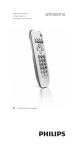
The illustration on page 2 gives an overview of all buttons
on the remote control. Try out the buttons you need for
operating your devices.
Notes
uttons having the same functions as the buttons
• B
on your original remote control may have different
namings on the SRP3004 (e.g. Info / Display).
• Only functions that are available on your original
remote control can be used for operating your
devices with the SRP3004.
1
................................. switches the selected device on / off.
Note
For some TV brands / types, this button will only switch
off the TV. You will have to press a digit button (direct
channel selection) to turn on the TV again.
2
3
8
............ device selection buttons.
• select the device to be operated.
• light up when a remote control
command is being sent.
.................................. DVD:
- switches the disc menu on and off.
- pressed together with
: enters
the system menu.
TV:
- switches teletext on/off.
- pressed together with
: opens
the TV menu.
VCR: pressed together with
:
opens the VCR menu.
STB:
- opens set-top box menu, Box office,
List.
- pressed together with
: switches
teletext on/off.
................................... - mutes the sound of the TV.
- pressed together with
: selects
external Audio/Video inputs.
EN
4
................................... TV:
- selects wide screen TV (16:9).
- pressed together with
: confirms
your selection.
DVD: pressed together with
:
selects Play mode.
................................... - jumps back one level in the menu or
turns off the menu.
- switches teletext off.
DVD: pressed together with
:
opens Showview
- PROG +.................. - selects a previous or following
channel / program.
- pressed together with
: cursor
up, down in a menu.
- VOL +....................... - adjusts the TV volume.
- pressed together with
: cursor
left, right in a menu.
5
............ digit buttons for direct channel / track
selection. Pressed together with
:
1...................................... TV: Info, Display.
DVD/STB: Info, Display,Title.
2...................................... TV/VCR/DVD/STB: exits menu.
4...................................... TV/DVD/STB: selects Subtitle.
5...................................... TV: selects previous picture.
DVD: Recall.
STB: Last.
6...................................... TV/VCR/DVD/STB: Sleep.
7...................................... STB: *.
8...................................... STB: #.
6
................................ for extra functions. When pressed at
the same time as a second key, the
second key will get another function.
Only functions featured on the
original remote control are available.
7
................................ selects between one and two-figure
channel numbers and channel
numbers with more than two or
three figures.
EN
9
English
Using the universal remote control
3 U
sing the universal remote
control