1
ENGLISH
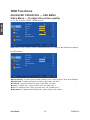
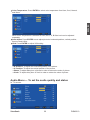
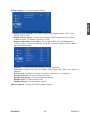
In AV, S-Video, YPbPr, HDMI, VGA source:
• Balance: To adjust left and right audio balance.
• Bass: To adjust bass.
• Treble: To adjust the treble.
• Surround: To enjoy a concert hall effect, select “On” when stereo is playing.
• Reverb: To enjoy the reverb sound effect of Concert, Living Room, Hall, Bathroom, Cave,
Arena, or Church.
• Equalizer: To select equalizer modes from Rock, POP, Live, Dance, Techno, Classic, Soft.
• SPDIF Type: To select SPDIF Type from Dolby Digital, PCM, or Off.
• Auto Volume control: To turn On or Off Auto Volume control. (This function is only effective
in TV source.)
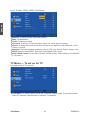
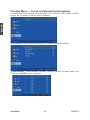
TV Menu — To set up for TV
It is only active in TV source.
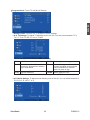
• Tuner Mode: To select Cable or Air as the TV source. Select “Cable” if you want to watch
Cable TV channels, and select Air to watch Air TV channels.
ViewSonic
21
DSM3210