1
7. R-26ST English 27.01
27/1/06
4:59 PM
Page 5
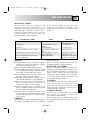
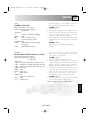
BEFORE OPERATION
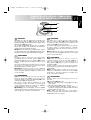
Using the STOP button
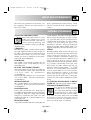
Use the STOP button to:
1. Erase a mistake during programming.
2. Stop the oven temporarily during cooking.
3. Cancel a programme during cooking, touch twice.
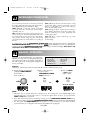
Plug in the oven.
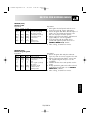
1. The oven display will flash:
2. Touch the STOP button the display will show:
x1
To set the clock, see below.
SETTING THE CLOCK
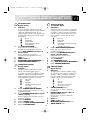
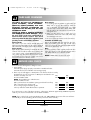
There are two setting modes: 12 hour clock and 24 hour clock.
1. To set the 12 hour clock, hold the MICROWAVE POWER LEVEL button
down for 3 seconds.
will appear in the display.
2. To set the 24 hour clock, press the MICROWAVE POWER LEVEL button once
more after Step 1, in the example below
will appear in the display.
x1 and hold
for 3 secs.
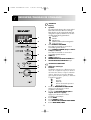
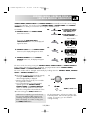
To set the clock, follow the example below.
Example:
To set the 24 hour clock to 23:35
Choose the 24 hour
clock.
x1 and hold
for 3 secs.
4. Set the minutes. Rotate the
TIMER/WEIGHT knob until
the correct minute is displayed
(35).
2. Set the hours. Rotate the
TIMER/WEIGHT knob until
the correct hour is displayed
(23).
3. Press the MICROWAVE
POWER LEVEL button
to change from hours to
minutes.
x1
x1
5. Press the MICROWAVE POWER
LEVEL button to start the clock.
Check the display.
ENGLISH
1. Choose the clock function.
(12 hour clock)
x1
NOTE:
1. You can rotate the TIMER/WEIGHT knob
clockwise or counter-clockwise.
2. Press the STOP button if you make a mistake
during programming.
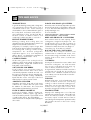
3. If the electrical power supply to your microwave
oven is interrupted, the display will intermittently
show
after the power is reinstated. If this
occurs during cooking, the programme will be
erased. The time of day will also be erased.
4. When you want to reset the time of day, follow the
above example again.
148/GB-4