1
True Image Echo Workstation will be run in the standalone mode, allowing you to recover
the damaged partitions.
If your disk data is totally corrupted and you cannot boot (or if you have not activated
Acronis Startup Recovery Manager), load the standalone Acronis True Image Echo
Workstation version from the bootable media (created by you using Rescue Media
Builder) or RIS-server. Then you will be able to restore the disk from a previously created
image.
2.5.2 Running Acronis True Image Management Console
To run Acronis True Image Management Console, select Start -> Programs -> Acronis
-> Acronis True Image Management Console -> Acronis True Image
Management Console.
2.5.3 Running other Acronis components
Acronis True Image Agents, Acronis Backup Server and Acronis Group Server run as
services immediately after installation and the consequent system reboot (if the latter is
required). Later on they will automatically launch at every system restart. You can stop
and start these programs in the same way as other services.
2.6 Removing Acronis True Image Echo Workstation components
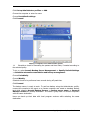
You can remove any Acronis True Image Echo Workstation component separately by
selecting Control panel -> Add or remove programs -> <The component name>
-> Remove. Then follow instructions on the screen. You may have to reboot your
computer afterwards to complete the task.
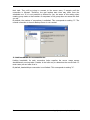
In case you remove Acronis True Image Agent or Acronis True Image Echo Workstation
local version from the system, there is an option to keep the Acronis Secure Zone along
with its contents (which will enable data recovery on booting from bootable media) or
remove Acronis Secure Zone.
23
Copyright © Acronis, Inc., 2000-2009