1
SSP Administration Commands
NAME
SYNOPSIS
DESCRIPTION
domain_rename ( 1M )
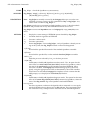
domain_rename − rename an existing domain
domain_rename −d domain_name −n new_domain_name
domain_rename changes the name of a domain from that specified by −d to that
specified by −n. It does so by updating the SSP configuration.
Note:
When renaming a domain you must reconfigure the Internet address and
other configuration information on the Enterprise 10000 system to enable it to
recognize the domain’s new name; otherwise, the domain cannot be reached
and controlled by the SSP.
You can execute domain_rename from the command line or from Hostview. Your
attempt fails if the target domain already is running the operating system.
If interrupted during its configuration-verification phase, domain_rename aborts. You
cannot interrupt it after it has completed this phase and begun the reconfiguration.
RETURN VALUES
ERRORS
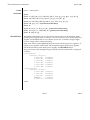
Upon successful completion domain_rename returns a zero value (otherwise, it returns a
non-zero value). You now can bring up the domain via the bringup(1M) command.
domain_name does not exist.
domain_rename cannot find the specified domain name.
new_domain_name already exists.
The name you are trying to assign the domain is already in use.
NOTES
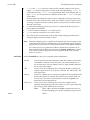
After renaming a domain via this command you must set the SUNW_HOSTNAME
environment variable as follows to ensure proper operation of the SSP command set:
setenv SUNW_HOSTNAME new_domain_name
SEE ALSO
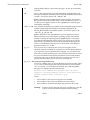
domain_create(1M), domain_history(1M), domain_remove(1M), domain_status(1M),
domain_switch(1M)
SSP 3.1
1M-21