1
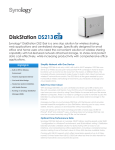
DiskStation DS213
Synology® DiskStation DS213 is a feature-rich 2-bay NAS server
for workgroups and offices, specifically designed for users who
need to share and protect data cost-effectively, while increasing
productivity with comprehensive office applications.
Highlights
●●
Optimal Price/Performance
Ratio
●●
Features SuperSpeed USB 3.0
●●
Effective Backup Solutions
●●
Hassle-free System Installation
●●
Running on Synology
DiskStation Manager (DSM)
Optimal Price/Performance Ratio
Synology DS213 delivers an average 108.41 MB/sec reading speed under
RAID 1 configuration in a Windows® environment, and 65.36 MB/sec
writing1. DiskStation DS213 provides a reliable solution for data sharing
with an easy to use interface, and comprehensive office applications,
including a complete backup solution making it one of the best values in
2-bay NAS devices available today.
Coming with USB 3.0 support which offers transmission speeds of up to 5
Gbps, namely 10 times faster than USB 2.0, DS213 takes less time for data
transfer for external hard drives and consumes less power. In addition,
hot-swappable drives make it easier for maintenance and hard drive
replacement.
Effective Backup Solutions
Synology DS213 offers a centralized backup target to consolidate
fragmented and unstructured data across a network. PC users can back
up their data to Synology DS213 using Synology Data Replicator software,
and Mac OS X® users enjoy native Apple® Time Machine® integration.
A backup wizard is provided for backing up data from DS213 to another
Synology DiskStation or any rsync server via an encrypted connection, or
to an external hard drive via USB 3.0 connection. The wizard also makes it
easy to back up DiskStation data to the cloud via Amazon S3® or STRATO
HiDrive. In addition, users can back up and restore DiskStation shared
folders in multiple versions using Synology Time Backup package.
Shared Folder Sync allows users to synchronize a specific folder from
Synology DS213 to another DiskStation – a server-to-client backup
mechanism that takes place whenever something is changed on the
server side. Users will be able to share documents within their local office
seamlessly and safely with encrypted connection. When your DiskStation is
down, you will be able to have an immediate backup running in no time.
You can have your own cloud by using Cloud Station to freely access and
sync file across different computers. Cloud Station keep multiple versions
of a document in case of accidentally delete or upon any change.
Rich Office Applications
Synology DiskStation DS213 runs on renowned multitasking operating
system, the Synology DiskStation Manager (DSM). Offering a
comprehensive list of business applications, the DS213 can be customized
to run multiple applications of your choice to fulfill the requirement of your
business environment. The DS213 replaces several pieces of traditional
network hardware with rich features designed specifically for workgroups
and offices such as antivirus, video surveillance, webmail, VPN, and LDAP
directory services.
Figure 1) Cloud Station
Cloud Station Server on DS213 syncs user’s
data across several PCs or Macs seamlessly,
boosting office productivity.
Applications are managed in the Package Center, an application portal
that hosts applications as ready-to-use packages; to ensure high software
integration as well as one-click-installation to eliminate guess work
during installation. Additional approved 3rd party PHP web application
such as content management, customer relationship management &
e-commerce system can be hosted on DS213 by using Web Station with
support for PHP/MySQL® web content.
Hassle-free System Installation
Web Assistant is a web-based utility to makes every DiskStation as easy
to install as possible. Installation is done inside your existing web browser
by setting up all vital system components in few simple steps. Combined
with a quick start widget, users can simultaneously tour the DSM operating
system and set it up to use right away.
Peace of Mind with Data Encryption
The Synology DS213 is equipped with an encryption engine which offloads
the encryption calculation task away from the main CPU, helping to
improve file transfer speeds of the DiskStation.
Data protection is an important matter for businesses of all sizes. High-end
features previously available only on enterprise level hardware are now
accessible via Synology DS213 to small and medium-sized businesses.
DS213 provides share-level AES 256-bit encryption to aid in the prevention
of unauthorized access attempts to the hard drives.
Energy Efficient with Cool and Quiet Design
Synology DS213 is designed with energy efficiency in mind. Not only does it
provide a 92x92 mm fan and the smart airflow to keep the system running
cool 24/7, its noise dampening design makes it really quiet compared to
PC counterparts. The support of Wake on LAN/WAN, multiple scheduled
power on/off and hard drive hibernation can further reduce power
consumption and operation cost.
All Synology products are produced with RoHS compliant parts and
packed with recyclable packing materials. Synology acknowledges
the responsibility as a global citizen to continually work to reduce the
environmental impact of every product produced.
Connections & Buttons
HDD Tray Cover
LED Indicators
Fan
SD Slot
USB 2.0 Port
USB 3.0 Port
Copy Button
LAN Port
RESET Button
Power Button
Power Port
Technical Specifications
Hardware
CPU Frequency
2.0GHz
Hardware Encryption Engine
Yes
Memory
DDR3 512MB
Internal HDD/SSD
3.5” or 2.5” SATA(II) X 2 (hard drives not included)
Max Internal Capacity
8TB (2X 4TB hard drives) (The actual capacity will differ according to volume types.)
Hot Swappable HDD
Yes
External Storage Interface
1X USB 2.0 port, 2X USB 3.0 ports, 1X SD card slot
Size (HxWxD)
165mm X 108mm X 233.2mm
Weight
1.25kg
LAN
1X Gigabit
Wireless Support
Yes (wireless dongles not included)
Wake on LAN/WAN
Yes
Noise Level2
19.9 dB(A)
AC Input Power Voltage
100V to 240V
Power Frequency
50Hz to 60Hz, Single Phase
Power Consumption3
18.48 W (Access); 8.28 W (HDD Hibernation)
Operating Temperature
5°C to 35°C (40°F to 95°F)
Storage Temperature
-10°C to 70°C (15°F to 155°F)
Relative Humidity
5% to 95%RH
Applications
File Station
Virtual Drive, Remote Folder
Backup Solutions
Network Backup, Local Backup, Desktop Backup (Window: Synology Data Replicator; Mac®: Apple® Time
Machine® backup application), Shared Folder Sync - Max Task Number : 2, Configuraiton Backup, USBCopy/
SDCopy
Mail Server
Supported Mail Server Protocols : POP3, SMTP, IMAP
FTP Server
Bandwidth Control, Custom FTP Passive Port Range, Anonymous FTP, Transfer Log
Web Station
Virtual Host (up to 30 websites), PHP/MySQL®, 3rd-Party Applications Support
Printer Server
Max Printer #: 2, Printing Protocols: LPR, CIFS, IPP, Apple AirPrint™, Google Cloud Print™, Multi Functional
Print Server (MFP functions are for Windows® PC only)
iOS/Android™ Applications
DS photo+, DS audio, DS cam, DS file, DS finder
Windows Phone Applications
DS finder
Add-on Packages
Surveillance Station
Default IP cam #: 1, MAX IP cam # (licenses required): 8 (1 free license to install 1 IP camera. Additional
licenses can be purchased to expand the license quota.)
Directory Server
LDAP Directory Server, Backup and Restore LDAP Database
VPN Server
Maximum Connections : 5, VPN Method: PPTP, OpenVPN™
DHCP Server
Independent DHCP Server on Different Network Interfaces, Multiple Subnets Support, Address Reservation
Syslog Server
SSL Connection, Log Rotation: 6 months, 1 year, 2 years, 3 years, Email Notificaiton
Mail Station
Webmail Interface for Mail Server, Receiving Mails from Multiple POP3 Mailboxes, Customizable SMTP Server
Antivirus Essential
Full System Scan, Scheduled Scan, White List Customization, Virus Definition Auto Update
Time Backup
Maximum Task Number : 2, Multiple File Versions Retained, Instant File Restoration
Cloud Station
Maximum Concurrent File Transfers: 256, Retain Historical and Deleted File Versions
DLNA®/UPnP® Media Server
PS3®/Xbox 360® Support
Download Station
Supported Download Protocols: BT/HTTP/FTP/NZB/eMule
Maximum Concurrent Download Tasks : 30
Other Packages
Photo Station, Audio Station, iTunes® Server, 3rd-Party Packages
General
Networking Protocols
CIFS, AFP, NFS, FTP, WebDAV, CalDAV, iSCSI, Telnet, SSH, SNMP, VPN (PPTP, OpenVPN™)
File System
EXT4, EXT3 (External Disk Only), FAT (External Disk Only), NTFS (External Disk Only)
Storage Management
Max File System Size: 16TB, Max Internal Volume #: 256, Max iSCSI Target #: 10, Max iSCSI LUN#: 10,
Supported RAID Type : Synology Hybrid RAID, Basic, JBOD, RAID 0, RAID 1
File Sharing Capability
Max User Account: 2048, Max Group: 256, Max Shared Folder: 256, Max Concurrent CIFS/AFP/FTP
Connections : 128
Privilege
Windows Access Control List (ACL)
Directory Service
Windows ADS Domain Integration, LDAP Integration
Security
FTP over SSL/TLS, IP Auto-Block, Firewall, Encrypted Network Backup over Rsync, HTTPS Connection
Utilities
Synology Web Assistant, Synology Assistant, Synology Data Replicator
Supported Clients
Windows XP onward, Mac OS X® 10.5 onward, Ubuntu 9.04 onward
Support Browsers
Chrome, Internet Explorer®: 8, 9, Firefox®, Safari® (Mac): 5
Language
English, Deutsch, Français, Italiano, Español, Dansk, Norsk, Svensk, Nederlands, Русский, Polski, Magyar,
Português do Brasil, Português Europeu, Türkçe, Český,
Environment and Packaging
Environment
RoHS Compliant
Package Content
DS213 Main Unit, Installation Disc, Welcome Note, Assembling Kit, AC Power Cord, AC Power Adapter, RJ-45
LAN Cable X1
Optional Accessories
Remote, Camera License Pack
Warranty
2 Years
*Model specifications are subject to change without notice. Please refer to www.synology.com for the latest information.
1.The performance figures could vary on different environments.
2.Fully loaded with Seagate® ST31000520AS hard drive(s) in operation; Two G.R.A.S. Type 40AE microphones, each set up at 1 meter away from the DiskStation front and rear;
Background noise: 17.1 dB(A); Temperature: 24.2˚C; Humidity: 63%; More details about dB(A) value, check http://www.memtechacoustical.com/facts.asp
3.Measured with 2 Western Digital® 3TB WD30EZRS hard drives. The figures could vary on different environments.
SYNOLOGY INC.
Synologyisdedicatedtotakingfulladvantageofthelatesttechnologiestobringbusinessesandhomeusersreliableandaffordablewaystocentralizedatastorage,simplifydatabackup,shareandsyncfiles
across different platforms, and access data on-the-go. Synology aims to deliver products with forward-thinking features and the best in class customer services.
Copyright©2012,SynologyInc.Allrightsreserved.Synology,theSynologylogoaretrademarksorregisteredtrademarksofSynologyInc.Otherproductandcompanynamesmentionedhereinmaybe
trademarks of their respective companies. Synology may make changes to specification and product descriptions at anytime, without notice. Printed in Taiwan.
DS213-2012-ENU-REV004
Synology Inc.
Synology Inc.
3F-3, No. 106, Chang An W. Rd.,
Taipei, Taiwan
Tel: +886 2 2552 1814
Fax: +886 2 2552 1824
North & South America
Synology America Corp.
13343 NE Bel-Red Road
Bellevue, WA 98005, USA
Tel: +1 425 818 1587
UK
Synology UK Ltd.
Etheridge Avenue,Brinklow,
Milton Keynes,MK10 0BP, UK
Tel: +44 1908 587422
Germany
Synology GmbH
Königsallee 92a
40212 Düsseldorf, Germany
Tel: +49 (0)211 5403 9658