1
Appearance
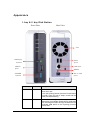
1-bay & 2-bay Disk Station
Front View
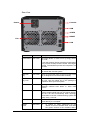
Rear View
Fan
USBCopy
USB
button
port
LAN port
eSATA
port
RESET
POWER
DC in 12V
button
port
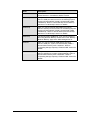
Article Name Location
Description
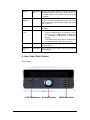
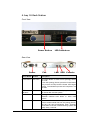
Power Button Front Panel The Power Button is used to turn the Synology
Server On or Off.
To turn Off Synology Server, press the Power Button
and hold it until you hear a "beep" sound and the
Power LED starts blinking.
COPY Button Front Panel The COPY Button lights up when you connect a
USB Device (for example: digital camera, USB flash
disk). Pressing the button will copy the data from the
connected USB device to the Synology Server's
internal HDD.
14