1
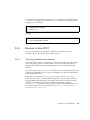
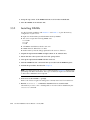
To change the POST parameters using the setsc command, you must first set the
setkeyswitch parameter to normal, then you can change the POST parameters
using the setsc command:
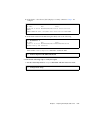
sc> setkeyswitch normal
sc> setsc value
Example:
sc> setkeyswitch normal
sc> setsc diag_mode service
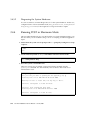
3.4.3
Reasons to Run POST
You can use POST for basic hardware verification and diagnosis, and for
troubleshooting as described in the following sections.
3.4.3.1
Verifying Hardware Functionality
POST tests critical hardware components to verify functionality before the system
boots and accesses software. If POST detects an error, the faulty component is
disabled automatically, preventing faulty hardware from potentially harming
software.
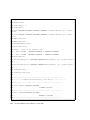
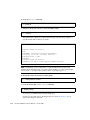
In normal operation (diag_level=min), POST runs in mimimum mode by default
to test devices required to power on the server. Replace any devices POST detects as
faulty in minimum mode.
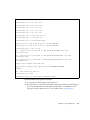
Run POST in maximum mode (diag_level=max) for all power-on or errorgenerated resets, and to validate hardware upgrades or repairs. With maximum
testing enabled, POST finds faults and offlines memory devices with errors that
could be correctable by PSH. Check the POST-generated errors with the
showfaults -v command to verify if memory devices detected by POST can be
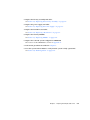
corrected by PSH or need to be replaced. See Section 3.4.5, “Correctable Errors
Detected by POST” on page 3-35.
Chapter 3
Server Diagnostics
3-27