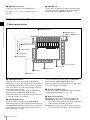
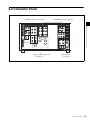
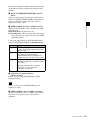
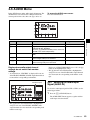
1
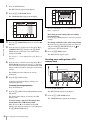
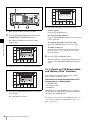
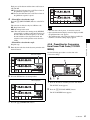
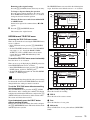
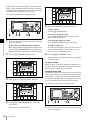
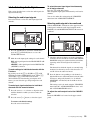
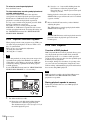
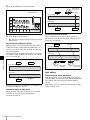
dial. A direction indicator (b or B) lights up to
indicate the direction of playback.
3
Stop rotating the search dial to stop jog mode
playback.
The indicator lights up.
For details on switching the search dial functions, refer to
the Maintenance Manual Volume 1.
To return to normal-speed playback
Press the PLAY button.
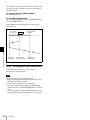
Note
The audio signal output status is specified by the following
settings of the VTR SETUP menu item 017 “PB/EE
SELECT MENU”.
EE: The input audio is always output.
MU: The audio output is always turned off.
PB: The playback signal is always output.
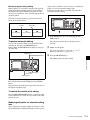
Shuttle mode playback
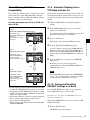
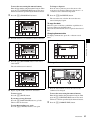
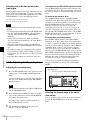
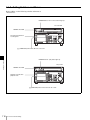
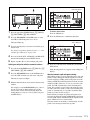
Follow the procedure below to play back in shuttle mode.
Variable mode playback
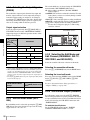
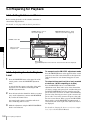
Follow the procedure below to play back in variable mode.
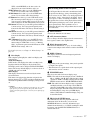
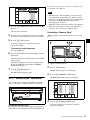
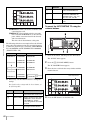
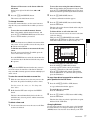
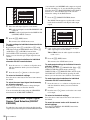
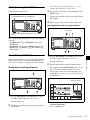
Press the SHUTTLE button, turning it on.
The VTR enters still-picture mode.
2
1
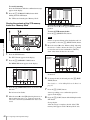
Press the VAR button, turning it on.
The VTR enters VAR mode.
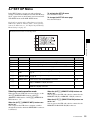
Rotate the search dial in the desired playback direction
and set the angle of rotation as required to obtain the
desired playback speed.
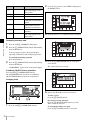
2
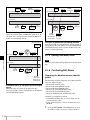
Rotate the search dial in the desired playback direction
and set the angle of rotation as required to achieve the
desired playback speed.
Chapter 5 Recording/Playback
1
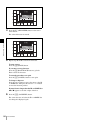
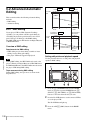
Shuttle mode
Variable mode
(HDCAM/Digital
Betacam: –1)
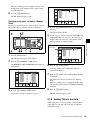
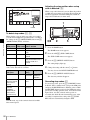
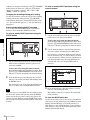
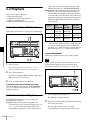
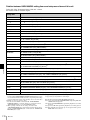
The tape is played back at a speed that corresponds to
the angle of the search dial. A direction indicator (b or
B) lights up to indicate the direction of playback.
The search dial clicks at the positions for still-picture
and ±8 times normal playback speed. (For Digital
Betacam or HDCAM playback, the search dial clicks
at the positions for still-picture and ±10 times normal
playback speed.)
3
Set the search dial to center position for still-picture, or
press the STOP button to stop shuttle mode playback.
(HDCAM: +2
Digital Betacam: +3)
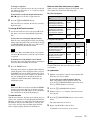
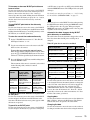
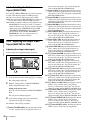
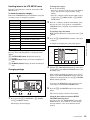
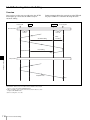
The tape is played back at a speed that corresponds to
the angle of the search dial. A direction indicator (b or
B) lights up to indicate the direction of playback.
The search dial clicks at the positions for still-picture,
–0.5 times and +1 times normal playback speed. (For
Digital Betacam or HDCAM playback, the search dial
clicks at the positions for ±1 times normal playback
speed.)
3
Set the search dial to center position for still-picture, or
press the STOP button to stop variable mode playback.
5-4 Playback
105