1
n 2 N
Contents
Before Use .........................................................................................................................................................................6
Documentation .............................................................................................................................................................7
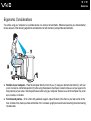
Ergonomic Considerations .........................................................................................................................................11
Getting Started .................................................................................................................................................................13
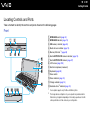
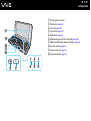
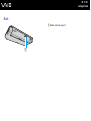
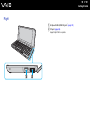
Locating Controls and Ports.......................................................................................................................................14
About the Indicator Lights ..........................................................................................................................................19
Connecting a Power Source ......................................................................................................................................20
Using the Battery Pack ..............................................................................................................................................21
Shutting Down Your Computer Safely .......................................................................................................................28
Using Your VAIO Computer .............................................................................................................................................29
Using the Keyboard ...................................................................................................................................................30
Using the Pointing Device ..........................................................................................................................................32
Using Special-function Buttons ..................................................................................................................................34
Using the Instant Mode ..............................................................................................................................................35
Using the Built-in MOTION EYE Camera...................................................................................................................37
Using the Memory Stick .............................................................................................................................................40
Using the SD Memory Card .......................................................................................................................................45
Using the Internet.......................................................................................................................................................49
Using the Network (LAN) ...........................................................................................................................................50
Using the Wireless LAN (WLAN) ...............................................................................................................................52
Using the Bluetooth Function .....................................................................................................................................56