1
VAIO® Computer Specifications
PCG-TR1 Series
Overview
Special Features
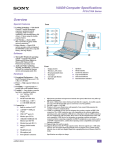
❑ Picture Perfect — Built-in camera,
Front (Upper)
with zoom capability, showcases
pictures instantly on a wide-screen
display with XBRITE™ technology
❑ Got Wireless — Built-in IEEE
802.11b wireless for truly mobile
network connection‡‡
❑ Enjoy Movies — Watch DVD
movies anywhere with integrated
CD-RW/DVD combo drive, Dolby
headphone technology, and standard
battery life.
Software
❑ Microsoft® Windows® operating
system — Includes Microsoft®
Windows® XP Home Edition or
Microsoft® Windows® XP
Professional operating system
❑ Audio and Video Authoring,
Viewing, and Sharing — Powerful
software for creating and sharing
movies and managing audio files
Hardware
❑ Exceptional Performance — Ultra
❑
❑
❑
❑
Low Voltage Intel® Pentium® M
processor 900 MHz‡
Power — High-capacity lithium-ion
battery
Portability — Approximately 3.11
pounds light (with battery)
Usability — Large display, generous
hard drive, expandable memory:
❑ 10.6” display (LCD) with
XBRITE™ technology
❑ 30 GB** hard disk drive
❑ 512 MB DDR SDRAM
(Expandable to 1 GB††)
Connectivity —
❑ Built-in wireless LAN‡‡
❑
❑
❑
❑
❑
❑
❑
❑
❑
i.LINK®*** S400 port (4pin) with power supply
USB 2.0††† ports (2)
Monitor port (VGA)
1
2
3
4
5
‡
†
**
††
‡‡
***
10BASE-T/100BASE-TX
Ethernet port (RJ-45)
Modem line jack (RJ-11)
Memory Stick® media slot†
Microphone jack
Headphones jack
PC Card slot
A-BNY-100-01
†††
Speakers
MOTION EYE™
Camera
MOTION EYE™
Camera indicator
CAPTURE button
Volume buttons
6
7
8
9
10
Zoom button
Display (LCD)
Num lock indicator
Caps lock indicator
Scroll lock indicator
MHz denotes microprocessor internal clock speed; other factors may affect application
performance. Processor speed will be reduced under certain operating conditions.
Supports Memory Stick Pro™ high-capacity media. Tested to support up to 1 GB media
capacity, does not support high-speed transfer, does not support access control security
function, does (or does not) support MagicGate copyright protection in Memory Stick Pro
media.
GB means 1 billion bytes when referring to hard disk drive capacity. Accessible capacity
may vary.
One GB is equal to 1,024 MB.
Wireless LAN Access Point device sold separately. Sony cannot fully guarantee the
security of wireless communications.
i.LINK is a trademark of Sony used to designate that a product contains an IEEE 1394
connection. The i.LINK connection may vary, depending on the software applications,
operating system, and compatible i.LINK devices. All products with an i.LINK connection
may not communicate with each other. Please refer to the documentation that came with
your compatible i.LINK device for information on operating conditons and proper
connection. Before connecting compatible i.LINK PC peripherals to your system, such as
a CD-RW or hard disk drive, confirm their operating system compatibility and required
operating conditions.
Supports high, full, and low speeds.
Specifications are subject to change.
1
VAIO® Computer Specifications
PCG-TR1 Series
Front (Lower)
1
2
3
Power button
Keyboard
CD-RW/DVD combo
drive and eject button
Wireless LAN indicator
Memory Stick® media
indicator
Hard disk drive indicator
Battery indicator
Power indicator
Touch pad and left and
right buttons
Wireless LAN switch
4
5
6
7
8
9
10
Back
1
2
DC IN port
Battery port
2
VAIO® Computer Specifications
PCG-TR1 Series
Right
1
2
3
4
5
6
7
Headphones jack
Microphone jack
USB 2.0 port
PC Card eject button
PC Card slot
10BASE-T/100BASE-TX
Ethernet port (RJ-45)
Modem line jack (RJ-11)
Left
1
2
3
4
5
6
Monitor port (VGA)
Air vent
USB 2.0 port
i.LINK® S400 port (4-pin)
DC OUT port
Memory Stick® media slot
3
VAIO® Computer Specifications
PCG-TR1 Series
Standard Features
Feature
Description
Processor
Ultra Low Voltage Intel® Pentium® M processor 900 MHz*
L2 Cache Memory
1 MB (CPU Integrated)
Operating System
Available:
Microsoft® Windows® XP Home Edition
Microsoft® Windows® XP Professional
Hard Disk Drive
30 GB†
Standard RAM
512 MB (Expandable to 1 GB‡)
(PC2100 DDR SDRAM)
Display (LCD)
10.6” with XBRITE™ technology
Graphics
Intel® 855GM Chipset Integrated Graphics with
64 MB video memory (dynamically shared with system memory)
Integrated Camera
370,000 pixels
Image Device
1/5.5" VGA CMOS
Lens
f = 2.8 mm, F = 3.4
White Balance
Auto / Hold / 3200K / 5800K
Shutter Speed
Electric Shutter
Video Capture Format
JPEG, MPEG-1
Display Frames
Max. 15 frames per second (640 x 480) with Motion JPEG
Max. 30 frames per second (320 x 240) with JPEG
Microphone
One internal
Sound Capabilities
Microsoft® sound system compatible AC97
Integrated stereo speakers
Modem
V.90 data/fax modem**
CD-RW/DVD Combo Drive
24x max. CD reading speed
8x max. DVD-ROM reading speed
8x max. CD-R writing speed
4x max. CD-RW writing speed
Wireless LAN Communication
Intel® PRO/Wireless 2100 Network Connection
with Mini PCI and 802.11b technology
IEEE 802.11b (IBSS Ad hoc mode support, DS-SS modulation)
Max. 11 Mbps data transfer speed†† (approximation)
Max. 100 meter communication distance‡‡ (approximation)
2.4 GHz band frequency
Expansion Capabilities
One PC Card slot that supports Type I or II PC Cards,
with CardBus support
Built-in Capabilities
Stereo speakers
Touch pad
Memory Stick® media slot***
4
VAIO® Computer Specifications
PCG-TR1 Series
Standard Features (Continued)
Feature
Description
Connection Capabilities
Modem line jack (RJ-11)
i.LINK®††† S400 port (4-pin)
10BASE-T/100BASE-TX Ethernet port (RJ-45)
USB 2.0 ports‡‡‡ (2)
Microphone jack
Headphones jack
Monitor port (VGA)
Supplied Accessories
Rechargeable Lithium-ion battery
AC adapter and power cord
Power Source
16V DC/AC 100-240V
Power Management
Energy Star® compliant
Advanced Configuration and Power Interface (ACPI)
Dimensions
(approximate)
10.6" (w) x 1.37/1.44" (h) x 7.4" (d)
(270.4 mm x 34.7/36.5 mm x 188.4 mm)
Weight
(approximate)
3.11 lbs. (1.41 kg) with standard battery
Operating Temperature
40º F to 95º F (5º C to 35º C)
Operating Humidity
20% to 80% (not condensed), provided that humidity is less than 65% at 95º F (35º C),
hygrometer reading of less than 84º F (29º C)
Storage Temperature
-4º F to 140º F (-20º C to 60º C) temperature gradient less than 18º F (-10º C) per hour
Storage Humidity
10% to 90% (not condensed), provided that humidity is less than 20% at 140º F (60º C),
hygrometer reading of less than 95º F (35º C)
* MHz denotes microprocessor internal clock speed; other factors may affect application performance. Processor speed will be reduced under
certain operating conditions.
† GB means 1 billion bytes when referring to hard disk drive capacity. Accessible capacity may vary.
‡ One GB is equal to 1,024 MB.
** Maximum speed for faxing is 14.4 Kbps. Your modem is capable of downloading at 56 Kbps using V.90. Your online service or Internet Service
Provider may not support this technology or operate at this speed.
†† Maximum data communication/transfer speed per IEEE 802.11b standard. Speed and communication distance will be reduced under certain operating and environmental conditions.
‡‡ Communication distance will be reduced under certain operating and environmental conditions.
***Supports Memory Stick Pro™ high-capacity media. Tested to support up to 1 GB media capacity, does not support high-speed transfer, does not
support access control security function, does (or does not) support MagicGate copyright protection in Memory Stick Pro media.
†††i.LINK is a trademark of Sony used to designate that a product contains an IEEE 1394 connection. The i.LINK connection may vary, depending
on the software applications, operating system, and compatible i.LINK devices. All products with an i.LINK connection may not communicate
with each other. Please refer to the documentation that came with your compatible i.LINK device for information on operating conditons and
proper connection. Before connecting compatible i.LINK PC peripherals to your system, such as a CD-RW or hard disk drive, confirm their
operating system compatibility and required operating conditions.
‡‡‡ Supports high, full, and low speeds.
5
VAIO® Computer Specifications
PCG-TR1 Series
Available Configurations
Model Name
Processor Speed
Display (LCD)
Memory
HDD
Optical Drive
Operating System
PCG-TR1A
Ultra Low Voltage Intel®
Pentium® M Processor
900 MHz*
10.6” with
XBRITE™
technology
512 MB
30 GB†
CD-RW/DVD
combo drive
Microsoft® Windows® XP
Home Edition
PCG-TR1AP
Ultra Low Voltage Intel®
Pentium® M Processor
900 MHz
10.6” with
XBRITE™
technology
512 MB
30 GB
CD-RW/DVD
combo drive
Microsoft® Windows® XP
Professional
* MHz denotes microprocessor internal clock speed; other factors may affect application performance. Processor speed will be reduced under
certain operating conditions.
† GB means 1 billion bytes when referring to hard disk drive capacity. Accessible capacity may vary.
6
VAIO® Computer Specifications
PCG-TR1 Series
Options
Option*
Description
Model
Memory
512 MB memory upgrade (open slot)
Use PC2100 DDR SDRAM only
Monitors
A Sony VAIO® monitor or Sony LCD projector may be
connected as an external display. Display cable(s) required
Drives
External DVD±RW drive
External USB floppy disk drive
PCGA-DDRW1
PCGA-UFD5
i.LINK®(IEEE 1394)
Devices†
Only compatible i.LINK devices may be connected, using the
following i.LINK cables:
1.5-meter, 4-pin connector
1.5-meter, 4-pin connector to 6-pin connector
3.5-meter, 4-pin connector
VMC-IL4415A
VMC-IL4615A
VMC-IL4435A
Accessories
PCGA-MM512U
Sony USB keyboard
Privacy screen
PCGA-UMS5
PCGA-UMS3/V,
PCGA-UMS3/S
PCGA-UKB1
PCGA-FL6
Memory Stick® Media‡
32 MB
64 MB
128 MB
MSA-32A
MSA-64A
MSA-128A
Multimedia
External speakers
Sony Digital Handycam® camcorder
Sony digital still camera
Sony Mavica® camera
Sony projector
External microphone or other audio device
PCGA-SP1
Wireless Connectivity
802.1lg Wireless LAN
802.1la Wireless LAN Router Access Point
USB Bluetooth™ Adapter
802.1la Wireless LAN PC Card
PCWA-AR300
PCWA-A500
PCGA-BA1/A
PCWA-C500
Other Connectivity
Personal Digital Assistant (PDA) or Sony CLIÉ™ handheld
device
Power
AC adapter
Standard lithium-ion battery
Large-capacity battery**
7
Sony USB mouse
Sony USB mobile mouse
PCGA-AC16V6
PCGA-BP2T
PCGA-BP3T
VAIO® Computer Specifications
PCG-TR1 Series
Option*
Carrying Cases
Description
Model
PCGA-CCGX
VAIO® Large Carrying Case
This custom case holds your computer, AC adapter, extra
battery, and more. Keep all of the important documents within
easy reach. External dimensions: 16” (w) x 13.5” (h) x 8” (d)
PCGA-CCB
VAIO® Compact Carrying Case
Light weight and slim design. Accessory holders, file
sections, and back and front pockets enables you to organize
with ease. Neoprene shoulder strap is included.
External dimensions: 14” (w) x 10.8” (h) x 3.5” (d)
PCGA-CCP1
VAIO® Backpack
Stylish, convenient, and comfortable backpack with efficient
storage for PC and accessories.
External dimensions: 16” (w) x 20” (h) x 9.5” (d)
* The computer industry lacks standards, and therefore, there are a multitude of varying software packages and add-on hardware options. This
product is not manufactured to work with any specific software, and Sony does not and cannot make any warranty or representation with respect to the performance of this product with any particular software packages and/or non-Sony add-on hardware option except those mentioned here. Sony hereby disclaims any representations or warranties that this product is compatible with any combination of non-Sony
products you may choose to connect to it. While Sony representatives or Sony authorized dealers may be able to assist you and may make
recommendations, they are NOT authorized to vary or waive this disclaimer. Purchasers must determine for themselves the suitability and
compatibility of the hardware and software in each and every particular instance.
† i.LINK is a trademark of Sony used only to designate that a product contains an IEEE 1394 connection. The i.LINK connection may vary,
depending on the software applications, operating system, and compatible i.LINK devices. All products with an i.LINK connection may not
communicate with each other. Refer to the documentation that came with your compatible i.LINK device for information on operating
conditions and proper connection. Before connecting compatible i.LINK PC peripherals to your system, such as an optical disc drive or hard
disk drive, confirm their operating system compatibility and required operating conditions.
‡ Data storage capacity may vary as a portion of the memory is used for data management functions. Supports Memory Stick Pro™ high-capacity media. Tested to support up to 1 GB media capacity, does not support high-speed transfer, does not support access control security
function, does (or does not) support MagicGate copyright protection in Memory Stick Pro media.
** Available in September, 2003.
8
VAIO® Computer Specifications
PCG-TR1 Series
Memory and Storage
Item
Description
L2 Cache Memory
1 MB (CPU Integrated)
Hard Disk Drive
30 GB*
Standard RAM
512 MB (Expandable to 1 GB†)
(PC2100 DDR SDRAM)
* GB means 1 billion bytes when referring to hard disk drive capacity. Accessible capacity may vary.
† One GB is equal to 1,024 MB.
Typical Expansion Memory Configuration
The amount of memory installed on your computer may vary, depending on the model you purchased.
Total System Memory (MB)
9
Slot 1 (MB)
Slot 2 (MB)
512
512
0
768
512
256
1,024
512
512
VAIO® Computer Specifications
PCG-TR1 Series
Software
The following list includes some of the software included with your computer. Preinstalled software may not be identical to retail versions or have
all documentation.
Application
Description
Adobe® Acrobat® Reader®
Adobe Systems Inc.
Acrobat Reader software enables you to view, navigate, and print electronic documents in
Adobe’s Portable Document Format (PDF), an open file format intended to preserve the fidelity
of documents created on many major computer platforms.
Adobe® Photoshop®
Elements
Adobe Systems Inc.
Using state-of-the-art image editing tools, you can unleash your artistic ability and create digital
images for print, e-mail, and posting to the Web. The versatile image capturing options enable
you to start working with digital and traditional photos immediately. Explore extensive creative
possibilities for your personal images with Adobe Photoshop Elements software. Upgrade
possible to Adobe® Photoshop®.
Adobe® Premiere® LE
Adobe Systems Inc.
Adobe Premiere LE software offers interface and editing tools for producing movies for video,
multimedia, or the Web. View source clips and edited footage simultaneously on-screen. You
can create your own personal video clips that are up to three hours in length, with complete
audio-video synchronization. Upgrade possible to full version of Adobe® Premiere®.
America Online®
(Broadband or Dial-Up)‡
America Online, Inc.
America Online is a popular Internet online service. Stay in touch with family and friends with
easy-to-use e-mail. Manage your personal finances, get the latest news and sports scores, and
chat with thousands of others who share your interests.
AT&T WorldNet® Service
AT&T Corp.
AT&T WorldNet Service offers fast, reliable Internet access. Customer benefits include Webbased e-mail, video e-mail, multiple e-mail accounts, free Web pages, online and live agent
technical support, instant messaging, and parental controls.
Boingo Wireless™
Boingo Wireless, Inc.
Boingo Wireless offers Wi-Fi access in hundreds of hot spot locations, including airports,
hotels, coffee shops and other public spaces. Experience the Internet up to 100 times faster than
dial-up, and enjoy being totally mobile.
DVgate™ Plus
Sony Electronics Inc.
Connect a compatible digital video camera to your computer’s i.LINK® port and capture video
clips and still images. Edit clips from your video, add new clips, and combine clips into new
movie segments. Save your movies back to your digital video came or in a variety of popular
file formats.
EarthLinkSM Total Access®
2003 (DSL or Dial-Up)
EarthLink, Inc.
EarthLink, one of the world’s largest Internet Service Providers, offers dial-up and broadband
access to the Internet. Member benefits include e-mail, newsgroups, a Personal Start Page, free
storage space for your personal Web site, a member magazine, and 24-hour technical support.
McAfee Internet
SecurityCenter
Network Associates Technology,
Inc.
The McAfee.com SecurityCenter combines a set of must-have tools with simplified world class
managed security services. The McAfee.com SecurityCenter is an easy-to use environment
where McAfee subscribers can launch, manage and configure their security subscriptions. The
SecurityCenter also acts as a source of information for virus alerts, product information,
support, subscription information and one-click access to tools and news hosted at
www.mcafee.com. Includes VirusScanOnline, Personal Firewall Plus, Privacy Service and
SpamKiller. This is a trial version of the McAfee SecurityCenter.
Microsoft® Age of Empires II:
The Age of Kings
Microsoft Corp.
The Age of Kings is the sequel to the award-winning, best-selling realtime strategy game Age
of Empires. Age of Empires II spans a thousand years, from the fall of Rome through the
Middle Ages in which players lead one of 13 civilizations into greatness. The game keeps the
epic scope of Age of Empires’ game play while evolving the combat and economic features.
Rated TEEN by the ESRB: Content may be suitable for persons ages 13 and older. May contain
violent content, mild or strong language, and/or suggestive themes.
10
VAIO® Computer Specifications
PCG-TR1 Series
Software (Continued)
The following list includes some of the software included with your computer. Preinstalled software may not be identical to retail versions or have
all documentation.
Application
Description
Microsoft® Encarta®* Online
Microsoft Corp.
Encarta Online, the online version of the popular encyclopedia, includes more than 47,000
encyclopedia articles, many with multimedia features such as video and audio clips. You’ll also
find links to trusted Web sites with even more information. An interactive world atlas lets you
zoom in on a particular region or country.
Microsft® Money 2003
Standard†
Microsoft Corp.
Microsoft Money 2003 Standard provides a quick and easy way to organize and manage your
personal finances. New features include auto-balancing, a bills estimator, spending comparison
reports, and investment reminders. Save time organizing and managing your cash flow and
balancing your checkbook. Create and track a budget, pay your bills, organize your finances,
and view a complete picture of your financial health all in one place.
Microsoft® Movie Maker 2
Microsoft Corp.
Windows® Movie Maker 2 makes home movies amazingly fun. With Movie Maker 2 you can
create, edit and share your home movies right on your PC. Build your movie with a few simple
drag-and-drops. Delete bad shots and include only the best scenes. Add special effects, music
and narration. Then share your movie via the Web, e-mail, on your PC, CD, or even DVD. You
can also save your edited movie back to the DV tape in your camera to play on a TV or even on
the camera itself.
MIcrosoft® MSN 8‡
Microsoft Corp.
MSN 8.0 combines fast, reliable service with innovative Microsoft software to make the Web
more useful for you and your family. The new MSN 8 includes smart features such as automatic
e-mail virus protection services, an intelligent junk mail filter, powerful parental controls, and
easy switching tools.
Microsoft® Windows
Media® Player
Microsoft Corp.
Get fast and flexible playback with the best audio and video quality for Windows and the Web.
Includes special new features optimized for Windows XP. You can use Microsoft Windows
Media® Player to play and organize digital media files on your computer and on the Internet. In
addition, you can use the Player to listen to radio stations from all over the world, play and copy
CDs, create your own CDs, play DVDs, and copy music and videos to portable devices, such as
portable digital audio players and handhelds.
Microsoft® Works
Microsoft Corp.
Works lets you quickly and easily create high-quality, fun documents. Works provides the core
tools you need to create documents, manage lists and schedules, create reports and budgets and
organize information from many sources. Works includes Word Processor, Works Database,
Works Spreadsheet, Works Portfolio, and Works Calendar.
MoodLogic
MoodLogic, Inc.
MoodLogic is the world’s largest descriptive database of song information. The information is
provided from music lovers like you. MoodLogic allows you to browse the songs by artist and
genre, narrow your selections by tempo or year, save your favorite playlist and transfer it to a
portable player.
Network Smart Capture
Sony Electronics Inc.
Network Smart Capture captures images and video from any Sony Digital Camcorder that
supports a standard i.LINK connection. Send your video or still images through e-mail or
upload them to the ImageStation(SM) service. You can use the Web camera function to
automatically upload your captured images.
PictureGear Studio™
Sony Electronics Inc.
PictureGear Studio still image management software displays still images from your hard drive
or a Sony digital still camera. The still images appear in a convenient light-table format so that
you can easily view the contents of an entire folder, create your own photo albums and make
prints.
11
VAIO® Computer Specifications
PCG-TR1 Series
Software (Continued)
The following list includes some of the software included with your computer. Preinstalled software may not be identical to retail versions or have
all documentation.
Application
Description
Quicken® 2003
New User Edition
Intuit Inc.
Quicken software is a fast, easy way to organize your finances. Quicken software works just
like your checkbook, so it's easy to learn and use. You can even pay your bills online. Quicken
software manages all of your finances, bank accounts, credit cards, investments, and loans.
(Users of earlier versions of Quicken software must upgrade for a fee.) Upgrade possible to
Quicken® Deluxe, and other versions.
QuickTime®
Apple Computer, Inc.
The versatile QuickTime software plays many, many different kinds of media files, including
video, audio, and virtual reality (VR) movies. You can play QuickTime files (referred to as
“QuickTime movies”) using QuickTime Player or any other application, such as a Web browser
or word processor, that supports QuickTime software.
RealOne™ Player
RealNetworks, Inc.
RealOne™ Player is an all-in-one digital media player that lets you find everything and play
anything. RealOne Player fuses a streaming media player, jukebox, browser and new content
discovery services all in one application. Play CDs, MP3s and internet radio stations from
anywhere in the world. View video clips and movies with the same player. Download music
directly to your Sony MiniDisc™ Walkman or your Sony Memory Stick™ Walkman.
SonicStage™
Mastering Studio
Sony Electronics Inc.
Use SonicStage™ Mastering Studio software to record songs from analog records or cassette
tapes into your computer, and output them to CD-R or CD-RW discs, or audio files in WAV
format.
Sony Screenblast™ ACID
Sony Pictures Digital
Entertainment
Use the amazing Screenblast® ACID® software to produce, arrange, and edit your loop-based
music. With ACID, you can slice out long hours from the music-making equation and unlock
the doors of your creativity by picking, painting, and playing your songs.
Sony on Yahoo!
Yahoo! Inc.
Personalize your own Web portal with Sony on Yahoo! Get a free Web mail account,
customized news and local weather reports, comics, instant messaging, and more.
Sony® VAIO®
Product Registration
Sony Electronics Inc.
VAIO Product Registration is an integrated registration application for both Sony Electronics
and Microsoft. By registering with Sony, you enable Sony to notify you of software and
hardware issues that may affect your user experience. Microsoft directs the data to Sony
Electronics. Sony uses the registration data for warranty and product support purposes and the
analysis of customer feedback on Sony computer features.
TurboTax® for the Web
Intuit, Inc.
Quickly and easily prepares and files tax returns without downloading or installing any
software. From the easy-to-use interview to features such as Instant Data Entry, also found in
the TurboTax desktop products, TurboTax for the Web offers easy, fast and customized tax
preparation.
VAIO® Hints and Tips
Sony Electronics Inc.
VAIO Hints and Tips provides helpful information about using your computer’s preinstalled
hardware and software. You can find suggestions on improving system performance, answers to
frequently asked questions, and creative ways to tap into your computer’s multimedia
capabilities. As you become familiar with your computer’s features, your creative VAIO®
computer experience expands.
VAIO Media™
Sony Electronics Inc.
VAIO Media™ software brings multimedia to your network, enabling you to share music,
video, and still image files between your VAIO computers. You can set up one or more
computers as “media servers,” which store your multimedia files and make them available to
other VAIO computers on your wired or wireless network.
VAIO Support Agent
Sony Electronics Inc.
VAIO Support Agent provides immediate, interactive online support with information about
your preinstalled software and answers to frequently asked questions.
12
VAIO® Computer Specifications
PCG-TR1 Series
Software (Continued)
The following list includes some of the software included with your computer. Preinstalled software may not be identical to retail versions or have
all documentation.
Application
WinDVD 4 for VAIO®
InterVideo, Inc.
Description
WinDVD is a simple-to-use DVD player that offers all the features you would expect to find in
a standard consumer DVD player, including advanced display and navigation features such as
zoom, pan, bookmark, and time search.
* Limited duration trial subscription to Microsoft’s current online version. Internet access required; additional fees, including telephone or longdistance charges, may apply.
† Certain features are time limited.
‡ Requires a fee for use.
13
VAIO® Computer Specifications
PCG-TR1 Series
To Contact Sony
Visit the Sony VAIO® B2B Web site at: www.sony.com/VAIOB2B
SONY ELECTRONICS INC. PROVIDES NO WARRANTY WITH REGARD TO THIS DOCUMENT, AND HEREBY
EXPRESSLY DISCLAIMS ANY IMPLIED WARRANTIES OF MERCHANTABILITY OR FITNESS FOR ANY
PARTICULAR PURPOSE WITH REGARD TO SONY COMPUTER PRODUCTS. IN NO EVENT SHALL SONY
ELECTRONICS INC. BE LIABLE FOR ANY INCIDENTAL, CONSEQUENTIAL, OR SPECIAL DAMAGES, WHETHER
BASED ON TORT, CONTRACT, OR OTHERWISE, ARISING OUT OF OR IN CONNECTION WITH THIS DOCUMENT,
THE SOFTWARE, OR OTHER INFORMATION CONTAINED HEREIN OR THE USE THEREOF.
Sony Electronics Inc. reserves the right to make any modification to this document or the information contained herein at any
time without notice. The software on devices described herein is governed by the terms of separate agreements.
Updates and additions to software may require an additional charge. Subscriptions to online service providers may require a fee
and credit card information. Financial services may require prior arrangements with participating financial institutions.
Certain software product(s) included with this computer may include features such as copy protection and content management
technology. USE OF THE SOFTWARE PRODUCT(S) REQUIRES AGREEMENT TO APPLICABLE END USER
AGREEMENTS AND FULL COMPLIANCE WITH APPLICABLE PRODUCT ACTIVATION PROCEDURES. Product
activation procedures and privacy policies will be detailed during initial launch of the software product(s), or upon certain
reinstallations of the software product(s) or reconfigurations of the computer, and may be completed by Internet or telephone
(toll charges may apply).
© 2003 Sony Electronics Inc. Reproduction in whole or in part without written permission is prohibited. All rights reserved.
Sony, VAIO, the VAIO logo, VAIO Media, DVgate Plus, Handycam, PictureGear, i.LINK, MagicGate, Memory Stick, Mavica,
CLIÉ, SonicStage, and Click to DVD are trademarks of Sony.
Microsoft and Windows are trademarks or registered trademarks of the Microsoft Corporation.
All other trademarks are trademarks or registered trademarks of their respective owners.
14