1
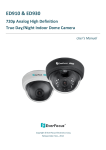
EHD700 / 730 960H Series Day/Night Vandal Dome Camera User’s Manual Copyright © EverFocus Electronics Corp, Release Date: April, 2014 Precautions 1. Do not install the camera near electric or magnetic fields. Install the camera away from TV/radio transmitters, magnets, electric motors, transformers and audio speakers since the electromagnetic fields generated from these devices may distort the video image or otherwise interfere with camera operation. 2. Never disassemble the camera beyond the recommendations in this manual nor introduce materials other than those recommended herein. Improper disassembly or introduction of corrosive materials may result in equipment failure or other damage. 3. Try to avoid facing the camera toward the sun. In some circumstances, direct sunlight may cause permanent damage to the sensor and/or internal circuits, as well as creating unbalanced illumination beyond the capability of the camera to compensate. 4. Keep the power cable away from water and other liquids and never touch the power cord with wet hands. Touching a wet power cord with your hands or touching the power cord with wet hands may result in electric shock. 5. Never install the camera in areas exposed to oil, gas or solvents. Oil, gas or solvents may result in equipment failure, electric shock or, in extreme cases, fire. 6. Cleaning. For cameras with interchangeable lenses, do not touch the surface of the sensor directly with the hands. Use lens tissue or a cotton tipped applicator and ethanol to clean the sensor and the camera lens. Use a damp soft cloth to remove any dirt from the camera body. Please do not use complex solvents, corrosive or abrasive agents for cleaning of any part of the camera. 7. Do not operate the camera beyond the specified temperature, humidity or power source ratings. This camera is suitable for indoor operation only. Use the camera at temperatures within -40°C~50°C (-40°F~122°F) and humidity between 20%~ 80%; this device is not rated as submersible. The input power source is 12VDC or 24VAC. Be sure to connect the proper + / - polarity and voltage, as incorrect polarity or too high a voltage will likely cause the camera to fail, and such damage is not covered by the warranty. 8. Mounting. Use care in selecting a solid mounting surface which will support the weight of the camera plus any wind, snow, ice or other loading, and securely attach the camera to the mounting surface using screws and anchors which will properly support the camera. If necessary (e.g. when mounting to drop ceilings) use a safety wire to provide additional support for the camera. 2 Safety Notice Federal Communication Commission Interference Statement This equipment has been tested and found to comply with the limits for a Class A digital device, pursuant to Part 15 of the FCC Rules. These limits are designed to provide reasonable protection against harmful interference in a residential installation. This equipment generates uses and can radiate radio frequency energy and, if not installed and used in accordance with the instructions, may cause harmful interference to radio communications. However, there is no guarantee that interference will not occur in a particular installation. If this equipment does cause harmful interference to radio or television reception, which can be determined by turning the equipment off and on, the user is encouraged to try to correct the interference by one of the following measures: Reorient or relocate the receiving antenna. Increase the separation between the equipment and receiver. Connect the equipment into an outlet on a circuit different from that to which the receiver is connected. Consult the dealer or an experienced radio/TV technician for help. FCC Caution: Any changes or modifications not expressly approved by the party responsible for compliance could void the user's authority to operate this equipment. This device complies with Part 15 of the FCC Rules. Operation is subject to the following two conditions: (1) This device may not cause harmful interference, and (2) this device must accept any interference received, including interference that may cause undesired operation. 3 Contents 1. INTRODUCTION ..............................................................................................5 1.1 1.2 PACKING LIST ...................................................................................................................... 6 FEATURES ........................................................................................................................... 6 2. CABLE DESCRIPTION .......................................................................................7 3. INSTALLATION ................................................................................................8 3.1 INSTALLATION AND ADJUSTMENT ............................................................................................ 8 4. CONFIGURATION IN THE OSD MENU ............................................................ 13 5. SPECIFICATIONS ........................................................................................... 16 4 EHD700/730 960H Vandal Dome Camera 1. i. Introduction EHD700 Get incredible performance in bright light or low light, and the resolution listed in the specs from the actual camera you install. To take full advantage of the amazing resolution available from this advanced imaging technology, the EverFocus 960H Series EHD700 uses a vari-focal lens together with SONY Exview HAD 960H CCD II to produce in excess of 720 horizontal TV lines of resolution from each and 960H Series camera we deliver. Combined with a useable native low light sensitivity of 0.05lux without using digital slow shutter, this camera truly provides color without compromise: over 720TVL resolution, Digital Wide Dynamic Range for clear color images in the most challenging of bright or unbalanced scene lighting conditions, plus day/night in low light with guaranteed ZERO ghosting. The EHD700 with its 3 Axis rotation design allows wall or ceiling mounting flexibility in an IP66 weather resistant, vandal proof dome housing. Your choice of vari-focal 2.8~12mm DC iris lens for easily adjustable field of view; Dual voltage operation and a full suite of OSD Menu and DSP functions controllable at the camera (DNR to save DVR HDD space, privacy masking, mirroring, and much more) This is the camera that you have been waiting for to create analog CCTV systems that produce astounding image clarity in a wide range of outdoor applications at the widest range of light levels. ii. EHD730 Get incredible performance in bright light or low light, and the resolution listed in the specs from the actual camera you install. To take full advantage of the amazing resolution available from this advanced imaging technology, the EverFocus 960H Series EHD730 uses a vari-focal lens together with SONY Exview HAD 960H CCD II to produce in excess of 720 horizontal TV lines of resolution from each and 960H Series camera we deliver. Combined with a useable native low light sensitivity of 0.05lux without using digital slow shutter and 30 LEDs with range of 30m/100feet or more, this camera truly provides color without compromise: over 720TVL resolution, Digital Wide Dynamic Range for clear color images in the most challenging of bright or unbalanced scene lighting conditions, plus true day/night IR enhanced images in low light with guaranteed ZERO ghosting. The EHD730 with its 3 Axis rotation design allows wall or ceiling mounting flexibility in an IP66 weather resistant, vandal proof dome housing. Your choice of vari-focal 2.8~12mm DC iris lens for easily adjustable field of view; Dual voltage operation and a full suite of OSD Menu and DSP functions controllable at the camera (DNR to save DVR HDD space, privacy masking, mirroring, and much more) This is the camera that you have been waiting for to create analog CCTV systems that produce astounding image clarity in a wide range of outdoor applications at the widest range of light levels. The EHD700/730 supports both NTSC and PAL scanning systems. EHD700/730 960H Vandal Dome Camera 1.1 Packing List Camera Body x 1 User Manual x 1 Test Lead x 1 Template Plate x 1 Rubber Plate x 1 Adapter Plate x 1 Desiccant Bag x 1 Screw x 4 Screwdriver x 1 Plastic Anchor x 4 DC Power Pigtail Cable x 1 Hexagon Wrench x 1 Quick Installation Guide x 1 1.2 Features High resolution of over 720 horizontal TV lines for astounding image Exview HAD CCD II delivers amazing high sensitivity of 0.05lux – very low light sensitivity without DSS low light boost - Zero Ghosting guaranteed Vari-focal 2.8~12mm DC iris lens to captures the desired field of view 30 IR LEDs for 30m/100feet range -depending on scene IR reflectivity (for EHD730) Provides 2D- Noise Reduction to improve picture clarity while enabling DVRs to improve disk storage utilization Easy to use OSD setup menu Vandal resistant construction able to withstand intentional damage Digital Wide Dynamic Range expansion to deliver properly exposed images despite bright light sources, deep shadows and/or unbalanced lighting in the scene The flexible angle viewing with its 3 Axis rotation design allows wall or ceiling mounting IP66 weather resistance rating means that it will withstand the elements of outdoor conditions Convenient speedy-mount base plate easily attaches to surface, camera attaches to plate with machine screws 6 EHD700/730 960H Vandal Dome Camera 2. Cable Description No. Name Descriptions 1 Power Cable Connects to a 12VDC or 24VAC power source. 2 Video Output Connects to a DVR or monitor, using a 75 Ohm BNC-type coaxial cable. 3 Test Lead Connects to a monitor for setting image aim and focus. 4 DC Power Pigtail Cable Optional power pigtail cable. The red wire is positive (+); while the black wire is negative (-). 7 EHD700/730 960H Vandal Dome Camera 3. Installation 3.1 Installation and Adjustment 1. To remove the Cover Cap, unscrew the three Set Screws using the supplied Hexagon Wrench. 2. For Ceiling Mount / Wall Mount users: Stick the template plate on the position where you want to attach the camera, drill the four holes on the template plate for screwing the Adapter Plate with the supplied screws and anchors. Drill either one of the circles in the template plate only if you want to wire the cables through the wall / ceiling. Insert the supplied four anchors into the holes. 8 EHD700/730 960H Vandal Dome Camera 3. To screw the camera onto a Wiring Box or using a Bracket: a. You can optionally screw the camera to the wall using an L-Shaped Mounting Bracket. b. Screw the supplied Adapter Plate to the Wiring Box or the L-Shaped Mounting Bracket using the screw holes on the Adapter Plate. Note the holes A / B are designed for screwing the camera / L-Shaped Mounting Bracket. 4. If you want to wire the cable through the side of the camera, follow the steps below: a. Remove the Circle Plate from the camera. You can simply loosen the Circle Plate using a coin. b. Run the cable through the Cable Conduit. c. Use the supplied Rubber Plate to firm the cable and then tightly push the Rubber Plate to the Cable Conduit. 9 EHD700/730 960H Vandal Dome Camera 5. Screw the camera to the Adapter Plate. 6. Connect the camera to the 12VDC or 24VAC power source using the supplied DC power pigtail cable or a power adapter. 10 EHD700/730 960H Vandal Dome Camera 7. Connect the camera to a DVR or a portable monitor using the Test lead for viewing the camera view while adjusting camera angles. You can also use the OSD Menu Joystick to configure camera settings. a. Adjust camera angles by tilting or rotating the camera. b. To configure camera settings using the OSD Menu Joystick, connect one end of the Test lead to the Test-Out connector on the camera module and the other end to the portable monitor. Push the Joystick up / down to select among menu items. Push the Joystick left / right to adjust the level of the selected item. Press the Joystick to enter the submenu or exit the OSD Setup Menu. 11 EHD700/730 960H Vandal Dome Camera 8. 9. Adjust the Zoom / Focus using the Zoom / Focus screws. Tighten the Zoom / Focus screws using the supplied Screwdriver. Tear apart the outer packing ( figure 1 ) to take out the Desiccant Bag ( figure 2 ), then make it folded ( figure 3 ) and put it into the camera housing ( figure 4 ). Note: It’s recommended to close the cover cap immediately in case of reducing the absorption capacity of the desiccant bag inside the camera. 12 EHD700/730 960H Vandal Dome Camera 10. Screw back the Cover Cap Set Screw using the supplied Hexagon Wrench. 4. Configuration in the OSD Menu You can use the Joystick on the rear panel of the camera to configure camera settings in the OSD menu. For details on the OSD menu structure as below: No. 1 Main Lens Sub Menu Auto* Sub Menu / Function Type DC* Mode AUTO*, Open, Close Speed 0-255 (default=80) Manual Auto* 2 Shutter AGC Manual 3 White Balance ATW* Mode High Luminance Brightness Shut + Auto Iris, Auto Iris* 0-255 (default=24) <EHD700> 0-255 (default=28) <EHD730> Low Mode AGC*, Off Luminance Brightness x0.25, x0.50*, x0.75, x1.00 Mode Shut + AGC Shutter 1/60*, 1/100, 1/250, 1/500, 1/1000, 1/2000, 1/4000, 1/10000 AGC 6.00*, 12.00, 18.00, 24.00, 30.00, 36.00, 42.00, 44.80 Speed 0-255 (default=239) Delay CNT 0-255 (default=16) ATW Frame x0.50, x1.0, x1.5, x2.0* Environment Indoor*, Outdoor 13 EHD700/730 960H Vandal Dome Camera Push User1 User2 B-Gain 0-255 (default=29) R-Gain 0-255 (default=34) B-Gain 0-255 (default=45) R-Gain 0-255 (default=26) Level 24-90 (default=58) Anti CR Manual Push lock 4 5 Back Light Picture Adjust Off* / BLC / HLC Mirror Off* / On Brightness 0-255 (default=0) Contrast 0-255 (default=128) Sharpness 0-255 (default=128) Hue 0-255 (default=128) Gain 0-255 (default=128) <EHD700> 0-255 (default=150) <EHD730> Off* 6 ATR On Luminance Low, Mid*, High Contrast Low, Mid-low, Mid*, Mid-high, High Detect Sense 0-127 (default=111) Block Display Off*/ On/Enable Motion Area Off*/ On Area Select 1/4*, 2/4, 3/4, 4/4 Top / Bottom 0-244 (default=0) Left / Right 0-474 (default=0) Area Select 1/8*, 2/8, 3/8, 4/8,5/8, 6/8, 7/8, 8/8 Top / Bottom 0-244 (default=0) Left / Right 0-474 (default=0) Color 1-8 (default=1) Transparent 0.00, 0.50, 0.75, *1.00 Mosaic *Off / On Off* 7 Motion Detection On Off* 8 Privacy On EXT1*<EHD730> EXT2 9 Day/Night Auto*<EHD 700> Burst Off*/On Delay CNT 0-255 (default=004) <EHD700> 0-255 (default=003) <EHD730> Day→Night 0-255 (default=000) 0-255 (default=001) 14 EHD700/730 960H Vandal Dome Camera <EHD700> Night→Day 0-255 (default=003) <EHD700> Burst Off*/ On <EHD730> 0-255 (default=015) <EHD730> Color B/W Off IR Optimizer On* Mode Auto*/ Center Level 0-31 (default=015) Off 10 NR NR Mode Y/C* Y Level 000-015 (default=003) C Level 000-015 (default=003) Off* 11 Camera ID 12 Sync. Int. 13 Language English*/ Japanese/German/French/Russian/Portuguese/Spanish Simplified Chinese 14 Camera Reset 15 Save all On English letters, numbers and 28 symbols 15 EHD700/730 960H Vandal Dome Camera 5. Specifications P/N Pickup Device EHD700 EHD730 1/3” Sony Exview HAD II 960H High Sensitivity Interline CCD Video Format NTSC or PAL Picture Elements 1020 x 508 (NTSC) /1020 x 596 (PAL) Effective Pixels 976 x 494 (NTSC) / 976 x 582 (PAL) Scanning System 2:1 Interlace Horizontal Resolution 720+ TVL Sensitivity 0.05lux native from sensor S/N Ratio Over 50 dB (AGC OFF) Electronic Shutter 1/60(1/50)~1/100,000s Video Output BNC 1.0Vp-p 75Ω Gamma Correction 0.45 Lens Type 2.8-12mm DC Iris Lens Option Vari-focal BLC OFF/BLC/HS BLC Selectable Gain Control White Balance Low light auto/bright light auto/manual selectable ATW/One Push/User2/Anti-Crawl/Manual/Push Lock Sync Mode Internal (Plus Anti- Chroma Crawl White Balance option) Day/Night Auto True D/N with ICR, Auto IR LED N/A 30 Units IR Wave Length N/A 850nm IR Distance N/A Up to 30m/100ft. (depending on scene IR reflectivity) OSD Menu Multiple Functions OSD Languages 2DNR ATR Wide Dynamic Range Mirror Motion Detection Privacy Mask Environmental Power Source English/Spanish/Portuguese/German/Russian/Japanese/Chinese/French On/Off On/Off (3 levels each adjustable for luminance and contrast) On/Off (3 levels each adjustable for luminance and contrast) On/Off On/Off for 4 selectable zones (On screen indication on alarm) On/Off for 8 selectable zones IP66 Weather Resistant 12VDC/24VAC Heater 12VDC: 140mA, 2Wmax. 12VDC:370mA, 5W max. IR on Off 24VAC:4W max. 24VAC:9.5W max. Power Consumption 16 0lux with IR on 0.05lux native from sensor EHD700/730 960H Vandal Dome Camera Heater On Operating Temperature Humidity Dimensions 12VDC:170mA, 2.5Wmax. 24VAC:5.5W max. IR on Heater on 12VDC:420mA, 5.5Wmax. 24VAC:11W max. -40°C~50°C / -40°F~122°F Less than 80% 140 x 102.5mm / 5.51" x 4.04" Weight 2.07lbs /940g Certifications CE/FCC/ RoHS 2.25lbs /1020g Specifications and designs are subject to change for improving the functionality of this product without notice. 17 EHD700/730 960H Vandal Dome Camera EverFocus Electronics Corp. EverFocus Taiwan: 12F, No.79, Sec. 1, Shin-Tai Wu Road, Hsi-Chih, Taipei, Taiwan TEL: +886 2 2698 2334 FAX: +886 2 2698 2380 www.everfocus.com.tw [email protected] EverFocus Europe - Germany: Albert-Einstein-Strasse 1, D-46446 Emmerich, Germany TEL: +49 2822 93940 FAX: +49 2822 939495 www.everfocus.de [email protected] EverFocus China - Beijing: Room 609, Technology Trade Building, Shangdi Information Industry Base, Haidian District, Beijing 100085, China TEL: +86 10 6297 3336~39 FAX: +86 10 6297 1423 www.everfocus.com.cn [email protected] EverFocus China - Shenzhen: 4F, No. 2, D4 Building, Wan Yelong Industrial Park, Tangtou Road, Shiyan, Baoan, Shenzhen, Guangdong 518101, China TEL: +86 755 2765 1313 FAX: +86 755 2765 0337 www.everfocus.com.cn [email protected] EverFocus USA - California: 1801 Highland Avenue, Unit A, Duarte, CA 91010, USA TEL: +1 626 844 8888 FAX: +1 626 844 8838 www.everfocus.com [email protected] EverFocus USA - New York: 415 Oser Avenue, Unit S, Hauppauge, NY 11788, USA TEL: +1 631 436 5070 FAX: +1 631 436 5027 www.everfocus.com [email protected] EverFocus Japan: 5F, Kinshicho City Building, 2-13-4 Koto-Bashi,Sumida-Ku, Tokyo, 130-0022, Japan TEL: +81 3 5625 8188 FAX: +81 3 5625 8189 www.everfocus.co.jp [email protected] EverFocus China - Shanghai: Room 403, Ruijin Business Center, No.96, Zhaojiabang Road, Luwan district, Shanghai 200020, China TEL: +86 21 6471 2229 / 6471 2291 FAX: +86 21 6471 0566 www.everfocus.com.cn [email protected] EverFocus India: Suite 803, Housefin Bhavan, C-21, Bandra Kurla Complex, Bandra (East), Mumbai 400051, India TEL: +91 22 6128 8700 FAX: +91 22 6128 8705 www.everfocus.in [email protected] Your EverFocus product is designed and manufactured with high quality materials and components which can be recycled and reused. This symbol means that electrical and electronic equipment, at their end-of-life, should be disposed ofseparately from your household waste. Please, dispose of this equipment at your local community waste collection/recycling centre. In the European Union there are separate collection systems for used electrical and electronic product. Please, help us to conserve the environment we live in! Ihr EverFocus Produkt wurde entwickelt und hergestellt mit qualitativ hochwertigen Materialien und Komponenten, die recycelt und wieder verwendet werden können. Dieses Symbol bedeutet, dass elektrische und elektronische Geräte am Ende ihrer Nutzungsdauer vom Hausmüll getrennt entsorgt werden sollen. Bitte entsorgen Sie dieses Gerät bei Ihrer örtlichen kommunalen Sammelstelle oder im Recycling Centre. Helfen Sie uns bitte, die Umwelt zu erhalten, in der wir leben! 4605PH0700X011C