1
Start-Up Procedures
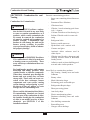
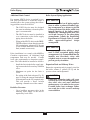
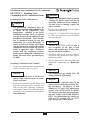
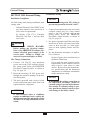
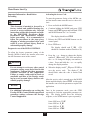
Setting The Boiler Parameters
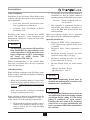
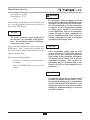
Parameter mode
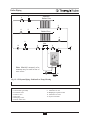
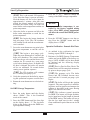
Note 1: This parameter is factory set to 140ºF.
It is important to note the control adds 46ºF to
this setting, therefore the actual domestic hot
water setting is 140ºF + 46ºF = 186ºF.
P ARA
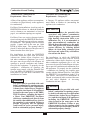
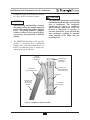
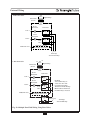
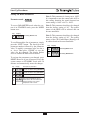
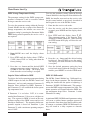
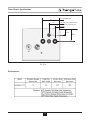
To access PARAMETER mode when the system is in STANDBY mode, press the MODE
button once.
Key:
Display
MODE
P ARA
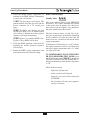
Note 2: This parameter should not be changed
from the factory setting of “01”. The performance of the DHW will be affected and can
become unreliable.
Note 3: This parameter should not be changed
from the factory setting of “01”. The performance of the CH (Central/Space Heating) will
be affected and can become unreliable.
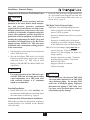
Pressing MODE once
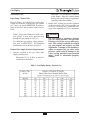
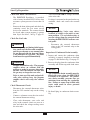
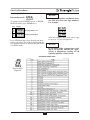
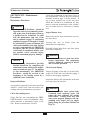
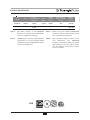
To scroll through the list of parameters, simply
press the “STEP” button. The first digit is the
parameter number followed by the parameter
value. To modify a parameter value, use the +
or - keys. Then press “STORE” to save the
value you just changed. The display flashes
once to confirm the data has been stored.
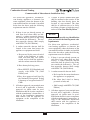
Key:
MODE
MODE
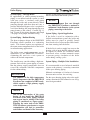
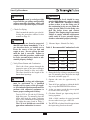
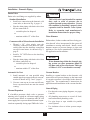
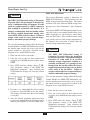
To activate the parameters you changed, press
RESET. However, if you do not press a key, the
system returns to STANDBY mode after 20
minutes and automatically stores the changes.
Key:
STEP
STEP
STEP
STEP
Display
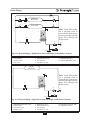
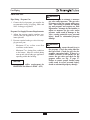
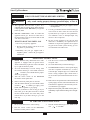
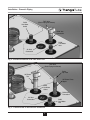
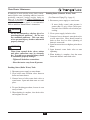
Description of parameters
1.
.1 4 0
2. 0 1
3. 0 1
Domestic Hot Water Setting (See Note 1)
4.1 8 0
Domestic Hot Water Setup (See Note 2)
Space Heating Mode (See Note 3)
Maximum temperature in space heating
(CH) mode. In applications using an
outdoor sensor, this is the boiler outlet
target temperature at an outdoor
temperature of 0 F or below.
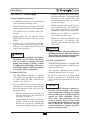
44
Display
P ARA
I NFO
Pressing MODE once
Pressing MODE twice