1
Setting
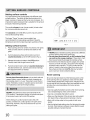
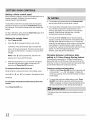
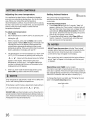
Bake
The oven can be programmed to bake at any temperature
from 170°F to 550°F (77°C to 287°C). The factory preset
automatic bake temperature is 350°F (177°C).
To set Bake
1. Press Bake."
2.
"appears
Within 5 seconds, press the
will show"350"
the A or
V,
Setting
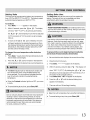
Bake time
The Bake time pad sets the amount of time needed for
baking. The oven will turn on immediately and stop
automatically after the set bake time ends.
in the display.
A
or V
• The display
°F (177°C). By pressing and holding
FOOD POISONING HAZARD, Do notlet
foodsit
formore
than one hour before or after cooking. Doing so can result
in food poisoning or sickness.
the temperature can then be adjusted
in 5°F increments (1°C if the control is set to display
Celsius).
.
As soon as the A
or
V
pad is released, the oven
will begin heating to the selected temperature. When
the displayed temperature reaches the desired baking
temperature, the preheat indicator light will turn OFF
and the control will beep 3 times.
Use caution with the timed bake and delayed timed bake
features. Foods that can easily spoil such as milk, eggs,
fish, meat or poultry, should be chilled in the refrigerator
first. Even when chilled, they should not stand in the
oven for more than 1 hour before cooking begins, and
should be removed promptly when cooking is finished.
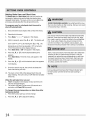
To change the oven temperature
after bake has
started
1. Press Bake. Visually check the bake temperature and
that it needs to be changed.
To program the oven to begin baking
and to shut off automatically
(timed
1.
Be sure that the clock displays the correct time of day.
2.
pad to increase or decrease the
2.
Place the food in the oven.
set temperature to the desired new oven temperature.
3.
Press Bake."
4.
Within 5 seconds, press the A or V
Press the A or V
• The Oven indicator light on the electronic display will
turn ON and OFF when using the Bake feature and
during preheat. This is normal and indicates that the
oven is cycling to maintain the selected baking
temperature.
show"350"°F
.
6.
• When the Preheat indicator light turns OFF, your oven
is ready.
o To cancel baking at any time, press Clear/Off.
immediately
bake)
O,,appears in the display.
• The display will
(177°C). By holding the A
or V,
the
temperature can be adjusted in 5°F increments (1°C if
the control is set to display Celsius).
Press Bake time. ":00" will appear in the display.
Press the
A or V
until the desired baking time
appears in the display.
7.
The oven will turn ON and begin heating.
• Bake time will not operate when using the broil feature.
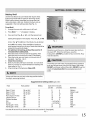
Dark or dull pans absorb more heat than shiny bakeware
resulting in dark or overbrowning of foods. It may be
necessary to reduce the oven temperature or cook time
to prevent overbrowning of some foods. Dark pans are
recommended for pies. Shiny pans are recommended
for cakes, cookies and muffins.
• To cancel baking at any time, press Clear/Off.