1
Partner: Polycom
Model: VSX7000 & VSX8000
Device Type: Video Conference
GENERAL INFORMATION
SIMPLWINDOWS NAME:
CATEGORY:
VERSION:
SUMMARY:
GENERAL NOTES:
Polycom VSX7000 & VSX8000 Basic Control
Conferencing
1.0
Provides control of Volume, Privacy and PIP.
This module is for control of the Polycom VSX7000 & VSX8000.
You can communicate with these systems over RS232 or over TCP/IP. If using
TCP/IP, follow these instructions:
You MUST open up a Telnet session with the Polycom system. Therefore, you must
have an Ethernet enabled control system.
When programming the system in SimplWindows, you should insert a TCP/IP Client
object into the Ethernet portion of the control system, in the configuration manager.
In the program view, use 24D for the PORT parameter field. When it is desired to
establish the Telnet session with the Polycom system, assert the CONNECT input on
the TCP/IP Client. When the session has been successfully established, the
CONNECT-F output will go high. It will then be possible to send commands to the
Polycom system. When it is desired to end the Telnet session, de-assert the
CONNECT input, and the connection will be dropped.
Commands should only be sent to the TCP/IP Client TX$ input when the connection
is active. Therefore, you should connect the output of this module to the input of a
Serial Buffer symbol, which is enabled by the CONNECT-F output of the TCP/IP
Client. The output of the Serial Buffer should be connected to the TX$ input of the
TCP/IP Client. See the demo program for an example of this implementation.
Note that before resetting the Crestron system (as happens when you load a new
program, power cycle the system, etc), you should end the Telnet session with the
Polycom system. If the session is active when the Crestron system resets, the
session will not be closed properly, and the Polycom system mat need to be
rebooted to recover properly.
This module provides control of volume, privacy, PIP, sleep/wake and Visual Concert
Play/Stop. True feedback for volume level, Privacy state, PIP state, sleep/wake state
and Visual Concert Play/Stop states are provided. For this feedback to work
properly, you must first use the Polycom VSX7000 & VSX8000 Initialization module
to enable the real time reporting.
NOTE: PIP WILL ONLY BE DISPLAYED WHILE A CALL IS IN PROGRESS.
CRESTRON HARDWARE REQUIRED:
CNXENET+, C2ENET-1, C2ENET-2, CNXCOM, C2COM, ST-COM
Partner: Polycom
Model: VSX7000 & VSX8000
Device Type: Video Conference
SETUP OF CRESTRON HARDWARE:
TCP/IP:
Install a TCP/IP Client
Use port 24D.
Be sure the set up the IP table to specify the IP address of the Polycom system for the IP
ID of the TCP/IP Client. You MUST do a cold reboot of the control system after changing
these parameters.
RS232:
Baud: 9600
Parity: None
Data Bits: 8
Stop Bits: 1
VENDOR FIRMWARE:
VENDOR SETUP:
CABLE DIAGRAM:
Snowbird 7.0
You must set one of the com ports on the VSX to control mode.
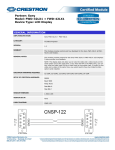
CNSP-124
Partner: Polycom
Model: VSX7000 & VSX8000
Device Type: Video Conference
CONTROL:
Volume_Up/Down
D
Press and hold to adjust the volume.
Volume_Mute_<state>
D
Pulse to turn the volume mute on and off.
Privacy_<state>
D
Pulse to activate and deactivate privacy.
PIP_<state>
D
Pulse to select PIP On/Off/Auto.
Sleep/Wake
D
Pulse to enter and exit sleep mode on the Polycom.
From_Device$
S
Serial signal to be routed from a 2-way serial com port or from the TCP/IP Client.
Volume_Level
A
True feedback indicating the current volume level.
Volume_Mute_<state>_Fb
D
High to indicate that the volume level is at 0.
Privacy_<state>_Fb
D
True feedback indicating the current state of privacy.
PIP_<state>_Fb
D
True feedback indicating the last PIP mode activated.
Sleep/Wake_Fb
D
True feedback indicating the current sleep mode state.
To_Device$
S
Serial signal to be routed to a 2-way RS232 com port or to the TCP/IP Client.
FEEDBACK:
TESTING:
OPS USED FOR TESTING:
PRO2: 3.137
CNMSX: 5.14.02x
COMPILER USED FOR TESTING:
2.05.22
SAMPLE PROGRAM:
Polycom VSX7000 & VSX8000 Demo
REVISION HISTORY:
V. 1.0 – Original release.