1
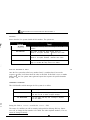
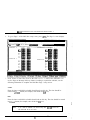
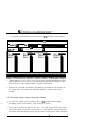
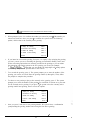
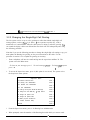
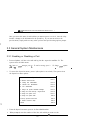
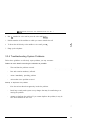
Key Voice”
Voice Processing
D EBUT A N D
S YSTEM
AND
S UPERVISOR
GU I D E
SYSTEM INSTALLATION AND SUPERVISOR GUIDE 9.0 VER. 1
1. System Overview
This document discusses features and functionality provided in Small Office
and
systems. Note that both these systems include the same feature set, and the system setup and
maintenance procedures are identical between systems. For documentation ease, these two
systems are collectively referred to as the Life system in this guide.
1.1 What Does the Lite System Do?
In its simplest form, the Lite system acts like a telephone receptionist. The system answers
incoming calls and transfers them to the appropriate extension. If the called extension is not
available (busy or no answer), the system offers to take a message or try an alternative
extension.
Lite system functionality includes:
l
l
Automated attendant features
Voice mail features
These two functions work together to provide smooth call coverage for your application.
1.1.1 What is an Automated Attendant?
The Lite system automated attendant features perform the tasks of a live attendant. The
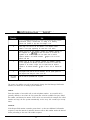
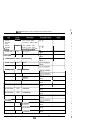
following table illustrates how.
Answers an incoming call by lifting telephone.
Answers an incoming call by going “off-hook.”
Greets the caller with “Welcome to
Company].
Greets the caller by playing a pre-recorded
greeting, “Welcome to
Company].”
1
SYSTEM INSTALLATION
AND
SUPERVISOR GUIDE 9.0 VER . 1
2. System Setup Instructions
. ,
The Lite system contains a default database with a setup configuration that allows the Lite
system to efficiently perform fundamental call processing tasks with minimal system
adjustments by the installing technician. This default database configuration includes 2
defined classes of service (0 and
1 supervisor mailbox (mailbox
and 3 Routing
boxes--800, 801, 821. Information provided in this document explain how these pre-set
defaults function on the Lite system.
.
As you proceed through these setup instructions, you may decide to make adjustments to
specific information relating to the default setup. You may even decide to set up the other 2
available Routing boxes to perform additional call routing tasks. As you make any changes,
to maintain the initial general configuration of
boxes
keep in mind that we urge
80 1. and 821, class of service 7, and supervisor mailbox 70. This configuration allows
the Lite system to efficiently perform fundamental call processing tasks. Maintaining it helps
the system
both you, the technician, and Lite system technical support to efficiently
and resolve any call processing issues. For these reasons we urge you not to deviate from this
general system setup default configuration.
Information on setting up and using box types other than Routing boxes and mailboxes is
provided in the Installation and Maintenance Manual,
Note:
Section 2.6 provides an overview of the default database setup shipped on
Lite system units.
2.1 Available System Setup Techniques
There are two techniques you can use to set up Lite systems:
..
l
Attach a laptop to the Lite system
and use the program’s screen interface to run the
System PBX Setup utility then complete System Information and Box Setup screens
SYSTEM INSTALLATION
l
AND
SUPERVISOR GUIDE 9.0 VER. 1
Call into the Lite system and use the Teleparameter feature to run the System PBX Setup
utility then enter parameter codes and corresponding values to set up system and box
information
This document provides instructions for using either system setup technique.
Technicians who have experience setting up Corporate Office, Small Office, or Lite systems
may prefer to use the Teleparameter feature to quickly make modifications and get the Lite
system up and running at the customer’s site. Be advised, however, that since this technique
involves inputting codes that represent system parameters and corresponding values to which
parameters are to be set, it is a bit more difficult to use effectively if you are unfamiliar with
setting up Corporate Office, Small Office, or Lite systems. For this reason, we recommend
that technicians unfamiliar with Corporate Office, Small Off-ice, or Lite systems attach a
laptop to the PC and use the instructions provided here to complete all necessary system setup
steps through the screen interface.
Note:
If you choose to set up the system using the Teleparameter feature, be sure
to first review section 2.5.6.2 and 2.6 so you clearly understand the setup of
the default database included on the Lite system unit.
Note that if you choose to initially set up the system by connecting it to a laptop and using the
screen interface, you can later make additional modifications by simply calling into the Lite
system and using options on the Supervisor menu (see section 3) or using the
feature (see section 2.7.2).
2.2 Preparing for System Setup
To install, set up, and maintain a Lite system voice processing system, you need the
following
equipment:
Equipment Needed
l
Lite system unit
l
Portable diskette drive
Should an unusual situation arise, it may be necessary for you to service the Lite
6
.
SYSTEM INSTALLATION
AND
SUPERVISOR GUIDE
9.0 VER. 1
system by attaching a portable diskette drive to the Lite system unit. Therefore, we
strongly recommended that technicians servicing Lite system units have access to a
portable diskette drive.
l
Authorization key (Small Office Lite systems only)
The Small Office Lite system runs only if the
key is attached to the
PC’s parallel port. This key is shipped in the packaging with the Lite system unit.
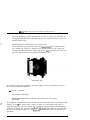
the parallel port in the back
To attach the authorization key, simply plug the key
of the PC. (Debut units do not require an authorization key.)
Authorization Key
If you choose to set up the system by connecting a laptop to the Lite system unit, you need
the following additioual equipment:
Laptop
l
l
. .. .. .
..
computer
Null modem serial cable
communications software (provided with the Lite system)
This additional equipment is necessary because the Lite system does not have a keyboard and
monitor. To set
the system using a laptop, you must use a null modem serial cable to
attach the laptop PC to the Lite system unit. So that the laptop computer can communicate
communication software, provided with
with the Lite system unit, you must install
installation procedure is provided in this
the Lite system, onto the laptop PC. The
document.
7
S YSTEM INSTALLATION
AND
S UPERVISOR GUIDE 9 . 0 VER . 1
Once the system is set up and tested, the system supervisor on-site can maintain the day-today aspects of the system (adding, deleting, modifying mailboxes; modifying greetings and
call routing; etc.) by simply calling into the system using a telephone. No special
Teleparameter modification instructions or laptop computers are necessary for regular daily
maintenance of the Lite system.
2.3 Connecting the Lite System Unit to the Telephone
Svstem
The Lite system unit can be connected directly to local telephone lines, typically
service, or behind a Key System or PBX. (For simplicity, the term “PBX” is used herein to
mean “PBX or Key System”).
2.3.1 Connecting Directly to the Central Office (C.O.)
The Lite system unit can be connected directly to the telephone lines as shown below.
Line 1
Line 2
Connecting the Lite System Directly to Telephone Lines
a
S YSTEM I NSTALLATION
S UPERVISOR G UIDE 9 . 0
AND
V ER .
1
Note that the modular input connectors on the voice boards are RJ-I 4 jacks which contain
two independent telephone lines. The modular adapter shown (or its equivalent) must be
used if the telephone lines are terminated with RJ-1 (single line) jacks.
If you want the Lite system to be able to transfer calls, make sure the telephone line has
either the call-transfer or three-way calling feature. If you are unsure whether the lines have
these capabilities, contact the local telephone company.
Local C.O. lines connected to the Lite system should not have the call-waiting feature
assigned. Once again, if in doubt, contact the local telephone company.
2.3.2 Connecting the Lite System to a PBX or Key System
The Lite system unit connects to PBX station ports (each line to the Lite system unit looks
like an extension to the PBX), as shown below. The Lite system thus functions as one or
more extensions on the PBX.
Radio Shack
Line 1
Line 2
Central
Office
Voice processing board
Line n
Normal PBX extensions
Connecting the Lite System Behind a Key System or PBX
Note that the modular input connectors on the voice boards are RJ-14 jacks, which contain
two independent telephone lines. The modular adapter shown (or its equivalent) must be
used if the PBX extensions are terminated with RJ-1 1 (single line) jacks.
9
SYSTEM INSTALLATION
AND
SUPERVISOR GUIDE 9 . 0 VER.
1
Each line to the Lite system unit requires an industry-standard-telephone port on the PBX
(this is also known by other names such as analogport, 2500 set
Some
telephone systems do not provide single-line-telephone ports, and they require a special
PBX and the voice-mail system, as shown below. If in
analog interface box between
doubt, contact the local PBX manufacturer’s representative.
Line 1
number
Line 2
Central
Office
ce-processing board
Line n
Normal PBX extensions
Connecting the Lite System to a PBX via External Analog Telephone Interface
Equipment
Connecting the Serial Cable Between the Lite System Unit and PBX
If you are establishing a serial integration, you must attach a serial cable between the Lite
system unit and the PBX. The Lite system unit is set up to use the COM port to
phone system. Therefore, you should connect
serial cable to
communicate with
Lite system unit’s COM 1 port.
Consult the phone system documentation for instructions
phone system COM port.
Note:
attaching the serial cable to the
If the phone system you are working with is a Comdial DSU (Impression 24,
attach the serial cable to COM 1 on the DSU. If the phone system is
(Impact 24, 48,
attach the serial cable to COM 3 on the DSUII.
a
48,
V ER . 1
Typical Setup
For typical automated attendant service, the PBX is programmed so that incoming calls are
routed via the PBX to ring the Lite system. The Lite system answers the call and asks the
caller to enter the required extension (or mailbox) number. The caller enters the number, and
the Lite system transfers the call just as a live attendant would.
2.4 Collecting Necessary Customer Information
While setting up the Lite system, you may need to adjust default settings for the customer’s
hours and business closed hours. You also need to set up Routing
regular business
boxes to handle incoming calls and set up mailboxes for subscribers who will be using the
system. The following worksheets are provided to help the installing technician collect this
information from the system supervisor.
11
SYSTEM INSTALLATION
AND
SUPERVISOR GUIDE 9.0 VER . 1
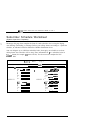
Subscriber Ma ilbox Information Worksheet
(System Supervisor Comp etes)
Photocopy this page, then complete the form for each subscriber who is to have a mailbox.
Subscriber Data
First name:
Last name:
Extension number:
Should the system announce
the caller’s name to the
subscriber upon transfer?
Should all conversations be
recorded?
Paging Data
(complete only if subscriber is to use the feature)
Pager number
TONE
Pager type (circle one)
Paging schedule (circle one)
Auto Message Forward and
Message Delivery Data
Always
Message delivery schedule 1:
When should delivery be
active? (circle one):
During office open hours
Schedule*: A
B
C
During closed hours
D
(complete only if subscriber is to use these features)
To box:
Auto forward new messages:
Auto forward new messages
schedule (circle one):
DIGITAL
Always
After h o u r s
During office open hours
Schedule*: A
B
C
During closed hours
D
C
During closed hours
D
Number to call:
Always
open hours
During
Schedule*: A
B
Continued on back
15
SYSTEM INSTALLATION
Message delivery schedule 2:
When should delivery be
active? (circle one):
Message delivery schedule 3:
When should delivery be
active? (circle one):
Message delivery schedule 4:
When should delivery be
active? (circle one):
Message delivery schedule 5:
When should delivery be
active?
(circle one):
AND
SUPERVISOR GUIDE 9.0 VER . 1
Number to call:
Always
During office open hours
Schedule*: A
B
C
During closed hours
D
Number to call:
Always
During office open hours
Schedule*: A
B
During closed hours
C D
Number to call:
Always
During office open hours
Schedule*: A
B
C
During closed hours
D
C
During closed hours
D
Number to call:
Always
During office open hours
Schedule*: A
B
*If specifying a particular schedule, complete a subscriber schedule worksheet for the
individual.
16
SYSTEM INSTALLATION
AND
SUPERVISOR GUIDE 9.0 VER. 1
.
Subscriber Schedule Worksheet
(System Supervisor Completes)
Photocopy this page, then complete the form for each subscriber who is using the Paging,
Auto Message Forwarding, or Message Delivery out-calling features according to a particular
schedule, as indicated on his/her Subscriber Mailbox Information sheet.
You can designate up to 4 different schedules below, then apply one schedule to each outcalling feature the subscriber will be using. Enter information for to 4 schedules below in
format (for example
PM is 20:OO). You do not need to complete the BOX
NUMBER
field.
Page 3
BOX
'ox number:
First
Name:
Start
SCHEDULE
SUN :
M
T
W
Thu:
F
Sat:
SCHEDULE C
End
T
W
Thu:
F
S
Start
S u n :
o
n
u
e
e
d
:
:
r
i
:
Start
S u n
SCHEDULE B
End
:
u
Tue: __ ___
Wed:
Thu: __
Fri:
S
a
t
:
SCHEDULE D
Start
End
Sun:
:
_ _ _
e
e
d
r
a
i
t
Tue:
Wed:
Thu: __
Fri: __ ___
S
a
t
:
:
:
:
:
17
SYSTEM INSTALLATION AND SUPERVISOR GUIDE 9.0 VER. 1
Routing Worksheet
(System Supervisor Completes)
Refer to section 3.2 to familiarize yourself with the function of Routing boxes. This section
also provides a sample of greetings that are typically recorded in the 3 Routing boxes
configured on the Lite system. After reviewing this information, complete this worksheet to
indicate the wording for the greetings you want this Lite system to voice.
Note that you should indicate in your greeting any single-digit call routing options you want
Press
Sales... and identify the extension to which a caller
to provide to callers
pressing that single-digit number should be transferred.
Office Open Greeting:
Single digit routing paths:
Office Closed Greeting:
Single digit routing paths:
Continued on
19
back
--
SYSTEM INSTALLATION
Office
Holiday
Greeting:
Single digit routing paths:
AND
SUPERVISOR GUIDE 9.0 VER. 1
SYSTEM INSTALLATION AND SUPERVISOR GUIDE 9.0 VER. 1
.
2.5 Setting Up the System by Attaching a Laptop
Use the information in this section to complete all necessary system setup steps by attaching a
laptop computer to the Lite system unit and using the Lite system’s screen interface to run the
P B X Setup utility and to complete System Information and Box Setup screens.
2.51 Installing
Software onto the Laptop
I.
Insert the
diskette into the diskette drive on the laptop computer. Change to the
diskette drive by typing A : then pressing <Enter> (where A is the drive letter for the
diskette drive).
2.
To start the installation process, type I N S T A L L then press <Enter>. The
remote system communication program creates the \KEYLINK directory on the laptop’s
remote system communication program to that
hard drive, then copies the
directory. (The
host system communication program is pre-loaded on the Lite
system.)
3.
When all the necessary files have been copied to the
displays indicating the installation is complete.
directory, a message
2.52 Connecting the Laptop to the Lite System Unit
You connect the Lite system unit to the laptop computer using a null modem serial cable.
When you install
software on the laptop computer, the program defaults to using the
COM port on the laptop. Therefore, unless you change this default, you should connect one
end of the null modem serial cable to the laptop’s COM 1 port. Attach the other end of null
modem cable to the COM 2 port if you are using the Small Office Lite system unit or the
COM 1 port if you are using the Debut system.
Establishing a Communication Link Between the Laptop and Lite System Unit:
1. To access the Lite system program screens from the laptop PC, change to the \KEYLINK
directory, then type REMOTE and press <Enter>.
21
SYSTEM INSTALLATION
AND
SUPERVISOR GUIDE 9.0 VER . 1
2. A screen displays, prompting you to indicate the type of connection you are establishing.
modem cable connection,
then press <Enter>.
To indicate you are using a
3.
The screen refreshes with a display that emulates the Lite system unit. The keyboard and
monitor of the laptop now effectively control the Lite
unit.
Note:
If the screen displays a message indicating the program is shutting down
settings specified in
communications, you may need to adjust the COM
the
program. Do this by repeating step then typing P to select
Port Assignments (instead of N) in step 2. Using, the up and down arrows,
select the COM port to which the null modem cable is installed, then press
<Enter>. Repeat steps 2 and 3.
If the appropriate COM port combination is specified, and you still cannot
establish communication with the Lite system unit, verify that you are using a
true null modem cable. Because it is difficult to visually distinguish null
modem cables from other serial cables, some users mistakenly use the
wrong cable type.
4.
Follow the procedures in this document to set up the Lite system.
Note:
5.
If you type E D I T to invoke a DOS editor on the Lite system unit, you will
invoke a special editor pre-installed on the unit. This editor was developed
specifically for use with a null modem cable. (Traditional DOS editors
cannot communicate effectively over a null modem cable.)
To break the connection between the laptop and Lite system unit, press
The
program ends its communication with the Lite system unit, and the laptop
screen refreshes. To re-establish communication with the Lite system, repeat step
Note:
For information on transferring files between the Lite system and the
attached PC, refer to section 10 of the Installation and Maintenance Manual
or contact Key Voice technical support.
SYSTEM INSTALLATION AND SUPERVISOR GUIDE 9.0 VER. 1
2.5.3 Completing the First Time Setup Procedure
Once you connect the Lite system to the phone system and access the Lite system using a
laptop computer, you are ready to begin customizing the system. Customizing the system
involves:
l
l
Running the PBX Setup utility
Specifying System Information
Specifying Routing Box and Mailbox Information
2.5.4 Running the PBX Setup Utility
The Lite system voice processing software is pre-installed
the Lite system unit before it is
shipped to you. You must, however, run the PBX Setup utility so you can configure certain
installation parameters for each specific customer’s site.
On Debut units, you must run the PBX Setup utility using the teleparameter feature. See
section 2.7.1 and section 2.7.1.1 for procedures. Once y o u run the utility, continue with
section 2.5.5 for information
system information.
On Small Office Lite systems y o u can run the PBX Setup utility through the screen interface
or using the teleparameter feature discussed in section 2.7. . To run the utility through the
screen interface, use the following procedure.
1.
Make the Lite system unit hard disk the current drive, by typing C : then pressing
<Enter>.
2.
To switch to the VM directory, type
3.
To invoke the Install program, type INSTALL then press <Enter>.
4.
When the main Install menu displays, use the
press <Enter>.
5.
When prompted, type C :
Lite system is installed.
then press <Enter>.
key to highlight
FIRST TIME SETUP
then
then press <Enter> to indicate the directory in which the
23
V ER . 1
6.
The system warns that it may over-write some changes to the Lite system database. To
continue, press
7 . At the system prompt for the number of digits in the extension numbers, enter the
prompt to confirm your entry,
appropriate number, then press <Enter>. At
press <Enter>.
8 . A list of telephone systems displays. Note that you can use the <PgUp> and <PgDn>
keys to scroll through all available selections. Enter the number corresponding to the
telephone system with which you are working, then press <Enter>. If the phone system
is not on the list, select option 0 DON’T KNOW (OR UNLISTED) then press <Enter>.
9.
.
The system prompts you to confirm your selection. To continue, press
10. At the system prompt regarding message waiting lights, press
1
The system prompts you to indicate the number of telephone lines connected to the Lite
system. Enter the appropriate number, then press <Enter>.
12. The system prompts you for the number of digits you want to use in mailbox passwords.
Indicate the number of digits subscribers are to use, then press <Enter>. (You may want
to consult the system supervisor, in case he/she has a digit-length preference.)
13. The system prompts you to confirm your selection. To continue, press
14. The system prompts you to automatically create mailboxes at this point. Though you
may elect to create mailboxes now, we strongly recommend that you select No, so
you can first make any necessary modifications to the prototype mailbox, which
serves as a template for creating mailboxes. By properly setting up the prototype
mailbox, you simplify the number of adjustments you must make to refine the mailboxes
for each user. To continue without setting up mailboxes at this time, press
Depending on the phone system you selected, you may be prompted for additional
information. Enter the appropriate responses.
16. The system prompts you to use U.S. Daylight-Savings Time. To have the system
automatically adjust the clock so it accommodates Daylight-Savings Time for the next
years, press
If you do not want the system to automatically adjust for U.S.
Daylight-Savings Time, press
17. The main Install program screen displays. To continue, select Exit then press <Enter>.
24
.
S YSTEM I NSTALLATION
AND
S UPERVISOR G UIDE 9 . 0
V ER .
1
18. The Install program must reboot the Lite system unit to make the changes indicated.
Press
when the system displays the reboot prompt. After the system reboots, the
Line Status screen displays.
2.5.5 Specifying System Information
System Information screens contain system setup information that applies system-wide, to all’
boxes set up on the system. There are six System Information screens:
l
l
General Information Screen
Line Information Screen
Business Hours Screen
Call Transfer Screen
Class of Service Screen(s)
Other Customizations Screen
Before you set up Routing boxes and mailboxes, it is best to ensure all System Information
screens are properly completed.
Note:
Because the default information on System Information screens is set so the
Lite system is operational with as few changes as possible, the procedures
provided in this document for entering data on System Information screens
do not go into detail about all the screen entries. Instead, the procedures
guide you through accessing and reviewing pertinent fields on certain
screens, so you can verify that default data is properly set and modify it if
absolutely necessary. If you need to make additional changes to the System
Information screens, refer to information provided in the
and
Maintenance Manual.
Note that you can access online help at any time by pressing
2.5.5.1 Integration Defaults Set by the Integration Program
When you run the PBX Setup utility (previous procedure), you are prompted to indicate the
type of telephone system the customer is using. If you are installing the Lite system on one
25
S
YSTEM
I
NSTALLATION A N D
S
UPERVISOR
G UIDE 9 . 0
V ER .
1
of the phone systems identified below, the Integration program automatically sets fields on
several System Information screens to the phone system’s default settings. Unless you
customize the phone system defaults, you probably do not need to modify these settings.
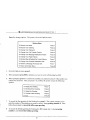
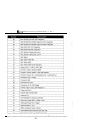
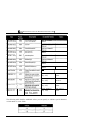
Comdial DigiTech Impact DSU Serial Integration
Comdial DigiTech Impact DSU Serial Integration IVPC
Comdial DXP, DXP Plus, FX Serial Integration
Comdial DXP, DXP Plus, FX Serial Integration
Comdial Executech 2000
Comdial
Cortelco Aries
Encore CX ECX
3672 361
Ericsson MDFujitsu 9600 with Serial Integration
Fujitsu
26
Fujitsu Series 3
Fujitsu
Harris
Isoetec IDS
228
Isoetec System 96
ITT Cortelco System 3
Iwatsu ADIX
Iwatsu ZT-D
Lucent Definity G3 Calista Box Vectoring Bridged Mode
Lucent Definity G3
Lucent Definity
-Vectoring
Bridged Mode
Lucent Merlin II
Merlin Legend
Lucent Partner ACS
Lucent Partner II
Lucent Partner Plus
Lucent System 25
Lucent System 75
Lucent System 85 and Definity Generic 2
COV with
Voice Boards
SX 100 Digital PABX with ONS Integration
Light with COV Integration
Light with DNIC Integration
SYSTEM INSTALLATION AND SUPERVISOR GUIDE 9.0 VER. 1
l
.
l
.
.
l
.
l
l
.
.
l
.
l
l
.
l
l
l
.
l
l
.
.
l
.
.
.
.
l
l
.
l
.
.
l
l
l
Light with ONS Integration
and
Light with COV Integration
and
Light with DNIC Integration
with COV Integration
with DNIC Integration
NEC Electra Professional Level I
NEC Electra Professional Level II
NEC Mark II
NEC NEAX- 1400 IMS
NEC NEAX-2000
NEC NEAX-2400 Serial Integration
Nitsuko DSO-I ONYX 124i 384i
Northern Telecom
With VMI Adapters
Northern Telecom SL-1 and
(with
Panasonic 1232 Analog
Panasonic DBS
Panasonic KXT-336
Panasonic KX-TD
Digital
Panther II 820
2064 Release IV
Philips
Premier ESP Intertel GMX
Redwood 3.2
Rolm 9200 BCS Siemens HCM 200
56EX 120MX 1224
DCS Digital
Siemens Saturn I, 11, III
SMDI Installation Guide
Southwestern Bell Landmark DKS 308 6 16
Sprint Protege Macrotel MT360 824 KSU
Coral I, II, III
Telrad 2464
Telrad Digital Key BX, 200 Digital
Toshiba DK24 56 96
Toshiba DK-280
Toshiba Perception E
Toshiba Perception EX
Toshiba Perception I II
Vodavi DHS
SYSTEM INSTALLATION
l
l
l
l
l
AND
SUPERVISOR GUIDE 9.0 VER. 1
Vodavi Infinite DVXI, DVX2,
DVX3
Vodavi
2448EX 4896EX
Vodavi
96EX
Vodavi
Digital
Win
If you are using a telephone system that is not listed here, the Integration program sets fields
on System Information screens to commonly used defaults. You may need to adjust these
settings.
For detailed information on integrating the Lite system with the phone system, refer to both
the
Manual and the technical bulletin for the phone system.
2.5.5.2 Using Technical Bulletin Information
For almost every phone system supported by the Lite system, there is a technical bulletin that
details system-specific installation information and considerations. This information is
particularly useful if you are working with a phone system that is not on the list shown in the
previous section, since you may more likely need to adjust certain settings on System
Information screens.
You can obtain technical bulletins through the Key Voice fax distribution system. To access
this system, phone (941) 922-3800 and press 7 at the main greeting. Follow the system
prompts and, when requested, enter the number corresponding to the bulletin for the phone
system with which you are working. To obtain a listing of all available bulletins and their
associated bulletin numbers, request document 01.
2.553 Accessing System Information Screens
From the Line Status screen, press
prompted to enter a system password.
2.
The Main menu displays, and you are
At the prompt to enter the system password, press <Enter>. (The default Customer level
password is blank. The default Technician level password is 1234 on Small Office Lite
the white sticker on
systems or, Debut units, the last four digits of the bar code
the bottom of the unit.)
V ER . 1
3.
From the Main Menu, select S Y S T E M I N F O R M A T I O N . The System Information menu
displays.
2.5.5.4 Setting Up the General Information Screen
1.
From the System Information menu, select G E N E R A L . The General Information setup
screen displays.
2.
Press <Enter> to move the cursor to the AUTOMATICALLY
T O DO S AT field. Enter
the time at which the Lite system should exit to DOS to perform its auditing functions.
The default setting is 3:00 AM.
3.
To save the information and exit the screen, press
menu displays.
The System Information
2.5.5.5 Setting Up the Line Information Screen
.
:
I.
From the System Information menu, select L I N E I N F O R M A T I O N . The Line Information
setup screen displays. Each row on this screen corresponds to one line connected to the
Lite system.
2.
Press <Enter> to move the cursor to the Initial Box field under Day Service for line
Verify that 800 displays in this field, indicating that calls received during Day Service
hours are to go to Routing box 800.
3.
Press <Enter> to move the cursor to Initial Box field under Night Service for line 1.
Verify that 801 displays in this field, indicating that calls received after the day service
1.
hours are to go to Routing box
4.
Press <Enter> to move the cursor to the Initial Box field under Lunch Service for line 1.
Verify that 800 displays in this field, indicating that calls received during Lunch Service
are also to go to Routing box 800.
5.
Press <Enter> to move the cursor to the
this field is set to No.
6.
Repeat steps 3 through 5 for each line on the screen. For the last line, however, be sure to
verify that Yes in the OUTGOING A L L O W E D field.
29
OUTGOING A L L O W E D
field for line 1. Verify
SYSTEM INSTALLATION
7.
AND
SUPERVISOR GUIDE 9.0 VER. 1
T o save the information and exit the screen, press
menu displays.
The System Information
2.5.5.6 Setting Up the Business Hours Screen
1.
From the System Information menu, select B U S I N E S S H O U R S .
screen displays.
The Business Hours setup
2.
For each day of the week, enter the office opening time the DAY S E R V I C E B E G I N S
field and the office closing time in the DAY S E R V I C E E N D S field. The default is au office
open time of 8:00 AM and office closing time of 17:OO (5:OO P M ) . If you want calls to be
the DAY S E R V I C E B E G I N S field,
handled in the same way day and night, enter
and 24:00 in the DAY S E R V I C E E N D S field. Refer to the Business Hours Worksheet
completed by the system supervisor for specific information.
3.
T o save the information and exit the screen, press
menu displays.
The System Information
2.5.5.7 Setting Up the Call Transfer Screen
1.
From the System Information menu, select
screen displays.
2.
The fields in the top half of the screen list the sequences that the Lite system is to dial to
signifies
and the comma
one
calls (the
Typically, these settings are appropriate for most telephone systems without any
the actual sequences required by the telephone system, and
modification. If you
they are different from those shown, make the changes as necessary.
3.
To save the information and exit the screen, press
menu displays.
CALL T R A N S F E R .
The Call Transfer setup
The System Information
2.5.5.8 Setting Up the Class of Service Screen
Each mailbox on the system is assigned a class of service. The class of service assigned to
the box dictates which Lite system features the mailbox owner has access to and how he/she
can use those features.
30
V ER . 1
There are 8 classes of services (0 through 7) that can be set up then applied to mailboxes on
the Lite system. Two of them are pre-configured on the system. Class of service 0 is
assigned by default to the prototype mailbox 9994, which serves as a template for every
mailbox that you create on the system. Class of service 7 is assigned supervisor mailbox
privileges. This class of service is assigned to mailbox 70, which is also pre-configured on
the system. Mailbox 70, therefore, serves as the supervisor mailbox. By calling into the
system and accessing the supervisor mailbox, the system supervisor can make necessary
to-day modifications to the voice processing system, such as adding mailboxes, changing
Routing box greetings, etc. See section 3 for details.
I.
From the System Information menu, select C L A S S O F S E R V I C E .
setup screen displays.
The Class of Service
2.
Use the information provided below to review and, if necessary, adjust the fields on two
as the
different Class of Service screens. First, review class of service 0, which
class of service that will be assigned to subscriber mailboxes on the system. When you
to progress through the classes of
reviewed the screen for class of service 0, press
service and go to the setup screen for class of service 7.
Review and, if necessary, adjust class of service 7. Ensure that in class of service 7 the
S U P E R V I S O R S T A T U S ? field is set to Yes. This allows the owner of the mailbox assigned
this class of service to access the Supervisor menu over the telephone. Using this menu,
the system supervisor can call into the system to perform day-to-day maintenance on the
system.
31
SYSTEM INSTALLATION
CLASS
Class-of
ice number :
Maximum number of greetings :
AND
OF
SUPERVISOR GUIDE 9.0 VER. 1
SERVICE
SS-OF-SERVICE
NAME:
lete NEW
Max lines allowed to hold for one box:
Digits allowed while holding:
CLASS OF SERVICE NUMBER
This field indicates the number of the class of service you are currently working with. To
move to the next class of service number, press
Once you assign a class of service to a
mailbox, the mailbox inherits all the privileges and restrictions defined in the class of service.
CLASS OF SERVICE NAME
Use this field to give the class of service a
name. This helps remind you of the
Subscribers, etc.
purpose for the class of service. Sample names include
MAXIMUM NUMBER OF GREETINGS
A mailbox can have up to 10 pre-recorded personal greetings. The mailbox owner may
record these greetings, store them in the mailbox, then choose the greeting that is to be active
greetiiigs to users or restrict them to
at any specific time. You may want to offer use of all
fewer greetings. Use this field to define how many personal greetings users with this class of
service should be allowed to record. If you set the field to 0, then callers who route to a
32
S UPERVISOR
V ER .
1
mailbox belonging to this class of service always hear the pre-recorded system prompt, “That
extension is not available... The default setting is 10.
Note that in class of service 7, this field must be set to allow at least 2 greetings. Class of
service 7 is assigned to mailbox 70, the supervisor mailbox that controls the Routing boxes
on the system. Because you will be setting up these Routing boxes with at least 2 greetings,
this parameter must be set to at least 2 in the supervisor mailbox class of service.
MAXIMUM GREETING LENGTH
When a mailbox owner calls in to re-record his/her personal greeting, the Lite system limits
the length of the new greeting to the value entered in this field. The default setting is 60.
MAXIMUM NUMBER OF MESSAGES
The Lite system can hold up to 200 messages per mailbox. However, you may want to
restrict some mailboxes to a lower limit (to conserve disk space). Use this field to define the
maximum number of messages that can be stored in mailboxes assigned this class of service;
Once the limit is reached for a particular mailbox, callers attempting to leave more messages
in the mailbox are told that the box is full. The default setting is 200.
MAXIMUM MESSAGE LENGTH
The value in this field defines the maximum length of a message (in seconds) that a caller can
leave for mailboxes belonging to this class of service. The default setting is 60.
AUTOMATICALLY DELETE OLD MESSAGES FROM SYSTEM AFTER X DAYS
The Lite system deletes messages saved as Old from mailboxes belonging to this class of
service after the number of days you specify. An old message is one the mailbox owner has
listened to, but has not yet deleted. If you enter 0 in this field, an old message is deleted at
midnight on the day the message became old. If you enter 1 in this field, an old message is
deleted at midnight on the day following the day the message became old.
To disable deletion of Old messages, enter 99 in this field. However, do this with caution,
since accumulating messages may create disk storage problems. The default setting
33
.
SYSTEM INSTALLATION
AND
SUPERVISOR GUIDE 9.0 VER. 1
AUTOMATICALLY DELETE NEW MESSAGES AFTER X DAYS
Note:
Use this parameter with caution. Improper use may cause important
messages to be lost.
The Lite system deletes new messages from mailboxes belonging to this class of service after
the number of days you specify. A new message is one the mailbox owner has not yet
listened to. If you enter 0 this field, a new message is deleted at midnight on the day the
message was received. If you enter 1 in this field, a new message is deleted at midnight on
the day following the day the message was received.
To disable the deletion of new messages, retain the default setting of99 in this field. This is
the default operating mode. If
enter a number other than 99 in this field, remember that
messages are deleted whether or not the mailbox owner has listened to them.
SUPERVISOR STATUS
This field defines whether mailboxes belonging to this class of service should have supervisor
privileges. A supervisor can perform certain actions not available to regular mailbox owners.
For example, a supervisor can add a mailbox or delete a mailbox by calling in from any
telephone. Additional information on supervisor functions is provided in section 3. The
default setting in class of service 0 is No, in class of service 7 is Yes.
ACCESS TO GROUP BOXES
By setting this field to Yes, you allow subscribers assigned this class of service to access any
Group boxes set up on the system. For information on setting up and using Group boxes,
refer to the Installation and Maintenance Manual. The default setting is Yes.
DIAL-OUT ALLOWED
This field indicates whether the owner of a mailbox belonging to this class of service is
allowed to place outgoing calls from the mailbox. The default setting is No.
ACCESS TO P.A.
When a caller is listening to a mailbox owner’s greeting, one of the features the Lite system
offers is the option to have the call announced over the P.A. system. Use this field to allow
SYSTEM INSTALLATION
AND
SUPERVISOR GUIDE 9.0 VER. 1
or deny access to the P.A. feature for callers to mailboxes belonging to this class of service.
The default setting is Yes.
PLAY MENU AFTER GREETING
If an extension is busy or does not answer, the Lite system plays the mailbox owner’s
personal greeting. After playing the greeting, it can announce the options available to the
would like to leave a message, press 1. To try another extension,
caller (for example,
If the mailbox owners do not record these
press 3, or to speak with an operator,
options as part of their greetings, set this field to Yes so that the Lite system plays the menu.
If you want to allow each mailbox owner to decide which options to offer, set this field
and instruct each mailbox owner to include the options in his/her personal greeting. The
default setting is No.
ALLOWED TO RECEIVE
The Lite system users should retain the default setting No in this field.
OPERATOR
( D AY) (NI GH T)
When a caller is listening to a mailbox greeting, one of the options is to dial zero to reach an
operator. Use these fields to indicate the mailbox to which the call should be routed if the
caller indicates that he/she wishes to speak with an operator. The default setting is 888.
WHEN EXITING OPEN MAILBOX, GO TO BOX
When a mailbox owner has logged in to his/her box, has concluded listening to messages,
changing options, etc., and has selected to exit from the Main menu, this field tells the Lite
system where to send the call. The Lite system users should retain the default setting in this
field as 821.
MAX LINES ALLOWED TO HOLD FOR ONE BOX
You can limit the number of lines that can simultaneously hold for a mailbox belonging to
this class of service. For example, if you set this number to 3, and lines 3, and 6 are
holding for a mailbox, then subsequent callers are not offered the option to hold. Instead,
they hear the personal greeting recorded for the box, so they can leave a message, try another
extension, etc. The default setting is 2.
35
SYSTEM INSTALLATION
Note:
AND
SUPERVISOR GUIDE 9.0 VER. 1
If you want to disable the Call Queuing feature for the class of service, set
this field to 0.
DIGITS ALLOWED WHILE HOLDING
While a caller is in the queue holding for an extension, he/she can press a digit to leave the
queue and process the call differently. By default, the options open to the caller are the same
would like to leave a
as those available when the caller hears the personal greeting
To try another extension, press 3, or to speak with an operator, press
message, press
If you want to restrict the caller to fewer choices while in the queue, use this field to specify
which digits are allowed. All other digits are ignored by the Lite system while the caller is in
the queue. For example, if you enter 13 in this field, the only options available to the
are:
To leave a message
3 To try another extension
WHILE IN QUEUE, SAY POSITION IN LINE
While a caller is in the queue, holding for an extension, the Lite system can keep him/her
informed on the progress of the call. If you set this field to Yes, the Lite system announces to
the caller:
“That extension is still busy. You are
in line. If you would prefer to leave
a message, press I, or to speak with an operator, press 0.”
If you select No in this field, the Lite system voices:
“That
is still
speak with an operator,
If you
0.
prefer to leave a message, press
or to
The default setting is No.
TRY EXTENSION X TIMES, BEFORE GOING BACK TO CALLER
This parameter applies only if the MAX L I N E S A L L O W E D T O HOLD field is greater than 0. If
the caller chooses to hold, the Lite system plays a series of hold prompts to the caller (these
are typically music or commercials). At the end of each hold prompt, the Lite system tries
the extension again. If it is busy, then the next hold prompt is played to the caller.
36
.
1
After the defined number of hold prompts have been played, the Lite system goes back to the
caller and offers the options to remain on hold, try another extension etc. This field allows
you to specify the number of hold prompts that should be played before the Lite system offers
these options to the caller.
As shipped, the Lite system has only one hold prompt recorded (system prompt # 146, see the
Installation and Maintenance Manual). Therefore, if you enter 3 in this field, a caller queued
to a busy station hears this same prompt three times before being offered the options again.
you record the second hold prompt (#
then the caller hears prompt # 146, #
then
# 146 again before being offered the options. You may record u p to 100 different hold
prompts, which are played in sequence. (Remember: At the end of each hold prompt, the
Lite system tries the extension again). After the Lite system plays the highest number hold
prompt recorded, it returns to the lowest number after the next try. The default setting is 3.
Note:
RESTRICTED
The time between tries to a busy extension is determined by the length of
each hold prompt recorded. T h e prompt supplied with the Lite
is approximately 30 seconds.
NUMBERS
When a mailbox owner calls in to change his/her call-transfer number, pager number, or
message notification number, y o u may want to prevent him/her from changing it to certain
numbers, such as long-distance numbers.
These fields allow y o u to define digit sequences that are to be blocked. The Lite system
looks at each of these Digits fields to determine if any of them match the number entered by
the mailbox owner. If the number entered by the caller begins with the digits specified in the
Digits field, the Lite system defines the number entered as a match.
the Digits fields, the Lite system considers
For example, if you enter the digits 1900 in
12, 1-900-l 23-4567, 1-900-l 1 l-2222 to be matches. Telephone number l-90
12 would not be considered a match.
If you enter the digit 0 in one of the digits fields, the Lite system considers all numbers
beginning with 0 to be matches. This would include calls to the operator (0), calls to the longdistance operator (00), international calls (01 I), and any operator-assisted call (0 followed by
telephone number).
37
.
SYSTEM INSTALLATION
AND
SUPERVISOR GUIDE 9.0 VER. 1
If the caller enters a number that matches one of the digit strings you enter here, the Lite
system informs the mailbox owner that the number is not acceptable and retains the current
set up.
Once you review and adjust all fields on both Class ‘of Service setup screen 0 and Class of
to save the information and exit. The System
Service setup screen 7, press
Information menu displays.
have now reviewed the necessary entries on the System lnformation screens. To return
Y
to the Line Information screen, press
2.5.6 Specifying Box Information
2.5.6.1 What Is a Box?
When the Lite system answers a call, it processes it by sending it to a box. Each box
performs a specific function (for example, playing a menu to the caller and waiting for a
response). It then passes the call to another box, which in turn performs its specific function,
etc.
Depending on the configuration purchased, the Lite system provides 5 Routing boxes and 25
mailboxes or 5 Routing boxes and 50 mailboxes. The Routing boxes are used to answer
incoming calls, play a listing of option to callers, and route the call to a specific mailbox
based on the digits dialed by the caller. The mailboxes transfer calls to their associated
extensions and store messages for system subscribers, and they can be set to forward calls
to another phone or extension number, deliver messages to another phone or pager, play one
of 9 pre-recorded greetings to callers, screen calls, queue calls when the extension is busy, or
record call conversations.
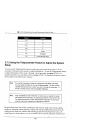
2.5.6.2 Understanding Routing Box 800, 801, and 821
According to the entries specified on the Line Information screen, the Lite system will route
all incoming calls to Routing box 800. This box answers calls during the day and lunch
service hours and plays a greeting to callers. After day/lunch service hours, the system routes
..
--
S UPERVISOR
V ER .
1
calls to Routing box 801. Typically, companies offer more extensive call routing options to
callers during day/lunch service hours than during closed hours. Often, for example,
digit call routing
2 for Sales... is not offered during closed hours. Therefore, the
greeting voiced by and options available in Routing box 801 are often different than those in
Routing box 800.
So that the system supervisor can alter the system to voice a generic holiday greeting on
holidays the office is closed, you will set up both Routing box 800 and 801 to include a
holiday greeting alternative. Therefore, procedures in this document guide you through
recording two greetings in both boxes 800 and 80 : an office open greeting and a holiday
greeting in box 800, and an office closed greeting and a holiday greeting in box 801. (Keep
in mind that holidays last 24 hours, therefore calls received o n a holiday may be processed by
either box 800 or 80 depending on when the call is received. For this reason, a holiday
Sample greetings for these boxes are
greeting must be recorded in both box 800 and
provided in section 3.2.1.
Routing Box 821 is designed by default to take over and route calls once they have passed
after the
through Routing box 800 or 801. A call may go to Routing box 82 I, for
caller leaves a voice message in a subscriber’s mailbox. Routing box 821 offers callers a
menu similar to Routing box 800, but box 82 1 is pre-configured so if a caller does not enter
an extension or select a menu option, the call is disconnected. In Routing box 800 and
callers who do not enter an extension or select an option are transferred to the operator. This
is a safety measure designed to assist callers who use rotary phones or are too slow to respond
to system prompts. By disconnecting non-responsive callers in box 821, the system simply
that the caller knew how to select menu options in box 800 or 80 and therefore,
since no option was selected in box 82 the caller hung up.
Because we recommend you record two greetings in both Routing box 800 and 80 I, you will
not use the GREETING RECORDED field on the Routing Box setup screens. This field allows
you to record only one greeting for the Routing box. Instead you will record all necessary
greetings by following the steps in the section 2.5.6.9, which you will complete after you
review and set up the Routing boxes and mailboxes.
2.5.6.3 Accessing Box Information Screens
1.
From the Line Status screen, press
prompted to enter a system password.
The Main menu displays and you are
2.
At the prompt to enter the system password, press <Enter>.
39
SYSTEM INSTALLATION
3.
From the Main Menu, select
AND
SUPERVISOR GUIDE 9.0 VER. 1
BOX I N F O R M A T I O N .
The Box Information menu displays.
You should review the setup for the following boxes:
l
Routing Box 800
l
Routing Box 801
l
Routing Box 821
l
Prototype Mailbox 9994
l
Supervisor mailbox 70
After you review and, if necessary, adjust prototype mailbox 9994, you use it to set up
subscriber mailboxes. You then make necessary adjustments to these mailboxes to customize
them for system subscribers. This section details the steps you must follow to set up all
necessary boxes and make the required adjustments.
The following procedures identify screen setup entries necessary for the Lite system to
effectively process calls. Fields that are not specifically discussed contain default values that
should be appropriate in nearly all setup situations. Detailed information on all fields on
Routing Box and Mail Box setup screens is provided in the Installation
Manual. You can also access online help on any screen by pressing
SYSTEM INSTALLATION
AND
SUPERVISOR GUIDE 9.0 VER . 1
2.5.6.4 Reviewing Routing Box 800, 801, and 821 and Setting Up Single-Digit
Call Routing
1.
From the Box Information menu, select R O U T I N G B O X . The Routing Box setup screen
displays.
BOX
R O U T I N G
BOX NAME : .
Box number :
Greeting
recorded
I
Owner:
:
Number of times to play the greeting :
seconds to wait for a digit:
Number
If no digits dialed,
If inualid digit dial
Route the call based
digit
wait for
l
digits?
W h e n
6
7
8
9
Destination for digit 1 :
:
3 :
4 :
5 :
:
:
:
:
:
:
Voice:
a
2.
Press
to access the box selection screen. A small window displays prompting you
for the box number. Type 800 then press <Enter>.
3.
Press <Enter> to move the cursor moves to the OWNER field. So that more than one
greeting can be recorded and stored for use with this Routing box, this box should be
identified as being owned by the supervisor mailbox, mailbox 70. By specifying a
mailbox owner for this Routing box, the box takes on certain “mailbox” attributes, which
include being allowed to house the same number of greetings as the mailbox owner’s
mailbox. (You specified this number when you set up class of service 7.)
4.
Press <Enter> to move the cursor to the D E S T I N A T I O N F O R D I G I T fields. you are
setting up the system to provide single-digit call routing options to callers, complete these
fields. Refer to the Routing Worksheet completed by the system supervisor for specific
entries for these fields. Do not modify the D E S T I N A T I O N F O R D I G I T
information
and fields.
41
SYSTEM INSTALLATION
AND
SUPERVISOR GUIDE 9.0 VER. 1
5.
Repeat steps 2 through 5 to set up Routing box 821. In step 2, type 821 (instead of
to access box 82
In the D E S T I N A T I O N F O R D I G I T S field, we recommend you make the
same entries as you did on the setup screen for box 800.
6.
Repeat steps 2 through 5 to set up Routing box 80 1. In step 2, type 801 (instead of 800)
to access box 80 1 . I n the D E S T I N A T I O N F O R D I G I T S field, you may decide to modify or
simply not include the single-digit dialing options, since this box will control how calls
are routed when the office is closed. If you choose to use the same single-digit dialing
options, simply re-enter them here.
7.
To save all setup entries and exit the Routing Box setup screen, press
Information menu displays.
The Box
2.5.6.5 Setting Up Prototype Mailbox 9994
You need to create a mailbox for each subscriber who will use the system to
Since most of the setup information will be the same for every mailbox you need, you should
review the system’s prototype mailbox, which is used as the mailbox setup model. The
prototype mailbox is box number 9994. Every time you select to create a new mailbox, the
system does so by making a copy of mailbox 9994.
From the Box Information menu, select
with the Page Number menu.
2.
M A I L B O X.
The Mail Box setup screen displays
Press
to access the box selection screen. A small window displays prompting you
for the box number. Type 9994 then press <Enter>.
Press <Enter> to move the cursor to the T R A N S F E R T Y P E field. When a call is routed to
the mailbox, the first action taken is to transfer the call to the number specified in the T O :
field. The Lite system offers several options as to how the call can be transferred. When
you move the cursor to this field, the various options are presented in a menu.
All transfer type options are described below. Use this information to select a transfer
type. Note that in almost all system setups, you should select either the Blind or Wait
transfer
so the system can function most
The default setting is
for
Wait for Ring.
42
SYSTEM INSTALLATION
5.
AND
SUPERVISOR GUIDE 9.0 VER. 1
Repeat steps 3 through 5 for each subscriber mailbox you want to create.
6 . Once you create all necessary mailboxes, continue with the next procedure, below.
2.5.6.7 Customizing Subscriber Mailboxes
Using information the system supervisor provides on the Mailbox Setup Worksheets, you can
now customize the mailboxes you created for each subscriber on the system.
The procedure below identifies the fields you should be sure to customize for each mailbox.
Fields that are not specifically discussed contain default values that should be appropriate in
nearly all setup situations. Therefore, it is unlikely that you need to modify these fields.
Detailed information on completing all fields on Mail Box setup screens is provided in the
Installation
Maintenance Manual. You can also access online help on any screen by
pressing
To access the mailbox you want to customize, press
A small window displays
prompting you for the box number. Type the box number then press <Enter>. The Mail
Box Page setup screen displays.
46
S YSTEM I NSTALLATION
M A I L
OX
AND
S UPERVISOR G UIDE 9 . 0
B O X
FIRST
VER. 1
Page 1
Last:
TRANSFER
Transfer tune:
To:
R i n g s t o answer:
Use 3-way c a l l i n g ?
Get caller's name?
Record conversation?
Currently
enabled?
Transfer schedule: ,
PERSONAL
Password:
Name r e c o r d e d :
Greeting recorded:
PRIVILEGES
Class of
Restricted
Client of:
Sequence t o t u r n O N m e s s a g e - w a i t i n g
New:
Sequence to turn OFF message-waiting lamp:
Old:
FV=Next page
2.
Press <Enter> to move the cursor to the F I R S T NAME field. Enter the mailbox owner’s
first name. Press <Enter> to move the cursor to the L A S T field. Enter the mailbox
owner’s last name.
3.
To go to Page 2 of the Mail Box setup screen, press
47
The Page 2 screen displays.
SYSTEM INSTALLATION
HAIL
lox number :
PAGER NUMBER:
Times to
AND
SUPERVISOR GUIDE 9.0 VER. 1
BOX
First Name
Last
Hins between calls:
playing greeting:
If cal ler chooses “other opt ions” :
After leauing message,
If call is uia D.I.D. play greeting in language:
Auto-forward NEW msgs to box
after
hours.
DELIVERY
Where and When
Schedule
R e p e a t Interua 1
Schedule
Cal
Cal
Cal
Cal
Cal
Run
4.
Press <Enter> to move the cursor to the PAGER NUMBER field. If the subscriber is to use
feature, use the following information to complete this section of the Mail
the
Box setup screen.
PAGER NUMBER
Enter the telephone number of the paging service. The mailbox
may change the
number remotely. Normally, access codes for outside lines are not required here.
Instead, that information should be entered on the System Information General setup
screen.
To restrict pager calls to use lines in a particular line group, enter the letter (A, B, C, or
before the telephone number (for example,
D) of the line group in braces
Tone or Voice pagers may be used with the Message Delivery feature discussed later in
this section.
48
S
YSTEM
I
NSTALLATION A N D
S
UPERVISOR
G UIDE 9 . 0
V ER .
pager number you enter can contain the digits 0 through 9, star
the following special characters:
1
pound
and
call progress tones during the course of the call. When
hed dialing, the system immediately assumes
pager system has answered.
Specifies a line group is to be used (for example,
indicates “choose any line in line group A, and dial the number
Can be used for punctuation and is ignored.
PAGER TYPE
The Lite system supports both Tone and Digital pagers in this section of the mailbox
programming. Specify here which type of pager the mailbox owner has (Digital, Tone or
None).
When a caller asks the Lite system to page a mailbox owner, the Lite system looks for a
no lines are free to make the call, the Lite
free line on which to call the paging service.
minutes.
system queues the request and re-tries every 10 seconds for approximately
49
SYSTEM INSTALLATION
AND
SUPERVISOR GUIDE 9.0 VER. 1
NUMBER OF TIMES TO CALL
The Lite system calls the pager the number of times you specify in this field. Repetitive
paging may be useful if the pager is turned off periodically or is out of pager range.
Note:
This field is used to tell the Lite system how many successful calls it should
make to the paging service. Do not confuse this with the pager-retry feature. If
the Lite system calls the pager number and does not hear it ring and answer,
then it automatically re-tries the call at IO-second intervals, for a pre-defined
number of times.
MINUTES BETWEEN CALLS
If you enter a number greater than in the T I M E S T O C A L L field, this field instructs the
Lite system how long it should wait between re-calls.
Note:
CALL
This field tells the Lite system how long to wait between successful calls to the
paging service. Do not confuse this with the pager-retry feature.
SCHEDULE
The Pager notification feature follows a time schedule. The
ALWAYS
DAY SERVICE
are:
Pager notification is available at all times.
Pager notification is available only during day/lunch service, as
defined in the System Information
Business Hours screen.
NIGHT SERVICE
Pager notification is available only during non-day/lunch service,
as defined in the System Information I Business Hours screen.
SCHEDULE A, B, C, or D
Pager notification is available only during the schedule defined
on Page 3 of the Mail Box setup screen for this mailbox.
50
INSTALLATION
AND
SUPERVISOR GUIDE 9.0 VER . 1
ENABLED
Set this field to Yes to indicate that the pager feature for this mailbox is currently on. Set
the field to No to indicate that the pager feature is off. The mailbox owner can also
toggle this field on and off by calling into the system. If this field is set to No, it
overrides the call schedule set in the previous field.
5.
Press <Enter> to move the cursor to the first MESSAGE DELIVERY field. If the subscriber
is to use the Message Delivery feature, use the following information to complete this
section of the Mail Box setup screen.
CALL
Enter the telephone number the Lite system should call to inform the mailbox owner that
there are new messages in his/her mailbox.
The number can contain the DTMF digits 0 9, * and
characters:
plus any of the following special
Use pulse (also known as ‘rotary’) dialing.
T
Use tone dialing (the default).
I
Short pause (duration can be changed in Technical Information screen.
Default is 1 second).
Medium pause (equal in length to 4 commas).
L
I
Long pause (equal in length to 8 commas).
Hookflash.
Enclosing the number in brackets prevents the mailbox owner from being
able to call in and change the number.
Specifies a line group is to be used (for example,
“choose any line in line group A, and dial the number 555-1212”).
indicates
H
Hang up immediately after dialing the number (must be last character).
M
Answering
number. It
answering
announces
machine. This must be the last character in the telephone
tells the Lite system that the number being called has an
machine attached. When the Lite system calls the number, it
that there are messages, as usual. If the Lite system has not
51
I
S UPERVISOR
V ER . 1
r e c e i v e d a D T M F digit (1 for Yes, anything else for No), by the end of the
announcement cycle(s), it assumes that it is talking to an answering
machine, and proceeds to play each new message in turn.
V
Voice pager. This must be the last character in the telephone number.
Details of voice pager programming are found later in this section.
I
Internal (must be the first character). Overrides the INTERNAL parameter (in
the configuration file
and treats this number as an internal call
regardless of the number of digits. The Lite system does not dial the
sequence specified in the General Information
Digits To Get A Line On
External Call field.
E
External (must be the first character). Overrides the INTERNAL parameter
(in the configuration file VM.CFG) and treats this number as an external call
regardless of the number of digits. The Lite system dials the sequence
specified in the General Information
Digits To Get A Line On External Call
field.
N
No progress tones (must be the last character). The Lite system ignores all
call progress tones during the course of the call.
any other
character
Can be used for punctuation and is ignored.
The owner of a mailbox can call in and remotely change the first Message Notification
number, but cannot use or modify special characters.
REPEAT
Enter the number of successful calls to each telephone number. A successful call is
generally defined as one where the Lite system has seized an available line port, dialed
the number, and detected an answer. If the call is not successful (for example, the called
number was busy) the Lite system automatically re-tries every few seconds up to twenty
times.
INTERVAL
If the Repeat field contains a number greater than 1 or there are additional Call number
sequences, enter the interval (in minutes) between calls to this number and/or the interval
before proceeding to the next Call number sequence.
.
52
..
SYSTEM INSTALLATION
AND
SUPERVISOR GUIDE 9.0 VER . 1
SCHEDULE
Select when the Lite system should call this number. The options are:
The number is called any time a new message is left in the
mailbox.
DAY SERVICE
NIGHT SERVICE
SCHEDULE A, B, C, or D
The number is called only during day/lunch service, as
defined in the System Information
Business Hours screen.
The number is called only during non-day/lunch service, as
defined in the System Information I Business Hours screen.
The number is called only during the schedule defined on
Page 3 of the Mail Box setup screen for this mailbox.
RUN THIS SEQUENCE N TIMES
Once the Lite system has called every number listed, it considers that it has run the
sequence one time. It will then check the value in this field. If this field is set to a number
higher than the Lite system starts again and repeats the sequence the specified number
of times.
CURRENTLY ENABLED?
This field identifies which messages the Lite system is to deliver:
DISABLED
The Lite system does not deliver messages.
URGENT MSGS ONLY
The Lite system delivers only messages marked urgent,
but does not call to deliver non-urgent messages.
ALL MESSAGES
The Lite system calls every time a message is deposited
into the mailbox.
Setting this field to
DISABLED
overrides the
SCHEDULE
field.
The owner of a mailbox can call in remotely and turn his/her Message Delivery feature
on or off, or change the first number to be called. The other telephone numbers, if in use,
cannot be changed remotely.
53
SYSTEM INSTALLATION
6.
AND
SUPERVISOR GUIDE 9.0 VER . 1
To go to Page 3 of the Mail Box setup screen, press
M A I L
number:
BOX
The Page 3 screen displays.
Page 3
First Name:
SCHEDULE A
Start
End
SCHEDULE B
SUN :
:
Tue:
Wed :
Thu :
Fri:
Sat:
SCHEDULE C
Start
Sun:
:
Tue:
Wed:
Thu:
Fri:
SCHEDULE D
sun :
7.
Hon :
Hon :
Tue:
Wed :
Thu :
Fri:
Sat:
Tue:
Wed :
Thu :
Fri:
Sat:
Press <Enter> to move the cursor to the first S C H E D U L E A field. If the subscriber is to
use the Pager or Message Delivery feature according to a particular schedule, use the
following information to complete the Mail Box Page 3 setup screen.
START
Enter the time at which this schedule should begin on this day. The time should be
format (for example, enter 20:00 for
PM).
entered in
END
Enter the time at which this schedule should end on this day. The time should be entered
format (for example, enter 20:00 for
PM).
in
.I
Note:
If you want the schedule to be active all day, enter
time and 24:00 as the E ND time.
as the S TART
V ER . 1
3.
T o go to Page 4 of the Mail Box setup screen, press
H A I L
ox
BOX
The Page 4 screen displays.
(Page
First
Last
Hotel guest privileges only?
Currently scheduled?
TIME:
4.
Confirm that the E N A B L E D field is set to Yes for all four personal distribution lists. This
allows subscribers to create up to 4 personal distribution lists in their mailboxes, which
they can then use when sending messages to groups of subscribers.
5.
Repeat steps 1 through 9 to customize each mailbox you created for each subscriber on
the system. Once you customize all subscriber mailboxes, continue with the next
procedure.
2.5.6.8 Customizing the System Supervisor Mailbox
To access the system supervisor mailbox, press
A small window displays
prompting you for the box number. Type 70 then press <Enter>.
2.
Press <Enter> to move the cursor to the F I R S T NAME field. Type S U P E R V I S O R in this
field. Press <Enter> to move the cursor to the L A S T field. Enter the system supervisor’s
last name. Note that though you may type any name or words in these fields, using these
..
55
SYSTEM INSTALLATION
AND
SUPERVISOR GUIDE 9.0 VER. 1
entries identifies this mailbox as the supervisor mailbox and identifies the individual who
is currently acting as the on-site system supervisor.
3.
Press <Enter> to move the cursor to the CLASS OF SERVICE field. Verify that 7 is entered
in this field. This entry assigns class of service 7, which has supervisor privileges, to this
mailbox.
4.
To go to Page 2 of the Mail Box setup screen, press
5.
To complete the supervisor mailbox setup, repeat steps 4 through 9 of the previous
procedure.
6.
To save all mailbox customizations and exit the Mail Box setup screen, press
The Box Information menu displays.
The Page 2 screen displays.
2.5.6.9 Recording Routing Box Greetings
As described in section 2.5.6.2, the following procedure guides you through recording two
greetings in both Routing boxes 800 and 801: an office open greeting and a holiday greeting
in box 800, and an office closed greeting and a holiday greeting in box 801. Sample
greetings for these boxes and for box 82 are provided in section 3.2.1.
Note:
When you record Routing box greetings, you must include instructions that
identify any single-digit call routing options available to the caller.
From a telephone, call into voice mail and log into supervisor mailbox 70. Note that the
default password for the mailbox is the same as the mailbox number, 70.
2.
The Lite system tutorial session starts. Complete the tutorial. When prompted to record
the name and greeting, you may elect to identify this as the supervisor mailbox. When
changing the password, be sure to inform the system supervisor of the number you select.
to prevent it
voicing the next time the
When you complete the tutorial, press
box is accessed.
3.
The system voices the Main menu:
“To listen to
press 3.
messages press
To send a message press 2. To change your options
56
.
SYSTEM INSTALLATION
AND
SUPERVISOR GUIDE 9.0 VER. 1
9. To record greeting(s) for Routing box
press
to exit the menu shown above and
return to the Options menu. Then repeat steps 4 through 7 above. In step 5, press 801 to
indicate you want to work with Routing box 801. In step 7, record the office closed
greeting, instead of the office open greeting.
10. To record the holiday greeting for Routing box 801, repeat step 7, select greeting
number 1, and record the holiday greeting.
11. To record the greeting for Routing box 82 press
to exit the menu shown above and
return to the Options menu. Then repeat steps 4 through 7 above. In step 5, press 821 to
indicate you want to work with Routing box 821. In step 7, record the office open
greeting call routing options, omitting the introductory remarks “Welcome to . . .
12. When you have recorded all necessary greetings, press
to return to the Main menu.
menu, then press
to
Be sure to instruct the system supervisor to refer to section 3.2 for detailed
changing the active Routing box greetings and recording new greetings.
to the Options
.
on
2.6 Default Database Structure Overview
As mentioned previously, the Lite system contains a default database with a setup
configuration that allows the Lite system to efficiently perform fundamental call processing
tasks with minimal system adjustments by the installing technician. Information in this
section highlights portions of this default database configuration. More detailed information
on the purpose of Routing boxes and mailboxes and how box settings and other default
settings affect system functionality is provided earlier in this document.
Note:
Though you may make adjustments to specific information relating to this
default setup, you are
to maintain the aeneral
of
Routina boxes 800,801, and
class of service 7, and
mailbox 70. This configuration allows the Lite system to efficiently perform
fundamental call processing tasks. Maintaining it helps both you, the
technician, and the Lite system technical support to efficiently service the
system and resolve any call processing issues.
58
SYSTEM INSTALLATION
SUPERVISOR GUIDE 9.0 VER. 1
AND
l
Technician Password:
* Small Office Lite systems:
* Debut systems: the last 4 digits of the bar code on the white sticker on the bottom of
the unit
l
Business Hours (specified on System Information
5:00 PM
l
Routing Box 800:
* Answers all incoming calls during day/lunch hours (specified on System Information
Business Hours screen)
* Owned by mailbox 70
l
Routing Box 801:
* Answers all incoming calls during non-day/lunch hours (specified on System
Information Business Hours screen)
* Owned by mailbox 70
l
Routing Box 821:
* Routes calls that have already passed through Routing box 800 or 801
* Owned by mailbox 70
Business Hours screen):
Class of Service 0:
Set up with the following parameter settings (for information on specific parameter
fields, refer to section 2.5.5.8):
10
MAXIMUMNUMBEROFMESSAGES :
200
60
60
S UPERVISORSTATUS?
NO
DI A L -
NO
Yes
OUTALLOWED ?
Yes
PLAYMENUAFTERGREETING? No
NO
O PERATOR Box ( D AY) : 8 8 8 ( N
IGHT)
: 888
821
59
SYSTEM INSTALLATION
AND
SUPERVISOR GUIDE 9.0 VER. 1
MA X L I N E S A L L O W E D T O H O L D F O R O N E B O X :
2
No
TRYEXTENSION
3
TIMESBEFOREGOINGBACKTOCALLER
[None]
Class of Service 7:
Set up with the class of service 0 options, but with S U P E R V I S O R S T A T U S ? enabled.
l
Extension Length:
* 3 digits
l
Password Length:
* 4 digits
l
Default Passwords:
* Equal the mailbox
l
Mailbox 70:
* Set up as the Supervisor mailbox with C L A S S O F S E R V I C E :
l
Prototype mailbox 9994 (features automatically assigned to all mailboxes created):
TRANSFERTYPE:
To:
the mailbox number)
CU R R E N T L Y E N A B L E D :
Yes
TRANSFERSCHEDULE:
Always
P A S S W O R D : x (signifies the mailbox
AF T E R P L A Y I N G G R E E T I N G :
Waitfordigit
2.7 Setting Up the System Using the Teleparameter
Feature
This section provides instructions on using the teleparameter feature to set up a new system at
a customer site or to later make modifications to the system. Using the teleparameter feature,
you can change the parameter values that affect system-wide setup information, box setups,
and VM.CFG file data by simply calling into the system. You simply log into supervisor
mailbox 70 over the telephone, select to modify system parameters, then, as prompted, enter
60
SYSTEM INSTALLATION
AND
SUPERVISOR GUIDE 9.0 VER . 1
codes that identify each parameter you want to change and the new value to which you want
to set the parameter. The screen illustrations and parameter value table provided in this
section indicate the parameters and their associated codes.
Technicians who have experience setting up Corporate Office, Small Office, or the Lite
systems may prefer to use the Teleparameter feature to quickly make modifications and get
the Lite system up and running at the customer’s site. Be advised, however, that since this
technique involves inputting codes that represent system parameters and corresponding
values to which parameters are to be set, it is a bit more difficult to use effectively if you are
unfamiliar with setting up Corporate Office, Small Office, or Lite systems. For this reason,
we recommend that technicians unfamiliar with Corporate Office, Small Office, or Lite
systems attach a laptop to the PC and use the instructions provided in the previous sections to
complete all necessary system setup steps.
Note:
If you choose to set up the system using the Teleparameter feature, be sure
to first review section 2.5.6.2 and section 2.6 so you clearly
the
setup of the default database included on the Lite system unit.
2.7.1 Using the Teleparameter Feature to Set up a New
System
2.7.1.1 Running the PBX Setup Utility
The Lite system voice processing software is pre-installed on the Lite system unit before it is
shipped to you. You must, however, run the PBX Setup utility so you can configure certain
installation parameters for each specific customer’s site. Use the following procedure to run
.
this utility by calling into the system over the telephone:
1. From a telephone, call into voice mail and log into supervisor mailbox 70. Note that the
default password for the mailbox is the same as the mailbox number, 70.
2.
The Lite system tutorial session starts. Complete the tutorial. When prompted to record
the name and greeting, you may elect to identify this as the supervisor mailbox. When
changing the password, be sure to inform the system supervisor of the number you select.
SYSTEM INSTALLATION
AND
When you complete the tutorial, press
box is accessed.
3.
system voices
“To listen to
press 3.
4.
SUPERVISOR GUIDE 9.0 VER . 1
to prevent it from voicing
next time
Main menu:
messages press I. To send a message press 2. To change your
To access the Supervisor menu, press 6 (this option is not voiced). The system voices
the Supervisor menu options:
Supervisor Menu
For Mailbox Administration
Press 1
For Routing Box Administration
Press 2
For Question Box Administration
Press 3
For
Press 4
Port
Administration
To Change the System Broadcast Message
Night Service
To Change the Voice Mail Day
Press 5
Press 6
To Change the System Time
Press 7
To Change the System Date
Press 8
To Modify System Parameters
Press 9
To Perform First-Time Setup
Press 0
5.
From the Supervisors menu, press 0 to perform first time setup. The system prompts you
Small Office
to enter the Technician password. By default, this password is 1234
white sticker
Lite systems or, on Debut units, the last four digits of the bar code on
on the bottom of the unit.
6.
the prompts and enter the requested information. When you are prompted to
indicate the type of phone system with which you are working, enter the number from the
following list that corresponds to the phone system:
08
Comdial DigiTech
Impact
76
Comdial DigiTech
11
Comdial DXP, DXP Plus, FX
74
Comdial DXP, DXP Plus, FX Serial Integration
impact
62
DSU
DSU
Serial Integration
Serial Integration
Serial Integration
SYSTEM INSTALLATION
AND
SUPERVISOR GUIDE 9.0 VER . 1
22
Comdial Executech 2000
44
Comdial Unisyn
79
Cortelco Aries
45
Encore CX ECX 1832 3672 36112
77
Ericsson MD-l 10
75
Fujitsu 9600 with Serial Integration
96
Fujitsu
78
Fujitsu Series 3
41
Fujitsu
80
Harris
55
lsoetec IDS 108
49
lsoetec System 96
30
ITT
28
lwatsu
20
26
228
Cortelco System 3100
lwatsu ZT-D
I
94
Lucent Definity G3
92
Lucent Definity G3
89
Calista Box
Light with
Vectoring
Integration
Bridged Mode
SYSTEM INSTALLATION
AND
SUPERVISOR GUIDE
9 . 0 VER. 1
SYSTEM INSTALLATION
59
SUPERVISOR GUIDE 9.0 VER . 1
III
68
Telrad 2464
64
Telrad Digital Key BX, 200 Digital
46
Toshiba DK-16
16
Toshiba DK-280
26
Toshiba Perception E
95
Toshiba Perception EX
57
Toshiba Perception I
87
Vodavi DHS
43
Vodavi Infinite
II
I
DVX2,
48
Vodavi
2448EX
58
Vodavi
96EX
14
Vodavi
Digital
62
7.
Coral I, II,
AND
DVX3
I
Win
Once you enter all necessary information, press 1 as prompted to reboot the PC. You
must allow the system to reboot so it can reset several parameters based on the
information you entered. When the system reboots, your call into it is disconnected.
Continue with the next procedure.
2.7.1.2 Adjusting System Information
You may need to customize certain fields on the System Information screens. Use the
following procedure:
1. From a telephone, call into voice mail and log into the supervisor mailbox 70. The
system voices the Main menu:
“To listen to your messages press 1.
press 3.
To send a message press 2. To change
65
options
SYSTEM INSTALLATION
2.
AND
SUPERVISOR GUIDE 9.0 VER. 1
To access the Supervisor menu, press 6 (this option is not voiced). The system voices
the Supervisor menu options:
Menu
Supervisor
For Mailbox Administration
Press 1
For Routing Box Administration
Press 2
For Question Box Administration
Press 3
For
Press 4
Port
Administration
To Change the System Broadcast Message
To Change the voice mail Day
Night Service
Press 5
Press 6
To Change the System Time
Press 7
To Change the System Date
Press 8
To Modify System Parameters
Press 9
To Perform First-Time Setup
Press 0
To Exit
Press #
3.
From the Supervisors menu, press 9 to modify system parameters. The system prompts
you to enter the Technician password. By default, this password is 1234 on Small
Office Lite systems or, on Debut units, the last four digits of the bar code on the white
sticker on the bottom of the unit.
4.
At the prompt, enter the number of the parameter you want to change, then, as prompted,
the value to which you want to change the parameter. Parameter information is provided
in a comprehensive table shown in section 2.7.2.
When you complete all modifications, press # to return to the Supervisor’s menu.
Note:
Refer to section 2.7.2 for information on values you can specify for certain
parameters and for information on adjusting parameters in the
file.
For detailed information on each field of System Information screens, refer to
the Installation and Maintenance Manual.
66
SYSTEM INSTALLATION AND SUPERVISOR GUIDE 9.0 VER. 1
2.7.1.3 Adjusting Routing Box Information
As indicated in section 2.5.6.2, you need to adjust Routing Boxes 800, 801, and 82 to
include any single-digit call routing options you want to provide to callers. You must also
record the necessary greetings for these boxes. Sample Routing box greetings are provided in
section 3.2.1.
To record Routing box greetings, follow the procedure provided in section 3.2.2.
To modify single-digit call routing, you can follow the procedure in section 3.2.3 or you can
use the Teleparameter feature. To use the Teleparameter feature, follow steps through 4 in
the previous procedure, referring to the parameter numbers provided in section 2.7.2.
detailed information on each field of this screen, refer to the Installation
Manual.
Note:
If you enter a parameter number for a parameter that affects a particular
box, the system prompts you to enter the Item number. The Item
identifies the particular box in which you want to change the parameter. At
the Item number prompt, enter the number of the box.
Note:
Refer to section 2.7.2 for information on values you can specify for certain
parameters and for information on adjusting parameters in the VM.CFG file.
For detailed information on each field of Routing Box screens, refer to the
Installation and Maintenance Manual.
2.7.1.4 Creating and Adjusting Mailbox Box Information
To create mailboxes on the system, follow the procedure in section 3.1.1.
you create
mailboxes, you can make detailed modifications to the box setups using the Teleparameter
boxes you have
feature. To use the Teleparameter feature to adjust mailbox information
created on the system, follow steps through 4 in the procedure in section 2.7.1.2.
specific parameters you can adjust, refer to section 2.7.2. For detailed information on each
field of these screens, refer to the Installation and Maintenance Manual.
67
SYSTEM INSTALLATION
AND
SUPERVISOR GUIDE 9.0 VER. 1
Note:
If you enter a parameter number for a parameter that affects a particular
box, the system prompts you to enter the
Item number. The Item number
identifies the particular box in which you want to change the parameter. At
the Item number prompt, enter the
of the box.
Note:
Refer to section 2.7.2 for information on values you can specify for certain
parameters and for information on adjusting parameters in the VM.CFG file.
For detailed information on each field of Box Setup screens, refer to the
and Maintenance Manual.
2.7.1.5 Creating Other Box Types and Adjusting Information
To create other types of boxes, you must first follow the procedures presented earlier in this
document to connect a laptop computer to the Lite system unit and access Box Information
setup screens. Once you create the boxes using this technique, you can make detailed
modifications to the box setups using the Teleparameter feature. To use the Teleparameter
feature to adjust information in boxes already created on the system, follow steps 1 through 4
in the procedure in section 2.7.1.2. For specific parameters you can adjust, refer to section
2.7.2. For detailed information on each field of these screens, refer to the Installation and
Maintenance Manual.
Note:
If you enter a parameter number for a parameter that affects a particular
box, the system prompts you to enter the
Item number. The Item number
identifies the particular box in which you want to change the parameter. At
the Item number prompt, enter the number of the box.
Note:
Refer to section 2.7.2 for information on values you can specify for certain
parameters and for information on adjusting parameters in the VM.CFG file.
For detailed information on each field of Box Setup screens, refer to the
and Maintenance Manual.
68
SYSTEM INSTALLATION
AND
SUPERVISOR GUIDE 9.0 V ER . 1
2.7.2 Teleparameter Value Tables
.
The following table identifies all parameters you
adjust using the teleparameter feature
and the entries you can make to indicate specific values for each parameter. Refer to
information after this table for additional entries you can make in some fields.
Account
Number Box
Setup
2700
Minimum number of digits
required for valid entry
determination
A prompt for the
Item number refers
to the box number.
Enter the box
number.
Account
Number Box
Setup
2701
Maximum number of digits
required for valid entry
determination
A prompt for the
Item number refers
to the box number.
Enter the box
number.
Number of seconds to wait
before determining all digits
are entered
A prompt for the
Item number refers
to the box number.
Enter the box
number.
Account
Number Box
Setup
Account
Number Box
Setup
2703
Action to take after
maximum retry attempts if
invalid account number is
entered
0
1
2
3
Account
Number Box
Setup
2704
Box associated with
parameter 2703
(Valid mailbox
number)
A prompt for the
Item number refers
to the box number.
Enter the box
number.
Account
Number Box
Setup
2705
Retry attempts to allow if
invalid account number
entered
o-9
A prompt for the
Item number refers
to the box number.
Enter the box
number.
Account
Number Box
Setup
2706
Number of mailbox that
owns the Account Number
box
(Valid mailbox
number)
A prompt for the
Item number refers
to the box number.
Enter the box
number.
69
= Return
= Say ‘Goodbye’
= Go to another box
= Hang up
A prompt for the
Item number refers
to the box number.
Enter the box
number.
1
Account
Number Box
Setup
2707
Action to take if account
number was previously
collected during call
0 = Use the existing
account number
1 = Ask for a new
account number
A prompt for the
Item number refers
to the box number.
Enter the box
number.
Account
Number Box
Setup
2708
Repeat number entered for
confirmation?
1 = Yes
A prompt for the
Item number refers
to the box number.
Enter the box
number.
Account
Number Box
Setup
2001
Action to take if valid
account number is entered
0
1
2
3
A prompt for the
Item number refers
to the box number.
Enter the box
number.
Account
Number Box
Setup
2002
Box associated with
parameter number 2001
(Valid box number)
A prompt for the
Item number refers
to the box number.
Enter the box
number.
ACD Box Setup
2520
Number of mailbox that
owns the ACD box
(Valid mailbox
number)
A prompt for the
Item number refers
to the box number.
Enter the box
number.
ACD Box Setup
2521
Action to take when trying
extension
1
2
3
4
A prompt for the
Item number refers
to the box number.
Enter the box
number.
ACD Box Setup
2522
Criteria by which hunt is
started
0
Start hunting from
first agent in group
1 = Start hunting from
previous agent
A prompt for the
Item number refers
to the box number.
Enter the box
number.
ACD Box Setup
2523
Number of announcements
after which caller is offered
other options
0
99
A prompt for the
Item number refers
to the box number.
Enter the box
number.
ACD Box Setup
2524
Rings permitted before no
answer determination
0
99
A prompt for the
Item number refers
to the box number.
Enter the box
number.
70
=
=
=
=
=
=
=
=
Return
Say ‘Goodbye’
Go to another box
Hang up
Blind
Wait for answer
Screen
Wait for ring
SYSTEM INSTALLATION
Box Setup
AND
SUPERVISOR GUIDE 9.0 VER . 1
Box default operator during
day service
(Valid mailbox
number)
A prompt for the
Item number refers
to the box number.
Enter the box
number.
ACD Box Setup
2526
Box default operator during
night service
(Valid mailbox
number)
A prompt for the
Item number refers
to the box number.
Enter the box
number.
ACD Box Setup
2527
Action to take if all
extensions are busy
0 = Queue the call
1 = Go to another box
A prompt for the
Item number refers
to the box number.
Enter the box
number.
ACD Box Setup
2528
Box associated with
parameter 2527
(Valid box number)
A prompt for the
Item number refers
to the box number.
Enter the box
number.
ACD Box Setup
2529
Action to take if caller elects
not to remain in queue
0
1
2
3
A prompt for the
Item number refers
to the box number.
Enter the box
number.
ACD Box Setup
2530
Box associated with
parameter 2529
(Valid box number)
A prompt for the
Item number refers
to the box number.
Enter the box
number.
ACD Box
2531
If call is queued, state
position in line?
1 = Yes
0 = No
A prompt for the
Item number refers
to the box number.
Enter the box
number.
ACD rotation box members
(Valid mailbox
numbers)
A prompt for the
Item number refers
to the box number.
Enter the box
number.
Hour day service begins
00-24
A prompt for the
Item number refers
to the day of the
week. Enter 0
(Sunday) through
6 (Saturday).
ACD Box Setup
2501 to
2512
Business Hours
Setup
5042
71
= Return
= Say ‘Goodbye’
= Go to another box
= Hang up
.
SYSTEM INSTALLATION
Business
Setup
Hours
Business
Setup
Hours
AND
SUPERVISOR GUIDE 9.0 VER . 1
A prompt for the
Item number refers
to the day of the
week. Enter 0
(Sunday) through
6 (Saturday).
(With parameter 5042)
Minute day service begins
5044
24
Hour day service ends
A prompt for the
Item number refers
to the day of the
week. Enter 0
(Sunday) through
6 (Saturday).
A prompt for the
item number refers
to the day of the
week. Enter 0
(Sunday) through
6 (Saturday).
Business
Setup
Hours
5046
Hour lunch service begins
00
24
A
for the
Item number refers
to the day of the
week. Enter 0
(Sunday) through
6 (Saturday).
Business
Setup
Hours
5047
(With parameter 5046)
Minute lunch service begins
00
59
A prompt for the
Item number refers
to the day of the
week. Enter 0
(Sunday) through
6 (Saturday).
Business
Setup
Hours
5048
Hour lunch service ends
00
24
A prompt for the
Item number refers
to the day of the
week. Enter 0
(Sunday) through
Business
Setup
Hours
5049
(With parameter 5048)
Minute lunch service ends
00
59
Item number refers
week. Enter 0
(Sunday) through
72
SYSTEM INSTALLATION
AND
SUPERVISOR GUIDE 9.0 VER . 1
Business
Setup
Hours
5067
Hour at which greeting is to
change to good evening
Business
Setup
Hours
5068
(With parameter 5067)
Minute at which greeting is
to change to good evening
Information
Setup
00-24
A prompt for the
Item number refers
to the day of the
week. Enter 0
(Sunday) through
6 (Saturday).
Sequence to initiate an
internal transfer
(Refer to technical
bulletin and phone
documentation)
Sequence to initiate an
external transfer
(Refer to technical
bulletin and phone
documentation)
I
Call Transfer
Information
Setup
5002
Sequence to complete an
internal transfer
(Refer to technical
bulletin and phone
documentation)
Call Transfer
Information
Setup
Call Transfer
Information
5003
Sequence to complete an
external transfer
(Refer to technical
bulletin and phone
documentation)
Sequence to return from no
answer on an internal call
(Refer to technical
bulletin and phone
documentation)
Sequence to return from no
answer on an external call
(Refer to technical
bulletin and phone
documentation)
Sequence to return from
busy on an internal call
(Refer to technical
bulletin and phone
documentation)
Sequence to return from
busy on an external call
(Refer to technical
bulletin and phone
documentation)
Sequence to return from
call screening on an
internal call
(Refer to technical
bulletin and phone
documentation)
Sequence to return from
call screening on an
external call
(Refer to technical
bulletin and phone
documentation)
information
Setup
I
73
A prompt for the
Item number refers
to the day of the
week. Enter 0
(Sunday) through
6 (Saturday).
SYSTEM INSTALLATION
AND
SUPERVISOR GUIDE 9.0 VER . 1
Call Transfer
Information
Setup
5010
Sequence to transfer an
internal 3-way call
Call Transfer
Information
Setup
5011
Sequence to transfer an
external 3-way call
bulletin and phone
Should VP system detect
dial tone?
1 =Yes
0 = No
Confirmation digits meaning
‘Yes’
(Refer to technical
bulletin and phone
documentation)
Call Transfer
Information
Setup
Should VP system use
transfer bypass digit?
0 = None
1 = First
2 = Last
Call Transfer
Information
Setup
Maximum time for 3-way
call (minutes)
Call Transfer
Information
Setup
Call Transfer
Information
Setup
5023
Class of
Service Setup
7000
Number of days after which
Old messages are
deleted
0 99
A prompt for the
Item number refers
to the Class of
Service number.
Enter 0 7.
Class of
Service Setup
7001
Number of days after which
New messages are
deleted
0
99
A prompt for the
Item number refers
to the Class of
Service number.
Enter 0 7.
Class of
Service Setup
7002
Maximum message length
(seconds) for a message
0
999
A prompt for the
Item number refers
to the Class of
Service number.
Enter 0 7.
Class of
Service Setup
7003
Maximum number of
messages allowed in
mailbox
0
200
A prompt for the
Item number refers
to the Class of
Service number.
Enter 0 7.
Class of
Service Setup
7004
Maximum greeting length
(seconds)
0
999
A prompt for the
Item number refers
to the Class of
Service number.
Enter 0 7.
74
SYSTEM INSTALLATION
AND
SUPERVISOR GUIDE 9.0
1
Class of
Service Setup
7005
Maximum number of
personal greetings allowed
Class of
Service Setup
7006
Play menu after greeting to
callers?
1 = Yes
0 = No
A prompt for the
Item number refers
to the Class of
Service number.
Enter 0 7.
Class of
Service Setup
7007
Maximum lines allowed to
hold for mailbox
0
32
A prompt for the
Item number refers
to the Class of
Service number.
Enter 0 7.
Class of
Service Setup
7008
Number of times to try
extension before returning
to queued caller
0
99
A prompt for the
Item number refers
to the Class of
Service number..
Enter 0 7.
Class of
Service Setup
7009
Say position in line to calls
in queue?
1 = Yes
0 = No
A prompt for the
Item number refers
to the Class of
Service number.
Enter 0 7.
Class of
Service Setup
7010
Access to Group boxes
allowed?
1 = Yes
0 = No
A prompt for the
Item number refers
to the Class of
Service number.
Enter 0 7.
Class of
Service Setup
7011
Supervisor status allowed?
1 = Yes
0 = No
A prompt for the
Item number refers
to the Class of
Service number.
Enter 0 7.
Class of
Service Setup
7012
Caller access to P.A
system allowed?
1 = Yes
0 = No
A prompt for the
Item number refers
to the Class of
Service number.
Enter 0 7.
Class of
Service Setup
7013
Dial-out
1 = Yes
0 = No
A prompt for the
Item number refers
to the Class of
Service number.
Enter 0 7.
allowed?
A prompt for the
Item number refers
to the Class of
Service number.
Enter 0 7.
SYSTEM INSTALLATION
Class of
Service Setup
AND
SUPERVISOR GUIDE 9.0 VER . 1
receipt allowed?
1 = Yes
0 = No
A prompt for the
Item number refers
to the Class of
Service number.
Enter 0 7.
Class of
Service Setup
Default operator box during
day service hours
(Valid mailbox
number)
A prompt for the
Item number refers
to the Class of
Service number.
Enter 0 7.
Class of
Service Setup
Default operator box during
night service hours
(Valid mailbox
number)
A prompt for the
Item number refers
to the Class of
Service number.
Enter 0 7.
(Valid box number)
A prompt for the
Item number refers
to the Class of
Service number.
Enter 0 7.
Class of
Service Setup
7017
When exiting open mailbox,
go to box #
Class of
Service Setup
7018
Digits callers can press
while holding
Class of
Service Setup
7020 to
7029
Directory Box
Setup
2001
Directory Box
Setup
Directory Box
Setup
Restricted
numbers
outcalling
A prompt for the
Item number refers
to the Class of
Service number.
Enter 0 7.
(Any digits)
A prompt for the
item number refers
to the Class of
Service number.
Enter 0 7.
Action to take if no digits
are dialed
0
1
2
3
A prompt for the
Item number refers
to the box number.
Enter the box
number.
2002
Box associated with
parameter 2001
(Valid box number)
A prompt for the
Item number refers
to the box number.
Enter the box
number.
2600
Number of time to play
greeting
l-3
A prompt for the
Item number refers
to the box number.
Enter the box
number.
76
= Return
= Say ‘Goodbye’
= Go to another box
= Hang up
S
YSTEM
I NSTALLATION
AND
S UPERVISOR G UIDE 9.0 V ER. 1
Directory Box
Setup
2601
Box associated with
parameter 2602
(Valid box number)
A prompt for the
Item number refers
to the box number.
Enter the box
number.
Directory Box
Setup
2602
Action to take if requested
name is not found
0
1
2
3
A prompt for the
Item number refers
to the box number.
Enter the box
number.
Directory Box
Setup
2603
Say box number before
transferring call?
1
0 = No
A prompt for the
Item number refers
to the box number.
Enter the box
number.
Directory Box
Setup
2604
Allow callers to hear
complete directory listing?
1 = Yes
0 = No
A prompt for the
Item number refers
to the-box number.
Enter the box
number.
Directory Box
Setup
2605
Maximum number of digits
to collect from callers
l-9
A prompt for the
Item number refers
to the box number.
Enter the box
General
Information
Setup
5017
Fast-forwarded I rewind
seconds
o- 10
General
Information
Setuo
5024
Technician
Up to 10 digits
General
Information
Setup
5025
Customer
General
Information
Setup
5027
Digits needed to get line for
external call
(Refer to technical
bulletin and phone
documentation)
General
Information
Setup
5053
Store call log to:
0 = None
1 = File
2 = Printer
General
Information
Setup
5056
(With parameter 5057)
Maximum number of
minutes call can last before
being rerouted
0
password
password
= Return
= Say ‘Goodbye’
= Go to another box
= Hang up
Up to 10 digits
77
30
SYSTEM INSTALLATION
General
Information
Setup
AND
SUPERVISOR GUIDE 9.0 VER . 1
(With parameter 5056) Box
to which calls are re-routed
(Valid box number)
00-23
General
Information
Setup
5065
Exit to DOS hour
General
Information
Setup
5066
Exit to DOS minutes
Group Box
Setup
2800
Maximum length of a
message (seconds) that
can be sent to this box
Group Box
Setup
2801 to
2850
A prompt for the
Item number refers
to the box number.
Enter the box
number.
Group box members
(Valid box numbers)
A prompt for the
Item number refers
to the box number.
box
number.
5050
(With parameter 5051)
Holiday month
00-12
A prompt for the
Item number refers
to the holiday
number. Enter 1
through 20.
5051
(With parameter 5050)
Holiday date
01-31
A prompt for the
Item number refers
to the holiday
number. Enter 1
through 20.
5052
Box to which calls are
routed during holiday
(Valid box number)
A prompt for the
Item number refers
to the holiday
number. Enter 1
through 20.
Line Information
Setup
1000
Box to which calls on this
line are routed during day
service hours
(Valid box number)
A prompt for the
Item number refers
to the line number.
Enter the line
number.
Line Information
Setup
1001
Box to which calls on this
line are routed during night
service hours
(Valid box number)
A prompt for the
Item number refers
to the line number.
Enter the line
number.
Holiday
Schedule
Setup
Holiday
Schedule
Setup
Holiday
Schedule
Setup
78
SYSTEM INSTALLATION
AND
SUPERVISOR GUIDE 9.0 V E R . 1
(Valid box number)
Line Information
Setup
Box to which calls on this
line are routed during lunch
service hours
Line Information
Setup
Rings before call is
answered during day
service hours
A prompt for the
Item number refers
to the line number.
Enter the line
number.
Line Information
Setup
Rings before call is
answered during night
service hours
A prompt for the
Item number refers
to the line number.
Enter the line
number.
Line information
Setup
Rings before call is
answered during lunch
service hours
A prompt for the
Item number refers
to the
number.
Enter the line
number.
A prompt for the
Item number refers
to the line number.
Enter the line
number.
Line Information
Setup
1006
Outgoing calls allowed on
this line?
1 =Yes
0 = No
A prompt for the
Item number refers
to the line number.
Enter the line
number.
Line Information
Setup
1007
Line belongs to Line Group
A?
1 = Yes
0 = No
A prompt for the
Item number refers
to the line number.
Enter the line
number.
Line Information
Setup
1008
Line belongs to Line Group
B?
1 = Yes
0 = No
A prompt for the
Item number refers
to the line number.
Enter the line
number.
Line Information
Setup
1009
Line belongs to Line Group
1 = Yes
0 = No
A prompt for the
Item number refers
to the line number.
Enter the line
number.
Line Information
Setup
1010
Line belongs to Line Group
D?
1 =Yes
0= No
A prompt for the
item number refers
to the line number.
Enter the line
number.
79
S YSTEM I NSTALLATION
AND
S UPERVISOR G UIDE 9 . 0
V ER .
1
Mailbox Setup
Mailbox owner’s last name
(Digits that will allow
the Dial-by-Name
directory feature
access this mailbox)
A prompt for the
Item number refers
to the box number.
Enter the box
number.
Mailbox Setup
Action to be taken after
caller leaves message
0
1
2
3
A prompt for the
Item number refers
to the box number.
Enter the box
number.
Mailbox Setup
Box associated with
parameter 2001
(Valid box number)
A prompt for the
Item number refers
to the box number.
Enter the box
number.
(Up to maximum
digits specified during
setup)
A prompt for the
Item number refers
to the box number..
Enter the box
number.
=
=
=
=
Return
Say ‘Goodbye’
Go to another box
Hang up
Mailbox Setup
2100
Mailbox
Mailbox Setup
2101
Sequence to turn on
message waiting lamp
(See technical
bulletin or phone
documentation)
A prompt for the
Item number refers
to the box number.
Enter the box
number.
Mailbox Setup
2102
Sequence to turn off
message waiting lamp
(See technical
bulletin or phone
documentation)
A prompt for the
Item number refers
to the box number.
Enter the box
number.
Mailbox Setup
2110
Box associated with
parameter 2111
(Valid box number)
A prompt for the
Item number refers
to the box number.
Enter the box
number.
Mailbox Setup
2111
Action to be taken if caller
chooses “other options”
0
1
2
3
A prompt for the
Item number refers
to the box number.
Enter the box
number.
password
80
= Return
= Say ‘Goodbye’
= Go to another box
= Hang up
SYSTEM INSTALLATION
Mailbox Setup
AND
SUPERVISOR GUIDE 9.0 VER . 1
Mailbox has access to only
Hotel guest privileges?
1 =Yes
0 = No
A prompt for the
Item number refers
to the box number.
Enter the box
number.
You can modify
only one personal
distribution list for
the mailbox using
the Teleparameter
feature
Mailbox Setup
2113
Class of service assigned
to mailbox
Mailbox Setup
2114
Mailbox to which this
mailbox is a client, if this is
a restricted mailbox
(Valid mailbox
number)
Mailbox Setup
2115
Language in which greeting
is to play if call is via
o-9
Mailbox Setup
2120
Type of transfer
0
1
2
3
4
= None
= Blind
= Wait for answer
= Screen
= Wait for ring
A prompt for the
Item number refers
to the box number.
Enter the box
number.
Mailbox Setup
2122
Number of rings within
which called party must
answer before system
determines a no answer
condition
0
1
2
3
4
5
6
= Always
= Day only
= Night only
= Schedule A
= Schedule B
= Schedule C
= Schedule
A prompt for the
Item number refers
to the box number.
Enter the box
number.
3-way calling used
0
1
2
3
4
= Always
= Day only
= Night only
= Schedule A
= Schedule B
= Schedule C
6 = Schedule D
A prompt for the
Item number refers
to the box number.
Enter the box
number.
81
A prompt for the
Item number refers
to the box number.
Enter the box
number.
A prompt for the
Item number refers
to the box number.
Enter the box
number.
A prompt for the
Item number refers
to the box number.
Enter the box
number.
SYSTEM INSTALLATION
AND
SUPERVISOR GUIDE 9.0 VER. 1
Mailbox Setup
2123
Call transfer schedule
0 = Always
1 = Day only
2 = Night only
3 = Schedule A
4 = Schedule B
5 = Schedule C
6 = Schedule D
A prompt for the
item number refers
to the box number.
Enter the box
number.
Mailbox Setup
2124
Caller’s name voiced upon
1 = Yes
0 = No
A prompt for the
Item number refers
to the box number.
Enter the box
number
Mailbox Setup
2125
Record
conversation?
1 = Yes
0 = No
A prompt for the
Item number refers
to the box number.
Enter the box
number.
Mailbox Setup
2126
Transfer
destination
Mailbox Setup
2130
(With parameter 2134)
Type of pager
0 = None
1 = Tone-only pager
(no display)
2 = Display pager
A prompt for the
Item number refers
to the box number.
Enter the box
number.
Mailbox Setup
2131
(With parameter 2134)
Minutes between calls to
00
20
A prompt for the
Item number refers
to the box number.
Enter the box
number.
Mailbox Setup
2132
(With parameter 2134)
Number of times to call
00
99
A prompt for the
Item number refers
to the box number.
Enter the box
number.
Mailbox
2133
(With parameter 2134)
Schedule during which calls
should be sent to pager
0
1
2
3
4
5
6
Setup
Extension
82
number
= Always
= Day only
= Night only
= Schedule A
= Schedule B
= Schedule C
= Schedule D
A prompt for the
Item number refers
to the box number.
Enter the box
number.
A prompt for the
Item number refers
to the box number.
Enter the box
number.
S YSTEM I NSTALLATION
S UPERVISOR G UIDE 9 . 0
AND
V ER .
number)
1
Mailbox Setup
2134
Mailbox owner’s pager
number
(Pager
Mailbox Setup
2141
Action to be taken after
personal greeting is played
0 = Wait for a digit
1 = Begin recording a
message
2 = Page the mailbox
owner
3 = Record a
message, then page
the mailbox owner
A prompt for the
Item number refers
to the box number.
Enter the box
number.
Mailbox Setup
2142
Hours after which
messages are to be
forwarded
0
A prompt for the
Item number refers
to the box number.
Enter the box
number.
Mailbox Setup
2143
(With parameter 2142) Box
to which new messages are
to be auto-forwarded
(Valid mailbox
number)
A prompt for the
Item number refers
to the box number.
Enter the box
number.
Mailbox Setup
2144
(With parameters 2142 and
2143) Schedule during
which auto-forwarding is to
be active
0
1
2
3
4
5
6
= Always
= Day only
= Night only
= Schedule A
= Schedule B
= Schedule C
= Schedule D
A prompt for the
Item number refers
to the box number.
Enter the box
number.
Mailbox Setup
2150
Number to call for message
delivery
(Phone or beeper
number)
A prompt for the
Item number refers
to the box number.
Enter the box
number.
999
A prompt for the
Item number refers
to the box number.
Enter the box
number.
You can modify
only one message
delivery set up for
the mailbox using
the Teleparameter
feature.
83
SYSTEM INSTALLATION
Setup
2151
AND
SUPERVISOR GUIDE 9.0 VER . 1
4 prompt for the
Item number refers
the box number.
Enter the box
parameter 5150)
of times to run the
nessage delivery cycle.
You can modify
one message
delivery set up for
the mailbox using
the Teleparameter
feature.
Mailbox Setup
2152
[With parameter 2150)
Number of times number is
be called
0 99
A prompt for the
Item number refers
to the box number.
Enter the box
number.
You can modify
only
message
delivery set up
the mailbox using
the Teleparameter
feature.
Mailbox Setup
2153
(With parameter 5152)
Minutes in between calls to
number
2
Mailbox Setup
2154
(With parameter 5150)
Schedule during which
message delivery is active
0
1
2
3
4
5
6
84
99
= Always
= Day only
= Night only
= Schedule A
= Schedule B
= Schedule C
= Schedule D
A prompt for the
Item number refers
to the box number.
Enter the box
number.
You can modify
only one message
delivery set up for
the mailbox using
the Teleparameter
feature.
A prompt for the
Item number refers
to the box number.
Enter the box
number.
You can modify
only one message
delivery set up for
the mailbox using
the Teleparameter
feature.
SYSTEM INSTALLATION
Mailbox Setup
AND
SUPERVISOR GUIDE 9.0 VER . 1
Personal distribution list 1
enabled for mailbox?
1 =Yes
0 = No
A prompt for the
Item number refers
to the box number.
Enter the box
number.
You can modify
only one personal
distribution list for
the mailbox using
the Teleparameter
feature
A prompt for the
Item number refers
to the box number.
Enter the box
number.
Mailbox Setup
2160 to
2179
Personal distribution list 1
members
(Valid mailbox
numbers)
Other
Customizations
Setup
5018
Maximum box length caller
can dial
2-4
Other
Customizations
Setup
5019
Seconds of initial pause
before main greeting is
played
O-IO
When VP system should
play time and date
0 = When caller asks
1 = Before each
message
2 = After each
message
Other
Customizations
Setup
Other
Customizations
Setup
5021
Play called party’s name
when call is answered?
1 = Yes
0= No
Other
Customizations
5022
Announce call when call is
answered?
1 = Yes
0 = No
Customizations
5076 to
5079
Custom field (use under
direction of technical
Customizations
5086 to
5089
Debug field (use under
direction of technical
a5
SYSTEM INSTALLATION
AND
SUPERVISOR GUIDE 9.0 VER . 1
to take after
are answered
0
1
2
3
= Return
= Say ‘Goodbye’
= Go to another box
= Hang up
A prompt for the
Item number refers
to the box number.
Enter the box
number.
Question Box
Setup
2001
Question Box
Setup
2002
Box associated with
parameter 2404
(Valid box number)
A prompt for the
Item number refers
to the box number.
Enter the box
number.
Question Box
Setup
2400
Number of mailbox that
owns the Question box
(Valid mailbox
number)
A prompt for the
Item number refers
to the box number.
Enter the box
number.
Question Box
Setup
2401
Replay digit answers for
verification?
1 = Yes
0= No
A prompt for the
Item number refers
to the box number..
Enter the box
number.
Question Box
Setup
2402
Voice answers? (versus
digit)
1 = Yes
0 = No
A prompt for the
Item number refers
to the box number.
Enter the box
number.
Question Box
Setup
2403
Trigger owner mailbox
notification of answers in
this box?
1 = Yes
0 = No
A prompt for the
Item number refers
to the box number.
Enter the box
number.
Question Box
Setup
2404
Digits caller can press to
exit this box
0 9,
A prompt for the
Item number refers
to the box number.
Enter the box
number.
Question Box
Setup
2410
Answer type for Question
10
0 = Voice
1 = Digits
A prompt for the
Item number refers
to the box number.
Enter the box
number.
Question Box
Setup
2411
Answer type for Question 1
0 = Voice
1 = Digits
A prompt for the
Item number refers
to the box number.
Enter the box
number.
86
SYSTEM INSTALLATION
AND
SUPERVISOR GUIDE 9.0 VER . 1
Question Box
Setup
2412
Answer type for Question 2
0 = Voice
1 = Digits
A prompt for the
Item number refers
to the box number.
Enter the box
number.
Question Box
Setup
2413
Answer type for Question 3
0 = Voice
1 = Digits
A prompt for the
Item number refers
to the box number.
Enter the box
number.
Question Box
Setup
2414
Answer type for Question 4
0 = Voice
1 = Digits
A prompt for the
Item number refers
to the box number.
Enter the box
number.
Question Box
Setup
2415
Answer type for Question 5
0 = Voice
1 = Digits
A prompt for the
Item number refers
to the box number.
Enter
box
number.
Question Box
Setup
2416
Answer type for Question 6
0 = Voice
1 = Digits
A prompt for the
Item number refers
to the box number.
Enter the box
number.
Question Box
Setup
2417
Answer type for Question 7
0 = Voice
1 = Digits
A prompt for the
Item number refers
to the box number.
Enter the box
number.
Question Box
Setup
2418
Answer type for Question 8
0 = Voice
1 = Digits
A prompt for the
Item number refers
to the box number.
Enter the box
number.
Question Box
Setup
2419
Answer type for Question 9
0 = Voice
1 = Digits
A prompt for the
Item number refers
to the box number.
Enter the box
number.
Question Box
Setup
2420
If the answer type is digits,
minimum number of digits
that must be entered for
valid answer to question 10.
1-999
A prompt for the
Item number refers
to the box number.
Enter the box
number.
87
SYSTEM INSTALLATION
AND
SUPERVISOR GUIDE 9.0 VER. 1
Question Box
Setup
2421
If the answer type is digits,
minimum number of digits
that must be entered for
valid answer to question 1.
999
A prompt for the
Item number refers
to the box number.
Enter the box
number.
Question Box
Setup
2422
If the answer type is digits,
minimum number of digits
that must be entered for
valid answer to question 2.
1 999
A prompt for the
Item number refers
to the box number.
Enter the box
number.
Question Box
Setup
2423
If the answer type is digits,
minimum number of digits
that must be entered for
valid answer to question 3.
1
999
A prompt for the
Item number refers
to the box number.
Enter the box
number.
Question Box
Setup
2424
If the answer type is digits,
minimum number of digits
that must be entered for
valid answer to question 4.
1
999
A prompt for the
Item number refers
to the
number..
Enter the box
number.
Question Box
Setup
2425
If the answer type is digits,
minimum number of digits
that must be entered for
valid answer to question 5.
1
999
A prompt for the
number refers
to the box number.
Enter the box
number.
Question Box
Setup
2426
If the answer type is digits,
minimum number of digits
that must be entered for
valid answer to question 6.
1
999
A prompt for the
Item number refers
to the box number.
Enter the box
number.
Question Box
Setup
2427
If the answer type is digits,
minimum number of digits
that must be entered for
valid answer to question 7.
1
999
A prompt for the
Item number refers
to the box number.
Enter the box
number.
Question Box
Setup
2428
If the answer type is digits,
minimum number of digits
that must be entered for
valid answer to question 8.
1-999
Question Box
Setup
2429
If the answer type is digits,
minimum number of digits
that must be entered for
valid answer to question 9.
1
88
999
A prompt for the
Item number refers
to the box number.
Enter the box
number.
A prompt for the
Item number refers
to the box number.
Enter the box
number.
SYSTEM INSTALLATION
AND
SUPERVISOR GUIDE 9.0 VER . 1
Question Box
Setup
2430
If the answer type is digits,
maximum number of digits
that can be entered for valid
answer to question 10.
Question Box
Setup
2431
If the answer type is digits,
maximum number of digits
that can be entered for valid
answer to question 1.
1
999
A prompt for the
Item number refers
to the box number.
Enter the box
number.
Question Box
Setup
2432
If the answer type is digits,
maximum number of digits
that can be entered for valid
answer to question 2.
1
999
A prompt for the
Item number refers
to the box number.
Enter the box
number.
Question Box
Setup
2433
If the answer type is digits,
maximum number of digits
that can be entered for valid
answer to question 3.
1
999
A prompt for the
Item number refers
to the box number.
Enter
box
number.
Question Box
Setup
2434
If the answer type is digits,
maximum number of digits
that can be entered for valid
answer to question 4.
1
999
A prompt for the
Item number refers
to the box number.
Enter the box
number.
Question Box
Setup
2435
If the answer type is digits,
maximum number of digits
that can be entered for valid
answer to question 5.
1
999
A prompt for the
Item number refers
to the box number.
Enter the box
number.
Question Box
Setup
2436
If the answer type is digits,
maximum number of digits
that can be entered for valid
answer to question 6.
1
999
A prompt for the
Item number refers
to the box number.
Enter the box
number.
Question Box
Setup
2437
If the answer type is digits,
maximum number of digits
that can be entered for valid
answer to question 7.
1
999 .
A prompt for the
Item number refers
to the box number.
Enter the box
number.
Question Box
Setup
2438
If the answer
is digits,
maximum number of digits
that can be entered for valid
answer to question 8.
1
999
A prompt for the
Item number refers
to the box number.
Enter the box
number.
89
A prompt for the
Item number refers
to the box number.
Enter the box
number.
.
SYSTEM INSTALLATION
AND
SUPERVISOR GUIDE 9.0 VER . 1
A prompt for the
Item number refers
to the box number.
Enter the box
number.
Question Box
If the answer type is digits,
maximum number of digits
that can be entered for valid
answer to question 9.
1
Question Box
Setup
Number of seconds of
silence before VP system
determines caller has
finished entering digits or
speaking the answer for
question 10.
1-99
A prompt for the
Item number refers
to the box number.
Enter the box
number.
2441
Number of seconds of
silence before VP system
determines caller has
finished entering digits or
speaking the answer for
question 1.
1-99
A prompt for the
item number refers
to the box number.
Enter the box
number.
Question Box
Setup
2442
Number of seconds of
silence before VP system
determines caller has
finished entering digits or
speaking the answer for
question 2.
1-99
A prompt for the
Item number refers
to the box number.
Enter the box
number.
Question Box
Setup
2443
Number of seconds of
silence before VP system
determines caller has
finished entering digits or
speaking the answer for
question 3.
1
99
A prompt for the
Item number refers
to the box number.
Enter the box
number.
Question Box
Setup
2444
Number of seconds of
silence before VP system
determines caller has
finished entering digits or
speaking the answer for
question 4.
1
99
A prompt for the
Item number refers
to the box number.
Enter the box
number.
Number of seconds of
silence before VP system
determines caller has
finished entering digits or
speaking the answer for
question 5.
1-99
A prompt for the
Item number refers
to the box number.
Enter the box
number.
Question Box
Setup
999
SYSTEM INSTALLATION
AND
SUPERVISOR GUIDE 9.0 VER . 1
4 prompt for the
number refers
the box number.
Enter the box
lumber.
Number of seconds of
silence before VP system
determines caller has
finished entering digits or
speaking the answer for
question 6.
Question Box
Setup
Question Box
Setup
2447
Number of seconds of
silence before VP system
determines caller has
finished entering digits or
speaking the answer for
question 7.
1-99
4 prompt for the
Item number refers
to the box number.
Enter the box
number.
Question Box
Setup
2448
Number of seconds of
silence before VP system
determines caller has
finished entering digits or
speaking the answer for
question 8.
1-99
A prompt for the
Item number refers
to the box number.
Enter the box
number.
Question Box
Setup
2449
Number of seconds of
silence before VP system
determines caller has
finished entering digits or
speaking the answer for
question 9.
1-99
prompt for the
Item number refers
to the box number.
Enter the box
number.
Routing Box
Setup
2001
Action to take if no digits
dialed
0
1
2
3
Routing Box
Setup
2002
Box associated with
parameter 2001
(Valid box number)
Routing Box
Setup
2300
Single-digit dialing
destination for digit 0
(Valid box number)
A prompt for the
Item number refers
to the box number.
Enter the box
number.
Routing Box
Setup
2301
Single-digit dialing
destination for digit 1
(Valid box number)
A prompt for the
Item number refers
to the box number.
Enter the box
number.
Routing Box
Setup
2302
Single-digit dialing
destination for digit 2
(Valid box number)
A prompt for the
Item number refers
to the box number.
Enter the box
number.
91
= Return
= Say ‘Goodbye’
= Go to another box
= Hang up
SYSTEM INSTALLATION
Technical
Information
Setup
5063
I
AND
SUPERVISOR GUIDE 9.0 VER . 1
Hour at which system
automatically updates MWI
I
Technical
Information
5064
(With parameter 5063)
Minute at which system
MWI
VM.CMG Setup
9001
transbypass=
See the installation
Manual.
Setup
9003
dtmfon=
See the Installation
Manual.
ignorenonsilence
See the Installation
Manual.
VM.CMG Setup
I
9004
I
VM.CMG
Setup
9007
internal=
VM.CMG
Setup
9011
pagetime=
VM.CMG
Setup
9012
pagerretry=
VM.CMG
Setup
9014
maxpasswordlength=
VM.CMG
Setup
9015
VM.CMG
Setup
9017
See the Installation
Manual.
notifyreps=
I
See the Installation
Manual.
See the Installation
Manual.
VM.CMG
See the Installation
Manual.
I
See the Installation
Manual.
I
Setup
9026
responsetime=
Setup
9099
pa.init=
Setup
9100
See the Installation
Manual.
I
VM.CMG Setup
9101
See the Installation
Manual.
I
9102
See the Installation
Manual.
I
VM.CMG
VM.CMG
Setup
SYSTEM INSTALLATION
AND
SUPERVISOR GUIDE 9.0 VER . 1
lunchoperatorisday
See the Installation
VM.CMG
Setup
9126
ignoredisconnects
See the Installation
Manual.
VM.CMG
Setup
9127
nonametransfer
See the Installation
Manual.
VM.CMG
Setup
9135
norecordbeep
See the Installation
Manual.
VM.CMG
Setup
9144
repeatmw=
See the Installation
Manual.
VM.CMG
Setup
9146
VM.CMG
Setup
9150
See the Installation
Manual.
remotepause=
See the Installation
Manual.
SYSTEM INSTALLATION
AND
SUPERVISOR GUIDE 9.0 VER. 1
See the Installation
Manual.
VM.CMG Setup
9160
Setup
9161
notifyrings=
See the Installation
Manual.
Setup
9162
assumepageconfirm
See the Installation
Manual.
Setup
9163
assumehold=
See the Installation
Manual.
Setup
9165
externalfax
See the Installation
Manual.
Setup
9166
VM.CMG
Setup
9167
VM.CMG
Setup
9174
VM.CMG
Setup
See the Installation
Manual.
nopcbeep
See the Installation
Manual.
ignoreinitialdisconnect
9182
I
See the Installation
Manual.
I
VM.CMG Setup
9190
lineaccessontransfer
VM.CMG
Setup
9192
24hourclockdisplay
VM.CMG
Setup
9203
VM.CMG
Setup
9206
I
I
See the Installation
I Manual.
See the Installation
Manual.
See the Installation
Manual.
9207
I
See the Installation
Manual.
qboxposconfirm
See the Installation
Manual.
qboxdataprint
See the Installation
Manual.
I
I
See the Installation
96
.
SYSTEM INSTALLATION
VM.CMG
Setup
9219
Setup
9220
SUPERVISOR GUIDE 9.0 VER . 1
cp. busy=
See the Installation
Manual.
9221
See the Installation
Manual.
9222
See the Installation
Manual.
VM.CMG
Setup
VM.CMG
Setup
VM.CMG
Setup
9223
cp.ans=
VM.CMG
Setup
9224
cp.initring=
VM.CMG
Setup
9225
I
AND
I
I
cp.interring=
See the Installation
Manual.
VM.CMG
Setup
VM.CMG Setup
VM.CMG
9232
senddisconnect=
9256
playbackdelay=
See the Installation
Manual.
I
I
cp.disconnect=
Setup
I
I
VM.CMG
Setup
9282
qboxdataprinteject
VM.CMG
Setup
9283
qboxuseconfirmnumbers
See the Installation
Manual.
VM.CMG Setup
9296
VM.CMG
9301
Setup
I
mboxdefaultdigit=
greeting.noanswer=
See the installation
Manual.
I
SYSTEM I NSTALLATION
AND
S UPERVISOR G UIDE 9.0 V ER .
Setup
9302
greeting.busy=
See the installation
Manual.
VM.CMG Setup
9303
greeting.dnd=
See the Installation
Manual.
VM.CMG
Setup
9337
noaccountinlog
See the Installation
Manual.
VM.CMG
Setup
9339
greeting.night=
See the Installation
Manual.
VM.CMG
Setup
9340
faxpause=
See the Installation
Manual.
VM.CMG
Setup
9342
samecallfaxok
See the Installation
Manual.
VM.CMG
Setup
9343
mwonreps=
See the Installation
Manual.
VM.CMG
Setup
9344
mwoffreps=
See the Installation
Manual.
9346
faxprefix=
VM.CMG
Installation
VM.CMG
Setup
9349
faxgeneraldelivery=
See the Installation
Manual.
VM.CMG
Setup
9351
initialpauseidp=
See the Installation
Manual.
VM.CMG
Setup
9352
directoryidp=
See the Installation
Manual.
Setup
9353
messagepausetime=
See the Installation
Manual.
VM.CMG Setup
9354
sharefaxports
See the Installation
Manual.
VM.CMG
Setup
9359
flowcontrol=
See the Installation
Manual.
VM.CMG
Setup
9360
fastacdtransfer
See the Installation
Manual.
9361
pmsviatextfiles
See the Installation
Manual.
VM.CMG Setup
1
VM.CMG
Setup
9364
serviceobservecode=
See the Installation
Manual.
VM.CMG
Setup
9365
acdpause=
See the Installation
Manual.
Setup
9383
wakeuprings=
See the Installation
Manual.
SYSTEM INSTALLATION
AND
SUPERVISOR GUIDE 9.0 VER .
See the Installation
Manual.
See the installation
Manual.
VM.CMG Setu
See the Installation
Manual.
I
See the Installation
Manual.
that controls the number of
authorizing the software for
certain phone
related features.
(Code supplied by
Key Voice)
Code found on
invoice.
(Code supplied by
Key Voice)
Code found on
invoice.
(Code supplied by
Key Voice)
Code found on
invoice.
(Code supplied by
Key Voice)
Code found on
invoice.
The following table identifies additional values you can specify to indicate special characters
or information in some fields:
99
SYSTEM INSTALLATION AND SUPERVISOR GUIDE 9.0 VER. 1
values. For information on day-to-day modifications that can be made using Supervisor
menu options (and not the Teleparameter feature), refer to section 3.
2.8 Upgrading 2 Port Systems to 4 Ports
You can upgrade 2-port Lite systems to
as 4-port systems. Contact the Lite system ,
sales representative for information. When you purchase a system port upgrade, you are
the invoice), which you must enter into the Lite system.
provided a code number (located
This code enables the additional 2 ports for service.
To enter the upgrade code, use teleparameter 400 as described earlier
When prompted, simply enter the code provided on the invoice.
101
this document.
S
YSTEM
I
NSTALLATION A N D
S
UPERVISOR
G UIDE 9 . 0
V ER .
1
3. System Supervisor Instructions
The procedures provided in this section indicate how a system supervisor can make changes
to the system setup by calling into the system using a telephone. Each of these procedures
can also be performed by accessing the Lite system software screens through a serial
connection to a laptop PC. For procedures on making modifications through the screen
interface, refer to procedures earlier in this document, or to the Installation and Maintenance
Manual or Supervisor’s Guide.
3.1 Working with Mailboxes
Adding, Deleting, or Modifying
l
1. From a telephone, call into voice mail and log into the supervisor mailbox 70. The
system voices the Main menu:
“To listen to your messages press 1. To
a message press 2.
press 3.
103
To change
options
SYSTEM INSTALLATION
2.
AND
SUPERVISOR GUIDE 9.0 VER. 1
To access the Supervisor menu, press 6 (this option is not voiced). The system voices
the Supervisor menu options:
Supervisor Menu
For Mailbox Administration
Press 1
For Routing Box Administration
Press 2
For Question Box Administration
Press 3
For
Press 4
Port
Administration
To Change the System Broadcast Message
To Change the Voice Mail Day
Night Service
Press 5
Press 6
To Change the System Time
Press 7
To Change the System Date
Press 8
To Modify System Parameters
Press 9
To Perform First-Time Setup
Press 0
3.
From the Supervisors menu, press 1 for Mailbox Administration.
4.
When prompted, enter the number of the mailbox you want to add, modify, or delete.
The system voices the number back to you.
5.
When prompted, press 1 to confirm the number you entered or press # if the number you
entered was incorrect. Once you press to confirm, the system voices the Mailbox menu
options:
Mailbox Menu
To Add
Press 1
To Delete
Press 2
To Modify
Press 3
To Suspend
Press 4
To Restore
Press 5
To Reset
Press 6
To Exit
Press #
104
.
SYSTEM INSTALLATION
6.
AND
SUPERVISOR GUIDE 9.0 VER . 1
To add a new the mailbox to the system, press 1. The system adds the new mailbox to
the mailbox are set to the default parameters
the mailbox database. All default settings
settings specified in prototype mailbox 9994. The default password for the mailbox is the
same as the mailbox number.
To delete the mailbox from the system, press 2. The system deletes the mailbox from the
mailbox database.
To modify the mailbox on the system, press 3. The system voices the Options menu:
Options Menu
To Record Your Name
Press 1
To Record Your Greeting
Press 2
To Change Your Password
Press 3
To Change Your Call-Transfer Feature
Press 4
To Change Your Message Notification Feature
Press 5
To Change Your Pager Feature
Press 6
To Review Msgs Scheduled for Future Delivery
Press 7
To Change your Personal Distribution Lists
Press 8
To Retrieve a Message Previously Sent
Press *
To Return to the Main Menu
Press
7.
To record the mailbox owner’s name, press 1. (Note that each mailbox owner can also
log into the mailbox and complete this task-this does not need to be performed by a
system supervisor.)
8.
Once you record the name, the system voices the following prompts:
To Re-Record Press 2
Follow the prompts to complete the procedure.
105
SYSTEM I NSTALLATION
9.
AND
S UPERVISOR G UIDE 9.0 V ER. 1
To record a personal greeting for the mailbox, press 2. You can record up to 10 personal
greetings for the mailbox (0 through 9). (Note that each mailbox owner can also log into
the mailbox and complete this task-this does not need to be performed by a system
supervisor.)
Once you record a greeting, the system voices the following prompts:
Press 1
To Re-Record the Greeting
Press 2
To Delete the Greeting
Press 3
To Choose a New Greeting
Press 5
Press
Follow the prompts to complete the procedure.
1. To change the mailbox password, press 3. Note that to change the password,
must
first enter the current password when prompted by the system. By default, the mailbox
password is the same as the mailbox number. (Also note that each mailbox owner can
log into the mailbox and complete this task-this does not need to be performed by a
system supervisor.)
Once you enter a new mailbox password and confirm the entry as prompted, the system
voices a prompt informing you that the new password will be in effect the next time the
mailbox is accessed.
12. To change the call transfer feature, press 4. (Note that each mailbox owner can also log
into the mailbox and complete this task-this does not need to be performed by a system
supervisor.)
13. The system voices a prompt
call transfer options:
the current call transfer set up, then voices the
Press 1 if you would like to change the number
Follow the prompts to complete the procedure.
106
.
SYSTEM INSTALLATION
AND
SUPERVISOR GUIDE 9.0 VER . 1
14. To change the message notification feature, press 5. (Note that each mailbox owner can
also log into the mailbox and complete this task-this does not need to be performed by a
system supervisor.)
15. The system voices a prompt identifying the current message notification setup, then
voices the notification options:
Press 1 if you would like to change the number
Follow the prompts to complete the procedure.
16. To change the pager feature, press 6. (Note that each mailbox owner can also log into
the mailbox and complete this task-this does not need to be performed by a system
supervisor.)
17. The system voices a prompt identifying the current pager set
options:
up,
then voices the paging
Press 1 if you would like to change the number
Press *to turn this feature on or off, or
Press # if you are satisfied
Follow the prompts to complete the procedure.
18. To review messages scheduled for future delivery, press 7. (Note that each mailbox
owner can also log into the mailbox and complete this task-this does not need to be
performed by a system supervisor.)
107
SYSTEM INSTALLATION
AND
SUPERVISOR GUIDE 9.0 VER . 1
19. The system voices a prompt identifying any message scheduled for future delivery, then
voices the options:
To Hear the Next Message (scheduled for future delivery)
Follow the prompts to complete the procedure.
3.2 Working with Routing Boxes
3.2.1 Understanding the Routing Box Setup
The Lite system is pre-configured with 3 Routing boxes to process calls. Routing box 800
answers calls during office open business hours (specified as “day service” hours during set
box 801 answers calls after day service hours, and box 821 routes calls after they have
or 80
already passed through box
During set up, the following greetings were recorded in Routing boxes 800, SO
800
Greeting 0
Office Open greeting and call routing options
800
Greeting 1
Holiday greeting and call routing options
801
Greeting 0
Office Closed greeting and call routing options
801
Greeting 1
Holiday greeting and call routing options
821
Greeting 0
Call routing options
and 82 :
Typically, companies offer more extensive call routing options to callers during open hours
than during closed hours. Often, single-digit call routing (for example,
Press 2 for
108
SYSTEM INSTALLATION
AND
SUPERVISOR GUIDE 9 . 0 VER. 1
Sales.. .
is not offered during office closed hours, therefore the prompts and call routing
options differ between box 800 and 80
.. . .
To accommodate the fact that a holiday lasts a full 24 hours, and thus holiday calls are
answered by both box 800 and 801 throughout those 24 hours, a holiday greeting is provided
in both box 800 and 801.
Box 800, Greeting 0 Example:
“Welcome to [Company]. If you know the extension number of the person to
to speak, dial it now. For a directory, press star. Or press zero for the operator.
Note:
you want
If the system is set up to provide callers single-digit call routing options
Press 2 for Sales..
those options are also voiced to callers during this
greeting.
Box 800, Greeting 1 Example:
“[Company] is closed today for the holiday. To leave a message for a
individual,
If
you
would
like
to
leave your
dial the party extension now. For a directory, press star.
message with the operator, press zero now.
Box 801, Greeting 0 Example:
individual, dial the
“[Company] is presently closed. To leave a message for a
party’s extension now. For a directory, press star.
would like to leave your message
with the operator, press zero now.
Box 801, Greeting Example:
“[Company] is closed today for the holiday.
Ieave a message for a
dial the party extension now. For a directory, press star. If you
message with the operator, press zero now.
individual,
like to leave your
Box 821, Greeting 0 Example:
“If you know the extension number of the person to
a directory, press star. Or press zero for the operator.
109
you want to speak, dial it now.
For
SYSTEM INSTALLATION
Note:
AND
SUPERVISOR GUIDE 9.0 VER . 1
If the system is set up to provide callers single-digit call routing options
Press 2 for Sales.. those options are also voiced to callers during this
greeting.
Other Greetings
Up to
different greetings can be recorded and stored in each Routing box. Procedures for
changing the currently active greeting in each box are
recording additional greetings
provided later in this section. The chart below is provided for you to note any additional
greetings set up on the system:
Box
Greeting
Number
Greeting
110
S YSTEM I NSTALLATION
AND
S UPERVISOR G UIDE 9 . 0
V ER .
1
3.22 Recording Routing Box Greetings or Changing Currently
Active Greetings
1.
From a telephone, call into voice mail and log into the supervisor mailbox 70. The
system voices the Main menu:
“To listen to your messages press 1. To send
press 3.
message press 2. To
options
2 . Press 3 to change options. The system voices the Options menu:
Options Menu
To Record Your Name
Press 1
To Record Your Greeting
Press 2
To Change Your Password
Press 3
To Change Your Call-Transfer Feature
Press 4
To Change Your Message Notification Feature
Press 5
To Change Your Pager Feature
Press 6
To Review Msgs scheduled for Future Delivery
Press 7
To Change Your Personal Distribution Lists
Press 8
To Retrieve a Message Previously Sent
Press *
To Return to the Main Menu
Press #
3.
From the Options menu, press 2.
4.
When prompted, enter the number of the Routing box whose greeting you want to
change.
..
111
SYSTEM INSTALLATION
5.
AND
SUPERVISOR GUIDE 9.0 VER . 1
When prompted, press 1 to confirm the number you entered or press if the number you
entered was incorrect. Once you press to confirm, the system voices the following
options, which relate to the currently active greeting:
To Replay the Greeting
Press 1
To Re-Record the Greeting
Press 2
To Delete the Greeting
Press 3
To Choose a New Greeting
Press 5
To Exit
Press #
6.
If you intend to re-record the greeting, first press 1 to replay it. By replaying the greeting
you can 1) ensure you are re-recording the greeting you intended to modify, and 2) note
all the call routing options that are currently provided in the greeting so you can restate
the appropriate call routing options in the new greeting you record (for example,
Note that you can modify the single-digit call routing options
by following the procedure provided later in this section.
7.
To re-record the greeting, press 2. The system prompts you to enter the number of the
greeting you want to re-record. Enter the greeting number (0 through 9). Then, follow
the prompts to complete the procedure.
8.
To choose a new greeting to play as the currently active greeting, press 5. The system
prompts you to enter the number of the greeting you would like to activate or to press star
for the currently active greeting. If you press the system voices the currently active
greeting number and greeting, then re-voices the options:
9.
To Replay the Greeting
Press 1
To Re-Record the Greeting
Press 2
To Delete the Greeting
Press 3
To Choose a New Greeting
Press 5
To Exit
Press #
Once you press 5 and enter a new greeting number, the system voices a confirmation
prompt stating the greeting number and voicing the now-active greeting.
112
SYSTEM INSTALLATION
AND
SUPERVISOR
9.0 VER . 1
.
3.2.3 Changing the Single-Digit Call Routing
The Lite system can be set up to voice greetings to callers that include single-digit call
2 for Sales... On a system set up this way, a call is
routing options, such as,
transferred to a certain mailbox when the caller presses 2 during or after the greeting.
can control the digit(s) callers can dial and the route their calls will subsequently take using
the following procedure.
Note that if you use the following procedure to change the single-digit call routing set up, you’
must update the Routing box greeting to relay new instructions to the caller. Use the
procedure in section 3.2.2 to update the greeting as necessary.
1.
From a telephone, call into voice mail and log into the supervisor mailbox 70. The
system voices the Main menu:
“To listen to your messages press 1. To send a message
press 3.
2.
2. To change
options
To access the Supervisor menu, press 6 (this option is not voiced). The system voices
the Supervisor menu options:
Supervisor Menu
For Mailbox Administration
Press 1
For Routing Box Administration
Press 2
For Question Box Administration
Press 3
For
Press 4
Port
Administration
To Change the System Broadcast Message
Night Service
To Change the Voice Mail Day
Press 5
Press 6
To Change the System Time
Press 7
To Change the System Date
Press 8
To Modify System Parameters
Press 9
To Perform First-Time Setup
Press 0
To Exit
Press #
3.
From the Supervisors menu, press 2 for Routing box Administration.
4.
When prompted, enter the number of the Routing box with which you want to work.
113
.
SYSTEM INSTALLATION
5.
AND
SUPERVISOR GUIDE 9.0 VER . 1
When prompted, press 1 to
the number you entered or press if the number you
entered was incorrect. Once you press 1 to confirm, the system voices the Routing Box
administration menu options:
Routing Box Menu
6.
7.
To make
options:
To Add
Press 1
To Delete
Press 2
To Modify
Press 3
To Exit
Press #
to the Routing box, press 3. The system voices the modification
To Change the Greeting
Press 1
To Change the Routing
Press 2
To Exit
Press #
To change the routing structure, press 2. The system voices the prompt, “For digits zero
through nine, please enter the digit, or press *for special routing options.
8 . Press the digit for which you want to modify the call routing. The system voices a
prompt identifying the current call routing set up for the digit.
9.
When prompted, press 1 to change the routing for the digit. Then, when prompted, enter
the number of the box to which you now want callers who press the digit to route. The
system voices a prompt stating the new call routing structure.
Note that you can make special call routing refinements by pressing * in step 8 above.
The system voices the following special routing options:
To Change the Destination for the Star Digit
Press *
To Change the Destination for the Pound Digit
Press
To Change the No Digits Destination
Press 1
To Change the invalid Digit Destination
Press 2
To Change the Voice Detected Destination
Press 3
114
SYSTEM INSTALLATION
AND
SUPERVISOR GUIDE 9.0 V ER . 1
Once you access this menu, be advised that you must not press # to exit it, since the # key
invokes a change to the destination for the pound key. If you want to return to the
previous menu, simply make no entry when you hear the special routing options prompt.
3.3 General System Maintenance
3.3.1 Enabling or Disabling a Port
1. From a telephone, call into voice mail and log into the supervisor mailbox 70. The
system voices the Main menu:
listen to
press 3.
2.
messages press
To send a message press 2.
To change
options
To access the Supervisor menu, press 6 (this option is not voiced). The system voices
the Supervisor menu options:
Supervisor Menu
For Mailbox Administration
Press 1
For Routing Box Administration
Press 2
For Question Box Administration
Press 3
For
Press 4
Port
Administration
To Change the System Broadcast Message
Press 5
To Change the Voice Mail Day I Night Service
Press 6
To Change the System Time
Press 7
To Change the System Date
Press 8
To Modify System Parameters
Press 9
To Perform First-Time Setup
Press 0
To Exit
Press #
3.
From the Supervisors menu, press 4 for Port Administration.
4.
When prompted, enter the number of the line with which you want to work.
115
SYSTEM INSTALLATION
5.
AND
SUPERVISOR GUIDE 9.0 VER . 1
When prompted, press 1 to confirm the number you entered or press if the number you
entered was incorrect. Once you press I to confirm, the system voices the port
administration options:
To Disable a Port
Press 1
To Enable a Port
Press 2
To Exit
Press #
6 . To shut down a port, press 1 to disable it. If you disable a port, all calls using that port
are immediately terminated.
7.
To enable a port that is currently shut down, press 2.
3.3.2 Recording a Broadcast Message for All Mailboxes‘
A broadcast message is automatically sent to every mailbox on the system. The message is
played to the mailbox owners the first time they log into their mailbox following the
recording of the broadcast message. A broadcast message does not activate any message
waiting lights or indicators on subscriber telephones and does not add to the message count of
new or old messages in subscriber mailboxes.
From a telephone, call into voice mail and log into the supervisor mailbox 70. The
system voices the Main menu:
“To listen to your messages press 1. To send a message press 2. To change your options
press 3.
116
SYSTEM INSTALLATION
AND
SUPERVISOR GUIDE
9.0 VER . 1
2 . To access the Supervisor menu, press 6 (this option is not voiced). The system voices
the Supervisor menu options:
Supervisor Menu
For Mailbox Administration
Press 1
For Routing Box Administration
Press 2
For Question Box Administration
Press 3
For
Press 4
Port
Administration
To Change the System Broadcast Message
Night Service
To Change the Voice Mail Day
3.
Press 5
Press 6
To Change the System Time
Press 7
To Change the System Date
Press 8
To Modify System Parameters
Press 9
To Perform First-Time Setup
Press 0
To Exit
Press
From the Supervisors menu, press 5 for System Broadcast Message. The system voices
the following options:
To Hear the Current Broadcast Message
To Re-record the Broadcast Message
To Delete the Broadcast Message
4.
To record a broadcast message, press 2. Follow the prompts to complete the procedure.
3.3.3 Transferring a Caller to a Mailbox’s Voice Mail
Use the following procedure to transfer a caller directly to a mailbox, without having the
system attempt to ring the mailbox’s associated extension.
1.
Press the
TRANSFER
key on the telephone.
117
SYSTEM INSTALLATION
AND
SUPERVISOR GUIDE 9 . 0 VER. 1
2.
Dial
number for voice mail or press the voice mail
3.
Dial the number of the mailbox to which you want to transfer the call.
4.
To divert the call directly to the mailbox’s voice mail, press
5.
Hang up the telephone.
3.3.4 Troubleshooting System Problems
Follow these guidelines to effectively report problems you may encounter:
Gather as much detail concerning the situation as possible:
l
Time and date the problem occurred.
l
Box and extension number(s) affected.
l
Action immediately preceding problem.
l
Action taken since problem occurred.
Attempt to duplicate the problem:
l
Note the actions taken that apparently invoke the problem.
l
Recall any recently made system set up changes that may be contributing to or
causing the problem.
l
Attempt to duplicate the problem. If you cannot duplicate the problem, it may be
have been attributed to user error.
118
.