1
EASY-TO-USE SOFTWARE
The PowerShot A620 and PowerShot A610 come complete with
POWERSHOT A620 AND A610 SPECIFICATIONS
CCD
Size
Effective Pixels
software that makes it easy to download, edit and store your shots.
You can even create digital photo albums and slide shows to share
with friends and family.
Filter Type
IMAGE PROCESSOR
Processor
LENS
Focal Length (Optical)
35mm Film Equivalent
Maximum Aperture
Shutter Speed
Optical Zoom
Digital Zoom
FOCUSING
Focusing Method
Focusing Range
Movie
1/1.8 inch
Approx. 7.1 MP (A620)
Approx. 5.0 MP (A610)
Primary colour filter (Bayer)
DiG!C II
7.3(W) – 29.2(T)mm
35 – 140mm
f/2.8(W) – f/4.1(T)
15 – 1/2500 sec.
Approx. 4x
Approx. 4x
TTL 9-point AiAF/1-point AF
(fixed to centre or active frame
control, selectable Manual focus,
AF Lock available)
Normal 45cm – infinity
Macro 1 – 45cm(W),
24 – 45cm(T)
Manual 1cm – infinity(W)
25cm – infinity(T)
CONTROL/BALANCE
Light Metering Method
ZoomBrowser EX
OPTIONAL ACCESSORIES
Waterproof Case WP-DC90 (up to 40m)
High-Power Flash HF-DC1
Tele-Converter Lens TC-DC58N (1.75x)*
Wide Converter Lens WC-DC58N (0.7x)*
Metallic Neck Strap
Battery and Charger Kit CBK4-200
Evaluative / Centre-weighted
average / Spot (Metering frame
when Spot: fixed to centre or
linked to AF frame, selectable)
Exposure Control Method Program AE /
Shutter speed-priority AE /
Aperture-priority AE / Manual
Exposure Compensation ± 2 EV in 1/3-stop increments
White Balance Modes
Auto + Pre-set (Daylight /
Cloudy / Tungsten / Fluorescent /
Fluorescent H) + Custom
ISO Equivalent Film Speed Auto / ISO 50 / 100 / 200 /400
LCD MONITOR/VIEWFINDER
Viewfinder
Real-image optical zoom
LCD Monitor
2.0 inch Low-temperature
polycrystalline silicon TFT
colour LCD (vari-angle)
FLASH
Flash Modes
Auto*, On*, Off
*Red-eye reduction is available
Flash Range
Normal 45cm – 4.2m(W),
(at ISO Auto equiv.)
45cm – 3.0m(T)
Macro 25 – 45cm(W/T)
SHOOTING MODES
Auto / Creative Zone: P, Tv, Av, M, C / Image Zone:
Portrait, Landscape, Night Scene, Special Scene Mode:
(Night Snapshot, Kids & Pets, Indoor, Foliage, Snow,
Beach, Fireworks, Underwater) / Stitch Assist / Movie
(Standard, Large, Compact, My Colours)
MY COLOURS
Positive Film / Lighter Skin Tone / Darker Skin Tone /
Vivid Blue / Vivid Green / Vivid Red / Colour Accent /
Colour Swap / Custom Colour
PHOTO EFFECTS MODE
Vivid, Neutral, Low sharpening, Sepia, Black & White
CONTINUOUS SHOOTING
A620 Approx. 1.9 shots/sec (Large / Fine mode)
A610 Approx. 2.4 shots/sec (Large / Fine mode)
IMAGE RECORDING COMPRESSION
Still image
JPEG (Exif 2.2 compliant)
All data based on Canon’s Standard Test Method.
All specifications may change without notice.
Video data: Motion JPEG /
Audio: WAVE (monaural)
JPEG Compression Levels Superfine / Fine / Normal
STILL IMAGES RECORDING PIXELS
A620
A610
Large
3072 x 2304
2592 x 1944
Medium 1
2592 x 1944
2048 x 1536
Medium 2
2048 x 1536
1600 x 1200
Medium 3
1600 x 1200
Small
640 x 480
640 x 480
MOVIE RECORDING PIXELS & CAPACITY
Large
640 x 480 30fps and 15fps
[Up to 60 minutes or 1GB
whichever comes first†]
Middle
320 x 240 30fps and 15fps
[Up to 60 minutes or 1GB
whichever comes first†]
320 x 240 60fps [max. approx.
1 min per recording]
Small
160 x 120 15fps [max. approx.
3 min per recording]
†
When using a high-speed SD memory card.
Low-level format may be required
OTHER OPERATIONS
Playback Operations
PictBridge
Camera Settings
Menu Languages
Self-timer
Single / Index (9 thumbnail
images) /Slide Show / Movie
Special Replay – Next frame,
Previous frame, Fast forward,
Rewind, First frame and Last
Frame / Magnify (2x – 10x) /
Auto vertical and horizontal
image orientation / Still
histogram display / Transition
effects
Yes
Start-up image / Start-up
sound / Shutter sound /
Operation sound and
Self-timer sound
22 languages
Approx. 2 sec. or 10 sec.
count-down or custom
INTERFACE
Computer I/F
Video Output
Audio Output
Memory Storage
USB 2.0 Hi-Speed
PAL or NTSC selectable
Monaural
SD Memory Card /
MultiMediaCard
SUPPORTED OPERATING SYSTEMS
PC
Windows 98SE /
ME / 2000 (SP4) / XP (SP1, SP2)
Mac
OS X (Version 10.2-10.4)
POWER SOURCE
AA Alkaline battery (x4) or AA rechargeable NiMH battery
(x4) (NB-2AH is recommended)
INCLUDED IN THE BOX
Wrist Strap, 32MB SD Memory Card (A620), 16MB SD Memory Card
(A610), 4 x AA Alkaline Batteries, AC Cable, AV Cable AV-DC300, USB
Interface Cable IFC-400PCU, Canon Digital Camera Solution Disc
OPERATING ENVIRONMENT
Temperature
0 – 40°C
Humidity
10 – 90%
DIMENSIONS (W X H X D)
104.8 x 66 x 49.1mm (ex protrusions)
WEIGHT
Approx. 235g (camera body only)
Comparative and simulated images are for illustrative
purposes only.
Soft Case SC-A3
Want to know more? Visit canon.com.au
*Conversion Lens Adaptor LA-DC58F is required.
Canon Australia Pty. Ltd.
Freecall: 1800 021 167
Facsimile No: +61 2 9805 2632
PowerShot A620 and PowerShot A610
Digital Cameras
Canon New Zealand Ltd.
Freecall: 0800 222 666
Facsimile No: + 64 9 489 0380
canon.com.au
canon.co.nz
canon.com.au/digitalimage
Canon, the Canon logo and the DiG!C logo are registered trademarks of Canon Inc. ‘advanced
simplicity’ is a trademark of Canon Australia Pty Limited. All other trademarks are property of
their respective owners.
CAN0722
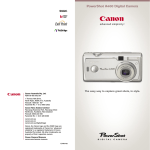
High-resolution digital cameras
packed with incredible shooting features.
SMALL, COMPACT AND FULL OF FEATURES
VERSATILE SHOOTING MODES
CREATE YOUR OWN STUNNING PANORAMAS
Packed with features, the PowerShot A620 and PowerShot A610
A range of pre-set shooting options means you can enjoy superior
Use the built-in Stitch Assist mode to create seamless panoramas
capture the precious moments of your life and transform them into
results every time. Simply point and shoot with Auto mode,
that stretch across 360 degrees.
your most memorable photos. The 7.1 Megapixel PowerShot A620
or experiment with one of the numerous built-in shooting modes that
and 5.0 Megapixel PowerShot A610 offer brilliantly detailed images
automatically adjust to the optimum setting for the selected scene.
and thanks to Canon’s revolutionary DiG!C II image processor, they’re
so fast you’ll never miss a shot. These easy-to-use cameras may be
compact, but they feature 22 versatile shooting modes – making it
easier to take breathtaking shots.
Landscape
Portrait
Snow
Kids & Pets
Night Snapshot
Underwater
CANON’S FORMULA FOR AMAZING DIGITAL PHOTOS
High-performance
4x optical
zoom lens
+
7.1/5.0
Megapixel CCD
+
High-performance
DiG!C II
image processor
Stitch Assist
MAKE YOUR OWN MOVIES
Take advantage of the PowerShot A620
DiG!C II DELIVERS SPEED AND DETAIL
Indoor
Beach
Fireworks
and PowerShot A610’s movie recording
by capturing the movement and sound
The purpose-built DiG!C II image
of special moments you want to share
processor is a single chip that acts
with others.
as the brain of the camera. DiG!C II
offers super fast start-up and
autofocus. It also enables continuous
Night Scene
Foliage
PRINT PHOTOS WITH EASE
ADVANCED SHOOTING MODES
You no longer need a computer to print your photos. Simply connect
matter how many shots you take†.
When you want to create different effects or you’re shooting in
your camera to a Canon Bubble Jet Direct printer, Canon Compact
Most importantly, DiG!C II delivers
unusual conditions, adjust the manual settings yourself. Settings such
Photo printer or compatible PictBridge printer, then select your
brilliant images with greater clarity
as Program, Shutter Speed Priority and Aperture Priority will give you
image and press the ‘Print/Share’ button*. Simple.
and accurate colour.
total control over any shot – perfect for creative photography.
With their high resolution 7.1 and 5 megapixel CCDs, you can
GET CLOSE WITH 4X OPTICAL ZOOM
GET CREATIVE WITH COLOUR
Shoot everything from landscapes to
The PowerShot A620 and PowerShot A610 offer My Colours and Photo
close-up portraits with a high quality
Effects features, allowing you to explore a diverse range of colour
Canon 4x optical zoom lens (35mm film
settings. Have some fun – take sepia shots, make brilliant blues or vivid
equivalent: 35 – 140mm). You can even
greens, or even create colour accents when shooting in black and white.
shooting at a constant speed, no
even print up to A3+ size with superb detail.
Print/Share
button
shoot subjects in perfect detail from as
close as 1cm with Macro mode.
3 Print
†
Until SD memory card becomes full. Low level format may be required.
Depends on memory card speed/capacity and shooting resolution and compression.
1 Connect
2 Select
Without Colour Accent
With Colour Accent
Sepia
*Compatible printer required for Direct Printing.
SMALL, COMPACT AND FULL OF FEATURES
VERSATILE SHOOTING MODES
CREATE YOUR OWN STUNNING PANORAMAS
Packed with features, the PowerShot A620 and PowerShot A610
A range of pre-set shooting options means you can enjoy superior
Use the built-in Stitch Assist mode to create seamless panoramas
capture the precious moments of your life and transform them into
results every time. Simply point and shoot with Auto mode,
that stretch across 360 degrees.
your most memorable photos. The 7.1 Megapixel PowerShot A620
or experiment with one of the numerous built-in shooting modes that
and 5.0 Megapixel PowerShot A610 offer brilliantly detailed images
automatically adjust to the optimum setting for the selected scene.
and thanks to Canon’s revolutionary DiG!C II image processor, they’re
so fast you’ll never miss a shot. These easy-to-use cameras may be
compact, but they feature 22 versatile shooting modes – making it
easier to take breathtaking shots.
Landscape
Portrait
Snow
Kids & Pets
Night Snapshot
Underwater
CANON’S FORMULA FOR AMAZING DIGITAL PHOTOS
High-performance
4x optical
zoom lens
+
7.1/5.0
Megapixel CCD
+
High-performance
DiG!C II
image processor
Stitch Assist
MAKE YOUR OWN MOVIES
Take advantage of the PowerShot A620
DiG!C II DELIVERS SPEED AND DETAIL
Indoor
Beach
Fireworks
and PowerShot A610’s movie recording
by capturing the movement and sound
The purpose-built DiG!C II image
of special moments you want to share
processor is a single chip that acts
with others.
as the brain of the camera. DiG!C II
offers super fast start-up and
autofocus. It also enables continuous
Night Scene
Foliage
PRINT PHOTOS WITH EASE
ADVANCED SHOOTING MODES
You no longer need a computer to print your photos. Simply connect
matter how many shots you take†.
When you want to create different effects or you’re shooting in
your camera to a Canon Bubble Jet Direct printer, Canon Compact
Most importantly, DiG!C II delivers
unusual conditions, adjust the manual settings yourself. Settings such
Photo printer or compatible PictBridge printer, then select your
brilliant images with greater clarity
as Program, Shutter Speed Priority and Aperture Priority will give you
image and press the ‘Print/Share’ button*. Simple.
and accurate colour.
total control over any shot – perfect for creative photography.
With their high resolution 7.1 and 5 megapixel CCDs, you can
GET CLOSE WITH 4X OPTICAL ZOOM
GET CREATIVE WITH COLOUR
Shoot everything from landscapes to
The PowerShot A620 and PowerShot A610 offer My Colours and Photo
close-up portraits with a high quality
Effects features, allowing you to explore a diverse range of colour
Canon 4x optical zoom lens (35mm film
settings. Have some fun – take sepia shots, make brilliant blues or vivid
equivalent: 35 – 140mm). You can even
greens, or even create colour accents when shooting in black and white.
shooting at a constant speed, no
even print up to A3+ size with superb detail.
Print/Share
button
shoot subjects in perfect detail from as
close as 1cm with Macro mode.
3 Print
†
Until SD memory card becomes full. Low level format may be required.
Depends on memory card speed/capacity and shooting resolution and compression.
1 Connect
2 Select
Without Colour Accent
With Colour Accent
Sepia
*Compatible printer required for Direct Printing.
SMALL, COMPACT AND FULL OF FEATURES
VERSATILE SHOOTING MODES
CREATE YOUR OWN STUNNING PANORAMAS
Packed with features, the PowerShot A620 and PowerShot A610
A range of pre-set shooting options means you can enjoy superior
Use the built-in Stitch Assist mode to create seamless panoramas
capture the precious moments of your life and transform them into
results every time. Simply point and shoot with Auto mode,
that stretch across 360 degrees.
your most memorable photos. The 7.1 Megapixel PowerShot A620
or experiment with one of the numerous built-in shooting modes that
and 5.0 Megapixel PowerShot A610 offer brilliantly detailed images
automatically adjust to the optimum setting for the selected scene.
and thanks to Canon’s revolutionary DiG!C II image processor, they’re
so fast you’ll never miss a shot. These easy-to-use cameras may be
compact, but they feature 22 versatile shooting modes – making it
easier to take breathtaking shots.
Landscape
Portrait
Snow
Kids & Pets
Night Snapshot
Underwater
CANON’S FORMULA FOR AMAZING DIGITAL PHOTOS
High-performance
4x optical
zoom lens
+
7.1/5.0
Megapixel CCD
+
High-performance
DiG!C II
image processor
Stitch Assist
MAKE YOUR OWN MOVIES
Take advantage of the PowerShot A620
DiG!C II DELIVERS SPEED AND DETAIL
Indoor
Beach
Fireworks
and PowerShot A610’s movie recording
by capturing the movement and sound
The purpose-built DiG!C II image
of special moments you want to share
processor is a single chip that acts
with others.
as the brain of the camera. DiG!C II
offers super fast start-up and
autofocus. It also enables continuous
Night Scene
Foliage
PRINT PHOTOS WITH EASE
ADVANCED SHOOTING MODES
You no longer need a computer to print your photos. Simply connect
matter how many shots you take†.
When you want to create different effects or you’re shooting in
your camera to a Canon Bubble Jet Direct printer, Canon Compact
Most importantly, DiG!C II delivers
unusual conditions, adjust the manual settings yourself. Settings such
Photo printer or compatible PictBridge printer, then select your
brilliant images with greater clarity
as Program, Shutter Speed Priority and Aperture Priority will give you
image and press the ‘Print/Share’ button*. Simple.
and accurate colour.
total control over any shot – perfect for creative photography.
With their high resolution 7.1 and 5 megapixel CCDs, you can
GET CLOSE WITH 4X OPTICAL ZOOM
GET CREATIVE WITH COLOUR
Shoot everything from landscapes to
The PowerShot A620 and PowerShot A610 offer My Colours and Photo
close-up portraits with a high quality
Effects features, allowing you to explore a diverse range of colour
Canon 4x optical zoom lens (35mm film
settings. Have some fun – take sepia shots, make brilliant blues or vivid
equivalent: 35 – 140mm). You can even
greens, or even create colour accents when shooting in black and white.
shooting at a constant speed, no
even print up to A3+ size with superb detail.
Print/Share
button
shoot subjects in perfect detail from as
close as 1cm with Macro mode.
3 Print
†
Until SD memory card becomes full. Low level format may be required.
Depends on memory card speed/capacity and shooting resolution and compression.
1 Connect
2 Select
Without Colour Accent
With Colour Accent
Sepia
*Compatible printer required for Direct Printing.
EASY-TO-USE SOFTWARE
The PowerShot A620 and PowerShot A610 come complete with
POWERSHOT A620 AND A610 SPECIFICATIONS
CCD
Size
Effective Pixels
software that makes it easy to download, edit and store your shots.
You can even create digital photo albums and slide shows to share
with friends and family.
Filter Type
IMAGE PROCESSOR
Processor
LENS
Focal Length (Optical)
35mm Film Equivalent
Maximum Aperture
Shutter Speed
Optical Zoom
Digital Zoom
FOCUSING
Focusing Method
Focusing Range
Movie
1/1.8 inch
Approx. 7.1 MP (A620)
Approx. 5.0 MP (A610)
Primary colour filter (Bayer)
DiG!C II
7.3(W) – 29.2(T)mm
35 – 140mm
f/2.8(W) – f/4.1(T)
15 – 1/2500 sec.
Approx. 4x
Approx. 4x
TTL 9-point AiAF/1-point AF
(fixed to centre or active frame
control, selectable Manual focus,
AF Lock available)
Normal 45cm – infinity
Macro 1 – 45cm(W),
24 – 45cm(T)
Manual 1cm – infinity(W)
25cm – infinity(T)
CONTROL/BALANCE
Light Metering Method
ZoomBrowser EX
OPTIONAL ACCESSORIES
Waterproof Case WP-DC90 (up to 40m)
High-Power Flash HF-DC1
Tele-Converter Lens TC-DC58N (1.75x)*
Wide Converter Lens WC-DC58N (0.7x)*
Metallic Neck Strap
Battery and Charger Kit CBK4-200
Evaluative / Centre-weighted
average / Spot (Metering frame
when Spot: fixed to centre or
linked to AF frame, selectable)
Exposure Control Method Program AE /
Shutter speed-priority AE /
Aperture-priority AE / Manual
Exposure Compensation ± 2 EV in 1/3-stop increments
White Balance Modes
Auto + Pre-set (Daylight /
Cloudy / Tungsten / Fluorescent /
Fluorescent H) + Custom
ISO Equivalent Film Speed Auto / ISO 50 / 100 / 200 /400
LCD MONITOR/VIEWFINDER
Viewfinder
Real-image optical zoom
LCD Monitor
2.0 inch Low-temperature
polycrystalline silicon TFT
colour LCD (vari-angle)
FLASH
Flash Modes
Auto*, On*, Off
*Red-eye reduction is available
Flash Range
Normal 45cm – 4.2m(W),
(at ISO Auto equiv.)
45cm – 3.0m(T)
Macro 25 – 45cm(W/T)
SHOOTING MODES
Auto / Creative Zone: P, Tv, Av, M, C / Image Zone:
Portrait, Landscape, Night Scene, Special Scene Mode:
(Night Snapshot, Kids & Pets, Indoor, Foliage, Snow,
Beach, Fireworks, Underwater) / Stitch Assist / Movie
(Standard, Large, Compact, My Colours)
MY COLOURS
Positive Film / Lighter Skin Tone / Darker Skin Tone /
Vivid Blue / Vivid Green / Vivid Red / Colour Accent /
Colour Swap / Custom Colour
PHOTO EFFECTS MODE
Vivid, Neutral, Low sharpening, Sepia, Black & White
CONTINUOUS SHOOTING
A620 Approx. 1.9 shots/sec (Large / Fine mode)
A610 Approx. 2.4 shots/sec (Large / Fine mode)
IMAGE RECORDING COMPRESSION
Still image
JPEG (Exif 2.2 compliant)
All data based on Canon’s Standard Test Method.
All specifications may change without notice.
Video data: Motion JPEG /
Audio: WAVE (monaural)
JPEG Compression Levels Superfine / Fine / Normal
STILL IMAGES RECORDING PIXELS
A620
A610
Large
3072 x 2304
2592 x 1944
Medium 1
2592 x 1944
2048 x 1536
Medium 2
2048 x 1536
1600 x 1200
Medium 3
1600 x 1200
Small
640 x 480
640 x 480
MOVIE RECORDING PIXELS & CAPACITY
Large
640 x 480 30fps and 15fps
[Up to 60 minutes or 1GB
whichever comes first†]
Middle
320 x 240 30fps and 15fps
[Up to 60 minutes or 1GB
whichever comes first†]
320 x 240 60fps [max. approx.
1 min per recording]
Small
160 x 120 15fps [max. approx.
3 min per recording]
†
When using a high-speed SD memory card.
Low-level format may be required
OTHER OPERATIONS
Playback Operations
PictBridge
Camera Settings
Menu Languages
Self-timer
Single / Index (9 thumbnail
images) /Slide Show / Movie
Special Replay – Next frame,
Previous frame, Fast forward,
Rewind, First frame and Last
Frame / Magnify (2x – 10x) /
Auto vertical and horizontal
image orientation / Still
histogram display / Transition
effects
Yes
Start-up image / Start-up
sound / Shutter sound /
Operation sound and
Self-timer sound
22 languages
Approx. 2 sec. or 10 sec.
count-down or custom
INTERFACE
Computer I/F
Video Output
Audio Output
Memory Storage
USB 2.0 Hi-Speed
PAL or NTSC selectable
Monaural
SD Memory Card /
MultiMediaCard
SUPPORTED OPERATING SYSTEMS
PC
Windows 98SE /
ME / 2000 (SP4) / XP (SP1, SP2)
Mac
OS X (Version 10.2-10.4)
POWER SOURCE
AA Alkaline battery (x4) or AA rechargeable NiMH battery
(x4) (NB-2AH is recommended)
INCLUDED IN THE BOX
Wrist Strap, 32MB SD Memory Card (A620), 16MB SD Memory Card
(A610), 4 x AA Alkaline Batteries, AC Cable, AV Cable AV-DC300, USB
Interface Cable IFC-400PCU, Canon Digital Camera Solution Disc
OPERATING ENVIRONMENT
Temperature
0 – 40°C
Humidity
10 – 90%
DIMENSIONS (W X H X D)
104.8 x 66 x 49.1mm (ex protrusions)
WEIGHT
Approx. 235g (camera body only)
Comparative and simulated images are for illustrative
purposes only.
Soft Case SC-A3
Want to know more? Visit canon.com.au
*Conversion Lens Adaptor LA-DC58F is required.
Canon Australia Pty. Ltd.
Freecall: 1800 021 167
Facsimile No: +61 2 9805 2632
PowerShot A620 and PowerShot A610
Digital Cameras
Canon New Zealand Ltd.
Freecall: 0800 222 666
Facsimile No: + 64 9 489 0380
canon.com.au
canon.co.nz
canon.com.au/digitalimage
Canon, the Canon logo and the DiG!C logo are registered trademarks of Canon Inc. ‘advanced
simplicity’ is a trademark of Canon Australia Pty Limited. All other trademarks are property of
their respective owners.
CAN0722
High-resolution digital cameras
packed with incredible shooting features.
EASY-TO-USE SOFTWARE
The PowerShot A620 and PowerShot A610 come complete with
POWERSHOT A620 AND A610 SPECIFICATIONS
CCD
Size
Effective Pixels
software that makes it easy to download, edit and store your shots.
You can even create digital photo albums and slide shows to share
with friends and family.
Filter Type
IMAGE PROCESSOR
Processor
LENS
Focal Length (Optical)
35mm Film Equivalent
Maximum Aperture
Shutter Speed
Optical Zoom
Digital Zoom
FOCUSING
Focusing Method
Focusing Range
Movie
1/1.8 inch
Approx. 7.1 MP (A620)
Approx. 5.0 MP (A610)
Primary colour filter (Bayer)
DiG!C II
7.3(W) – 29.2(T)mm
35 – 140mm
f/2.8(W) – f/4.1(T)
15 – 1/2500 sec.
Approx. 4x
Approx. 4x
TTL 9-point AiAF/1-point AF
(fixed to centre or active frame
control, selectable Manual focus,
AF Lock available)
Normal 45cm – infinity
Macro 1 – 45cm(W),
24 – 45cm(T)
Manual 1cm – infinity(W)
25cm – infinity(T)
CONTROL/BALANCE
Light Metering Method
ZoomBrowser EX
OPTIONAL ACCESSORIES
Waterproof Case WP-DC90 (up to 40m)
High-Power Flash HF-DC1
Tele-Converter Lens TC-DC58N (1.75x)*
Wide Converter Lens WC-DC58N (0.7x)*
Metallic Neck Strap
Battery and Charger Kit CBK4-200
Evaluative / Centre-weighted
average / Spot (Metering frame
when Spot: fixed to centre or
linked to AF frame, selectable)
Exposure Control Method Program AE /
Shutter speed-priority AE /
Aperture-priority AE / Manual
Exposure Compensation ± 2 EV in 1/3-stop increments
White Balance Modes
Auto + Pre-set (Daylight /
Cloudy / Tungsten / Fluorescent /
Fluorescent H) + Custom
ISO Equivalent Film Speed Auto / ISO 50 / 100 / 200 /400
LCD MONITOR/VIEWFINDER
Viewfinder
Real-image optical zoom
LCD Monitor
2.0 inch Low-temperature
polycrystalline silicon TFT
colour LCD (vari-angle)
FLASH
Flash Modes
Auto*, On*, Off
*Red-eye reduction is available
Flash Range
Normal 45cm – 4.2m(W),
(at ISO Auto equiv.)
45cm – 3.0m(T)
Macro 25 – 45cm(W/T)
SHOOTING MODES
Auto / Creative Zone: P, Tv, Av, M, C / Image Zone:
Portrait, Landscape, Night Scene, Special Scene Mode:
(Night Snapshot, Kids & Pets, Indoor, Foliage, Snow,
Beach, Fireworks, Underwater) / Stitch Assist / Movie
(Standard, Large, Compact, My Colours)
MY COLOURS
Positive Film / Lighter Skin Tone / Darker Skin Tone /
Vivid Blue / Vivid Green / Vivid Red / Colour Accent /
Colour Swap / Custom Colour
PHOTO EFFECTS MODE
Vivid, Neutral, Low sharpening, Sepia, Black & White
CONTINUOUS SHOOTING
A620 Approx. 1.9 shots/sec (Large / Fine mode)
A610 Approx. 2.4 shots/sec (Large / Fine mode)
IMAGE RECORDING COMPRESSION
Still image
JPEG (Exif 2.2 compliant)
All data based on Canon’s Standard Test Method.
All specifications may change without notice.
Video data: Motion JPEG /
Audio: WAVE (monaural)
JPEG Compression Levels Superfine / Fine / Normal
STILL IMAGES RECORDING PIXELS
A620
A610
Large
3072 x 2304
2592 x 1944
Medium 1
2592 x 1944
2048 x 1536
Medium 2
2048 x 1536
1600 x 1200
Medium 3
1600 x 1200
Small
640 x 480
640 x 480
MOVIE RECORDING PIXELS & CAPACITY
Large
640 x 480 30fps and 15fps
[Up to 60 minutes or 1GB
whichever comes first†]
Middle
320 x 240 30fps and 15fps
[Up to 60 minutes or 1GB
whichever comes first†]
320 x 240 60fps [max. approx.
1 min per recording]
Small
160 x 120 15fps [max. approx.
3 min per recording]
†
When using a high-speed SD memory card.
Low-level format may be required
OTHER OPERATIONS
Playback Operations
PictBridge
Camera Settings
Menu Languages
Self-timer
Single / Index (9 thumbnail
images) /Slide Show / Movie
Special Replay – Next frame,
Previous frame, Fast forward,
Rewind, First frame and Last
Frame / Magnify (2x – 10x) /
Auto vertical and horizontal
image orientation / Still
histogram display / Transition
effects
Yes
Start-up image / Start-up
sound / Shutter sound /
Operation sound and
Self-timer sound
22 languages
Approx. 2 sec. or 10 sec.
count-down or custom
INTERFACE
Computer I/F
Video Output
Audio Output
Memory Storage
USB 2.0 Hi-Speed
PAL or NTSC selectable
Monaural
SD Memory Card /
MultiMediaCard
SUPPORTED OPERATING SYSTEMS
PC
Windows 98SE /
ME / 2000 (SP4) / XP (SP1, SP2)
Mac
OS X (Version 10.2-10.4)
POWER SOURCE
AA Alkaline battery (x4) or AA rechargeable NiMH battery
(x4) (NB-2AH is recommended)
INCLUDED IN THE BOX
Wrist Strap, 32MB SD Memory Card (A620), 16MB SD Memory Card
(A610), 4 x AA Alkaline Batteries, AC Cable, AV Cable AV-DC300, USB
Interface Cable IFC-400PCU, Canon Digital Camera Solution Disc
OPERATING ENVIRONMENT
Temperature
0 – 40°C
Humidity
10 – 90%
DIMENSIONS (W X H X D)
104.8 x 66 x 49.1mm (ex protrusions)
WEIGHT
Approx. 235g (camera body only)
Comparative and simulated images are for illustrative
purposes only.
Soft Case SC-A3
Want to know more? Visit canon.com.au
*Conversion Lens Adaptor LA-DC58F is required.
Canon Australia Pty. Ltd.
Freecall: 1800 021 167
Facsimile No: +61 2 9805 2632
PowerShot A620 and PowerShot A610
Digital Cameras
Canon New Zealand Ltd.
Freecall: 0800 222 666
Facsimile No: + 64 9 489 0380
canon.com.au
canon.co.nz
canon.com.au/digitalimage
Canon, the Canon logo and the DiG!C logo are registered trademarks of Canon Inc. ‘advanced
simplicity’ is a trademark of Canon Australia Pty Limited. All other trademarks are property of
their respective owners.
CAN0722
High-resolution digital cameras
packed with incredible shooting features.