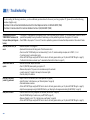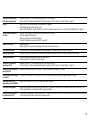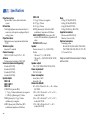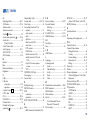
1
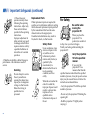
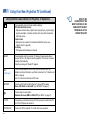
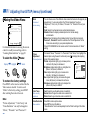
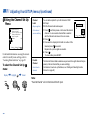
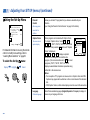
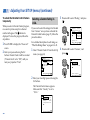
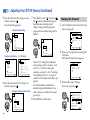
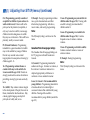
3 Press V or v to select the type of
programs to be blocked, and press
Custom Rating
TV Rating
Movie Rating
Unrated:
VVii ee w A l ll
V
TV
Mo v i e
M
B o t hh
Block all unrated
programming
Move
Select
End MENU
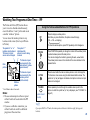
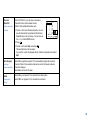
To block ...
Select ...
.
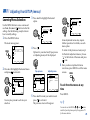
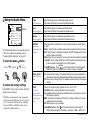
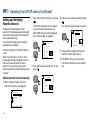
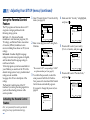
Selecting a Custom Rating in
Canada
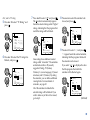
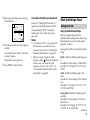
3 Press V or v to select “Rating,” and press
.
Parental Control
Country:
Canada
P a r e n t a l L o c k : On
Rating:
Child
C h a n g e P a s s w o rYdo u t h
Young Adult
Custom
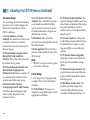
If you want to select the ratings to be blocked
from “Custom” once you have activated the
Parental Control feature (page 37), follow the
procedure below.
For a detailed description of each rating, see
“What the Ratings Mean” on pages 45 and
46.
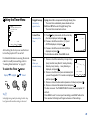
1 Select “Parental Control” from the Set Up
Ages up to 6
Move
Select
End
MENU
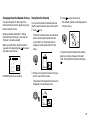
4 Press V or v to select “Custom,” and
press
.
menu. (see page 34)
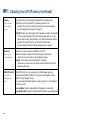
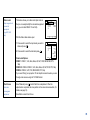
No program
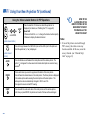
(to view any unrated TV
program and movie)
View All
Unrated TV programs
TV
Unrated movies
Movie
Unrated TV programs and
movies
Both
ch
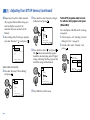
4 Press MENU to exit the menu.
Set Up
Parental Control
C a p t i o n VPi saisosnw: o r dC C 1
L a n g u a g e :_ _ _ _
Video Label
Flash Focus:
No
Move
Select
End
MENU
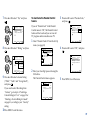
2 Enter your four digit password using the
0–9 buttons.
The Parental Control menu appears.
Make sure that “Country” is set to
“Canada.”
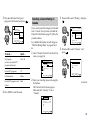
Custom Rating
English Rating
French Rating
U.S.A. Rating
Select category
Move
Select
End
MENU
(continued)
Parental Control
Country:
Canada
P a r e n t a l L o c k : On
Rating:
Child
Change Password
Move
Select
End
MENU
41