1
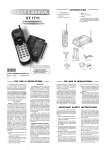
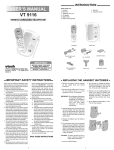
INTRODUCTION Parts Check List 4. Wall mount accessory 1. Base unit, Handset and 5. Belt Clip AC adaptor 6. Earpiece Covers 2. Telephone Cord To purchase replacement battery packs, call VTECH Communications at 1-800-5959511. In Canada, call VTECH Electronics at 1-800-267-7377. 3. Battery Pack 1 VTECH COMMUNICATIONS Made in China 91-5087-10-00 FCC AND IC REGULATIONS FCC Part 68 This equipment complies with Parts 15 and 68 of the Federal Communications Commission (FCC) rules for the United States. It also complies with regulations RSS210 and CS-03 of Industry Canada (IC). The FCC requires that you connect your cordless telephone to the nationwide telephone network through a modular telephone jack (USOC RJ11C or RJ11W). A label is located on the underside of the base unit containing both the FCC registration number and Ringer Equivalence Number (REN) or the IC registration number and Load Number. You must, upon request, provide this information to your local telephone company. Your telephone company may discontinue your service if your equipment causes harm to the telephone network. They will notify you in advance of disconnection, if possible. During notification, you will be informed of your right to file a complaint with the FCC. This equipment is compatible with inductively coupled hearing aids. If it is determined that your telephone equipment is malfunctioning, the FCC requires that it not be used and that it be unplugged from the modular jack until the problem has been corrected. Repairs to this telephone equipment can only be made by the manufacturer or its authorized agents or by others who may be authorized by the FCC. For repair procedures, follow the instructions outlined under the VTECH Limited Warranty. FCC Part 15 Warning: Changes or modifications to this unit not expressly approved by the party responsible for compliance could void the user’s authority to operate the equipment. The equipment has been tested and found to comply with part 15 of the FCC rules. These limits are designed to provide reasonable protection against harmful interference in a residential installation. This equipment generates, uses and can radiate radio frequency energy and, if not installed and used in accordance with the instructions, may cause harmful interference to radio communications. However, there is no guarantee that interference will not occur in a particular installation. If this equipment does cause harmful interference to radio or television reception, which can be determined by turning the equipment off and on, the user is encouraged to try and correct the interference by one or more of the following measures: * * * * The REN is useful in determining the number of devices you may connect to your telephone line and still enable the devices to ring when you receive a call. The general rule is that the REN value should not exceed 5.0 total; however, contact your local telephone company for the specific number in your area. INDUSTRY CANADA (IC) NOTICE NOTICE: The Industry Canada (IC) label identifies certified equipment. This certification means that the equipment meets telecommunications network protective, operational and safety requirements as prescribed in the appropriate Terminal Equipment Technical Requirements document(s). The department does not guarantee the equipment will operate to the user’s satisfaction. Reorientate or relocate the receiving antenna. Increase the separation between the equipment and receiver. Connect the equipment into an outlet or on a circuit different from that to which the receiver is connected. Before installing this equipment, users should ensure that it is permissible to be connected to the facilities of the local telecommunications company. The equipment must also be installed using an acceptable Consult the dealer or an experienced radio/TV technician for help. 2 FCC AND IC REGULATIONS method of connection. The customer should be aware that compliance with the above conditions may not prevent degradation of service in some situations. may be particularly important in rural areas. Caution! User should not attempt to make such connections themselves, but should contact the appropriate electric inspection authority, or electrician, as appropriate. Repairs to certified equipment should be coordinated by a representative designated by the supplier. Any repairs or alterations made by a user to this equipment, or equipment malfunctions, may give the telephone communications company cause to request the user to disconnect the equipment. NOTICE: The Ringer Equivalence Number (REN) assigned to each terminal device provides an indication of the maximum number of terminals allowed to be connected to a telephone interface. The termination on an interface may consist of any combination of devices subject only to the requirement that the sum of the Ringer Equivalence Numbers of all the devices does not exceed 5.0000. User should ensure for their own protection, that the electrical ground connections of the power utility, telephone lines and internal metallic water pipe system, if present, are connected together. This precaution IMPORTANT SAFETY INSTRUCTIONS When using your telephone equipment, basic safety precautions should always be followed to reduce the risk of fire, electric shock and injury to persons, including the following: blocked by placing the product on the bed, sofa, rug, or other similar surface. This product should never be placed near or over a radiator or heat register. This product should not be placed in a built-in installation unless proper ventilation is provided. 1. Read and understand all instructions. 2. Follow all warnings and instructions marked on the product. 3. Unplug this product from the wall outlet before cleaning. Do not use liquid cleaners or aerosol cleaners. Use a dry cloth for cleaning. 7. This product should be operated only from the type of power source indicated on the marking label. If you are not sure of the type of power supply to your home, consult your dealer or local Power Company. 4. Do not use this product near water, for example, near a bathtub, wash bowl, kitchen sink, or laundry tub, in a wet basement, or near a swimming pool. 8. Do not allow anything to rest on the power cord. Do not locate this product where the cord will be abused by persons walking on it. 5. Do not place this product on an unstable cart, stand, or table. The telephone may fall, causing serious damage to the telephone. 9. Do not overload wall outlets and extension cords as this can result in the risk of fire or electric shock. 10. Never push objects of any kind into this product through cabinet slots as they may touch dangerous voltage points or short out parts that could result in a risk of fire or electric shock. Never spill liquid of any kind on the product. 6. Slots and openings in the cabinet and the back or bottom are provided for ventilation, to protect it from overheating, these openings must not be blocked or covered. The openings should never be 3 IMPORTANT SAFETY INSTRUCTIONS 11. To reduce the risk of electric shock, do not disassemble this product. Opening or removing covers may expose you to dangerous voltages or other risks. Incorrect reassembly can cause electric shock when the appliance is subsequently used. instructions. Adjust only those controls that are covered by the operating instructions because improper adjustment of other controls may result in damage and will often require extensive work by a qualified technician to restore the product to normal operation. 12.Unplug this product from the wall outlet and refer servicing to qualified service personnel under the following conditions: e) If the product has been dropped or the cabinet has been damaged. a) When the power supply cord plug is damaged or frayed. f) If the product exhibits a distinct change in performance. b) If liquid has been spilled into the product. 13.Do not use the telephone to report a gas leak in the vicinity of the leak. c) If the product has been exposed to rain or water. REPLACING THE HANDSET BATTERY PACK CAUTION: ITS IMPOSSIBLE TO OVERCHARGE THE BATTERY PACK To Reduce the Risk of Fire or Injury to Persons, read and Follow the Instructions The battery pack can be recharged many times, but if you get a low-battery signal even after 8 hours of maintenance charging in the base cradle (or 24 hours in the base spare battery charger), the battery pack(s) should be replaced. 1. Use only VTECH rechargeable battery pack. To purchase replacement battery packs, call VTECH Communications at 1-800595-9511. In Canada, call VTECH Electronics at 1-800-267-7377. Do not dispose of this battery into household garbage. For information on recycling or proper disposal, consult your local solid waste collection or disposal organization. 2. Do not dispose of the battery in a fire. The cell may explode. IMPORTANT: REPLACING THE HANDSET BATTERY PACK 3. Do not open or mutilate the battery. Released electrolyte is corrosive and may cause damage to the eyes or skin. It may be toxic if swallowed. Follow the steps below: d) If the product does not operate normally by following the operating SAVE THESE INSTRUCTIONS REPLACING THE HANDSET BATTERY PACK Charging the handset batteries. The handset of your VTech VT 1712 cordless telephone is powered by a rechargeable battery pack. It charges automatically whenever the handset is in the base. You should charge the battery pack for 16 hours when you first receive your phone. You’ll know that battery pack needs charging when: recommended that the battery pack be charged for at least 16 hours initially and 8 hours for maintenance charging. You can use your telephone before that with diminished capacity, but it is best to charge the battery pack fully. It will take several recharge cycles to maximize the charge capacity of your battery pack. The maximum battery life between charges is 7 hours of continuous talk time or 14 days of stand by. * The phone emits a warning tone when you press the ON/OFF key. Alternatively, if you have purchased a spare battery pack and it has been charging in the base unit, simply exchange the drained handset battery pack with the fully charged replacement battery pack from the base charger. Place the drained handset battery pack into the base charger to recharge. * The handset seems completely dead; no lights are evident, and pressing keys do not generate a beep. To Charge the Battery Pack. To charge the battery pack, place the handset in the base unit. The CHARGE indicator will light to show the handset is seated properly and the battery pack is charging. It is 1. Remove the battery case cover by pressing on the ridged lines and sliding downward. 4. Exercise care in handling batteries in order not to short the battery with conducting materials such as rings, bracelets, and keys. The battery or conductor may overheat and cause burns. 2. Hold the battery pack and plug the cord into the handset.(The two cord metal tips on the white plastic end of the plug should be facing upwards.) 3. Place the cord in the case so it rests on top of the battery pack. A WORD ABOUT RECHARGEABLE BATTERIES 4. Replace the battery case cover by sliding the cover upwards. Your Ni-Cd batter y pack recharges whenever the Handset is returned to the Base Unit cradle. You may return the Handset to its cradle whenever you’re not using the phone. 5. If the new battery pack is not already charged, place the handset in the cradle of the base unit to allow it to charge for 16 hours. GETTING STARTED SETTING UP YOUR VTECH VT 1712 SETTING THE TONE/PULSE SWITCH Choose an area near an electrical outlet and a telephone wall jack. The TONE\PULSE switch is located on the bottom of the base unit and is factory set to TONE. If you have touch tone service, do not change the switch setting. If you have rotary (Pulse) service, set the switch to PULSE. AC POWER ADAPTOR Plug the AC power adaptor into an electrical outlet and the DC connector to the back of the base unit. 4 5 GETTING STARTED WALL MOUNTING CHARGE THE HANDSET BATTERY PACK BEFORE USE DETACHABLE EARPIECE COVER Your VT1712 comes with extra earpiece covers in various colors, which are interchangeable according to your preference. To remove the cover presently on your Handset, using your thumb and index finger, pry the lower portion of the cover away from the body of the Handset, one side at a time. Then, gently pull until the entire cover separates from the Handset. The battery pack recharges automatically whenever the handset is in the base unit. The battery pack must be charged for 16 hours before using your phone for the first time. CONNECT TELEPHONE LINE CORD Plug one end of the telephone cord into a wall jack, and the other end into the back of the Base Unit. Snap the new earpiece cover in place. Enjoy colorful phone calls! CHECK FOR A DIAL TONE After charging the battery pack, rotate the Base Unit antenna to an upright position. Pick up the Handset, making sure the Handset antenna is fully extended. Now press ON/OFF, you should hear a dial tone. If not, see ‘IN CASE OF DIFFICULTY’. CAUTION: 1. Never install telephone wiring during a lightning storm. 2. Never install telephone jacks in wet locations unless the jack is specifically designed for wet locations. Fill in the telephone number card on the base unit. The Wall Mount adaptor is designed to fit on standard Wall Mount plates. bottom of the base. Snap the wall mount bracket firmly in place. 2. Mount the base on the wall. 1. Choose a spot near an electrical outlet and a telephone jack. Position the base so the mounting studs will fit into the holes on the bottom of the base. Position the power cord to extend down the wall the phone is to be mounted on. Slide the base down on the mounting studs until it locks into place. Your phone requires a modular telephone jack and a standard electrical outlet (120v AC). The power cord is six feet long; make sure there is an electrical outlet within reach of the base. The outlet should not be controlled by a wall switch. If the switch is ever turned off, the phone will not operate. 3. Connect the telephone line cord. The telephone line cord has a snap-in plug at each end. Insert one of the plugs into the jack on the bottom of the base. Insert the other end of the plug into the wall jack. USING THE WALL MOUNT ADAPTOR 1. Position the wall mount bracket on the base. Line up the tabs on the wall mount adaptor with the holes on the 3. Never touch uninsulated telephone wires or terminals unless the telephone line has been disconnected at the network interface. 4. Use caution when installing or modifying telephone lines. 6 7 BASIC OPERATION BASIC OPERATION 4. Plug the AC adaptor into an electrical outlet and the DC connector on the back of the Base Unit. ANSWERING CALLS When the Handset is in the Base Unit cradle, simply pick up the Handset to answer an incoming call. user picks up another phone on the same link, the VT1712 will take itself off hold and turn off. therefore, you do not have to go back to turn the phone off if you go to another extension. It is done automatically. * A confirmation ring will be heard for the new ringer type. PAGE * The phone will automatically exit ringer programming mode. To page from the base, press PAGE. When the Handset is away from the Base Unit, press any key except OFF to answer an incoming call. To cancel the page, either press PAGE on the base, or press OFF on the handset. ADVANCED FUNCTIONS MAKING CALLS TEMPORARY TONE 1. Press the PHONE key and wait for a dial tone. If you have rotary (dial-pulse) telephone service (TONE/PULSE switch is set to PULSE), this feature allows you to temporarily switch to TONE dialing for such purposes as remote access to answering machines, bank-by-phone services, use of calling cards and other special services. 2. Then dial the number you want. If you make a mistake when dialing, press OFF to hang up, then press PHONE again to get a dial tone. DISCONNECTING 1. Dial the call normally. 2. Then activate the Temporar y Tone feature by pressing (TONE key). 3. You can then press the numbers or symbols you need, and your phone will send the proper tones. To end a call, either place the handset back in the Base Unit, or press OFF. * VOLUME CONTROL Located on the side of the Handset, the Volume Control switch has 3 positions:LOW, MEDIUM and HIGH. To end the call, press OFF or place the Handset back in the base. The phone will automatically go back to rotary (dial-pulse) service. flash You can use your VTech VT1712 cordless phone with services such as Call Waiting. Simply press the FLASH key. PROGRAMMING THE RINGER The handset ringer is capable of four different types of ringing tones. The following section details how to select different ringer types. REDIAL To redial the last number you dialed, press PHONE, then press REDIAL. The phone will automatically dial the number. CHANGING RINGER TYPES To program, the handset must be OFF. HOLD To select a different ringer type do the following: Press HOLD to place an active call on hold. The PHONE LED will flash to indicate the call is on hold. * Press FLASH * Press: Press PHONE or HOLD again to return to the call. If a call is on Hold using VT1712 and the 3 for ringer type 3 you wish to delete (01..20). 4 for ringer type 4 * Press MEM/PROG. The PHONE LED will flash quickly to indicate that the unit is in program mode. * Using the dial pad, enter the number you want to store. The number can be up to 16 digits long, including pauses or other special characters. * Enter the two digit memory location you wish to store the number in (01..20). Your VTech VT1712 cordless telephone has auto-channel scan circuitry, which will detect excess noise and change the channel of the phone to reduce it. This is done automatically. * Press MEM/PROG * Press 9 * Press PAUSE/REDIAL, to insert a two second pause MEMory(SPEED) DIALING * Press PHONE to get dial tone. * Dial 5551234 * Press MEM/PROG. * Press MEM/PROG * Enter a 2 digit location number (01..20) * Press 08 (memory location) * The number stored in that location will be automatically dialed. * If programmed correctly, the phone will emit two short beeps and exit programming mode. CHANGING STORED NUMBERS To change or replace a stored number, simply store a new number in the desired memory location. OUT OF RANGE WHEN PHONE IS ON If you are presently engaged in a phone conversation move closer to the base. If the base unit does not communicate with the handset within 25 seconds of losing contact, it will automatically hang up. DELETING STORED NUMBERS To delete a stored number from memory do the following: * The handset must be OFF. * Enter the two digit memory location that If the phone is OFF, the handset and base still monitor each other to make sure that they can communicate. If the handset is moved out of range, the handset will beep twice. The handset will re-link with the base automatically once it is brought back within range. The unit will then be able to receive and place calls. * The handset must be OFF * If programmed correctly, the phone will emit two short beeps and exit programming mode. * Press MEM/PROG again. NOISE OR INTERFERENCE If your phone is connected to a PBX you can store the PBX access number and a pause before the phone number. For example, to store 9-PAUSE-555-1234 in memory location 08, do the following: * Press MEM/PROG once more. 2 for ringer type 2 OUT OF RANGE WHEN PHONE IS OFF STORING SPECIAL CODES To insert a pause in a phone number, press REDIAL/PAUSE at the appropriate point when entering the number. This inserts a 2 second pause. For longer pauses, press REDIAL/PAUSE two or more times. Each press makes the pause 2 seconds longer, and is treated as a stored digit. The Handset must be OFF. * Press MEM/PROG to enter program mode. BASIC OPERATION NOTE:Stored numbers are retained in memory even if the base loses its power or the handset battery is removed. TO PROGRAM SPEED DIAL NUMBERS 1 for ringer type 1 8 * The phone will emit two short beeps and exit programming mode. 9 BASIC OPERATION Since the VTech VT1712 is a fully digital phone, it does not suffer from noise associated with regular cordless phones. At times you may experience occasional “drop outs”, especially at the extreme edges of the phone’s range. Simply move closer to the base unit and this will disappear. When the base unit is unplugged from the power supply, the handset will beep twice. Plug the base in again and this will stop. The RBRCTM Seal The RBRC Seal on the (easily removable) nickel-cadmium batter y (contained in our product) indicates that VTech Communications, INC.is voluntarily participating in an industry program to collect and recycle these batteries at the end of their useful lives,when taken out of service within the United States and Canada. The RBRC program provides a convenient alternative to placing used nickel-cadmium batteries into the trash or municipal waste,which may be illegal in your areas. VTech’s participation in RBRC makes it easy for you to drop off the spent battery at local retailers participating in the RBRC program or at authorized VTech product service centers. TM Please call 1-800-8-BATTERY for information on Ni-Cd battery recycling and disposal bans/ restrictions in your area.VTech’s involvement in this program is part of its commitment to protecting our environment and conserving natural resources. Remove the nickel-cadmium battery pack by pressing on the lock knob and sliding downward as mentioned on this manual. RBRC is a registered trademark of Rechargeable Battery Recycling Corporation. 10 11 IN CASE OF DIFFICULTY HEADSET OPERATION Your VT 1712 cordless telephone is equipped with a 2.5mm Headset Jack for use with an optional accessory Headset for hands-free operation. The headband can be adjusted to fit the contour of your head. Using both hands, slide the headband up or down so that it rests comfortably on your head, with the speaker cushion centered against your ear. If you choose to use the Headset option, you must obtain an optional accessory Headset, which is compatible with the VT 1712. For maximum sound quality, the flexible microphone should be positioned at the corner of your mouth, about one inch from your face. CORDS FROM THE WALL. Then pull the unit out by the unplugged cords. the range. Try moving the base unit to another position. If you have difficulty operating your phone, the suggestions below should solve the problem. If you still have difficulty after trying these suggestions call VTECH Communications at 1-800-595-9511. In Canada, call VTECH Electronics at 604-2735131. THE HANDSET DOES NOT RING WHEN YOU RECEIVE A CALL. * Make sure the telephone line cord is plugged firmly into the base unit and the telephone jack. Make sure the power cord is plugged in. * You may be too far from the base unit. THE PHONE DOESNT WORK AT ALL. To purchase a Headset, call VTech Customer Service at 1800-595-9511. * Make sure the power cord is plugged in. Once you have a compatible 2.5mm Headset, locate the Headset Jack on the VT 1712 Handset. Connect the plug on the Headset cord to the jack on the cordless Handset. The plug should fit securely. Do not force the connection. * Make sure the batteries are properly charged. If the LOW BATT LED is flashing, the battery pack needs charging. * You may have too many extension phones on your telephone line to allow all of them to ring. Try unplugging some of the other phones. * Make sure the telephone line cord is plugged firmly into the base unit and the telephone wall jack. YOU HEAR OTHER CALLS WHILE USING YOUR PHONE. Disconnect your base unit from the telephone jack, and plug in a regular telephone. If you still hear other calls, the problem is probably in your wiring or local service. Call your local telephone company. NO DIAL TONE First check all the suggestions above. If you still don’t hear a dial tone, disconnect the base unit from the telephone jack and connect a different phone. If there is no dial tone on that phone either, the problem is in your wiring or local service. Call your local telephone company. OPERATION NOTE: Whenever a compatible Headset is connected to the cordless Handset, the microphone on the Handset will be muted. This is done to limit the effect of background noise. YOU HEAR NOISE IN THE HANDSET, AND NONE OF THE KEYS OR BUTTONS WORK. * Make sure the power cord is plugged in. * Your base unit and handset may not be operating on the same channel or security code. Place the handset in the cradle for a few moments to reset the channel. YOU GET NOISE, STATIC, OR A WEAK SIGNAL EVEN WHEN YOURE NEAR THE BASE UNIT. Household appliances plugged into the same circuit as the base unit can sometimes cause interference. Try moving the appliance or the base unit to another outlet. The following operational characteristics apply to VTech Headsets. The same may also apply to other, non-VTech supplied headsets, but VTech assumes no responsibility for their performance. BELT CLIP The VT 1712 is also equipped with a detachable belt clip. Align the pins on the inside edge of the clip with the notches on the sides of the VT 1712 Handset. The belt clip should snap securely into place. Do not force the connection. The VTech brand compatible Headset has a reversible, monaural design. You can wear your Headset on either ear, leaving one ear free for room conversation. COMMON CURE FOR ELECTRONIC EQUIPMENT Electronics, like people, can sometimes get confused. If the unit does not seem to be responding normally, then try putting the handset in the cradle. If it does not seem to respond after trying this a few times, do the following (in the order listed): YOU GET NOISE, STATIC, OR A WEAK SIGNAL WHEN YOURE AWAY FROM THE BASE UNIT. * You may be out of range. Either move close to the base, or relocate the base unit. 1. Disconnect the power to the base. * The layout of your home may be limiting 2. Disconnect the handset battery. 3. Wait a few minutes. 4. Connect power to the base. 12 13 WARRANTY TAKING CARE OF YOUR TELEPHONE. BLDG. B SUITE 270 BEAVERTON, OR 97005 5. Connect the handset battery. 6. Put the handset in the base. WARRANTY STATEMENT In Canada : WHAT DOES OUR WARRANTY COVER? VTECH ELECTRONICS 7671 Alderbridge Way Suite 200 Richmond, BC CANADA V6X 1Z9 * Any defect in material or workmanship. FOR HOW LONG AFTER THE ORIGINAL PURCHASE? WHAT WILL VTECH DO? * Damage from misuse, neglect, or acts of nature (lightning, floods, power surges, etc.) * In the U.S. call VTECH COMMUNICATIONS CUSTOMRER SERVICE For Return Authorization at: * Products which may have been modified or incorporated into other products For your own safety, use caution when using electric appliances during storms. Avoid rough treatment. Place the handset down gently. Save the original packing materials to protect your telephone if you ever need to ship it. Cleaning your telephone Your telephone has a durable plastic casing that should retain its luster for many years. Clean it only with a soft cloth slightly dampened with water or a mild soap. Do not use excess water or cleaning solvents of any kind. Avoid Water * Batteries HOW DO I SEND MY UNIT, IN OR OUT OF WARRANTY? Electrical storms can sometimes cause power surges harmful to electronic equipment. Your VTech VT 1712 cordless telephone contains sophisticated electronic parts, so it must be treated with care. WHAT DOES OUR WARRANTY NOT COVER? At our option, repair or replace your unit. Electrical storms TAKING CARE OF YOUR TELEPHONE VTECH Communications assumes no responsibility for units sent without prior Return Authorization. * To the original purchaser only - ONE YEAR. * MAINTENANCE Your telephone can be damaged if it gets wet. Do not use the handset outdoors in the rain, or handle it with wet hands. Do not install your base unit near a sink, bathtub, or shower. Remember that electrical appliances can cause serious injury if used when you are wet or standing in water, DO NOT RETRIEVE IT UNTIL YOU UNPLUG THE POWER CORD AND TELEPHONE LINE * Products purchased and/or operated outside the USA, its territories, or Canada. 1-800-595-9511, In Canada call VTECH ELECTRONICS at 1-800-267-7377. * Products serviced by the owner or a service facility not expressly authorized by VTECH Communications * Properly pack your unit. Include any cables and accessories that were originally provided with the product. We recommend using the original carton and packing materials. TECHNICAL SPECIFICATIONS * Products purchased more than 12 months from current date * Include in the package a copy of the sales receipt or other evidence of date or original purchase (if the unit was purchased within the last twelve months). size THIS WARRANTY? * Units purchased in “AS IS” condition or units purchased as “Distressed Merchandise”. * HOW DOES STATE LAW RELATE TO Direct Sequence Spread Spectrum Cordless Telephone Handset: 186.5(L)X64(W)X45(D)mm This warranty gives you specific rights. You may also have other rights that vary from state to state. Base: WEIGHT FREQUENCY CONTROL * Print your name and address, along with a description of the defect, and include this in the package. Crystal Controlled PLL Synthesizer * Include payment for any service or repair not covered by warranty, as determined by VTECH Communications. 902MHz to 928MHz 205(L)X156(W)X57(H)mm Handset: 280g Base: 415g POWER REQUIREMENTS Handset: Self-contained nickelcadmium rechargeable battery supply, 3.6V nominal, 600mAh capacity. Base: 9VDC @ 500mA TRANSMIT FREQUENCY * Ship the unit via UPS Insured, or equivalent to: NOMINAL EFFECTIVE RANGE VTECH COMMUNICATIONS 11035 SW 11th STREET 14 Maximum power allowed by FCC and IC. Actual operating range may vary according to environmental conditions at the time of use. MEMORY Memory Dial: 20 Memory locations 16 Digits per location 15