1
3-8120 rev.1 EN
5/2/01
4:52 PM
Page 2
u
s
e
r
m
a
n
u
a
l
3-8120
UN D
A L SO
DI G IT SS IN G
PR O CE
esp
1
P
OST
BASS BO
PROG.
TRACK
MODE
SHUFFLE
MIN
REV
SEC
FWD
PLAY
:40
sec
DBBS
STOP
PAUSE
esp
:40SEC
SHOCK
ONIC
ELECTROTECTION
PR
DIG
Thomson multimedia Inc.
10330 N. Meridian St.
Indianapolis, IN 46290
Trademark(s)® Registered
Marca(s) Registrada(s)
Marque(s) ® déposée(s)
55138870 Rev.1 (EN/F/E)
www.ge-electronics.com
EM
ST
SY R
ITAL ANTI-SHOCK AYE
L
PERSONAL CD P
Page 4
FCC INFORMATION
For Your Records
DIGITAL SOUND
PROCESSING
1
4
esp
5
6
MIN
Have a Blast- Just Not in
Your Eardrums
Make sure you turn down
the volume on the unit
before you put on headphones. Increase the volume to the desired level only after headphone are in place.
OR ELECTRICAL SHOCK HAZARD,
DO NOT EXPOSE THIS PRODUCT
TO RAIN OR MOISTURE.
CAUTION
RISK OF ELECTRIC SHOCK
DO NOT OPEN
THE LIGHTNING
FLASH AND ARROWHEAD WITHIN THE
TRIANGLE IS A
WA R N I N G S I G N
ALERTING YOU OF
"DANGEROUS
VOLTAGE" INSIDE
THE PRODUCT.
CAUTION: TO REDUCE THE
RISK OF ELECTRIC SHOCK,
DO NOT REMOVE COVER
(OR BACK). NO USERS E RV I C E A B L E PA R T S I N SIDE. REFER SERVICING
TO QUALIFIED SERVICE
PERSONNEL.
THE EXCLAMATION
POINT WITHIN THE
TRIANGLE IS A
WARNING
SIGN
ALERTING YOU OF
I M P O R T A N T
INSTRUCTIONS
A C C O M PA N Y I N G
T H E P R O D U C T.
10
SEC
MODE
FWD
9
PLAY
STOP
SHUFFLE
DBBS
esp
3
PAUSE
8
7
:40SEC
ELECTRONIC SHOCK
PROTECTION
ON
12
2
This Class B digital apparatus complies with
Canadian ICEC-003.
Cet appareil numérique de la class B est
conforme à la norme du NMB-003 du
Canada
14
REV
TRACK
:40sec
13
This product should be serviced only by those
specially trained in appropriate servicing techniques. For instructions on how to obtain service,
refer to the warranty included in this Guide.
P
BASS BOOST
PROG.
11
Service Information
WARNING: TO PREVENT FIRE
1
EN
In the event that service should be required, you
may need both the model number and the serial
number. In the space below, record the date and
place of purchase, and the serial number:
Model No.
Date of Purchase
Place of Purchase
DI
GI
M
TAL
TE
YS
PE ANTI-SHOCK S
RSO
ER
NAL CD PLAY
15
15
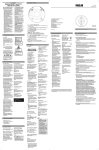
1. CONTROL switch. To lock or unlock
the buttons
CONTROLS
This device generates and uses radio frequency
(RF) energy, and if not installed and used properly, this equipment may cause interference to
radio and television reception.
These rules are designed to provide reasonable
protection against radio and television interference in a residential installation. However, there
is no guarantee that interference will not occur
in particular installations.
If this equipment does cause interference to
radio or television reception (which you can
determine by turning the equipment off and
on), try to correct the interference by one or
more of the following measures:
• Reorient the receiving antenna (that
is, the antenna for the radio or
television that is "receiving" the
interference).
• Move the unit away from the
equipment that is receiving
interference.
• Plug the unit into a different
wall outlet so that the unit and the
equipment receiving interference
are on different branch circuits.
If these measures do not eliminate the interference, please consult your dealer or an experienced radio/television technician for additional
suggestions.
Also, the Federal Communications Commission
has prepared a helpful booklet, "How To
Identify and Resolve Radio TV Interference
Problems." This booklet is available from the U.S.
Government Printing Office, Washington, DC
20402. Please specify stock number 004-00000345-4 when ordering copies.
This equipment has been type tested and found
to comply with the specifications in Subpart J of
Part 15 of FCC Rules.
1
HOLD
EN FCC Information (North America)
THE CD PLAYER
DC IN 4.5V
4:52 PM
PHONES
5/2/01
VOLUME
3-8120 rev.1 EN
15
9. FWD button. Skip up one track.
10. REV button. Skip down one track.
2. VOLUME. To adjust the volume.
3. DBBS button. Press to adjust Bass
Boost level.
11. ESPX. Avoid sound interruptions
when impacts or vibrations occur.
4. PROG. button. To program & display.
12. PHONES jack. Insert your phones
here.
5. MODE button. For repeat and
introscan playback function.
13. DC jack. You can insert the adapter
instead of batteries for indoor use.
6. SHUFFLE button. To randomly play
tracks.
14. Display Panel. More information on
Page 6.
7. PLAY/PAUSE button. Press to play or
pause CD.
15. OPEN switch. Slide to open CD
door.
8. STOP button. Press to stop CD play.
SEE MARKING ON BOTTOM / BACK OF PRODUCT
2
3-8120 rev.1 EN
5/2/01
4:52 PM
Page 6
THE CD PLAYER
THE CD PLAYER
EN
Model Number
3-8120
Adaptor
5-4079B
(120V 60 Hz)
(not included)
AC OUTLET POWER SUPPLY
Batteries
AAx2
(not included)
BATTERIES POWER SUPPLY
(NOT INCLUDED)
Refer to the above chart for adapter
(transformer) information that can be
used with your unit.
AC/DC adaptor is purposed for dry indoor
use only. Remove the jack from the device
to use it with the batteries.
Note : Power is fed to the unit even when
it is not functioning. To cut the power supply off, the AC/DC adaptor must be
unplugged.
CAR (DC) POWER SUPPLY
ADAPTOR (NOT INCLUDED)
Plug the car (DC) power supply adaptor
into the DC in 4.5V jack at the rear/side of
the CD player & then into the cigarette
lighter receptacle in your car.
Refer to the table for details of the batteries required to operate your unit.
Recharge function (Thomson Models) —
To charge Ni-Cd batteries (not included):
Insert 2 rechargeable batteries in the compartment. Turn the switch to the ON position at the back of the unit. Connect the
main adaptor. The batteries take about
eight hours to become fully charged if the
player is not operating.
Listening to a Compact Disc
(This unit is compatible with CD-R and CDRW discs for playback)
1. Slide the OPEN switch to the right to
open the door. Insert a disc and
press lightly on the centre to
secure disc loading. Close the door. Press
PLAY/PAUSE button. RD DISC
will show on the display
and then the total number of tracks and
esp
time of the CD. If the
disc compartment is
:40
empty or the disc
cannot be played,
NODISC will show on
:40
the display.
2. Slide CONTROL
switch to HOLD
position to lock the
button to avoid accidental activation of
unwanted functions.
tape deck and plug the cord into the
CD player’s PHONES jack.
3 . Insert a compact disc and press PLAY/
PAUSE button. Adjust CD player’s volume
to a mid level (make sure the Bass Boost is
turned off).
4. Use the car stereo to adjust volume,
tone. Adjust the volume of your
CD
player for better volume
control.
5. Before ejecting the
cassette after you
have finished listening, make sure
the car stereo’s volume is turned
down.
DIGITAL SOUND
PROCESSING
1
BASS BOOST
PROG.
TRACK
MIN
MODE
sec
SHUFFLE
DBBS
esp
SEC
P
REV
SEC
FWD
PLAY
STOP
PAUSE
ELECTRONIC SHOCK
PROTECTION
Important : If you use your CD player
with non rechargeable batteries, turn
OFF the switch at the back of the unit
in order to prevent any damage to the
unit or batteries.
The ELECTRONIC
SHOCK PROTECTION*
system prevents sound
interruptions when impacts
or vibrations occur. Electronic
anti-shock consumes less power and
increases the battery life.
Therefore, the ESPX
function is always ON.
:40SEC
After many successive
impacts, the buffer might
be emptied causing a
brief sound interruption for the memory
to reload. The buffer is 40 seconds long.
DI
GI
M
TAL
TE
YS
PE ANTI-SHOCK S
R SO
ER
NAL CD PLAY
You can also change tracks or quickly listen
to part of a track by pressing or holding
FWD or REV.
Listening to a CD in your car
(NOT INCLUDED)
1. Select a power source (either
battery power or the car DC adaptor)
2. Insert the cassette adaptor into the
3
4
EN
3-8120 rev.1 EN
5/2/01
4:52 PM
Page 8
THE CD PLAYER
THE CD PLAYER
EN Resume (for RCA only)
When you stop CD play or power off the
unit (without disconnecting power supply), Resume is automatically activated. It
stores all the current settings and modes:
current track, time display, Mode
(Repeat/Repeat All/ Program/ Random/
Random All), and ESPX. When play mode
is on again, the unit resumes to the settings and plays from where it stopped. If
CD compartment lid is opened, RESUME
stores only the following modes: Shuffle
Mode (Repeat/ Repeat All), EQ setting
(Bass boost/ Surround) and ESPX. Other
settings such as track play, time display,
program setting and memory are all reset
or cancelled.
Repeating
You can replay the entire CD or one
track as many times as you want;
Press MODE repeatedly to
1. Replay the entire disc;
1
2. Replay the current track;
3. Play the beginning of each track for 10
seconds.
(The number of the track being played will
be displayed and SCAN will appear.)
4. Press again to the function de-select.
5
Program
This function lets you listen to the tracks
you selected in the order you want. The
CD player must be in Stop mode.
1. Press PROG. P will show on the display.
2. Select the track to be stored by pressing
FWD or REV & press PROG again to
confirm.
3. Repeat step 2 to store other tracks.
4. Press play button to listen to your programming.
Note : The unit switches off automatically
after 15s if no key has been activated to
prevent excessive battery consumption.
During programming, the unit can switch
off if you do not press any key within 10s.
If the unit switches off, the programme
will be stored in memory. Resume programming by turning the unit on again.
You can program up to 24 tracks.
To play your program again, press PLAY.
To add/edit tracks to the program, go to
stop mode ; press and hold PROG button
again. Refer to step 2 of the above.
To cancel your program, press and hold
the MODE key in the stop mode. ERASE
will appear on the display. The program
will be automatically canceled.
To exit program mode, press STOP then
PROG.
EN
THE DISPLAY
2
1
1
3
6
4
esp
BASS BOOST
5
P
7
8
Random Play
1. Press SHUFFLE until
shows on display.
2. Press PLAY to listen.
3. For de-selection, press SHUFFLE.
PAUSE
Press PLAY to suspend playback
The minutes and secondes flash
when interrupted
STOP
Press STOP to stop playback.
The player switches off automatically
after 5 seconds or press twice STOP key
to turn off your CD player.
REMAIN TIME
Press PROG during playback to read the
remaining playback time.
1.Repeat entire disc
2. Repeat current track
3. Random tracks play
4. ESPX
(When the buffer is being loaded, the
brackets around the ESP symbol will
increase)
5. Program mode
6. Shows when the control button is on
HOLD position.
7. Shows when batteries are low
8. Bass Boost ON
To check the program, press PLAY and
FWD.
.
6
3-8120 rev.1 EN
5/2/01
4:52 PM
Page 10
MORE INFORMATION
EN MORE INFORMATION
USEFUL ADVICE
• Do not store CDs in damp areas.
• Do not expose CDs to high
temperatures or direct sunlight.
• Do not put any tape or adhesives on
either side of the disc.
• You should avoid leaving the CD
door open. Dust is liable to impair
performance of the laser optical unit.
• Do not use your set immediately
after transport from a cold place to a
warm place : there may be
condensation problems.
• Do not touch the playing surface.
Make sure that you keep your set
away from water and high
temperatures.
• If you do not use your set on battery
power for more than one month, we
advise you to take out all the batteries.
• To prevent personal injury, do not
reverse any battery and do not mix
battery types.
• Discard leaking batteries immediately.
Leaking batteries can cause skin burns
or other personal injury.
• Thomson recommends Duracell Ultra
Batteries.
• Prolonged use of the CD player at full
volume can damage the user’s ear.
PLEASE RESPECT
THE ENVIRONMENT !
Before throwing any batteries away,
consult your distributor who may be able
to take them back for specific recycling.
MAINTENANCE
Clean the player with a soft cloth, or a
damp chamois leather. Never use solvents.
Notes on CD-R Discs
• CD-R discs that are recorded by
personal computers or some CD-R
recorders may not be played on this unit
due to the differences in recording
platforms.
• Do not load an unrecorded CD-R disc
into the unit. This may take a longer
time to read the disc.
TECHNICAL SPECIFICATIONS
* Frequency response: 20Hz to 20kHz
Power Supply
• 4.5V DC (through AD/DC adaptor
(refer to table page 3 for details)
• 2 “AA” batteries
( Duracell Ultra recommended)
• 2 “AA” rechargeable Ni-cd batteries
• 4.5VDC (through car DC adaptor )
(not included)
US Warranty
What your warranty covers:
• Any defect in materials or workmanship.
For how long after your purchase:
• One year (The warranty period for rental units begins with the first rental or
45 days from date of shipment to the rental firm, whichever comes first.)
What we will do:
• Provide you with a new, or at our option, a refurbished unit.
• The exchange unit is under warranty for the remainder of the original
product's warranty period.
How to make a warranty claim:
• Properly pack your unit. Include any cables, etc., which were originally provided
with the product. We recommend using the original carton and packing materials.
• Include in the package evidence of purchase date such as the bill of sale. Also
print your name and address and a description of the defect. Send standard UPS or
its equivalent to:
EN
Thomson multimedia Inc.
Product Exchange Center
11721 B Alameda Ave.
Socorro, TX 79927
• Pay any charges billed to you by the Exchange Center for service not covered by
the warranty.
• Insure your shipment in case of loss of damage. Thomson accepts no liability in case
of damage or loss.
• A new or refurbished unit will be shipped to you prepaid freight.
What your warranty does not cover:
• Customer instruction. (Your Owner's Manual provides information regarding
operating instructions and user controls. For additional information, ask your dealer.)
• Installation and set-up service adjustments.
• Batteries.
• Damage from misuse or neglect.
• Products which have been modified or incorporated into other products.
• Products purchased or serviced outside the USA.
• Acts of God, such as but not limited to lightning damage.
How state law relates to this warranty:
• This warranty gives you specific legal rights, and you may have other rights which vary from
state to state.
If you purchased your product outside the USA:
• This warranty does not apply. Contact your dealer for warranty information.
• SPC : Sound Pressure Control at 100dB
maximum (only for Thomson models)
7
8
3-8120 rev.1 EN
5/2/01
4:52 PM
Page 12
Canadian Warranty
Thomson multimedia Ltd. warrants to the purchaser or gift recipient that if any manufacturing
defect becomes apparent in this product within 1 year from the original date of purchase, it will be
replaced free of charge, including return transportation.
This warranty does not include damage to the product resulting from accidents, misuse or leaking
batteries.
Should your product not perform properly during the warranty period, either:
1. Return it to the selling dealer with proof of purchase for replacement,
OR
2. Remove the batteries (where applicable), and pack product complete with accessories in the
original carton (or equivalent).
— Mail prepaid (with proof of purchase) and insured to:
Thomson multimedia Ltd.
Distribution Centre
6200 Edwards Blvd.
Mississauga, Ontario
L5T 2V7
Canada
The provisions of this written warranty are in addition to and not a modification of or subtraction
from the statutory warranties and other rights and remedies contained in any applicable legislation,
and to the extent that any such provisions purport to disclaim, exclude or limit any such statutory
warranties and other rights and remedies, such provisions shall be deemed to be amended to the
extent necessary to comply therewith.
If you are unable to find a qualified servicer for out of warranty service, you may write to:
Thomson multimedia Ltd.
P.O. Box 0944
Indianapolis, Indiana, U.S.A., 46206-0944
Attach your sales receipt to this booklet for future reference. This information is required if service is
needed during the warranty period.
PURCHASE DATE
NAME OF STORE
9
EN