1
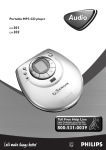
Portable MP3-CD Player
If you have any problems, do not attempt
to return this product to the store.
For fast help, call us first!
1-800-531-0039
RTAN
PO
T!
Read this manual first!
IM
Audio
EXP311 • EXP313
Return
your Warranty
Registration Card
within 10 days
E
S
EE
WH
Y INS
ID
English
PHILIPS CONSUMER
ELECTRONICS COMPANY
A Division of Philips Electronics
North America Corporation
Knoxville,Tennessee 37914-1810, U.S.A.
IMPORTANT SAFETY INSTRUCTIONS
1.
2.
3.
4.
5.
6.
7.
Read these instructions.
8.
Do not install near any heat sources such as
radiators, heat registers, stoves, or other apparatus
(including amplifiers) that produce heat.
9.
Only use attachments/accessories specified by
the manufacturer.
10.
Keep these instructions.
Heed all warnings.
Follow all instructions.
Do not use this apparatus near water.
Clean only with dry cloth.
Do not block any ventilation openings. Install in
accordance with the manufacturer´s instructions.
Use only with the cart, stand, tripod, bracket,
or table specified by the manufacturer or sold
with the apparatus.When a cart is used, use
caution when moving the cart/apparatus
combination to avoid injury from tip-over.
11. Refer all servicing to qualified service personnel.
Français
Servicing is required when the apparatus has been damaged
in any way, such as power-supply cord or plug is damaged,
liquid has been spilled or objects have fallen into the
apparatus, the apparatus has been exposed to rain or
moisture, does not operate normally, or has been dropped.
Printed in China
12.Battery usage CAUTION – To prevent battery
leakage which may result in bodily injury or damage to the unit:
CLASS 1
LASER PRODUCT
●
Install all batteries correctly, + and - as marked on the unit.
●
Do not mix batteries (old and new or carbon and
alkaline, etc.).
●
Remove batteries when the unit is not used for a long time.
EL 6474-E003: 01/6
W
3103 306 1888.1
IB8369B001 – VieChr0218
Canada
English:
This digital apparatus does not exceed
the Class B limits for radio noise emissions
from digital apparatus as set out in the
Radio Interference Regulations of the
Canadian Department of Communications.
Français:
Cet appareil numérique n'émet pas de
bruits radioélectriques dépassant les limites
applicables aux appareils numériques de
Classe B prescrites dans le Règlement sur le
Brouillage Radioélectrique édicté par le
Ministère des Communications du Canada.
Controls
8
7
9
6
ALB
UM
• TI
TL
E
0
SE
UM
ALB
H
E
TL
• TI
ARC
5
H
RC
SEA
Y
DISPLA
DBB
!
4
ESP
PROGR
AM
MODE
3
@
O
FF
•R
ES
U
M
#
E•
HO
LD
LINE
$
L.
VO
OUT
/
2
OP EN
%
1
^
&
)
*
(
Quick start
1
p
2
O
FF
•R
ES
U
M
E•
HO
LD
LIN
E OU
T/
L.
VO
OPEN
#
3
DBB
ESP
OGRAM
E
MOD
L.
VO
OF
F
•R
ES
$ PROGRAM
programs tracks and lets you review the program
% MODE
selects playback options such as SHUFFLE and REPEAT
^ LINE OUT/p
3.5 mm line out jack to connect
– the headphones
– this unit to the audio input of your stereo equipment
& 4.5V DC
to connect the power adapter (supplied or optionally available)
* battery compartment
( type plate
) belt clip hole
OF
UM
F
E•
OPE N
1 OPEN 2
opens the CD compartment
2 VOL E
adjusts the volume
3 2;
switches on the unit, starts playback, and pauses playback
4 ESP
Electronic Skip Protection prevents music interruptions
caused by shocks or vibrations
5 DBB
Dynamical Bass Boost, selects the bass enhancement
6 §
skips forward and searches forward
7 +
MP3-CD only: selects the next album or skips forward
8 DISPLAY
selects the track and album information for MP3-CDs
9 display
0 <
MP3-CD only: selects the previous album or skips backward
! ∞
skips backward and searches backward
@ OFF · RESUME · HOLD
OFF switches off RESUME and HOLD; RESUME stores the
last position played; HOLD locks all buttons
# 9
stops playback, clears a program and switches off the unit
HO
LD
•R
ES
UM
E•
HOL
D
LINE
OUT
L.
VO
/
LINE
OUT
L.
VO
/
OPEN
4
HOLD ➠ OFF
5
OPEN
PLAY 2;
6
CAUTION
VOL E
TITLE
DISP
LAY
SEARC
H
• TITLE
UM
ALB
H
ALBUM
MOD
E
SEARC
PROG
RAM
E
TL
• TI
H
RC
SEA
OPE N
VOL
Y
DISPLA
OFF • RESU
ME • HOLD
DBB
ESP
AM
PROGR
!!!
MODE
Use of controls or adjustments or
performance of procedures other than
herein may result in hazardous radiation
exposure or other unsafe operation.
The set complies with the FCC-Rules, Part 15 and with
21 CFR 1040.10. Operation is subject to the following
two conditions:
1.This device may not cause harmful interference, and
2.This device must accept any interference received,
including interference that may cause undesired operation.
Maintenance
Do not touch the lens A of
the unit.
Batteries (supplied or optionally available)
●
Do not expose the unit, batteries
or discs to humidity, rain, sand or
excessive heat (caused by heating
equipment or direct sunlight).
The lens may cloud over when the unit is suddenly moved
from cold to warm surroundings. Playing is not possible then.
Leave the unit in a warm environment until the moisture
evaporates.
Do not mix old and new or
different types of batteries.
●
Active mobile phones in the vicinity of this unit may cause
malfunctions.
Clean the unit with a soft, slightly dampened lint-free cloth.
Do not use any cleaning agents; they may have a corrosive
effect.
Batteries contain chemical substances, so they should
be disposed of properly.
Average playing time of 2 alkaline batteries under normal
conditions:
To clean a disc, wipe it in a straight line from the center
toward the edge using a soft, lint-free cloth. Cleaning agents
may damage the disc.
Environmental information
Your unit consists of materials which can be recycled if
disassembled by a specialized company. Please observe the
local regulations regarding the disposal of packing materials,
exhausted batteries and old equipment.
MP3 music files
The music compression technology MP3 (MPEG 1 Audio
Layer 3) reduces the digital data of an audio CD significantly
while maintaining CD-like sound quality.With MP3 you can
record up to 10 hours of CD-like music on a single CD-ROM.
How to get music files
Either download legal music files from the internet to your
computer hard disc or create them from your own audio
CDs. For this, insert an audio CD into your computer´s
CD-ROM drive and convert the music using an appropriate
encoder software.To achieve a good sound quality, a bit rate
of 128 kbps or higher is recommended for MP3 music files.
Indication of empty batteries
Replace the batteries or connect
the power adapter as soon as A
blinks and REPLACE BATTERIES
is scrolled.
Remove batteries if they are empty or if the unit will not be
used for a long time.
Avoid dropping the unit; this may cause damage.
All redundant packing material has been omitted.We have
done our utmost to make the packaging easily separable
into three mono materials: cardboard (box), polystyrene
foam (buffer) and polyethylene (bags, protective foam sheet).
Inserting batteries
Open the battery compartment
and insert 2 alkaline batteries of
type AA (LR6, UM3).
Audio disc
MP3-CD
ESP on
11 hours
11 hours
ESP and powersaving on
15 hours
23 hours
Headphones
●
Connect the supplied headphones
to LINE OUT/p.
O
FF
•R
ES
U
M
E•
HO
LD
LIN
E OU
T/
L.
VO
OPEN
Note: LINE OUT/p can also be
used for connecting this unit to your
HiFi system. Set VOL E on this
unit to position 8 and adjust volume
and sound with your HiFi system.
Use your head when using headphones
Hearing safety
Do not play your headset a high volume. Hearing experts
advise against continuous extended play. If you experience a
ringing in your ears, reduce the volume or discontinue use.
Traffic safety
Do not use while operating a motorized vehicle. It may
create a traffic hazard and it’s illegal in many areas.You
should use extreme caution or temporarily discontinue use
in potentially hazardous situations. Even if your headset is
an open-air type designed to let you hear outside sounds,
don’t turn up the volume so high that you can’t hear what’s
around you.
Playing a disc
How to organize music files
In order to easily handle the large number of music files on
a CD-ROM, you can organize them in folders (“albums”).
Note:The number of music files that can be played depends
on the length of the file names.With short file names more
files will be supported.
7
To remove the disc, hold it by
its edge and press the hub gently
while lifting the disc.
All trademarks used are owned by their respective owners.
E
TL
• TI
UM
LAY
DISP
DBB
ESP
ROGRAM
O
MODE
FF
•R
ES
U
M
E•
HO
LD
LIN
E OU
T/
L.
VO
Notes:
After pressing 2; it may take some time until the first
MP3 track is played.
The display switches off 20 seconds after pressing 9.
After 90 seconds the unit switches off automatically.
Power adapter (supplied or optionally available)
Use only the AY 3170 power adapter (4.5 V/300 mA direct
current, positive pole to the center pin). Any other product
may damage the unit.
Make sure the local voltage
corresponds to the adapter´s
voltage.
CH
To stop playback, press 9.
➜ Audio disc:The number of
tracks and the total playing time
of the disc are displayed.
MP3-CD:The number of
albums and the number of
tracks are displayed.
AR
6
SE
Supported formats
This unit supports:
– Disc format: ISO 9660, Joliet, Multisession, UDF,
Enhanced Music CD, Mixed Mode CD
– MP3 bit rate: 32–320 kbps and variable bit rate
– Total number of music files and albums: around 350
(with a typical file name length of 20 characters)
E
To resume playback, press 2;
again.
TL
5
• TI
To interrupt playback, press 2;.
➜ The elapsed playing time blinks.
L.
VO
OPE N
M
Press 2; to start playback.
➜ READ CD is displayed.
Playback starts.
Audio disc:The current track
number and the elapsed playing
time are displayed.
MP3-CD:The filename is
scrolled once.
4
Make sure that the file names of the MP3 files end with .mp3.
1
Insert a disc, printed side up, by
pressing gently on the disc´s
center so that it fits onto the hub.
Close the CD compartment by
pressing it down.
BU
How to make a CD-ROM with MP3 files
Use your computer´s CD burner to record (“burn”) the
music files from your hard disc on a CD-ROM. Use either
ISO 9660 disc format or UDF. Some CD burner software
like e. g.“DirectCD” support the UDF format.
E
AL
When playing a disc with CD Audio tracks and MP3 files,
the CD Audio tracks will be played first.
MOD
ALB
3
If there are MP3 files which you did not put into an album,
you will find them in the album VARIOUS with album
number 0. VARIOUS is the first album that will be played.
DBB
ESP
OGRAM
H
2
Push the OPEN 2 slider to open
the CD compartment.
ARC
Albums will be arranged in alphabetical order, but subfolders
(albums within another album) will be played immediately
after the album in which they are located. Albums without
MP3 files will be skipped.
1
SE
The tracks of an album will be played in alphabetical order.
If you want to arrange them in a certain order, let the file
names start with numbers. For example:
001-ONEWORLD.MP3
002-FIRESTARTER.MP3
003-DEEP.MP3
With this unit you can play
– audio discs (pre-recorded audio CDs,
finalized audio CDRs and CDRWs)
– MP3-CDs (CD-ROMs with MP3 files)
Volume adjustment
●
Adjust the volume by using
VOL E.
OPE N
2
Connect the power adapter to
4.5V DC on the unit and to the
power outlet.
Note: Always disconnect the adapter if you are not using it.
VOL
English
DBB
ESP
Press DBB again to switch off
the bass enhancement.
➜ DBB disappears and DBB OFF is displayed.
Beep
Keep DBB pressed for 2 seconds to switch beep either
on or off:
➜ BEEP is displayed: Beep is
switched on.
➜ NO BEEP is displayed: Beep is
switched off.
• TI
TL
E
CH
LE
IT
•T
AR
E
AR
ALB
UM
SE
• TI
AY
DISPL
CH
SE
TL
LE
BU
AL
M
ARC
H
LAY
DISP
SE
2
Press MODE repeatedly during
playback to select either:
– SHUFFLE ALBUM (with
MP3-CDs only): All tracks of
the current album are played
in random order once.
– SHUFFLE ALL: All tracks of
the disc are played in random order once.
– REPEAT SHUFFLE ALBUM (with MP3-CDs only): All tracks
of the current album are played repeatedly in random
order.
– REPEAT SHUFFLE ALL: All tracks of the disc are played
repeatedly in random order.
– REPEAT:The current track is played repeatedly.
– REPEAT ALBUM (with MP3-CDs only):
All tracks of the current album are played repeatedly.
– REPEAT ALL:The entire disc is played repeatedly.
IT
1
BU
1
M
BU
AL
Playing tracks repeatedly or in random
order
AL
●
E
MOD
•T
Selecting and searching on all discs
Selecting a track during
playback
Briefly press ∞ or § once or
several times to skip to the
beginning of the current, previous
or subsequent track.
➜ Playback continues with the selected track.
RAM
PROG
Note:The ID3 tag is part of an MP3 file and contains various
track information such as the track´s title or the artist´s name.
Complete the ID3 tag information with your MP3 encoder
software before burning the MP3-CD.
A beep confirms that you have pressed a button or that
the batteries are empty.
●
AY
DISPL
M
Press DBB again for a strong bass
enhancement.
➜ DBB appears and DBB 2 is
displayed.
Press DISPLAY repeatedly during
playback to select the following
track information:
– the track number and the
elapsed playing time,
– ALBUM: the album´s folder
name,
– ARTIST: the artist´s name (if this
ID3 tag information is available),
– TITLE: the track´s title (if this
ID3 tag information is available),
– FILENAME: the track´s file name.
CH
●
AR
CH
AR
SE
3
E
2
Press DBB for a moderate bass
enhancement.
➜ DBB appears and DBB 1 is
displayed.
L
TIT
1
Track and album information
(for MP3 tracks only)
SE
Sound adjustment
D
ESP
ROGRAM
MODE
RAM
PROG
Searching for a passage during playback
Keep ∞ or § pressed to find a particular passage in
backward or forward direction.
➜ Searching starts and playback continues at a low volume.
Release the button at the desired passage.
➜ Normal playback continues.
Note: During SHUFFLE ALBUM, SHUFFLE ALL, REPEAT
SHUFFLE ALBUM, REPEAT SHUFFLE ALL, REPEAT, REPEAT
ALBUM or while playing a program, searching is only possible
within the current track.
➜ Playback
2
E
MOD
starts in the selected mode after 2 seconds.
To return to normal playback, press MODE repeatedly until
REPEAT and SHUFFLE disappear.
Note:While playing a program, you can select either SHUFFLE
or REPEAT PROGRAM.
PROGRAM, SHUFFLE REPEAT PROGRAM
Selecting albums and tracks on MP3-CDs
You can select up to 50 tracks and store them in the
memory in a desired sequence.You can store any track
more than once.
BU
M
• TI
TL
E
SE
1
2
Selecting a track during playback
Keep < or + pressed to skip quickly to previous
or subsequent MP3 tracks.
➜ Skipping starts and speeds up after 5 seconds.
Release the button at the desired track.
➜ Playback continues with the selected track.
Note:To skip from track to track at low speed,
use ∞ or §.
1
Switch the slider to RESUME
during playback to activate RESUME.
➜ RESUME appears.
2
Press 9 whenever you want to
stop playback.
3
Press 2; to resume playback.
➜ Playback continues from where
you have stopped.
0
To deactivate RESUME, switch the slider to OFF.
➜ RESUME disappears.
LE
IT
•T
M
BU
RAM
PROG
E
MOD
4
If necessary press 9 to stop
normal playback. Press 2; to start
playback of the program.
0
To add additional tracks to the program, stop playback of
the program by pressing 9 and continue with step 1.
0
To review the program, keep PROGRAM pressed for more
than 3 seconds.
➜ All stored tracks are displayed in sequence.
Clearing the program
1
2
MO
SEAR
CH
PRO
GRA
M
If necessary press 9 to stop playback.
Press 9 to clear the program.
➜ PROGRAM CLEARED is
scrolled, PROGRAM disappears
and the program is cleared.
OFF • RES
UME • HOL
D
Notes:
The program will also be cleared if you interrupt the power
supply or open the CD compartment or if the unit switches off
automatically.
After storing 50 tracks, PROGRAM FULL is scrolled.
Belt clip
Locking all buttons – HOLD
You can lock all buttons of the unit.When you press any
button, no action will take place.
0
AY
DISPL
Select and store all desired tracks
in this way.
1
●
Press PROGRAM to store the
track.
➜ PROGRAM appears and P with
the number of stored tracks is
displayed.
3
Storing the last position played – RESUME
You can store the last position played.When restarting,
playback will continue from where you have stopped.
Select a track with ∞, §, < or +.
AL
1
2
CH
D
ESP
MODE
AR
LAY
SE
DISP
SE
ARC
H
ALB
UM
• TI
TL
E
CH
AR
ROGRAM
Programming track numbers
AL
●
Selecting an album during
playback
Briefly press < or + once or several
times to skip to the first track of
the current, previous or subsequent
album.
➜ The first track of the selected album is played.
Switch the slider to HOLD to activate HOLD.
➜ RESUME appears and HOLD is displayed. All buttons are
locked.When pressing any button, HOLD is displayed.
2
To deactivate HOLD, switch the slider to OFF.
➜ RESUME disappears.
0
Align the belt clip as indicated in
the illustration and press on the
clip to insert its shaped pin into
the hole in the unit.
Turn the clip clockwise as
indicated to lock the belt clip to
the unit.
1
2
To detach, gently lift the belt clip where LIFT is indicated
and turn it counter-clockwise.
In-car connections (supplied or optionally
available)
Use only the AY 3545 or AY 3548 car voltage converter
(4.5 V DC, positive pole to the center pin) and the AY 3501
car adapter cassette. Any other product may damage the unit.
• TITL
E
E
• TITL
ALBU
CH
RCH
M
CH
SEAR
ESP
M
PROGRA
F
•R
MODE
ESU
• HOL
D
.
VOL
LINE
2
Plug the voltage converter
LINE OUT/
into the cigarette lighter jack
(only for a 12 V car battery, negative grounding),
then connect the wired end to the 4.5V DC input jack on
the unit.
3
If necessary, clean the cigarette lighter jack to obtain a
good electrical contact.
4
Turn down the volume and connect the adapter cassette
plug to LINE OUT/p on the unit.
5
Carefully insert the adapter cassette into the car radio’s
cassette compartment.
6
Make sure the cord does not hinder your driving.
OUT
AR
SE
M
DISPLAY
DBB
OF
Press ESP repeatedly during
playback to switch ESP and
powersaving on or off:
➜ ESP ON:
appears.
ESP is switched on.
ESP
➜ ESP OFF:
disappears.
ESP is switched off to achieve
the highest sound quality for
CD Audio tracks.
➜ POWERSAVING:
appears. ESP and powersaving are switched on.The
battery playing time is increased and the skip protection
time slightly decreased.
LE
TIT
●
4.5V DC
ME
7
With a conventional portable disc player the music may skip
or stop if the player is shaken or jarred.The Electronic Skip
Protection protects this unit against loss of sound caused by
light vibrations or shocks. Continuous playback is ensured.
ESP does not protect the unit against damage
caused by dropping! Powersaving increases the battery
playing time.
12 V
ALBU
Put the unit on a horizontal,
vibration-free and stable surface.
Make sure it is in a safe place,
where the unit is neither a danger
nor an obstacle to the driver and
the passengers.
SEA
1
ESP and powersaving
/
OPEN
Set VOL E on the unit to position 8. Start playback on
the unit and adjust the sound with the car radio controls.
Always remove the voltage converter from the
cigarette lighter jack when the unit is not in use.
Note: If your car radio has a LINE IN jack, it is better to connect
the unit to this jack instead of using the adapter cassette.
Connect LINE OUT/p of the unit with the LINE IN jack of
your car radio with an appropriate cable.
DBB
Return your Warranty Registration card today to
ensure you receive all the benefits you’re entitled to.
• Once your Philips purchase is registered, you’re eligible to receive all the
privileges of owning a Philips product.
Warranty
Verification
Owner
Confirmation
Model
Registration
Registering your product
within 10 days confirms
your right to maximum
protection under the
terms and conditions of
your Philips warranty.
Your completed
Warranty Registration
Card serves as verification of ownership in the
event of product theft
or loss.
Returning your Warranty
Registration Card right
away guarantees you’ll
receive all the information
and special offers which
you qualify for as the
owner of your model.
Know these
CAUTION
For Customer Use
Enter below the Serial No. which is
located on the rear of the cabinet. Retain
this information for future reference.
RISK OF ELECTRIC SHOCK
DO NOT OPEN
Model No. _____________________
safety symbols
WARNING
Under no circumstances should you try to repair the
unit yourself as this will invalidate the guarantee.
If a fault occurs, first check the points listed, before
taking the unit for repair. If you are unable to solve a
problem by following these hints, consult your dealer
or service center.
Problem
Solution
No power,
playback does
not start
– Insert the batteries correctly.
– Replace the batteries.
– Connect the power adapter securely.
• So complete and return the Warranty
Registration Card enclosed with your
purchase at once, and take advantage
of these important benefits.
CAUTION: TO REDUCE THE RISK OF ELECTRIC SHOCK, DO NOT
REMOVE COVER (OR BACK). NO USER-SERVICEABLE PARTS
INSIDE. REFER SERVICING TO QUALIFIED SERVICE PERSONNEL.
t
This “bolt of lightning”
indicates uninsulated material
within your unit may cause an
electrical shock. For the safety of
everyone in your household, please
do not remove product covering.
s
The “exclamation point” calls
attention to features for which
you should read the enclosed literature closely to prevent operating and
maintenance problems.
Serial No. ______________________
WARNING: TO PREVENT FIRE
OR SHOCK HAZARD, DO NOT
EXPOSE THIS EQUIPMENT TO RAIN
OR MOISTURE.
CAUTION: To prevent electric
shock, match wide blade of plug to
wide slot, and fully insert.
MAC5097
Problem
Solution
No sound
or bad sound
quality
– Press 2; to resume playback.
– Adjust the volume.
– Check and clean the connections.
– Keep this unit away from active
mobile phones or strong magnetic
fields.
The disc skips
tracks
– Clean or replace the disc.
– Make sure REPEAT, SHUFFLE or
PROGRAM are not selected.
HOLD indication
and/or
no reaction
to controls
– Deactivate HOLD.
– Disconnect the unit from the power
supply or take out the batteries for
a few seconds.
INSERT CD
or
NO AUDIO FILE
indication
– Insert a disc, label upwards.
– Clean or replace the disc.
– Wait until the steamed up lens clears.
– Make sure you have inserted an
audio disc or an MP3-CD.
UNFINALIZED CD – Make sure the inserted CDR or
indication
CDRW is finalized.
OOPS indication
LIMITED WARRANTY
PORTABLE COMPACT DISC
One Year Free Exchange
This product must be carried in for an exchange.
WHO IS COVERED?
You must have proof of purchase to exchange the product. A sales receipt or other document showing that you purchased the product is considered proof of purchase. Attach it
to this owner’s manual and keep both nearby.
WHAT IS COVERED?
Warranty coverage begins the day you buy your product. For one year thereafter, a
defective or inoperative product will be replaced with a new, renewed or comparable
product at no charge to you. A replacement product is covered only for the original warranty period.When the warranty on the original product expires, the warranty on the
replacement product also expires.
WHAT IS EXCLUDED?
Your warranty does not cover:
• labor charges for installation or setup of the product, adjustment of customer controls
on the product, and installation or repair of antenna systems outside of the product.
• product repair and/or part replacement because of misuse, accident, unauthorized repair
or other cause not within the control of Philips Consumer Electronics Company.
• reception problems caused by signal conditions or cable or antenna systems outside
the unit.
• a product that requires modification or adaptation to enable it to operate in any country other than the country for which it was designed, manufactured, approved and/or
authorized, or repair of products damaged by these modifications.
• incidental or consequential damages resulting from the product. (Some states do not
allow the exclusion of incidental or consequential damages, so the above exclusion may
not apply to you.This includes, but is not limited to, prerecorded material, whether
copyrighted or not copyrighted.)
• a product that is used for commercial or institutional purposes.
WHERE IS EXCHANGE AVAILABLE?
You may exchange the product in all countries where the product is officially distributed
by Philips Consumer Electronics Company. In countries where Philips Consumer
Electronics Company does not distribute the product, the local Philips service organization will attempt to provide a replacement product (although there may be a delay if the
appropriate product is not readily available).
– Switch on ESP.
Philips, P.O. Box 520890, Miami,
FL 33152, USA, (402) 536-4171
Problem
Solution
Music file is
not played
– Make sure the file names of the
MP3 files end with .mp3
Missing
directories
on MP3-CD
– Make sure the total number of files
and albums on your MP3-CD does
not exceed 350.
– Only albums with MP3 files are
shown.
Music skips
– Play the music file on your computer.
or popping sound If the problem persists, encode the
when playing an
audio track again and make a new
MP3 file
CD-ROM.
In-car use:
No power,
playback does
not start
– Clean the cigarette lighter socket.
– Switch on the ignition of your car.
In-car use:
No sound or
bad sound
– Insert the adapter cassette correctly.
– Change the autoreverse direction of
your car cassette player.
– Let the set adjust to the temperature
in the car.
BEFORE REQUESTING EXCHANGE...
Please check your owner’s manual before requesting an exchange. Adjustments of the
controls discussed there may save you a trip.
EXCHANGING A PRODUCT IN U.S.A.,
PUERTO RICO OR U.S.VIRGIN ISLANDS...
Contact 1-800-531-0039 to arrange an exchange. Or, ship the product, insured and
freight prepaid, and with proof of purchase enclosed, to the address listed below.
Philips Exchange Program
Suite A
406 North Irish Street
Greeneville TN 37745
(In U.S.A., Puerto Rico and U.S.Virgin Islands, all implied warranties, including implied warranties of merchantability and fitness for a particular purpose, are limited in duration to
the duration of this express warranty. But, because some states do not allow limitations
on how long an implied warranty may last, this limitation may not apply to you.)
EXCHANGING A PRODUCT IN CANADA...
Please contact Philips at:
1-800-661-6162 (French Speaking)
1-800-531-0039 (English Speaking)
(In Canada, this warranty is given in lieu of all other warranties. No other warranties are
expressed or implied, including any implied warranties of merchantability or fitness for a
particular purpose. Philips is not liable under any circumstances for any direct, indirect,
special, incidental or consequential damages, howsoever incurred, even if notified of the
possibility of such damages.)
REMEMBER...
Please record the model and serial numbers found on the product below. Also, please fill
out and mail your warranty registration card promptly. It will be easier for us to notify
you if necessary.
MODEL #
____________________________________
SERIAL #
____________________________________
This warranty gives you specific legal rights.You may have other rights
which vary from state/province to state/province.
EL4967E006 / 4-02