1
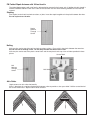
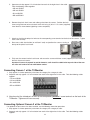
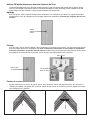
Under the Cabinet Mounting
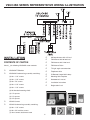
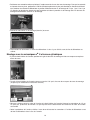
Fasten the plastic frame of the loop antenna using screws, nails, or staples (not supplied) in an open space under
the cabinet. Attach the two wire lead-in cable from the loop antenna to the AM-ANT terminals on the back of the
TV/Monitor.
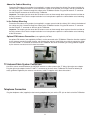
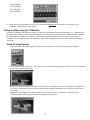
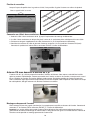
Above the Cabinet Mounting
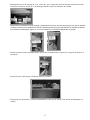
Fasten the plastic frame of the loop antenna using screws, nails, or staples (not supplied) in an open space above
the cabinet. Run the two wire lead-in cable behind the cabinet to the TV/Monitor location. If access behind the cabinet is not possible, drill a small hole in the top and bottom of the cabinet and “fish” the two wire lead-in cable through
the cabinet to the TV/Monitor location. Attach the two wire lead-in cable from the loop antenna to the AM-ANT terminals on the back of the TV/Monitor.
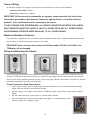
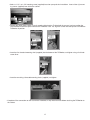
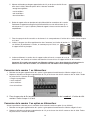
In the Cabinet Mounting
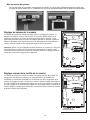
Fasten the plastic frame of the loop antenna using screws, nails, or staples (not supplied) in an open space inside
the cabinet. Drill a small hole in the bottom of the cabinet and “fish” the two wire lead-in cable through the cabinet to
the TV/Monitor location. Attach the two wire lead-in cable from the loop antenna to the AM-ANT terminals on the
back of the TV/Monitor.
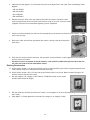
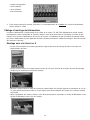
FM Antenna Installation and Connection
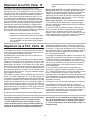
The VSUC4SK is supplied with two different FM radio antennas. Use the antenna that best suits your installation
8