1
To work with conversations in batches:
You can archive, label, delete, or perform other actions on a batch of conversations at once, in your Inbox or
in another labeled list of conversations.
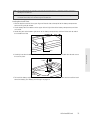
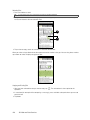
1. In the Inbox or other conversation list, select the check boxes for the conversations you want to work with
as a batch. When you select a check box, the Archive, Labels, and Delete buttons are displayed at the
bottom of the screen.
2. Tap the Archive, Labels, or Delete button to perform one of those actions on the batch of conversations, or
press
for more options.
Changing Gmail Settings
1. Press
and tap
> Gmail.
2. In the Inbox, press
and then tap Settings.
3. Set the following options:
䡲 Signature:
Tap to enter a signature that is appended at the end of your email messages.
䡲 Confirm delete:
Select the check box to show a confirmation box when you delete a conversation.
䡲 Batch operations:
Select the check box to show the batch operations feature. The batch operations
feature lets you archive, delete, or apply a label to multiple email messages at once.
䡲 Clear search history:
䡲 Labels:
Remove the searches you have performed.
Tap to select which Gmail labels to synchronize.
䡲 Email notifications:
Select the check box to show a notification icon on the status bar when you receive
a new email message.
䡲 Select ringtone:
Tap if you want your device to ring when a new email message arrives. On the
Ringtone menu, select a ring tone specific to new email messages. The ring tone plays briefly when
selected. If you don’t want a ring tone to play when you receive a new email message, tap Silent. Then
tap OK to confirm your ring tone selection.
䡲 Vibrate:
Select if you want your device to vibrate when you receive a new email message.
Google Talk
Google Talk is Google’s instant messaging program. It lets you communicate with other people that also use
Google Talk. If you signed in to your Google Account when you first set up the device, you are already
signed in to Google Talk.
To open Google Talk:
1. Press
and tap
> Talk > Next > Sign in.
Web and Data Services
2. Enter your Google Account username and password, and then tap Sign in.
3B. Web and Data Services
131