1
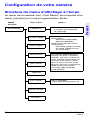
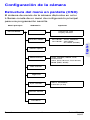
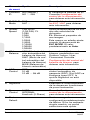
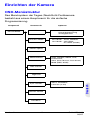
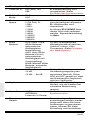
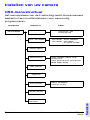
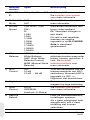
OSD Menu Functions
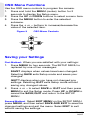
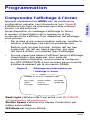
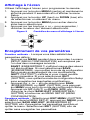
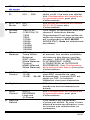
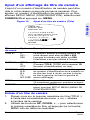
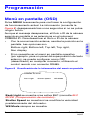
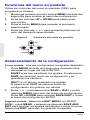
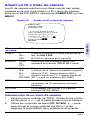
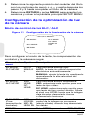
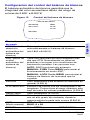
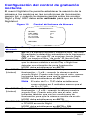
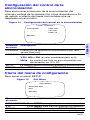
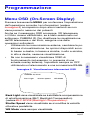
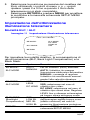
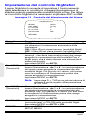
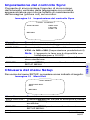
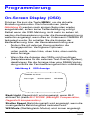
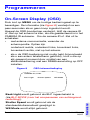
Use the OSD menu controls to program the camera.
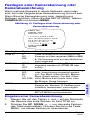
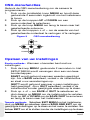
1. Press and hold the MENU (center) button for 2
seconds to display the Setup menu.
2. Press the UP or DOWN buttons to select a menu item.
3. Press the MENU button to enter the selected
submenu.
4. Press the + or – buttons to increase/decrease the
value of the selected item.
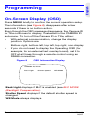
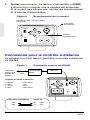
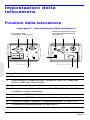
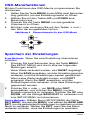
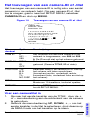
Figure 9
OSD Menu Controls
UP
MENU
+
DOWN
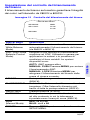
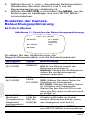
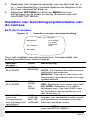
Saving your Settings
First Method: When you are satisfied with your settings:
1.
Press MENU for two seconds. The SETUP MENU is
replaced by one of two messages:
SAVE? displays when values have been changed.
Selecting SAVE exits Setup mode and saves your
changes.
QUIT? displays when you have not changed any
settings. Selecting QUIT exits Setup mode without
saving any changed values.
2.
Press + or – to select SAVE or QUIT and then press
MENU to exit the Setup mode. Press UP or DOWN to
cancel the SAVE/QUIT and return to the SETUP
MENU.
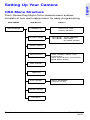
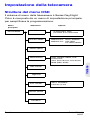
Second Method: Select EXIT MENU on the SETUP MENU,
press MENU, and then select SAVE AND EXIT to save the
changed settings and exit the menu. Select EXIT to exit
without saving the settings.
Rev 2
9
G-113079-002
02/07