1
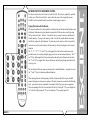
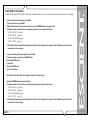
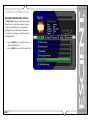
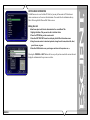
The following table is used to determine the button sequence for direct access code sequences from the Escient IR remote and IR keyboard.
Function
Multi-Key Combinations
Direct Play Mode
Macro, M, [play mode number], Enterr
Direct Artist-Title
Macro, A, [artist-title access number], Enter
Direct iRadio Station
Macro, R, [iRadio access number], Enter
Direct Disc
Macro, C, [changer number], D, [disc number], Enter
Direct Track
Macro, T, [track number], Enter
Direct Playlist
Macro, P, [playlist access number], Enter
Direct Group
Macro, G, [group access number], Enter
Example 1: Use the keyboard to play disc 14 in changer 1.
Example 4: Use the remote to play playlist number 5.
Press: MACRO, C, 1, D, 1, 4, ENTER
Press: MACRO, 7, 5, ENTER
Example 2: Use the keyboard to play playlist number 5
Press: MACRO, P, 5, ENTER
Note: If you do a lot of editing to your music collection, these numbers may
change. If you experience trouble with the Macro key feature, please check
that the direct IR numbers are still correct under SETUP.
Example 3: Use the remote to play disc 14 in changer 1.
Press: MACRO, 2, 1, MACRO, 1, 4, ENTER
PAGE 81
FireBall™ SE-160i User’s Manual
Direct Media Access IR Remote Definitions