1
Editing a Movie on the Camera (Movie Editing)
Procedure
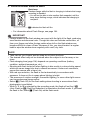
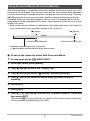
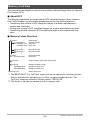
[p] (PLAY) * Movie Screen of Movie to be Edited * [MENU] *
PLAY Tab * Movie Editing
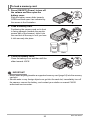
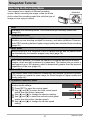
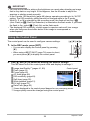
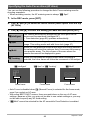
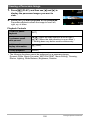
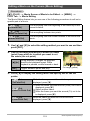
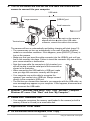
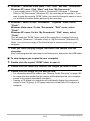
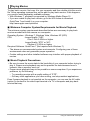
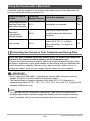
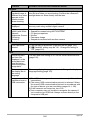
The Movie Editing feature lets you use one of the following procedures to edit out a
specific part of a movie.
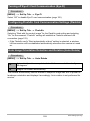
} Cut
(To-Point Cut)
Cuts everything from the beginning of the movie up to the
current location.
~ Cut
(Point-To-Point Cut)
Cuts everything between two points.
¡ Cut
(From-Point Cut)
Cuts everything from the current location to the end of the
movie.
1.
Use [8] and [2] to select the editing method you want to use and then
press [SET].
2.
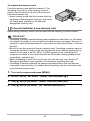
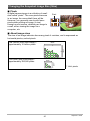
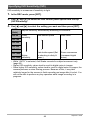
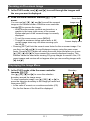
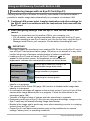
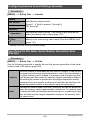
Use the following operations to select the frame
(point) from which or to which you want to cut
the movie (the cut point).
During playback, changes the playback
[4] [6] direction and playback speed. While
playback is paused, scrolls forward or back.
[SET]
3.
Toggles between pause and play.
Cut range (yellow)
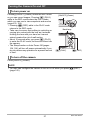
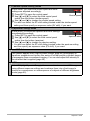
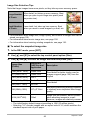
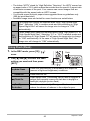
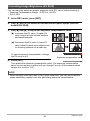
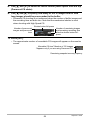
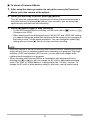
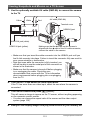
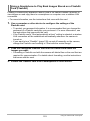
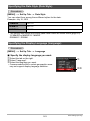
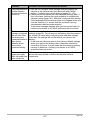
Press [2] to display the editing menu and specify one or two cut
points.
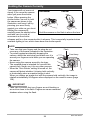
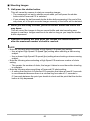
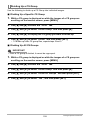
} Cut
(To-Point Cut)
While the frame you want the cut to be up to is
displayed, press [2].
1While the frame you want the first (From) cut to be is
~ Cut
(Point-To-Point Cut)
displayed, press [2].
2Select another frame.
3While the frame you want the second (To) cut to be
is displayed, press [2].
¡ Cut
(From-Point Cut)
While the frame you want the cut to be from is
displayed, press [2].
119
Other Playback Functions (PLAY)