1
SETUP
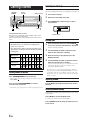
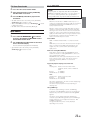
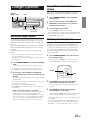
Erasing Disc Title/Station Title
1
Press TITLE
to select the Title Display. Then,
press again and hold for at least 2 seconds.
2
Press and hold -/J for at least 2 seconds.
3
Press g or f repeatedly until the title you
want to erase is displayed.
4
Press and hold -/J for at least 2 seconds to erase
the title displayed.
5
You can flexibly customize the unit to suit your own preferences and
usage. From the SETUP menu, choose from Sound Customizing,
Visual Customizing, etc., to make your desired setting.
The title in the display will blink.
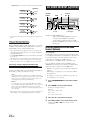
Press TITLE
SOURCE/
POWER BAND
to cancel the title erasing mode.
• You cannot erase CD-TEXT.
• "NO DATA" is displayed for 2 seconds if the title is not input in
step 2, or if all titles are erased in step 4.
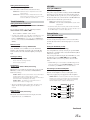
g
f
F/SETUP
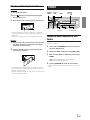
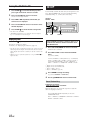
Displaying Time
Press TITLE
repeatedly until the time is displayed.
Each press changes the display.
For details, see “Displaying the Title/Text” (page 14).
• Selecting any tuner or CD function while in the clock priority mode
will interrupt the time display momentarily. The function selected
will be displayed for about 5 seconds before the time returns to the
display.
• When the power is off but the ignition key is on, press TITLE to
display the time.
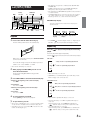
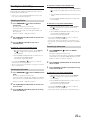
A typical SETUP procedure is shown in steps 1 to 4
as follows. See below for further information about
each SETUP menu.
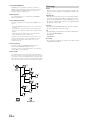
1
2
Press and hold F/SETUP for at least 2 seconds.
SETUP mode is activated.
Press g or f to select the desired SETUP
menu.
(e.g. Select SUBW)
ILLUMI → DIMMER → SUBW (SUBW SYS)*1 → CDDA/MP3/
CDDA → SCROLL TYPE→ SCROLL → MUTE → AUX IN →
(AUXILIARY/TV/VCR/GAME)*2 → D-AUX → POWER IC →
AREA*3 → XM ADF*4 → H510/OTHER → DEMO → ILLUMI
*1
*2
*3
*4
Displayed only when SUBW is ON.
Displayed only when AUX IN is ON.
Refer to “Radio” (page 7).
Refer to “SAT Radio” (page 20).
3
Press BAND to change the setting.
4
Pressing F/SETUP will return to normal mode.
(e.g. Select SUBW ON or SUBW OFF.)
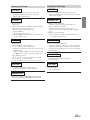
Sound Customizing
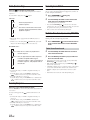
Subwoofer On and Off
SUBW ON (Initial setting) / SUBW OFF
When the subwoofer is on, perform the steps below to adjust the
subwoofer output phase and level.
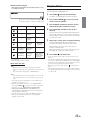
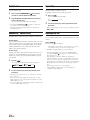
Press the Rotary encoder repeatedly to select the
SUBWOOFER mode.
BASS → TREBLE → SUBWOOFER → BALANCE → FADER →
DEFEAT → VOLUME → BASS
16-EN