1
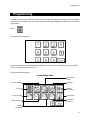
Programming
Scheduling
How to schedule
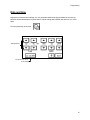
CARDIO allows the scheduling of certain functions such as deterrent reminders, in addition to those main
functions which can be controlled directly.
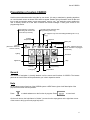
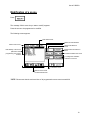
The scheduling process is the same for all the CARDIO functions. Only the lower part of scheduling
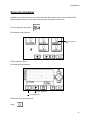
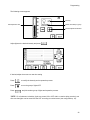
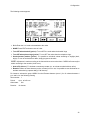
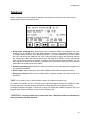
screen will be specific to each function. It is based on the following screen:
Cursor
Time
Day
Day/time setting
arrows
Name of the
scheduling
Current day and time
of the cursor
« trash » button
Specific section
for each functions
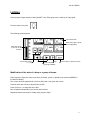
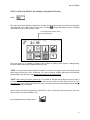
At the start the cursor is always positioned at Monday 00:00.
Use day and time arrows to adjust the cursor to the chosen day and time. It is possible to accelerate this
process by pressing the screen as close as possible to the desired day/time: the cursor will move to this
position. Then, use the arrows to adjust the cursor exactly.
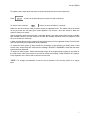
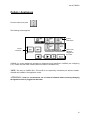
It is easy to delete any programmed schedule. Simply position the cursor on the icon and press the
“trash” button.
NOTE: The time is adjusted in increments of 10 minutes.
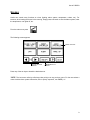
ATTENTION!: For all scheduling, it is important to check the programming over the course of
the entire week. CARDIO will always give the most recently programmed schedule (unless
reactions or direct commands have occured in the interim). For instance, if a command asks for a
temperature of 65ºF (18ºC) on Monday morning at 8 a.m. (8:00) and another of 70ºF (21ºC) the same day
at 5 p.m. (17:00), the temperature will be 70ºF (21ºC) from Monday 5 p.m. until the following Monday at 8
a.m. and so on.
19