1
8 CARBON BRUSH REPLACEMENT
WARNING! Always
be sure that the tool is
switched off and
unplugged before
attempting to perform
inspection or maintenance.
Always be sure that the tool is switched off and unplugged before
attempting to perform inspection or maintenance.
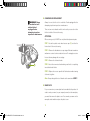
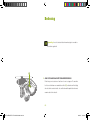
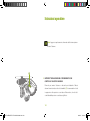
There are two motor brushes which can be easily accessed on either
the front or back of the motor housing.
ATTENTION:
When servicing a tool, ALWAYS use only identical replacement parts.
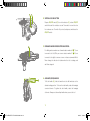
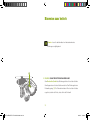
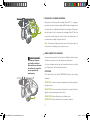
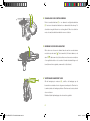
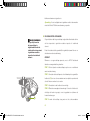
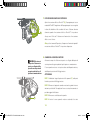
STEP 1: Locate the plastic motor brush access caps (7) on either the
front or back of the motor housing.
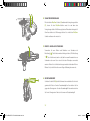
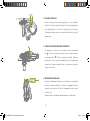
STEP 2: Remove the threaded access cap using a flat head screwdriver
and turn in a counter-clockwise rotation to loosen. Do not apply excessive
force as this may damage the access plug.
STEP 3: Remove the old motor brush.
�
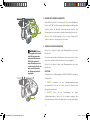
STEP 4: Insert the new motor brush making sure that it is completing
inserted into brush holder.
STEP 5: Replace the access cap with the flat-head screwdriver turning
clockwise to tighten.
Note: Always change both sets of brushes at the same time.USER’S
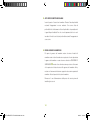
9 NAME PLATE
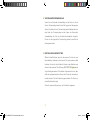
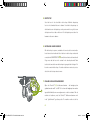
For your convenience, a name plate has been added to this product. In
order to write your name (or your company’s name) on the name plate,
you must first remove the plastic cover. You can write your name on the
nameplate inside and then replace the plastic cover.
15
WT101KE-WE£¨E D F NL I£©-M-070201.indd 15
2007-2-1 12:09:48